display LINCOLN TOWN CAR 2004 User Guide
[x] Cancel search | Manufacturer: LINCOLN, Model Year: 2004, Model line: TOWN CAR, Model: LINCOLN TOWN CAR 2004Pages: 304, PDF Size: 2.87 MB
Page 47 of 304
•Touch one of the arrow buttons repeatedly for the map to be
displayed again at the final zoom level.
•Touch one of the segments of the scale indicator for the map to be
displayed at the selected zoom level.
Additional map function buttons
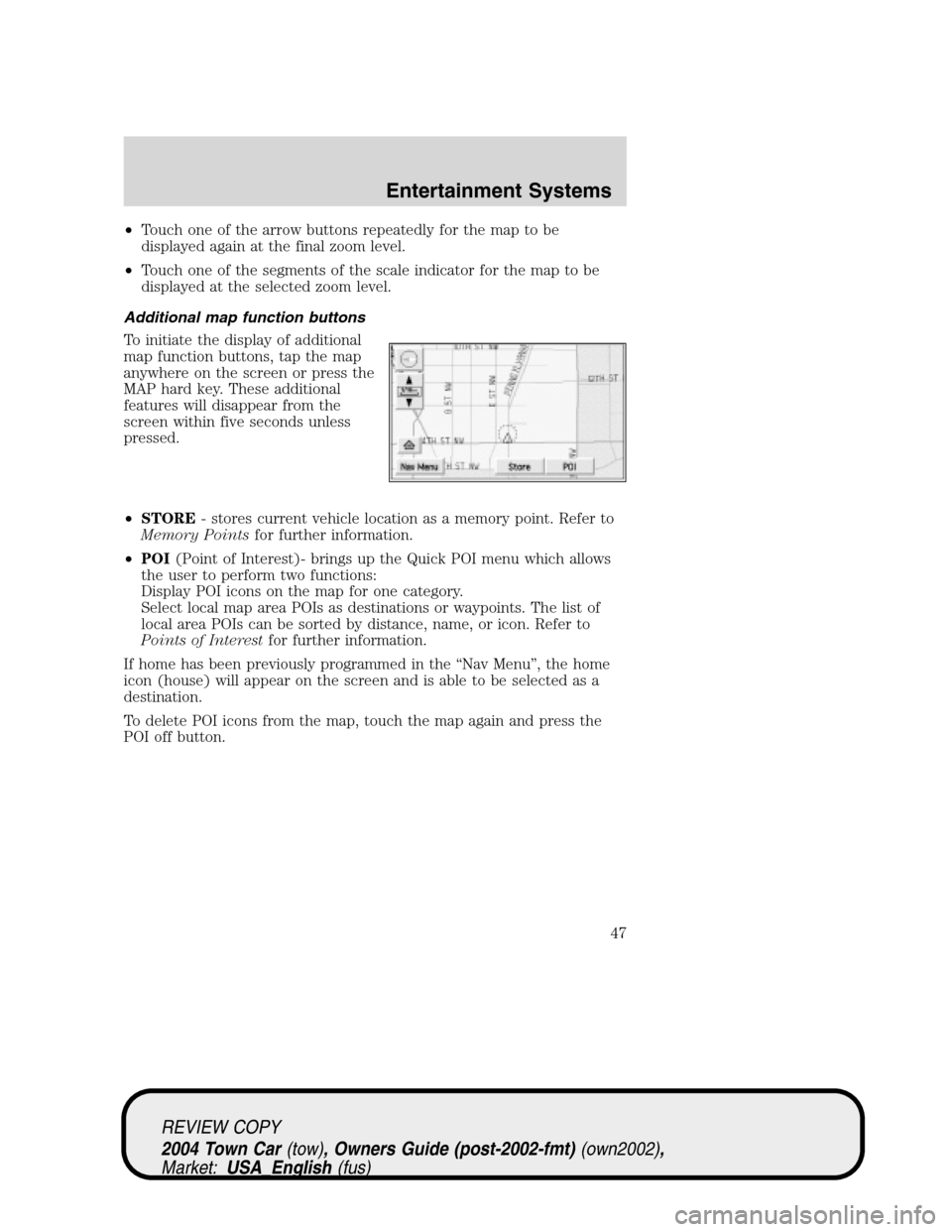
To initiate the display of additional
map function buttons, tap the map
anywhere on the screen or press the
MAP hard key. These additional
features will disappear from the
screen within five seconds unless
pressed.
•STORE- stores current vehicle location as a memory point. Refer to
Memory Pointsfor further information.
•POI(Point of Interest)- brings up the Quick POI menu which allows
the user to perform two functions:
Display POI icons on the map for one category.
Select local map area POIs as destinations or waypoints. The list of
local area POIs can be sorted by distance, name, or icon. Refer to
Points of Interestfor further information.
If home has been previously programmed in the“Nav Menu”, the home
icon (house) will appear on the screen and is able to be selected as a
destination.
To delete POI icons from the map, touch the map again and press the
POI off button.
REVIEW COPY
2004 Town Car(tow), Owners Guide (post-2002-fmt)(own2002),
Market:USA_English(fus)
Entertainment Systems
47
Page 49 of 304
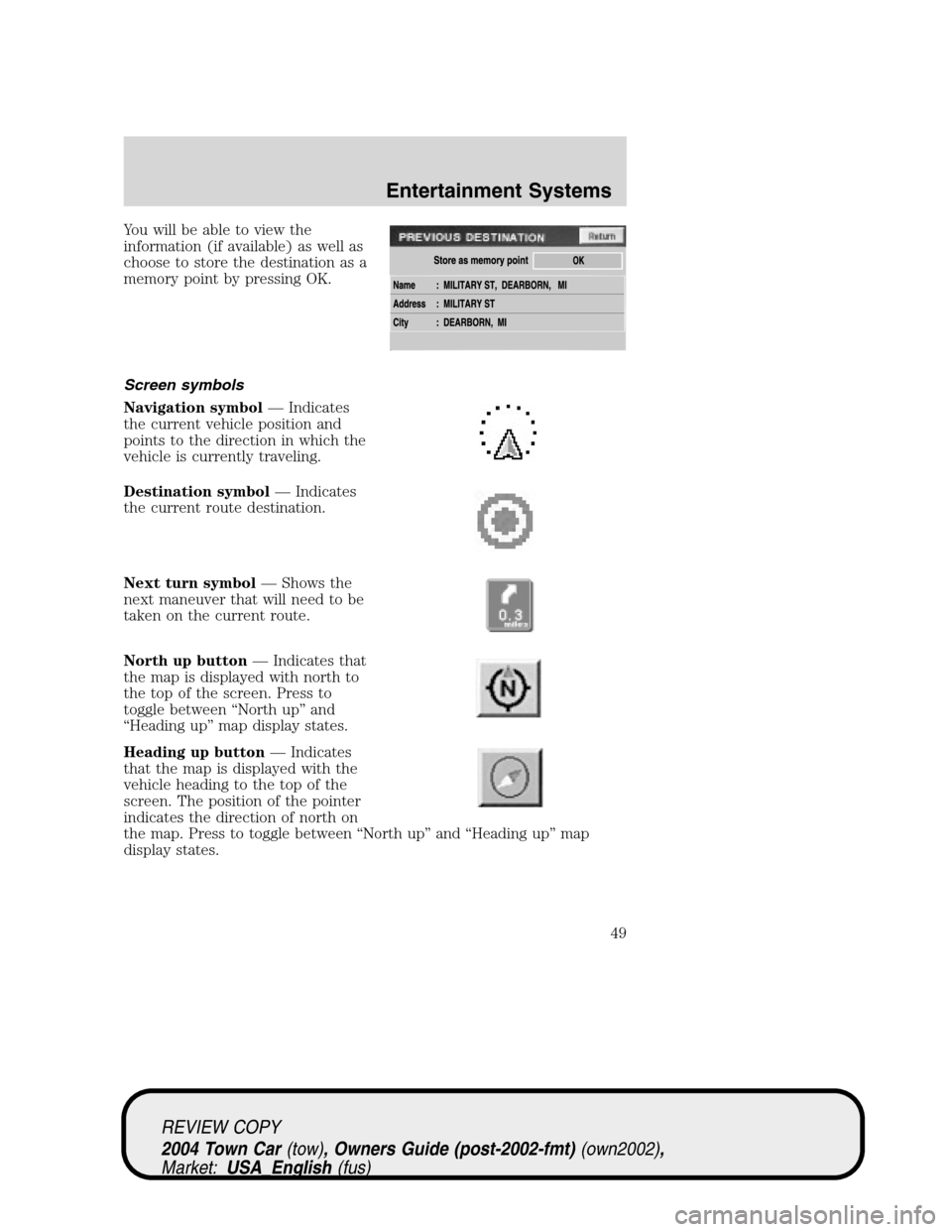
You will be able to view the
information (if available) as well as
choose to store the destination as a
memory point by pressing OK.
Screen symbols
Navigation symbol—Indicates
the current vehicle position and
points to the direction in which the
vehicle is currently traveling.
Destination symbol—Indicates
the current route destination.
Next turn symbol—Shows the
next maneuver that will need to be
taken on the current route.
North up button—Indicates that
the map is displayed with north to
the top of the screen. Press to
toggle between“North up”and
“Heading up”map display states.
Heading up button—Indicates
that the map is displayed with the
vehicle heading to the top of the
screen. The position of the pointer
indicates the direction of north on
the map. Press to toggle between“North up”and“Heading up”map
display states.
REVIEW COPY
2004 Town Car(tow), Owners Guide (post-2002-fmt)(own2002),
Market:USA_English(fus)
Entertainment Systems
49
Page 50 of 304
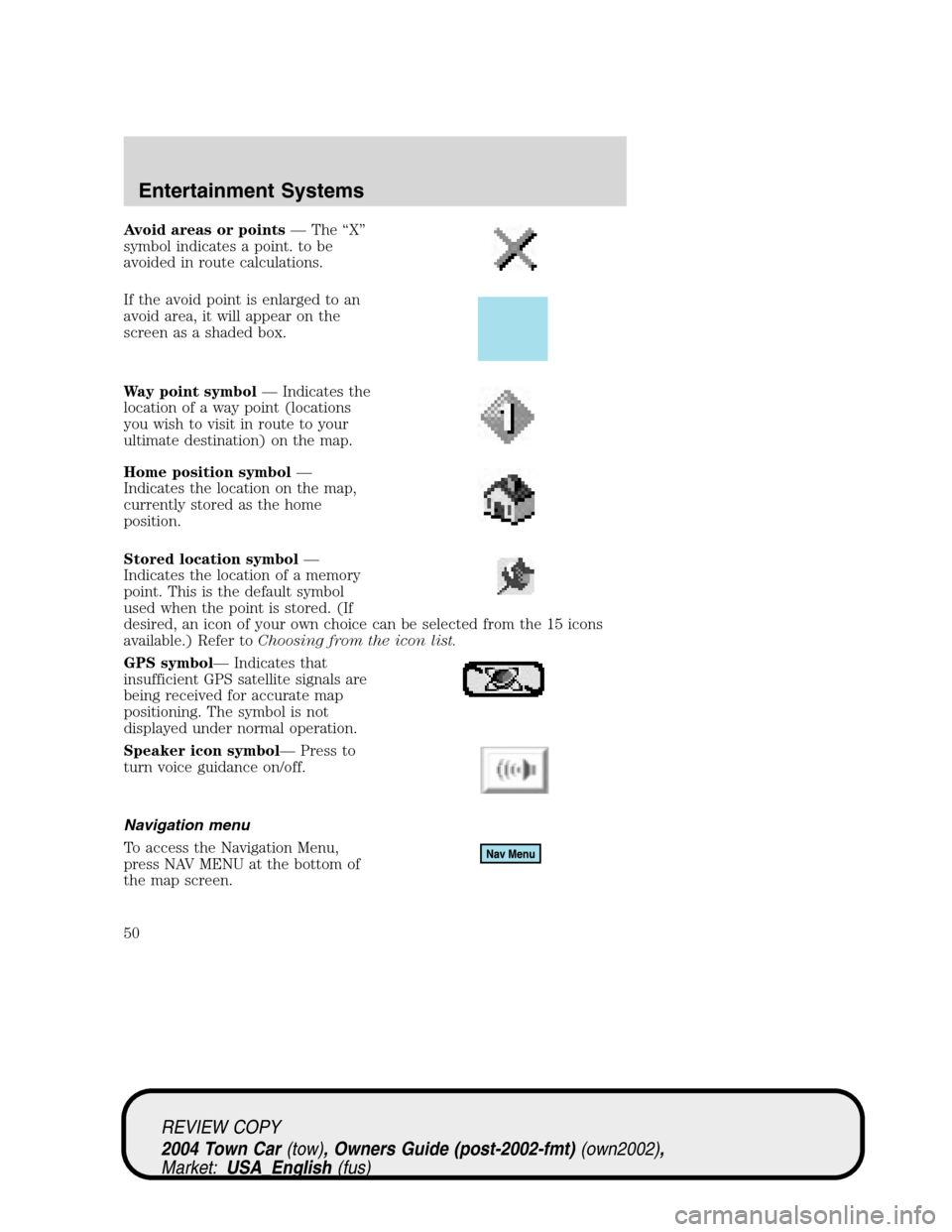
Avoid areas or points—The“X”
symbol indicates a point. to be
avoided in route calculations.
If the avoid point is enlarged to an
avoid area, it will appear on the
screen as a shaded box.
Way point symbol—Indicates the
location of a way point (locations
you wish to visit in route to your
ultimate destination) on the map.
Home position symbol—
Indicates the location on the map,
currently stored as the home
position.
Stored location symbol—
Indicates the location of a memory
point. This is the default symbol
used when the point is stored. (If
desired, an icon of your own choice can be selected from the 15 icons
available.) Refer toChoosing from the icon list.
GPS symbol—Indicates that
insufficient GPS satellite signals are
being received for accurate map
positioning. The symbol is not
displayed under normal operation.
Speaker icon symbol—Press to
turn voice guidance on/off.
Navigation menu
To access the Navigation Menu,
press NAV MENU at the bottom of
the map screen.
REVIEW COPY
2004 Town Car(tow), Owners Guide (post-2002-fmt)(own2002),
Market:USA_English(fus)
Entertainment Systems
50
Page 51 of 304
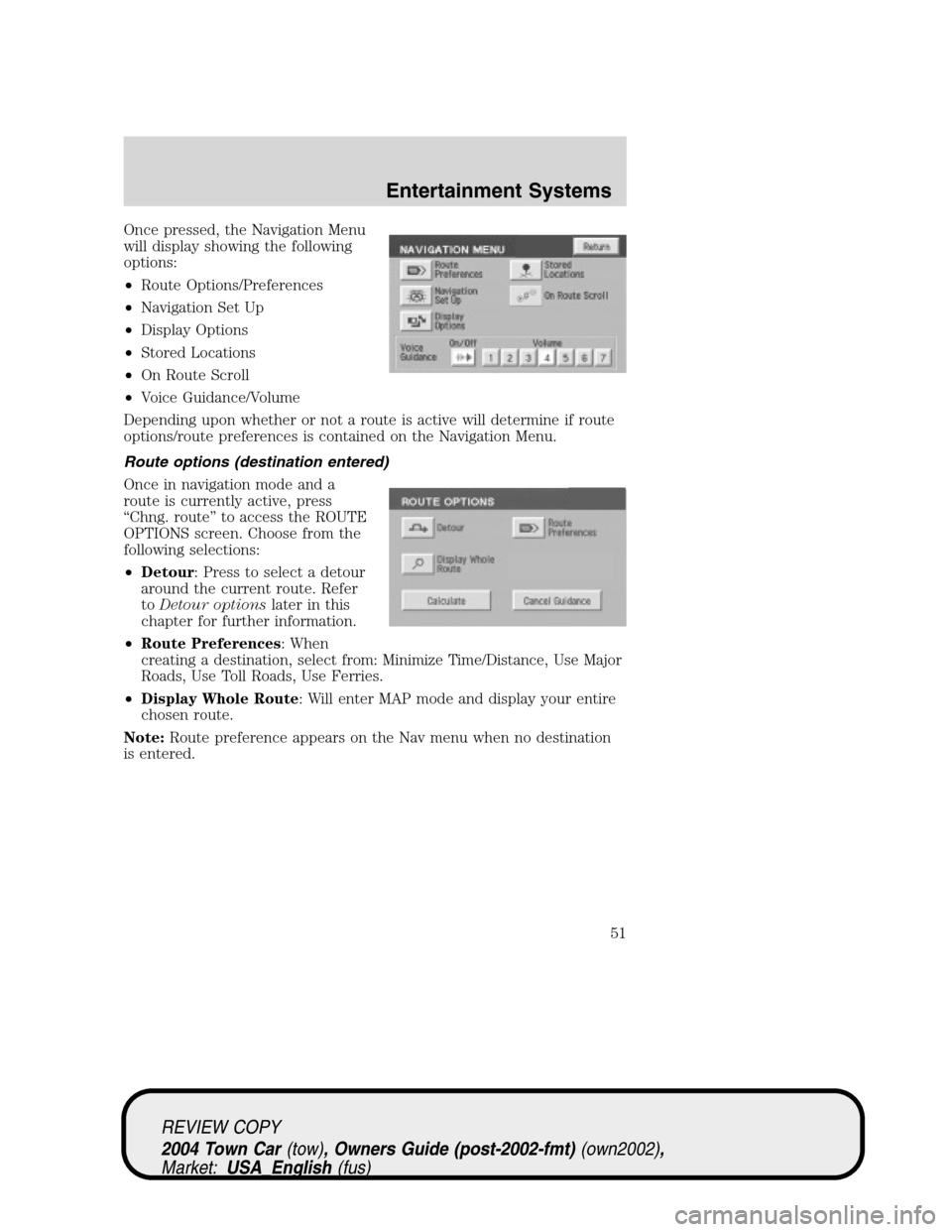
Once pressed, the Navigation Menu
will display showing the following
options:
•Route Options/Preferences
•Navigation Set Up
•Display Options
•Stored Locations
•On Route Scroll
•Voice Guidance/Volume
Depending upon whether or not a route is active will determine if route
options/route preferences is contained on the Navigation Menu.
Route options (destination entered)
Once in navigation mode and a
route is currently active, press
“Chng. route”to access the ROUTE
OPTIONS screen. Choose from the
following selections:
•Detour: Press to select a detour
around the current route. Refer
toDetour optionslater in this
chapter for further information.
•Route Preferences: When
creating a destination, select from: Minimize Time/Distance, Use Major
Roads, Use Toll Roads, Use Ferries.
•Display Whole Route: Will enter MAP mode and display your entire
chosen route.
Note:Route preference appears on the Nav menu when no destination
is entered.
REVIEW COPY
2004 Town Car(tow), Owners Guide (post-2002-fmt)(own2002),
Market:USA_English(fus)
Entertainment Systems
51
Page 52 of 304
While driving under route guidance, only follow an instruction
when it is safe to do so as the system cannot be aware of
changing conditions. Use voice guidance as much as possible, and only
view the display when driving conditions permit.
Ensure that you follow highway code restrictions and do not
take any risks. For example, if you are unable to make a U-turn,
continue on your journey. The navigation system will recalculate your
route to get you back to an appropriate road to your destination.
Navigation set up
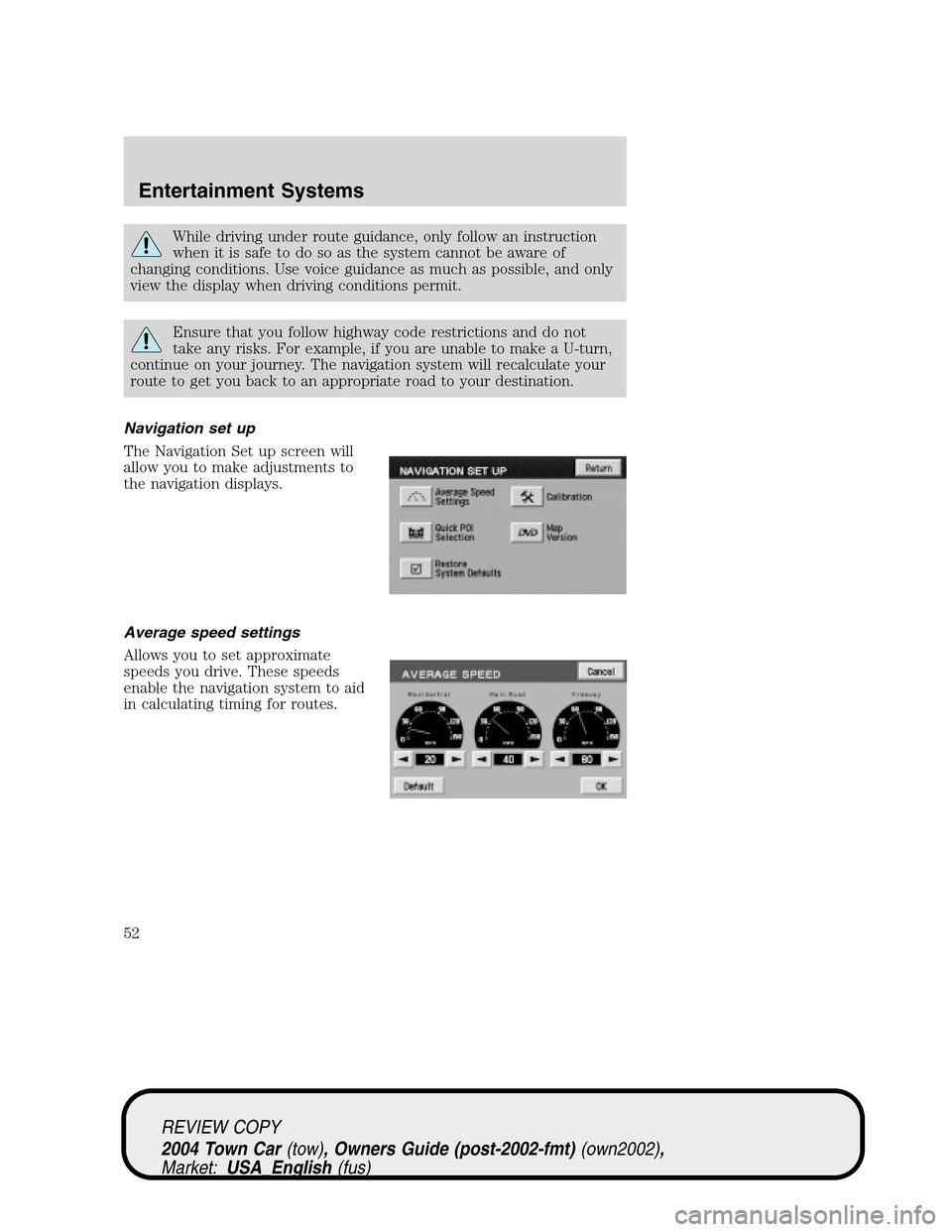
The Navigation Set up screen will
allow you to make adjustments to
the navigation displays.
Average speed settings
Allows you to set approximate
speeds you drive. These speeds
enable the navigation system to aid
in calculating timing for routes.
REVIEW COPY
2004 Town Car(tow), Owners Guide (post-2002-fmt)(own2002),
Market:USA_English(fus)
Entertainment Systems
52
Page 54 of 304
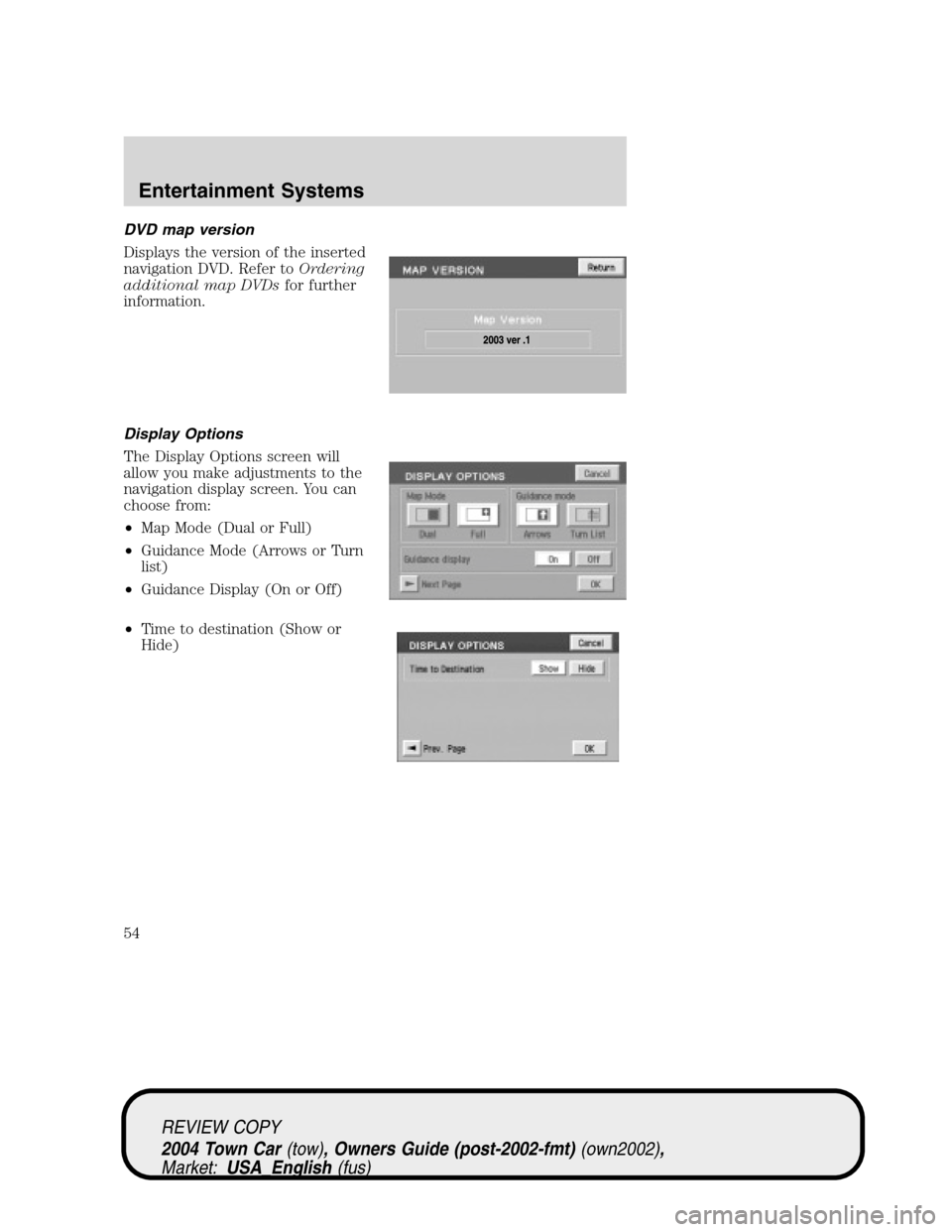
DVD map version
Displays the version of the inserted
navigation DVD. Refer toOrdering
additional map DVDsfor further
information.
Display Options
The Display Options screen will
allow you make adjustments to the
navigation display screen. You can
choose from:
•Map Mode (Dual or Full)
•Guidance Mode (Arrows or Turn
list)
•Guidance Display (On or Off)
•Time to destination (Show or
Hide)
REVIEW COPY
2004 Town Car(tow), Owners Guide (post-2002-fmt)(own2002),
Market:USA_English(fus)
Entertainment Systems
54
Page 63 of 304
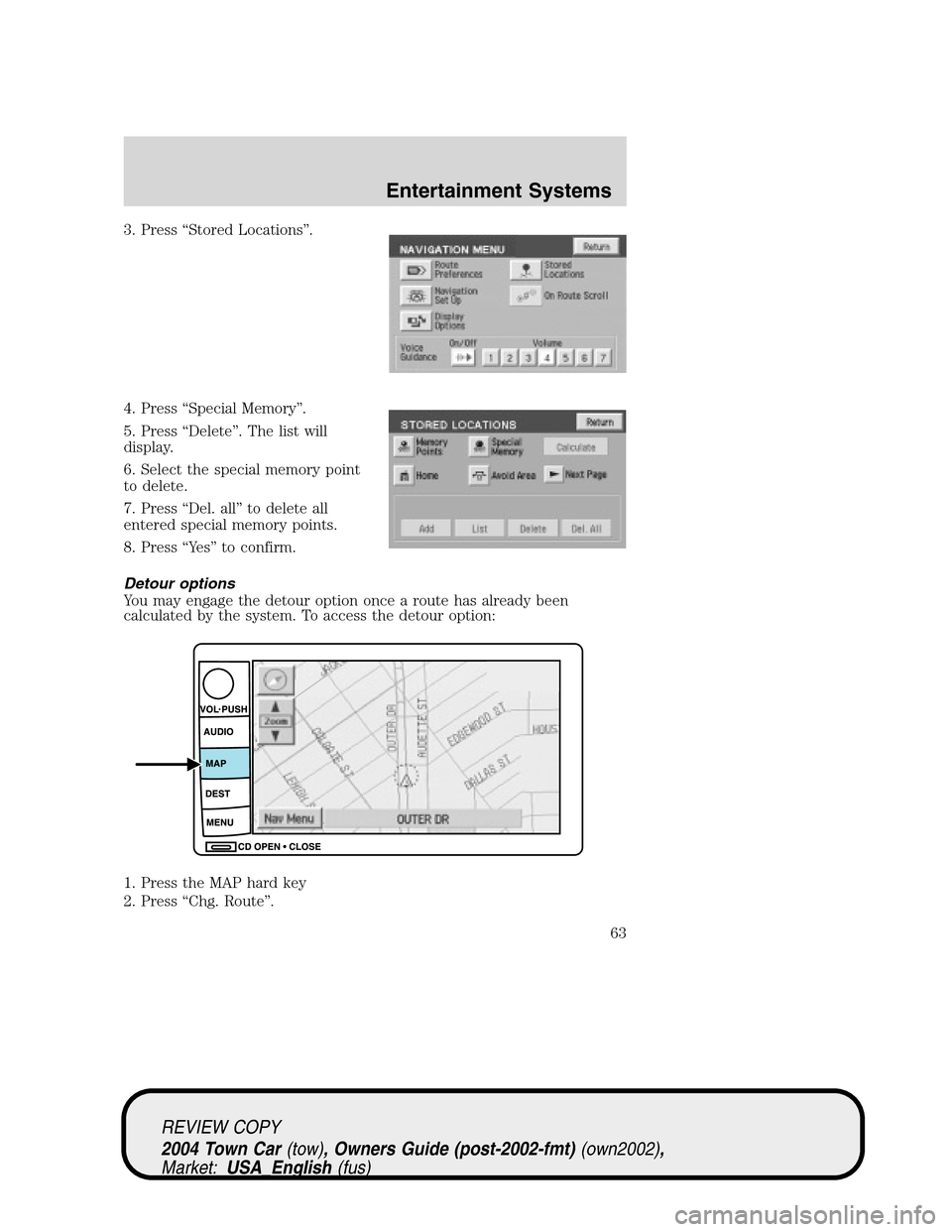
3. Press“Stored Locations”.
4. Press“Special Memory”.
5. Press“Delete”. The list will
display.
6. Select the special memory point
to delete.
7. Press“Del. all”to delete all
entered special memory points.
8. Press“Ye s”to confirm.
Detour options
You may engage the detour option once a route has already been
calculated by the system. To access the detour option:
1. Press the MAP hard key
2. Press“Chg. Route”.
REVIEW COPY
2004 Town Car(tow), Owners Guide (post-2002-fmt)(own2002),
Market:USA_English(fus)
Entertainment Systems
63
Page 64 of 304
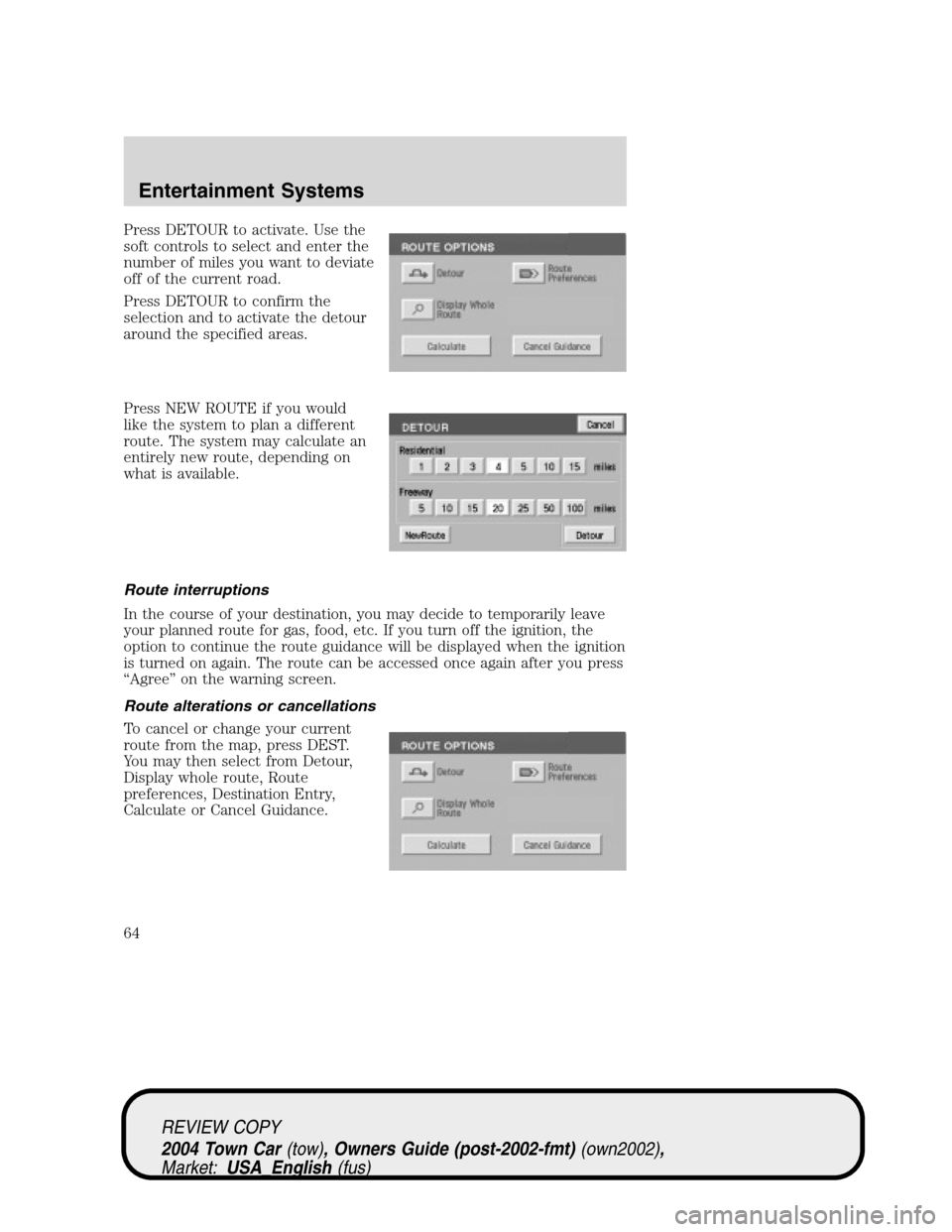
Press DETOUR to activate. Use the
soft controls to select and enter the
number of miles you want to deviate
off of the current road.
Press DETOUR to confirm the
selection and to activate the detour
around the specified areas.
Press NEW ROUTE if you would
like the system to plan a different
route. The system may calculate an
entirely new route, depending on
what is available.
Route interruptions
In the course of your destination, you may decide to temporarily leave
your planned route for gas, food, etc. If you turn off the ignition, the
option to continue the route guidance will be displayed when the ignition
is turned on again. The route can be accessed once again after you press
“Agree”on the warning screen.
Route alterations or cancellations
To cancel or change your current
route from the map, press DEST.
You may then select from Detour,
Display whole route, Route
preferences, Destination Entry,
Calculate or Cancel Guidance.
REVIEW COPY
2004 Town Car(tow), Owners Guide (post-2002-fmt)(own2002),
Market:USA_English(fus)
Entertainment Systems
64
Page 65 of 304
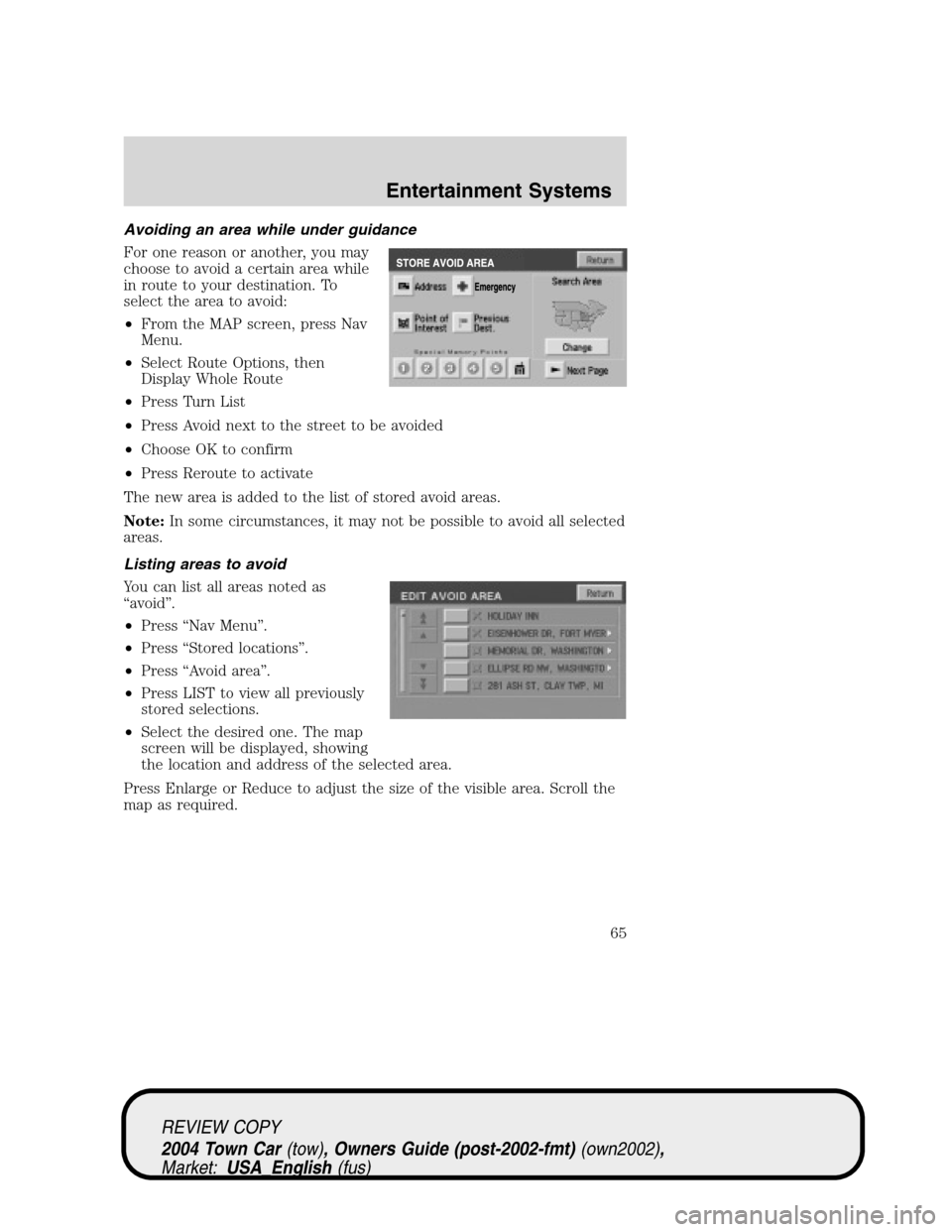
Avoiding an area while under guidance
For one reason or another, you may
choose to avoid a certain area while
in route to your destination. To
select the area to avoid:
•From the MAP screen, press Nav
Menu.
•Select Route Options, then
Display Whole Route
•Press Turn List
•Press Avoid next to the street to be avoided
•Choose OK to confirm
•Press Reroute to activate
The new area is added to the list of stored avoid areas.
Note:In some circumstances, it may not be possible to avoid all selected
areas.
Listing areas to avoid
You can list all areas noted as
“avoid”.
•Press“Nav Menu”.
•Press“Stored locations”.
•Press“Avoid area”.
•Press LIST to view all previously
stored selections.
•Select the desired one. The map
screen will be displayed, showing
the location and address of the selected area.
Press Enlarge or Reduce to adjust the size of the visible area. Scroll the
map as required.
REVIEW COPY
2004 Town Car(tow), Owners Guide (post-2002-fmt)(own2002),
Market:USA_English(fus)
Entertainment Systems
65
Page 67 of 304
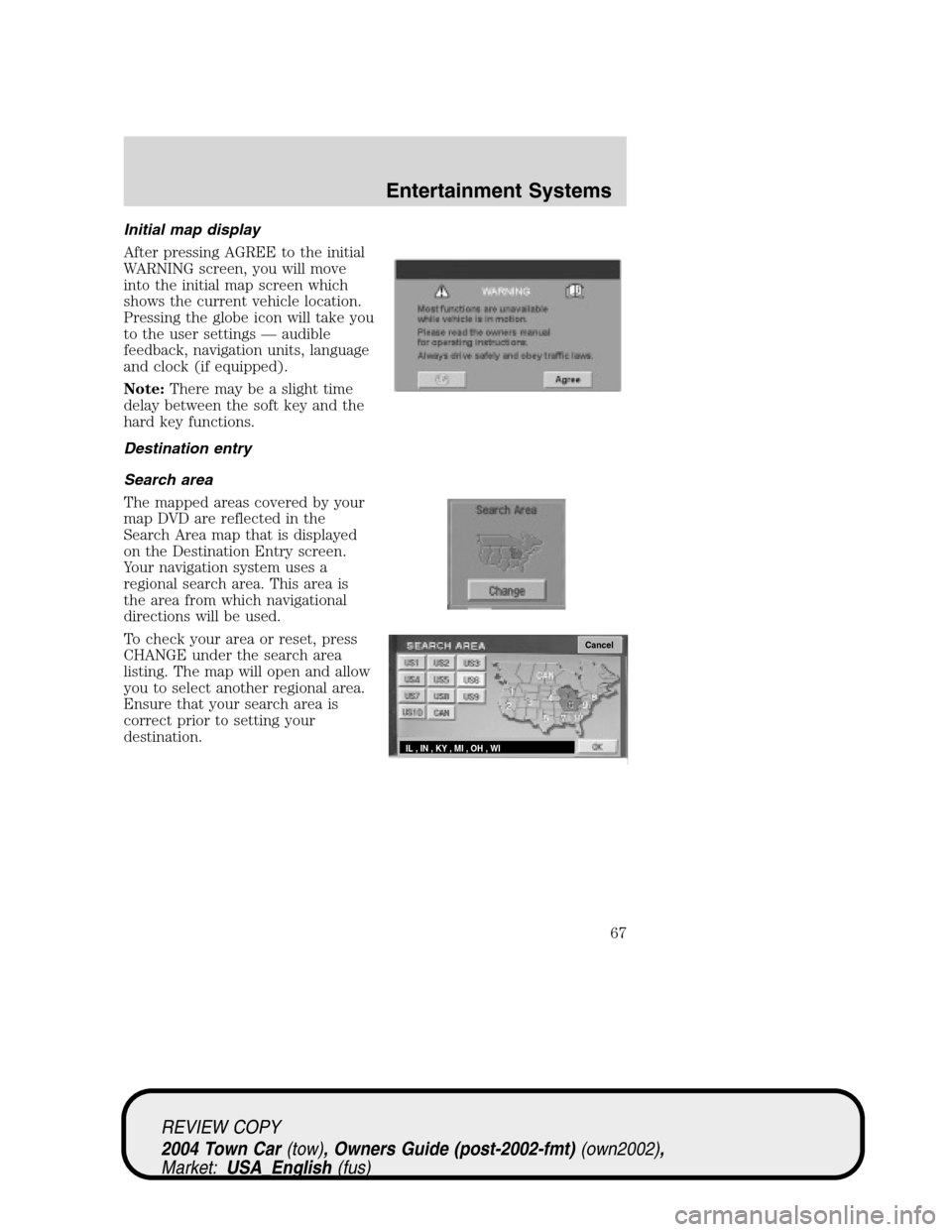
Initial map display
After pressing AGREE to the initial
WARNING screen, you will move
into the initial map screen which
shows the current vehicle location.
Pressing the globe icon will take you
to the user settings—audible
feedback, navigation units, language
and clock (if equipped).
Note:There may be a slight time
delay between the soft key and the
hard key functions.
Destination entry
Search area
The mapped areas covered by your
map DVD are reflected in the
Search Area map that is displayed
on the Destination Entry screen.
Your navigation system uses a
regional search area. This area is
the area from which navigational
directions will be used.
To check your area or reset, press
CHANGE under the search area
listing. The map will open and allow
you to select another regional area.
Ensure that your search area is
correct prior to setting your
destination.
Cancel
IL , IN , KY , MI , OH , WI
REVIEW COPY
2004 Town Car(tow), Owners Guide (post-2002-fmt)(own2002),
Market:USA_English(fus)
Entertainment Systems
67