key LINCOLN TOWN CAR 2004 User Guide
[x] Cancel search | Manufacturer: LINCOLN, Model Year: 2004, Model line: TOWN CAR, Model: LINCOLN TOWN CAR 2004Pages: 304, PDF Size: 2.87 MB
Page 71 of 304
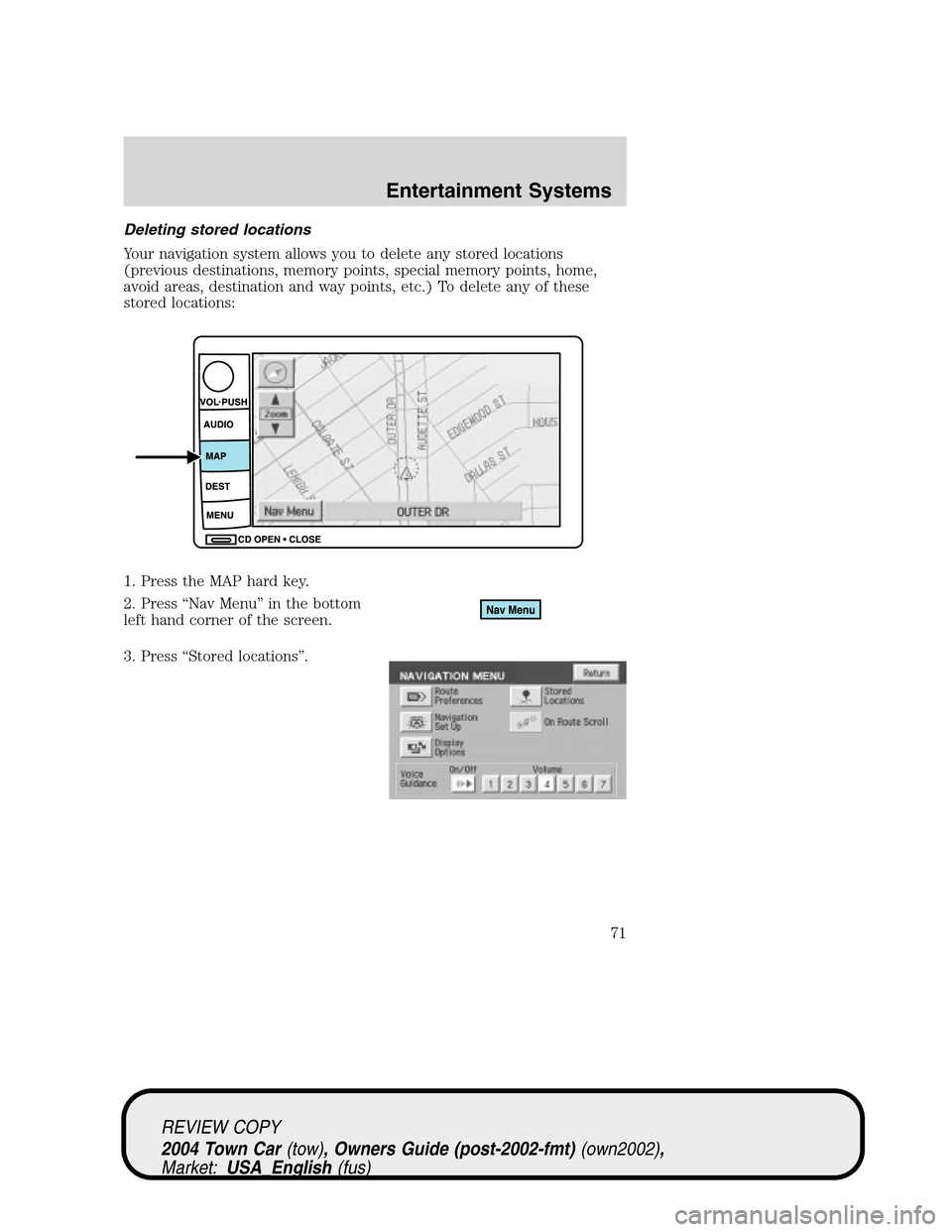
Deleting stored locations
Your navigation system allows you to delete any stored locations
(previous destinations, memory points, special memory points, home,
avoid areas, destination and way points, etc.) To delete any of these
stored locations:
1. Press the MAP hard key.
2. Press“Nav Menu”in the bottom
left hand corner of the screen.
3. Press“Stored locations”.
REVIEW COPY
2004 Town Car(tow), Owners Guide (post-2002-fmt)(own2002),
Market:USA_English(fus)
Entertainment Systems
71
Page 74 of 304
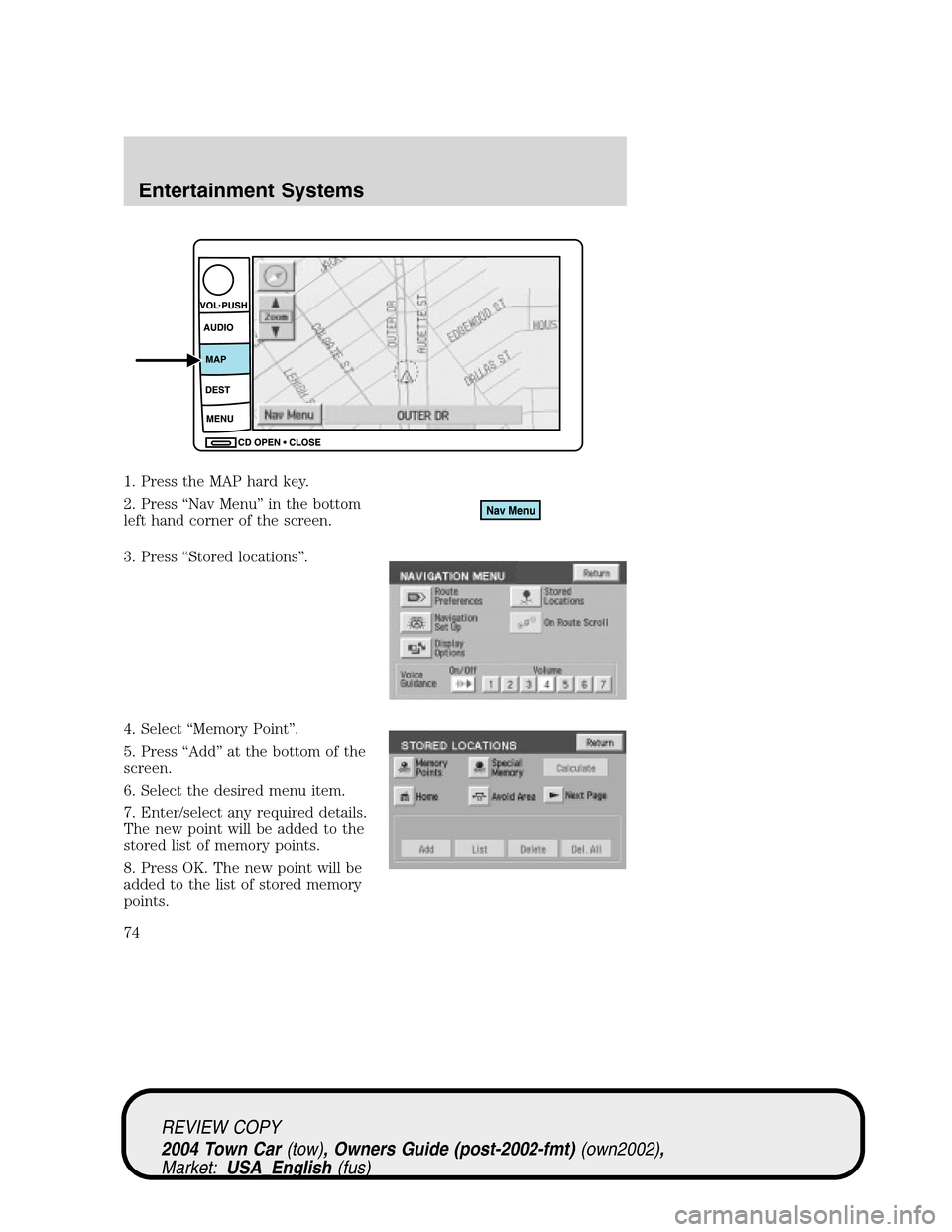
1. Press the MAP hard key.
2. Press“Nav Menu”in the bottom
left hand corner of the screen.
3. Press“Stored locations”.
4. Select“Memory Point”.
5. Press“Add”at the bottom of the
screen.
6. Select the desired menu item.
7. Enter/select any required details.
The new point will be added to the
stored list of memory points.
8. Press OK. The new point will be
added to the list of stored memory
points.
REVIEW COPY
2004 Town Car(tow), Owners Guide (post-2002-fmt)(own2002),
Market:USA_English(fus)
Entertainment Systems
74
Page 75 of 304

To give the new memory point a name:
1. Select it from the list.
2. Press NAME.
3. Enter the desired name.
Accessing memory point lists
1. Press the MAP hard key.
2. Press“Nav Menu”in the bottom left hand corner of the screen.
3. Press“Stored locations”.
REVIEW COPY
2004 Town Car(tow), Owners Guide (post-2002-fmt)(own2002),
Market:USA_English(fus)
Entertainment Systems
75
Page 78 of 304
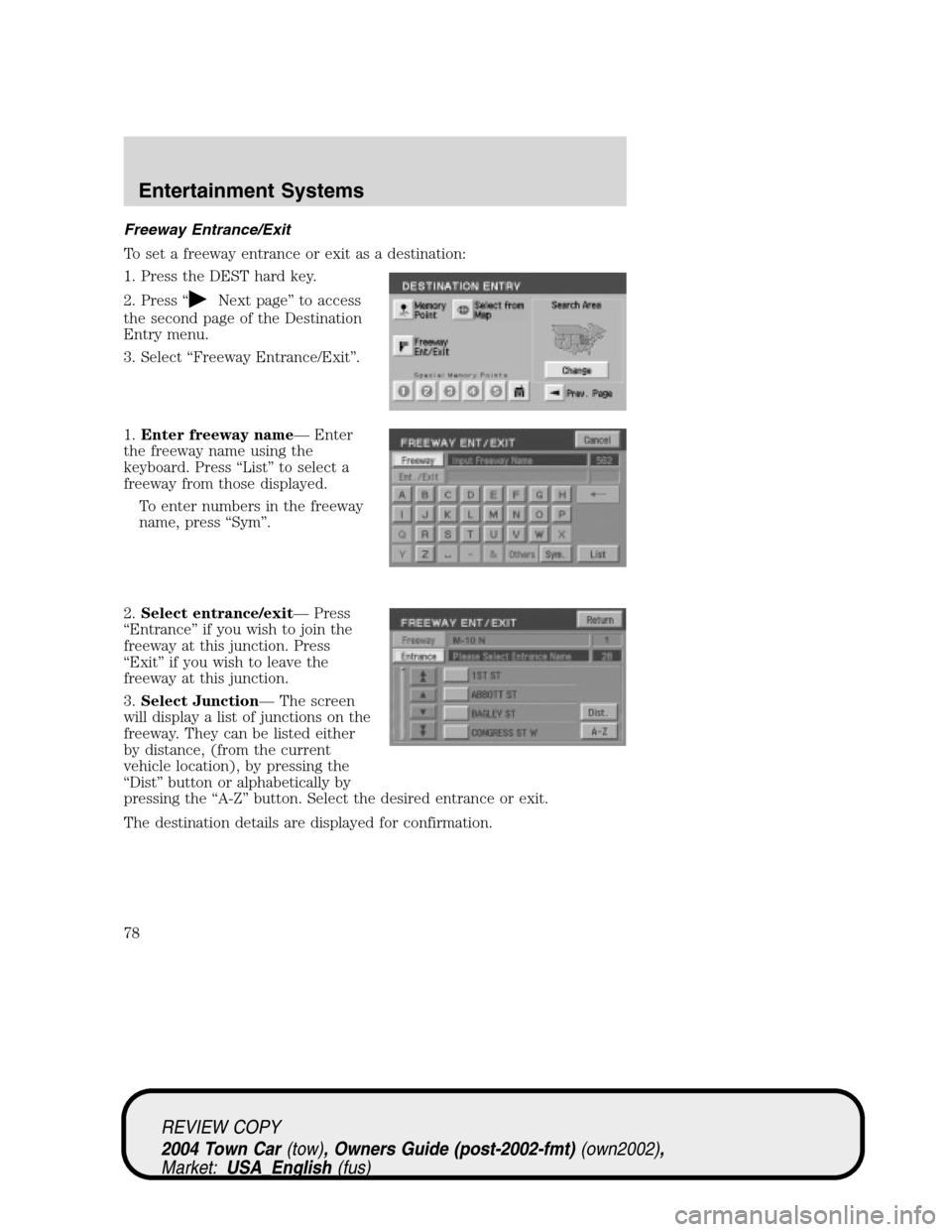
Freeway Entrance/Exit
To set a freeway entrance or exit as a destination:
1. Press the DEST hard key.
2. Press“
Next page”to access
the second page of the Destination
Entry menu.
3. Select“Freeway Entrance/Exit”.
1.Enter freeway name—Enter
the freeway name using the
keyboard. Press“List”to select a
freeway from those displayed.
To enter numbers in the freeway
name, press“Sym”.
2.Select entrance/exit—Press
“Entrance”if you wish to join the
freeway at this junction. Press
“Exit”if you wish to leave the
freeway at this junction.
3.Select Junction—The screen
will display a list of junctions on the
freeway. They can be listed either
by distance, (from the current
vehicle location), by pressing the
“Dist”button or alphabetically by
pressing the“A-Z”button. Select the desired entrance or exit.
The destination details are displayed for confirmation.
REVIEW COPY
2004 Town Car(tow), Owners Guide (post-2002-fmt)(own2002),
Market:USA_English(fus)
Entertainment Systems
78
Page 96 of 304
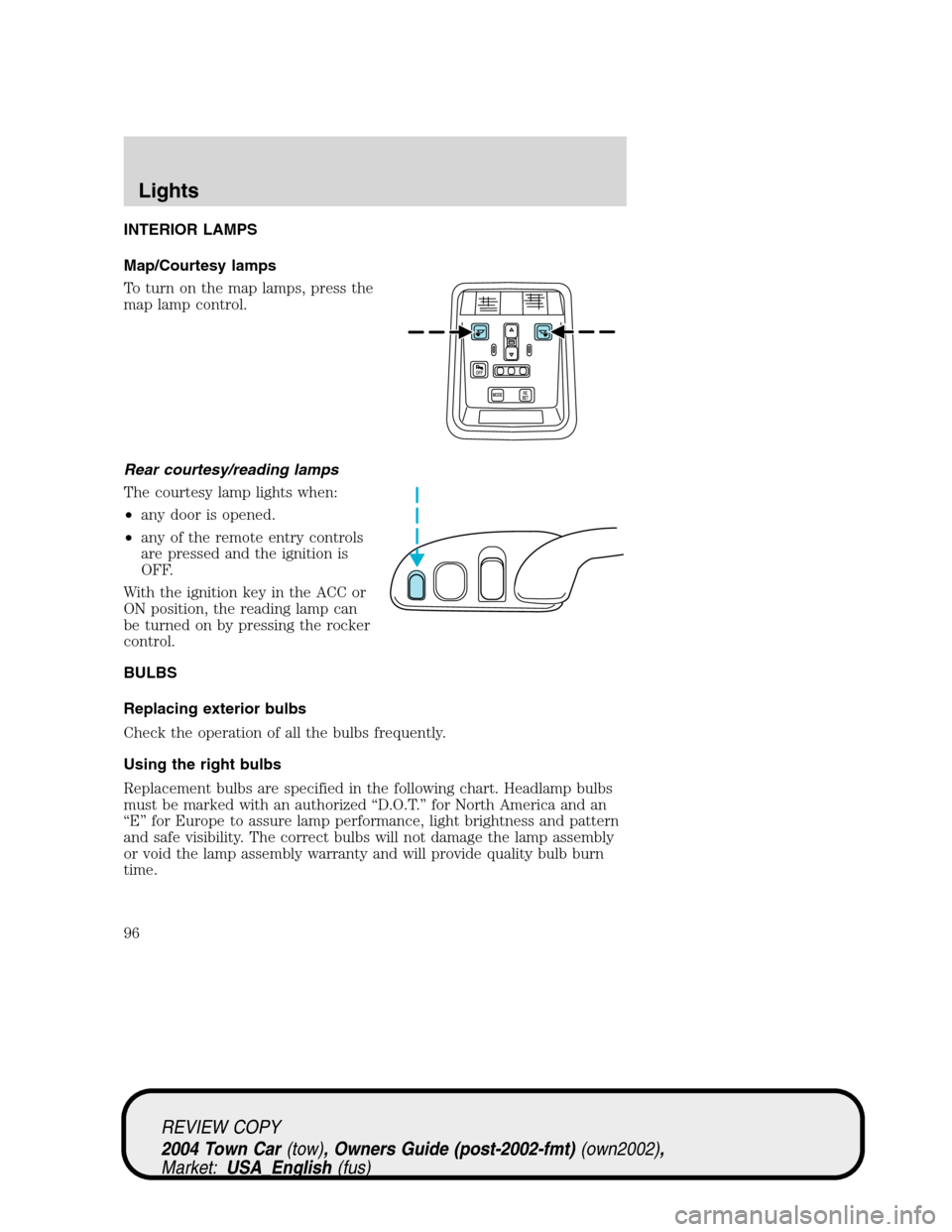
INTERIOR LAMPS
Map/Courtesy lamps
To turn on the map lamps, press the
map lamp control.
Rear courtesy/reading lamps
The courtesy lamp lights when:
•any door is opened.
•any of the remote entry controls
are pressed and the ignition is
OFF.
With the ignition key in the ACC or
ON position, the reading lamp can
be turned on by pressing the rocker
control.
BULBS
Replacing exterior bulbs
Check the operation of all the bulbs frequently.
Using the right bulbs
Replacement bulbs are specified in the following chart. Headlamp bulbs
must be marked with an authorized“D.O.T.”for North America and an
“E”for Europe to assure lamp performance, light brightness and pattern
and safe visibility. The correct bulbs will not damage the lamp assembly
or void the lamp assembly warranty and will provide quality bulb burn
time.
REVIEW COPY
2004 Town Car(tow), Owners Guide (post-2002-fmt)(own2002),
Market:USA_English(fus)
Lights
96
Page 112 of 304
Reset oil life mode
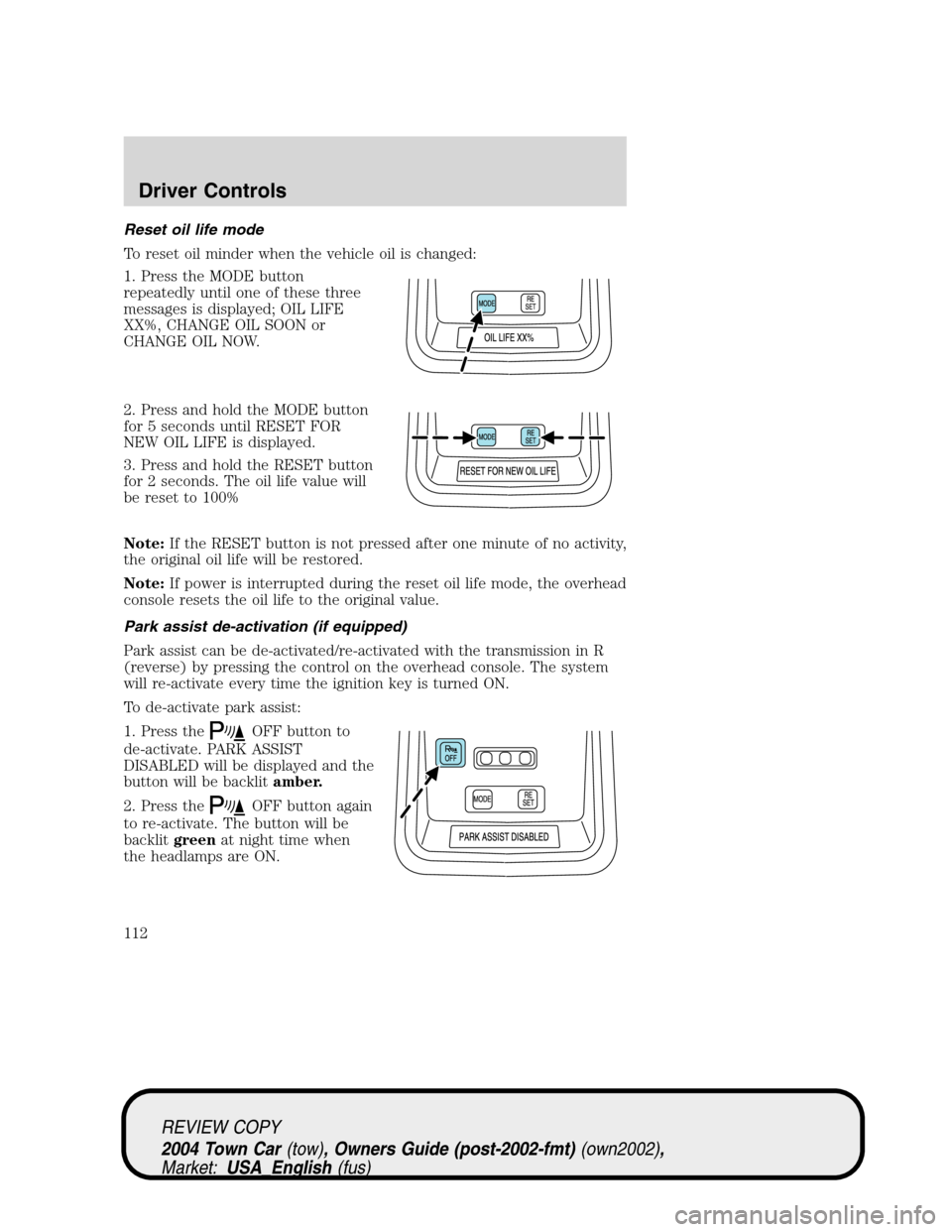
To reset oil minder when the vehicle oil is changed:
1. Press the MODE button
repeatedly until one of these three
messages is displayed; OIL LIFE
XX%, CHANGE OIL SOON or
CHANGE OIL NOW.
2. Press and hold the MODE button
for 5 seconds until RESET FOR
NEW OIL LIFE is displayed.
3. Press and hold the RESET button
for 2 seconds. The oil life value will
be reset to 100%
Note:If the RESET button is not pressed after one minute of no activity,
the original oil life will be restored.
Note:If power is interrupted during the reset oil life mode, the overhead
console resets the oil life to the original value.
Park assist de-activation (if equipped)
Park assist can be de-activated/re-activated with the transmission in R
(reverse) by pressing the control on the overhead console. The system
will re-activate every time the ignition key is turned ON.
To de-activate park assist:
1. Press the
OFF button to
de-activate. PARK ASSIST
DISABLED will be displayed and the
button will be backlitamber.
2. Press the
OFF button again
to re-activate. The button will be
backlitgreenat night time when
the headlamps are ON.
REVIEW COPY
2004 Town Car(tow), Owners Guide (post-2002-fmt)(own2002),
Market:USA_English(fus)
Driver Controls
112
Page 127 of 304
POWER TRUNK (IF EQUIPPED)
Your vehicle may be equipped with a power trunk controlled by the
interior trunk control, the key fob or the keypad on the door.
If anything obstructs the power trunk while it is closing, the trunk will
automatically reverse to the open position, provided it meets sufficient
resistance. Resistance must be as strong as the force of the closing
trunk, or stronger. The force of the closing trunk increases as the trunk
approaches the latched position. The trunk will close with the next press
of the interior trunk control or key fob button.
Make sure all persons are clear of the luggage compartment area
before using the power trunk control.
If the battery is disconnected, discharged, or a new battery is installed,
the power trunk needs to be reset. To reset the power trunk:
•Reconnect the battery with the trunk closed
•Power activate the trunk with the power interior trunk release, the
key fob or the keypad on the door to the full open position, then
power activate the same power source and fully close the trunk. The
power trunk is now reset.
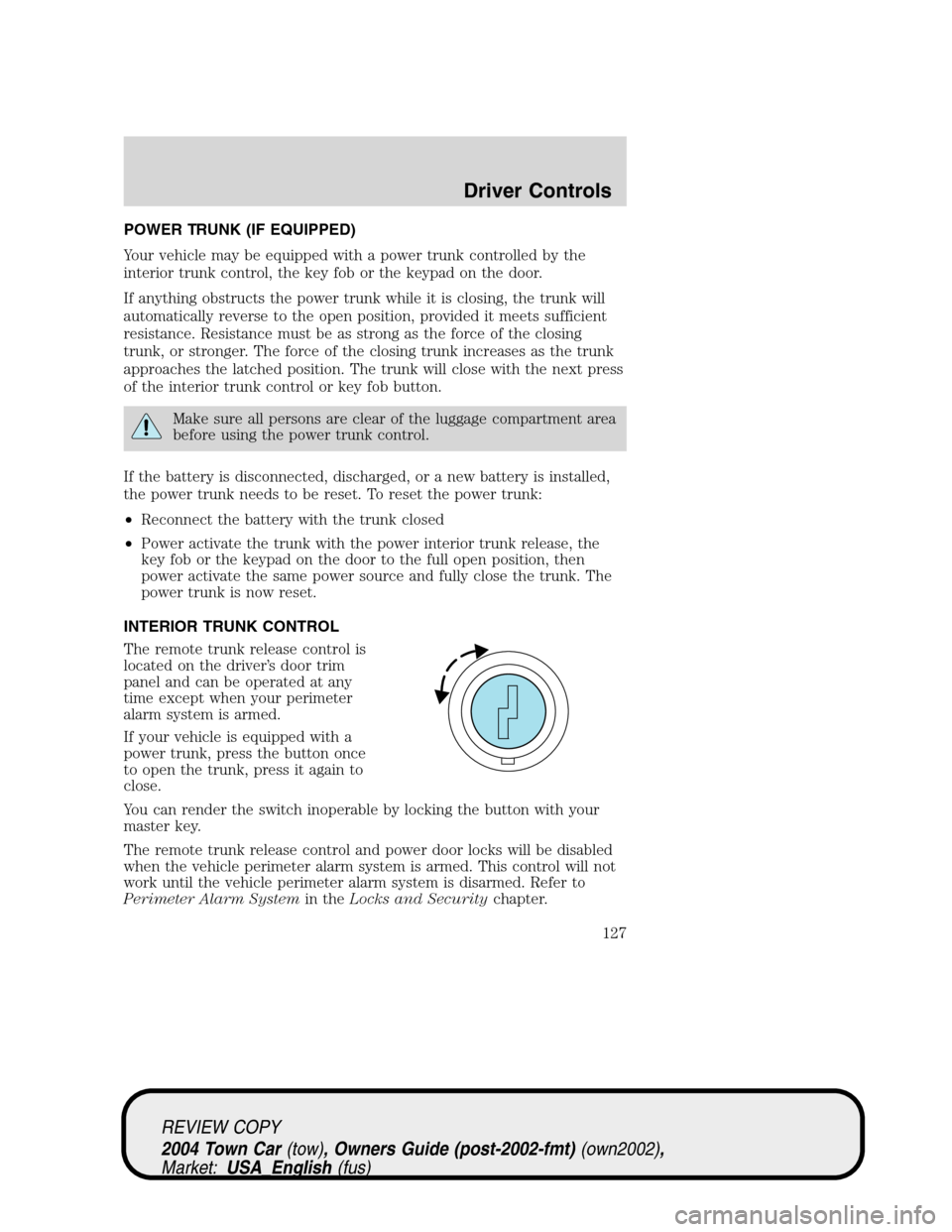
INTERIOR TRUNK CONTROL
The remote trunk release control is
located on the driver’s door trim
panel and can be operated at any
time except when your perimeter
alarm system is armed.
If your vehicle is equipped with a
power trunk, press the button once
to open the trunk, press it again to
close.
You can render the switch inoperable by locking the button with your
master key.
The remote trunk release control and power door locks will be disabled
when the vehicle perimeter alarm system is armed. This control will not
work until the vehicle perimeter alarm system is disarmed. Refer to
Perimeter Alarm Systemin theLocks and Securitychapter.
REVIEW COPY
2004 Town Car(tow), Owners Guide (post-2002-fmt)(own2002),
Market:USA_English(fus)
Driver Controls
127
Page 130 of 304
KEYS
Your vehicle is equipped with a master key and a valet (identified with
the word VALET) key lock system. The master key will access:
•the driver’s door,
•the trunk,
•the glove box,
•the ignition, and
•the interior trim remote trunk release.
The valet key will access:
•the driver’s door,
•the ignition.
Before handing over the valet key to a valet attendant, lock the interior
remote trunk release control and the glove box with the master key. Do
not hand over the remote entry transmitter or the master key to the
valet attendant.
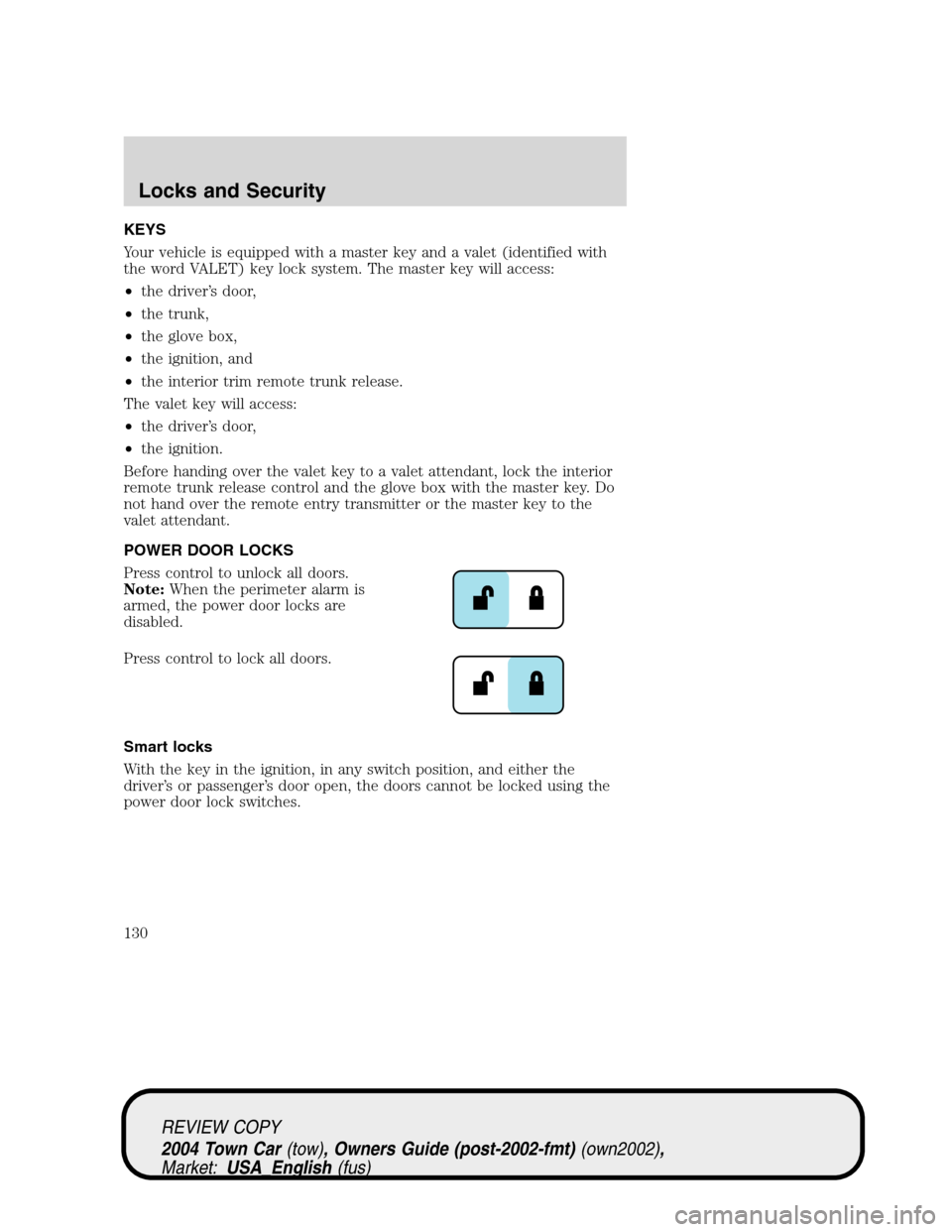
POWER DOOR LOCKS
Press control to unlock all doors.
Note:When the perimeter alarm is
armed, the power door locks are
disabled.
Press control to lock all doors.
Smart locks
With the key in the ignition, in any switch position, and either the
driver’s or passenger’s door open, the doors cannot be locked using the
power door lock switches.
REVIEW COPY
2004 Town Car(tow), Owners Guide (post-2002-fmt)(own2002),
Market:USA_English(fus)
Locks and Security
Locks and Security
130
Page 131 of 304
Central locking/unlocking
•All doors are locked when the key is inserted into the driver door key
cylinder and turned to the lock position.
•The driver’s door is unlocked when the key is inserted into the driver
door key cylinder and turned to the unlock position.
•If the key is turned a second time to the unlock position within 5
seconds, all vehicle doors will unlock.
Power door trim switch inhibit
This feature disables the power door locks and trunk interior release
switches if all doors are closed and the perimeter alarm becomes armed.
Once the power door trim switches are disabled, they can only become
active when perimeter alarm is disarmed.
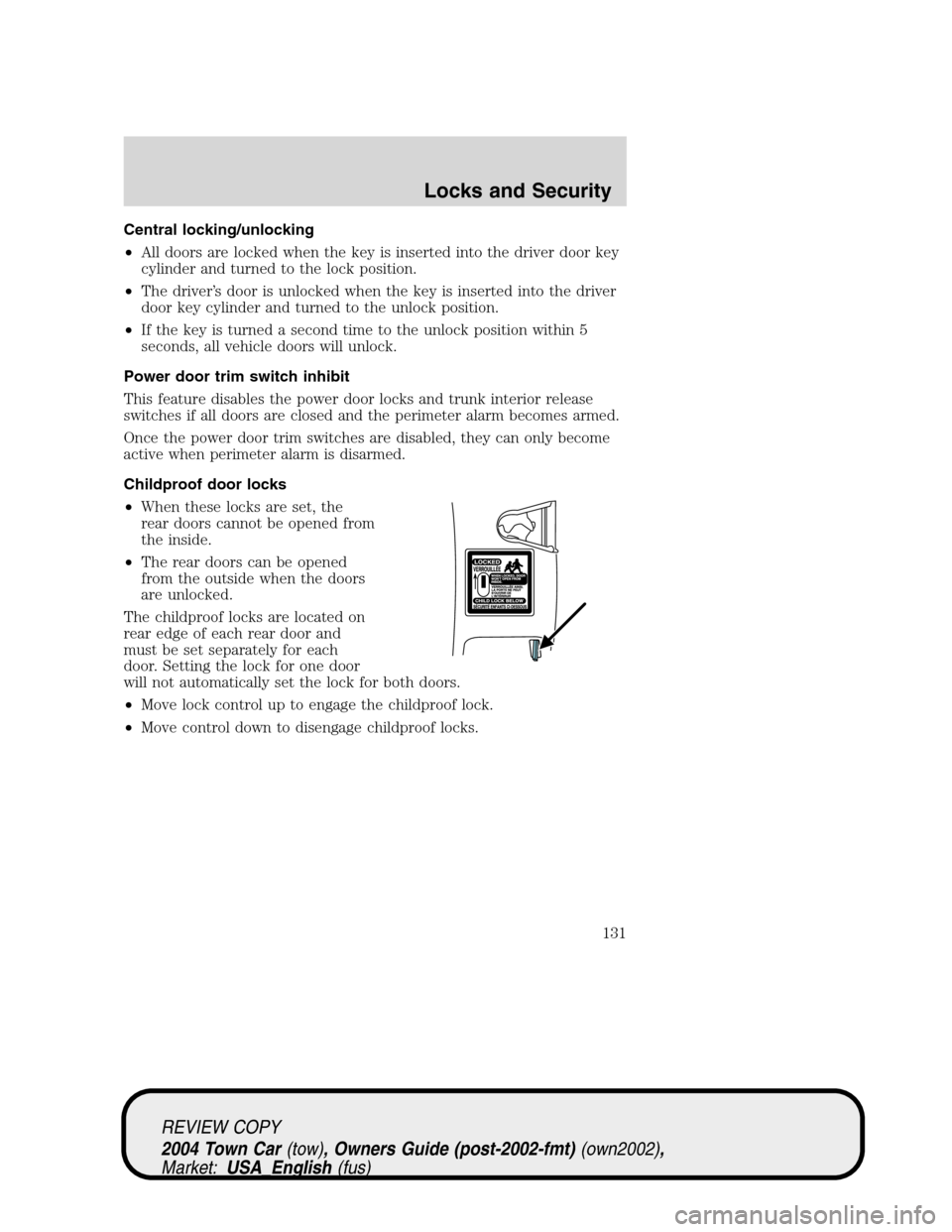
Childproof door locks
•When these locks are set, the
rear doors cannot be opened from
the inside.
•The rear doors can be opened
from the outside when the doors
are unlocked.
The childproof locks are located on
rear edge of each rear door and
must be set separately for each
door. Setting the lock for one door
will not automatically set the lock for both doors.
•Move lock control up to engage the childproof lock.
•Move control down to disengage childproof locks.
REVIEW COPY
2004 Town Car(tow), Owners Guide (post-2002-fmt)(own2002),
Market:USA_English(fus)
Locks and Security
131
Page 132 of 304
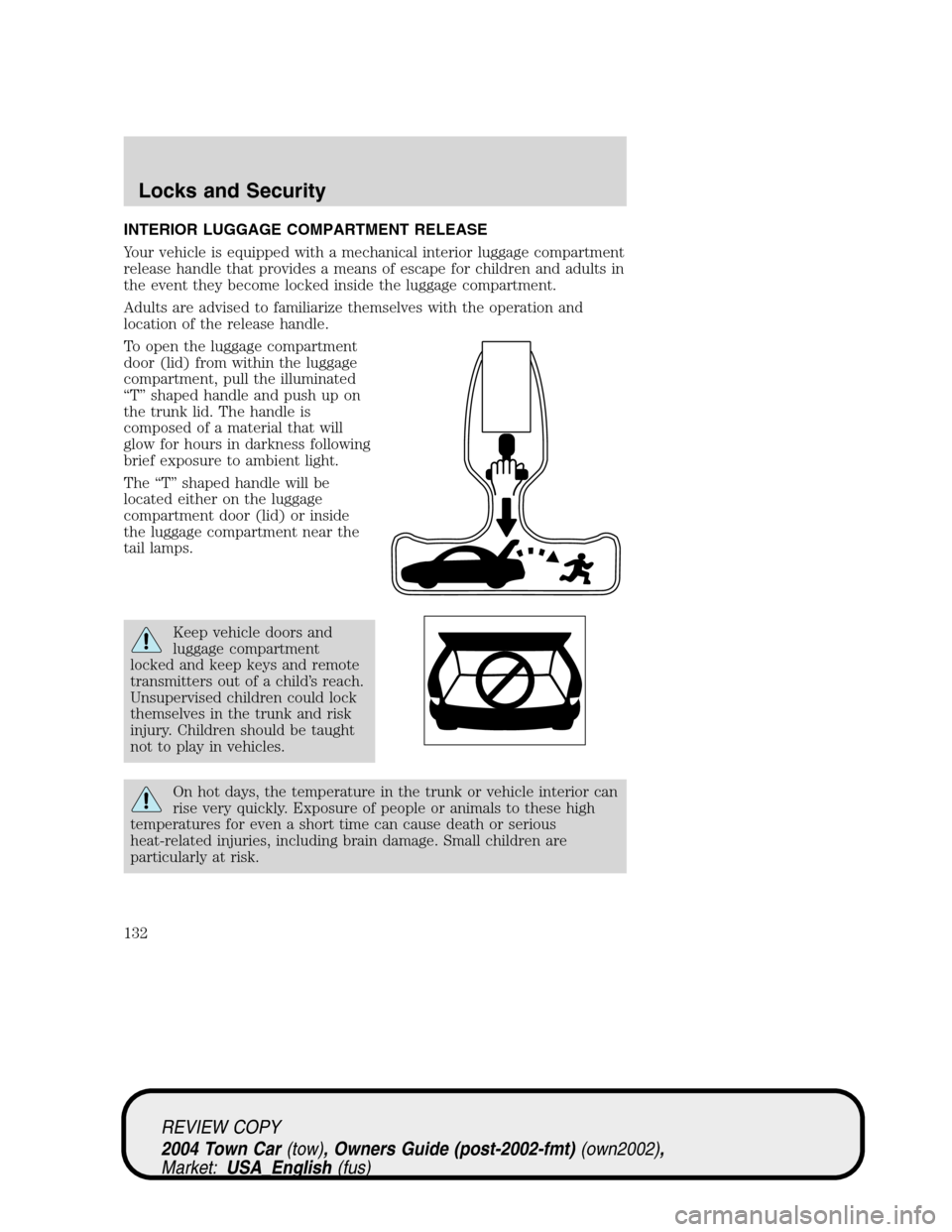
INTERIOR LUGGAGE COMPARTMENT RELEASE
Your vehicle is equipped with a mechanical interior luggage compartment
release handle that provides a means of escape for children and adults in
the event they become locked inside the luggage compartment.
Adults are advised to familiarize themselves with the operation and
location of the release handle.
To open the luggage compartment
door (lid) from within the luggage
compartment, pull the illuminated
“T”shaped handle and push up on
the trunk lid. The handle is
composed of a material that will
glow for hours in darkness following
brief exposure to ambient light.
The“T”shaped handle will be
located either on the luggage
compartment door (lid) or inside
the luggage compartment near the
tail lamps.
Keep vehicle doors and
luggage compartment
locked and keep keys and remote
transmitters out of a child’s reach.
Unsupervised children could lock
themselves in the trunk and risk
injury. Children should be taught
not to play in vehicles.
On hot days, the temperature in the trunk or vehicle interior can
rise very quickly. Exposure of people or animals to these high
temperatures for even a short time can cause death or serious
heat-related injuries, including brain damage. Small children are
particularly at risk.
REVIEW COPY
2004 Town Car(tow), Owners Guide (post-2002-fmt)(own2002),
Market:USA_English(fus)
Locks and Security
132