ignition LINCOLN TOWN CAR 2005 User Guide
[x] Cancel search | Manufacturer: LINCOLN, Model Year: 2005, Model line: TOWN CAR, Model: LINCOLN TOWN CAR 2005Pages: 328, PDF Size: 3.44 MB
Page 29 of 328
Speed sensitive volume:Radio volume changes automatically and
slightly with vehicle speed to compensate for road and wind noise.
Recommended level is 1–3. Level 0 turns the feature off and level 7 is
the maximum setting.
Press MENU to access and use
SEL-TEXTto adjust the volume
setting. The level will appear in the display.
Setting the clock:Your vehicle is equipped with an in-dash clock. Refer
toSetting the Clockin theDriver ControlsChapter.
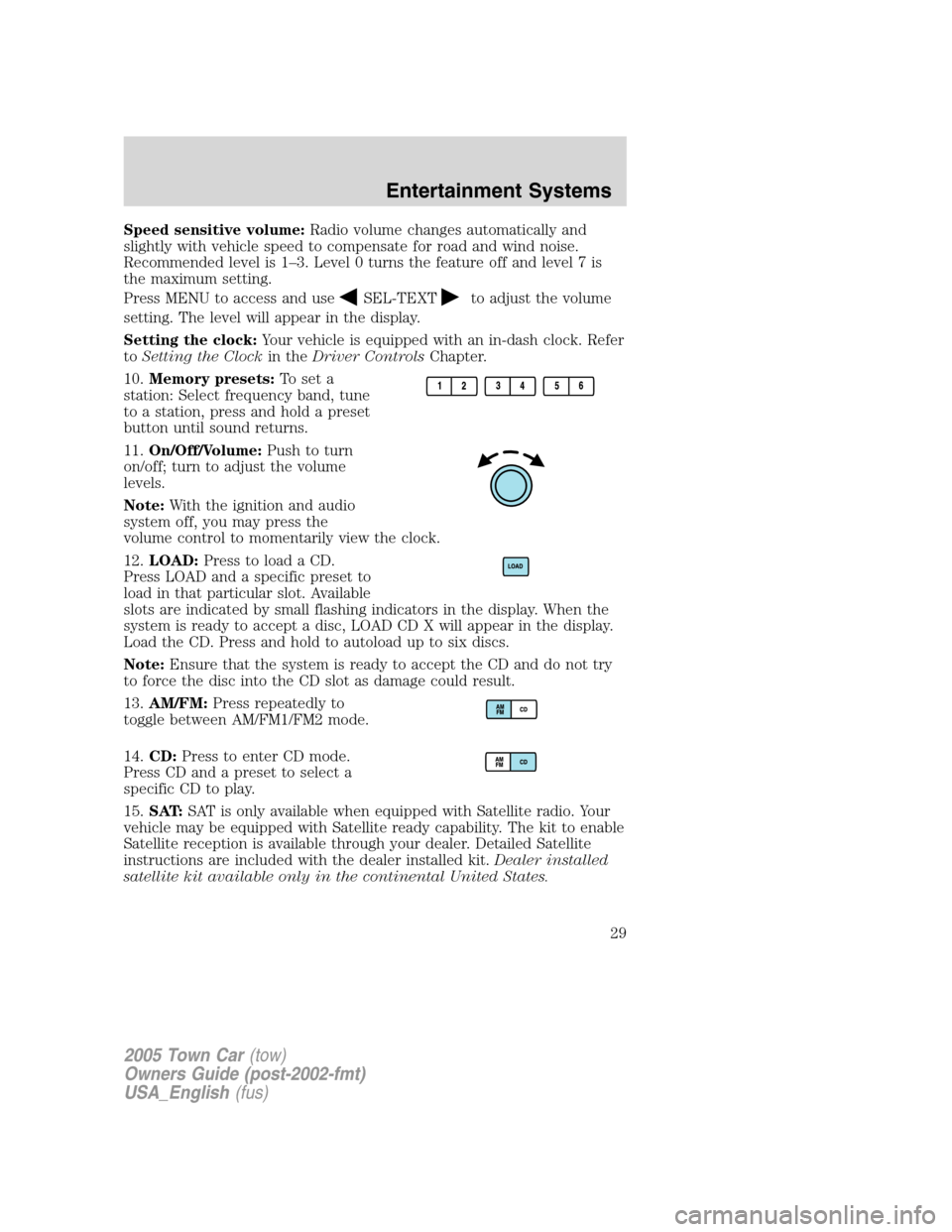
10.Memory presets:To set a
station: Select frequency band, tune
to a station, press and hold a preset
button until sound returns.
11.On/Off/Volume:Push to turn
on/off; turn to adjust the volume
levels.
Note:With the ignition and audio
system off, you may press the
volume control to momentarily view the clock.
12.LOAD:Press to load a CD.
Press LOAD and a specific preset to
load in that particular slot. Available
slots are indicated by small flashing indicators in the display. When the
system is ready to accept a disc, LOAD CD X will appear in the display.
Load the CD. Press and hold to autoload up to six discs.
Note:Ensure that the system is ready to accept the CD and do not try
to force the disc into the CD slot as damage could result.
13.AM/FM:Press repeatedly to
toggle between AM/FM1/FM2 mode.
14.CD:Press to enter CD mode.
Press CD and a preset to select a
specific CD to play.
15.SAT:SAT is only available when equipped with Satellite radio. Your
vehicle may be equipped with Satellite ready capability. The kit to enable
Satellite reception is available through your dealer. Detailed Satellite
instructions are included with the dealer installed kit.Dealer installed
satellite kit available only in the continental United States.
2005 Town Car(tow)
Owners Guide (post-2002-fmt)
USA_English(fus)
Entertainment Systems
29
Page 34 of 328
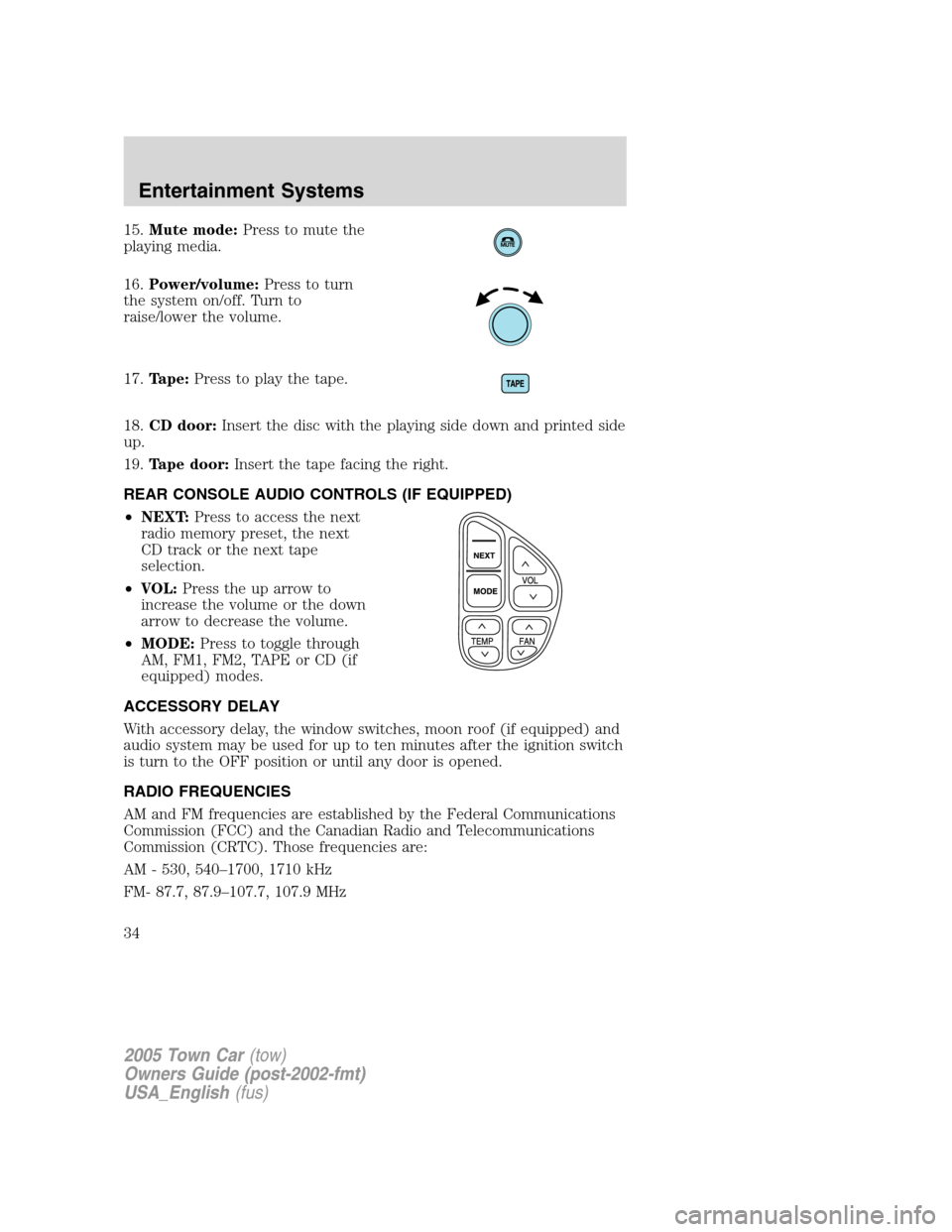
15.Mute mode:Press to mute the
playing media.
16.Power/volume:Press to turn
the system on/off. Turn to
raise/lower the volume.
17.Tape:Press to play the tape.
18.CD door:Insert the disc with the playing side down and printed side
up.
19.Tape door:Insert the tape facing the right.
REAR CONSOLE AUDIO CONTROLS (IF EQUIPPED)
•NEXT:Press to access the next
radio memory preset, the next
CD track or the next tape
selection.
•VOL:Press the up arrow to
increase the volume or the down
arrow to decrease the volume.
•MODE:Press to toggle through
AM, FM1, FM2, TAPE or CD (if
equipped) modes.
ACCESSORY DELAY
With accessory delay, the window switches, moon roof (if equipped) and
audio system may be used for up to ten minutes after the ignition switch
is turn to the OFF position or until any door is opened.
RADIO FREQUENCIES
AM and FM frequencies are established by the Federal Communications
Commission (FCC) and the Canadian Radio and Telecommunications
Commission (CRTC). Those frequencies are:
AM - 530, 540–1700, 1710 kHz
FM- 87.7, 87.9–107.7, 107.9 MHz
2005 Town Car(tow)
Owners Guide (post-2002-fmt)
USA_English(fus)
Entertainment Systems
34
Page 40 of 328
4.DEST: Press to enter Destination Entry mode. This allows you to
enter a destination and route to it. With an active route, pressing DEST
allows the user to request a Detour, display entire route, select route
preferences, or change or cancel the destination. This will not function
without a map DVD loaded.
5.MENU: Press to access system settings such as display, brightness,
clock mode (if equipped), etc.
6.CD OPEN CLOSE: Press to open/close the display screen and access
the CD player.
Cold temperature advisory
When operating the system below 32° Fahrenheit (0° Celsius), the
display screen requires 20–30 minutes warm-up to achieve maximum
brightness. Ensure that the system display setting is set to DAY mode
until maximum brightness is achieved (refer toMenu modesection).
Once maximum brightness is achieved, revert to AUTO mode display
setting.
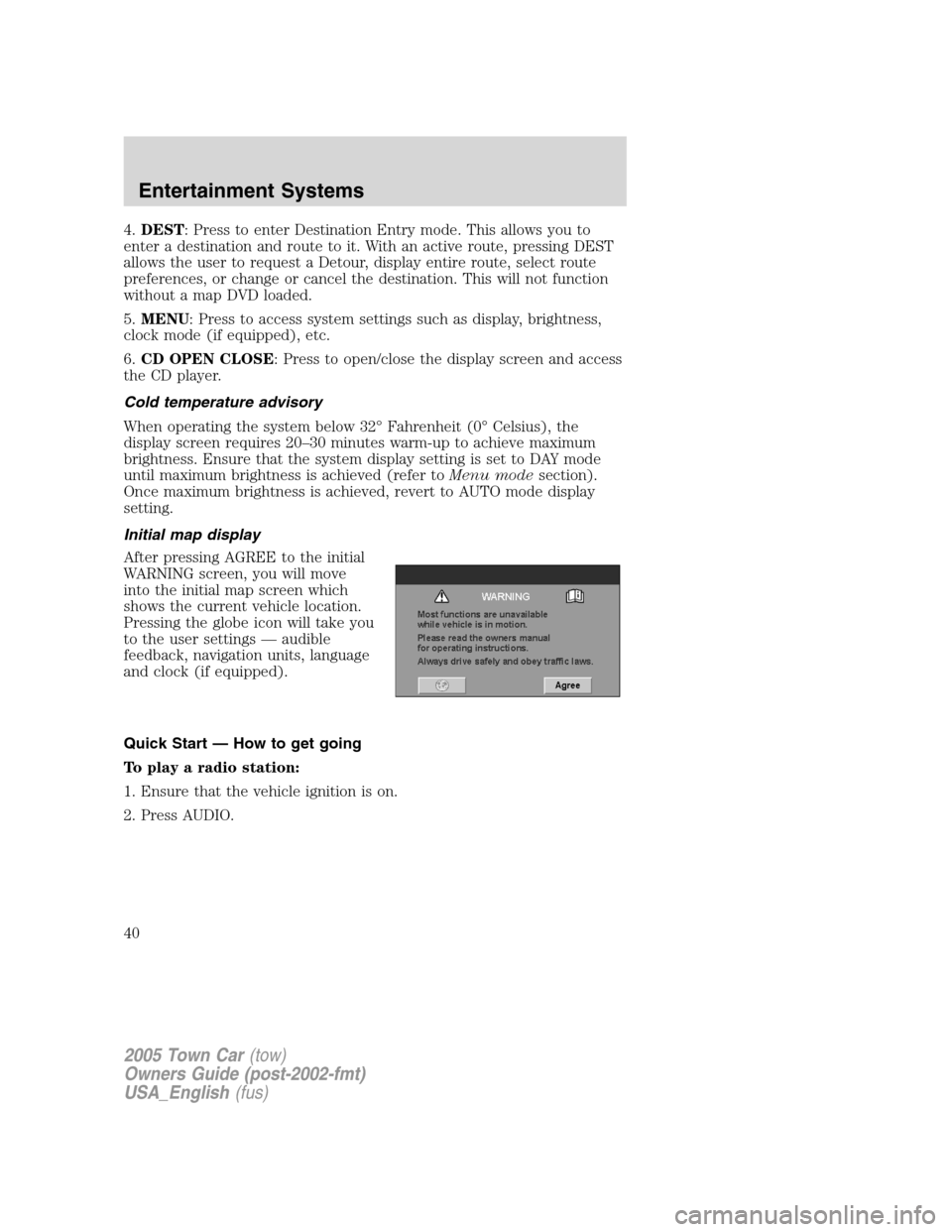
Initial map display
After pressing AGREE to the initial
WARNING screen, you will move
into the initial map screen which
shows the current vehicle location.
Pressing the globe icon will take you
to the user settings — audible
feedback, navigation units, language
and clock (if equipped).
Quick Start — How to get going
To play a radio station:
1. Ensure that the vehicle ignition is on.
2. Press AUDIO.
2005 Town Car(tow)
Owners Guide (post-2002-fmt)
USA_English(fus)
Entertainment Systems
40
Page 41 of 328
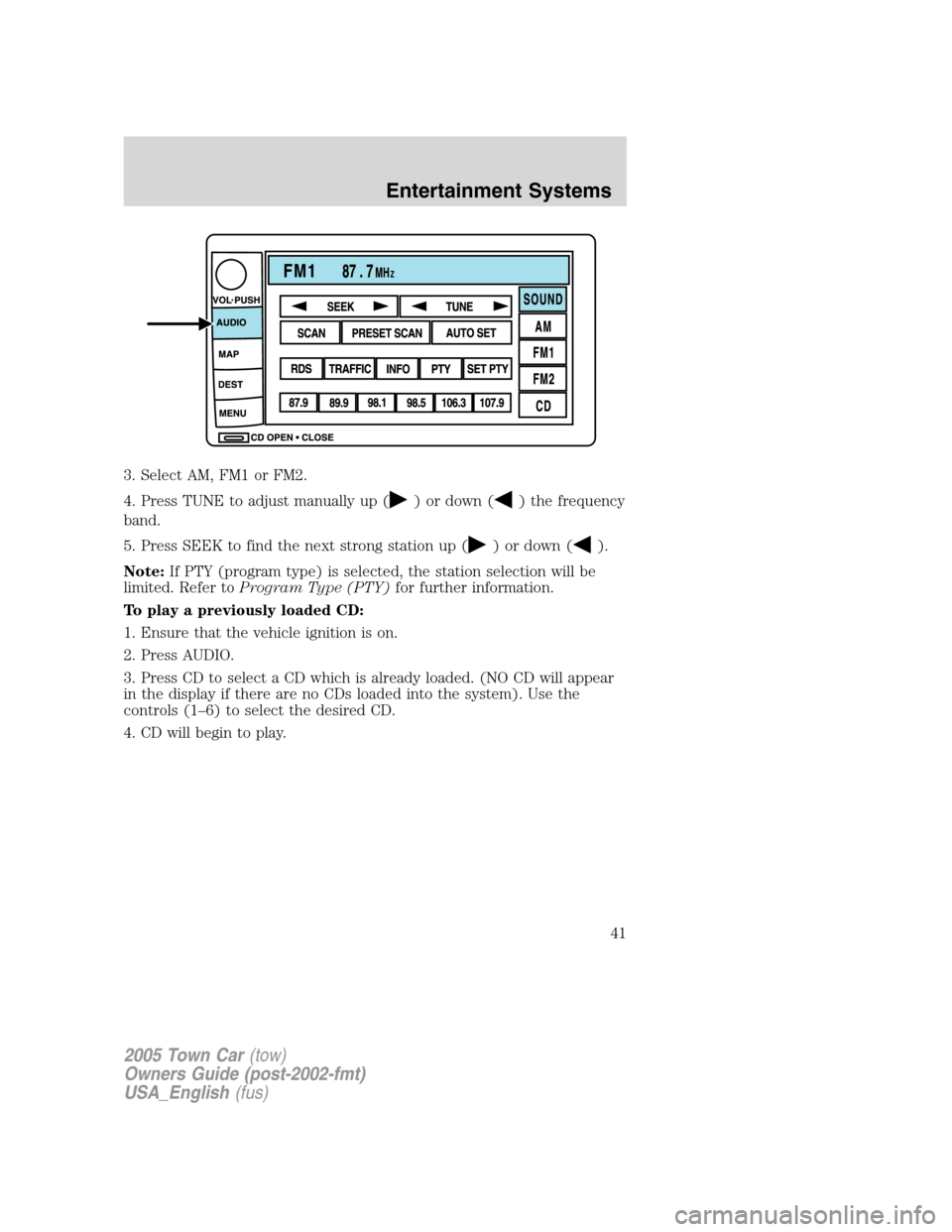
3. Select AM, FM1 or FM2.
4. Press TUNE to adjust manually up (
) or down () the frequency
band.
5. Press SEEK to find the next strong station up (
) or down ().
Note:If PTY (program type) is selected, the station selection will be
limited. Refer toProgram Type (PTY)for further information.
To play a previously loaded CD:
1. Ensure that the vehicle ignition is on.
2. Press AUDIO.
3. Press CD to select a CD which is already loaded. (NO CD will appear
in the display if there are no CDs loaded into the system). Use the
controls (1–6) to select the desired CD.
4. CD will begin to play.
2005 Town Car(tow)
Owners Guide (post-2002-fmt)
USA_English(fus)
Entertainment Systems
41
Page 42 of 328
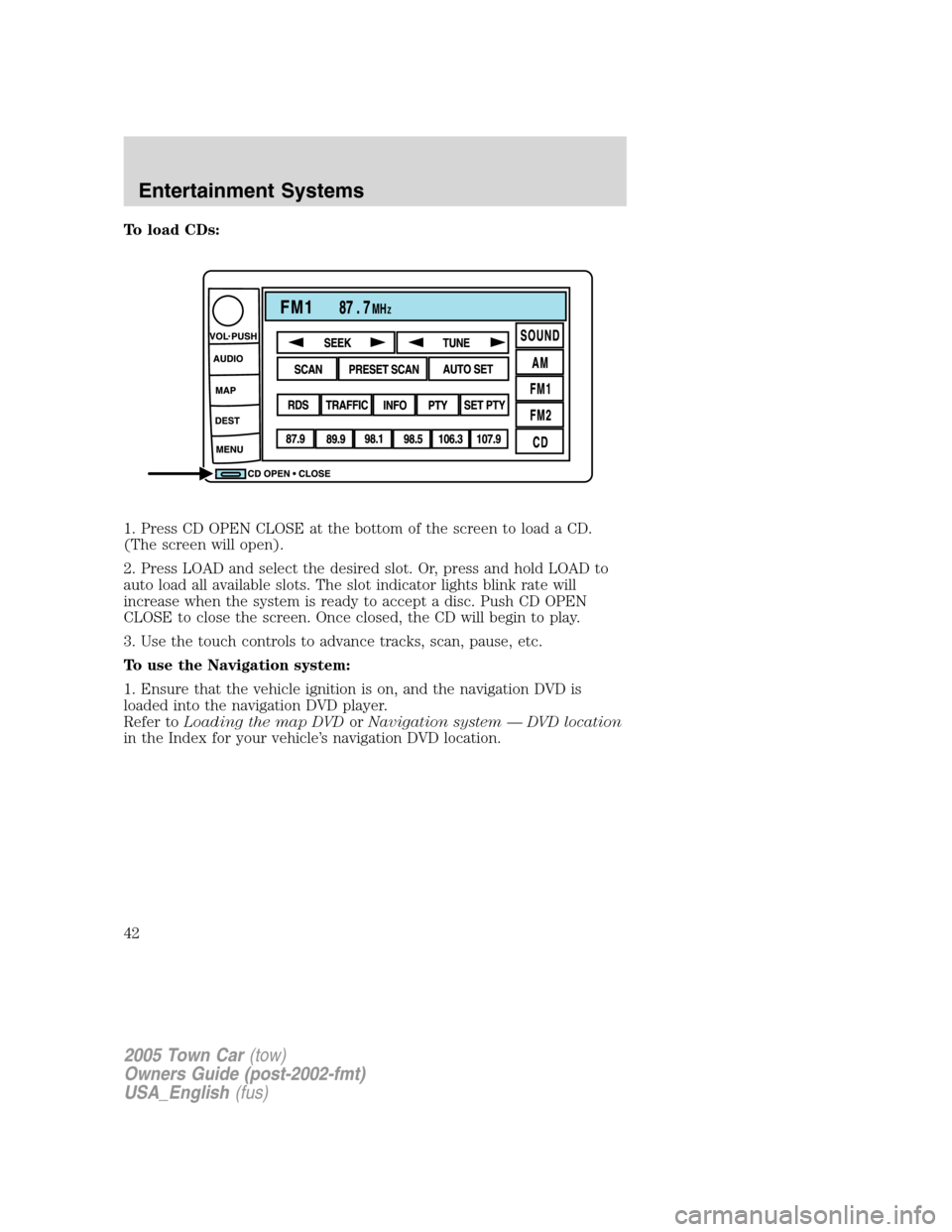
To load CDs:
1. Press CD OPEN CLOSE at the bottom of the screen to load a CD.
(The screen will open).
2. Press LOAD and select the desired slot. Or, press and hold LOAD to
auto load all available slots. The slot indicator lights blink rate will
increase when the system is ready to accept a disc. Push CD OPEN
CLOSE to close the screen. Once closed, the CD will begin to play.
3. Use the touch controls to advance tracks, scan, pause, etc.
To use the Navigation system:
1. Ensure that the vehicle ignition is on, and the navigation DVD is
loaded into the navigation DVD player.
Refer toLoading the map DVDorNavigation system — DVD location
in the Index for your vehicle’s navigation DVD location.
2005 Town Car(tow)
Owners Guide (post-2002-fmt)
USA_English(fus)
Entertainment Systems
42
Page 77 of 328
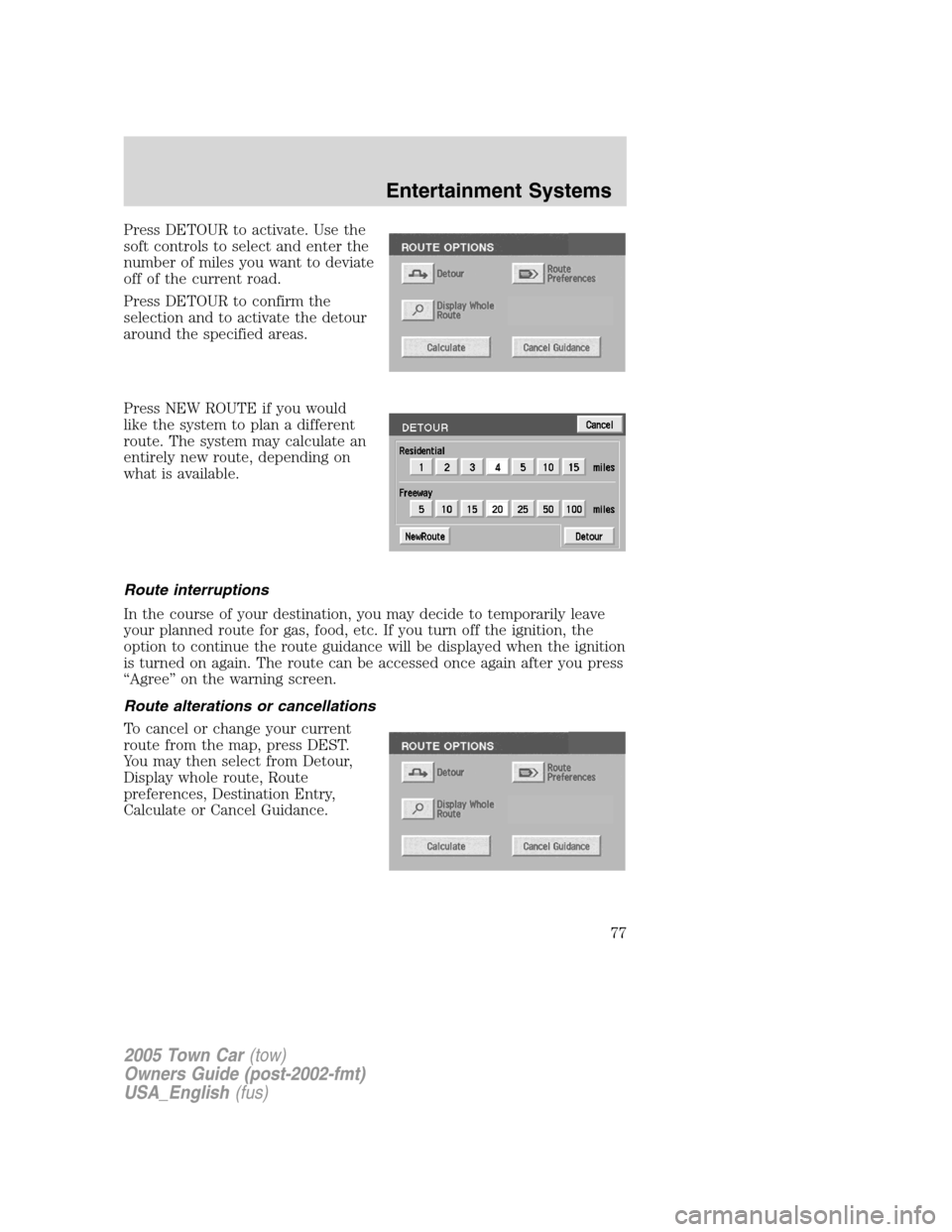
Press DETOUR to activate. Use the
soft controls to select and enter the
number of miles you want to deviate
off of the current road.
Press DETOUR to confirm the
selection and to activate the detour
around the specified areas.
Press NEW ROUTE if you would
like the system to plan a different
route. The system may calculate an
entirely new route, depending on
what is available.
Route interruptions
In the course of your destination, you may decide to temporarily leave
your planned route for gas, food, etc. If you turn off the ignition, the
option to continue the route guidance will be displayed when the ignition
is turned on again. The route can be accessed once again after you press
“Agree” on the warning screen.
Route alterations or cancellations
To cancel or change your current
route from the map, press DEST.
You may then select from Detour,
Display whole route, Route
preferences, Destination Entry,
Calculate or Cancel Guidance.
2005 Town Car(tow)
Owners Guide (post-2002-fmt)
USA_English(fus)
Entertainment Systems
77
Page 99 of 328
•roads under cliffs
Ensure that you do not have any metal objects on the rear parcel shelf.
If your windows are tinted, ensure that you use non-metal tinting instead
of metal oxide tinting. Both of these factors can interrupt GPS reception.
Cleaning the display
Do not spray cleaning fluid directly onto the unit. Instead, spray onto a
soft cloth and gently wipe the unit. Only recommended products should
be used.
•Recommended products- Rubbing alcohol based cleaner (i.e., methyl
alcohol) or a damp clean cloth.
•Not harmful but not recommended- ammonia cleaner, neutral
detergent.
•Harmful to system and not recommended- acid cleaner, alkali cleaner,
benzene cleaner.
Do not clean any part of the system with benzene, paint thinner or any
other solvent.
Do not spill liquids of any kind onto the unit.
Loading the map DVD
•Your navigation DVD unit is located in the trunk (mounted under the
rear window or in a left side compartment with access door).
•Ensure that the vehicle ignition is ON.
•If a DVD is already loaded in the Navigation unit, push the eject
button.
•Load the DVD with the printed side up. Do not allow moisture or
foreign objects to enter the slot.
The navigation system utilizes a database stored in a special format on a
DVD. It is recommended always to use the latest update of this map
DVD.
•The navigation system will only work with DVDs specifically intended
for your navigation system.
•Always store the map DVDs in their protective cases when not in use.
2005 Town Car(tow)
Owners Guide (post-2002-fmt)
USA_English(fus)
Entertainment Systems
99
Page 104 of 328
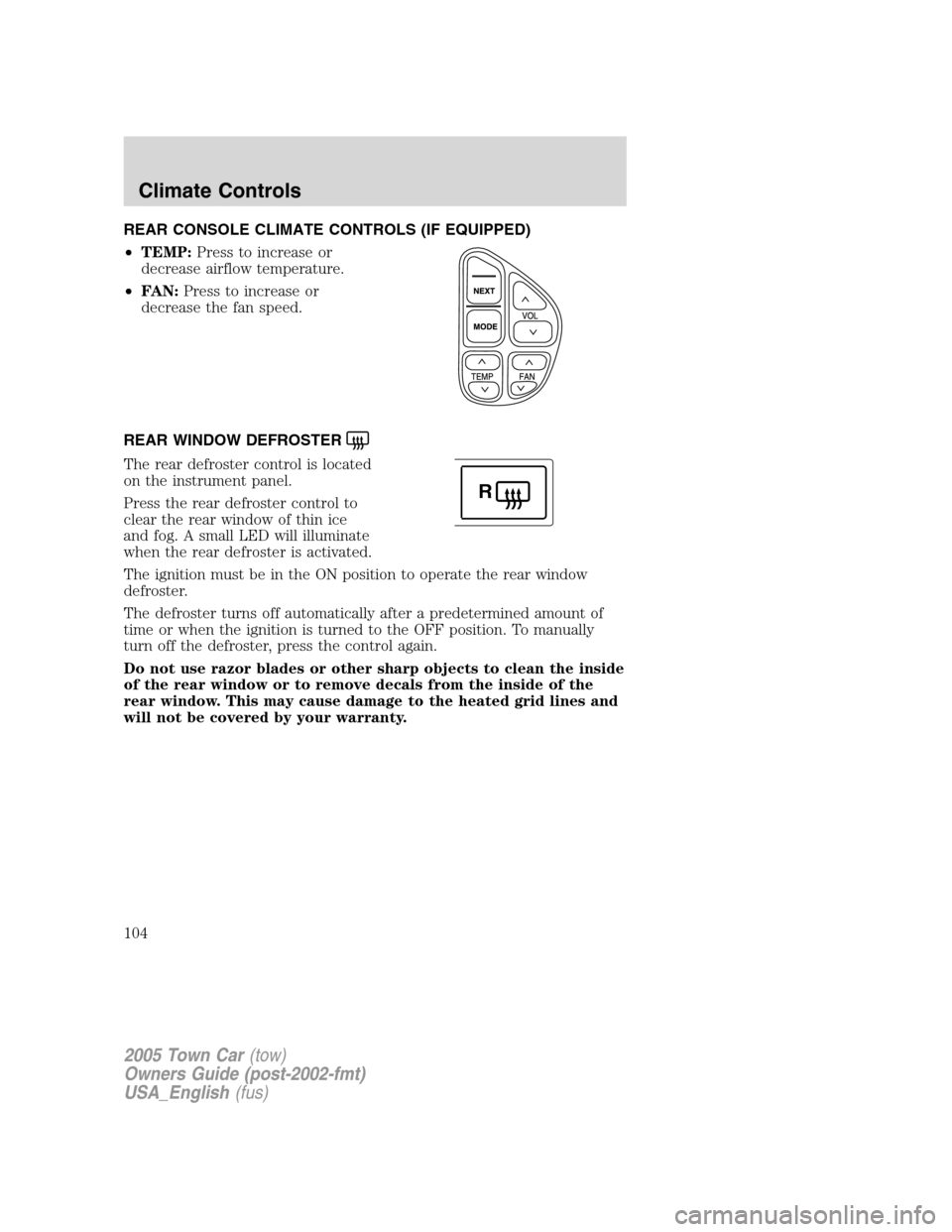
REAR CONSOLE CLIMATE CONTROLS (IF EQUIPPED)
•TEMP:Press to increase or
decrease airflow temperature.
•FAN:Press to increase or
decrease the fan speed.
REAR WINDOW DEFROSTER
The rear defroster control is located
on the instrument panel.
Press the rear defroster control to
clear the rear window of thin ice
and fog. A small LED will illuminate
when the rear defroster is activated.
The ignition must be in the ON position to operate the rear window
defroster.
The defroster turns off automatically after a predetermined amount of
time or when the ignition is turned to the OFF position. To manually
turn off the defroster, press the control again.
Do not use razor blades or other sharp objects to clean the inside
of the rear window or to remove decals from the inside of the
rear window. This may cause damage to the heated grid lines and
will not be covered by your warranty.
R
2005 Town Car(tow)
Owners Guide (post-2002-fmt)
USA_English(fus)
Climate Controls
104
Page 105 of 328
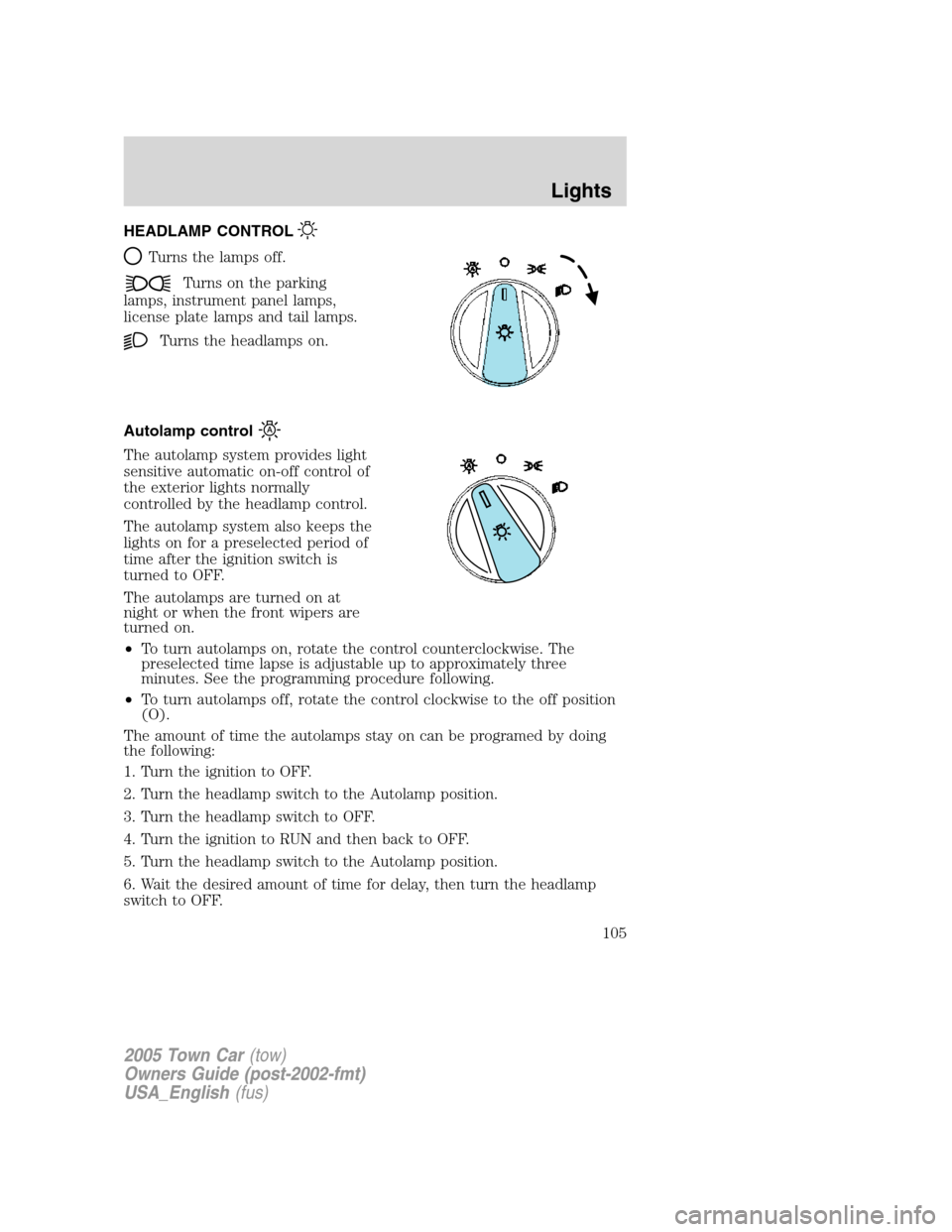
HEADLAMP CONTROL
Turns the lamps off.
Turns on the parking
lamps, instrument panel lamps,
license plate lamps and tail lamps.
Turns the headlamps on.
Autolamp control
The autolamp system provides light
sensitive automatic on-off control of
the exterior lights normally
controlled by the headlamp control.
The autolamp system also keeps the
lights on for a preselected period of
time after the ignition switch is
turned to OFF.
The autolamps are turned on at
night or when the front wipers are
turned on.
•To turn autolamps on, rotate the control counterclockwise. The
preselected time lapse is adjustable up to approximately three
minutes. See the programming procedure following.
•To turn autolamps off, rotate the control clockwise to the off position
(O).
The amount of time the autolamps stay on can be programed by doing
the following:
1. Turn the ignition to OFF.
2. Turn the headlamp switch to the Autolamp position.
3. Turn the headlamp switch to OFF.
4. Turn the ignition to RUN and then back to OFF.
5. Turn the headlamp switch to the Autolamp position.
6. Wait the desired amount of time for delay, then turn the headlamp
switch to OFF.
2005 Town Car(tow)
Owners Guide (post-2002-fmt)
USA_English(fus)
Lights
105
Page 106 of 328
7. Steps 3 through 5 need to be performed within 10 seconds.
Daytime running lamps (DRL) (if equipped)
The daytime running light system turns the headlamps on, with a
reduced light output, when:
•the ignition is in RUN,
•the transmission is not in P (Park),
•the high beams are not in the flash to pass position and
•the headlamp system is not turned on by another feature such as
using the headlamp control or Autolamp.
Always remember to turn on your headlamps at dusk or during
inclement weather. The Daytime Running Light (DRL) System
does not activate the tail lamps and generally may not provide
adequate lighting during these conditions. Failure to activate your
headlamps under these conditions may result in a collision.
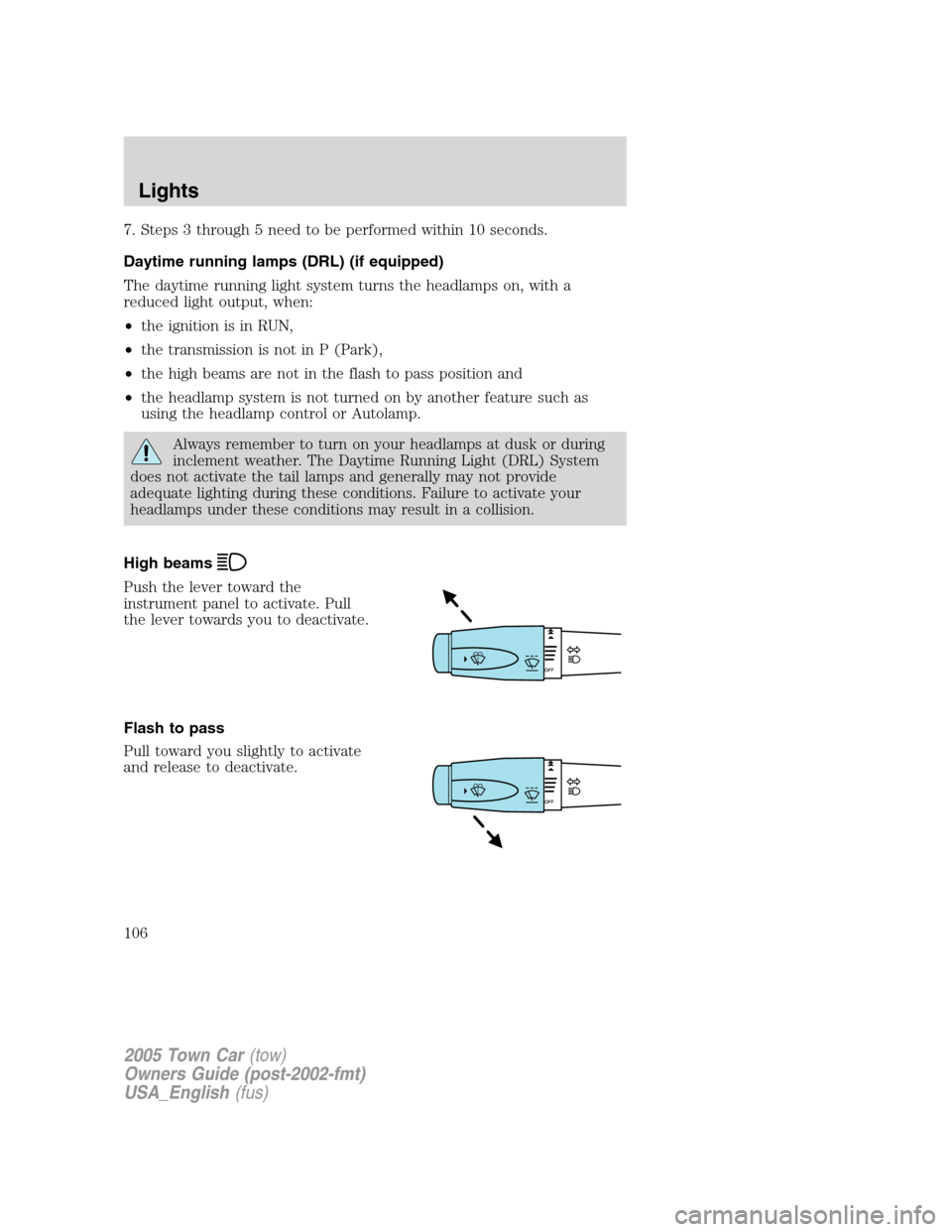
High beams
Push the lever toward the
instrument panel to activate. Pull
the lever towards you to deactivate.
Flash to pass
Pull toward you slightly to activate
and release to deactivate.
2005 Town Car(tow)
Owners Guide (post-2002-fmt)
USA_English(fus)
Lights
106