air LINCOLN TOWN CAR 2006 Owners Manual
[x] Cancel search | Manufacturer: LINCOLN, Model Year: 2006, Model line: TOWN CAR, Model: LINCOLN TOWN CAR 2006Pages: 328, PDF Size: 4.56 MB
Page 2 of 328
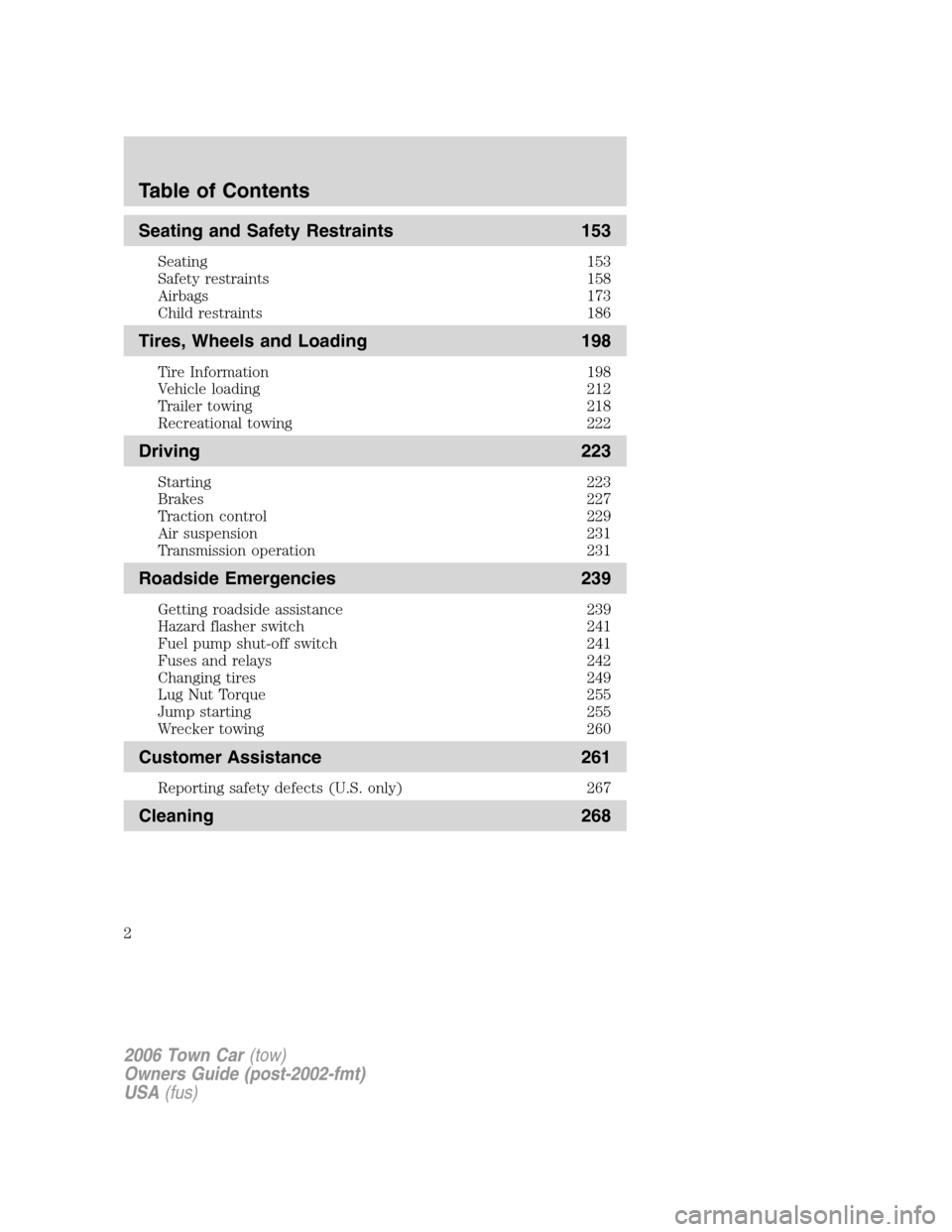
Seating and Safety Restraints 153
Seating 153
Safety restraints 158
Airbags 173
Child restraints 186
Tires, Wheels and Loading 198
Tire Information 198
Vehicle loading 212
Trailer towing 218
Recreational towing 222
Driving 223
Starting 223
Brakes 227
Traction control 229
Air suspension 231
Transmission operation 231
Roadside Emergencies 239
Getting roadside assistance 239
Hazard flasher switch 241
Fuel pump shut-off switch 241
Fuses and relays 242
Changing tires 249
Lug Nut Torque 255
Jump starting 255
Wrecker towing 260
Customer Assistance 261
Reporting safety defects (U.S. only) 267
Cleaning 268
Table of Contents
2
2006 Town Car(tow)
Owners Guide (post-2002-fmt)
USA(fus)
Page 3 of 328
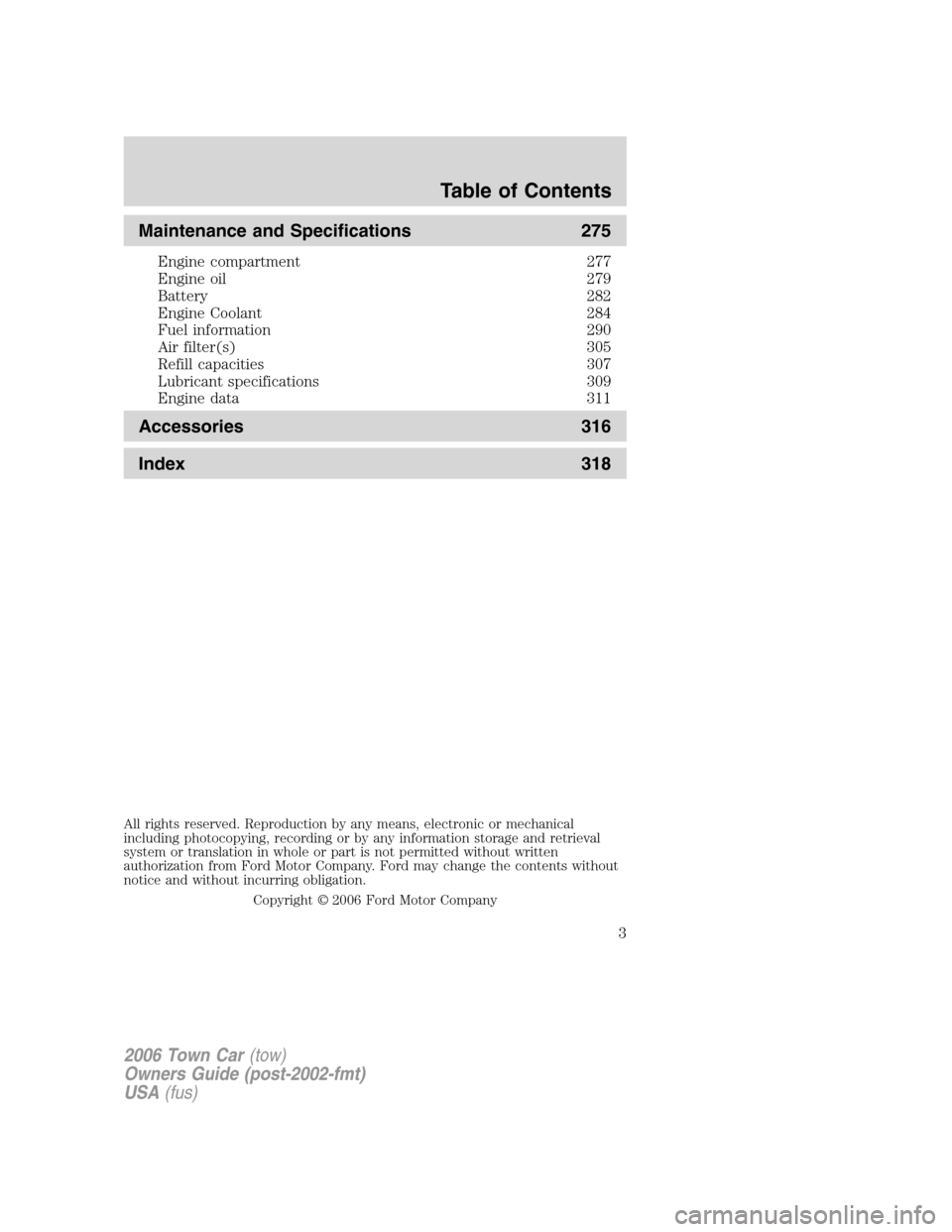
Maintenance and Specifications 275
Engine compartment 277
Engine oil 279
Battery 282
Engine Coolant 284
Fuel information 290
Air filter(s) 305
Refill capacities 307
Lubricant specifications 309
Engine data 311
Accessories 316
Index 318
All rights reserved. Reproduction by any means, electronic or mechanical
including photocopying, recording or by any information storage and retrieval
system or translation in whole or part is not permitted without written
authorization from Ford Motor Company. Ford may change the contents without
notice and without incurring obligation.
Copyright © 2006 Ford Motor Company
Table of Contents
3
2006 Town Car(tow)
Owners Guide (post-2002-fmt)
USA(fus)
Page 6 of 328
Service Data Recording
Service data recorders in your vehicle are capable of collecting and
storing diagnostic information about your vehicle. This potentially
includes information about the performance or status of various systems
and modules in the vehicle, such as engine, throttle, steering or brake
systems. In order to properly diagnose and service your vehicle, Ford
Motor Company, Ford of Canada, and service and repair facilities may
access vehicle diagnostic information through a direct connection to your
vehicle when diagnosing or servicing your vehicle.
Event Data Recording
Other modules in your vehicle — event data recorders — are capable of
collecting and storing data during a crash or near crash event. The
recorded information may assist in the investigation of such an event.
The modules may record information about both the vehicle and the
occupants, potentially including information such as:
•how various systems in your vehicle were operating;
•whether or not the driver and passenger seatbelts were buckled;
•how far (if at all) the driver was depressing the accelerator and/or the
brake pedal;
•how fast the vehicle was traveling; and
•where the driver was positioning the steering wheel.
To access this information, special equipment must be directly connected
to the recording modules. Ford Motor Company and Ford of Canada do
not access event data recorder information without obtaining consent,
unless pursuant to court order or where required by law enforcement,
other government authorities or other third parties acting with lawful
authority. Other parties may seek to access the information
independently of Ford Motor Company and Ford of Canada.
Special instructions
For your added safety, your vehicle is fitted with sophisticated electronic
controls.
Please read the sectionSupplemental restraint system (SRS)
in theSeating and Safety Restraintschapter. Failure to follow
the specific warnings and instructions could result in personal injury.
2006 Town Car(tow)
Owners Guide (post-2002-fmt)
USA(fus)
Introduction
6
Page 7 of 328
Front seat mounted rear-facing child or infant seats should
NEVERbe placed in front of an active passenger airbag.
Cell phone use
The use of Mobile Communications Equipment has become increasingly
important in the conduct of business and personal affairs. However,
drivers must not compromise their own or others’ safety when using
such equipment. Mobile Communications can enhance personal safety
and security when appropriately used, particularly in emergency
situations. Safety must be paramount when using mobile communications
equipment to avoid negating these benefits.
Mobile Communication Equipment includes, but is not limited to cellular
phones, pagers, portable email devices, in-vehicle communications
systems, telematics devices and portable two-way radios.
A driver’s first responsibility is the safe operation of the vehicle.
The most important thing you can do to prevent a crash is to
avoid distractions and pay attention to the road. Wait until it is safe to
operate Mobile Communications Equipment.
Middle East/North Africa vehicle specific information
For your particular global region, your vehicle may be equipped with
features and options that are different from the ones that are described
in thisOwner’s Guide;therefore, a supplement has been supplied that
complements this book. By referring to the pages in the provided
supplement, you can properly identify those features, recommendations
and specifications that are unique to your vehicle.Refer to this
Owner’s Guide for all other required information and warnings.
2006 Town Car(tow)
Owners Guide (post-2002-fmt)
USA(fus)
Introduction
7
Page 8 of 328
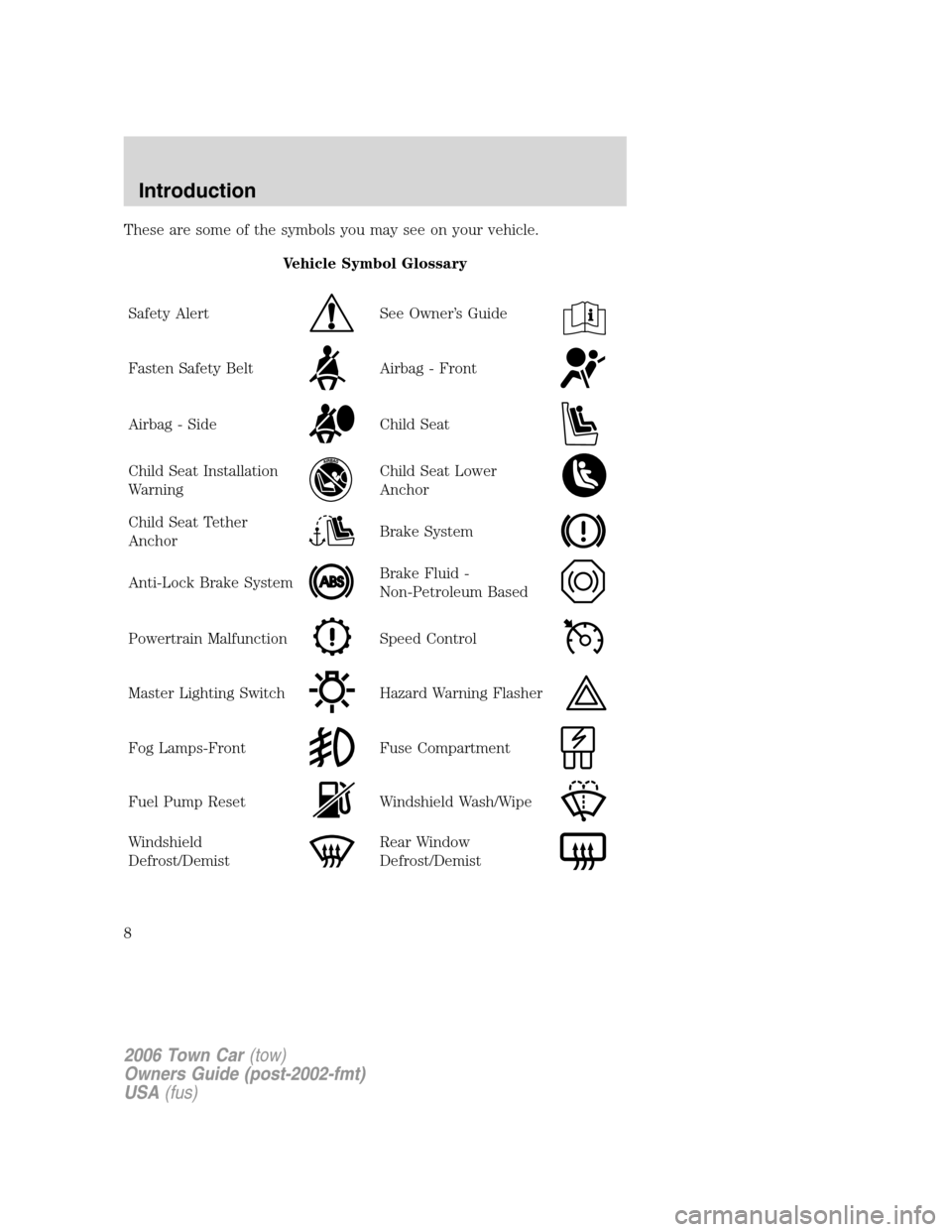
These are some of the symbols you may see on your vehicle.
Vehicle Symbol Glossary
Safety Alert
See Owner’s Guide
Fasten Safety BeltAirbag - Front
Airbag - SideChild Seat
Child Seat Installation
WarningChild Seat Lower
Anchor
Child Seat Tether
AnchorBrake System
Anti-Lock Brake SystemBrake Fluid -
Non-Petroleum Based
Powertrain MalfunctionSpeed Control
Master Lighting SwitchHazard Warning Flasher
Fog Lamps-FrontFuse Compartment
Fuel Pump ResetWindshield Wash/Wipe
Windshield
Defrost/DemistRear Window
Defrost/Demist
2006 Town Car(tow)
Owners Guide (post-2002-fmt)
USA(fus)
Introduction
8
Page 9 of 328
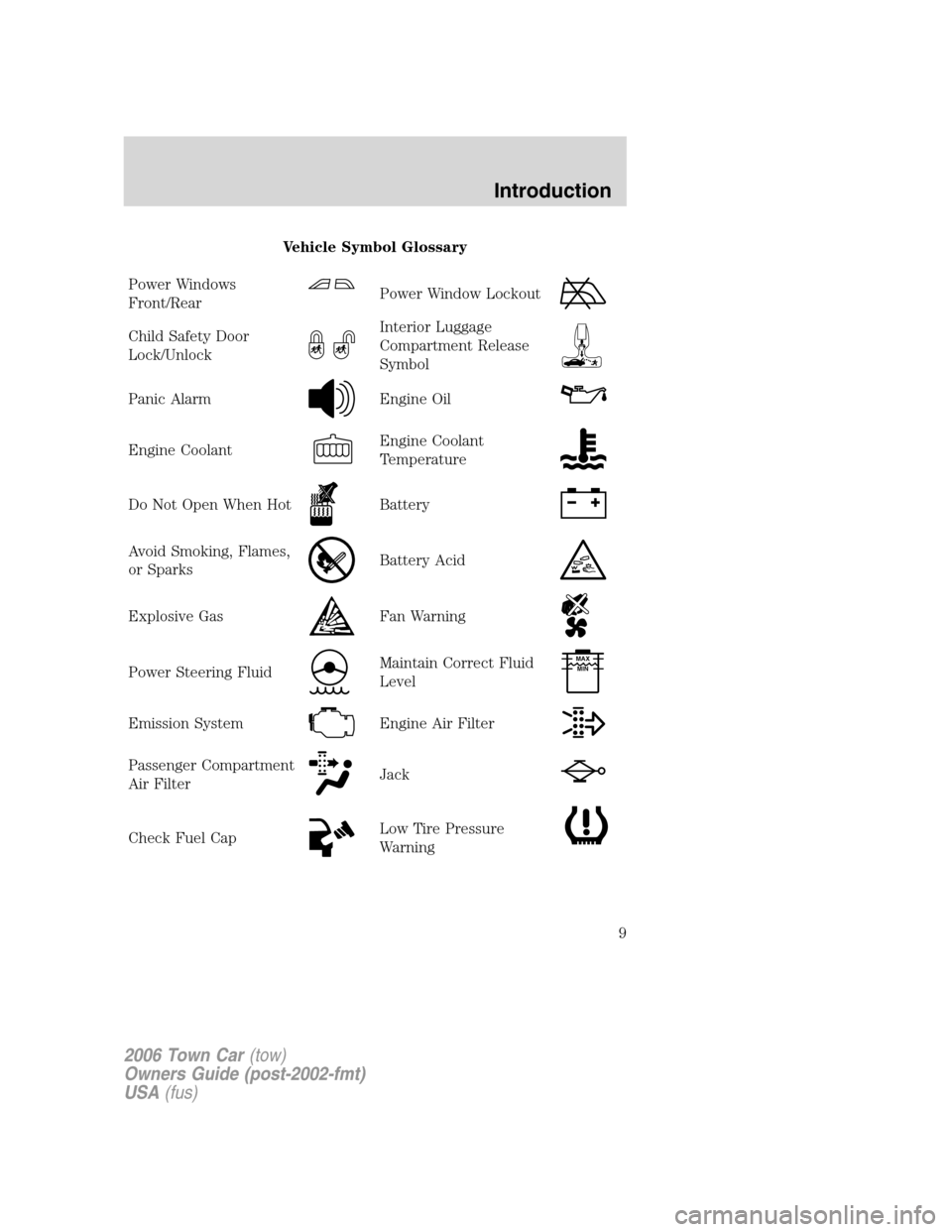
Vehicle Symbol Glossary
Power Windows
Front/Rear
Power Window Lockout
Child Safety Door
Lock/UnlockInterior Luggage
Compartment Release
Symbol
Panic AlarmEngine Oil
Engine CoolantEngine Coolant
Temperature
Do Not Open When HotBattery
Avoid Smoking, Flames,
or SparksBattery Acid
Explosive GasFan Warning
Power Steering FluidMaintain Correct Fluid
LevelMAX
MIN
Emission SystemEngine Air Filter
Passenger Compartment
Air FilterJack
Check Fuel CapLow Tire Pressure
Warning
2006 Town Car(tow)
Owners Guide (post-2002-fmt)
USA(fus)
Introduction
9
Page 10 of 328
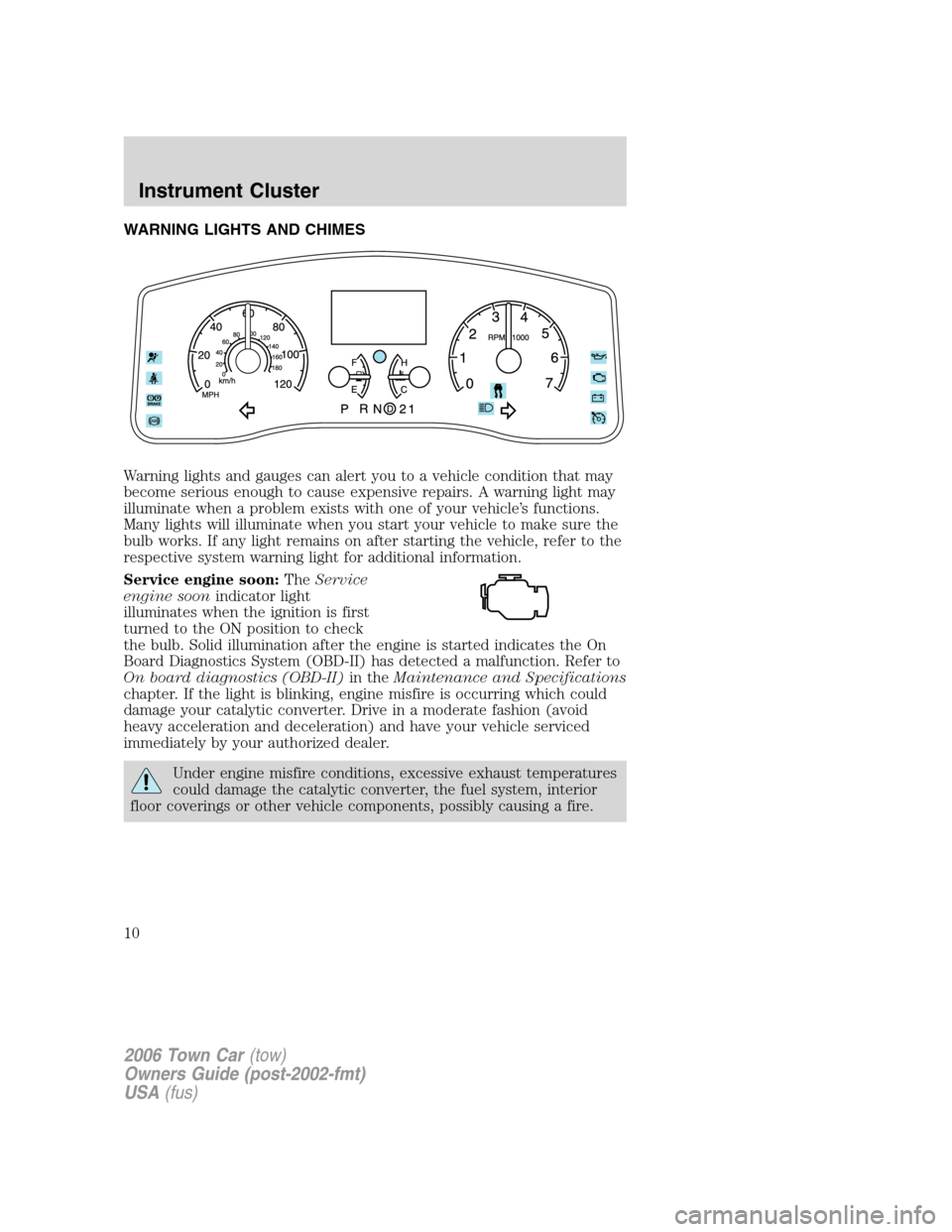
WARNING LIGHTS AND CHIMES
Warning lights and gauges can alert you to a vehicle condition that may
become serious enough to cause expensive repairs. A warning light may
illuminate when a problem exists with one of your vehicle’s functions.
Many lights will illuminate when you start your vehicle to make sure the
bulb works. If any light remains on after starting the vehicle, refer to the
respective system warning light for additional information.
Service engine soon:TheService
engine soonindicator light
illuminates when the ignition is first
turned to the ON position to check
the bulb. Solid illumination after the engine is started indicates the On
Board Diagnostics System (OBD-II) has detected a malfunction. Refer to
On board diagnostics (OBD-II)in theMaintenance and Specifications
chapter. If the light is blinking, engine misfire is occurring which could
damage your catalytic converter. Drive in a moderate fashion (avoid
heavy acceleration and deceleration) and have your vehicle serviced
immediately by your authorized dealer.
Under engine misfire conditions, excessive exhaust temperatures
could damage the catalytic converter, the fuel system, interior
floor coverings or other vehicle components, possibly causing a fire.
2006 Town Car(tow)
Owners Guide (post-2002-fmt)
USA(fus)
Instrument Cluster
10
Page 11 of 328
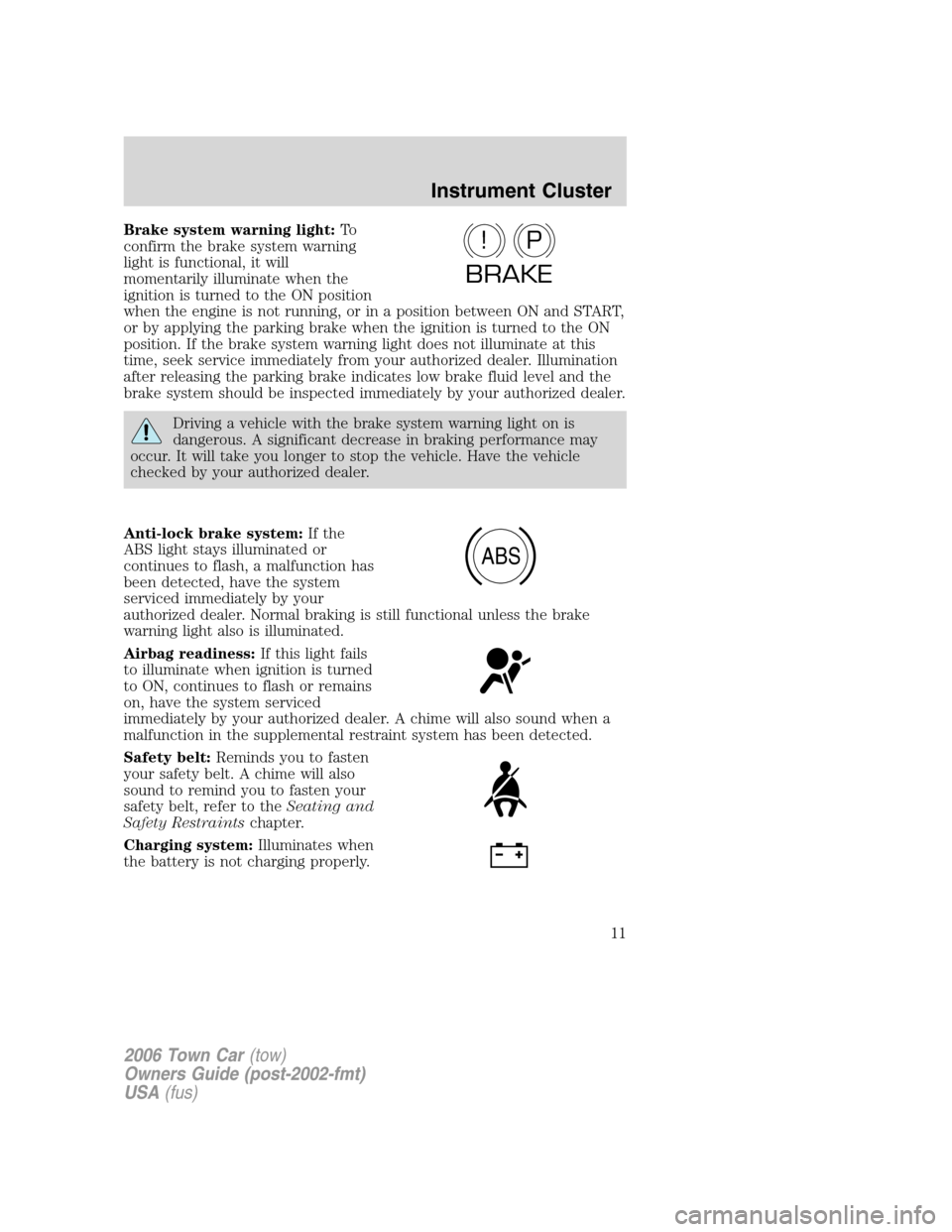
Brake system warning light:To
confirm the brake system warning
light is functional, it will
momentarily illuminate when the
ignition is turned to the ON position
when the engine is not running, or in a position between ON and START,
or by applying the parking brake when the ignition is turned to the ON
position. If the brake system warning light does not illuminate at this
time, seek service immediately from your authorized dealer. Illumination
after releasing the parking brake indicates low brake fluid level and the
brake system should be inspected immediately by your authorized dealer.
Driving a vehicle with the brake system warning light on is
dangerous. A significant decrease in braking performance may
occur. It will take you longer to stop the vehicle. Have the vehicle
checked by your authorized dealer.
Anti-lock brake system:If the
ABS light stays illuminated or
continues to flash, a malfunction has
been detected, have the system
serviced immediately by your
authorized dealer. Normal braking is still functional unless the brake
warning light also is illuminated.
Airbag readiness:If this light fails
to illuminate when ignition is turned
to ON, continues to flash or remains
on, have the system serviced
immediately by your authorized dealer. A chime will also sound when a
malfunction in the supplemental restraint system has been detected.
Safety belt:Reminds you to fasten
your safety belt. A chime will also
sound to remind you to fasten your
safety belt, refer to theSeating and
Safety Restraintschapter.
Charging system:Illuminates when
the battery is not charging properly.
P!
BRAKE
ABS
2006 Town Car(tow)
Owners Guide (post-2002-fmt)
USA(fus)
Instrument Cluster
11
Page 38 of 328
•Chinese food•Continental restaurant
•Continental food•French restaurant
•French food•Italian restaurant
•Italian food•Japanese restaurant
•Japanese food•Mexican restaurant
•Mexican food•Seafood restaurant
•Seafood•Other restaurant
•Other food•Shopping
•Shopping mall•Grocery store
•Airport•Bus station
•Ferry terminal•Historical monument
•Hotel•Park and ride
•Rental car agency•Rest area
•Rest stop•Tourist information
•Train station•Business facility
•City center•POI off
•Commuter rail station
While in navigation destination (DEST) mode, the following commands
are available:
•Home•Go home
•Previous starting point•Go starting point
•Next way point map•First way point map
•Second way point map•Third way point map
•Fourth way point map•Fifth way point map
•Destination map•Delete destination
•Cancel destination
While in navigation guidance mode, the following commands are available
by voice activation:
•Repeat guidance•Repeat voice
•
Louder•Softer
•Voice guidance off•Voice guidance on
•Open guidance screen•Close guidance screen
•Arrow guidance•Arrow guide
2006 Town Car(tow)
Owners Guide (post-2002-fmt)
USA(fus)
Entertainment Systems
38
Page 73 of 328
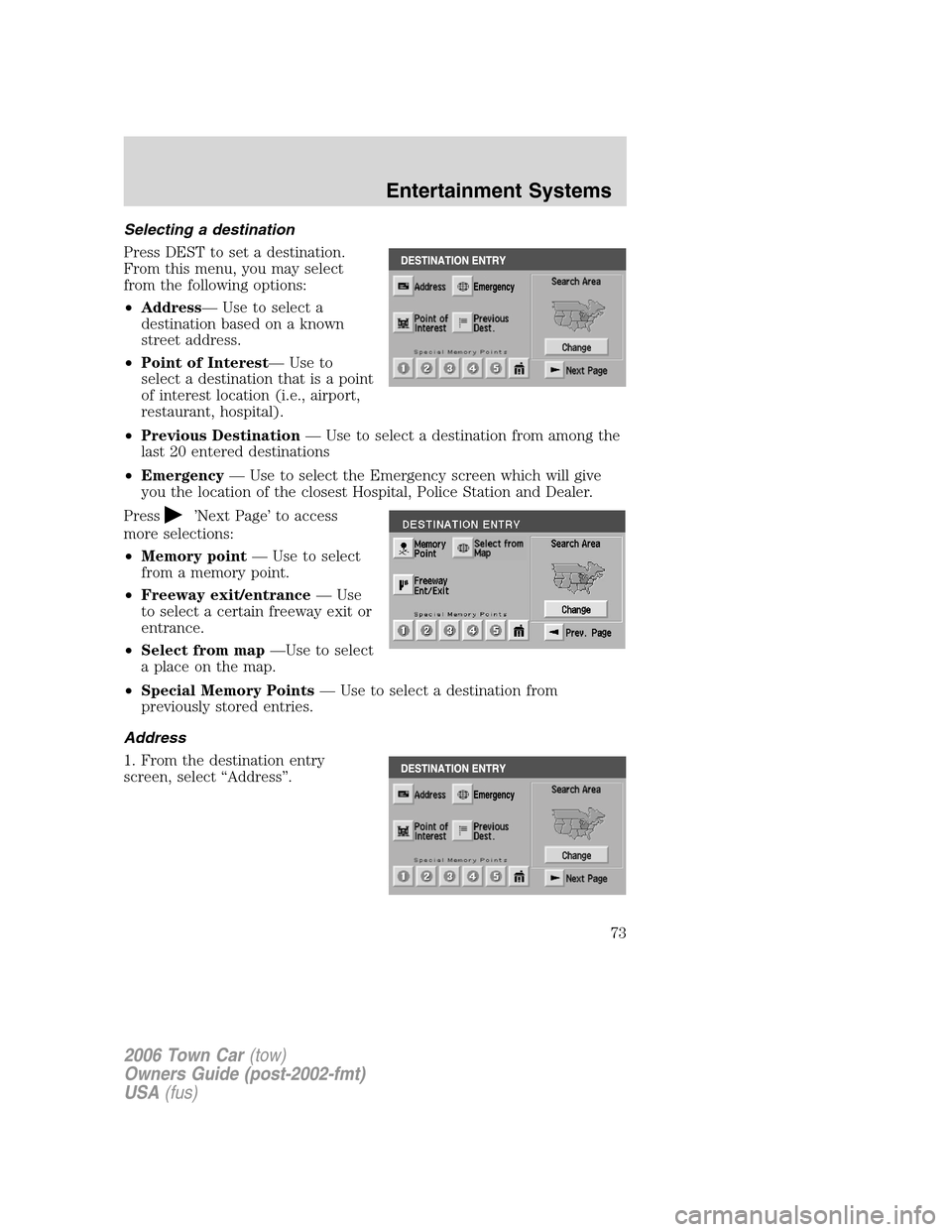
Selecting a destination
Press DEST to set a destination.
From this menu, you may select
from the following options:
•Address— Use to select a
destination based on a known
street address.
•Point of Interest— Use to
select a destination that is a point
of interest location (i.e., airport,
restaurant, hospital).
•Previous Destination— Use to select a destination from among the
last 20 entered destinations
•Emergency— Use to select the Emergency screen which will give
you the location of the closest Hospital, Police Station and Dealer.
Press
’Next Page’ to access
more selections:
•Memory point— Use to select
from a memory point.
•Freeway exit/entrance— Use
to select a certain freeway exit or
entrance.
•Select from map—Use to select
a place on the map.
•Special Memory Points— Use to select a destination from
previously stored entries.
Address
1. From the destination entry
screen, select “Address”.
2006 Town Car(tow)
Owners Guide (post-2002-fmt)
USA(fus)
Entertainment Systems
73