key LINCOLN TOWN CAR 2007 User Guide
[x] Cancel search | Manufacturer: LINCOLN, Model Year: 2007, Model line: TOWN CAR, Model: LINCOLN TOWN CAR 2007Pages: 328, PDF Size: 4.51 MB
Page 76 of 328
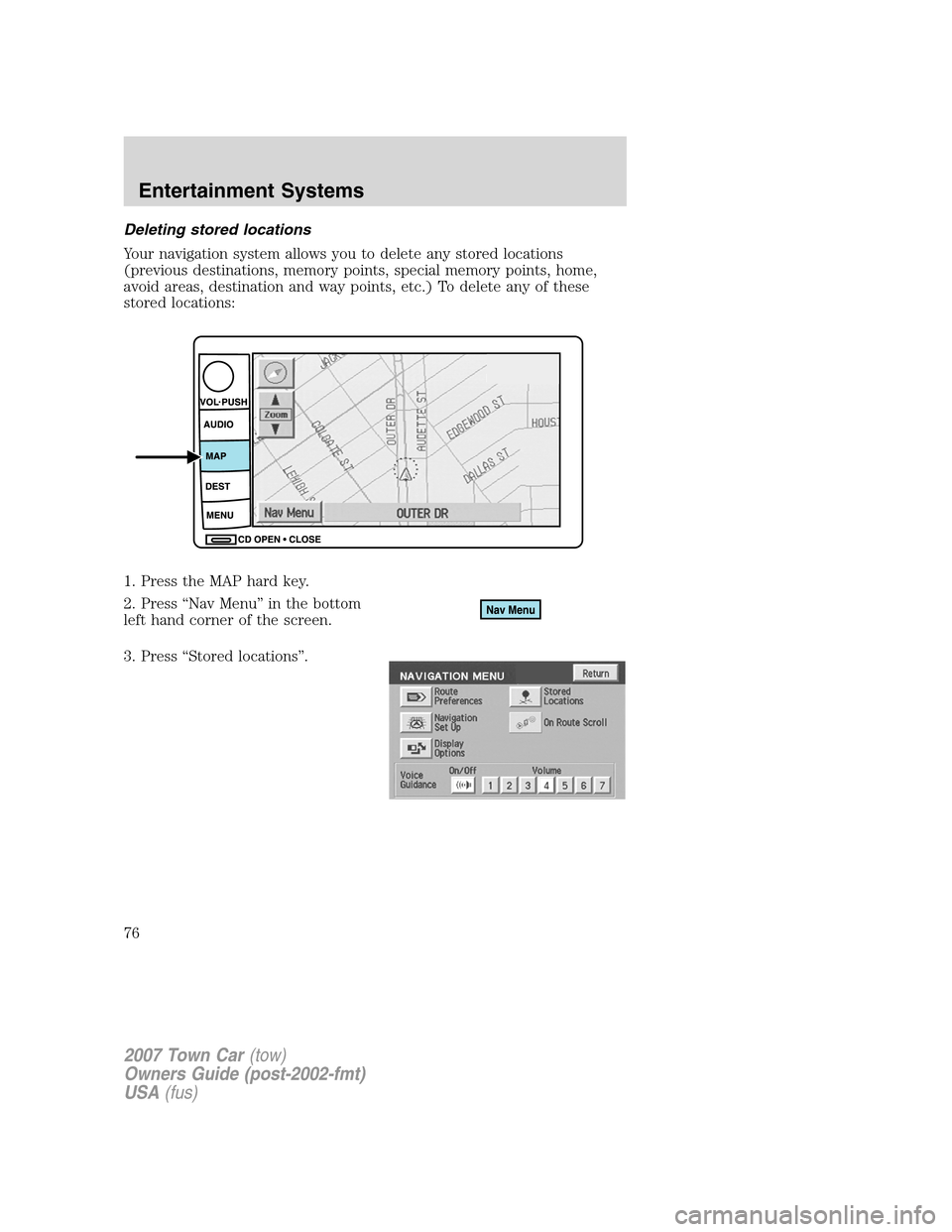
Deleting stored locations
Your navigation system allows you to delete any stored locations
(previous destinations, memory points, special memory points, home,
avoid areas, destination and way points, etc.) To delete any of these
stored locations:
1. Press the MAP hard key.
2. Press “Nav Menu” in the bottom
left hand corner of the screen.
3. Press “Stored locations”.
2007 Town Car(tow)
Owners Guide (post-2002-fmt)
USA(fus)
Entertainment Systems
76
Page 79 of 328
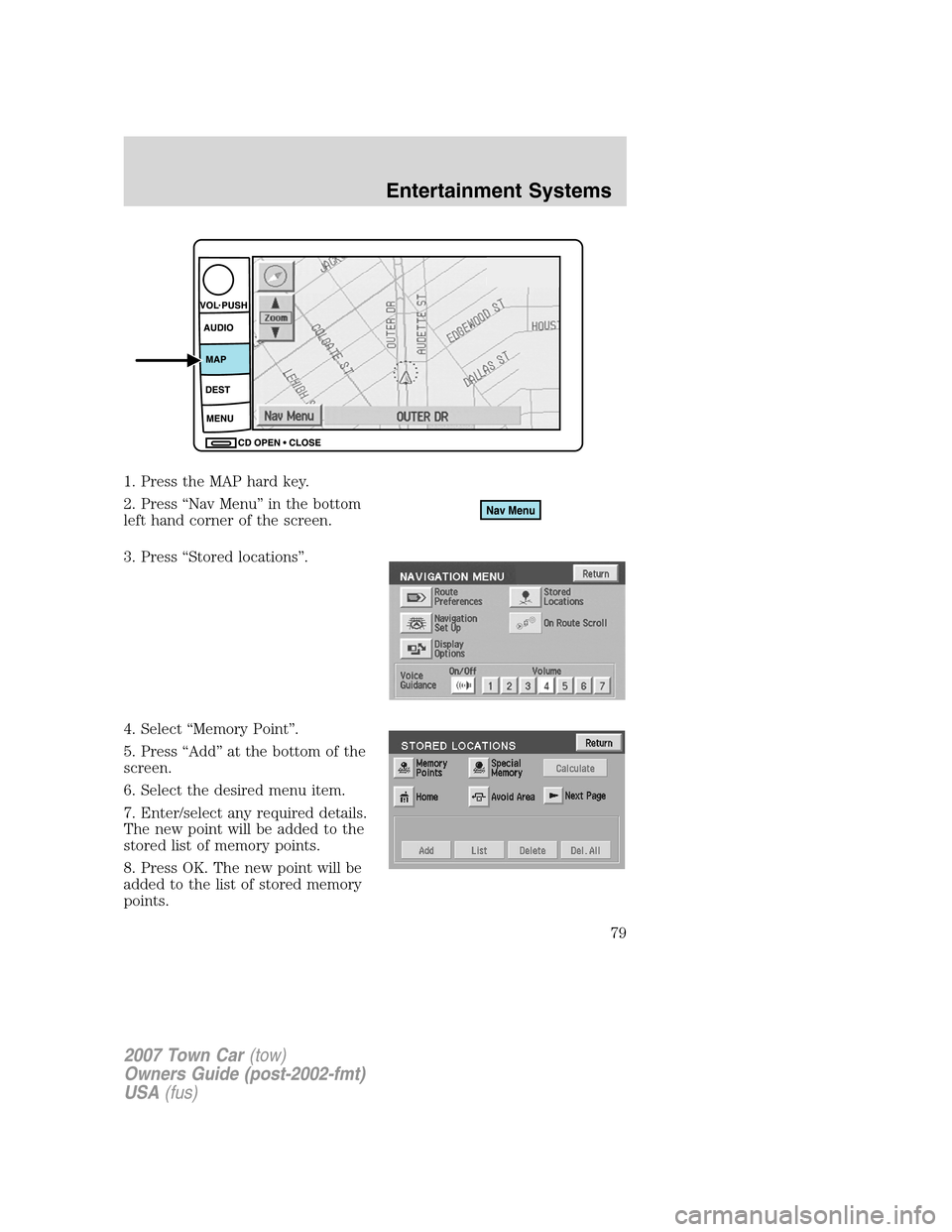
1. Press the MAP hard key.
2. Press “Nav Menu” in the bottom
left hand corner of the screen.
3. Press “Stored locations”.
4. Select “Memory Point”.
5. Press “Add” at the bottom of the
screen.
6. Select the desired menu item.
7. Enter/select any required details.
The new point will be added to the
stored list of memory points.
8. Press OK. The new point will be
added to the list of stored memory
points.
2007 Town Car(tow)
Owners Guide (post-2002-fmt)
USA(fus)
Entertainment Systems
79
Page 80 of 328
To give the new memory point a name:
1. Select it from the list.
2. Press NAME.
3. Enter the desired name.
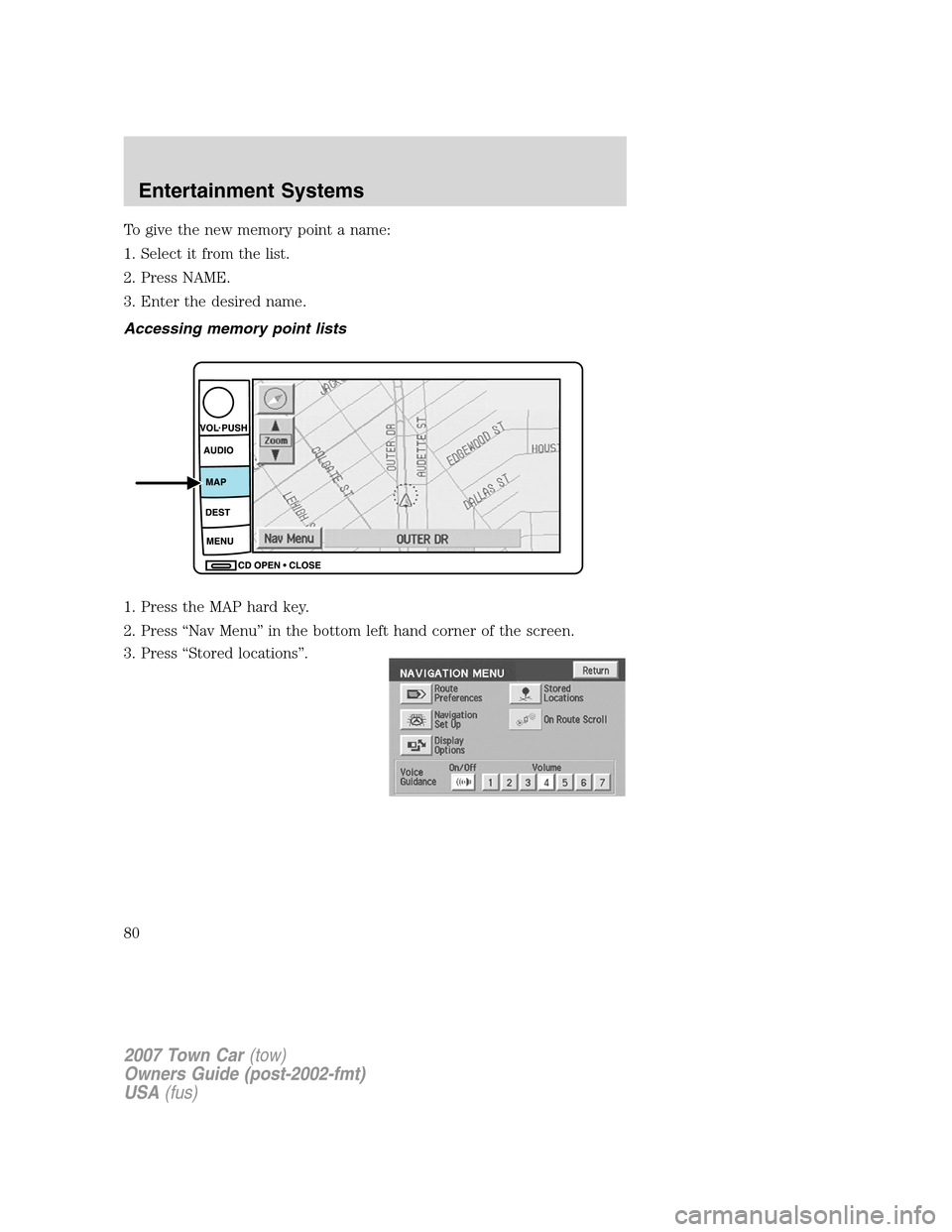
Accessing memory point lists
1. Press the MAP hard key.
2. Press “Nav Menu” in the bottom left hand corner of the screen.
3. Press “Stored locations”.
2007 Town Car(tow)
Owners Guide (post-2002-fmt)
USA(fus)
Entertainment Systems
80
Page 83 of 328
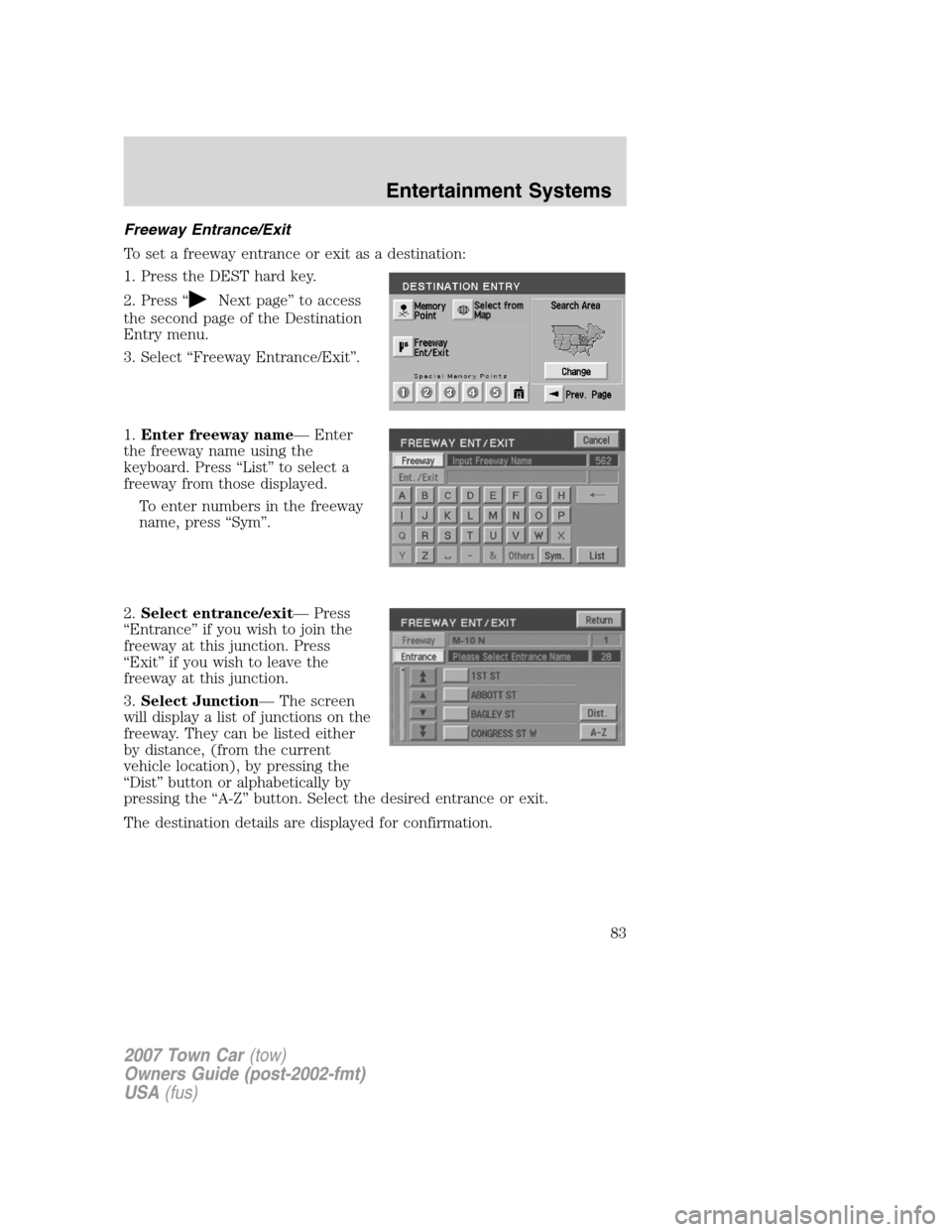
Freeway Entrance/Exit
To set a freeway entrance or exit as a destination:
1. Press the DEST hard key.
2. Press “
Next page” to access
the second page of the Destination
Entry menu.
3. Select “Freeway Entrance/Exit”.
1.Enter freeway name— Enter
the freeway name using the
keyboard. Press “List” to select a
freeway from those displayed.
To enter numbers in the freeway
name, press “Sym”.
2.Select entrance/exit— Press
“Entrance” if you wish to join the
freeway at this junction. Press
“Exit” if you wish to leave the
freeway at this junction.
3.Select Junction— The screen
will display a list of junctions on the
freeway. They can be listed either
by distance, (from the current
vehicle location), by pressing the
“Dist” button or alphabetically by
pressing the “A-Z” button. Select the desired entrance or exit.
The destination details are displayed for confirmation.
2007 Town Car(tow)
Owners Guide (post-2002-fmt)
USA(fus)
Entertainment Systems
83
Page 101 of 328
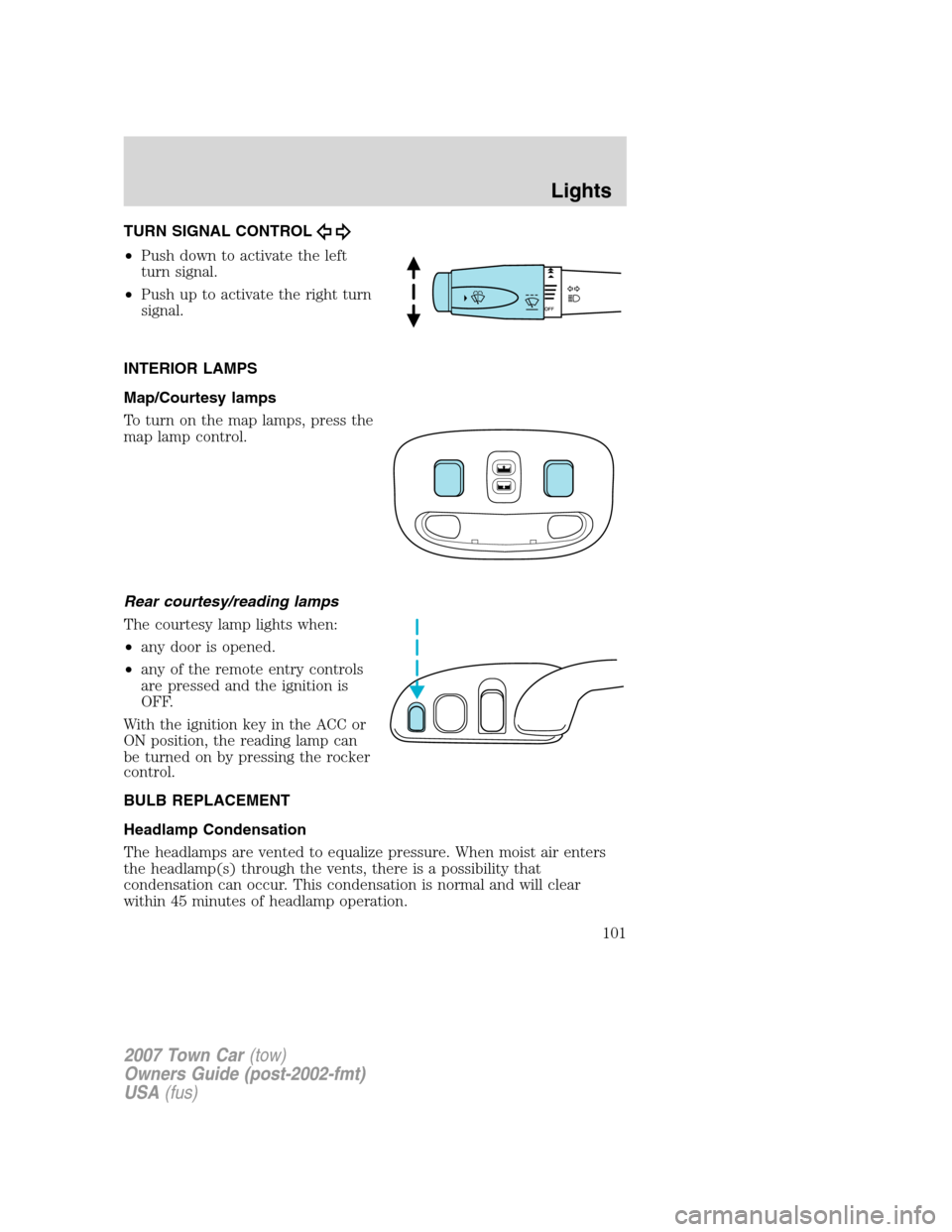
TURN SIGNAL CONTROL
•Push down to activate the left
turn signal.
•Push up to activate the right turn
signal.
INTERIOR LAMPS
Map/Courtesy lamps
To turn on the map lamps, press the
map lamp control.
Rear courtesy/reading lamps
The courtesy lamp lights when:
•any door is opened.
•any of the remote entry controls
are pressed and the ignition is
OFF.
With the ignition key in the ACC or
ON position, the reading lamp can
be turned on by pressing the rocker
control.
BULB REPLACEMENT
Headlamp Condensation
The headlamps are vented to equalize pressure. When moist air enters
the headlamp(s) through the vents, there is a possibility that
condensation can occur. This condensation is normal and will clear
within 45 minutes of headlamp operation.
2007 Town Car(tow)
Owners Guide (post-2002-fmt)
USA(fus)
Lights
101
Page 133 of 328
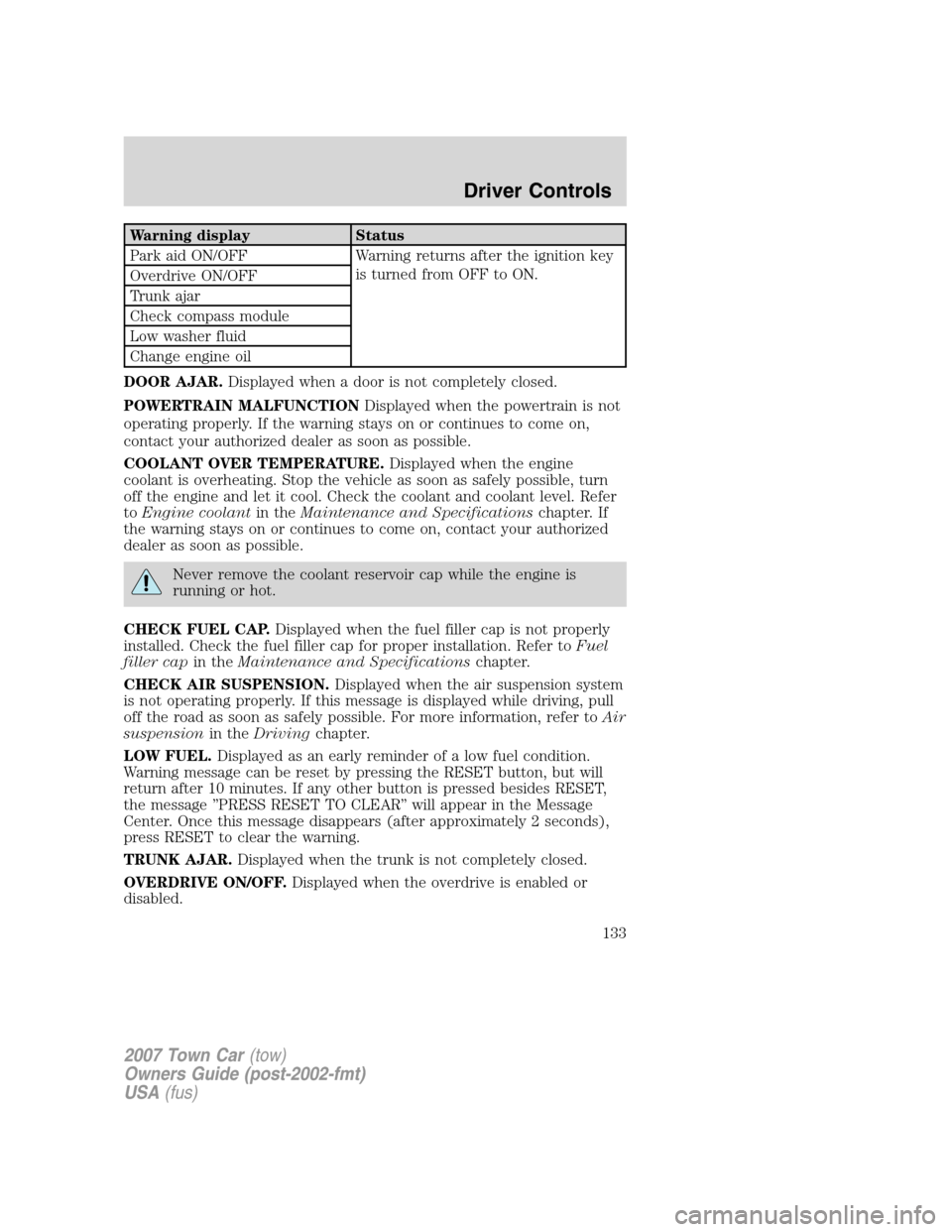
Warning display Status
Park aid ON/OFF Warning returns after the ignition key
is turned from OFF to ON.
Overdrive ON/OFF
Trunk ajar
Check compass module
Low washer fluid
Change engine oil
DOOR AJAR.Displayed when a door is not completely closed.
POWERTRAIN MALFUNCTIONDisplayed when the powertrain is not
operating properly. If the warning stays on or continues to come on,
contact your authorized dealer as soon as possible.
COOLANT OVER TEMPERATURE.Displayed when the engine
coolant is overheating. Stop the vehicle as soon as safely possible, turn
off the engine and let it cool. Check the coolant and coolant level. Refer
toEngine coolantin theMaintenance and Specificationschapter. If
the warning stays on or continues to come on, contact your authorized
dealer as soon as possible.
Never remove the coolant reservoir cap while the engine is
running or hot.
CHECK FUEL CAP.Displayed when the fuel filler cap is not properly
installed. Check the fuel filler cap for proper installation. Refer toFuel
filler capin theMaintenance and Specificationschapter.
CHECK AIR SUSPENSION.Displayed when the air suspension system
is not operating properly. If this message is displayed while driving, pull
off the road as soon as safely possible. For more information, refer toAir
suspensionin theDrivingchapter.
LOW FUEL.Displayed as an early reminder of a low fuel condition.
Warning message can be reset by pressing the RESET button, but will
return after 10 minutes. If any other button is pressed besides RESET,
the message ’’PRESS RESET TO CLEAR’’ will appear in the Message
Center. Once this message disappears (after approximately 2 seconds),
press RESET to clear the warning.
TRUNK AJAR.Displayed when the trunk is not completely closed.
OVERDRIVE ON/OFF.Displayed when the overdrive is enabled or
disabled.
2007 Town Car(tow)
Owners Guide (post-2002-fmt)
USA(fus)
Driver Controls
133
Page 135 of 328
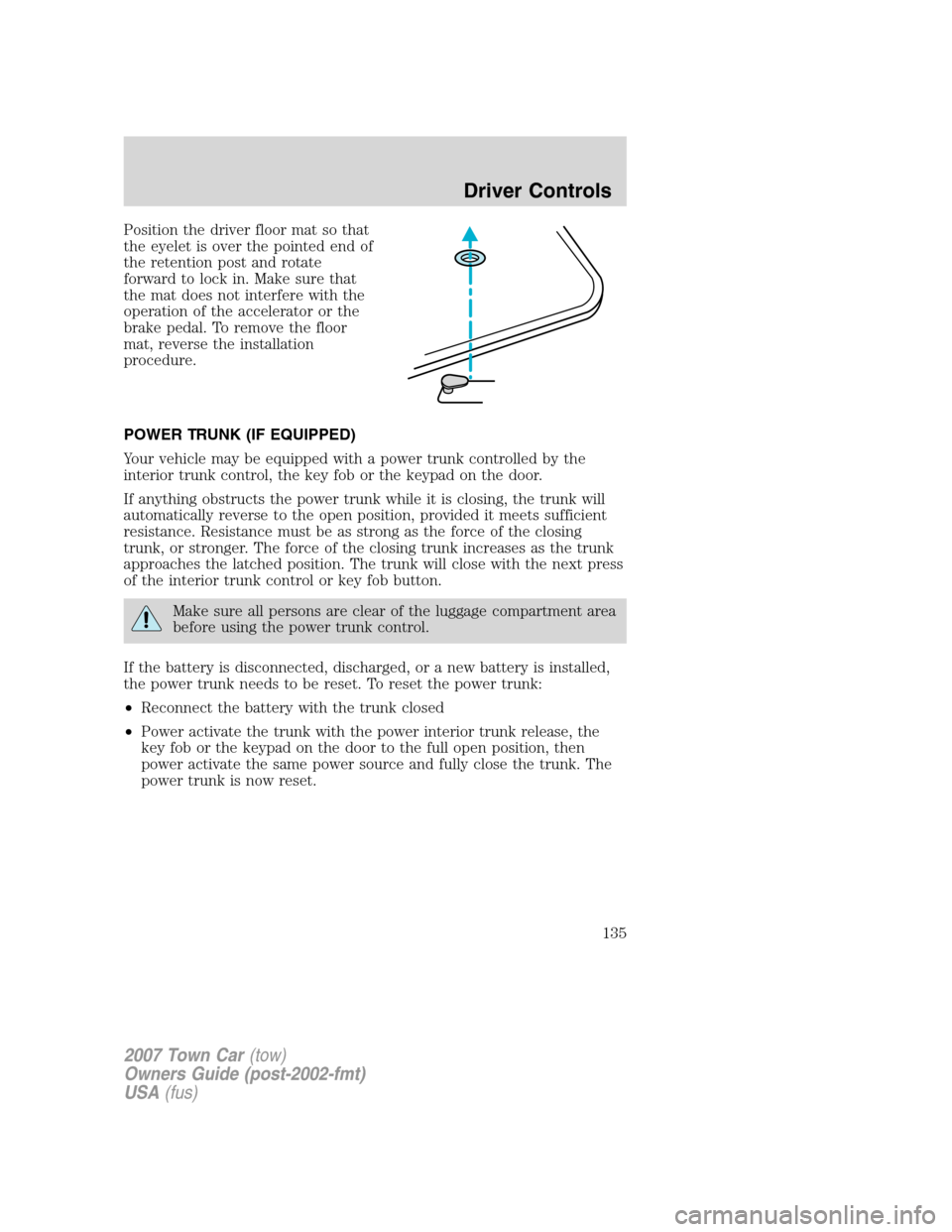
Position the driver floor mat so that
the eyelet is over the pointed end of
the retention post and rotate
forward to lock in. Make sure that
the mat does not interfere with the
operation of the accelerator or the
brake pedal. To remove the floor
mat, reverse the installation
procedure.
POWER TRUNK (IF EQUIPPED)
Your vehicle may be equipped with a power trunk controlled by the
interior trunk control, the key fob or the keypad on the door.
If anything obstructs the power trunk while it is closing, the trunk will
automatically reverse to the open position, provided it meets sufficient
resistance. Resistance must be as strong as the force of the closing
trunk, or stronger. The force of the closing trunk increases as the trunk
approaches the latched position. The trunk will close with the next press
of the interior trunk control or key fob button.
Make sure all persons are clear of the luggage compartment area
before using the power trunk control.
If the battery is disconnected, discharged, or a new battery is installed,
the power trunk needs to be reset. To reset the power trunk:
•Reconnect the battery with the trunk closed
•Power activate the trunk with the power interior trunk release, the
key fob or the keypad on the door to the full open position, then
power activate the same power source and fully close the trunk. The
power trunk is now reset.
2007 Town Car(tow)
Owners Guide (post-2002-fmt)
USA(fus)
Driver Controls
135
Page 136 of 328
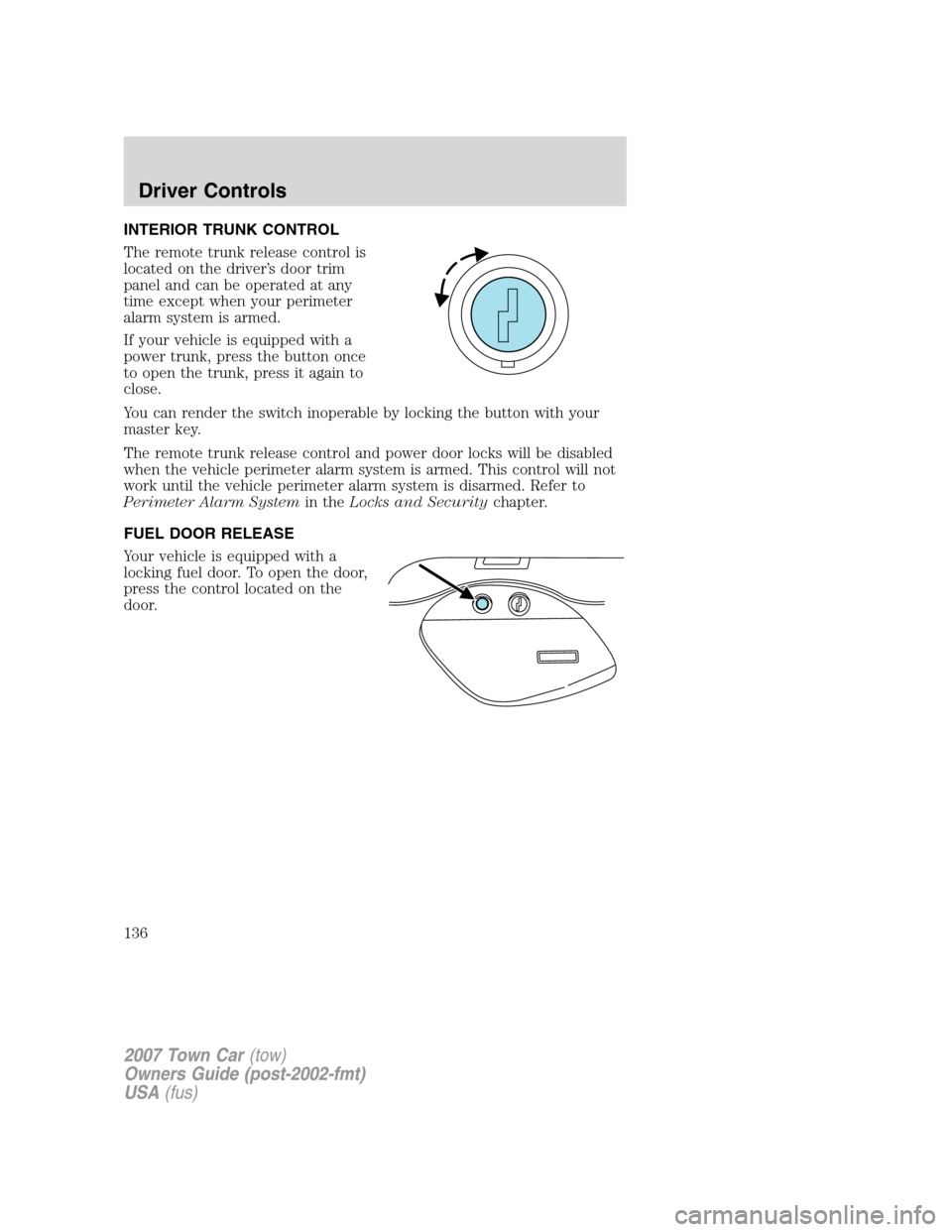
INTERIOR TRUNK CONTROL
The remote trunk release control is
located on the driver’s door trim
panel and can be operated at any
time except when your perimeter
alarm system is armed.
If your vehicle is equipped with a
power trunk, press the button once
to open the trunk, press it again to
close.
You can render the switch inoperable by locking the button with your
master key.
The remote trunk release control and power door locks will be disabled
when the vehicle perimeter alarm system is armed. This control will not
work until the vehicle perimeter alarm system is disarmed. Refer to
Perimeter Alarm Systemin theLocks and Securitychapter.
FUEL DOOR RELEASE
Your vehicle is equipped with a
locking fuel door. To open the door,
press the control located on the
door.
2007 Town Car(tow)
Owners Guide (post-2002-fmt)
USA(fus)
Driver Controls
136
Page 138 of 328
KEYS
Your vehicle is equipped with a master key and a valet (identified with
the word VALET) key lock system.
•The master key will access the vehicle’s doors, trunk, glove box,
ignition and remote trunk release.
•The valet key will access doors and ignition only.
Before using the valet key with an attendant, lock the interior trunk
control to disable the interior trunk control located on the drivers door,
then lock the glove compartment with your master key. Do not hand
over the remote entry transmitter or the master key to the valet
attendant. For more information, refer toInterior trunk controlin the
Driver Controlschapter.
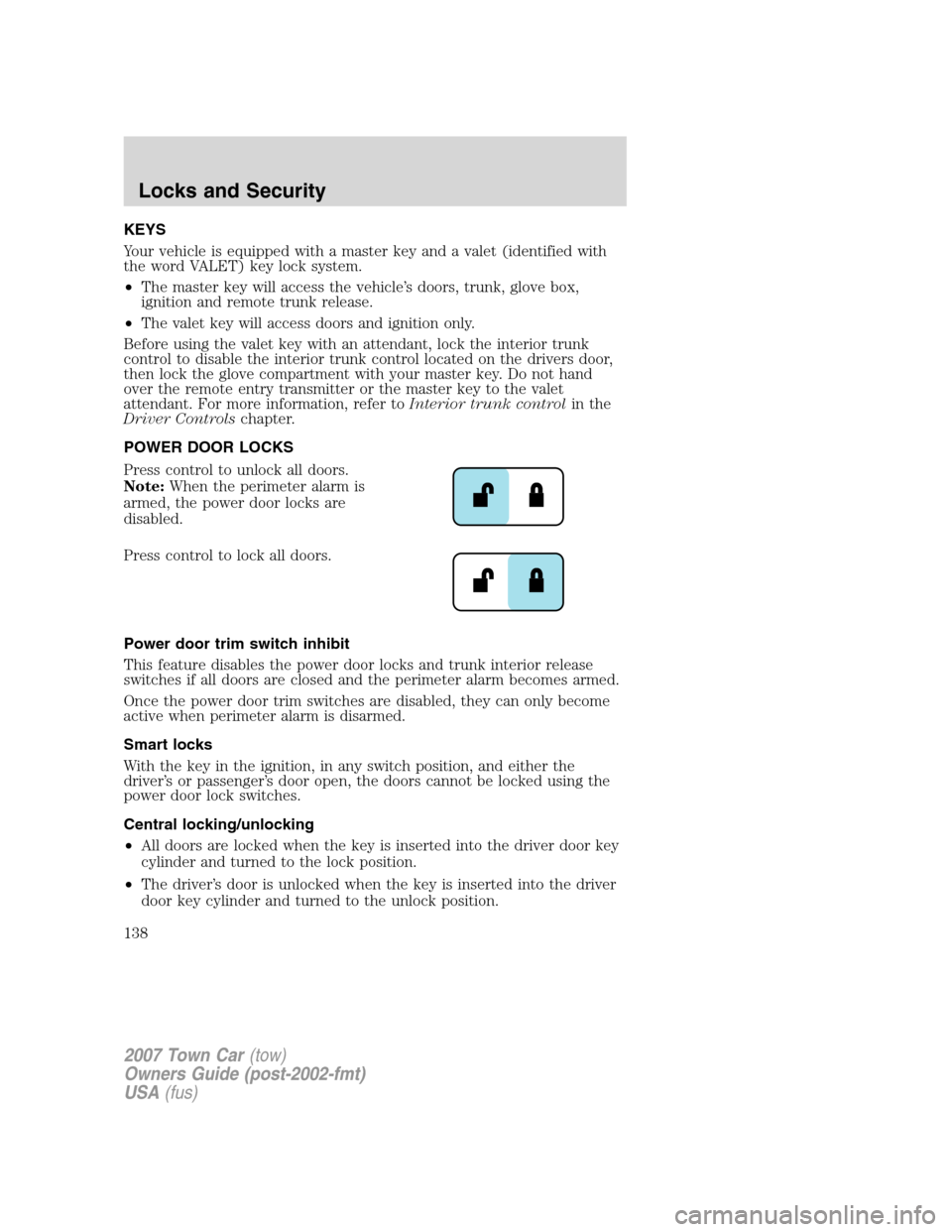
POWER DOOR LOCKS
Press control to unlock all doors.
Note:When the perimeter alarm is
armed, the power door locks are
disabled.
Press control to lock all doors.
Power door trim switch inhibit
This feature disables the power door locks and trunk interior release
switches if all doors are closed and the perimeter alarm becomes armed.
Once the power door trim switches are disabled, they can only become
active when perimeter alarm is disarmed.
Smart locks
With the key in the ignition, in any switch position, and either the
driver’s or passenger’s door open, the doors cannot be locked using the
power door lock switches.
Central locking/unlocking
•All doors are locked when the key is inserted into the driver door key
cylinder and turned to the lock position.
•The driver’s door is unlocked when the key is inserted into the driver
door key cylinder and turned to the unlock position.
2007 Town Car(tow)
Owners Guide (post-2002-fmt)
USA(fus)
Locks and Security
138
Page 139 of 328
•If the key is turned a second time to the unlock position within 5
seconds, all vehicle doors will unlock.
Autolock
This feature automatically locks all vehicle doors when the following
conditions are met:
•all the doors are closed,
•the engine is running,
•you shift into gear, putting the vehicle in motion, and.
•the vehicle’s speed is greater than 3 mph (5 km/h).
Auto-relock
The autolock feature repeats when:
•a door is opened and closed while the engine is running,
•you shift into any gear, putting the vehicle in motion, and
•the vehicle’s speed is greater than 3 mph (5 km/h).
Auto-unlock
The auto-unlock feature will unlock all doors when:
•
the ignition has been in the 3 (ON) position, all doors are closed, and
the vehicle has been in motion at a speed greater than 3 mph (5 km/h),
•the vehicle has then come to a stop and the ignition is turned to the 2
(ACCESSORY) or 1 (OFF/LOCK) position, and
•the driver door is opened (within ten minutes after the ignition was
transitioned to the 2 (ACCESSORY) or 1 (OFF/LOCK) position).
Note:The vehicle doors will not auto-unlock if the vehicle has been
electronically locked prior to the driver door being opened.
Deactivating/activating the autolock or auto-unlock feature
Autolocking and auto-unlocking are independent features; either feature
may be enabled or disabled without affecting the other.
You must complete Steps 1-7 within 30 seconds or the procedure will
have to be repeated. If the procedure needs to be repeated, you must
wait at least 30 seconds.Note:Before following the procedure, make
sure that the ignition is in the 1 (OFF/LOCK) position and all vehicle
doors, the hood, and the decklid are closed.
2007 Town Car(tow)
Owners Guide (post-2002-fmt)
USA(fus)
Locks and Security
139