ignition LINCOLN TOWN CAR 2009 Owner's Manual
[x] Cancel search | Manufacturer: LINCOLN, Model Year: 2009, Model line: TOWN CAR, Model: LINCOLN TOWN CAR 2009Pages: 280, PDF Size: 2.01 MB
Page 68 of 280
degrees between adjacent zones and will become noticeable as the
vehicle crosses multiple zones. A correct zone setting will eliminate this
error. Refer toCompass zone/calibration adjustment.
Compass zone/calibration adjustment
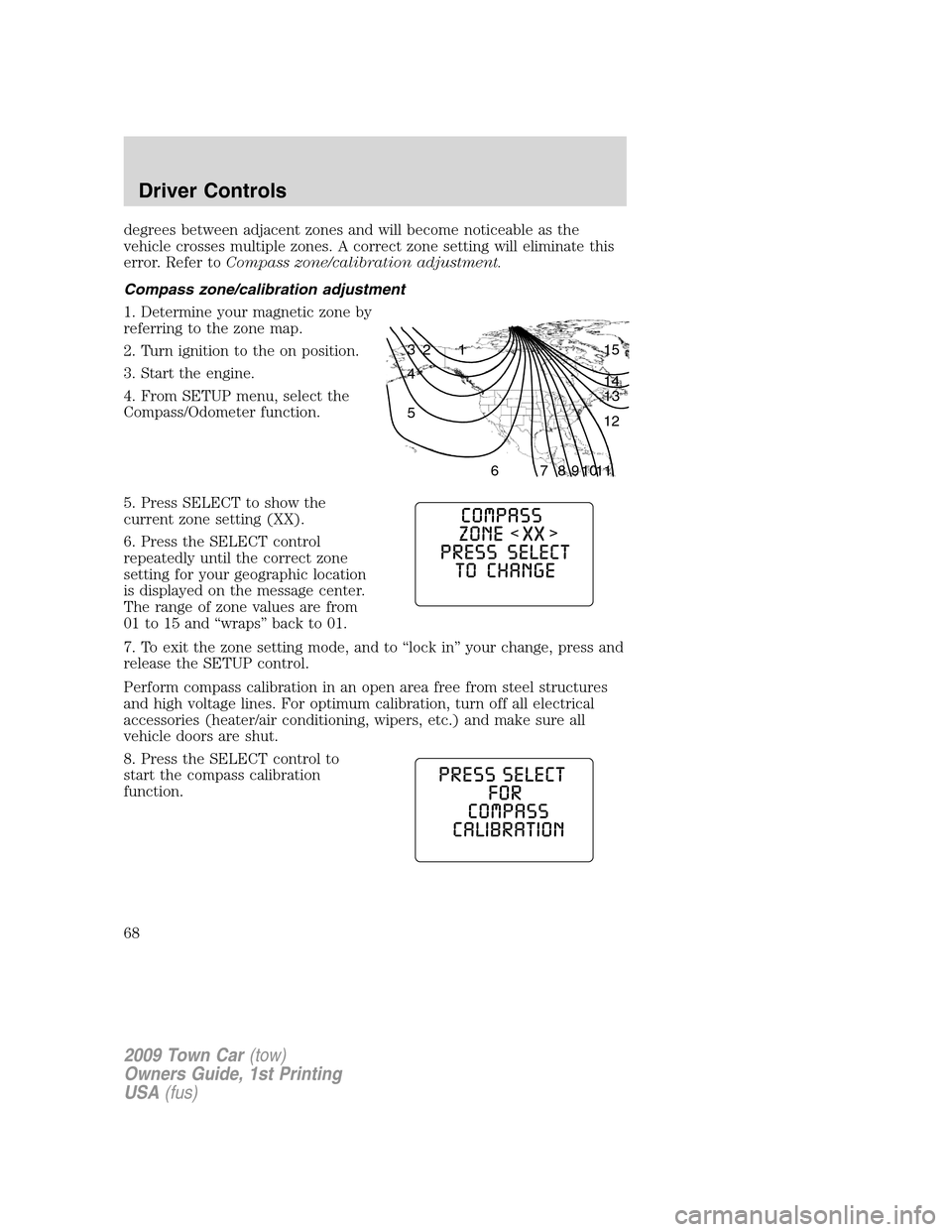
1. Determine your magnetic zone by
referring to the zone map.
2. Turn ignition to the on position.
3. Start the engine.
4. From SETUP menu, select the
Compass/Odometer function.
5. Press SELECT to show the
current zone setting (XX).
6. Press the SELECT control
repeatedly until the correct zone
setting for your geographic location
is displayed on the message center.
The range of zone values are from
01 to 15 and “wraps” back to 01.
7. To exit the zone setting mode, and to “lock in” your change, press and
release the SETUP control.
Perform compass calibration in an open area free from steel structures
and high voltage lines. For optimum calibration, turn off all electrical
accessories (heater/air conditioning, wipers, etc.) and make sure all
vehicle doors are shut.
8. Press the SELECT control to
start the compass calibration
function.
1 2 3
4
5
6 7 8 9 101112 13 14 15
2009 Town Car(tow)
Owners Guide, 1st Printing
USA(fus)
Driver Controls
68
Page 70 of 280
1. Before you disable/enable the
reverse sensing system feature, put
the vehicle in R (Reverse).
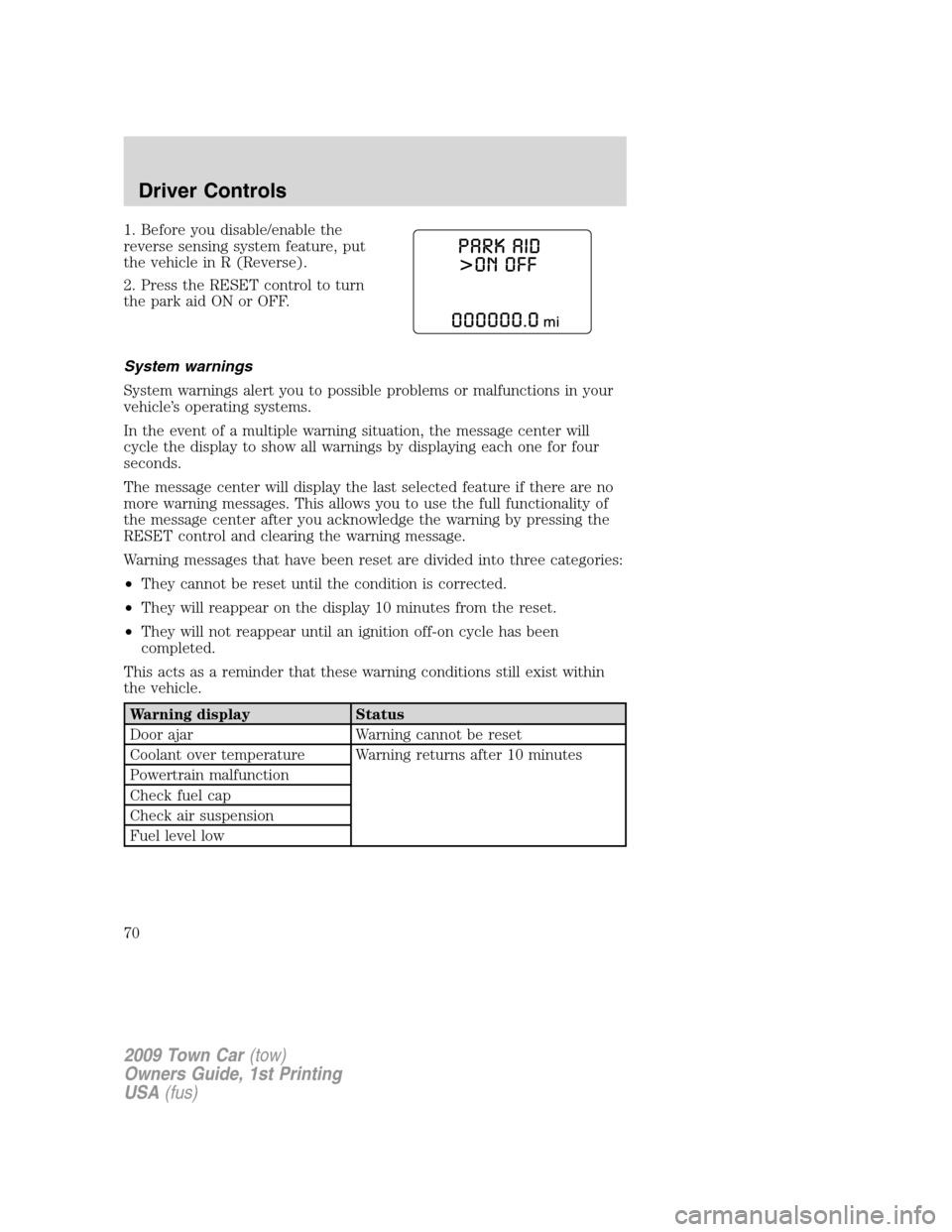
2. Press the RESET control to turn
the park aid ON or OFF.
System warnings
System warnings alert you to possible problems or malfunctions in your
vehicle’s operating systems.
In the event of a multiple warning situation, the message center will
cycle the display to show all warnings by displaying each one for four
seconds.
The message center will display the last selected feature if there are no
more warning messages. This allows you to use the full functionality of
the message center after you acknowledge the warning by pressing the
RESET control and clearing the warning message.
Warning messages that have been reset are divided into three categories:
•They cannot be reset until the condition is corrected.
•They will reappear on the display 10 minutes from the reset.
•They will not reappear until an ignition off-on cycle has been
completed.
This acts as a reminder that these warning conditions still exist within
the vehicle.
Warning display Status
Door ajar Warning cannot be reset
Coolant over temperature Warning returns after 10 minutes
Powertrain malfunction
Check fuel cap
Check air suspension
Fuel level low
2009 Town Car(tow)
Owners Guide, 1st Printing
USA(fus)
Driver Controls
70
Page 71 of 280
Warning display Status
Overdrive ON/OFF Warning returns after the ignition key
is turned from off to on.
Trunk ajar
Low tire pressure
Tire pressure monitor fault
Tire pressure sensor fault
Check compass module
Low washer fluid
Oil life change soon
Oil change required
DOOR AJAR— Displayed when a door is not completely closed.
POWERTRAIN MALFUNCTION— Displayed when the powertrain is
not operating properly. If the warning stays on or continues to come on,
contact your authorized dealer as soon as possible.
COOLANT OVER TEMPERATURE— Displayed when the engine
coolant is overheating. Stop the vehicle as soon as safely possible, turn
off the engine and let it cool. Check the coolant and coolant level. Refer
toEngine coolantin theMaintenance and Specificationschapter. If
the warning stays on or continues to come on, contact your authorized
dealer as soon as possible.
WARNING:Never remove the coolant reservoir cap while the
engine is running or hot.
CHECK FUEL CAP— Displayed when the fuel filler cap is not
properly installed. Check the fuel filler cap for proper installation. Refer
toFuel filler capin theMaintenance and Specificationschapter.
CHECK AIR SUSPENSION— Displayed when the air suspension
system is not operating properly. If this message is displayed while
driving, pull off the road as soon as safely possible. For more
information, refer toAir suspension systemin theDrivingchapter.
FUEL LEVEL LOW— Displayed as an early reminder of a low fuel
condition. Warning message can be reset by pressing the RESET button,
but will return after 10 minutes. If any other button is pressed besides
RESET, the message ’’PRESS RESET TO CLEAR’’ will appear in the
message center. Once this message disappears (after approximately two
seconds), press RESET to clear the warning.
TRUNK AJAR— Displayed when the trunk is not completely closed.
2009 Town Car(tow)
Owners Guide, 1st Printing
USA(fus)
Driver Controls
71
Page 76 of 280
KEYS
Your vehicle is equipped with a master key and a valet (identified with
the word VALET) key lock system.
•The master key will access the vehicle’s doors, trunk, glove box,
ignition and remote trunk release.
•The valet key will access doors and ignition only.
Before using the valet key with an attendant, lock the interior trunk
control to disable the interior trunk control located on the drivers door,
then lock the glove compartment with your master key. Do not hand
over the remote entry transmitter or the master key to the valet
attendant. For more information, refer toInterior trunk controlin the
Driver Controlschapter.
POWER DOOR LOCKS
•Press the
control to unlock all
doors.
•Press the
control to lock all
doors.
Power door trim switch inhibit
This feature disables the power door locks and trunk interior release
switches if all doors are closed and the perimeter alarm becomes armed.
Once the power door trim switches are disabled, they can only become
active when perimeter alarm is disarmed.
Smart locks
With the key in the ignition, in any switch position, and either the
driver’s or passenger’s door open, the doors cannot be locked using the
power door lock switches.
Central locking/unlocking
•All doors are locked when the key is inserted into the driver door key
cylinder and turned to the lock position.
•The driver’s door is unlocked when the key is inserted into the driver
door key cylinder and turned to the unlock position.
•If the key is turned a second time to the unlock position within five
seconds, all vehicle doors will unlock.
2009 Town Car(tow)
Owners Guide, 1st Printing
USA(fus)
Locks and Security
76
Page 77 of 280
Autolock
This feature automatically locks all vehicle doors when the following
conditions are met:
•all the doors are closed,
•the engine is running,
•you shift into gear, putting the vehicle in motion, and.
•the vehicle’s speed is greater than 3 mph (5 km/h).
Auto-relock
The autolock feature repeats when:
•a door is opened and closed while the engine is running,
•you shift into any gear, putting the vehicle in motion, and
•the vehicle’s speed is greater than 3 mph (5 km/h).
Auto-unlock
The auto-unlock feature will unlock all doors when:
•the ignition has been in the on position, all doors are closed, and the
vehicle has been in motion at a speed greater than 3 mph (5 km/h),
•the vehicle has then come to a stop and the ignition is turned to the
accessory or off position, and
•the driver door is opened (within ten minutes after the ignition was
transitioned to the accessory or off position).
Note:The vehicle doors will not auto-unlock if the vehicle has been
electronically locked prior to the driver door being opened.
Deactivating/activating the autolock or auto-unlock feature
Autolocking and auto-unlocking are independent features; either feature
may be enabled or disabled without affecting the other.
You must complete Steps 1-7 within 30 seconds or the procedure will
have to be repeated. If the procedure needs to be repeated, you must
wait at least 30 seconds.Note:Before following the procedure, make
sure that the ignition is in the off position and all vehicle doors, the
hood, and the decklid are closed.
2009 Town Car(tow)
Owners Guide, 1st Printing
USA(fus)
Locks and Security
77
Page 78 of 280
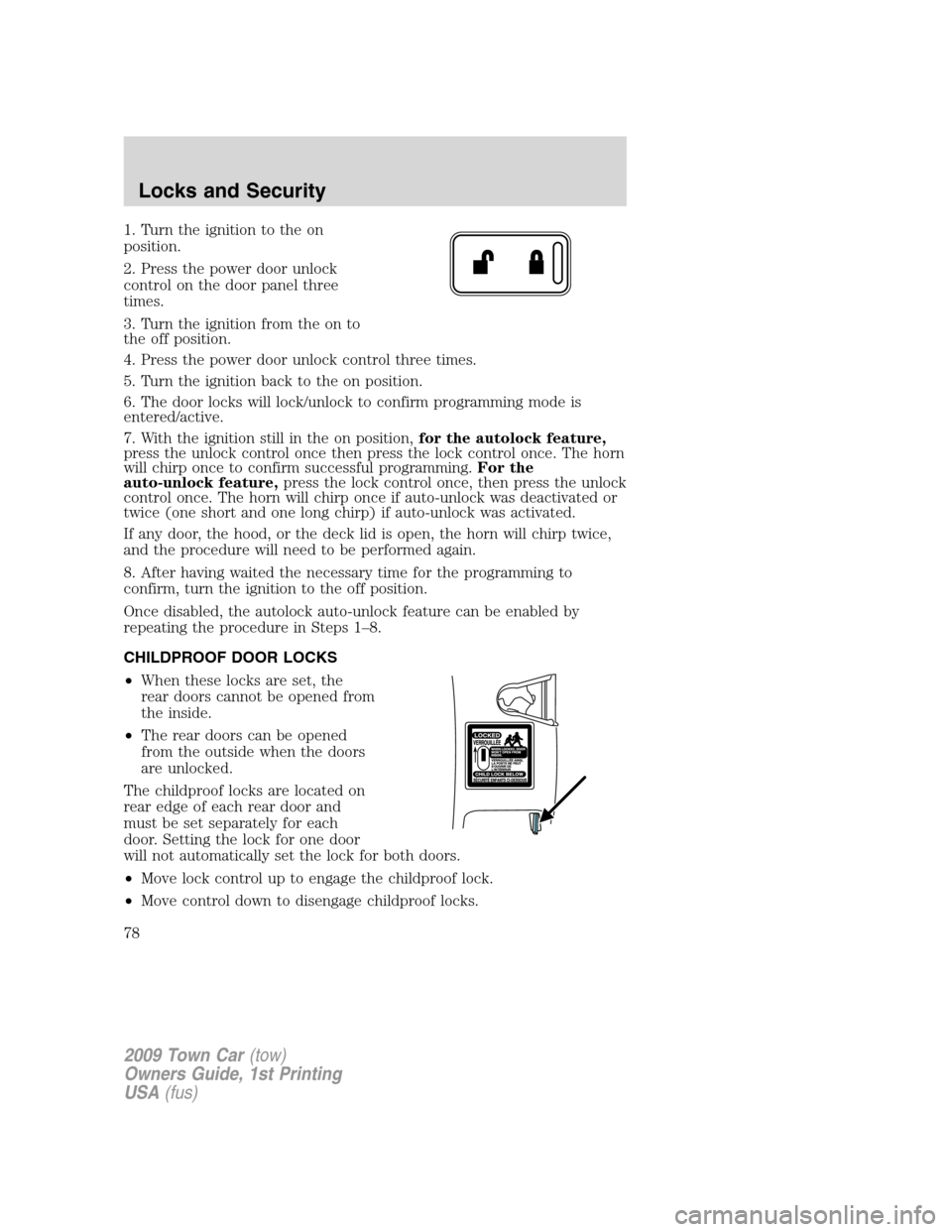
1. Turn the ignition to the on
position.
2. Press the power door unlock
control on the door panel three
times.
3. Turn the ignition from the on to
the off position.
4. Press the power door unlock control three times.
5. Turn the ignition back to the on position.
6. The door locks will lock/unlock to confirm programming mode is
entered/active.
7. With the ignition still in the on position,for the autolock feature,
press the unlock control once then press the lock control once. The horn
will chirp once to confirm successful programming.For the
auto-unlock feature,press the lock control once, then press the unlock
control once. The horn will chirp once if auto-unlock was deactivated or
twice (one short and one long chirp) if auto-unlock was activated.
If any door, the hood, or the deck lid is open, the horn will chirp twice,
and the procedure will need to be performed again.
8. After having waited the necessary time for the programming to
confirm, turn the ignition to the off position.
Once disabled, the autolock auto-unlock feature can be enabled by
repeating the procedure in Steps 1–8.
CHILDPROOF DOOR LOCKS
•When these locks are set, the
rear doors cannot be opened from
the inside.
•The rear doors can be opened
from the outside when the doors
are unlocked.
The childproof locks are located on
rear edge of each rear door and
must be set separately for each
door. Setting the lock for one door
will not automatically set the lock for both doors.
•Move lock control up to engage the childproof lock.
•Move control down to disengage childproof locks.
2009 Town Car(tow)
Owners Guide, 1st Printing
USA(fus)
Locks and Security
78
Page 81 of 280
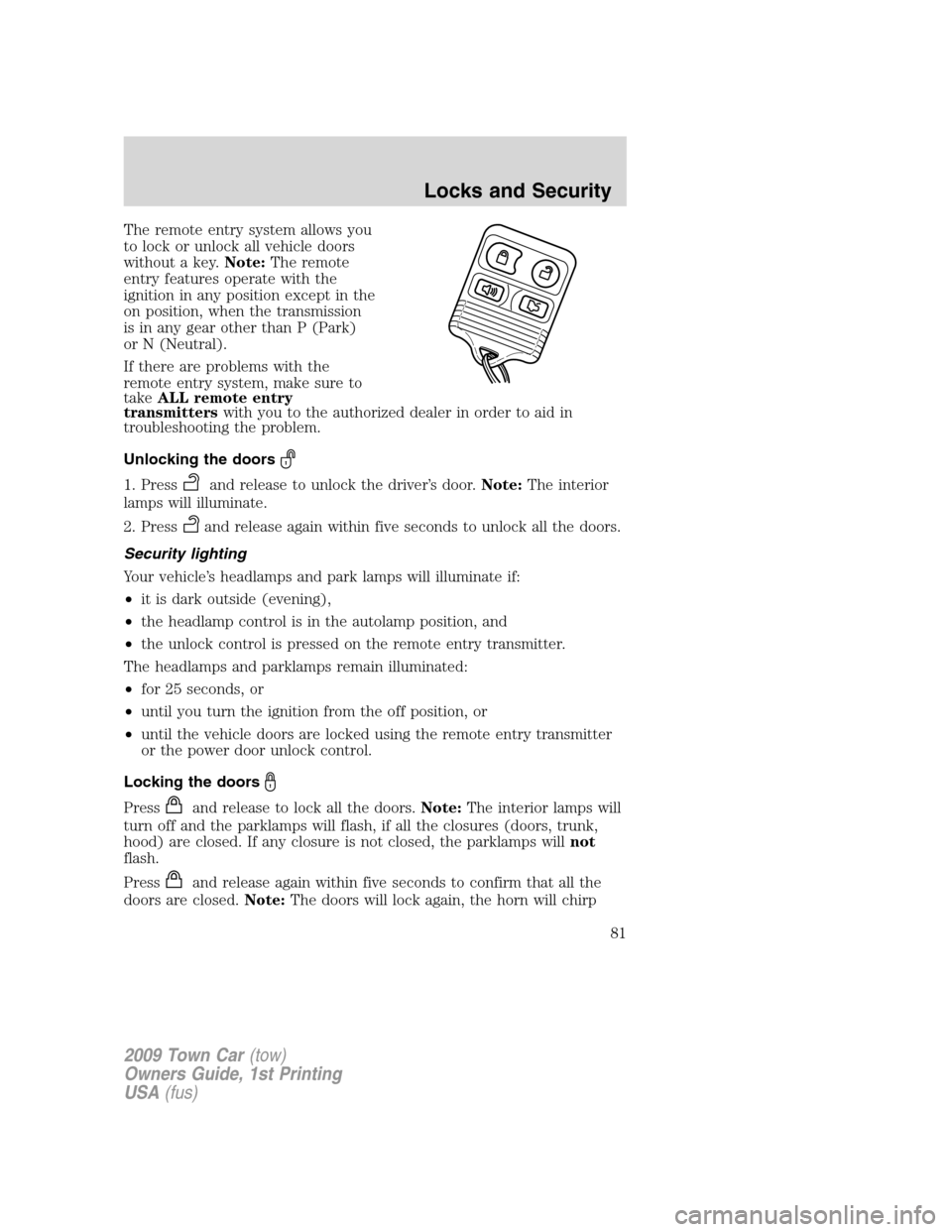
The remote entry system allows you
to lock or unlock all vehicle doors
without a key.Note:The remote
entry features operate with the
ignition in any position except in the
on position, when the transmission
is in any gear other than P (Park)
or N (Neutral).
If there are problems with the
remote entry system, make sure to
takeALL remote entry
transmitterswith you to the authorized dealer in order to aid in
troubleshooting the problem.
Unlocking the doors
1. Pressand release to unlock the driver’s door.Note:The interior
lamps will illuminate.
2. Press
and release again within five seconds to unlock all the doors.
Security lighting
Your vehicle’s headlamps and park lamps will illuminate if:
•it is dark outside (evening),
•the headlamp control is in the autolamp position, and
•the unlock control is pressed on the remote entry transmitter.
The headlamps and parklamps remain illuminated:
•for 25 seconds, or
•until you turn the ignition from the off position, or
•until the vehicle doors are locked using the remote entry transmitter
or the power door unlock control.
Locking the doors
Pressand release to lock all the doors.Note:The interior lamps will
turn off and the parklamps will flash, if all the closures (doors, trunk,
hood) are closed. If any closure is not closed, the parklamps willnot
flash.
Press
and release again within five seconds to confirm that all the
doors are closed.Note:The doors will lock again, the horn will chirp
2009 Town Car(tow)
Owners Guide, 1st Printing
USA(fus)
Locks and Security
81
Page 82 of 280
once and the parklamps will flash, if all the closures are closed. If any
closure is not closed, the horn will chirp twice and the parklamps will
notflash.
Car finder
Press
twice within three seconds. The horn will chirp and the
parklamps/tail lamps will flash. It is recommended that this method be
used to locate your vehicle, rather than using the panic alarm.
Opening the trunk
Pressonce to open the trunk.
If your vehicle is fitted with the optional power decklid, press
twice
to open the trunk and twice to close it.
WARNING:Before operating the power decklid, be sure that no
one, particularly a child, is in a position where he or she can be
injured by the trunk lid. NEVER leave the remote entry transmitter
where it can be inadvertently activated, as someone could be seriously
injured by a moving decklid.
•Ensure that the trunk is closed and latched before driving your
vehicle. Failure to properly latch the trunk may cause objects to fall
out or block the driver’s rear view.
The remote entry system allows you to open the trunk while the ignition
is in any position. However, if the ignition is in the on position and the
gearshift is in D (Drive), the trunk will only open if the vehicle is moving
3 mph (5 km/h) or slower.
Sounding a panic alarm
Press
on the remote transmitter to activate the alarm.Note:The
panic alarm only works with the ignition in the off position.
Press
a second time to deactivate the alarm. You may also deactivate
the alarm in the following ways:
•Turn the ignition to the on or start positions.
•Wait two minutes and 45 seconds for the alarm to time-out.
Memory seat/mirrors/adjustable pedals feature (if equipped)
The remote keyless entry system can also control the memory
seats/mirrors/adjustable pedals feature. With this feature, the first two
programmed transmitters will recall a different memory position.
2009 Town Car(tow)
Owners Guide, 1st Printing
USA(fus)
Locks and Security
82
Page 85 of 280
Note:Ensure the brake pedal is not
depressed during this sequence.
To reprogram the remote entry
transmitters:
1. Ensure the vehicle is
electronically unlocked.
2. Put the key in the ignition.
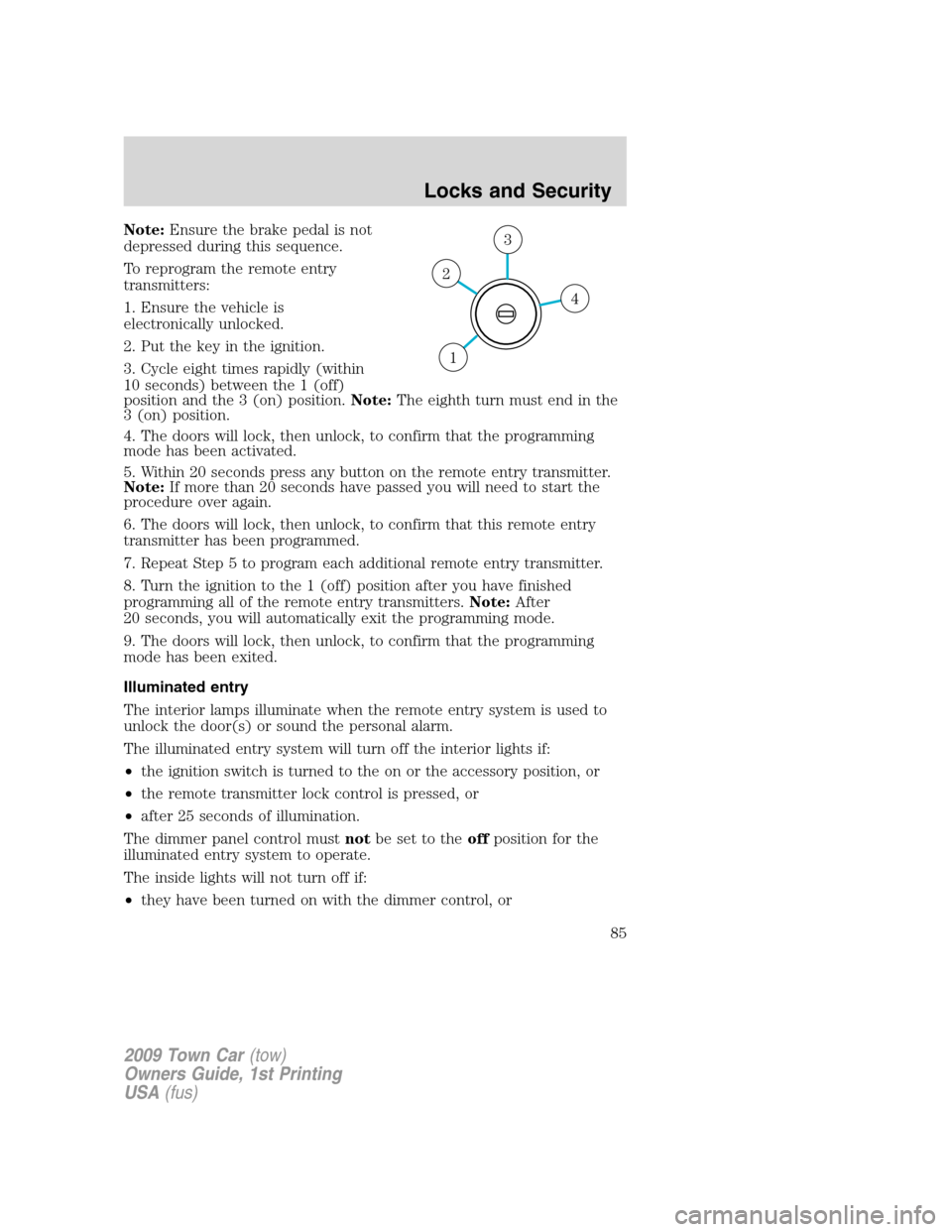
3. Cycle eight times rapidly (within
10 seconds) between the 1 (off)
position and the 3 (on) position.Note:The eighth turn must end in the
3 (on) position.
4. The doors will lock, then unlock, to confirm that the programming
mode has been activated.
5. Within 20 seconds press any button on the remote entry transmitter.
Note:If more than 20 seconds have passed you will need to start the
procedure over again.
6. The doors will lock, then unlock, to confirm that this remote entry
transmitter has been programmed.
7. Repeat Step 5 to program each additional remote entry transmitter.
8. Turn the ignition to the 1 (off) position after you have finished
programming all of the remote entry transmitters.Note:After
20 seconds, you will automatically exit the programming mode.
9. The doors will lock, then unlock, to confirm that the programming
mode has been exited.
Illuminated entry
The interior lamps illuminate when the remote entry system is used to
unlock the door(s) or sound the personal alarm.
The illuminated entry system will turn off the interior lights if:
•the ignition switch is turned to the on or the accessory position, or
•the remote transmitter lock control is pressed, or
•after 25 seconds of illumination.
The dimmer panel control mustnotbe set to theoffposition for the
illuminated entry system to operate.
The inside lights will not turn off if:
•they have been turned on with the dimmer control, or
4
3
2
1
2009 Town Car(tow)
Owners Guide, 1st Printing
USA(fus)
Locks and Security
85
Page 88 of 280
The anti-scan feature will turn off after:
•one minute of keypad inactivity.
•pressing the
control on the remote entry transmitter.
•the ignition is turned to the on position.
SECURILOCK™ PASSIVE ANTI-THEFT SYSTEM
SecuriLock™ passive anti-theft system is an engine immobilization
system. This system is designed to help prevent the engine from being
started unless acoded key programmed to your vehicleis used. The
use of the wrong type of coded key may lead to a “no-start” condition.
This device complies with part 15 of the FCC rules and with RS-210 of
Industry Canada. Operation is subject to the following two conditions:
(1) This device may not cause harmful interference, and (2) This device
must accept any interference received, including interference that may
cause undesired operation.
Radio type approval numbers for Immobiliser System PATS XCVR
If the type approval of your immobilizer system is inspected in one of the
countries listed in the following table, refer to the corresponding
approval number:
Immobiliser System PATS XCVR certification numbers
TX Frequency: 134,2 kHz -8,1 dBµA/m @ 10 m
Country Name Type Approval Number
American Samoa (USA) See USA
Bahrain DLM/GEN/18/18/16
Barbados 340/3 Vol.II
Canada CANADA: 3043104475A
China CMII ID:2005DJ0428
Ghana SPLS / -485 / 2001
Guam (USA) See USA
Jordan 4/U/U/4250
Kenya CCK/ES/100/0
Kuwait M.C/U.S.0 /5/7-12579
Mauritius TA/2005/15
Mayotte (F)
2009 Town Car(tow)
Owners Guide, 1st Printing
USA(fus)
Locks and Security
88