seat LINCOLN TOWN CAR 2010 User Guide
[x] Cancel search | Manufacturer: LINCOLN, Model Year: 2010, Model line: TOWN CAR, Model: LINCOLN TOWN CAR 2010Pages: 285, PDF Size: 1.94 MB
Page 56 of 285
REAR CENTER CONSOLE FEATURES (IF EQUIPPED)
The rear center console incorporates the following features:
•Utility compartment
•Auxiliary power point (if equipped)
•Remote radio/climate controls (if equipped)
•Remote seat adjustment (if equipped)
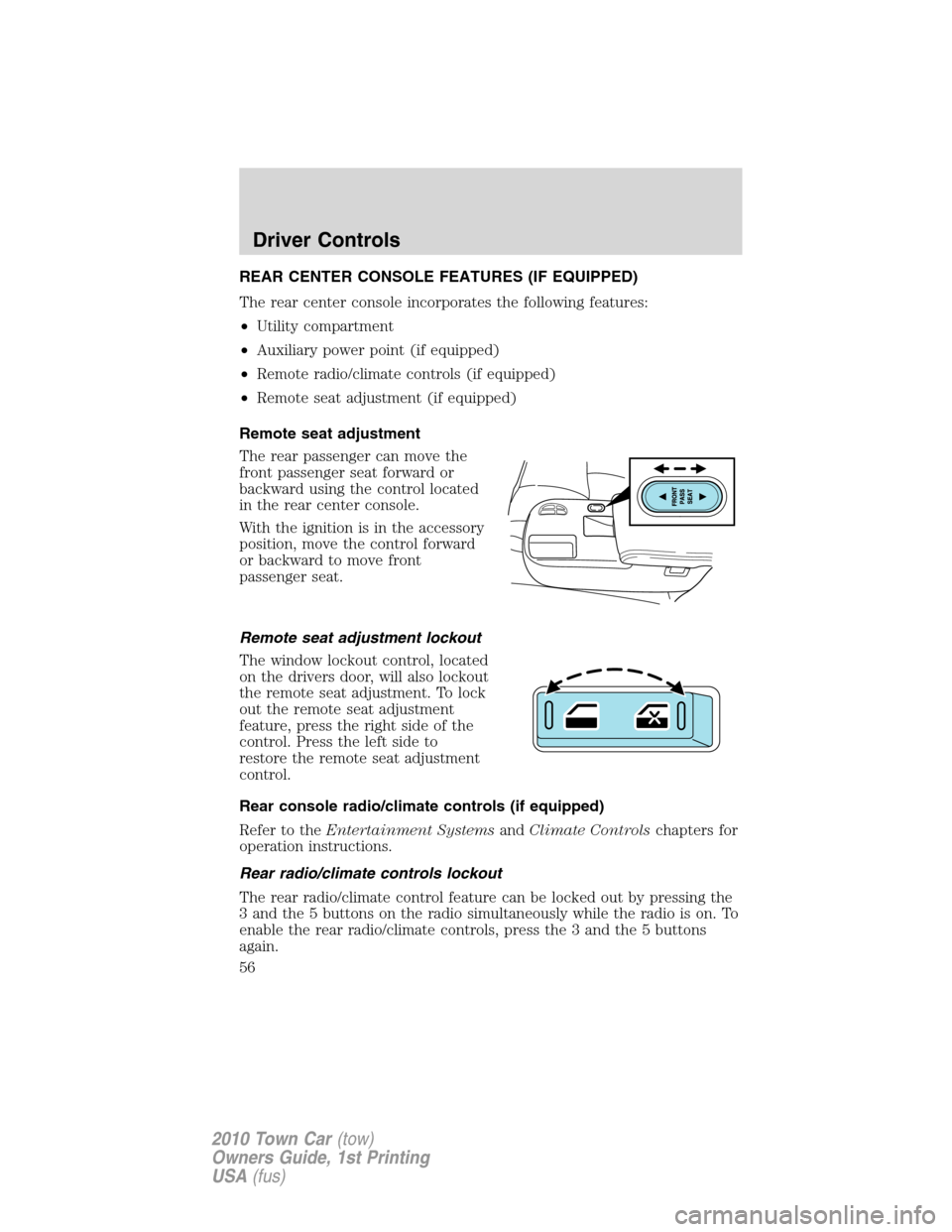
Remote seat adjustment
The rear passenger can move the
front passenger seat forward or
backward using the control located
in the rear center console.
With the ignition is in the accessory
position, move the control forward
or backward to move front
passenger seat.
Remote seat adjustment lockout
The window lockout control, located
on the drivers door, will also lockout
the remote seat adjustment. To lock
out the remote seat adjustment
feature, press the right side of the
control. Press the left side to
restore the remote seat adjustment
control.
Rear console radio/climate controls (if equipped)
Refer to theEntertainment SystemsandClimate Controlschapters for
operation instructions.
Rear radio/climate controls lockout
The rear radio/climate control feature can be locked out by pressing the
3 and the 5 buttons on the radio simultaneously while the radio is on. To
enable the rear radio/climate controls, press the 3 and the 5 buttons
again.
Driver Controls
56
2010 Town Car(tow)
Owners Guide, 1st Printing
USA(fus)
Page 59 of 285
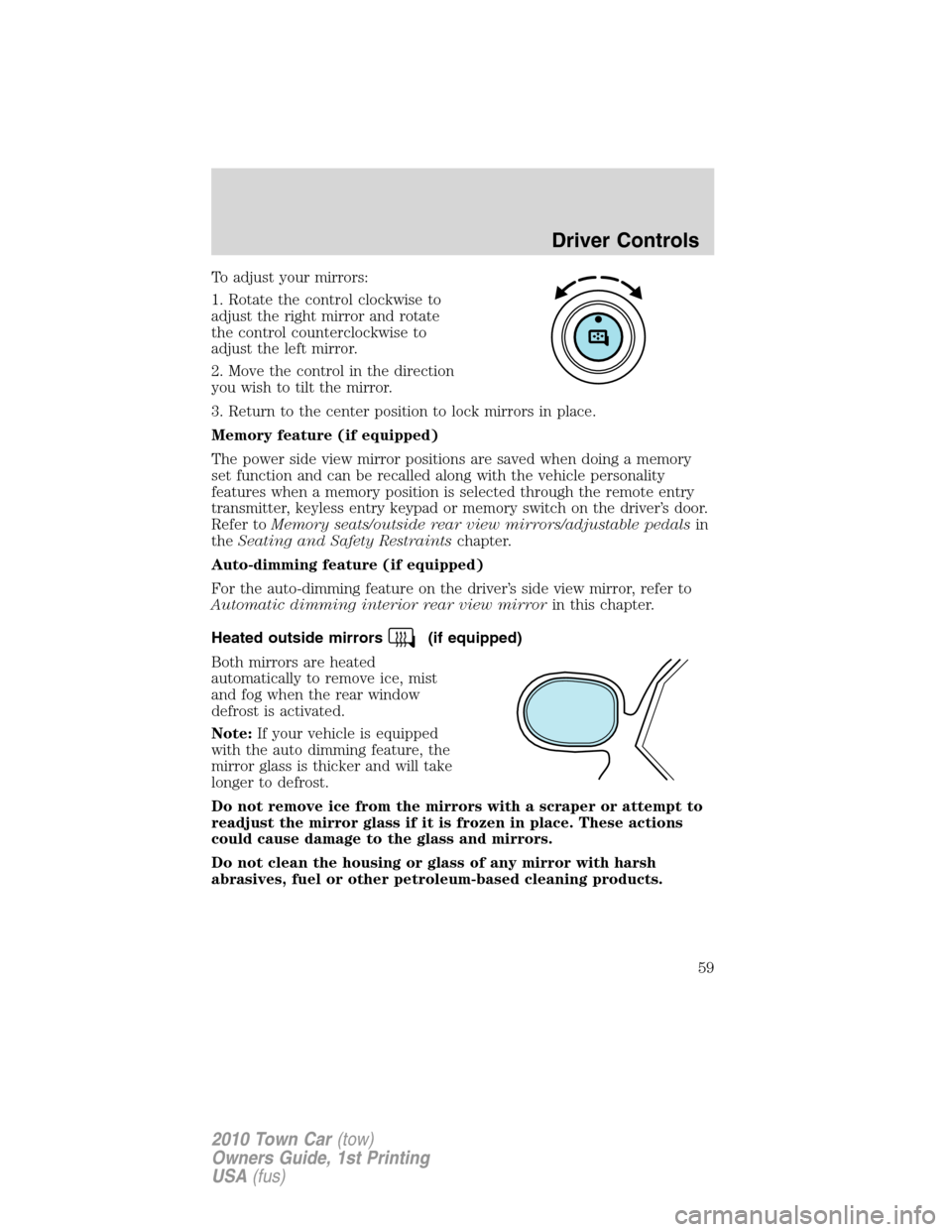
To adjust your mirrors:
1. Rotate the control clockwise to
adjust the right mirror and rotate
the control counterclockwise to
adjust the left mirror.
2. Move the control in the direction
you wish to tilt the mirror.
3. Return to the center position to lock mirrors in place.
Memory feature (if equipped)
The power side view mirror positions are saved when doing a memory
set function and can be recalled along with the vehicle personality
features when a memory position is selected through the remote entry
transmitter, keyless entry keypad or memory switch on the driver’s door.
Refer toMemory seats/outside rear view mirrors/adjustable pedalsin
theSeating and Safety Restraintschapter.
Auto-dimming feature (if equipped)
For the auto-dimming feature on the driver’s side view mirror, refer to
Automatic dimming interior rear view mirrorin this chapter.
Heated outside mirrors
(if equipped)
Both mirrors are heated
automatically to remove ice, mist
and fog when the rear window
defrost is activated.
Note:If your vehicle is equipped
with the auto dimming feature, the
mirror glass is thicker and will take
longer to defrost.
Do not remove ice from the mirrors with a scraper or attempt to
readjust the mirror glass if it is frozen in place. These actions
could cause damage to the glass and mirrors.
Do not clean the housing or glass of any mirror with harsh
abrasives, fuel or other petroleum-based cleaning products.
Driver Controls
59
2010 Town Car(tow)
Owners Guide, 1st Printing
USA(fus)
Page 84 of 285
Memory seat/mirrors/adjustable pedals feature (if equipped)
The remote keyless entry system can also control the memory
seats/mirrors/adjustable pedals feature. With this feature, the first two
programmed transmitters will recall a different memory position.
Press
once to unlock the driver’s door and move the memory
features to the corresponding memory position, just as if you had
pressed the memory control in the vehicle.
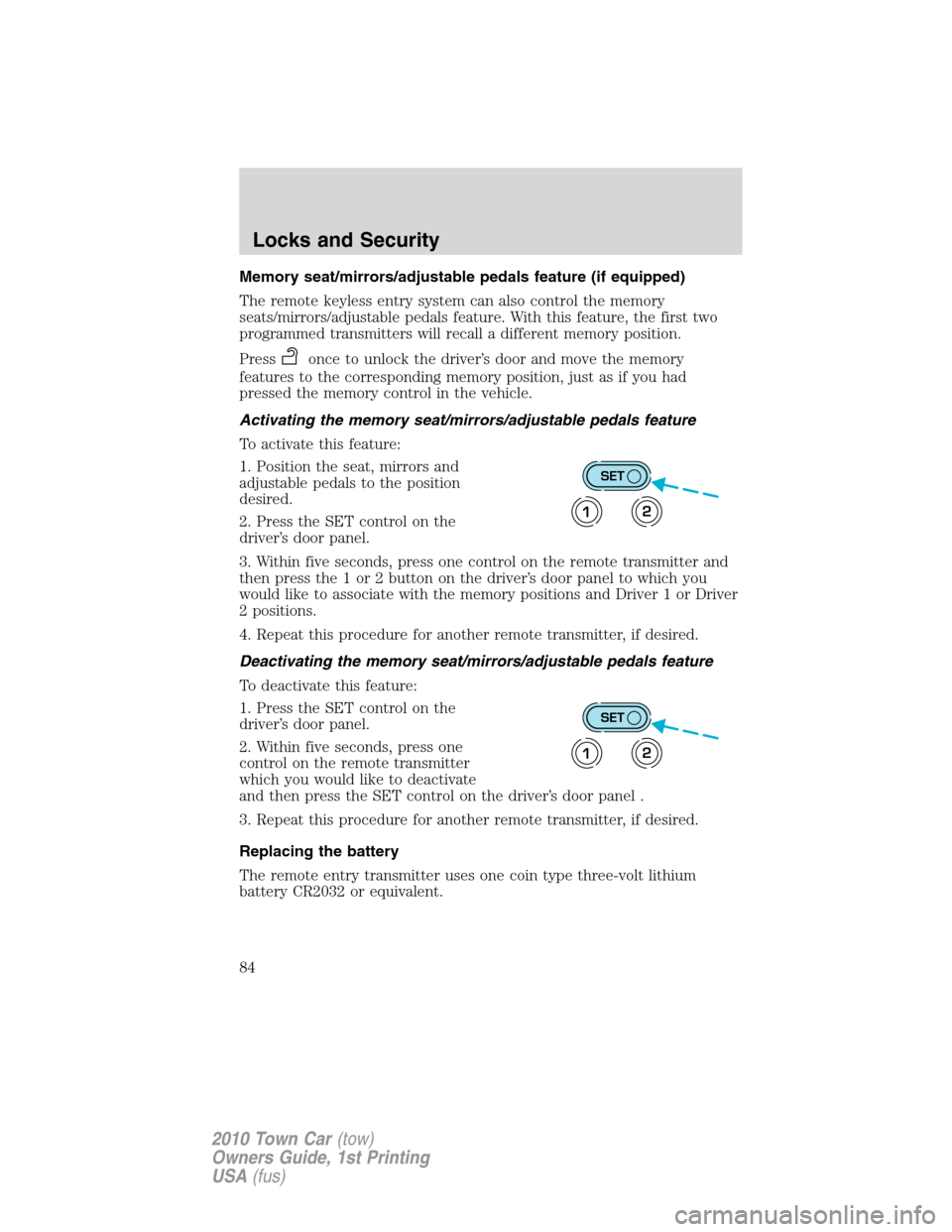
Activating the memory seat/mirrors/adjustable pedals feature
To activate this feature:
1. Position the seat, mirrors and
adjustable pedals to the position
desired.
2. Press the SET control on the
driver’s door panel.
3. Within five seconds, press one control on the remote transmitter and
then press the 1 or 2 button on the driver’s door panel to which you
would like to associate with the memory positions and Driver 1 or Driver
2 positions.
4. Repeat this procedure for another remote transmitter, if desired.
Deactivating the memory seat/mirrors/adjustable pedals feature
To deactivate this feature:
1. Press the SET control on the
driver’s door panel.
2. Within five seconds, press one
control on the remote transmitter
which you would like to deactivate
and then press the SET control on the driver’s door panel .
3. Repeat this procedure for another remote transmitter, if desired.
Replacing the battery
The remote entry transmitter uses one coin type three-volt lithium
battery CR2032 or equivalent.
SET
12
SET
12
Locks and Security
84
2010 Town Car(tow)
Owners Guide, 1st Printing
USA(fus)
Page 85 of 285
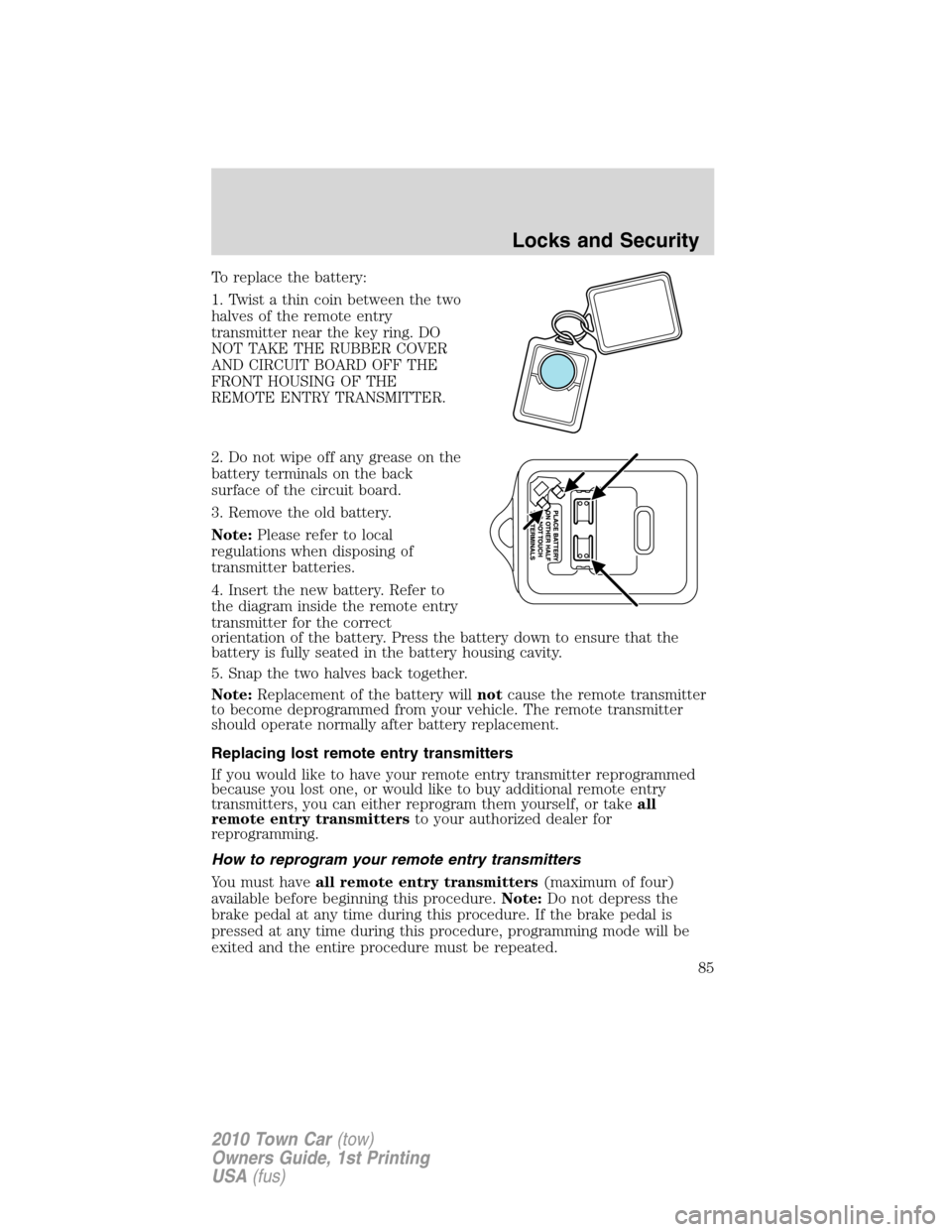
To replace the battery:
1. Twist a thin coin between the two
halves of the remote entry
transmitter near the key ring. DO
NOT TAKE THE RUBBER COVER
AND CIRCUIT BOARD OFF THE
FRONT HOUSING OF THE
REMOTE ENTRY TRANSMITTER.
2. Do not wipe off any grease on the
battery terminals on the back
surface of the circuit board.
3. Remove the old battery.
Note:Please refer to local
regulations when disposing of
transmitter batteries.
4. Insert the new battery. Refer to
the diagram inside the remote entry
transmitter for the correct
orientation of the battery. Press the battery down to ensure that the
battery is fully seated in the battery housing cavity.
5. Snap the two halves back together.
Note:Replacement of the battery willnotcause the remote transmitter
to become deprogrammed from your vehicle. The remote transmitter
should operate normally after battery replacement.
Replacing lost remote entry transmitters
If you would like to have your remote entry transmitter reprogrammed
because you lost one, or would like to buy additional remote entry
transmitters, you can either reprogram them yourself, or takeall
remote entry transmittersto your authorized dealer for
reprogramming.
How to reprogram your remote entry transmitters
You must haveall remote entry transmitters(maximum of four)
available before beginning this procedure.Note:Do not depress the
brake pedal at any time during this procedure. If the brake pedal is
pressed at any time during this procedure, programming mode will be
exited and the entire procedure must be repeated.
Locks and Security
85
2010 Town Car(tow)
Owners Guide, 1st Printing
USA(fus)
Page 95 of 285
SEATING
Adjustable head restraints
WARNING:To minimize the risk of neck injury in the event of a
crash, the driver and passenger occupants should not sit in
and/or operate the vehicle, until the head restraint is placed in its
proper position. The driver should never adjust the head restraint
while the vehicle is in motion.
Your vehicle’s seats are equipped with head restraints which are
vertically adjustable. The purpose of these head restraints is to help limit
head motion in the event of a rear collision. To properly adjust your head
restraints, lift the head restraint so that it is located directly behind your
head or as close to that position as possible. Refer to the following to
raise and lower the head restraints.
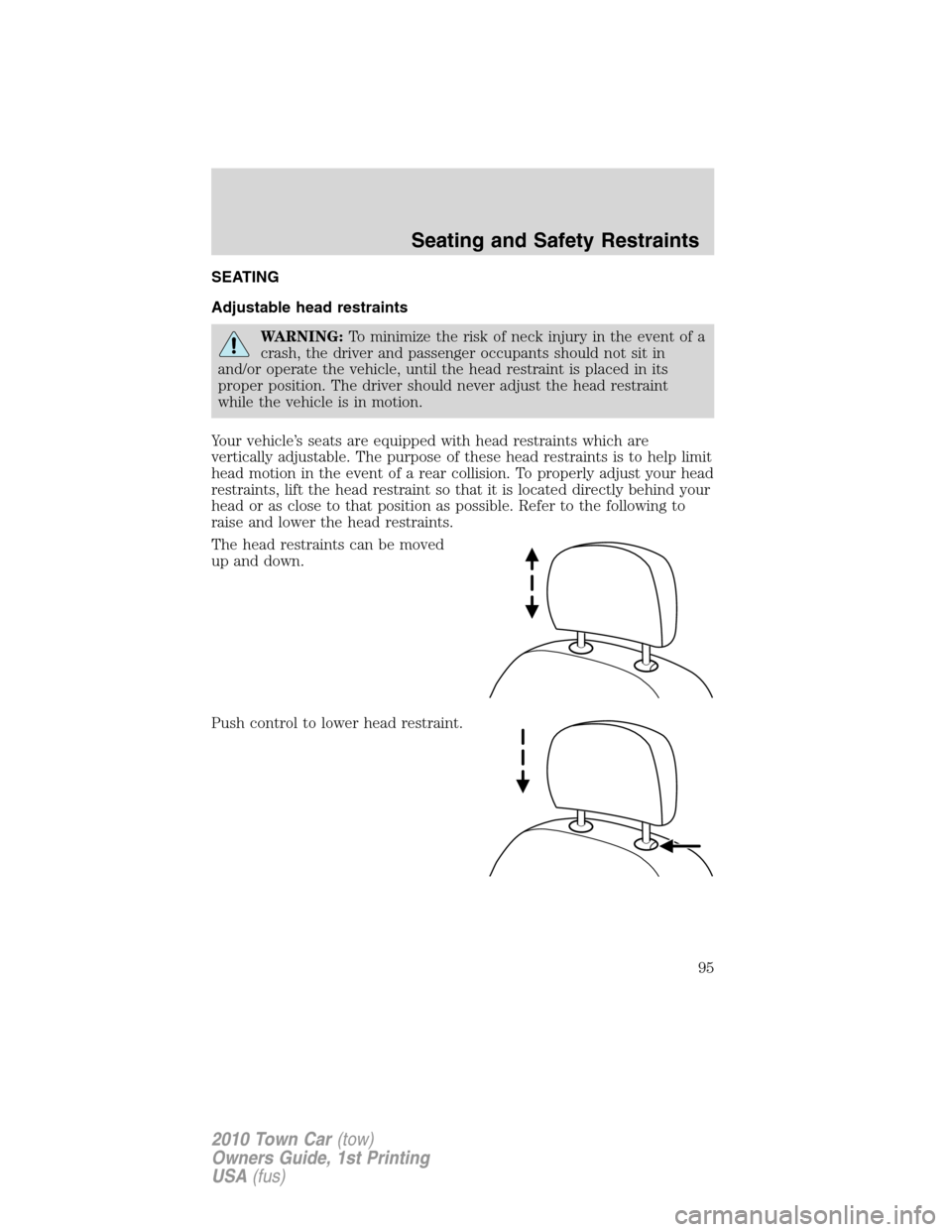
The head restraints can be moved
up and down.
Push control to lower head restraint.
Seating and Safety Restraints
95
2010 Town Car(tow)
Owners Guide, 1st Printing
USA(fus)
Page 96 of 285
Using the manual recline function (if equipped)
WARNING:Never adjust the driver’s seat or seatback when the
vehicle is moving.
WARNING:Do not pile cargo higher than the seatbacks to avoid
injuring people in a collision or sudden stop.
WARNING:Always drive and ride with your seatback upright
and the lap belt snug and low across the hips.
WARNING:Reclining the seatback can cause an occupant to
slide under the seat’s safety belt, resulting in severe personal
injuries in the event of a collision.
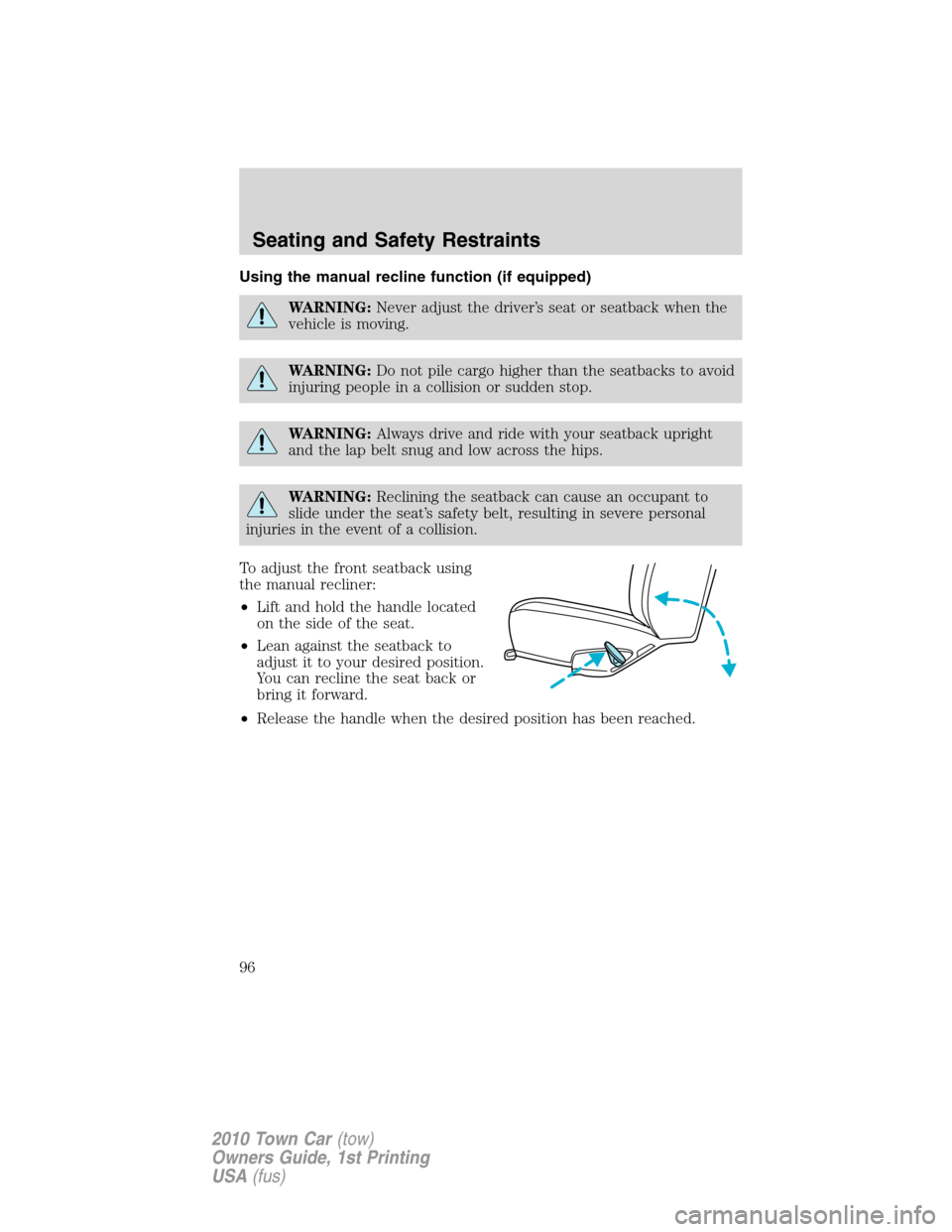
To adjust the front seatback using
the manual recliner:
•Lift and hold the handle located
on the side of the seat.
•Lean against the seatback to
adjust it to your desired position.
You can recline the seat back or
bring it forward.
•Release the handle when the desired position has been reached.
Seating and Safety Restraints
96
2010 Town Car(tow)
Owners Guide, 1st Printing
USA(fus)
Page 97 of 285
Front seat armrest
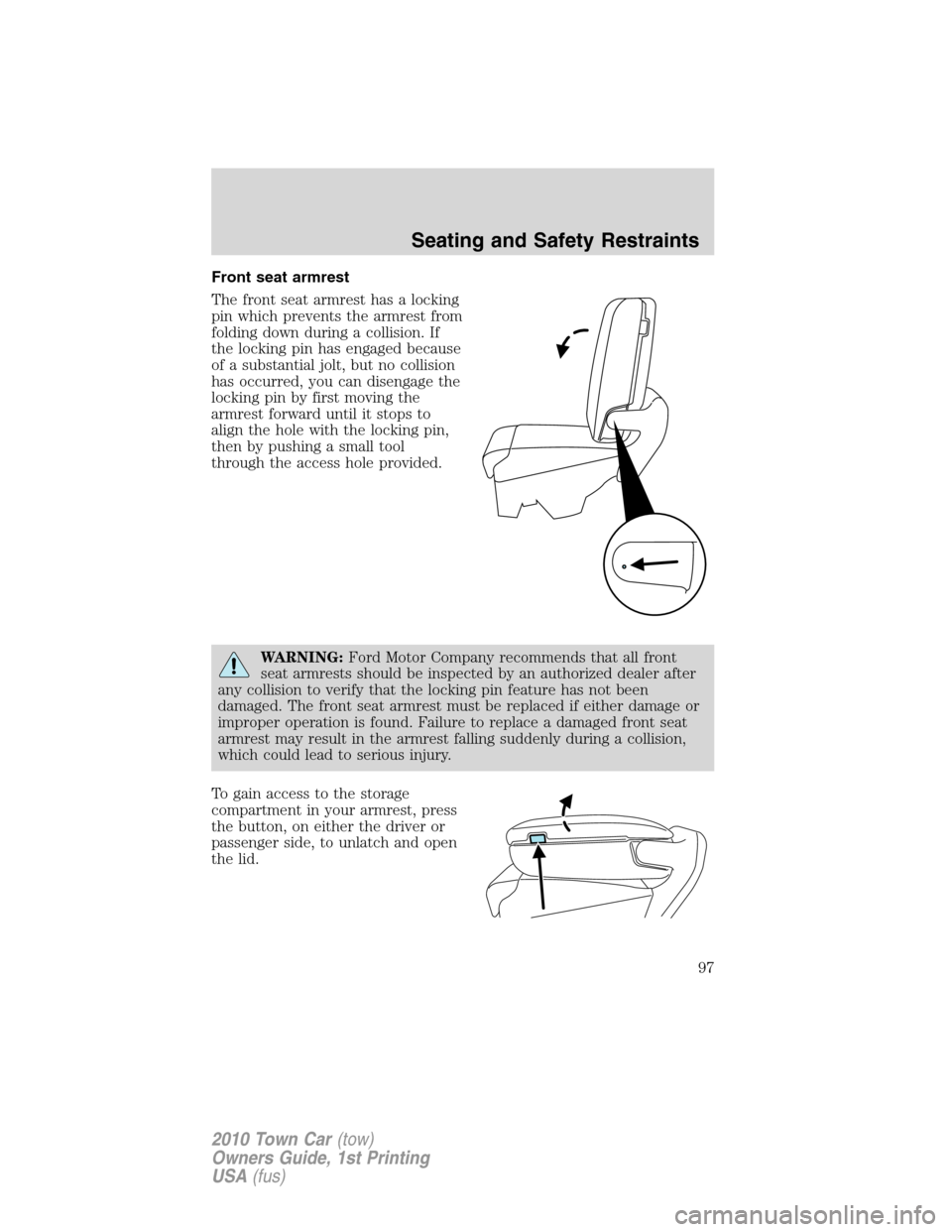
The front seat armrest has a locking
pin which prevents the armrest from
folding down during a collision. If
the locking pin has engaged because
of a substantial jolt, but no collision
has occurred, you can disengage the
locking pin by first moving the
armrest forward until it stops to
align the hole with the locking pin,
then by pushing a small tool
through the access hole provided.
WARNING:Ford Motor Company recommends that all front
seat armrests should be inspected by an authorized dealer after
any collision to verify that the locking pin feature has not been
damaged. The front seat armrest must be replaced if either damage or
improper operation is found. Failure to replace a damaged front seat
armrest may result in the armrest falling suddenly during a collision,
which could lead to serious injury.
To gain access to the storage
compartment in your armrest, press
the button, on either the driver or
passenger side, to unlatch and open
the lid.
Seating and Safety Restraints
97
2010 Town Car(tow)
Owners Guide, 1st Printing
USA(fus)
Page 98 of 285
Using the power lumbar support (if equipped)
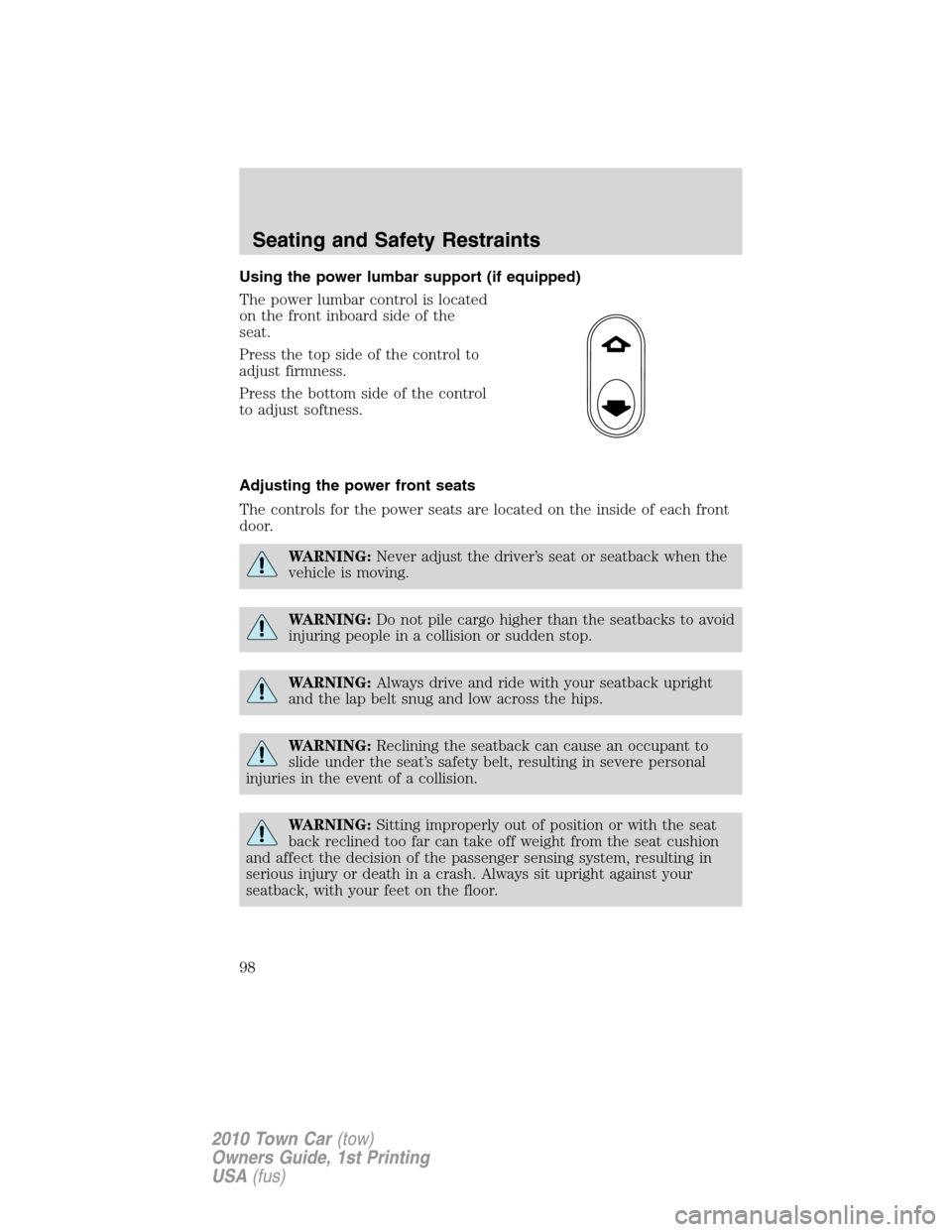
The power lumbar control is located
on the front inboard side of the
seat.
Press the top side of the control to
adjust firmness.
Press the bottom side of the control
to adjust softness.
Adjusting the power front seats
The controls for the power seats are located on the inside of each front
door.
WARNING:Never adjust the driver’s seat or seatback when the
vehicle is moving.
WARNING: Do not pile cargo higher than the seatbacks to avoid
injuring people in a collision or sudden stop.
WARNING: Always drive and ride with your seatback upright
and the lap belt snug and low across the hips.
WARNING: Reclining the seatback can cause an occupant to
slide under the seat’s safety belt, resulting in severe personal
injuries in the event of a collision.
WARNING: Sitting improperly out of position or with the seat
back reclined too far can take off weight from the seat cushion
and affect the decision of the passenger sensing system, resulting in
serious injury or death in a crash. Always sit upright against your
seatback, with your feet on the floor.
Seating and Safety Restraints
98
2010 Town Car (tow)
Owners Guide, 1st Printing
USA (fus)
Page 99 of 285
WARNING:To reduce the risk of possible serious injury: Do not
hang objects off seat back or stow objects in map pocket (if
equipped) when a child is in the front passenger seat. Do not place
objects underneath the front passenger seat or between the seat and
the center console (if equipped). Check Passenger Airbag Disable
Indicator for proper airbag status. Refer toFront passenger sensing
systemin theAirbag supplemental restraint system (SRS)chapter
for additional details. Failure to follow these instructions may interfere
with the front passenger seat sensing system.
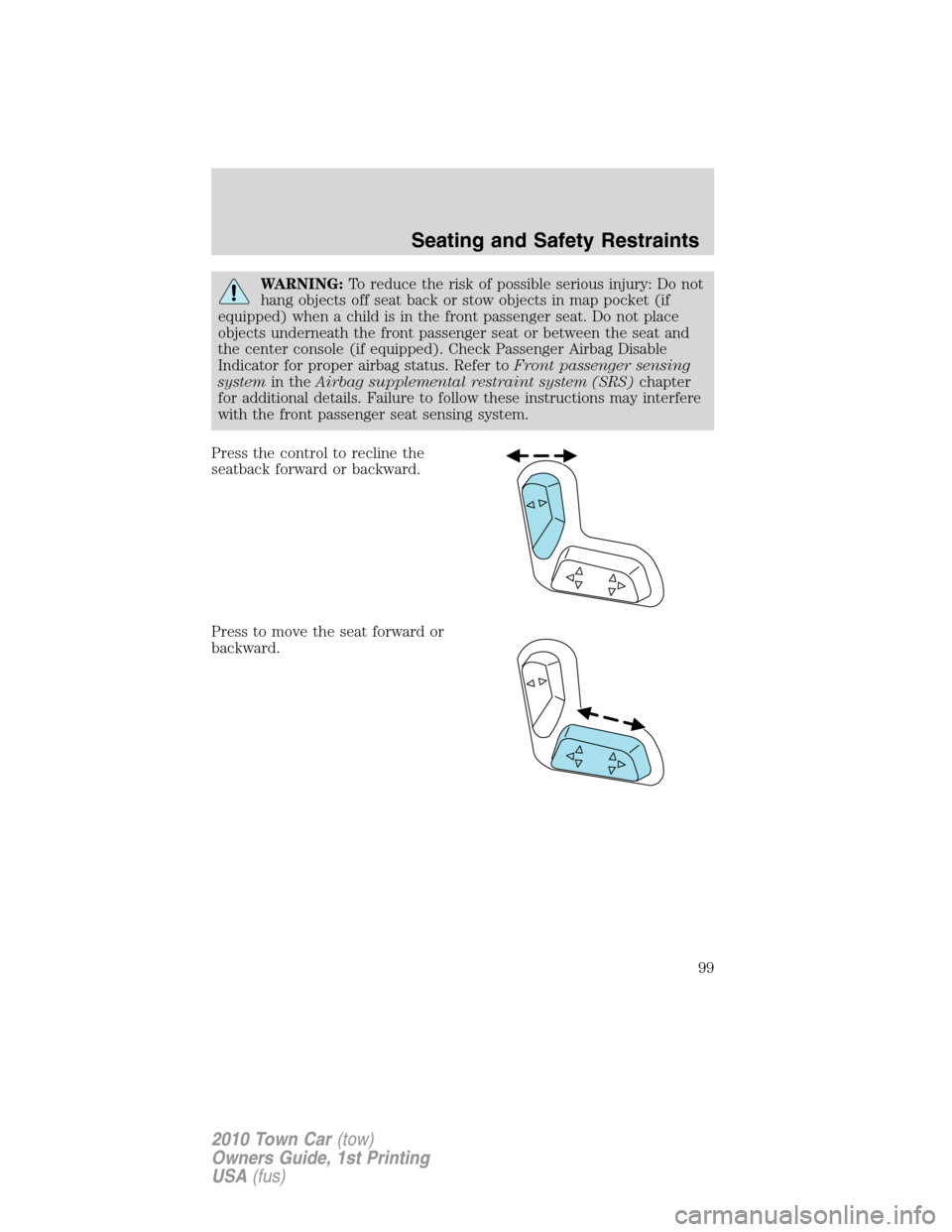
Press the control to recline the
seatback forward or backward.
Press to move the seat forward or
backward.
Seating and Safety Restraints
99
2010 Town Car(tow)
Owners Guide, 1st Printing
USA(fus)
Page 100 of 285
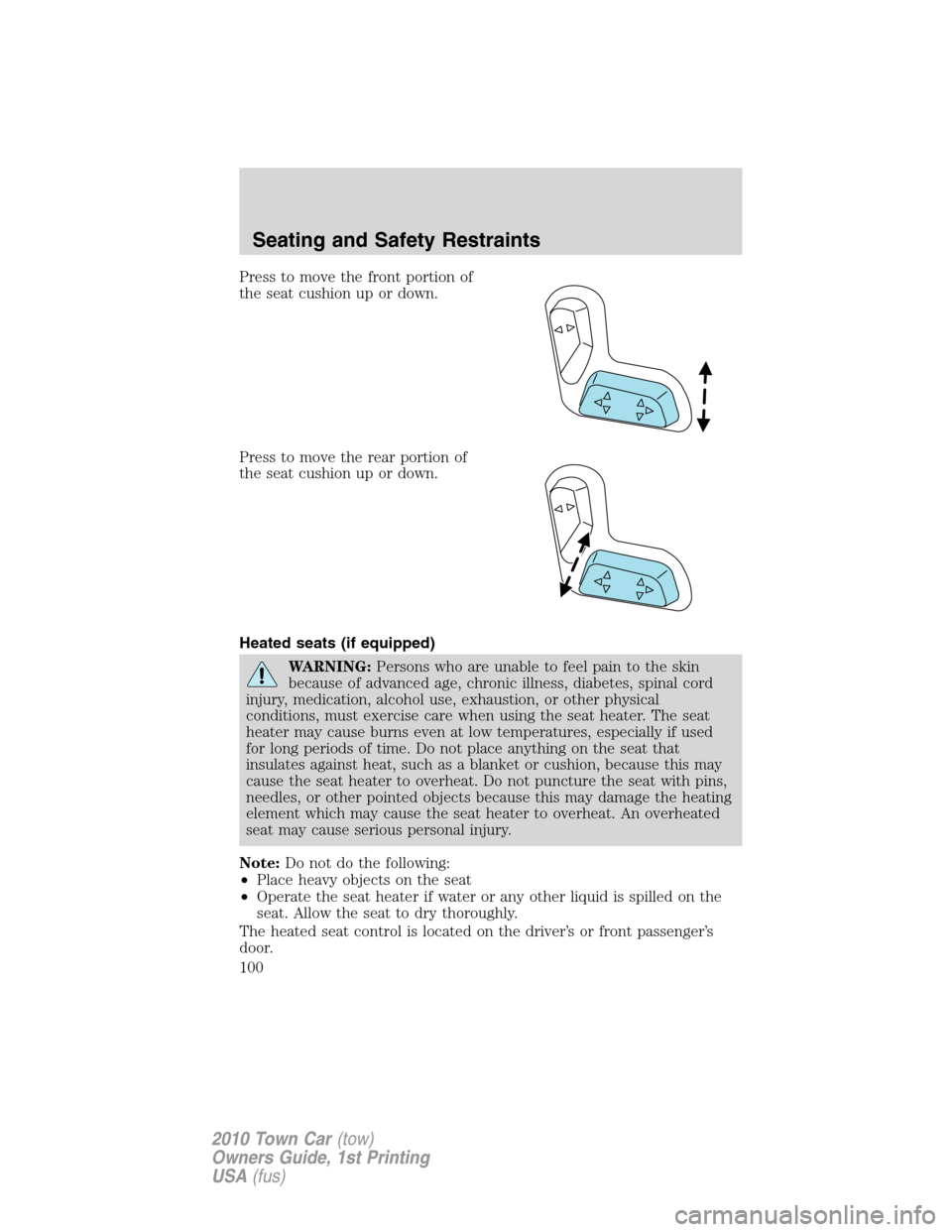
Press to move the front portion of
the seat cushion up or down.
Press to move the rear portion of
the seat cushion up or down.
Heated seats (if equipped)
WARNING:Persons who are unable to feel pain to the skin
because of advanced age, chronic illness, diabetes, spinal cord
injury, medication, alcohol use, exhaustion, or other physical
conditions, must exercise care when using the seat heater. The seat
heater may cause burns even at low temperatures, especially if used
for long periods of time. Do not place anything on the seat that
insulates against heat, such as a blanket or cushion, because this may
cause the seat heater to overheat. Do not puncture the seat with pins,
needles, or other pointed objects because this may damage the heating
element which may cause the seat heater to overheat. An overheated
seat may cause serious personal injury.
Note:Do not do the following:
•Place heavy objects on the seat
•Operate the seat heater if water or any other liquid is spilled on the
seat. Allow the seat to dry thoroughly.
The heated seat control is located on the driver’s or front passenger’s
door.
Seating and Safety Restraints
100
2010 Town Car(tow)
Owners Guide, 1st Printing
USA(fus)