seat LINCOLN ZEPHYR 2006 User Guide
[x] Cancel search | Manufacturer: LINCOLN, Model Year: 2006, Model line: ZEPHYR, Model: LINCOLN ZEPHYR 2006Pages: 256, PDF Size: 3.74 MB
Page 25 of 256
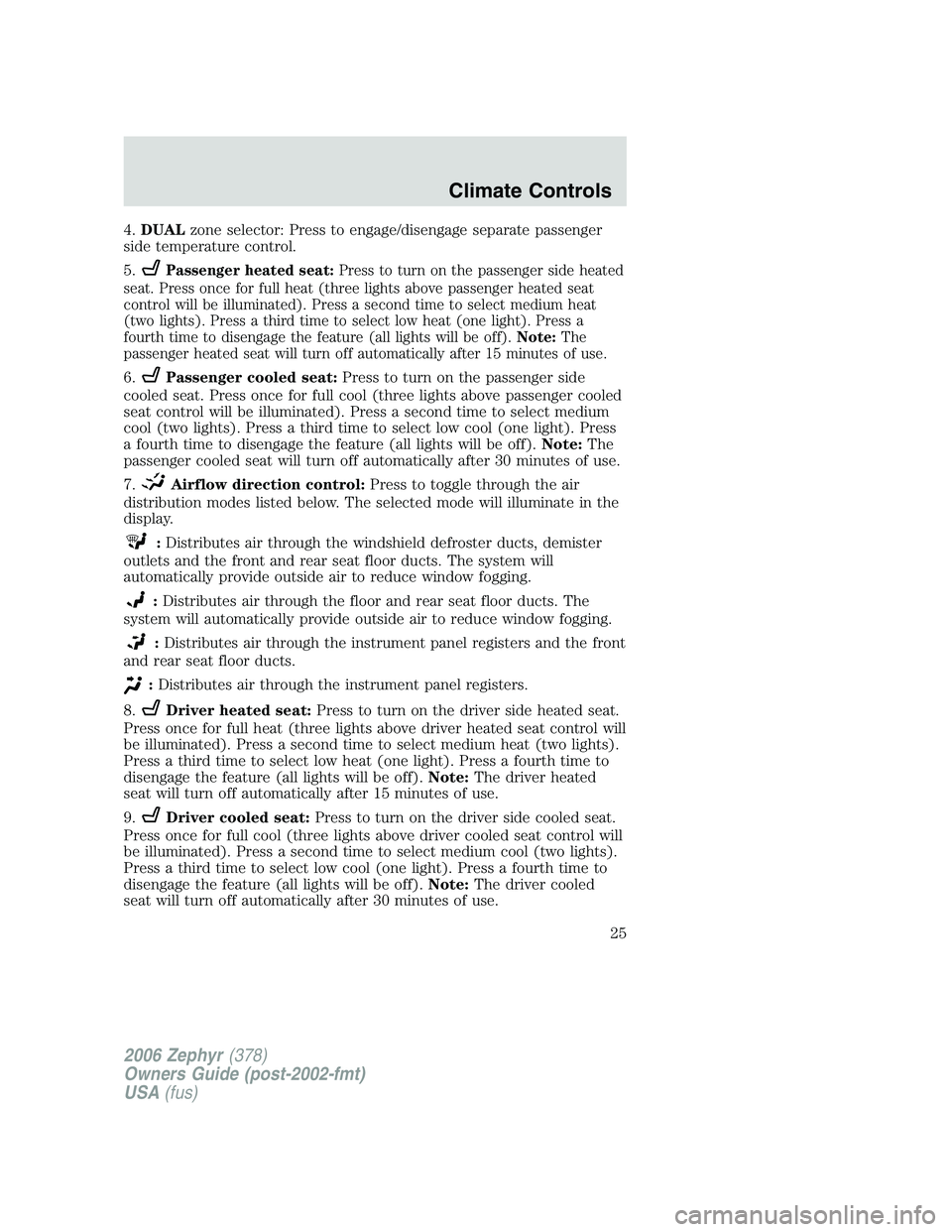
4. DUAL zone selector: Press to engage/disengage separate passenger
side temperature control.
5. Passenger heated seat: Press to turn on the passenger side heated
seat. Press once for full heat (three lights above passenger heated seat
control will be illuminated). Press a second time to select medium heat
(two lights). Press a third time to select low heat (one light). Press a
fourth time to disengage the feature (all lights will be off). Note: The
passenger heated seat will turn off automatically after 15 minutes of use.
6. Passenger cooled seat: Press to turn on the passenger side
cooled seat. Press once for full cool (three lights above passenger cooled
seat control will be illuminated). Press a second time to select medium
cool (two lights). Press a third time to select low cool (one light). Press
a fourth time to disengage the feature (all lights will be off). Note: The
passenger cooled seat will turn off automatically after 30 minutes of use.
7. Airflow direction control: Press to toggle through the air
distribution modes listed below. The selected mode will illuminate in the
display.
: Distributes air through the windshield defroster ducts, demister
outlets and the front and rear seat floor ducts. The system will
automatically provide outside air to reduce window fogging.
: Distributes air through the floor and rear seat floor ducts. The
system will automatically provide outside air to reduce window fogging.
: Distributes air through the instrument panel registers and the front
and rear seat floor ducts.
: Distributes air through the instrument panel registers.
8. Driver heated seat: Press to turn on the driver side heated seat.
Press once for full heat (three lights above driver heated seat control will
be illuminated). Press a second time to select medium heat (two lights).
Press a third time to select low heat (one light). Press a fourth time to
disengage the feature (all lights will be off). Note: The driver heated
seat will turn off automatically after 15 minutes of use.
9. Driver cooled seat: Press to turn on the driver side cooled seat.
Press once for full cool (three lights above driver cooled seat control will
be illuminated). Press a second time to select medium cool (two lights).
Press a third time to select low cool (one light). Press a fourth time to
disengage the feature (all lights will be off). Note: The driver cooled
seat will turn off automatically after 30 minutes of use.
2006 Zephyr (378)
Owners Guide (post-2002-fmt)
USA (fus) Climate Controls
25
Page 26 of 256
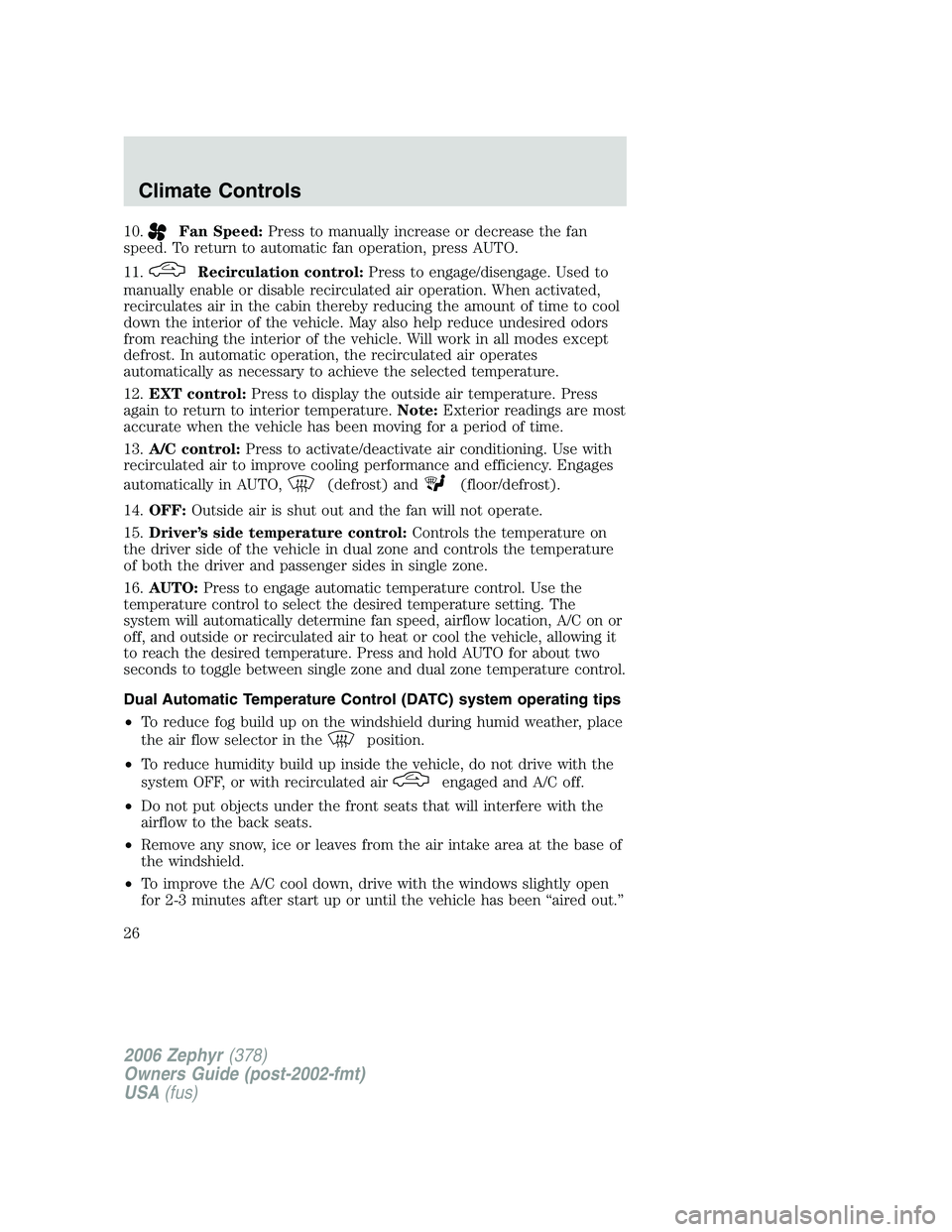
10. Fan Speed: Press to manually increase or decrease the fan
speed. To return to automatic fan operation, press AUTO.
11. Recirculation control: Press to engage/disengage. Used to
manually enable or disable recirculated air operation. When activated,
recirculates air in the cabin thereby reducing the amount of time to cool
down the interior of the vehicle. May also help reduce undesired odors
from reaching the interior of the vehicle. Will work in all modes except
defrost. In automatic operation, the recirculated air operates
automatically as necessary to achieve the selected temperature.
12. EXT control: Press to display the outside air temperature. Press
again to return to interior temperature. Note: Exterior readings are most
accurate when the vehicle has been moving for a period of time.
13. A/C control: Press to activate/deactivate air conditioning. Use with
recirculated air to improve cooling performance and efficiency. Engages
automatically in AUTO, (defrost) and (floor/defrost).
14. OFF: Outside air is shut out and the fan will not operate.
15. Driver’s side temperature control: Controls the temperature on
the driver side of the vehicle in dual zone and controls the temperature
of both the driver and passenger sides in single zone.
16. AUTO: Press to engage automatic temperature control. Use the
temperature control to select the desired temperature setting. The
system will automatically determine fan speed, airflow location, A/C on or
off, and outside or recirculated air to heat or cool the vehicle, allowing it
to reach the desired temperature. Press and hold AUTO for about two
seconds to toggle between single zone and dual zone temperature control.
Dual Automatic Temperature Control (DATC) system operating tips
• To reduce fog build up on the windshield during humid weather, place
the air flow selector in the position.
• To reduce humidity build up inside the vehicle, do not drive with the
system OFF, or with recirculated air engaged and A/C off.
• Do not put objects under the front seats that will interfere with the
airflow to the back seats.
• Remove any snow, ice or leaves from the air intake area at the base of
the windshield.
• To improve the A/C cool down, drive with the windows slightly open
for 2-3 minutes after start up or until the vehicle has been “aired out.”
2006 Zephyr (378)
Owners Guide (post-2002-fmt)
USA (fus)Climate Controls
26
Page 37 of 256
9. For ease of bulb socket installation into the lamp assembly, hold the
bulb socket at 15 degrees clockwise from a vertical position. Using the 2
lead wires oriented exactly up to represent the vertical reference
position.
10. From the 15 degree position rotate the bulb socket clockwise to a
locked position.
11. Tuck the 2 lead wires into the lamp housing to assure that they are
not pinched when installing the protective rubber cap.
12. Install the protective rubber cap to the housing circular ring by
pushing and pressing it forward.
13. Re-apply pressure around the complete circular ring on the housing
to make sure the protective rubber cap is completely seated.
14. Reconnect washer bottle filler neck snap strap by reversing step 3
(Passenger Side Only).
15. Reinstall the AirTube to the air filter assembly. (Driver’s side only).
16. Reinstall the vertical shield to the bolster. (Driver’s side only).
17. Turn the headlamps on and make sure they work properly. If the
headlamp was correctly aligned before you changed the bulb, you should
not need to align it again.
Lowbeam bulb replacement
1. Make sure headlamp switch is in OFF position, then open the hood.
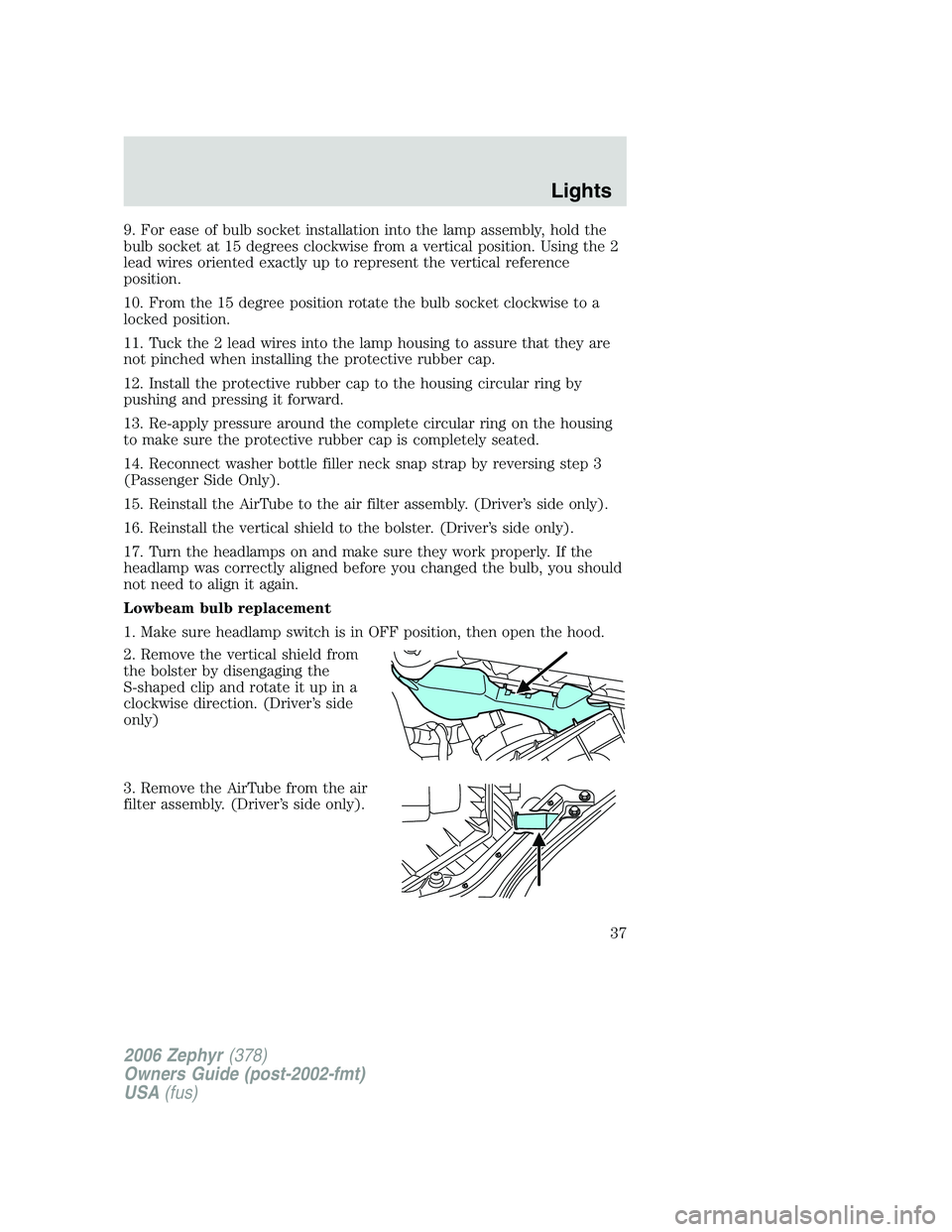
2. Remove the vertical shield from
the bolster by disengaging the
S-shaped clip and rotate it up in a
clockwise direction. (Driver’s side
only)
3. Remove the AirTube from the air
filter assembly. (Driver’s side only).
2006 Zephyr (378)
Owners Guide (post-2002-fmt)
USA (fus) Lights
37
Page 39 of 256
12. After the new bulb is installed, carefully let the bulb socket dangle
downward near the lamp housing (Passenger side only).
13. From the exterior wheel well area reach arm through splash shield
opening to install bulb socket with new bulb (Passenger side only).
14. Install the new bulb socket into the lamp assembly by aligning the
indexing fingers, then rotate clockwise to locked position.
15. Install the protective rubber cap to the housing circular ring by
pushing and pressing it forward.
16. Re-apply pressure around the complete circular ring on the housing
to make sure the protective rubber cap is completely seated.
17. Reinstall the AirTube to the air filter assembly. (Driver’s side only).
18. Reinstall the vertical shield to the bolster. (Driver’s side only).
19. Turn the headlamps on and make sure they work properly. If the
headlamp was correctly aligned before you changed the bulb, you should
not need to align it again
Replacing HID headlamp bulbs (if equipped)
The low beam headlamps on your vehicle use a “high intensity discharge”
source. These lamps operate at a high voltage. When the bulb is burned
out, the bulb and starter capsule assembly must be replaced by your
authorized dealer.
Replacing redundant park bulbs
1. Make sure headlamp switch is in OFF position, then open the hood.
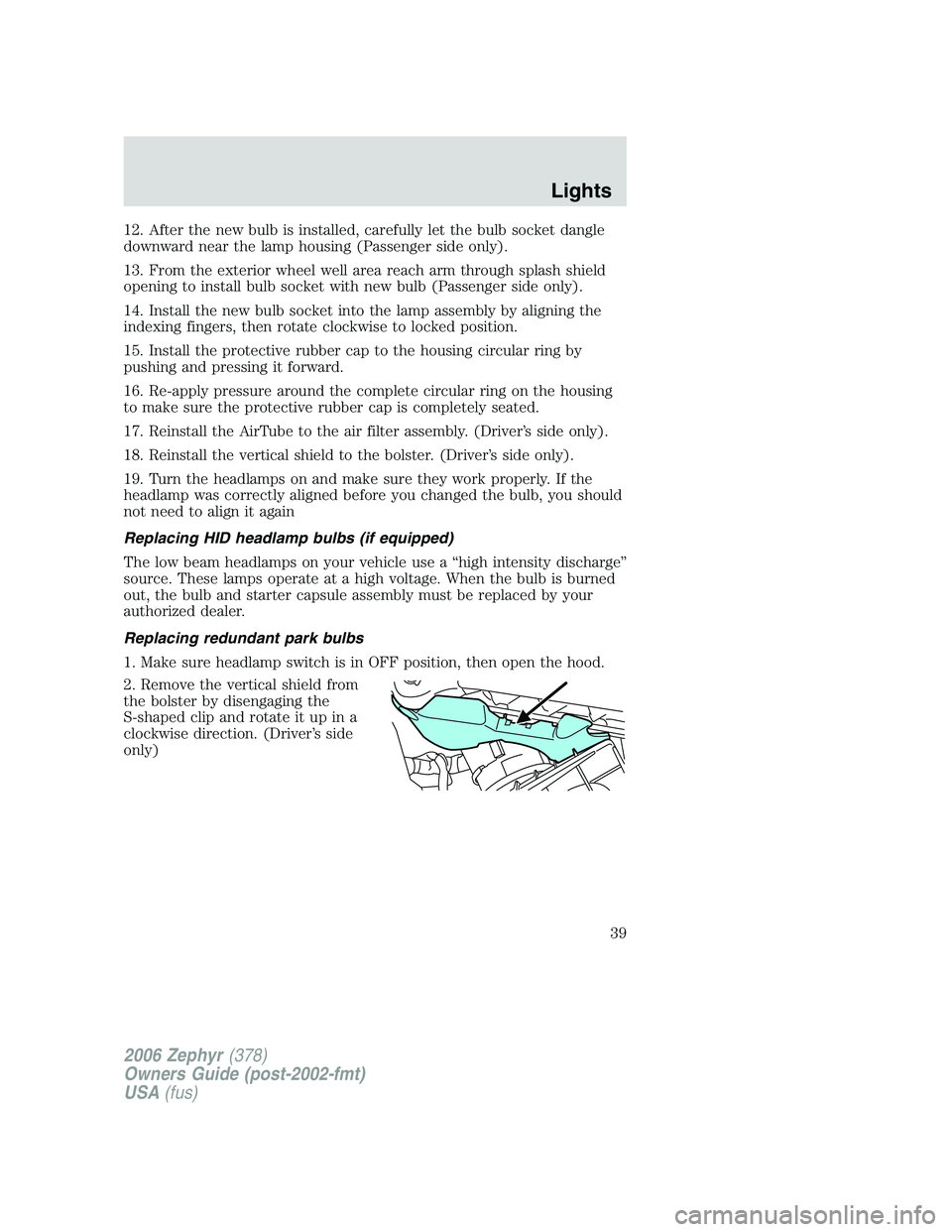
2. Remove the vertical shield from
the bolster by disengaging the
S-shaped clip and rotate it up in a
clockwise direction. (Driver’s side
only)
2006 Zephyr (378)
Owners Guide (post-2002-fmt)
USA (fus) Lights
39
Page 53 of 256
Memory feature
The power side view mirror positions are saved when doing a memory
set function and can be recalled along with the vehicle personality
features when a memory position is selected through the remote entry
transmitter, keyless entry keypad or memory switch on the driver’s door
(if equipped with memory feature). Refer to Memory seats/steering
column/mirrors in the Seating and Safety Restraints chapter.
Heated mirrors
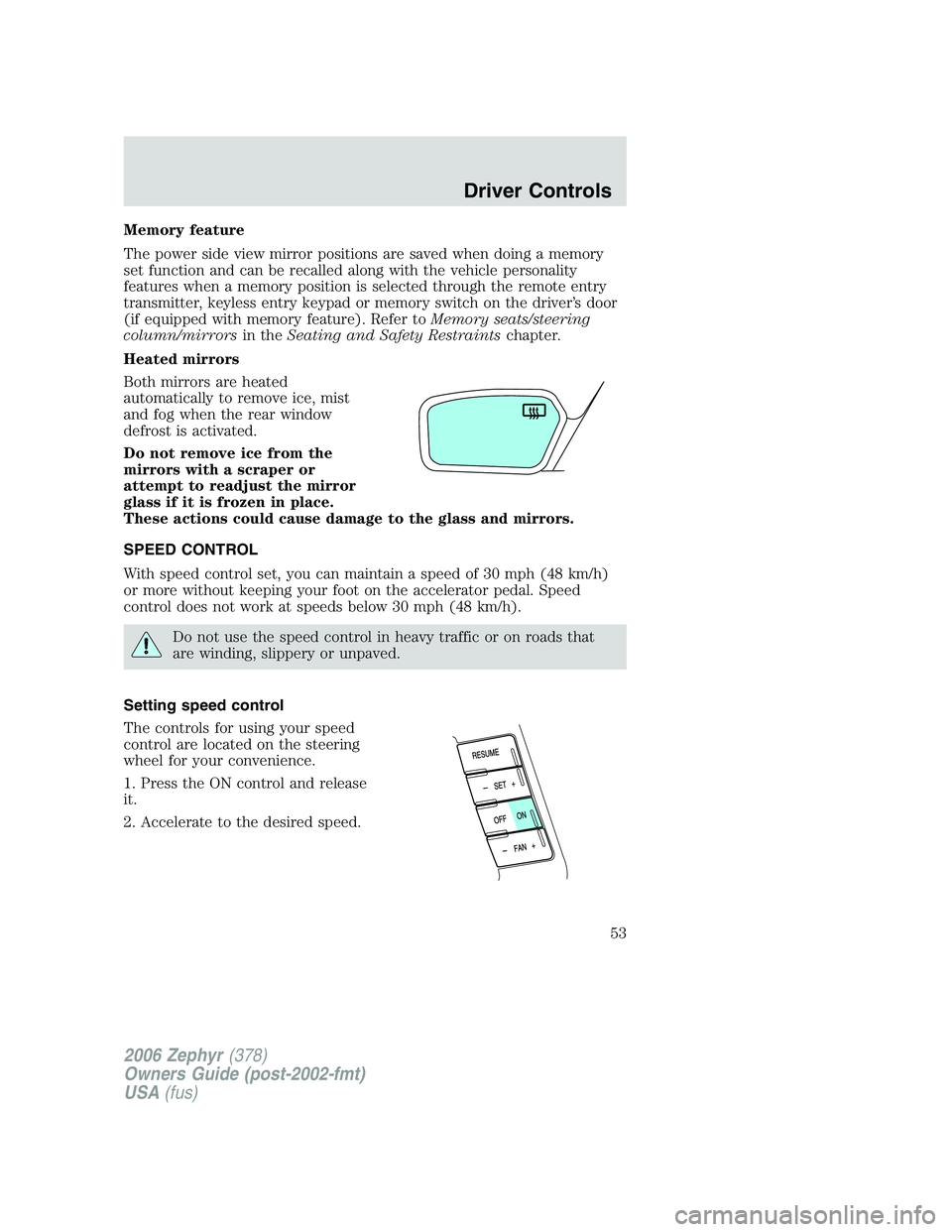
Both mirrors are heated
automatically to remove ice, mist
and fog when the rear window
defrost is activated.
Do not remove ice from the
mirrors with a scraper or
attempt to readjust the mirror
glass if it is frozen in place.
These actions could cause damage to the glass and mirrors.
SPEED CONTROL
With speed control set, you can maintain a speed of 30 mph (48 km/h)
or more without keeping your foot on the accelerator pedal. Speed
control does not work at speeds below 30 mph (48 km/h).
Do not use the speed control in heavy traffic or on roads that
are winding, slippery or unpaved.
Setting speed control
The controls for using your speed
control are located on the steering
wheel for your convenience.
1. Press the ON control and release
it.
2. Accelerate to the desired speed.
2006 Zephyr (378)
Owners Guide (post-2002-fmt)
USA (fus) Driver Controls
53
Page 67 of 256
Trip elapsed drive time
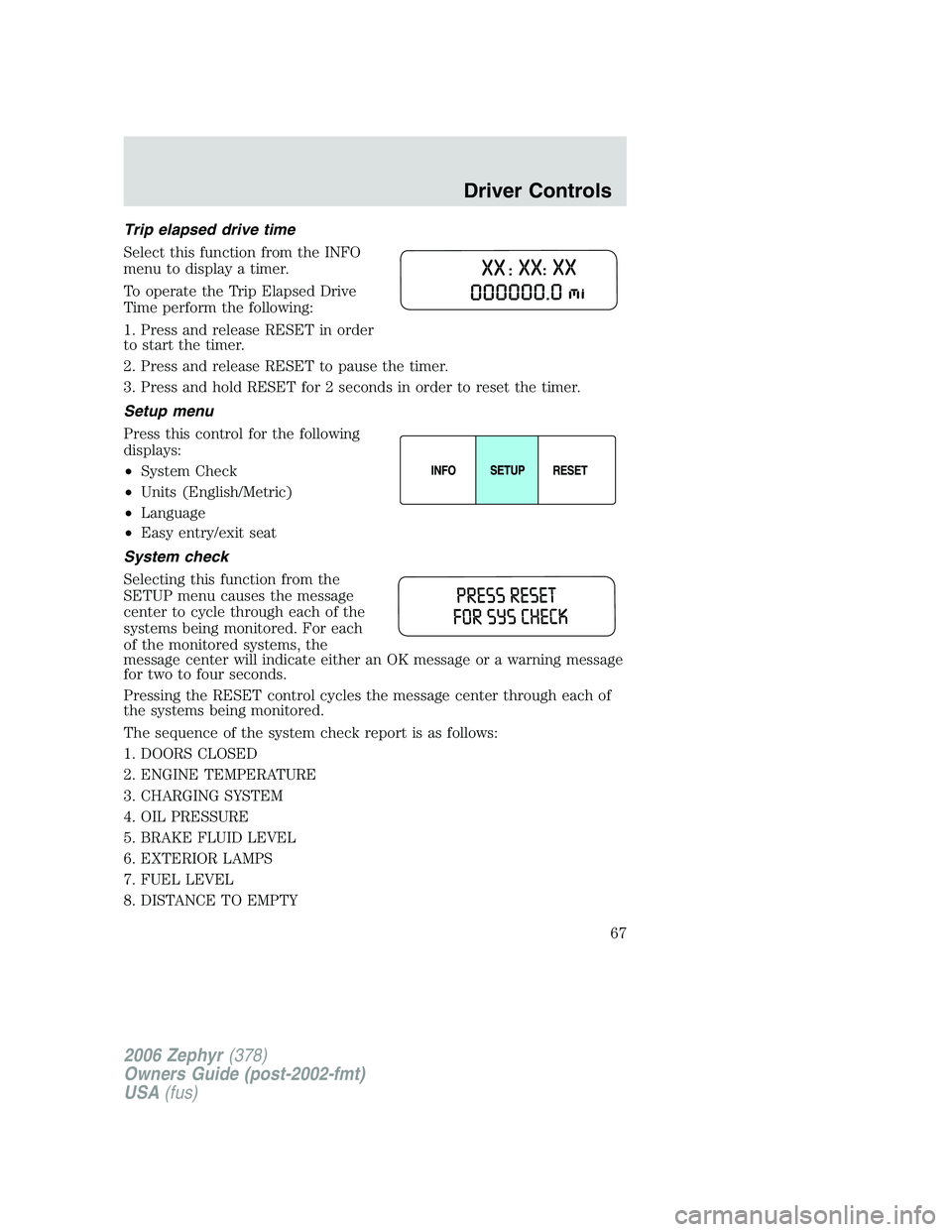
Select this function from the INFO
menu to display a timer.
To operate the Trip Elapsed Drive
Time perform the following:
1. Press and release RESET in order
to start the timer.
2. Press and release RESET to pause the timer.
3. Press and hold RESET for 2 seconds in order to reset the timer.
Setup menu
Press this control for the following
displays:
• System Check
• Units (English/Metric)
• Language
• Easy entry/exit seat
System check
Selecting this function from the
SETUP menu causes the message
center to cycle through each of the
systems being monitored. For each
of the monitored systems, the
message center will indicate either an OK message or a warning message
for two to four seconds.
Pressing the RESET control cycles the message center through each of
the systems being monitored.
The sequence of the system check report is as follows:
1. DOORS CLOSED
2. ENGINE TEMPERATURE
3. CHARGING SYSTEM
4. OIL PRESSURE
5. BRAKE FLUID LEVEL
6. EXTERIOR LAMPS
7. FUEL LEVEL
8. DISTANCE TO EMPTY
2006 Zephyr (378)
Owners Guide (post-2002-fmt)
USA (fus) Driver Controls
67
Page 68 of 256
Units (English/Metric)
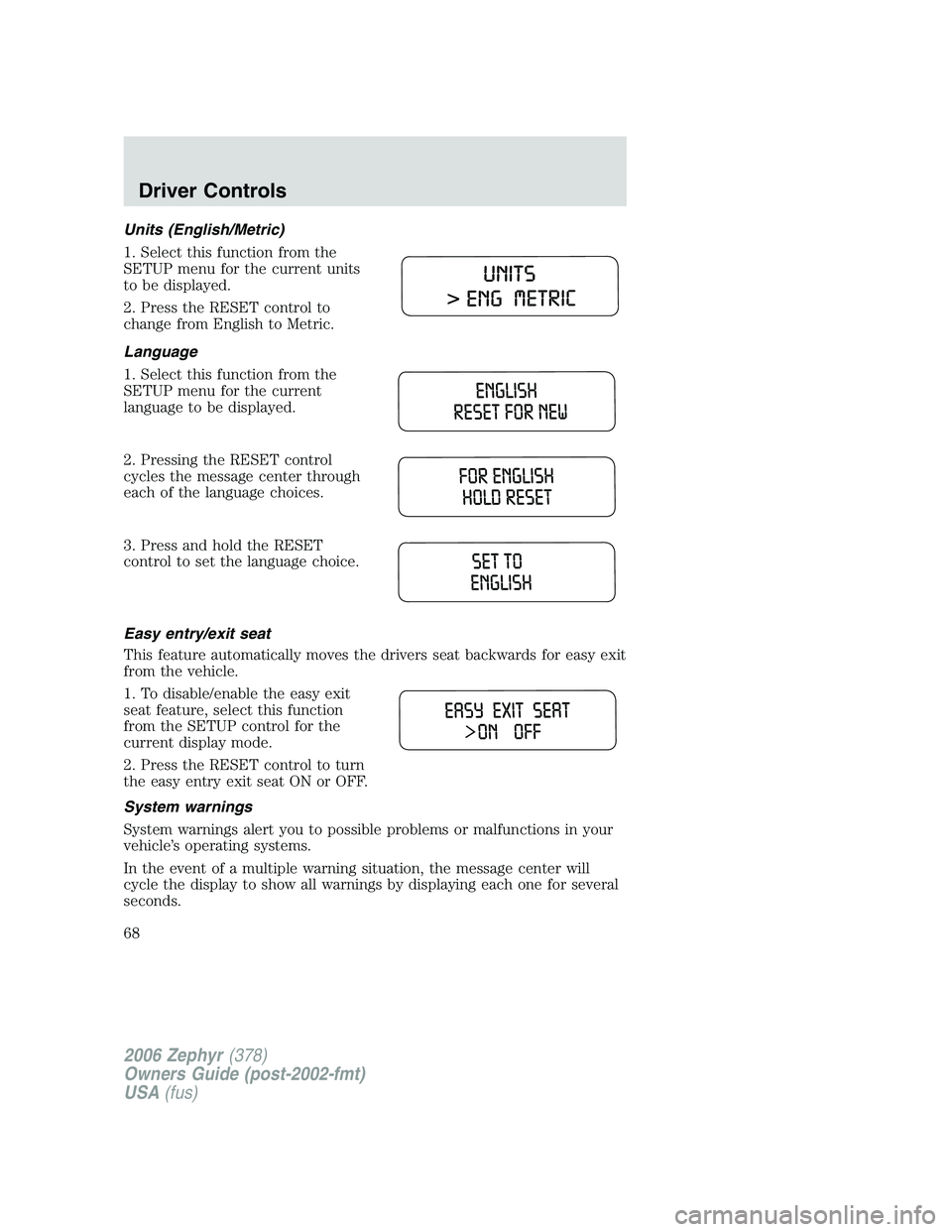
1. Select this function from the
SETUP menu for the current units
to be displayed.
2. Press the RESET control to
change from English to Metric.
Language
1. Select this function from the
SETUP menu for the current
language to be displayed.
2. Pressing the RESET control
cycles the message center through
each of the language choices.
3. Press and hold the RESET
control to set the language choice.
Easy entry/exit seat
This feature automatically moves the drivers seat backwards for easy exit
from the vehicle.
1. To disable/enable the easy exit
seat feature, select this function
from the SETUP control for the
current display mode.
2. Press the RESET control to turn
the easy entry exit seat ON or OFF.
System warnings
System warnings alert you to possible problems or malfunctions in your
vehicle’s operating systems.
In the event of a multiple warning situation, the message center will
cycle the display to show all warnings by displaying each one for several
seconds.
2006 Zephyr (378)
Owners Guide (post-2002-fmt)
USA (fus)Driver Controls
68
Page 80 of 256
Sounding a panic alarm
Press to activate the alarm. The horn will sound and the turn lamps
will flash for a maximum of 3 minutes. Press again or turn the ignition to
the 3 (RUN) position to deactivate, or wait for the alarm to timeout in 3
minutes.
Note: The panic alarm will only operate when the ignition is in the 1
(LOCK) position.
Opening the trunk
Press once to open the trunk.
• Ensure that the trunk is closed and latched before driving your
vehicle. Failure to properly latch the trunk may cause objects to fall
out or block the driver’s rear view.
Memory seat feature (if equipped)
The Integrated Keyhead Transmitter allows you to recall the memory
seat/mirror feature.
Press to automatically move the seat/mirror to the desired memory
position. Note: The seat will not travel to their final position if the key is
not in the ignition and the easy entry feature is enabled.
Activating the memory feature
To activate this feature:
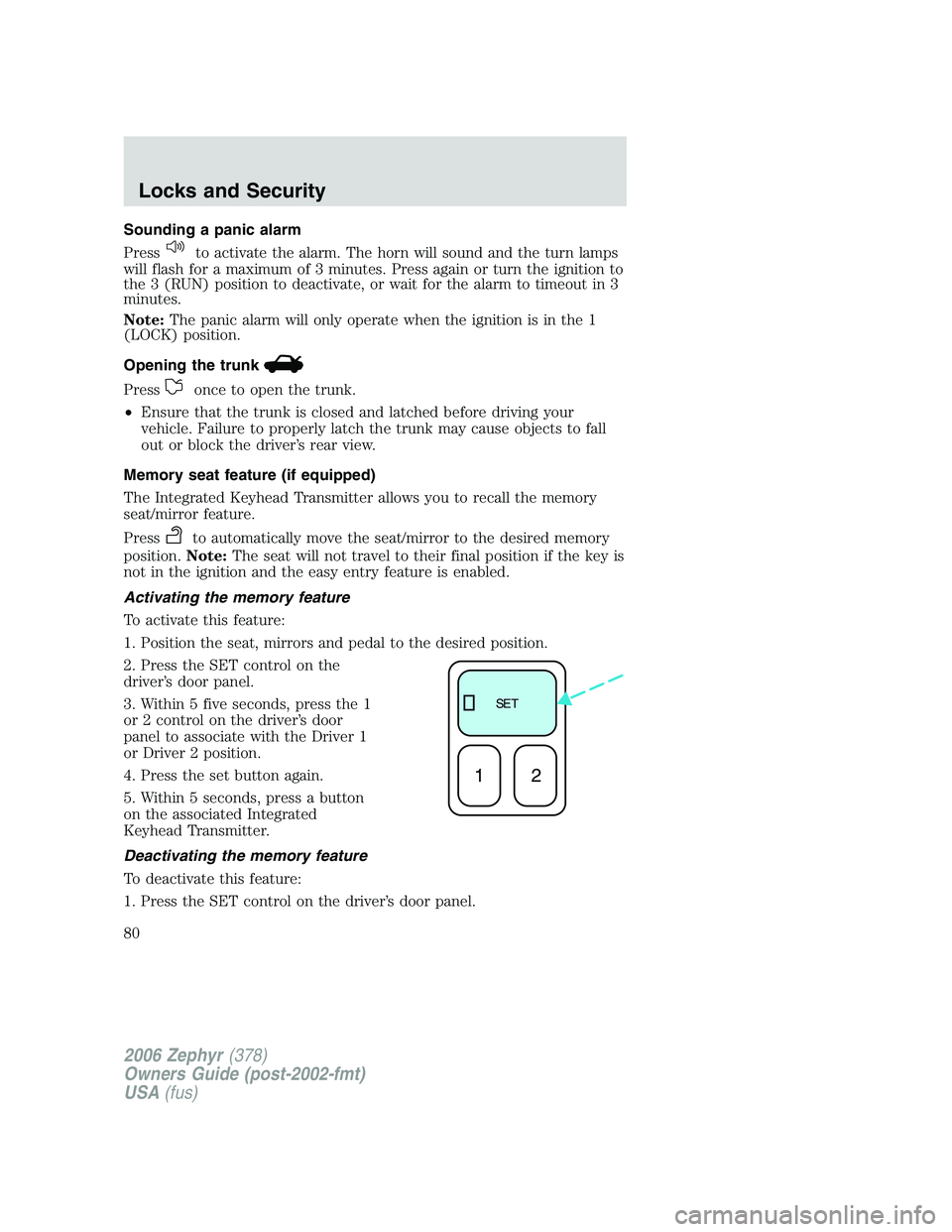
1. Position the seat, mirrors and pedal to the desired position.
2. Press the SET control on the
driver’s door panel.
3. Within 5 five seconds, press the 1
or 2 control on the driver’s door
panel to associate with the Driver 1
or Driver 2 position.
4. Press the set button again.
5. Within 5 seconds, press a button
on the associated Integrated
Keyhead Transmitter.
Deactivating the memory feature
To deactivate this feature:
1. Press the SET control on the driver’s door panel. SE T
12
2006 Zephyr (378)
Owners Guide (post-2002-fmt)
USA (fus)Locks and Security
80
Page 81 of 256
2. Within five seconds, press any control on the Integrated Keyhead
Transmitter which you would like to deactivate and then press the SET
control on the driver’s door panel again.
3. Repeat this procedure for another Integrated Keyhead Transmitter if
desired.
Replacing the battery
The Integrated Keyhead Transmitter uses one coin type three-volt
lithium battery CR2032 or equivalent.
To replace the battery:
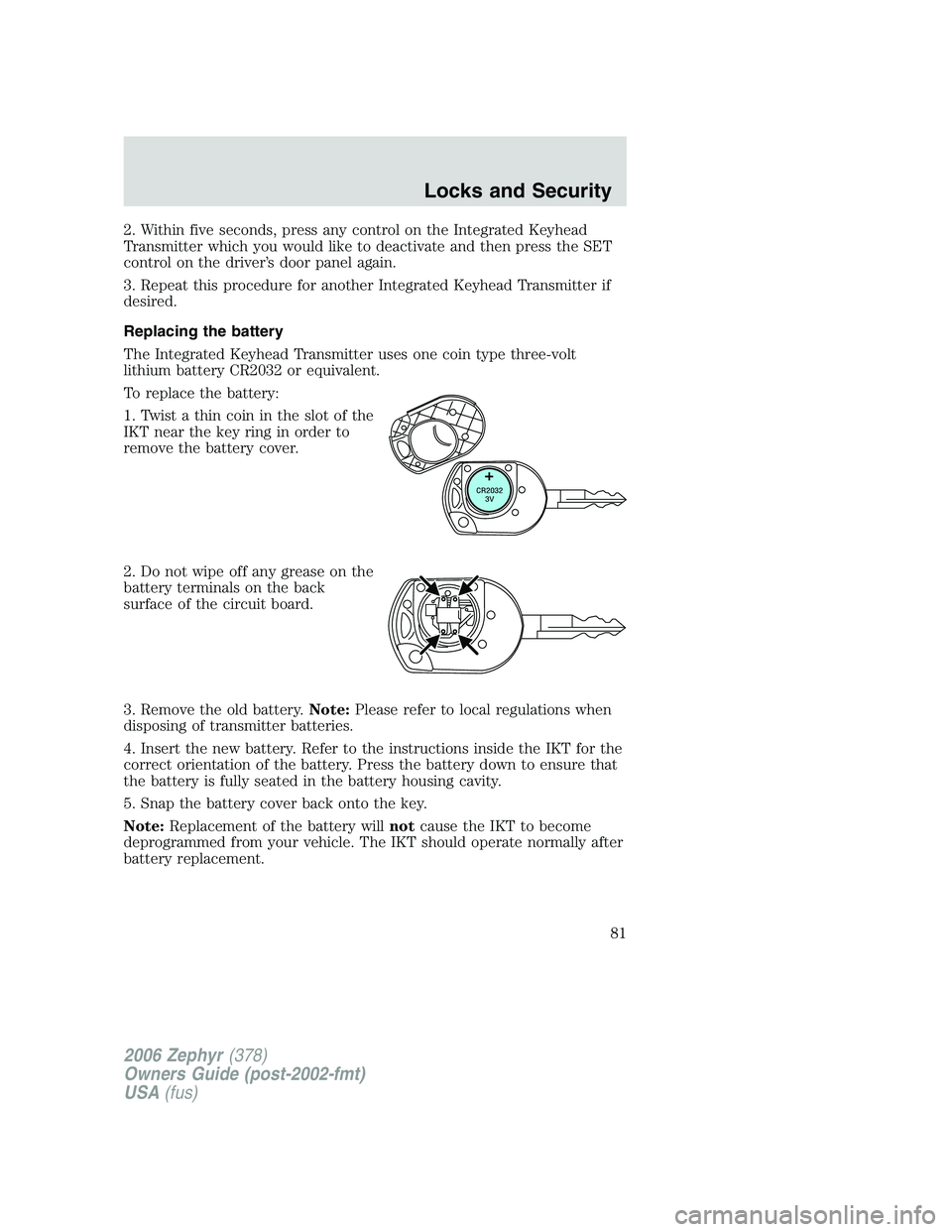
1. Twist a thin coin in the slot of the
IKT near the key ring in order to
remove the battery cover.
2. Do not wipe off any grease on the
battery terminals on the back
surface of the circuit board.
3. Remove the old battery. Note: Please refer to local regulations when
disposing of transmitter batteries.
4. Insert the new battery. Refer to the instructions inside the IKT for the
correct orientation of the battery. Press the battery down to ensure that
the battery is fully seated in the battery housing cavity.
5. Snap the battery cover back onto the key.
Note: Replacement of the battery will not cause the IKT to become
deprogrammed from your vehicle. The IKT should operate normally after
battery replacement.
2006 Zephyr (378)
Owners Guide (post-2002-fmt)
USA (fus) Locks and Security
81
Page 84 of 256
Battery saver
The battery saver will shut off the interior lamps 30 minutes after the
ignition has been turned to the 1 (LOCK) position.
• If the dome lamps were turned on using the panel dimmer control, the
battery saver will shut them off 30 minutes after the ignition has been
turned to the 1 (LOCK) position.
• If the courtesy lamps were turned on because one of the vehicle doors
or the trunk was opened, the battery saver will shut off them off 10
minutes after the ignition has been turned to the 1 (LOCK) position.
• The battery saver will shut off the headlamps 10 minutes after the
ignition has been turned to the 1 (LOCK) position.
KEYLESS ENTRY SYSTEM
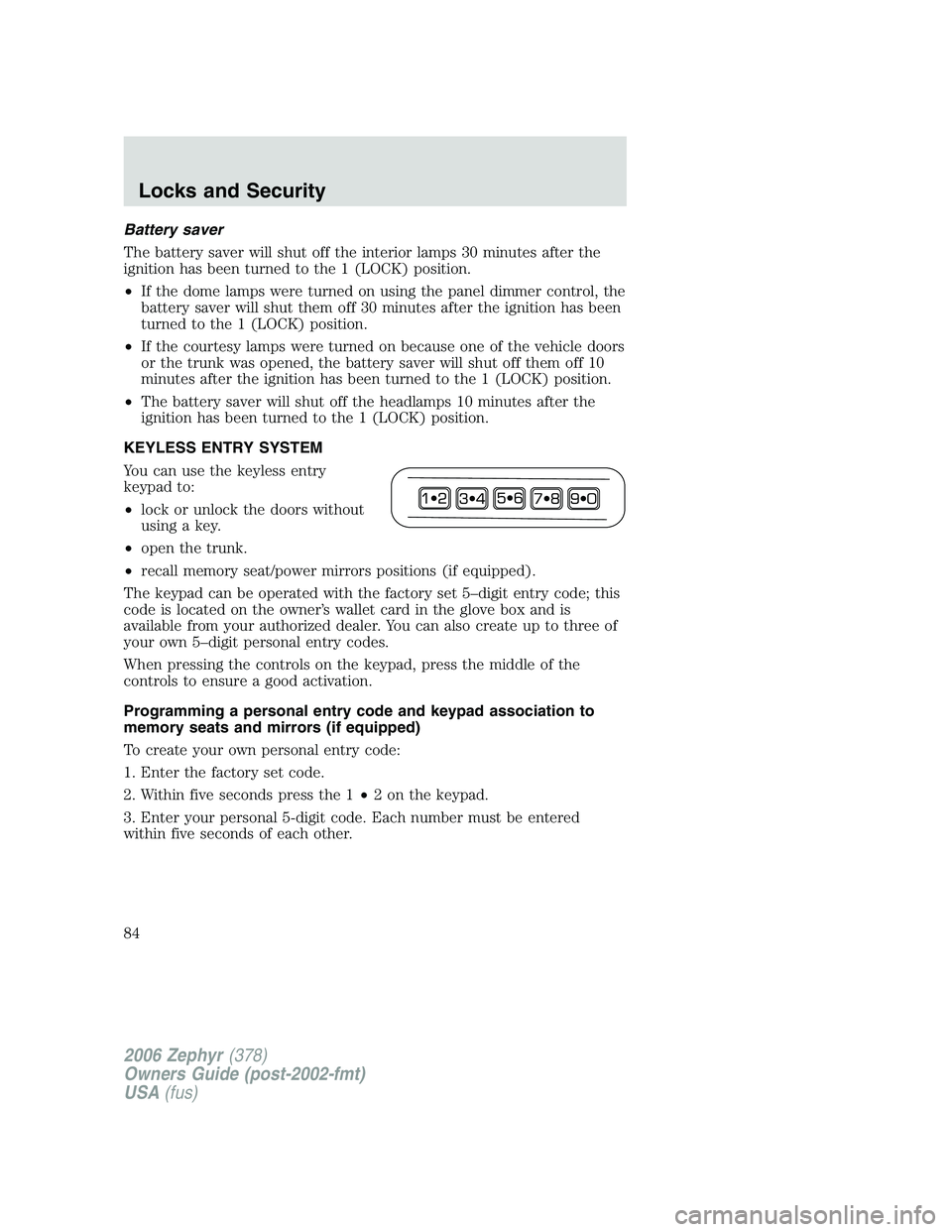
You can use the keyless entry
keypad to:
• lock or unlock the doors without
using a key.
• open the trunk.
• recall memory seat/power mirrors positions (if equipped).
The keypad can be operated with the factory set 5–digit entry code; this
code is located on the owner’s wallet card in the glove box and is
available from your authorized dealer. You can also create up to three of
your own 5–digit personal entry codes.
When pressing the controls on the keypad, press the middle of the
controls to ensure a good activation.
Programming a personal entry code and keypad association to
memory seats and mirrors (if equipped)
To create your own personal entry code:
1. Enter the factory set code.
2. Within five seconds press the 1 • 2 on the keypad.
3. Enter your personal 5-digit code. Each number must be entered
within five seconds of each other.
2006 Zephyr (378)
Owners Guide (post-2002-fmt)
USA (fus)Locks and Security
84