Operation MASERATI LEVANTE 2019 Owner's Guide
[x] Cancel search | Manufacturer: MASERATI, Model Year: 2019, Model line: LEVANTE, Model: MASERATI LEVANTE 2019Pages: 436, PDF Size: 15.24 MB
Page 133 of 436
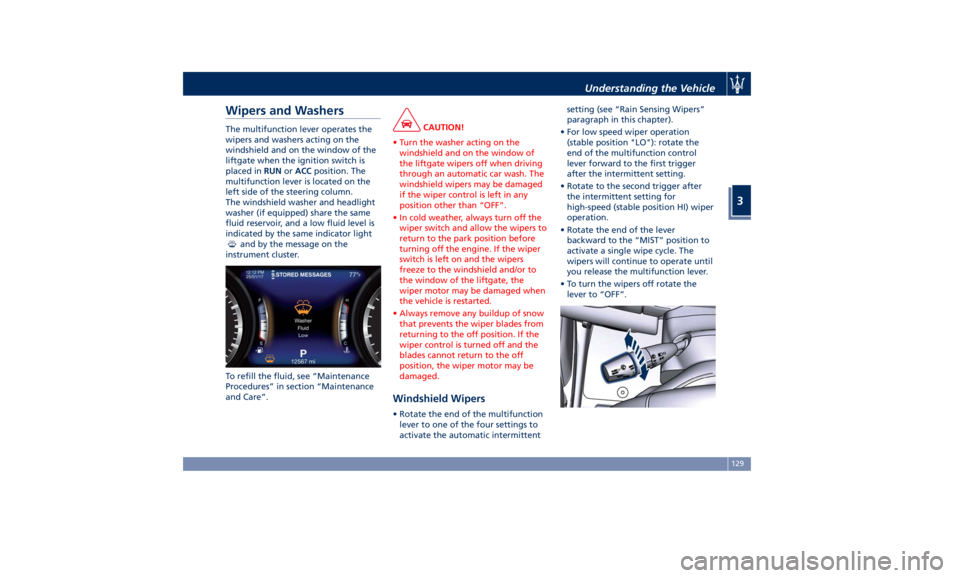
Wipers and Washers The multifunction lever operates the
wipers and washers acting on the
windshield and on the window of the
liftgate when the ignition switch is
placed in RUN or ACC position. The
multifunction lever is located on the
left side of the steering column.
The windshield washer and headlight
washer (if equipped) share the same
fluid reservoir, and a low fluid level is
indicated by the same indicator light
and by the message on the
instrument cluster.
To refill the fluid, see “Maintenance
Procedures” in section “Maintenance
and Care”. CAUTION!
• Turn the washer acting on the
windshield and on the window of
the liftgate wipers off when driving
through an automatic car wash. The
windshield wipers may be damaged
if the wiper control is left in any
position other than “OFF”.
• In cold weather, always turn off the
wiper switch and allow the wipers to
return to the park position before
turning off the engine. If the wiper
switch is left on and the wipers
freeze to the windshield and/or to
the window of the liftgate, the
wiper motor may be damaged when
the vehicle is restarted.
• Always remove any buildup of snow
that prevents the wiper blades from
returning to the off position. If the
wiper control is turned off and the
blades cannot return to the off
position, the wiper motor may be
damaged.
Windshield Wipers • Rotate the end of the multifunction
lever to one of the four settings to
activate the automatic intermittent setting (see “Rain Sensing Wipers”
paragraph in this chapter).
• For low speed wiper operation
(stable position "LO"): rotate the
end of the multifunction control
lever forward to the first trigger
after the intermittent setting.
• Rotate to the second trigger after
the intermittent setting for
high-speed (stable position HI) wiper
operation.
• Rotate the end of the lever
backward to the “MIST” position to
activate a single wipe cycle. The
wipers will continue to operate until
you release the multifunction lever.
• To turn the wipers off rotate the
lever to “OFF”.Understanding the Vehicle
3
129
Page 136 of 436
(Continued)
washer use.
WARNING!
California Proposition 65
Operating, servicing and maintaining
a passenger vehicle or off-road vehicle
can expose you to chemicals including
such as, engine exhaust, carbon
monoxide, phthalates and lead, that
which are known to the State of
California to cause cancer and birth
defects or other reproductive harm. To
minimize exposure, avoid breathing
exhaust, do not idle the engine except
as necessary, service your vehicle in a
well-ventilated area and wear gloves
or wash your hands frequently when
servicing your vehicle. For more
information go to:
www.P65Warnings.ca.gov/passenger-
vehicle
Headlight Washers (if provided)
The
multifunction lever also
operates
the headlight washers when the
ignition switch is in RUN position and
the headlights are turned on.
The headlight washers will spray a
timed high-pressure spray of washer fluid onto each headlight lens every 11
windshield wipers cycles.
Heated Windshield Washer Nozzles
(optional)
To avoid fluid freezing inside at low
external temperatures, a fluid supply
nozzles can be heated by internal
resistors.
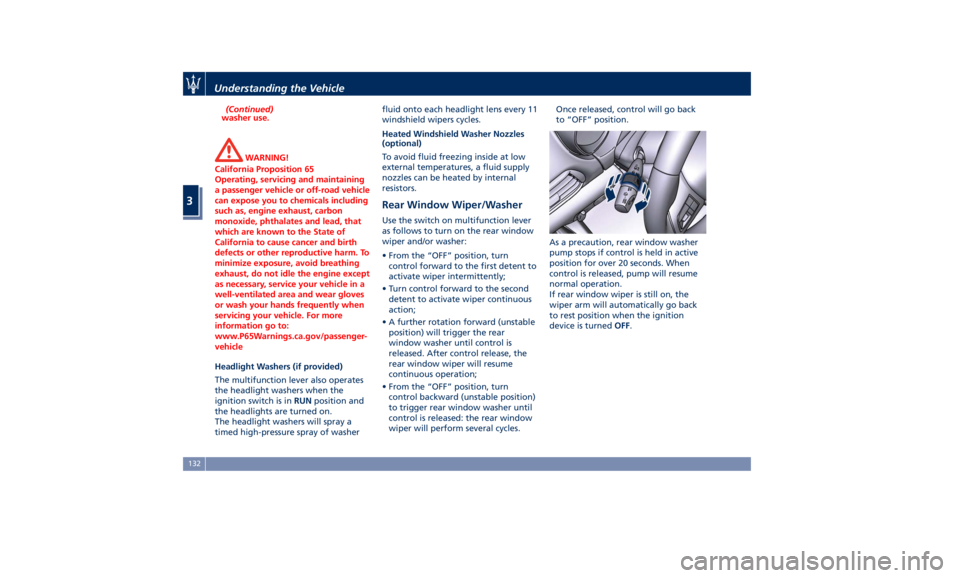
Rear Window Wiper/Washer Use the switch on multifunction lever
as follows to turn on the rear window
wiper and/or washer:
• From the “OFF” position, turn
control forward to the first detent to
activate wiper intermittently;
• Turn control forward to the second
detent to activate wiper continuous
action;
• A further rotation forward (unstable
position) will trigger the rear
window washer until control is
released. After control release, the
rear window wiper will resume
continuous operation;
• From the “OFF” position, turn
control backward (unstable position)
to trigger rear window washer until
control is released: the rear window
wiper will perform several cycles. Once released, control will go back
to “OFF” position.
As a precaution, rear window washer
pump stops if control is held in active
position for over 20 seconds. When
control is released, pump will resume
normal operation.
If rear window wiper is still on, the
wiper arm will automatically go back
to rest position when the ignition
device is turned OFF .Understanding the Vehicle
3
132
Page 137 of 436
Interior Features Electric Power Outlets The vehicle is equipped with four 12
Volt (13 Amp) electric power outlets,
two available for the front seat
passengers, one for rear seat
passengers and one fitted in the trunk
compartment.
In vehicles equipped with “Smoking
Kit” the electric power outlet inside
the cupholder is replaced with a
cigarette lighter.
All power outlets are supplied only
when the engine is started or the
ignition device set to ACC or RUN .
Power outlets are protected by a fuse.
Insert a cigar lighter or accessory plug
into the power outlets to ensure
proper operation. Otherwise, check
the matching fuse integrity, see “Fuse
Replacement” in section
“Maintenance and Care” for further
information.
CAUTION!
• Do not plug in accessories that
exceed the maximum power of 160
Watts (13 Amps) at 12 Volts.
• Power outlets are designed for
accessory plugs only. Do not insert any other object in the power
outlets as this will damage the outlet
and blow the fuse. Damages caused
by improper use of the power outlet
are not covered by the New Vehicle
Limited Warranty.
WARNING!
To avoid serious injury or death:
• Only devices designed for use in this
type of outlet should be inserted
into any 12 Volt outlet.
• Replacing the fuses that protect
power outlets with others of higher
amperage, there is the risk of fire.
• Do not touch with wet hands.
• Close the lids when the plug is not
used and while driving the vehicle.
• If this outlet is mishandled, it may
cause an electric shock and failure.
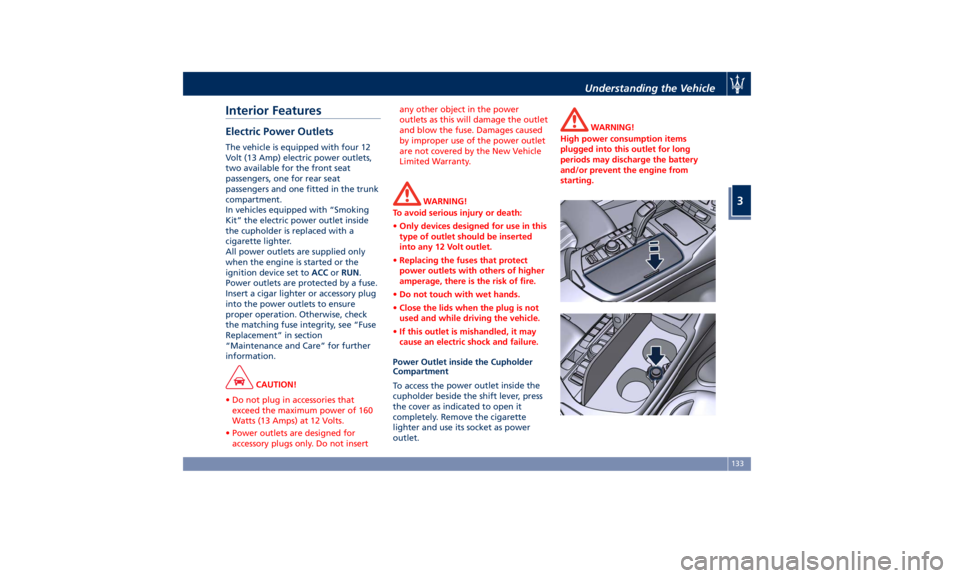
Power Outlet inside the Cupholder
Compartment
To access the power outlet inside the
cupholder beside the shift lever, press
the cover as indicated to open it
completely. Remove the cigarette
lighter and use its socket as power
outlet. WARNING!
High power consumption items
plugged into this outlet for long
periods may discharge the battery
and/or prevent the engine from
starting.Understanding the Vehicle
3
133
Page 143 of 436
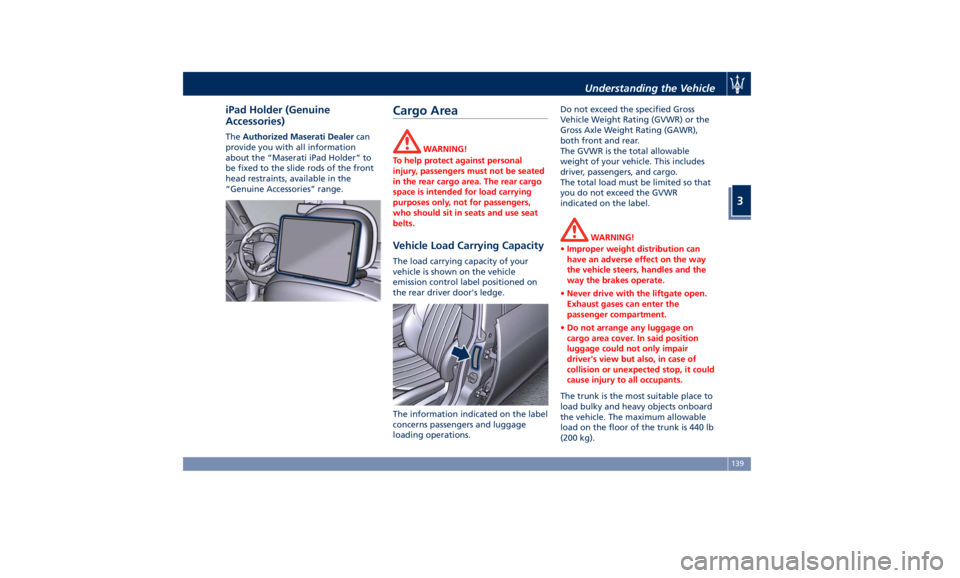
iPad Holder (Genuine
Accessories) The Authorized Maserati Dealer can
provide you with all information
about the “Maserati iPad Holder” to
be fixed to the slide rods of the front
head restraints, available in the
“Genuine Accessories” range.
Cargo Area WARNING!
To help protect against personal
injury, passengers must not be seated
in the rear cargo area. The rear cargo
space is intended for load carrying
purposes only, not for passengers,
who should sit in seats and use seat
belts.
Vehicle Load Carrying Capacity The load carrying capacity of your
vehicle is shown on the vehicle
emission control label positioned on
the rear driver door's ledge.
The information indicated on the label
concerns passengers and luggage
loading operations. Do not exceed the specified Gross
Vehicle Weight Rating (GVWR) or the
Gross Axle Weight Rating (GAWR),
both front and rear.
The GVWR is the total allowable
weight of your vehicle. This includes
driver, passengers, and cargo.
The total load must be limited so that
you do not exceed the GVWR
indicated on the label.
WARNING!
• Improper weight distribution can
have an adverse effect on the way
the vehicle steers, handles and the
way the brakes operate.
• Never drive with the liftgate open.
Exhaust gases can enter the
passenger compartment.
• Do not arrange any luggage on
cargo area cover. In said position
luggage could not only impair
driver's view but also, in case of
collision or unexpected stop, it could
cause injury to all occupants.
The trunk is the most suitable place to
load
bulky and heavy
objects onboard
the vehicle. The maximum allowable
load on the floor of the trunk is 440 lb
(200 kg).Understanding the Vehicle
3
139
Page 147 of 436
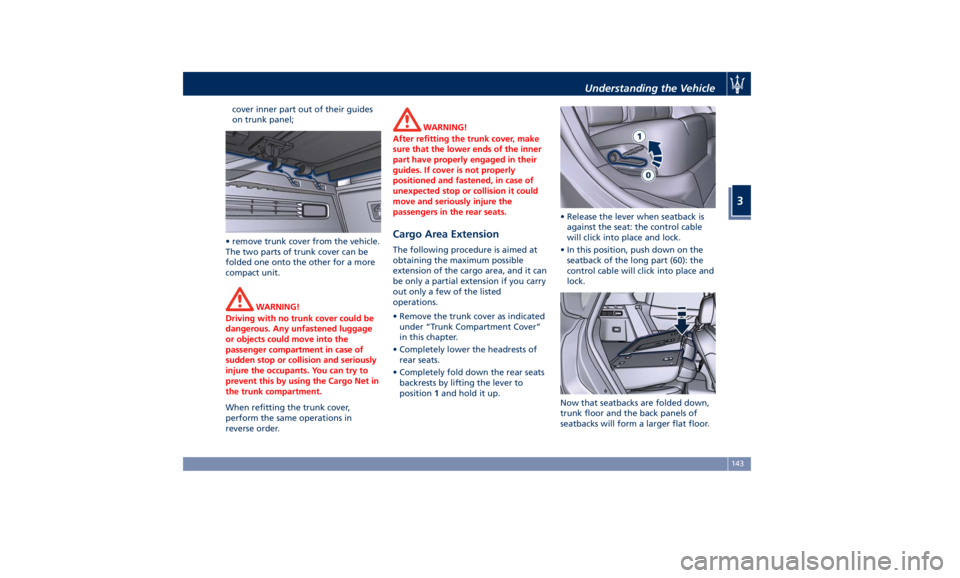
cover inner part out of their guides
on trunk panel;
• remove trunk cover from the vehicle.
The two parts of trunk cover can be
folded one onto the other for a more
compact unit.
WARNING!
Driving with no trunk cover could be
dangerous. Any unfastened luggage
or objects could move into the
passenger compartment in case of
sudden stop or collision and seriously
injure the occupants. You can try to
prevent this by using the Cargo Net in
the trunk compartment.
When refitting the trunk cover,
perform
the same operations in
reverse order. WARNING!
After refitting the trunk cover, make
sure that the lower ends of the inner
part have properly engaged in their
guides. If cover is not properly
positioned and fastened, in case of
unexpected stop or collision it could
move and seriously injure the
passengers in the rear seats.
Cargo Area Extension The following procedure is aimed at
obtaining the maximum possible
extension of the cargo area, and it can
be only a partial extension if you carry
out only a few of the listed
operations.
• Remove the trunk cover as indicated
under “Trunk Compartment Cover”
in this chapter.
• Completely lower the headrests of
rear seats.
• Completely fold down the rear seats
backrests by lifting the lever to
position 1 and hold it up. • Release the lever when seatback is
against the seat: the control cable
will click into place and lock.
• In this position, push down on the
seatback of the long part (60): the
control cable will click into place and
lock.
Now that seatbacks are folded down,
trunk floor and the back panels of
seatbacks will form a larger flat floor.Understanding the Vehicle
3
143
Page 152 of 436
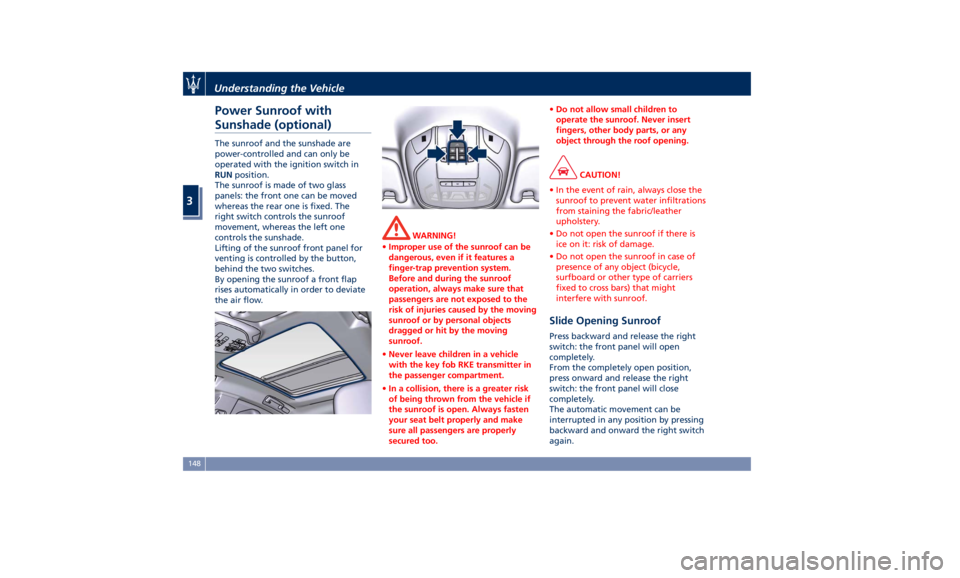
Power Sunroof with
Sunshade (optional) The sunroof and the sunshade are
power-controlled and can only be
operated with the ignition switch in
RUN position.
The sunroof is made of two glass
panels: the front one can be moved
whereas the rear one is fixed. The
right switch controls the sunroof
movement, whereas the left one
controls the sunshade.
Lifting of the sunroof front panel for
venting is controlled by the button,
behind the two switches.
By opening the sunroof a front flap
rises automatically in order to deviate
the air flow. WARNING!
• Improper use of the sunroof can be
dangerous, even if it features a
finger-trap prevention system.
Before and during the sunroof
operation, always make sure that
passengers are not exposed to the
risk of injuries caused by the moving
sunroof or by personal objects
dragged or hit by the moving
sunroof.
• Never leave children in a vehicle
with the key fob RKE transmitter in
the passenger compartment.
• In a collision, there is a greater risk
of being thrown from the vehicle if
the sunroof is open. Always fasten
your seat belt properly and make
sure all passengers are properly
secured too. • Do not allow small children to
operate the sunroof. Never insert
fingers, other body parts, or any
object through the roof opening.
CAUTION!
• In the event of rain, always close the
sunroof to prevent water infiltrations
from staining the fabric/leather
upholstery.
• Do not open the sunroof if there is
ice on it: risk of damage.
• Do not open the sunroof in case of
presence of any object (bicycle,
surfboard or other type of carriers
fixed to cross bars) that might
interfere with sunroof.
Slide Opening Sunroof Press backward and release the right
switch: the front panel will open
completely.
From the completely open position,
press onward and release the right
switch: the front panel will close
completely.
The automatic movement can be
interrupted in any position by pressing
backward and onward the right switch
again.Understanding the Vehicle
3
148
Page 153 of 436
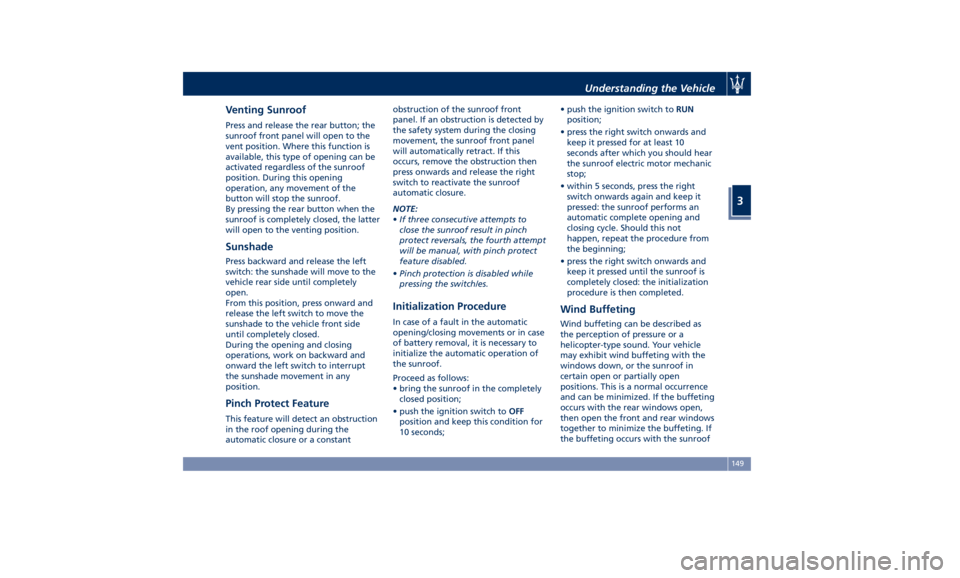
Venting Sunroof Press and release the rear button; the
sunroof front panel will open to the
vent position. Where this function is
available, this type of opening can be
activated regardless of the sunroof
position. During this opening
operation, any movement of the
button will stop the sunroof.
By pressing the rear button when the
sunroof is completely closed, the latter
will open to the venting position.
Sunshade Press backward and release the left
switch: the sunshade will move to the
vehicle rear side until completely
open.
From this position, press onward and
release the left switch to move the
sunshade to the vehicle front side
until completely closed.
During the opening and closing
operations, work on backward and
onward the left switch to interrupt
the sunshade movement in any
position.
Pinch Protect Feature This feature will detect an obstruction
in the roof opening during the
automatic closure or a constant obstruction of the sunroof front
panel. If an obstruction is detected by
the safety system during the closing
movement, the sunroof front panel
will automatically retract. If this
occurs, remove the obstruction then
press onwards and release the right
switch to reactivate the sunroof
automatic closure.
NOTE:
• If three consecutive attempts to
close the sunroof result in pinch
protect reversals, the fourth attempt
will be manual, with pinch protect
feature disabled.
• Pinch protection is disabled while
pressing the switch/es.
Initialization Procedure In case of a fault in the automatic
opening/closing movements or in case
of battery removal, it is necessary to
initialize the automatic operation of
the sunroof.
Proceed as follows:
• bring the sunroof in the completely
closed position;
• push the ignition switch to OFF
position and keep this condition for
10 seconds; • push the ignition switch to RUN
position;
• press the right switch onwards and
keep it pressed for at least 10
seconds after which you should hear
the sunroof electric motor mechanic
stop;
• within 5 seconds, press the right
switch onwards again and keep it
pressed: the sunroof performs an
automatic complete opening and
closing cycle. Should this not
happen, repeat the procedure from
the beginning;
• press the right switch onwards and
keep it pressed until the sunroof is
completely closed: the initialization
procedure is then completed.
Wind Buffeting Wind buffeting can be described as
the perception of pressure or a
helicopter-type sound. Your vehicle
may exhibit wind buffeting with the
windows down, or the sunroof in
certain open or partially open
positions. This is a normal occurrence
and can be minimized. If the buffeting
occurs with the rear windows open,
then open the front and rear windows
together to minimize the buffeting. If
the buffeting occurs with the sunroofUnderstanding the Vehicle
3
149
Page 154 of 436
open, then adjust the sunroof opening
to minimize the buffeting.
Ignition Off Operation The power sunroof controls will
remain active for up to approximately
ten minutes after the ignition switch is
in OFF position. Opening either front
door will cancel this feature. The
ignition system timing can be set using
the MTC+ System (see “MTC+ Settings”
in section “Dashboard Instruments and
Controls”).
Sunroof Maintenance Use only a nonabrasive cleaner and a
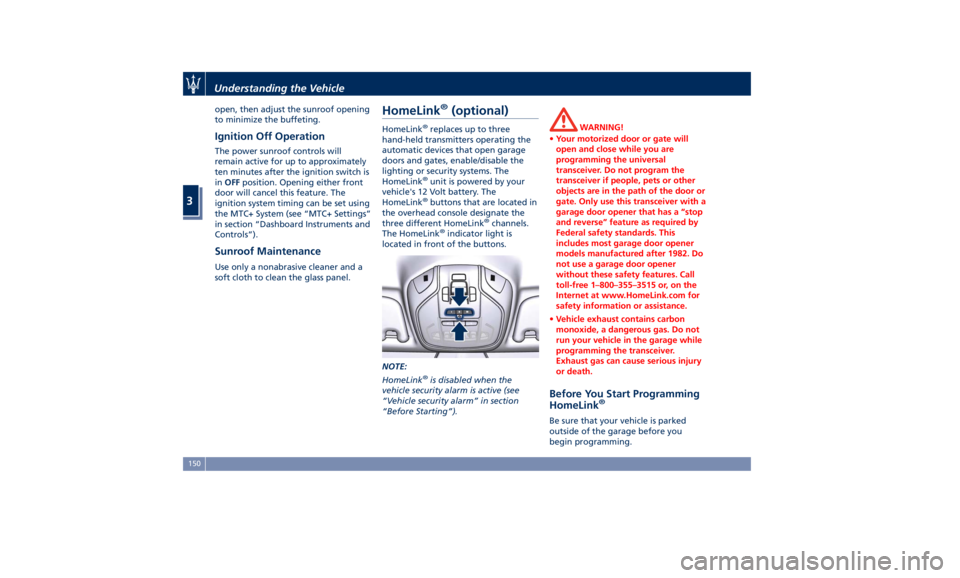
soft cloth to clean the glass panel. HomeLink ®
(optional) HomeLink ®
replaces up to three
hand-held transmitters operating the
automatic devices that open garage
doors and gates, enable/disable the
lighting or security systems. The
HomeLink ®
unit is powered by your
vehicle's 12 Volt battery. The
HomeLink ®
buttons that are located in
the overhead console designate the
three different HomeLink ®
channels.
The HomeLink ®
indicator light is
located in front of the buttons.
NOTE:
HomeLink ®
is disabled when the
vehicle security alarm is active (see
“Vehicle security alarm” in section
“Before Starting”). WARNING!
• Your motorized door or gate will
open and close while you are
programming the universal
transceiver. Do not program the
transceiver if people, pets or other
objects are in the path of the door or
gate. Only use this transceiver with a
garage door opener that has a “stop
and reverse” feature as required by
Federal safety standards. This
includes most garage door opener
models manufactured after 1982. Do
not use a garage door opener
without these safety features. Call
toll-free 1–800–355–3515 or, on the
Internet at www.HomeLink.com for
safety information or assistance.
• Vehicle exhaust contains carbon
monoxide, a dangerous gas. Do not
run your vehicle in the garage while
programming the transceiver.
Exhaust gas can cause serious injury
or death.
Before You Start Programming
HomeLink ®
Be sure that your vehicle is parked
outside of the garage before you
begin programming.Understanding the Vehicle
3
150
Page 155 of 436
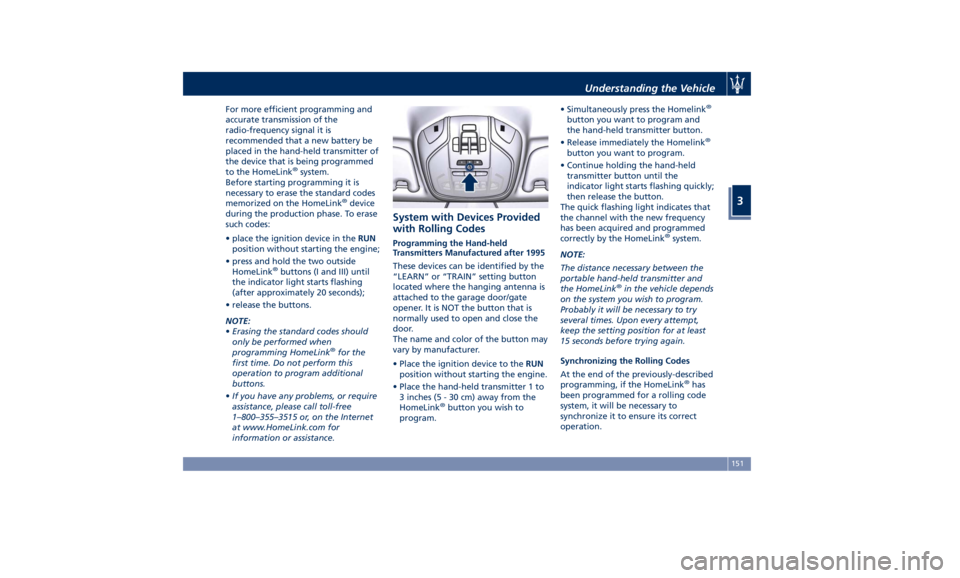
For more efficient programming and
accurate transmission of the
radio-frequency signal it is
recommended that a new battery be
placed in the hand-held transmitter of
the device that is being programmed
to the HomeLink ®
system.
Before starting programming it is
necessary to erase the standard codes
memorized on the HomeLink ®
device
during the production phase. To erase
such codes:
• place the ignition device in the RUN
position without starting the engine;
• press and hold the two outside
HomeLink ®
buttons (I and III) until
the indicator light starts flashing
(after approximately 20 seconds);
• release the buttons.
NOTE:
• Erasing the standard codes should
only be performed when
programming HomeLink ®
for the
first time. Do not perform this
operation to program additional
buttons.
• If you have any problems, or require
assistance, please call toll-free
1–800–355–3515 or, on the Internet
at www.HomeLink.com for
information or assistance. System with Devices Provided
with Rolling Codes Programming the Hand-held
Transmitters Manufactured after 1995
These devices can be identified by the
“LEARN” or “TRAIN” setting button
located where the hanging antenna is
attached to the garage door/gate
opener. It is NOT the button that is
normally used to open and close the
door.
The name and color of the button may
vary by manufacturer.
• Place the ignition device to the RUN
position without starting the engine.
• Place the hand-held transmitter 1 to
3 inches (5 - 30 cm) away from the
HomeLink ®
button you wish to
program. • Simultaneously press the Homelink ®
button you want to program and
the hand-held transmitter button.
• Release immediately the Homelink ®
button you want to program.
• Continue holding the hand-held
transmitter button until the
indicator light starts flashing quickly;
then release the button.
The quick flashing light indicates that
the channel with the new frequency
has been acquired and programmed
correctly by the HomeLink ®
system.
NOTE:
The distance necessary between the
portable hand-held transmitter and
the HomeLink ®
in the vehicle depends
on the system you wish to program.
Probably it will be necessary to try
several times. Upon every attempt,
keep the setting position for at least
15 seconds before trying again.
Synchronizing the Rolling Codes
At the end of the previously-described
programming, if the HomeLink ®
has
been programmed for a rolling code
system, it will be necessary to
synchronize it to ensure its correct
operation.Understanding the Vehicle
3
151
Page 156 of 436
• Locate the “LEARN” or “TRAINING”
setting button of the opening motor.
Firmly press it and then release it. On
some garage door openers/devices
there may be a light that blinks
when the garage door opener/device
is in the LEARN/TRAIN mode.
NOTE:
You have 30 seconds to initiate the
next step after the setting button has
been pressed.
• Return to the vehicle and press the
programmed HomeLink ®
button for
two seconds and then release it.
• Repeat this operation a second time.
If the garage door opening device
activates, the programming/
synchronization phase is complete.
NOTE:
If the garage door opening device
does not activate, press the button a
third time for two seconds and then
release it to complete the
programming/synchronization phase.
• To program the remaining two
HomeLink ®
buttons, repeat the same
step for each remaining button. DO
NOT erase the channels. Reprogramming a Single HomeLink ®
Button
To reprogram a channel that has been
previously trained, follow these steps:
• Place the ignition device to the RUN
position without starting the engine.
• Press and hold the desired
HomeLink ®
button.
• Without releasing the button
proceed with “Programming the
hand-held transmitters” from second
step and follow all remaining steps.
System with Devices Without
Rolling Code Programming the Hand-held
Transmitters Manufactured before
1995
• Turn the ignition device to the RUN
position without starting the engine.
• Place the hand-held transmitter 1 to
3 inches (5 to 30 cm) away from the
HomeLink ®
button you wish to
program.
• Simultaneously press and hold both
buttons until the indicator light
starts flashing quickly; then release
both buttons.
The quick flashing light indicates that
the channel with the new frequency has been acquired and programmed
correctly by the HomeLink ®
system.
NOTE:
The distance necessary between the
portable hand-held transmitter and
the HomeLink ®
in the vehicle depends
on the system you wish to program.
Probably it will be necessary to try
several times. Upon every attempt,
keep the setting position for at least
15 seconds before trying again.
• Press and hold the programmed
HomeLink ®
button.
If the garage door opener/device
activates, programming is complete. To
program the remaining two
HomeLink ®
buttons, repeat each step
for the same remaining button. Do not
erase the channels.
Reprogramming a Single HomeLink ®
Button
To reprogram a channel that has been
previously trained, follow these steps:
• Place the ignition device to the RUN
position without starting the engine.
• Press and hold the desired
HomeLink ®
button.
• Without releasing the button
proceed with “Programming theUnderstanding the Vehicle
3
152