USB port MASERATI QUATTROPORTE 2019 User Guide
[x] Cancel search | Manufacturer: MASERATI, Model Year: 2019, Model line: QUATTROPORTE, Model: MASERATI QUATTROPORTE 2019Pages: 396, PDF Size: 13.9 MB
Page 195 of 396
(if equipped). The available
languages are specific to the target
markets.
• Touchscreen Beep
When in this display, you can turn
on or shut off the sound activated
by pressure of a touchscreen
soft-key.
• Controls Screen Time-Out
When this mode is selected, the
“Controls” screen will remain
displayed for 5 seconds. If this mode
is not selected, the screen will
remain displayed until closed
manually.
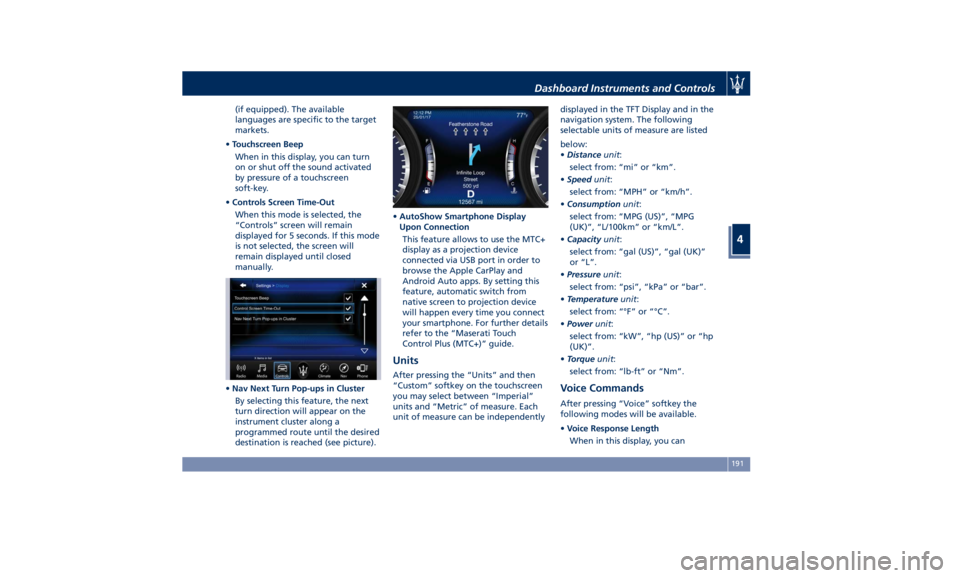
• Nav Next Turn Pop-ups in Cluster
By selecting this feature, the next
turn direction will appear on the
instrument cluster along a
programmed route until the desired
destination is reached (see picture). • AutoShow Smartphone Display
Upon Connection
This feature allows to use the MTC+
display as a projection device
connected via USB port in order to
browse the Apple CarPlay and
Android Auto apps. By setting this
feature, automatic switch from
native screen to projection device
will happen every time you connect
your smartphone. For further details
refer to the “Maserati Touch
Control Plus (MTC+)” guide.
Units After pressing the “Units” and then
“Custom” softkey on the touchscreen
you may select between “Imperial”
units and “Metric” of measure. Each
unit of measure can be independently displayed in the TFT Display and in the
navigation system. The following
selectable units of measure are listed
below:
• Distance unit :
select from: “mi” or “km”.
• Speed unit :
select from: “MPH” or “km/h”.
• Consumption unit :
select from: “MPG (US)”, “MPG
(UK)”, “L/100km” or “km/L”.
• Capacity unit :
select from: “gal (US)”, “gal (UK)”
or “L”.
• Pressure unit :
select from: “psi”, “kPa” or “bar”.
• Temperature unit :
select from: “°F” or “°C”.
• Power unit :
select from: “kW”, “hp (US)” or “hp
(UK)”.
• Torque unit :
select from: “lb-ft” or “Nm”.
Voice Commands After pressing “Voice” softkey the
following modes will be available.
• Voice Response Length
When in this display, you canDashboard Instruments and Controls
4
191
Page 201 of 396
cancelled (0 seconds) or reduced to
60 or 30 seconds.
Audio This feature enables to view and set
the available audio modes depending
on the type of audio system supplied
on the car.
The following modes refer to the
“High Premium” audio system.
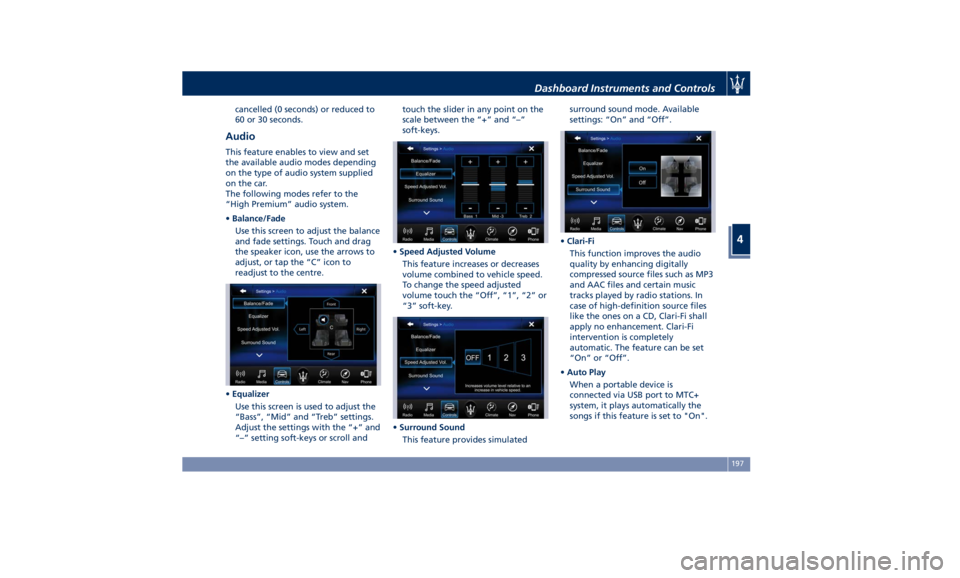
• Balance/Fade
Use this screen to adjust the balance
and fade settings. Touch and drag
the speaker icon, use the arrows to
adjust, or tap the “C” icon to
readjust to the centre.
• Equalizer
Use this screen is used to adjust the
“Bass”, “Mid” and “Treb” settings.
Adjust the settings with the “+” and
“–” setting soft-keys or scroll and touch the slider in any point on the
scale between the “+” and “–”
soft-keys.
• Speed Adjusted Volume
This feature increases or decreases
volume combined to vehicle speed.
To change the speed adjusted
volume touch the “Off”, “1”, “2” or
“3” soft-key.
• Surround Sound
This feature provides simulated surround sound mode. Available
settings: “On” and “Off”.
• Clari-Fi
This function improves the audio
quality by enhancing digitally
compressed source files such as MP3
and AAC files and certain music
tracks played by radio stations. In
case of high-definition source files
like the ones on a CD, Clari-Fi shall
apply no enhancement. Clari-Fi
intervention is completely
automatic. The feature can be set
“On” or “Off”.
• Auto Play
When a portable device is
connected via USB port to MTC+
system, it plays automatically the
songs if this feature is set to "On".Dashboard Instruments and Controls
4
197
Page 358 of 396
Ref. Type Function
49 Mini – 10A Internal
temperature
sensor, internal
mirror and HALF
50 – –
51 Mini – 25A Rear seat and
steering wheel
heater module
52 – –
53 Mini – 25A Rear seat vented
module
54 Mini – 7,5A Blind Spot
module
55 – –
56 Mini – 7,5A Blower front
HVAC coil relay
57 Mini – 7,5A Blower rear
HVAC coil relay
58 – –
59 Mini – 10A SDC module,
transmission
lever, ASBM, rear
tunnel stack
switch
60 Mini – 10A SDC module Ref. Type Function
61 Mini – 25A Front console
power outlet and
cigar lighter
62 Mini – 7,5A Front HVAC
module
63 Mini – 20A Blower rear
HVAC
64 Mini – 10A Wi-fi, rear HVAC
module
65 Mini – 10A Intelligent
battery sensor
66 Mini – 10A Wi-fi, RSE
67 Mini – 7,5A USB charge
outlet, sunroof
68 Mini – 20A Rear sunshade
module
69 Mini – 25A Rear console
power outlet and
cigar lighter
70 Mini – 10A Front HVAC
module and
Parking Aid
Module (PAM)Fuse Box under the Dashboard This box is located in an internal area
that can be accessed only by removing
the glove compartment on the
dashboard left side. Considering the
complexity of this operation, we
recommend having the fuses replaced
by an Authorized Maserati Dealer .
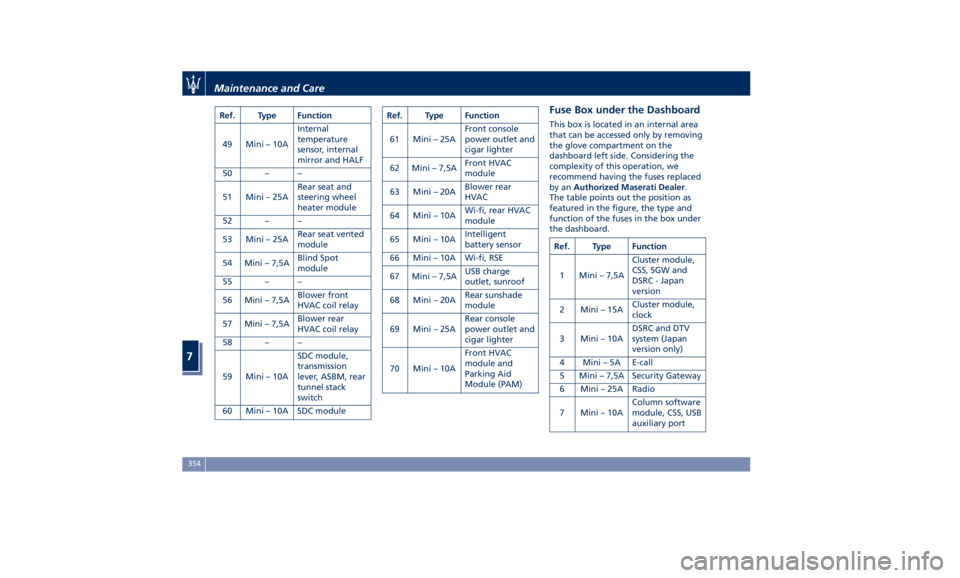
The table points out the position as
featured in the figure, the type and
function of the fuses in the box under
the dashboard.
Ref. Type Function
1 Mini – 7,5A Cluster module,
CSS, SGW and
DSRC - Japan
version
2 Mini – 15A Cluster module,
clock
3 Mini – 10A DSRC and DTV
system (Japan
version only)
4 Mini – 5A E-call
5 Mini – 7,5A Security Gateway
6 Mini – 25A Radio
7 Mini – 10A Column software
module, CSS, USB
auxiliary portMaintenance and Care
7
354
Page 388 of 396
Abbreviations .................9
Accessories
Aftermarket Parts and Accessories
Statement .................13
Active Blind Spot Assist - ABSA . . . .281
Adaptive Cruise Control (ACC) . . . .257
Activation/Deactivation ...... .260
Display Warnings and
Maintenance ............. .265
Precautions while Driving with
ACC ................... .266
Setting the Following Distance . .262
Setting the Speed .......... .261
Airbag.....................66
Advanced Front Air Bag
Properties .................67
Air Bag Deployment Result .....72
Air Bag Deployment Sensors and
Controls ..................15
Air Bag System Components .....67
Front Air Bag Inflator Units .....71
Passenger Air bag Labels .......20
Supplemental Restraint System
(SRS) .....................66
Supplemental Seat-mounted Side
Air Bags (SAB) ..............69
Supplemental Side Air Bag Inflatable
Curtain (SABIC) ..............69
Transport of persons with
disability ..................73
Air Conditioning (A/C) System . . . .203
A/C Distribution ........... .147 Air Conditioning System (A/C System)
Four-zone Controls ......... .209
Alarm, Vehicle Security ..........28
ALR (Automatic Locking Retractor) . .64
Anti-Lock Braking System (ABS) and
Electronic Brake-force Distribution
(EBD) ................... .249
Assistance ...................11
Assistance, if you need ..........11
ATC (Automatic Temperature
Control) ................. .209
Audio Controls .............. .183
Audio Controls on Central
Console ................. .183
Steering Wheel Audio Controls . .183
Audio, setting .............. .197
Audio System ............... .184
Automatic Transmission
Manual Release of Transmission .325
AUX, USB and SD Memory Card
Ports .................... .134
AWD
All-Wheel Drive, drive mode . . . .233
BAS (Brake Assist System) ...... .250
Battery ................... .344
Battery Recharge .......... .347
Battery Remote Posts Position. . .323
Maintaining Battery Charge . . . .366
To Disconnect the Battery .... .344
To Reconnect the Battery
..... .345
Blind
Spot Alert .............
.276
BSA System .............. .276 RCP - Rear Cross Path ........ .279
Bluetooth, Customer settings .... .198
Bodywork Maintenance and Care . .360
Pre-Short Drop Function ..... .362
Protection from Atmospheric
Agents ................. .360
Useful Advice to Keep the Bodywork
in Good Condition ......... .360
Brakes
Brake and Stability Control System
(ESC) ................... .248
Brake Overheating ......... .252
Brake System ............. .248
Manual Release of Parking
Brake .................. .321
Parking Brake ............. .243
Using the Brakes ........... .251
Capacity/Refillings ........... .370
Cargo Area ................ .139
Loading with Rear Seatbacks Folded
Down .................. .140
Vehicle Load Carrying Capacity . .139
Child Restraint Systems ..........74
Children too large for Booster
Seats .....................75
Infants and Child Restraints .....74
Installing Child Restraint Systems
using the Vehicle Seat Belt equipped
with ALR ..................76
Lower Anchors and Tether for
Children (LATCH) ............77Index
9 384