lane assist MASERATI QUATTROPORTE 2019 User Guide
[x] Cancel search | Manufacturer: MASERATI, Model Year: 2019, Model line: QUATTROPORTE, Model: MASERATI QUATTROPORTE 2019Pages: 396, PDF Size: 13.9 MB
Page 261 of 396
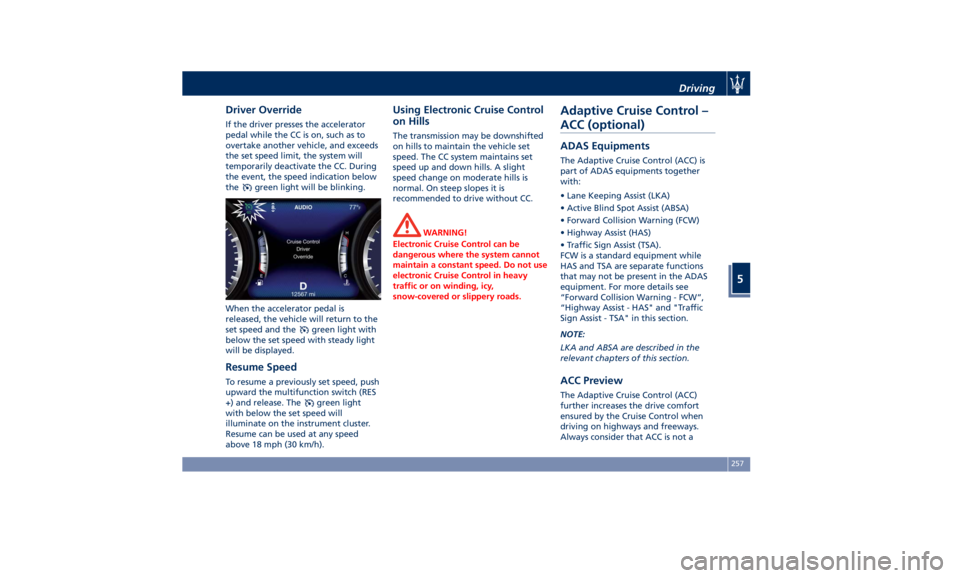
Driver Override If the driver presses the accelerator
pedal while the CC is on, such as to
overtake another vehicle, and exceeds
the set speed limit, the system will
temporarily deactivate the CC. During
the event, the speed indication below
the
green light will be blinking.
When the accelerator pedal is
released, the vehicle will return to the
set speed and the
green light with
below the set speed with steady light
will be displayed.
Resume Speed To resume a previously set speed, push
upward the multifunction switch (RES
+) and release. The
green light
with below the set speed will
illuminate on the instrument cluster.
Resume can be used at any speed
above 18 mph (30 km/h). Using Electronic Cruise Control
on Hills The transmission may be downshifted
on hills to maintain the vehicle set
speed. The CC system maintains set
speed up and down hills. A slight
speed change on moderate hills is
normal. On steep slopes it is
recommended to drive without CC.
WARNING!
Electronic Cruise Control can be
dangerous where the system cannot
maintain a constant speed. Do not use
electronic Cruise Control in heavy
traffic or on winding, icy,
snow-covered or slippery roads.Adaptive Cruise Control –
ACC (optional) ADAS Equipments The Adaptive Cruise Control (ACC) is
part of ADAS equipments together
with:
• Lane Keeping Assist (LKA)
• Active Blind Spot Assist (ABSA)
• Forward Collision Warning (FCW)
• Highway Assist (HAS)
• Traffic Sign Assist (TSA).
FCW is a standard equipment while
HAS and TSA are separate functions
that may not be present in the ADAS
equipment. For more details see
“Forward Collision Warning - FCW”,
“Highway Assist - HAS" and "Traffic
Sign Assist - TSA" in this section.
NOTE:
LKA and ABSA are described in the
relevant chapters of this section.
ACC Preview The Adaptive Cruise Control (ACC)
further increases the drive comfort
ensured by the Cruise Control when
driving on highways and freeways.
Always consider that ACC is not aDriving
5
257
Page 263 of 396
could cause an incorrect assessment
of the required safety distance.
It is recommended to disable the ACC
system in the following instances:
• When driving in the fog, heavy rain,
heavy snow, slush, heavy traffic and
similar complex situations such as
highway construction zones.
• When entering a junction lane or a
slip road to leave the highway; when
driving on narrow, icy, snowy,
slippery roads, or on steep uphill and
downhill roads.
• When circumstances do not allow to
drive safely at constant speed.
Displayed information Adaptive Cruise Control (ACC)
condition, as well as the LKA and HAS
status, is displayed on instrument
cluster after selecting “Driver Assist”
menu (see paragraph “TFT Display:
Menus and Settings" under
“Instrument Cluster” in section
“Dashboard Instruments and
Controls”).
Displayed information depends on
system status: ready, set, temporarily
cancelled or override.
Apart from the image at the center of
the display, CC, ACC, LKA and HAS
systems status is represented by icons at the top left and right. These icons
remain displayed even when exiting
the "Driver Assist" screen.
The vehicle(s) and horizontal bars
represent the ACC status as ready
(white) or with sensed vehicle ahead
(green); the white, grey or yellow lines
represent the LKA and HAS systems.
The ACC screen can be displayed any
time driver changes system status or
settings. After 5 seconds of ACC
inactivity, the display goes back to last
screen.
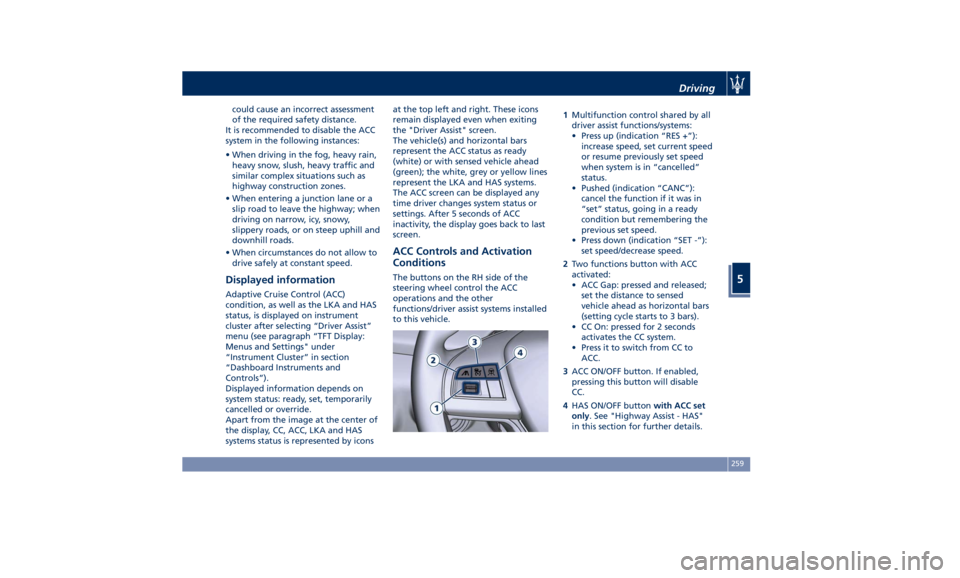
ACC Controls and Activation
Conditions The buttons on the RH side of the
steering wheel control the ACC
operations and the other
functions/driver assist systems installed
to this vehicle. 1 Multifunction control shared by all
driver assist functions/systems:
• Press up (indication “RES +”):
increase speed, set current speed
or resume previously set speed
when system is in “cancelled”
status.
• Pushed (indication “CANC”):
cancel the function if it was in
“set” status, going in a ready
condition but remembering the
previous set speed.
• Press down (indication “SET -”):
set speed/decrease speed.
2 Two functions button with ACC
activated:
• ACC Gap: pressed and released;
set the distance to sensed
vehicle ahead as horizontal bars
(setting cycle starts to 3 bars).
• CC On: pressed for 2 seconds
activates the CC system.
• Press it to switch from CC to
ACC.
3 ACC ON/OFF button. If enabled,
pressing this button will disable
CC.
4 HAS ON/OFF button with ACC set
only . See "Highway Assist - HAS"
in this section for further details.Driving
5
259
Page 267 of 396
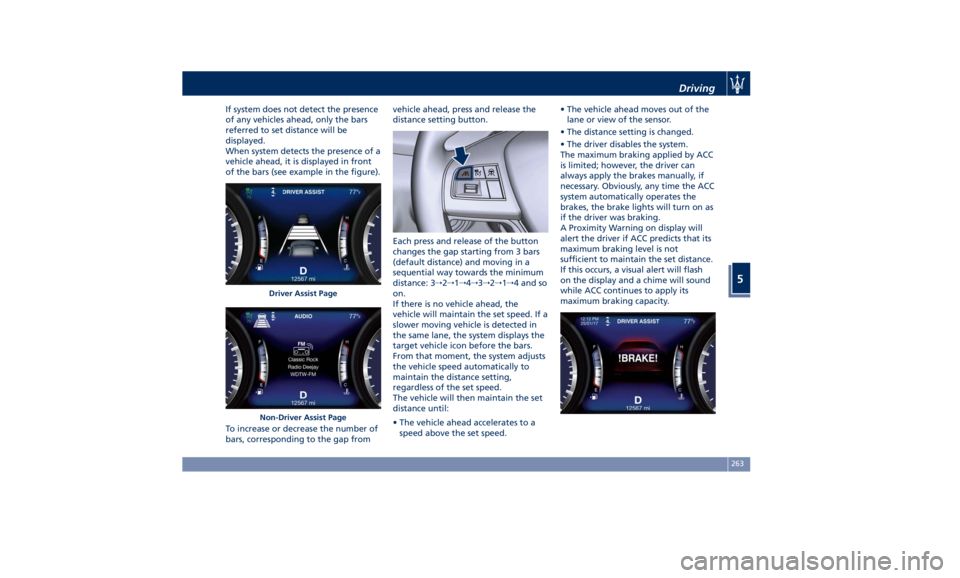
If system does not detect the presence
of any vehicles ahead, only the bars
referred to set distance will be
displayed.
When system detects the presence of a
vehicle ahead, it is displayed in front
of the bars (see example in the figure).
To increase or decrease the number of
bars, corresponding to the gap from vehicle ahead, press and release the
distance setting button.
Each press and release of the button
changes the gap starting from 3 bars
(default distance) and moving in a
sequential way towards the minimum
distance: 3 → 2 → 1 → 4 → 3 → 2 → 1 → 4 and so
on.
If there is no vehicle ahead, the
vehicle will maintain the set speed. If a
slower moving vehicle is detected in
the same lane, the system displays the
target vehicle icon before the bars.
From that moment, the system adjusts
the vehicle speed automatically to
maintain the distance setting,
regardless of the set speed.
The vehicle will then maintain the set
distance until:
• The vehicle ahead accelerates to a
speed above the set speed. • The vehicle ahead moves out of the
lane or view of the sensor.
• The distance setting is changed.
• The driver disables the system.
The maximum braking applied by ACC
is limited; however, the driver can
always apply the brakes manually, if
necessary. Obviously, any time the ACC
system automatically operates the
brakes, the brake lights will turn on as
if the driver was braking.
A Proximity Warning on display will
alert the driver if ACC predicts that its
maximum braking level is not
sufficient to maintain the set distance.
If this occurs, a visual alert will flash
on the display and a chime will sound
while ACC continues to apply its
maximum braking capacity.Driver Assist Page
Non-Driver Assist Page Driving
5
263
Page 275 of 396
providing limited autonomous braking
or additional brake support if the
driver is not braking adequately in the
event of a potential frontal collision.
In this state the system disables the
brake jerk.
Limited Operation and Service
Warning The messages indicating on display the
limited functionality or service at an
Authorized Maserati Dealer required
are the same as for the ACC system.
For further details, refer to “Adaptive
Cruise Control – ACC” in this section.
NOTE:
• The adjustment of the sensor could
be affected by strong shocks or light
collisions. This could affect the
system by reducing the systems
performance or could increase the
false positive rate. The adjustment of
the radar system has to be proved or
a new adjustment has to be
performed by an Authorized
Maserati Dealer .
• The radar system requires specific
feature to detect objects. The
detection could be disturbed/
reduced by environment influences,
for example by electrical field or the
object itself. Object with small radar reflection properties could not be
detected or detected late.
Radar Device - Regulatory
Information The “Regulatory Information” for all
the radio frequency and radar devices
can be consulted by accessing the
“Services” section on the website
www.maserati.com.
Lane Keeping Assist - LKA
(optional, with ACC only) This system was designed especially
for highway or freeway driving, to
reduce the risk that the vehicle, under
particular circumstances, accidentally
departs from the lane in use. When
this happens, graphic instructions on
instrument cluster display together
with steering torque application and
steering wheel vibration (depending
on the distance to the line) warn the
driver that the vehicle is going out of
the lane initiates a steering maneuver
to try to prevent the lane exit.
To detect lane lines, the system uses
the forward-facing camera behind the
rear-view mirror, which is the same
one used also by the lighting system
to manage the automatic high beams.
The logic core is in the front radar.
LKA system remembers the condition
it was in before turning off the
vehicle.
Refer to “MTC+ "Controls" Screen” in
section “Dashboard Instruments and
Controls” for further information.Driving
5
271
Page 276 of 396
NOTE:
In case of wet road or raining
conditions the function could be
disabled by the system in order to
minimize the risks.
Speed Range of Use Speed mph (km/h)
Minimum 37 (60)
Engaged/activated 37 (60)
Maximum 112 (180)
Customized Settings LKA is configurable by the driver in
order to maximize its efficiency based
on the driver driving style and the
expectation of the system, reducing at
the same time the possible
invasiveness.
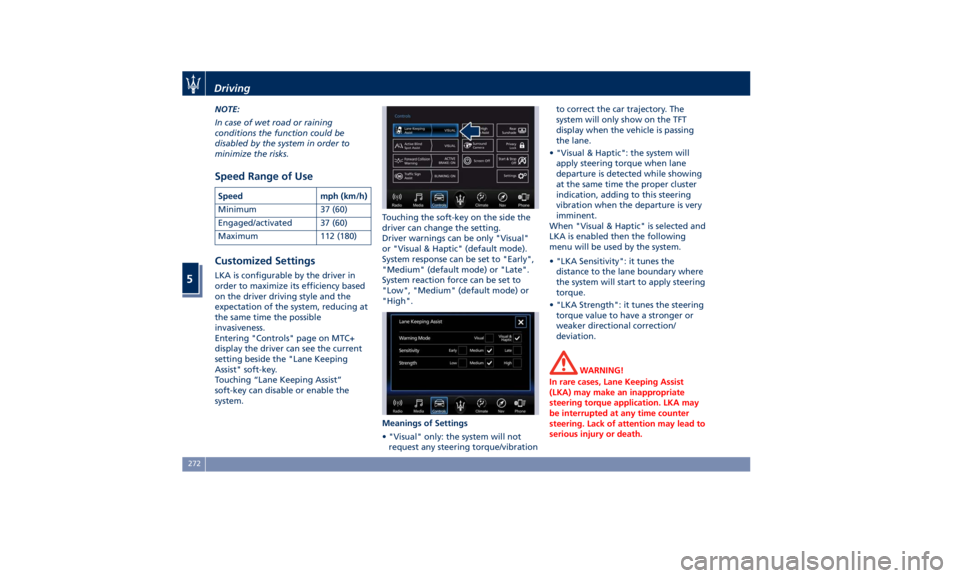
Entering "Controls" page on MTC+
display the driver can see the current
setting beside the "Lane Keeping
Assist" soft-key.
Touching “Lane Keeping Assist”
soft-key can disable or enable the
system. Touching the soft-key on the side the
driver can change the setting.
Driver warnings can be only "Visual"
or "Visual & Haptic" (default mode).
System response can be set to "Early",
"Medium" (default mode) or "Late".
System reaction force can be set to
"Low", "Medium" (default mode) or
"High".
Meanings of Settings
• "Visual" only: the system will not
request any steering torque/vibration to correct the car trajectory. The
system will only show on the TFT
display when the vehicle is passing
the lane.
• "Visual & Haptic": the system will
apply steering torque when lane
departure is detected while showing
at the same time the proper cluster
indication, adding to this steering
vibration when the departure is very
imminent.
When "Visual & Haptic" is selected and
LKA is enabled then the following
menu will be used by the system.
• "LKA Sensitivity": it tunes the
distance to the lane boundary where
the system will start to apply steering
torque.
• "LKA Strength": it tunes the steering
torque value to have a stronger or
weaker directional correction/
deviation.
WARNING!
In rare cases, Lane Keeping Assist
(LKA) may make an inappropriate
steering torque application. LKA may
be interrupted at any time counter
steering. Lack of attention may lead to
serious injury or death.Driving
5
272
Page 277 of 396
System Availability The ADAS systems (LKA, CC, ACC, FCW
and HAS) help the driver while
driving. These systems can be set and
monitored simultaneously on the
display, after opening “Driver Assist”
menu (see paragraph “TFT Display:
Menus and Settings” under
“Instrument Cluster” in section
“Dashboard Instruments and
Controls”).
LKA is designed for an attentive
driver; therefore the system is
available only when his/her hands are
on the steering wheel or with hands
off for only a limited amount of time.
When the system is enabled it will
trigger cluster warning in case at least
one hand is not detected on the
steering wheel.
The torque application as well as the
vibration are suppressed/inhibited in
case of: high driver torque in the
steering wheel, high lateral
acceleration, hands not on the
steering wheel detected for more than
a certain time.
High dynamic driving behaviors,
driving on the lane boundary, or
driving off course will prevent the
function from working. FCW braking
and stability system interventions (ESC, ABS) will also prevent the system from
operating. Changing lanes results in
system inhibition for a certain time. In
addition, the driver must respect some
road characteristics such as
minimum-maximum width, lanes
clearly defined by two lane
boundaries and, only in limited cases
and for a limited time, at least one
lane boundary.
NOTE:
• In case of wet road or raining
conditions the function could be
disabled by the system in order to
minimize the risks.
• With lane boundaries it is mainly
referred to painted lines,
nevertheless the system in good
conditions might properly recognize
as valid lane boundaries also other
types (for example road edges,
curbs, etc..).
Being this function used to prevent
unintentional lane change/lane drift,
it will be temporary suppressed/
inhibited by a turn indicator
activation, therefore, graphic warning,
steering torque application and
vibration will be terminated. In this
condition in case of a vehicle detected
by the Blind Spot Assist (BSA) system in the covered area on the proper
side, there can be the transition from
LKA to Active Blind Spot Assist (ABSA)
(if this latter is on and properly
configured).
Function Description and
Operating Mode The intent of the function is to
prevent the lane departure by
warning the driver through indication
on the cluster and, if set, applying
steering torque and vibration.
Whenever the system is enabled there
will be graphic on the dedicated
screen in the driver assist page and for
the others it will be available in the
left top corner of the cluster screen.
The graphic which intent is to
represent at the glance the system
knowledge of the lane in front of the
car, the system suppression status and
warning.
For this reason, a simple colour code
has been adopted for each line (of the
two presented):
• Both grey lines means system is
enabled, not able to operate
(suppression condition present or
lane detection system not able to
properly estimate the lane);Driving
5
273
Page 278 of 396
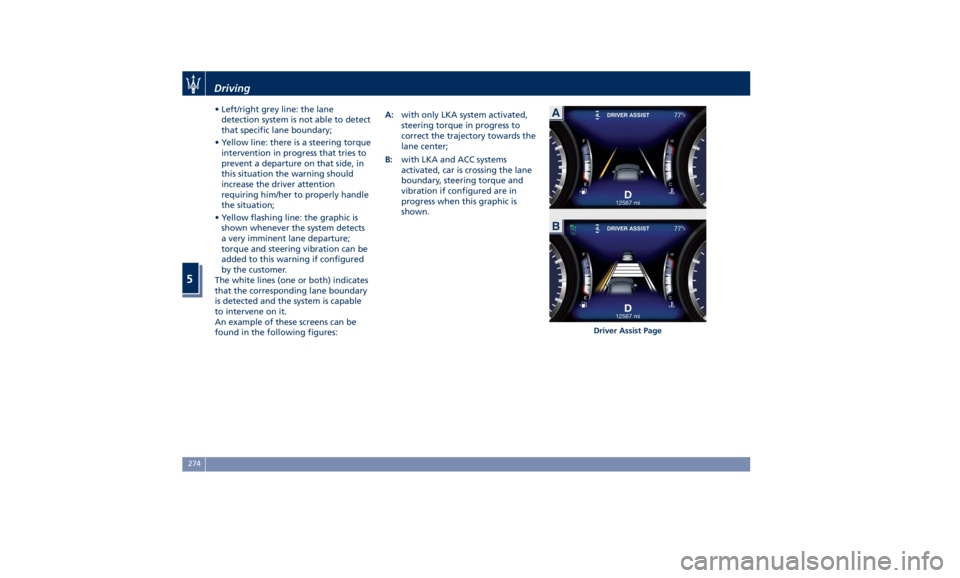
• Left/right grey line: the lane
detection system is not able to detect
that specific lane boundary;
• Yellow line: there is a steering torque
intervention in progress that tries to
prevent a departure on that side, in
this situation the warning should
increase the driver attention
requiring him/her to properly handle
the situation;
• Yellow flashing line: the graphic is
shown whenever the system detects
a very imminent lane departure;
torque and steering vibration can be
added to this warning if configured
by the customer.
The white lines (one or both) indicates
that the corresponding lane boundary
is detected and the system is capable
to intervene on it.
An example of these screens can be
found in the following figures: A: with only LKA system activated,
steering torque in progress to
correct the trajectory towards the
lane center;
B: with LKA and ACC systems
activated, car is crossing the lane
boundary, steering torque and
vibration if configured are in
progress when this graphic is
shown.
Driver Assist PageDriving
5
274
Page 279 of 396
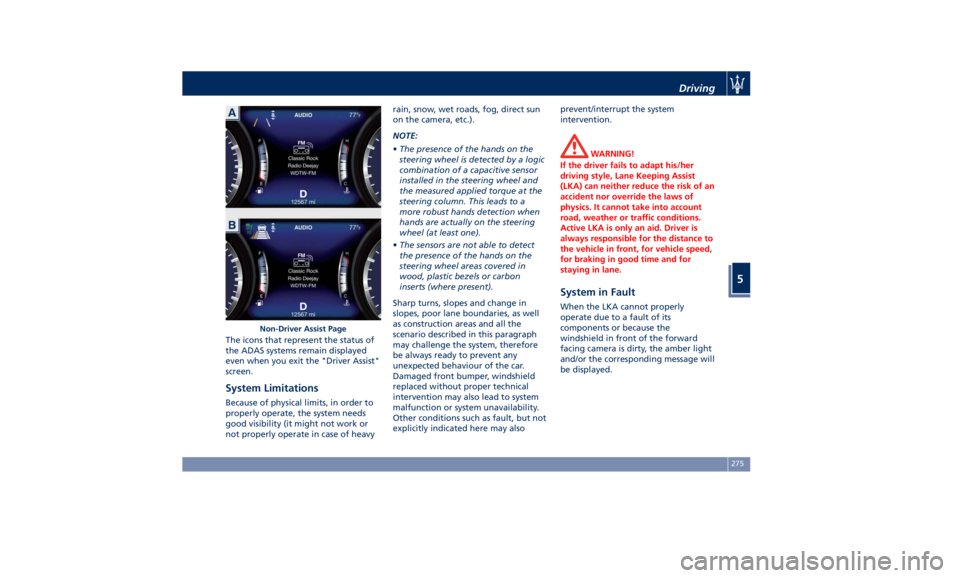
The icons that represent the status of
the ADAS systems remain displayed
even when you exit the "Driver Assist"
screen.
System Limitations Because of physical limits, in order to
properly operate, the system needs
good visibility (it might not work or
not properly operate in case of heavy rain, snow, wet roads, fog, direct sun
on the camera, etc.).
NOTE:
• The presence of the hands on the
steering wheel is detected by a logic
combination of a capacitive sensor
installed in the steering wheel and
the measured applied torque at the
steering column. This leads to a
more robust hands detection when
hands are actually on the steering
wheel (at least one).
• The sensors are not able to detect
the presence of the hands on the
steering wheel areas covered in
wood, plastic bezels or carbon
inserts (where present).
Sharp turns, slopes and change in
slopes, poor lane boundaries, as well
as construction areas and all the
scenario described in this paragraph
may challenge the system, therefore
be always ready to prevent any
unexpected behaviour of the car.
Damaged front bumper, windshield
replaced without proper technical
intervention may also lead to system
malfunction or system unavailability.
Other conditions such as fault, but not
explicitly indicated here may also prevent/interrupt the system
intervention.
WARNING!
If the driver fails to adapt his/her
driving style, Lane Keeping Assist
(LKA) can neither reduce the risk of an
accident nor override the laws of
physics. It cannot take into account
road, weather or traffic conditions.
Active LKA is only an aid. Driver is
always responsible for the distance to
the vehicle in front, for vehicle speed,
for braking in good time and for
staying in lane.
System in Fault When the LKA cannot properly
operate due to a fault of its
components or because the
windshield in front of the forward
facing camera is dirty, the amber light
and/or the corresponding message will
be displayed.Non-Driver Assist Page Driving
5
275
Page 280 of 396
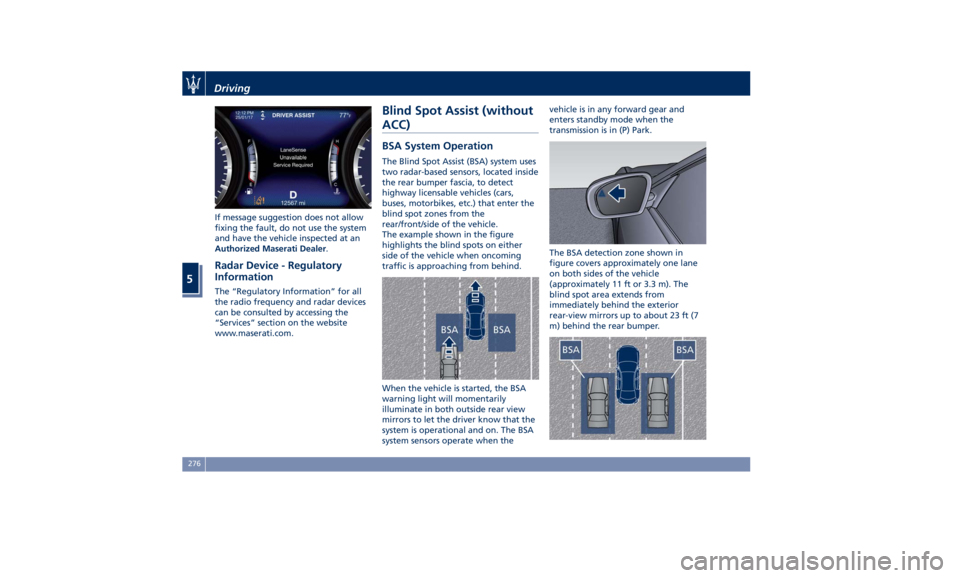
If message suggestion does not allow
fixing the fault, do not use the system
and have the vehicle inspected at an
Authorized Maserati Dealer .
Radar Device - Regulatory
Information The “Regulatory Information” for all
the radio frequency and radar devices
can be consulted by accessing the
“Services” section on the website
www.maserati.com. Blind Spot Assist (without
ACC) BSA System Operation The Blind Spot Assist (BSA) system uses
two radar-based sensors, located inside
the rear bumper fascia, to detect
highway licensable vehicles (cars,
buses, motorbikes, etc.) that enter the
blind spot zones from the
rear/front/side of the vehicle.
The example shown in the figure
highlights the blind spots on either
side of the vehicle when oncoming
traffic is approaching from behind.
When the vehicle is started, the BSA
warning light will momentarily
illuminate in both outside rear view
mirrors to let the driver know that the
system is operational and on. The BSA
system sensors operate when the vehicle is in any forward gear and
enters standby mode when the
transmission is in (P) Park.
The BSA detection zone shown in
figure covers approximately one lane
on both sides of the vehicle
(approximately 11 ft or 3.3 m). The
blind spot area extends from
immediately behind the exterior
rear-view mirrors up to about 23 ft (7
m) behind the rear bumper.Driving
5
276
Page 281 of 396
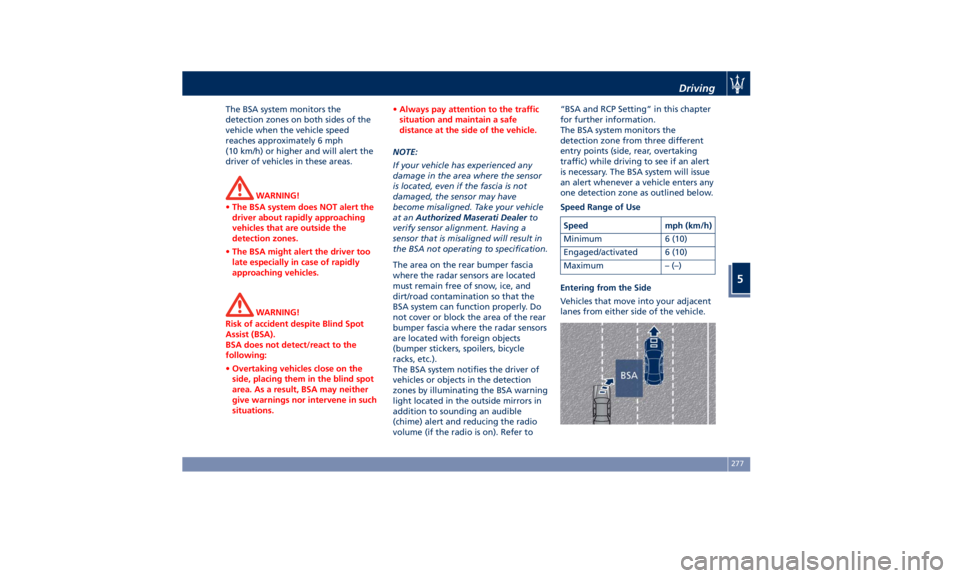
The BSA system monitors the
detection zones on both sides of the
vehicle when the vehicle speed
reaches approximately 6 mph
(10 km/h) or higher and will alert the
driver of vehicles in these areas.
WARNING!
• The BSA system does NOT alert the
driver about rapidly approaching
vehicles that are outside the
detection zones.
• The BSA might alert the driver too
late especially in case of rapidly
approaching vehicles.
WARNING!
Risk of accident despite Blind Spot
Assist (BSA).
BSA does not detect/react to the
following:
• Overtaking vehicles close on the
side, placing them in the blind spot
area. As a result, BSA may neither
give warnings nor intervene in such
situations. • Always pay attention to the traffic
situation and maintain a safe
distance at the side of the vehicle.
NOTE:
If
your vehicle
has experienced any
damage in the area where the sensor
is located, even if the fascia is not
damaged, the sensor may have
become misaligned. Take your vehicle
at an Authorized Maserati Dealer to
verify sensor alignment. Having a
sensor that is misaligned will result in
the BSA not operating to specification.
The area on the rear bumper fascia
where the radar sensors are located
must remain free of snow, ice, and
dirt/road contamination so that the
BSA system can function properly. Do
not cover or block the area of the rear
bumper fascia where the radar sensors
are located with foreign objects
(bumper stickers, spoilers, bicycle
racks, etc.).
The BSA system notifies the driver of
vehicles or objects in the detection
zones by illuminating the BSA warning
light located in the outside mirrors in
addition to sounding an audible
(chime) alert and reducing the radio
volume (if the radio is on). Refer to “BSA and RCP Setting” in this chapter
for further information.
The BSA system monitors the
detection zone from three different
entry points (side, rear, overtaking
traffic) while driving to see if an alert
is necessary. The BSA system will issue
an alert whenever a vehicle enters any
one detection zone as outlined below.
Speed Range of Use
Speed mph (km/h)
Minimum 6 (10)
Engaged/activated 6 (10)
Maximum – (–)
Entering from the Side
Vehicles that move into your adjacent
lanes from either side of the vehicle.Driving
5
277