remote control MASERATI QUATTROPORTE 2019 User Guide
[x] Cancel search | Manufacturer: MASERATI, Model Year: 2019, Model line: QUATTROPORTE, Model: MASERATI QUATTROPORTE 2019Pages: 396, PDF Size: 13.9 MB
Page 199 of 396
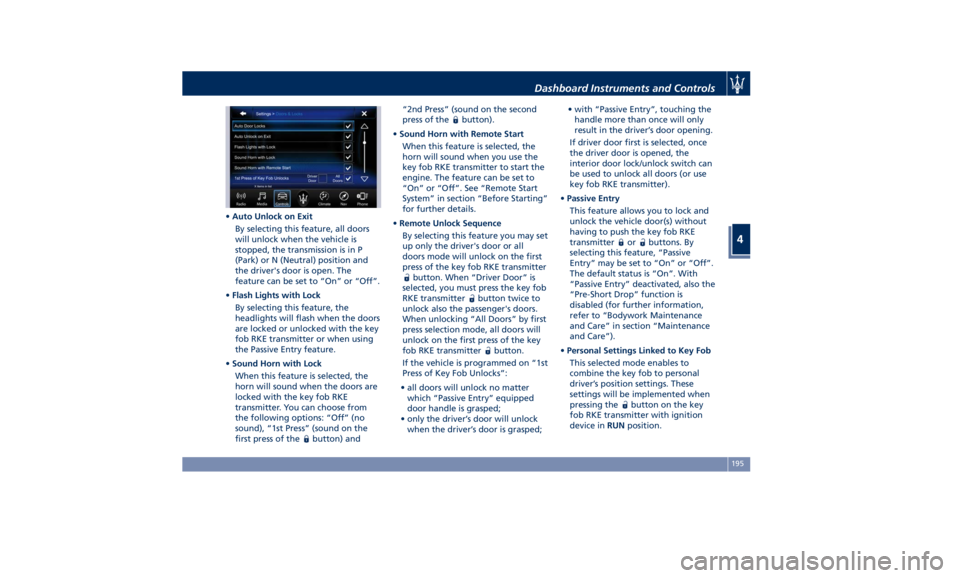
• Auto Unlock on Exit
By selecting this feature, all doors
will unlock when the vehicle is
stopped, the transmission is in P
(Park) or N (Neutral) position and
the driver's door is open. The
feature can be set to “On” or “Off”.
• Flash Lights with Lock
By selecting this feature, the
headlights will flash when the doors
are locked or unlocked with the key
fob RKE transmitter or when using
the Passive Entry feature.
• Sound Horn with Lock
When this feature is selected, the
horn will sound when the doors are
locked with the key fob RKE
transmitter. You can choose from
the following options: “Off” (no
sound), “1st Press” (sound on the
first press of the
button) and “2nd Press” (sound on the second
press of the
button).
• Sound Horn with Remote Start
When this feature is selected, the
horn will sound when you use the
key fob RKE transmitter to start the
engine. The feature can be set to
“On” or “Off”. See “Remote Start
System” in section “Before Starting”
for further details.
• Remote Unlock Sequence
By selecting this feature you may set
up only the driver's door or all
doors mode will unlock on the first
press of the key fob RKE transmitter
button. When “Driver Door” is
selected, you must press the key fob
RKE transmitter
button twice to
unlock also the passenger's doors.
When unlocking “All Doors” by first
press selection mode, all doors will
unlock on the first press of the key
fob RKE transmitter
button.
If the vehicle is programmed on “1st
Press of Key Fob Unlocks”:
• all doors will unlock no matter
which “Passive Entry” equipped
door handle is grasped;
• only the driver’s door will unlock
when the driver’s door is grasped; • with “Passive Entry”, touching the
handle more than once will only
result in the driver’s door opening.
If driver door first is selected, once
the driver door is opened, the
interior door lock/unlock switch can
be used to unlock all doors (or use
key fob RKE transmitter).
• Passive Entry
This feature allows you to lock and
unlock the vehicle door(s) without
having to push the key fob RKE
transmitter
or buttons. By
selecting this feature, “Passive
Entry” may be set to “On” or “Off”.
The default status is “On”. With
“Passive Entry” deactivated, also the
“Pre-Short Drop” function is
disabled (for further information,
refer to “Bodywork Maintenance
and Care” in section “Maintenance
and Care”).
• Personal Settings Linked to Key Fob
This selected mode enables to
combine the key fob to personal
driver’s position settings. These
settings will be implemented when
pressing the
button on the key
fob RKE transmitter with ignition
device in RUN position.Dashboard Instruments and Controls
4
195
Page 200 of 396
• Power Liftgate Alert
When this feature is selected,
further to turn indicators flashing,
an acoustic warning will also be
triggered when opening and closing
the liftgate/trunk lid. The feature
can be set to “On” or “Off”.
• Hands Free Power Liftgate
To prevent the accidental opening
of the Power Trunk Lid/Hands Free
(optional) with the movement of
the foot, it is possible to disable the
“Hands Free” function. The feature
can be set to “On” or “Off”. This
operation is recommended when
you have to wash the car (for
further information, refer to “Power
Trunk Lid Operation” in section
“Before Starting”).
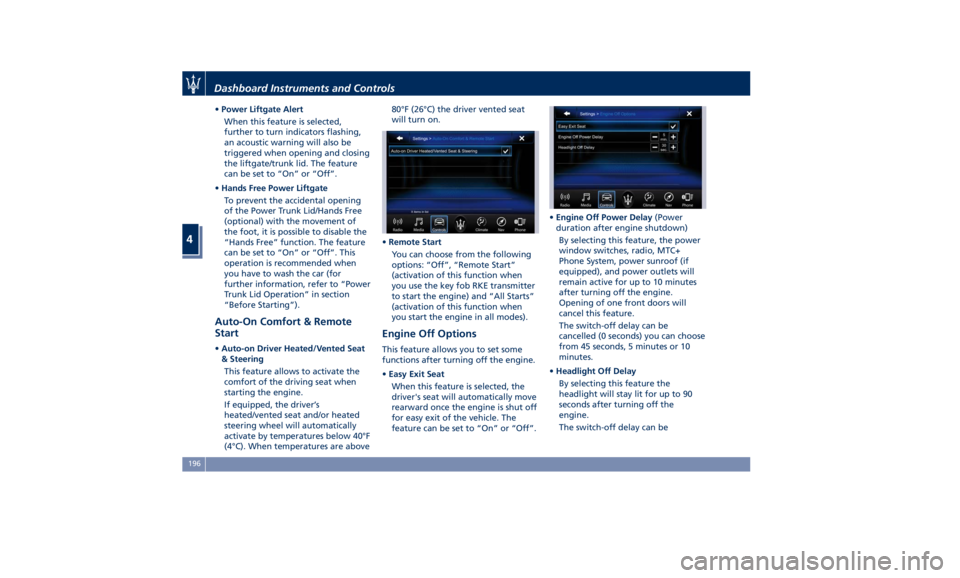
Auto-On Comfort & Remote
Start • Auto-on Driver Heated/Vented Seat
& Steering
This feature allows to activate the
comfort of the driving seat when
starting the engine.
If equipped, the driver’s
heated/vented seat and/or heated
steering wheel will automatically
activate by temperatures below 40°F
(4°C). When temperatures are above 80°F (26°C) the driver vented seat
will turn on.
• Remote Start
You can choose from the following
options: “Off”, “Remote Start”
(activation of this function when
you use the key fob RKE transmitter
to start the engine) and “All Starts”
(activation of this function when
you start the engine in all modes).
Engine Off Options This feature allows you to set some
functions after turning off the engine.
• Easy Exit Seat
When this feature is selected, the
driver's seat will automatically move
rearward once the engine is shut off
for easy exit of the vehicle. The
feature can be set to “On” or “Off”. • Engine Off Power Delay (Power
duration after engine shutdown)
By selecting this feature, the power
window switches, radio, MTC+
Phone System, power sunroof (if
equipped), and power outlets will
remain active for up to 10 minutes
after turning off the engine.
Opening of one front doors will
cancel this feature.
The switch-off delay can be
cancelled (0 seconds) you can choose
from 45 seconds, 5 minutes or 10
minutes.
• Headlight Off Delay
By selecting this feature the
headlight will stay lit for up to 90
seconds after turning off the
engine.
The switch-off delay can beDashboard Instruments and Controls
4
196
Page 209 of 396
NOTE:
The Air Conditioning System will not
function during Remote Start
operation if the climate control is left
in “OFF”.
2. A/C
Touch the A/C soft-key to change the
current air conditioning setting; the
soft-key illuminates when the A/C is
on. Operating this function will cause
the automatic feature to switch into
manual mode and the “AUTO” LED on
the buttons and MTC+ soft-key will
turn off.
3. Driver temperature control
Provides the driver with independent
temperature control. Push the blue
soft-key for cooler temperature.
Push the red
soft-key for warmer
temperature. The driver's temperature
setting will be displayed on the MTC+
between the soft-key
and . The
MTC+ display can also be used to
adjust the temperature by pressing
and sliding the bar towards soft-key
, to increase temperature, or
towards soft-keys
to decrease it.
During this phase, a small pop-up on
the side will show the corresponding
temperature. You can increase or
decrease the temperature using the rocker switch on the climate control
panel.
NOTE:
In “SYNC” mode, this control will also
automatically and simultaneously
adjust the passenger temperature.
4. Passenger temperature control
Provides the passenger with
independent temperature control.
Touch the
soft-key for cooler
temperature. Touch the
soft-key for
warmer temperature. The passenger's
temperature setting will be displayed
on the MTC+ screen between the
soft-keys
and . You can increase
or decrease the temperature using the
rocker switch on the climate control
panel.
NOTE:
Pressing the 4 button/soft-key while in
“SYNC” mode will automatically exit
“SYNC”.
5. Recirculation
Press to change the current setting,
the LED indicator on the button and
the relevant soft-key illuminates to
indicate which recirculation function is
activated. For further details, see paragraph “Dual zone Climate Control
Functions” in this chapter.
6. Blower control
Blower control is used to adjust the
amount of air forced through the
climate system. Eight levels of blower
speed can be selected. Adjusting the
blower will cause automatic mode to
switch to manual.
On the climate control panel, push the
rocker switch up to increase blower
speed. Push the rocker switch down to
decrease blower speed. Pushing down
the rocker switch when set blower is
at the first speed, causes the A/C
system shutdown (OFF condition).
On the MTC+ display, touch the small
icon of the blower to decrease the
speed, or the big icon to increase it.
Between the two icons, bars will
appear to show the number of the
corresponding selected speed.
The blower can also be activated/
regulated by touching the bars
between the two blower icons.
When the MTC+ is displayed in any
mode other than “Climate”, the
blower speed is indicated by the
bright segments in the climate icon.
7 - 8. AUTO
This function automatically controls
the interior temperature by adjustingDashboard Instruments and Controls
4
205
Page 327 of 396
CAUTION!
• To jump start a vehicle do not use a
portable battery, a booster pack or
any other booster source with a
system voltage greater than 14 Volts
or damage to the battery, starter
motor, alternator or electrical system
of the vehicle with the discharged
battery may occur.
• Do not use a battery charger for
emergency starting under any
circumstances. You could damage
the electronic systems, particularly
the control units managing the
ignition and fuel supply functions.
• If the battery is completely
discharged when the windows are
fully raised, open the door with the
utmost care; do not close the door
again until it is possible to lower the
window.
WARNING!
Always secure your vehicle by fully
applying the parking brake, before
activating the manual park release.
Activating the manual park release
could allow your vehicle to roll away if it is not secured by the parking
brake. Activating the manual park
release on an unsecured vehicle could
lead to serious injury or death for
those in or around the vehicle.
NOTE:
If
you need
to disconnect the battery
from the vehicle electrical system, see
“Maintenance — Free Battery” in
section “Maintenance and Care”).
WARNING!
California Proposition 65
Operating, servicing and maintaining
a passenger vehicle or off-road vehicle
can expose you to chemicals including
such as, engine exhaust, carbon
monoxide, phthalates and lead, that
which are known to the State of
California to cause cancer and birth
defects or other reproductive harm. To
minimize exposure, avoid breathing
exhaust, do not idle the engine except
as necessary, service your vehicle in a
well-ventilated area and wear gloves
or wash your hands frequently when
servicing your vehicle. For more
information go to: www.P65Warnings.ca.gov/passenger-
vehicle
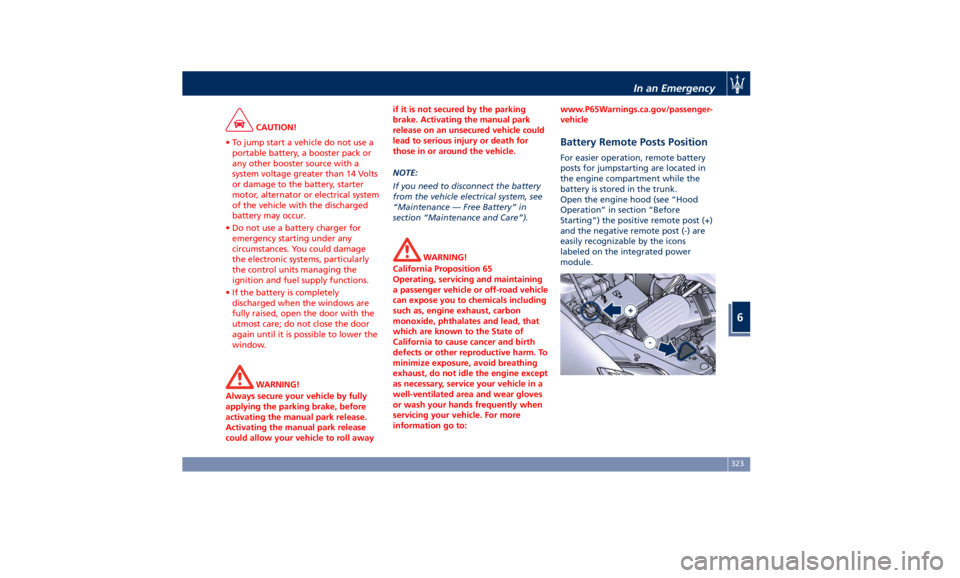
Battery Remote Posts Position For easier operation, remote battery
posts for jumpstarting are located in
the engine compartment while the
battery is stored in the trunk.
Open the engine hood (see “Hood
Operation” in section “Before
Starting”) the positive remote post (+)
and the negative remote post (-) are
easily recognizable by the icons
labeled on the integrated power
module.In an Emergency
6
323
Page 388 of 396
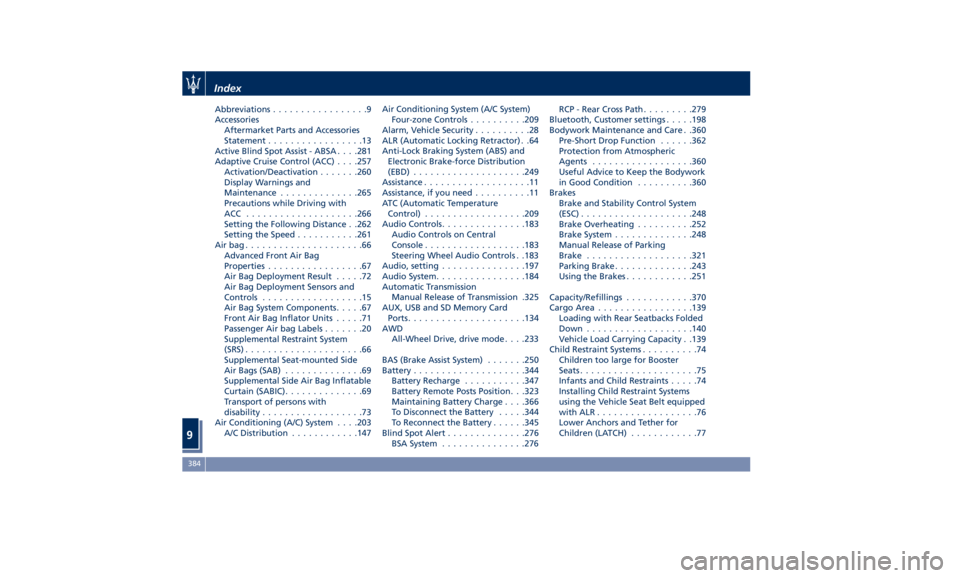
Abbreviations .................9
Accessories
Aftermarket Parts and Accessories
Statement .................13
Active Blind Spot Assist - ABSA . . . .281
Adaptive Cruise Control (ACC) . . . .257
Activation/Deactivation ...... .260
Display Warnings and
Maintenance ............. .265
Precautions while Driving with
ACC ................... .266
Setting the Following Distance . .262
Setting the Speed .......... .261
Airbag.....................66
Advanced Front Air Bag
Properties .................67
Air Bag Deployment Result .....72
Air Bag Deployment Sensors and
Controls ..................15
Air Bag System Components .....67
Front Air Bag Inflator Units .....71
Passenger Air bag Labels .......20
Supplemental Restraint System
(SRS) .....................66
Supplemental Seat-mounted Side
Air Bags (SAB) ..............69
Supplemental Side Air Bag Inflatable
Curtain (SABIC) ..............69
Transport of persons with
disability ..................73
Air Conditioning (A/C) System . . . .203
A/C Distribution ........... .147 Air Conditioning System (A/C System)
Four-zone Controls ......... .209
Alarm, Vehicle Security ..........28
ALR (Automatic Locking Retractor) . .64
Anti-Lock Braking System (ABS) and
Electronic Brake-force Distribution
(EBD) ................... .249
Assistance ...................11
Assistance, if you need ..........11
ATC (Automatic Temperature
Control) ................. .209
Audio Controls .............. .183
Audio Controls on Central
Console ................. .183
Steering Wheel Audio Controls . .183
Audio, setting .............. .197
Audio System ............... .184
Automatic Transmission
Manual Release of Transmission .325
AUX, USB and SD Memory Card
Ports .................... .134
AWD
All-Wheel Drive, drive mode . . . .233
BAS (Brake Assist System) ...... .250
Battery ................... .344
Battery Recharge .......... .347
Battery Remote Posts Position. . .323
Maintaining Battery Charge . . . .366
To Disconnect the Battery .... .344
To Reconnect the Battery
..... .345
Blind
Spot Alert .............
.276
BSA System .............. .276 RCP - Rear Cross Path ........ .279
Bluetooth, Customer settings .... .198
Bodywork Maintenance and Care . .360
Pre-Short Drop Function ..... .362
Protection from Atmospheric
Agents ................. .360
Useful Advice to Keep the Bodywork
in Good Condition ......... .360
Brakes
Brake and Stability Control System
(ESC) ................... .248
Brake Overheating ......... .252
Brake System ............. .248
Manual Release of Parking
Brake .................. .321
Parking Brake ............. .243
Using the Brakes ........... .251
Capacity/Refillings ........... .370
Cargo Area ................ .139
Loading with Rear Seatbacks Folded
Down .................. .140
Vehicle Load Carrying Capacity . .139
Child Restraint Systems ..........74
Children too large for Booster
Seats .....................75
Infants and Child Restraints .....74
Installing Child Restraint Systems
using the Vehicle Seat Belt equipped
with ALR ..................76
Lower Anchors and Tether for
Children (LATCH) ............77Index
9 384
Page 389 of 396
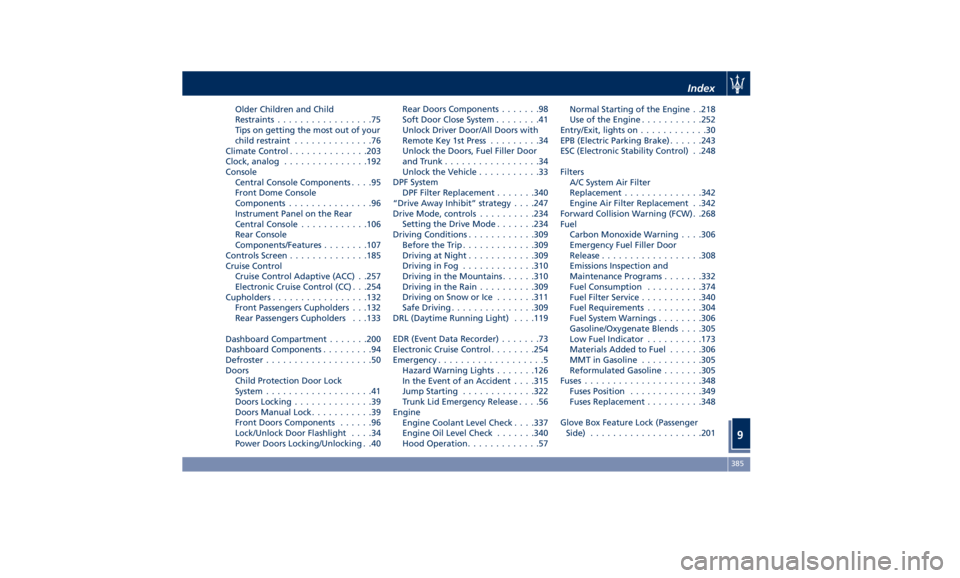
Older Children and Child
Restraints .................75
Tips on getting the most out of your
child restraint ..............76
Climate Control ............. .203
Clock, analog .............. .192
Console
Central Console Components ....95
Front Dome Console
Components ...............96
Instrument Panel on the Rear
Central Console ........... .106
Rear Console
Components/Features ....... .107
Controls Screen ............. .185
Cruise Control
Cruise Control Adaptive (ACC) . .257
Electronic Cruise Control (CC) . . .254
Cupholders ................ .132
Front Passengers Cupholders . . .132
Rear Passengers Cupholders . . .133
Dashboard Compartment ...... .200
Dashboard Components .........94
Defroster ...................50
Doors
Child Protection Door Lock
System ...................41
Doors Locking ..............39
Doors Manual Lock ...........39
Front Doors Components ......96
Lock/Unlock Door Flashlight ....34
Power Doors Locking/Unlocking . .40 Rear Doors Components .......98
Soft Door Close System ........41
Unlock Driver Door/All Doors with
Remote Key 1st Press .........34
Unlock the Doors, Fuel Filler Door
and Trunk .................34
Unlock the Vehicle ...........33
DPF System
DPF Filter Replacement ...... .340
“Drive Away Inhibit” strategy . . . .247
Drive Mode, controls ......... .234
Setting the Drive Mode ...... .234
Driving Conditions ........... .309
Before the Trip ............ .309
Driving at Night ........... .309
Driving in Fog ............ .310
Driving in the Mountains ..... .310
Driving in the Rain ......... .309
Driving on Snow or Ice ...... .311
Safe Driving .............. .309
DRL (Daytime Running Light) . . . .119
EDR (Event Data Recorder) .......73
Electronic Cruise Control
....... .254
Emergency ...................
5
Hazard W arning Lights ...... .126
In the Event of an Accident . . . .315
Jump Starting ............ .322
Trunk Lid Emergency Release ....56
Engine
Engine Coolant Level Check . . . .337
Engine Oil Level Check ...... .340
Hood Operation .............57 Normal Starting of the Engine . .218
Use of the Engine .......... .252
Entry/Exit, lights on ............30
EPB (Electric Parking Brake) ..... .243
ESC (Electronic Stability Control) . .248
Filters
A/C System Air Filter
Replacement ............. .342
Engine Air Filter Replacement . .342
Forward Collision Warning (FCW) . .268
Fuel
Carbon Monoxide Warning . . . .306
Emergency Fuel Filler Door
Release ................. .308
Emissions Inspection and
Maintenance Programs ...... .332
Fuel Consumption ......... .374
Fuel Filter Service .......... .340
Fuel Requirements ......... .304
Fuel System Warnings ....... .306
Gasoline/Oxygenate Blends . . . .305
Low Fuel Indicator ......... .173
Materials Added to Fuel ..... .306
MMT in Gasoline .......... .305
Reformulated Gasoline ...... .305
Fuses .................... .348
Fuses Position ............ .349
Fuses Replacement ......... .348
Glove Box Feature Lock (Passenger
Side) ................... .201Index
9 385
Page 391 of 396
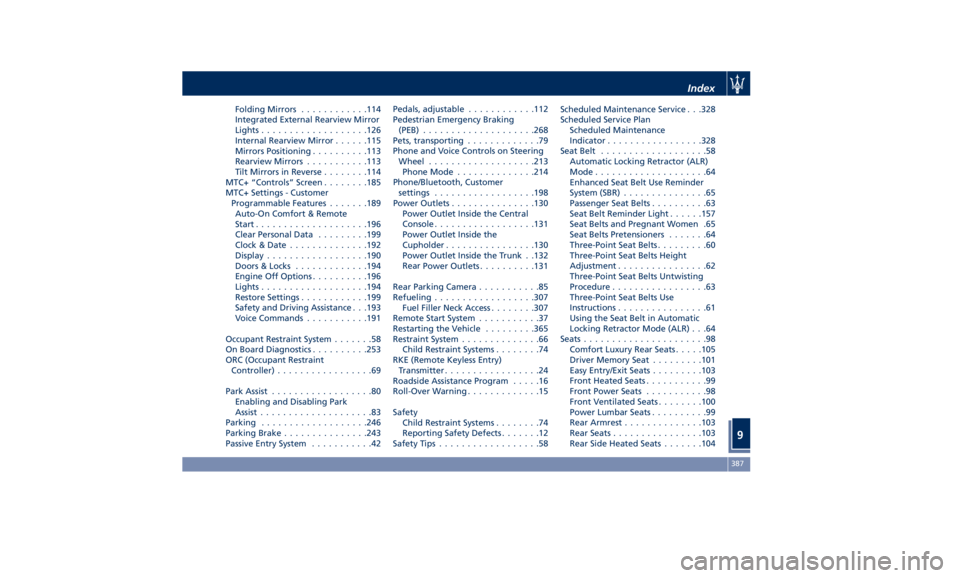
Folding Mirrors ........... .114
Integrated External Rearview Mirror
Lights .................. .126
Internal Rearview Mirror ..... .115
Mirrors Positioning ......... .113
Rearview Mirrors .......... .113
Tilt Mirrors in Reverse ....... .114
MTC+ “Controls” Screen ....... .185
MTC+ Settings - Customer
Programmable Features ...... .189
Auto-On Comfort & Remote
Start ................... .196
Clear Personal Data ........ .199
Clock & Date ............. .192
Display ................. .190
Doors & Locks ............ .194
Engine Off Options ......... .196
Lights .................. .194
Restore Settings ........... .199
Safety and Driving Assistance . . .193
Voice Commands .......... .191
Occupant Restraint System .......58
On Board Diagnostics ......... .253
ORC (Occupant Restraint
Controller) .................69
Park Assist ..................80
Enabling and Disabling Park
Assist ....................83
Parking .................. .246
Parking Brake .............. .243
Passive Entry System ...........42 Pedals, adjustable ........... .112
Pedestrian Emergency Braking
(PEB) ................... .268
Pets, transporting .............79
Phone and Voice Controls on Steering
Wheel .................. .213
Phone Mode ............. .214
Phone/Bluetooth, Customer
settings ................. .198
Power Outlets .............. .130
Power Outlet Inside the Central
Console ................. .131
Power Outlet Inside the
Cupholder ............... .130
Power Outlet Inside the Trunk . .132
Rear
Power Outlets .........
.131
Rear Parking Camera ...........85
Refueling ................. .307
Fuel Filler Neck Access ....... .307
Remote Start System ...........37
Restarting the Vehicle ........ .365
Restraint System ..............66
Child Restraint Systems ........74
RKE (Remote Keyless Entry)
Transmitter .................24
Roadside Assistance Program .....16
Roll-Over Warning .............15
Safety
Child Restraint Systems ........74
Reporting Safety Defects .......12
Safety Tips ..................58 Scheduled Maintenance Service . . .328
Scheduled Service Plan
Scheduled Maintenance
Indicator ................ .328
Seat Belt ...................58
Automatic Locking Retractor (ALR)
Mode ....................64
Enhanced Seat Belt Use Reminder
System (SBR) ...............65
Passenger Seat Belts ..........63
Seat Belt Reminder Light ..... .157
Seat Belts and Pregnant Women .65
Seat Belts Pretensioners .......64
Three-Point Seat Belts .........60
Three-Point Seat Belts Height
Adjustment ................62
Three-Point Seat Belts Untwisting
Procedure .................63
Three-Point Seat Belts Use
Instructions ................61
Using the Seat Belt in Automatic
Locking Retractor Mode (ALR) . . .64
Seats ......................98
Comfort Luxury Rear Seats .... .105
Driver Memory Seat ........ .101
Easy Entry/Exit Seats ........ .103
Front Heated Seats ...........99
Front Power Seats ...........98
Front Ventilated Seats ....... .100
Power Lumbar Seats ..........99
Rear Armrest ............. .103
Rear Seats ............... .103
Rear Side Heated Seats ...... .104Index
9 387