ESP MASERATI QUATTROPORTE 2019 Workshop Manual
[x] Cancel search | Manufacturer: MASERATI, Model Year: 2019, Model line: QUATTROPORTE, Model: MASERATI QUATTROPORTE 2019Pages: 396, PDF Size: 13.9 MB
Page 248 of 396
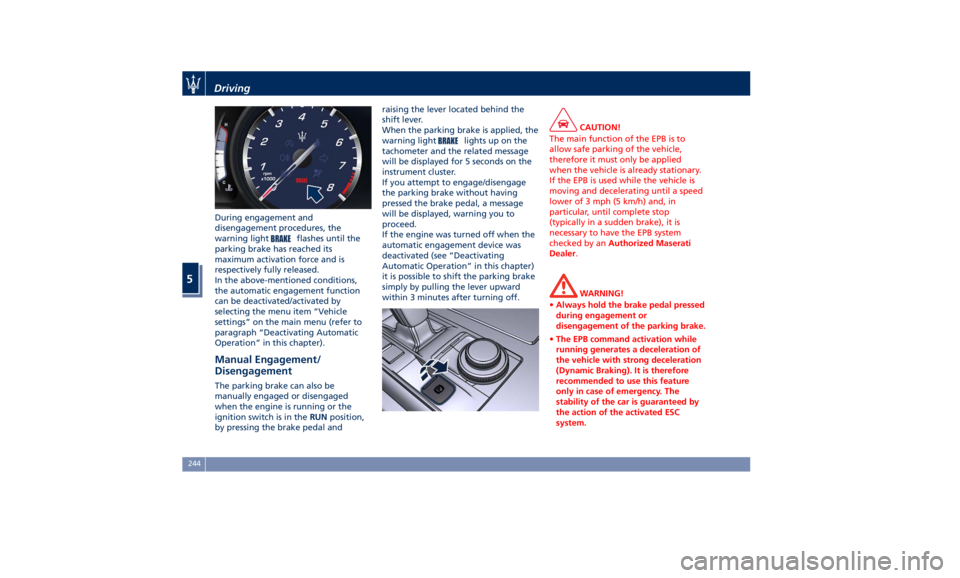
During engagement and
disengagement procedures, the
warning light
flashes until the
parking brake has reached its
maximum activation force and is
respectively fully released.
In the above-mentioned conditions,
the automatic engagement function
can be deactivated/activated by
selecting the menu item “Vehicle
settings” on the main menu (refer to
paragraph “Deactivating Automatic
Operation” in this chapter).
Manual Engagement/
Disengagement The parking brake can also be
manually engaged or disengaged
when the engine is running or the
ignition switch is in the RUN position,
by pressing the brake pedal and raising the lever located behind the
shift lever.
When the parking brake is applied, the
warning light
lights up on the
tachometer and the related message
will be displayed for 5 seconds on the
instrument cluster.
If you attempt to engage/disengage
the parking brake without having
pressed the brake pedal, a message
will be displayed, warning you to
proceed.
If the engine was turned off when the
automatic engagement device was
deactivated (see “Deactivating
Automatic Operation” in this chapter)
it is possible to shift the parking brake
simply by pulling the lever upward
within 3 minutes after turning off. CAUTION!
The main function of the EPB is to
allow safe parking of the vehicle,
therefore it must only be applied
when the vehicle is already stationary.
If the EPB is used while the vehicle is
moving and decelerating until a speed
lower of 3 mph (5 km/h) and, in
particular, until complete stop
(typically in a sudden brake), it is
necessary to have the EPB system
checked by an Authorized Maserati
Dealer .
WARNING!
• Always hold the brake pedal pressed
during engagement or
disengagement of the parking brake.
• The EPB command activation while
running generates a deceleration of
the vehicle with strong deceleration
(Dynamic Braking). It is therefore
recommended to use this feature
only in case of emergency. The
stability of the car is guaranteed by
the action of the activated ESC
system.Driving
5
244
Page 250 of 396
(Continued)
• In case of repetitive requests to reset
the EPB through the messages shown
on the TFT display, please contact an
Authorized Maserati Dealer .
Failure Indication In the event of electric parking brake
system failure, the warning light
on the display will light up and the
related message will show for 5
seconds.
WARNING!
In the event of an EPB failure, take
your vehicle to the nearest Authorized
Maserati Dealer as soon as possible.
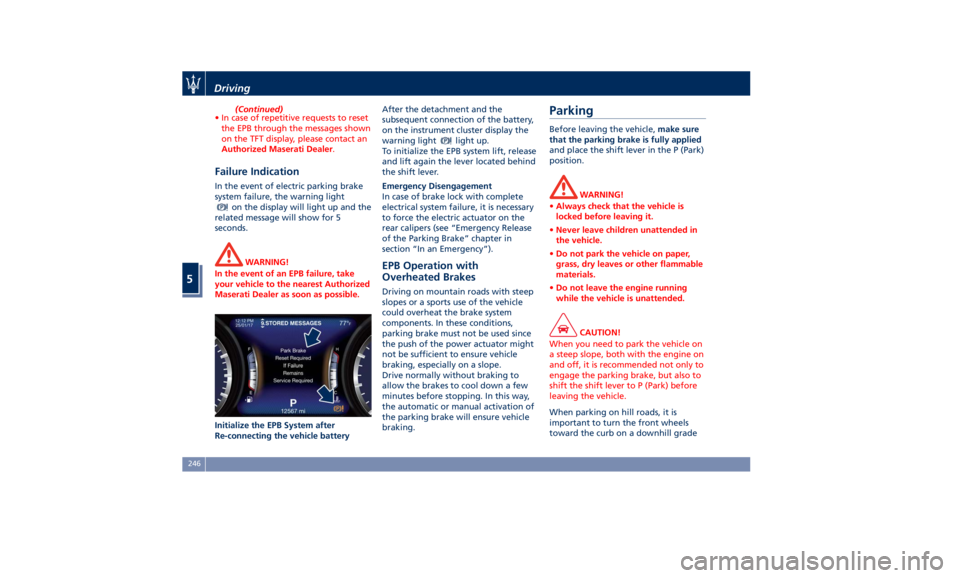
Initialize the EPB System after
Re-connecting
the vehicle battery After the detachment and the
subsequent connection of the battery,
on the instrument cluster display the
warning light
light up.
To initialize the EPB system lift, release
and lift again the lever located behind
the shift lever.
Emergency Disengagement
In case of brake lock with complete
electrical system failure, it is necessary
to force the electric actuator on the
rear calipers (see “Emergency Release
of the Parking Brake” chapter in
section “In an Emergency”).
EPB Operation with
Overheated Brakes Driving on mountain roads with steep
slopes or a sports use of the vehicle
could overheat the brake system
components. In these conditions,
parking brake must not be used since
the push of the power actuator might
not be sufficient to ensure vehicle
braking, especially on a slope.
Drive normally without braking to
allow the brakes to cool down a few
minutes before stopping. In this way,
the automatic or manual activation of
the parking brake will ensure vehicle
braking.Parking Before leaving the vehicle, make sure
that the parking brake is fully applied
and place the shift lever in the P (Park)
position.
WARNING!
• Always check that the vehicle is
locked before leaving it.
• Never leave children unattended in
the vehicle.
• Do not park the vehicle on paper,
grass, dry leaves or other flammable
materials.
• Do not leave the engine running
while the vehicle is unattended.
CAUTION!
When you need to park the vehicle on
a steep slope, both with the engine on
and off, it is recommended not only to
engage the parking brake, but also to
shift the shift lever to P (Park) before
leaving the vehicle.
When parking on hill roads, it is
important
to turn
the front wheels
toward the curb on a downhill gradeDriving
5
246
Page 254 of 396
WARNING!
• The ABS contains sophisticated
electronic equipment that may be
susceptible to interference caused by
improperly installed or high output
radio transmitting equipment. This
interference can cause possible loss
of anti-lock braking capability.
Installation of such equipment
should be performed by qualified
Maserati personnel.
• Pumping the Anti-Lock Brakes will
diminish their effectiveness.
Pumping brakes makes the stopping
distance longer. Just press firmly on
your brake pedal when you need to
slow down or stop. Do not pump
brakes.
Traction Control System (TCS) The current device is an integral part
of the ESC system. It operates
automatically by reducing the power
transmitted by the engine in case of
slipping, loss of grip on wet floor
(aquaplaning), acceleration on slippery
snow-covered or frozen surfaces, etc.
Activating under slip conditions
different control systems: • if slippage affects both drive wheels,
it reduces the power transmitted by
the engine;
• if slippage only affects one drive
wheel, it brakes the slipping wheel
automatically.
Brake Assist System (BAS) This system completes the ABS system
by optimizing the vehicle braking
capacity during emergency brake
maneuvers. The system detects an
emergency braking situation by
sensing the rate and amount of brake
application and then applies optimum
pressure to the brakes in order to help
reduce braking distances.
The quick brake coupling is optimal for
BAS performances. In order to fully
exploit the system, apply continuous
brake pedal pressure during the entire
vehicle stop sequence. Do not reduce
brake pedal pressure earlier than
required. Once the brake pedal is
released, the BAS is deactivated.
Brake Throttle Override (BTO) To complete the range of systems that
assist braking, the vehicle is equipped
with BTO, which is designed to stop
the vehicle even when it is during
acceleration. If the brake pedal is
depressed together with the accelerator, the system does not
consider as “conflict” the sequence
“brake-first-then-accelerator” of pedal
application and it will not engage the
BTO. When the system recognizes that
the accelerator pedal is stuck pressed
and the sequence “accelerator-first-
then-brake-pressed” (this sequence is
recognized as a “conflict”), the engine
power should be automatically
reduced and, if the driver continues to
depress the accelerator and the brake
pedal, the system can make the vehicle
come to a complete stop.
Additionally, if the brake pedal is
released when the accelerator is still
stuck pressed, the corresponding
engine torque increases gradually to a
safe value.
During this event, the ETC light
indicator will illuminate. The system
exits from this strategy when the
accelerator pedal is completely
released.
Hill Start Assist (HSA) The HSA system is designed to assist
the driver when starting a vehicle
uphill. HSA will maintain the level of
brake pressure applied for a short
period of time also after releasing the
brake pedal.Driving
5
250
Page 256 of 396
whenever the brake pads and/or brake
discs are replaced.
Brake Overheating Driving on mountain roads with steep
slopes or a sports use of the vehicle
could overheat the brake system
components. In these conditions, the
parking brake must not be used since
the push of the power actuator might
not be sufficient to ensure vehicle
braking, especially on a slope.
Drive normally without braking to
allow the brakes to cool down a few
minutes before stopping. The
automatic or manual activation of the
parking brake will ensure vehicle
braking.
Brake overheating could also cause
“squeals” and “vibration”. Use of the Engine Breaking-In Today's most modern production
methods are designed to provide
extremely precise construction and
assembly of components. However,
moving parts do undergo a settling
process, basically in the first hours of
vehicle operation.
Do not drive keeping at a constant
high speed rate for a prolonged time.
While cruising, brief full-throttle
acceleration within the limits of local
traffic laws contributes to a good
break-in. Wide-open throttle
acceleration in low gear can be
detrimental and should be avoided.
The engine oil installed in the engine
at the factory is a high-quality energy
conserving type lubricant. Oil changes
should be consistent with anticipated
climate conditions under which vehicle
operations will occur. For the
recommended viscosity and quality
grades, see “Refillings” in section
“Features and Specifications”.
A new engine may consume some oil
during its first few thousand
miles/kilometers of operation. This
should be considered as a normal part of the break-in and not interpreted as
an indication of malfunction.
Specific Requirements
Avoid exceeding 5000 rpm for the first
620 mi trip (1000 km).
After starting the vehicle, do not
exceed 4000 rpm until the engine has
warmed up sufficiently (coolant
temperature: 149-158°F /65 70°).
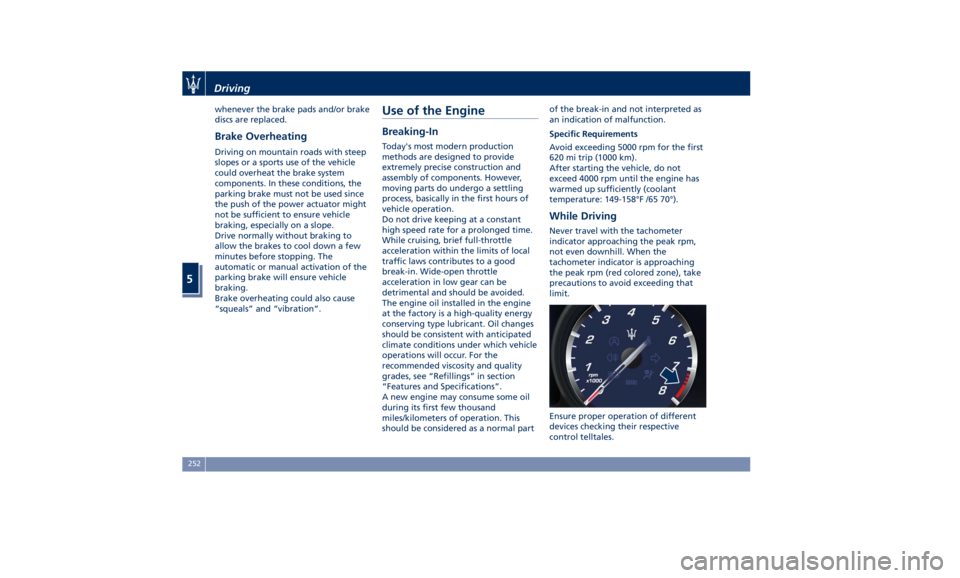
While Driving Never travel with the tachometer
indicator approaching the peak rpm,
not even downhill. When the
tachometer indicator is approaching
the peak rpm (red colored zone), take
precautions to avoid exceeding that
limit.
Ensure proper operation of different
devices checking their respective
control telltales.Driving
5
252
Page 258 of 396
Electronic Cruise Control The electronic Cruise Control (CC)
enables the driver to maintain the
desired vehicle speed without pressing
the accelerator pedal, reducing driving
fatigue on highways, especially long
trips, as the set speed is automatically
maintained. A firm press on the
accelerator pedal or the braking pedal
will temporarily deactivate the cruise
control function.
CAUTION!
The device can only be switched on at
speeds exceeding 18 mph (30 km/h)
and it switches off automatically when
the brake pedal or the accelerator
pedal is pressed.
WARNING!
The Cruise Control function must only
be activated when traffic and the
route permit a constant speed to be
maintained safely for a sufficiently
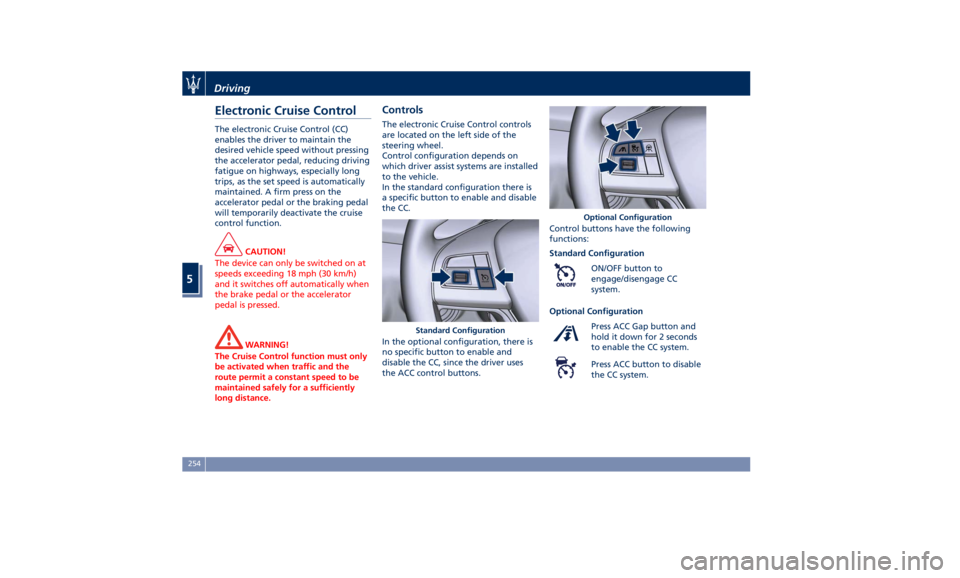
long distance. Controls The electronic Cruise Control controls
are located on the left side of the
steering wheel.
Control configuration depends on
which driver assist systems are installed
to the vehicle.
In the standard configuration there is
a specific button to enable and disable
the CC.
In the optional configuration, there is
no specific button to enable and
disable the CC, since the driver uses
the ACC control buttons. Control buttons have the following
functions:
Standard Configuration
ON/OFF button to
engage/disengage CC
system.
Optional Configuration
Press ACC Gap button and
hold it down for 2 seconds
to enable the CC system.
Press ACC button to disable
the CC system.Standard Configuration Optional ConfigurationDriving
5
254
Page 262 of 396
safety system and is not designed to
prevent accidents.
The ACC allows driver to keep Cruise
Control active in limited or moderate
traffic conditions with no need to
constantly restore the Cruise Control.
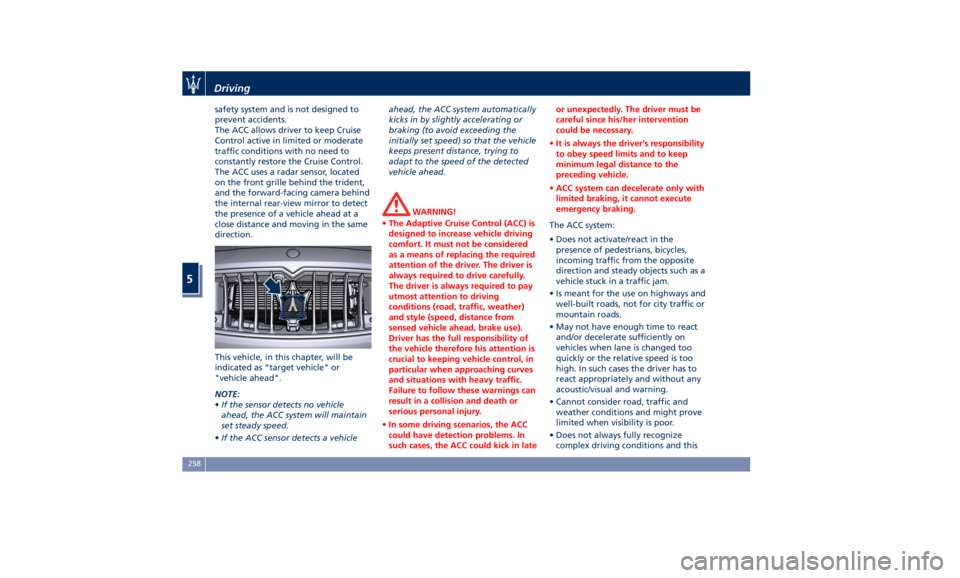
The ACC uses a radar sensor, located
on the front grille behind the trident,
and the forward-facing camera behind
the internal rear-view mirror to detect
the presence of a vehicle ahead at a
close distance and moving in the same
direction.
This vehicle, in this chapter, will be
indicated as "target vehicle" or
"vehicle ahead".
NOTE:
• If the sensor detects no vehicle
ahead, the ACC system will maintain
set steady speed.
• If the ACC sensor detects a vehicle ahead, the ACC system automatically
kicks in by slightly accelerating or
braking (to avoid exceeding the
initially set speed) so that the vehicle
keeps present distance, trying to
adapt to the speed of the detected
vehicle ahead.
WARNING!
• The Adaptive Cruise Control (ACC) is
designed to increase vehicle driving
comfort. It must not be considered
as a means of replacing the required
attention of the driver. The driver is
always required to drive carefully.
The driver is always required to pay
utmost attention to driving
conditions (road, traffic, weather)
and style (speed, distance from
sensed vehicle ahead, brake use).
Driver has the full responsibility of
the vehicle therefore his attention is
crucial to keeping vehicle control, in
particular when approaching curves
and situations with heavy traffic.
Failure to follow these warnings can
result in a collision and death or
serious personal injury.
• In some driving scenarios, the ACC
could have detection problems. In
such cases, the ACC could kick in late or unexpectedly. The driver must be
careful since his/her intervention
could be necessary.
• It is always the driver’s responsibility
to obey speed limits and to keep
minimum legal distance to the
preceding vehicle.
• ACC system can decelerate only with
limited braking, it cannot execute
emergency braking.
The ACC system:
•
Does not activate/react in the
presence of pedestrians, bicycles,
incoming traffic from the opposite
direction and steady objects such as a
vehicle stuck in a traffic jam.
• Is meant for the use on highways and
well-built roads, not for city traffic or
mountain roads.
• May not have enough time to react
and/or decelerate sufficiently on
vehicles when lane is changed too
quickly or the relative speed is too
high. In such cases the driver has to
react appropriately and without any
acoustic/visual and warning.
• Cannot consider road, traffic and
weather conditions and might prove
limited when visibility is poor.
• Does not always fully recognize
complex driving conditions and thisDriving
5
258
Page 265 of 396
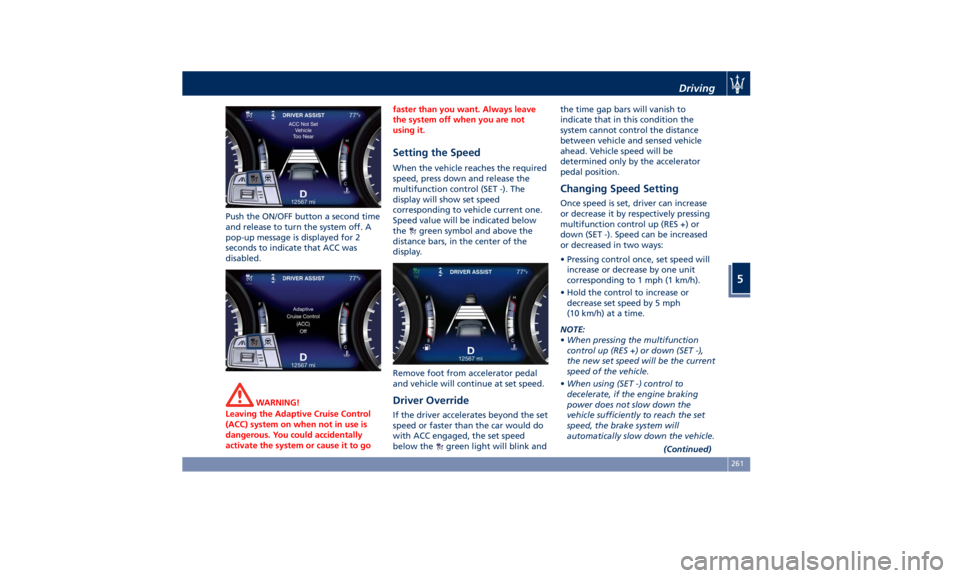
Push the ON/OFF button a second time
and release to turn the system off. A
pop-up message is displayed for 2
seconds to indicate that ACC was
disabled.
WARNING!
Leaving the Adaptive Cruise Control
(ACC) system on when not in use is
dangerous. You could accidentally
activate the system or cause it to go faster than you want. Always leave
the system off when you are not
using it.
Setting the Speed When the vehicle reaches the required
speed, press down and release the
multifunction control (SET -). The
display will show set speed
corresponding to vehicle current one.
Speed value will be indicated below
the
green symbol and above the
distance bars, in the center of the
display.
Remove foot from accelerator pedal
and vehicle will continue at set speed.
Driver Override If the driver accelerates beyond the set
speed or faster than the car would do
with ACC engaged, the set speed
below the
green light will blink and the time gap bars will vanish to
indicate that in this condition the
system cannot control the distance
between vehicle and sensed vehicle
ahead. Vehicle speed will be
determined only by the accelerator
pedal position.
Changing Speed Setting Once speed is set, driver can increase
or decrease it by respectively pressing
multifunction control up (RES +) or
down (SET -). Speed can be increased
or decreased in two ways:
• Pressing control once, set speed will
increase or decrease by one unit
corresponding to 1 mph (1 km/h).
• Hold the control to increase or
decrease set speed by 5 mph
(10 km/h) at a time.
NOTE:
• When pressing the multifunction
control up (RES +) or down (SET -),
the new set speed will be the current
speed of the vehicle.
• When using (SET -) control to
decelerate, if the engine braking
power does not slow down the
vehicle sufficiently to reach the set
speed, the brake system will
automatically slow down the vehicle.
(Continued)Driving
5
261
Page 267 of 396
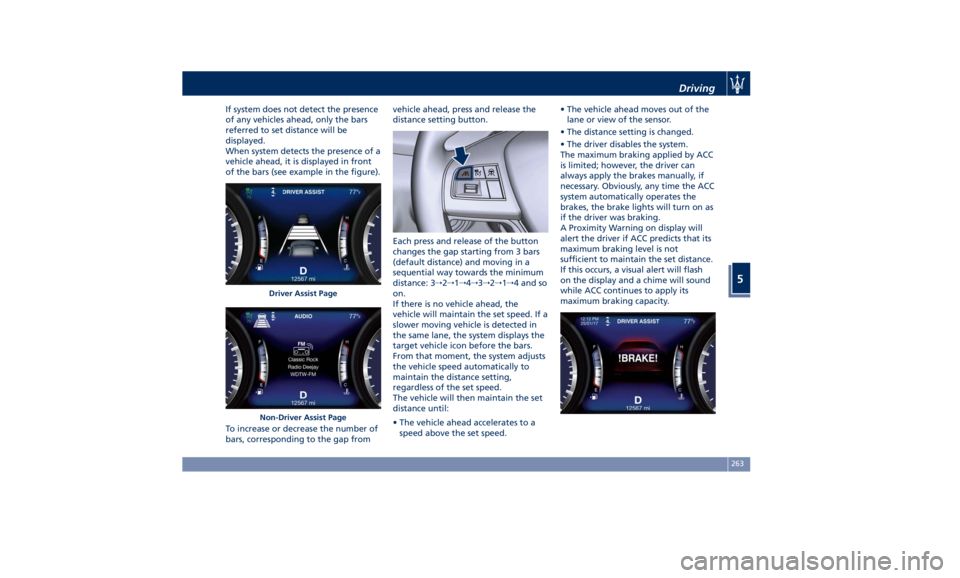
If system does not detect the presence
of any vehicles ahead, only the bars
referred to set distance will be
displayed.
When system detects the presence of a
vehicle ahead, it is displayed in front
of the bars (see example in the figure).
To increase or decrease the number of
bars, corresponding to the gap from vehicle ahead, press and release the
distance setting button.
Each press and release of the button
changes the gap starting from 3 bars
(default distance) and moving in a
sequential way towards the minimum
distance: 3 → 2 → 1 → 4 → 3 → 2 → 1 → 4 and so
on.
If there is no vehicle ahead, the
vehicle will maintain the set speed. If a
slower moving vehicle is detected in
the same lane, the system displays the
target vehicle icon before the bars.
From that moment, the system adjusts
the vehicle speed automatically to
maintain the distance setting,
regardless of the set speed.
The vehicle will then maintain the set
distance until:
• The vehicle ahead accelerates to a
speed above the set speed. • The vehicle ahead moves out of the
lane or view of the sensor.
• The distance setting is changed.
• The driver disables the system.
The maximum braking applied by ACC
is limited; however, the driver can
always apply the brakes manually, if
necessary. Obviously, any time the ACC
system automatically operates the
brakes, the brake lights will turn on as
if the driver was braking.
A Proximity Warning on display will
alert the driver if ACC predicts that its
maximum braking level is not
sufficient to maintain the set distance.
If this occurs, a visual alert will flash
on the display and a chime will sound
while ACC continues to apply its
maximum braking capacity.Driver Assist Page
Non-Driver Assist Page Driving
5
263
Page 272 of 396
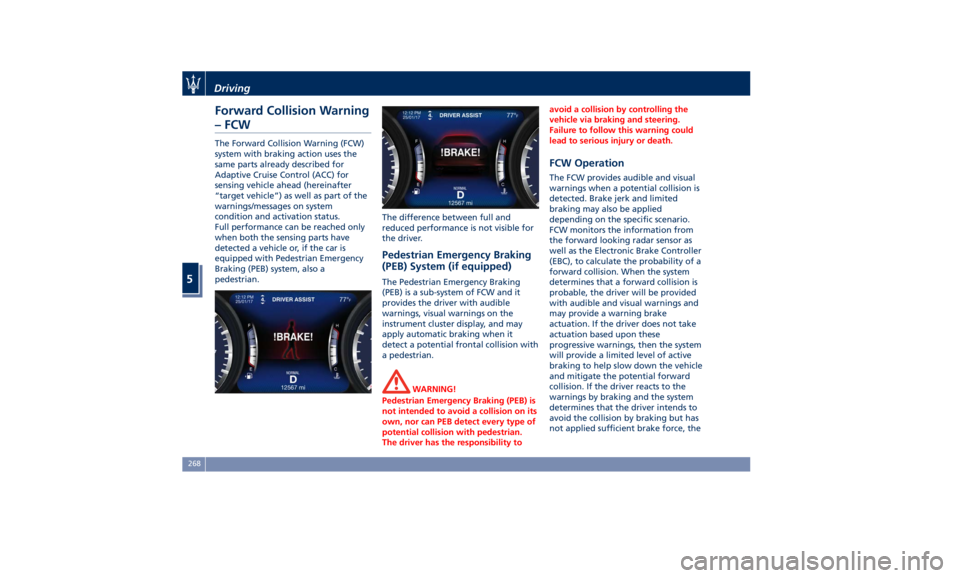
Forward Collision Warning
– FCW The Forward Collision Warning (FCW)
system with braking action uses the
same parts already described for
Adaptive Cruise Control (ACC) for
sensing vehicle ahead (hereinafter
“target vehicle”) as well as part of the
warnings/messages on system
condition and activation status.
Full performance can be reached only
when both the sensing parts have
detected a vehicle or, if the car is
equipped with Pedestrian Emergency
Braking (PEB) system, also a
pedestrian. The difference between full and
reduced performance is not visible for
the driver.
Pedestrian Emergency Braking
(PEB) System (if equipped) The Pedestrian Emergency Braking
(PEB) is a sub-system of FCW and it
provides the driver with audible
warnings, visual warnings on the
instrument cluster display, and may
apply automatic braking when it
detect a potential frontal collision with
a pedestrian.
WARNING!
Pedestrian Emergency Braking (PEB) is
not intended to avoid a collision on its
own, nor can PEB detect every type of
potential collision with pedestrian.
The driver has the responsibility to avoid a collision by controlling the
vehicle via braking and steering.
Failure to follow this warning could
lead to serious injury or death.
FCW Operation The FCW provides audible and visual
warnings when a potential collision is
detected. Brake jerk and limited
braking may also be applied
depending on the specific scenario.
FCW monitors the information from
the forward looking radar sensor as
well as the Electronic Brake Controller
(EBC), to calculate the probability of a
forward collision. When the system
determines that a forward collision is
probable, the driver will be provided
with audible and visual warnings and
may provide a warning brake
actuation. If the driver does not take
actuation based upon these
progressive warnings, then the system
will provide a limited level of active
braking to help slow down the vehicle
and mitigate the potential forward
collision. If the driver reacts to the
warnings by braking and the system
determines that the driver intends to
avoid the collision by braking but has
not applied sufficient brake force, theDriving
5
268
Page 273 of 396
system will compensate and provide
additional brake force as required.
When the system determines a
collision with the vehicle in front of
you is no longer probable, the
warning messages will be deactivated.
NOTE:
• Bad weather conditions, like heavy
rain, snow, etc., can lead to reduced
system performance. Under these
conditions relevant objects will not
be detected or detected late by the
system.
• FCW is designed to react in specific
situations in typical traffic scenarios
with objects in the same lane driving
in the same direction, but under
certain conditions it can also react
on stationary objects in the same
lane. It is not designed to react to
oncoming traffic or crossing traffic.
• The FCW alerts may be triggered to
objects other than vehicles such as
guard rails or sign posts based on
the course prediction. This is
expected and is a part of normal
FCW activation and functionality.
• It is unsafe to test the FCW system.
To prevent such misuse of the
system, after four Active Braking
events within a key cycle, the Active
Braking portion of FCW will be deactivated until the next key cycle.
The limit of four events applies to
the brake actuation too.
• FCW will automatically deactivated
when
(ESC OFF) button is pressed
(LED light up).
WARNING!
• Forward Collision Warning (FCW) is
not intended to avoid a collision on
its own, nor can FCW detect every
type of potential collision. The
driver has the responsibility to avoid
a collision by controlling the vehicle
via braking and steering. Failure to
follow this warning could lead to
serious injury or death. The driver is
always in charge to safely drive and
to avoid critical situations, and not
rely on the support of the FCW
system. Driver has to keep in mind
that the system and therefore its
intervention is always subject to the
prevailing physical limits.
• Forward Collision Warning (FCW) is
not intended either to warn or to
apply any brake aid/brake
intervention in case of collisions
with pedestrians (if not equipped with PEB sub-system), bicycles and
not licensable vehicles in general.
Speed Range of Use Speed mph (km/h)
Minimum 0 (0)
Engaged/activated 1.12 (1.8)
Maximum 155 (250)
When the speed is outside the
specified limits, the system
automatically disables without turning
on the corresponding warning light
on the instrument cluster.
FCW Status The driver can adjust FCW sensitivity
or enable/disable the brake actuation
with the other emergency brakings by
touching "Controls" soft-key on MTC+
display. The current setting is indicated
beside to the "Forward Collision
Warning" soft-key. If you want to
change the setting, touch the soft-key
on the side to enter FCW page.Driving
5
269