cruise control MASERATI QUATTROPORTE 2019 Owners Manual
[x] Cancel search | Manufacturer: MASERATI, Model Year: 2019, Model line: QUATTROPORTE, Model: MASERATI QUATTROPORTE 2019Pages: 396, PDF Size: 13.9 MB
Page 13 of 396
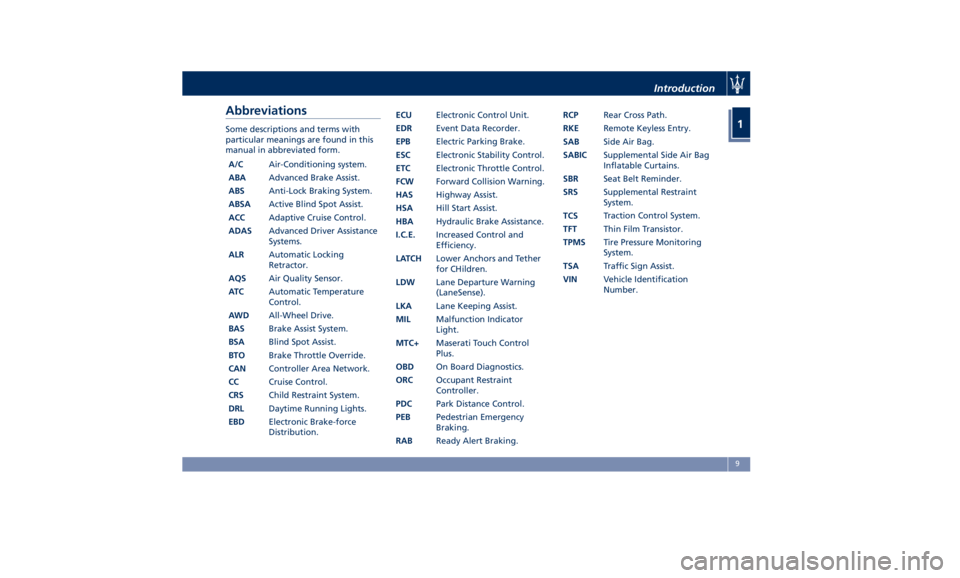
Abbreviations Some descriptions and terms with
particular meanings are found in this
manual in abbreviated form.
A/C Air-Conditioning system.
ABA Advanced Brake Assist.
ABS Anti-Lock Braking System.
ABSA Active Blind Spot Assist.
ACC Adaptive Cruise Control.
ADAS Advanced Driver Assistance
Systems.
ALR Automatic Locking
Retractor.
AQS Air Quality Sensor.
AT C Automatic Temperature
Control.
AWD All-Wheel Drive.
BAS Brake Assist System.
BSA Blind Spot Assist.
BTO Brake Throttle Override.
CAN Controller Area Network.
CC Cruise Control.
CRS Child Restraint System.
DRL Daytime Running Lights.
EBD Electronic Brake-force
Distribution. ECU Electronic Control Unit.
EDR Event Data Recorder.
EPB Electric Parking Brake.
ESC Electronic Stability Control.
ETC Electronic Throttle Control.
FCW Forward Collision Warning.
HAS Highway Assist.
HSA Hill Start Assist.
HBA Hydraulic Brake Assistance.
I.C.E. Increased Control and
Efficiency.
LATCH Lower Anchors and Tether
for CHildren.
LDW Lane Departure Warning
(LaneSense).
LKA Lane Keeping Assist.
MIL Malfunction Indicator
Light.
MTC+ Maserati Touch Control
Plus.
OBD On Board Diagnostics.
ORC Occupant Restraint
Controller.
PDC Park Distance Control.
PEB Pedestrian Emergency
Braking.
RAB Ready Alert Braking. RCP Rear Cross Path.
RKE Remote Keyless Entry.
SAB Side Air Bag.
SABIC Supplemental Side Air Bag
Inflatable Curtains.
SBR Seat Belt Reminder.
SRS Supplemental Restraint
System.
TCS T raction Control
System.
TFT Thin Film Transistor.
TPMS Tire Pressure Monitoring
System.
TSA Traffic Sign Assist.
VIN Vehicle Identification
Number.Introduction
1
9
Page 116 of 396
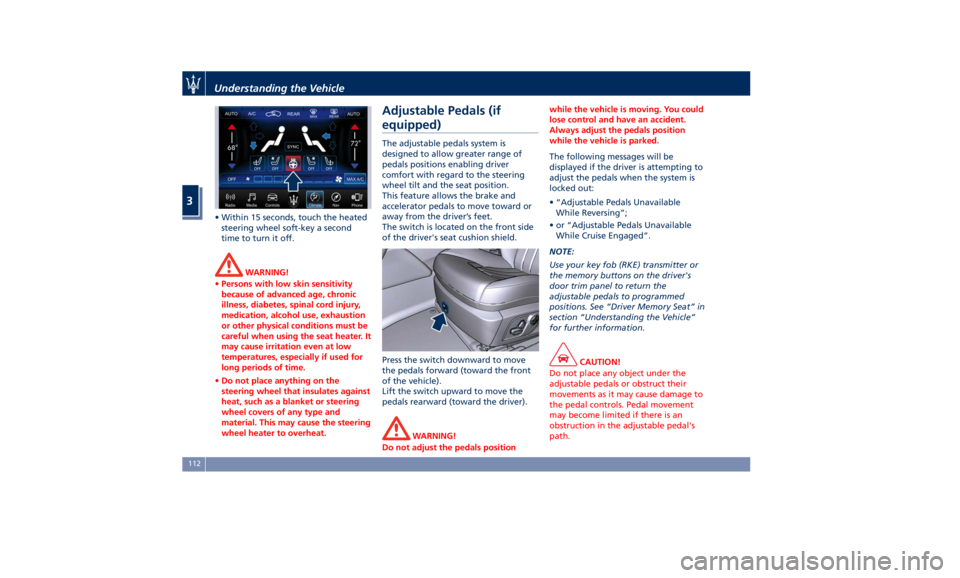
• Within 15 seconds, touch the heated
steering wheel soft-key a second
time to turn it off.
WARNING!
• Persons with low skin sensitivity
because of advanced age, chronic
illness, diabetes, spinal cord injury,
medication, alcohol use, exhaustion
or other physical conditions must be
careful when using the seat heater. It
may cause irritation even at low
temperatures, especially if used for
long periods of time.
• Do not place anything on the
steering wheel that insulates against
heat, such as a blanket or steering
wheel covers of any type and
material. This may cause the steering
wheel heater to overheat. Adjustable Pedals (if
equipped) The adjustable pedals system is
designed to allow greater range of
pedals positions enabling driver
comfort with regard to the steering
wheel tilt and the seat position.
This feature allows the brake and
accelerator pedals to move toward or
away from the driver’s feet.
The switch is located on the front side
of the driver's seat cushion shield.
Press the switch downward to move
the pedals forward (toward the front
of the vehicle).
Lift the switch upward to move the
pedals rearward (toward the driver).
WARNING!
Do not adjust the pedals position while the vehicle is moving. You could
lose control and have an accident.
Always adjust the pedals position
while the vehicle is parked.
The following messages will be
displayed
if the
driver is attempting to
adjust the pedals when the system is
locked out:
• “Adjustable Pedals Unavailable
While Reversing”;
• or “Adjustable Pedals Unavailable
While Cruise Engaged”.
NOTE:
Use your key fob (RKE) transmitter or
the memory buttons on the driver's
door trim panel to return the
adjustable pedals to programmed
positions. See “Driver Memory Seat” in
section “Understanding the Vehicle”
for further information.
CAUTION!
Do not place any object under the
adjustable pedals or obstruct their
movements as it may cause damage to
the pedal controls. Pedal movement
may become limited if there is an
obstruction in the adjustable pedal's
path.Understanding the Vehicle
3
112
Page 167 of 396
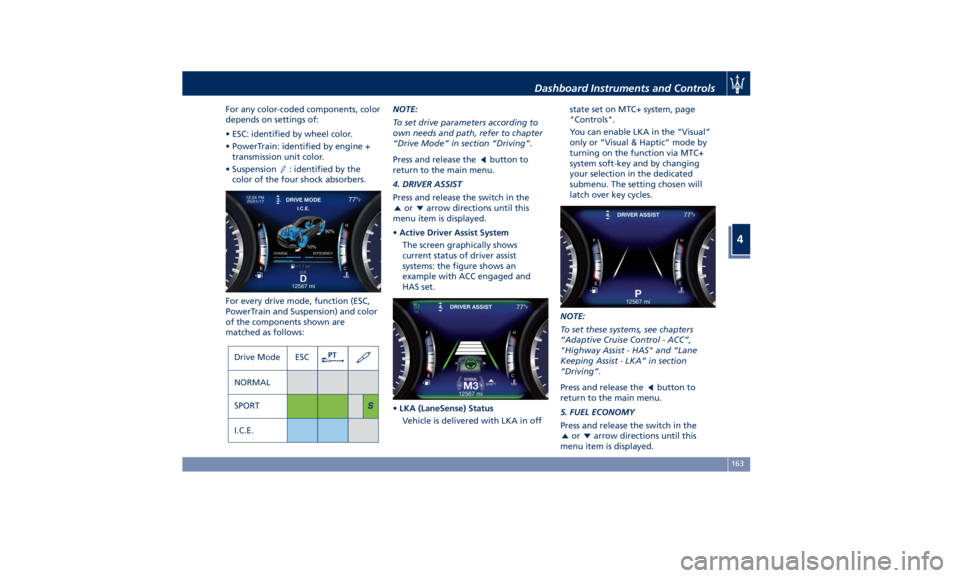
For any color-coded components, color
depends on settings of:
• ESC: identified by wheel color.
• PowerTrain: identified by engine +
transmission unit color.
• Suspension
: identified by the
color of the four shock absorbers.
For every drive mode, function (ESC,
PowerTrain and Suspension) and color
of the components shown are
matched as follows: NOTE:
To set drive parameters according to
own needs and path, refer to chapter
“Drive Mode” in section “Driving”.
Press and release the
button to
return to the main menu.
4. DRIVER ASSIST
Press and release the switch in the
or arrow directions until this
menu item is displayed.
• Active Driver Assist System
The screen graphically shows
current status of driver assist
systems: the figure shows an
example with ACC engaged and
HAS set.
• LKA (LaneSense) Status
Vehicle is delivered with LKA in off state set on MTC+ system, page
"Controls".
You can enable LKA in the ”Visual”
only or “Visual & Haptic” mode by
turning on the function via MTC+
system soft-key and by changing
your selection in the dedicated
submenu. The setting chosen will
latch over key cycles.
NOTE:
To set these systems, see chapters
“Adaptive Cruise Control - ACC”,
"Highway Assist - HAS" and “Lane
Keeping Assist - LKA” in section
“Driving”.
Press and release the
button to
return to the main menu.
5. FUEL ECONOMY
Press and release the switch in the
or arrow directions until this
menu item is displayed.Dashboard Instruments and Controls
4
163
Page 178 of 396
steering wheel, or through the button
on the central console or through the
relevant soft-key of the MTC+. See
chapter “Automatic Start&Stop
System” of section “Driving” for
further information.
Start&Stop Failure Warning Light
This warning light illuminates
when there is a failure in the
Start&Stop system. Switch the
engine on or off using the
normal procedure with the ignition
device START/STOP and have the
vehicle checked at an Authorized
Maserati Dealer .
Scheduled Maintenance (Service)
Indicator
This indicator illuminates and
a message flashes on the
display for approximately 5
seconds after an acoustic
signal to indicate that the next
scheduled maintenance is due or is
already overdue.
Unless reset, the message will continue
to display each time you cycle the
ignition to the RUN position.
To turn off the message temporarily,
press and release the
button on the
steering wheel. To reset the service
indicator system, please visit an
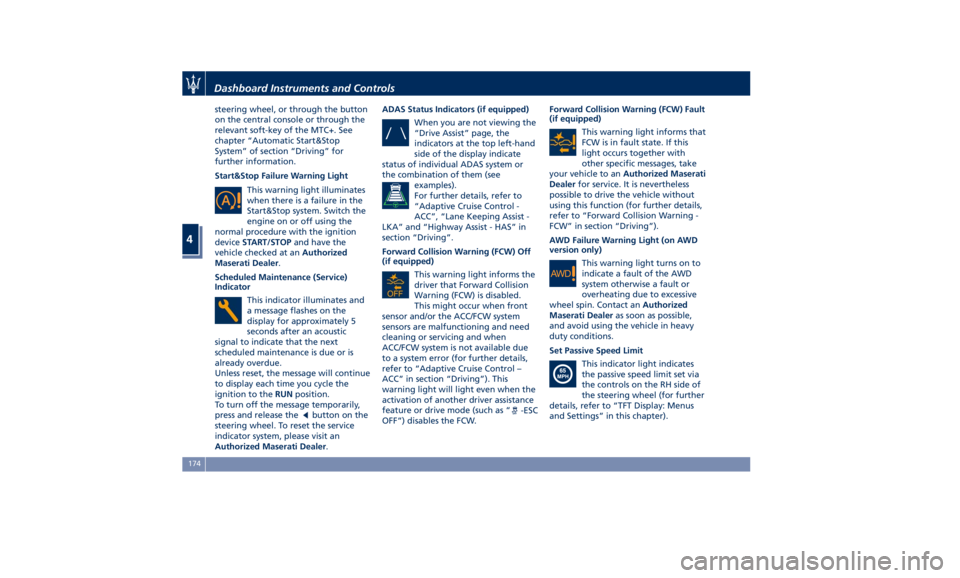
Authorized Maserati Dealer . ADAS Status Indicators (if equipped)
When you are not viewing the
“Drive Assist” page, the
indicators at the top left-hand
side of the display indicate
status of individual ADAS system or
the combination of them (see
examples).
For further details, refer to
“Adaptive Cruise Control -
ACC”, “Lane Keeping Assist -
LKA” and “Highway Assist - HAS” in
section “Driving”.
Forward Collision Warning (FCW) Off
(if equipped)
This warning light informs the
driver that Forward Collision
Warning (FCW) is disabled.
This might occur when front
sensor and/or the ACC/FCW system
sensors are malfunctioning and need
cleaning or servicing and when
ACC/FCW system is not available due
to a system error (for further details,
refer to “Adaptive Cruise Control –
ACC” in section “Driving”). This
warning light will light even when the
activation of another driver assistance
feature or drive mode (such as “
-ESC
OFF”) disables the FCW. Forward Collision Warning (FCW) Fault
(if equipped)
This warning light informs that
FCW is in fault state. If this
light occurs together with
other specific messages, take
your vehicle to an Authorized Maserati
Dealer for service. It is nevertheless
possible to drive the vehicle without
using this function (for further details,
refer to “Forward Collision Warning -
FCW” in section “Driving”).
AWD Failure Warning Light (on AWD
version only)
This warning light turns on to
indicate a fault of the AWD
system otherwise a fault or
overheating due to excessive
wheel spin. Contact an Authorized
Maserati Dealer as soon as possible,
and avoid using the vehicle in heavy
duty conditions.
Set Passive Speed Limit
This indicator light indicates
the passive speed limit set via
the controls on the RH side of
the steering wheel (for further
details, refer to “TFT Display: Menus
and Settings” in this chapter).Dashboard Instruments and Controls
4
174
Page 179 of 396
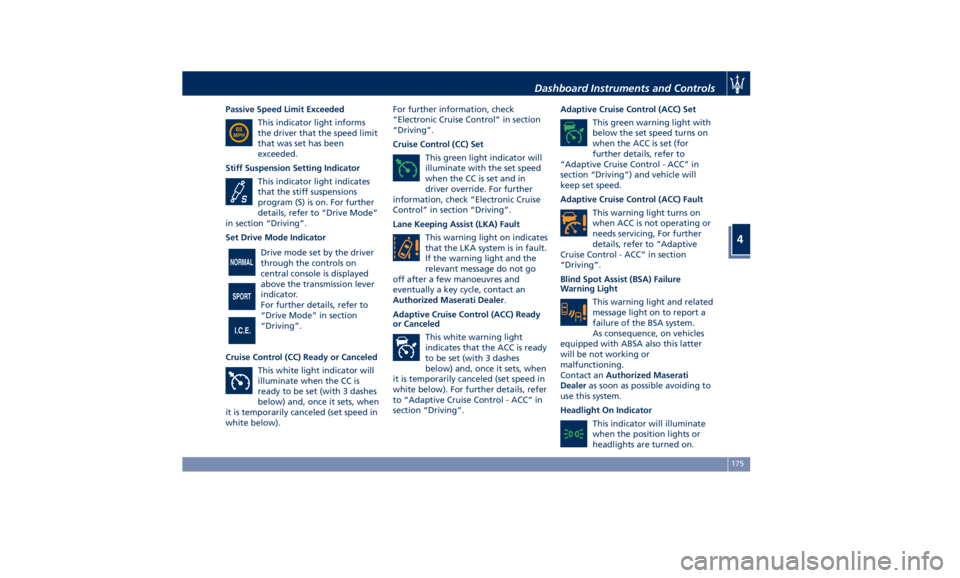
Passive Speed Limit Exceeded
This indicator light informs
the driver that the speed limit
that was set has been
exceeded.
Stiff Suspension Setting Indicator
This indicator light indicates
that the stiff suspensions
program (S) is on. For further
details, refer to “Drive Mode”
in section “Driving”.
Set Drive Mode Indicator
Drive mode set by the driver
through the controls on
central console is displayed
above the transmission lever
indicator.
For further details, refer to
“Drive Mode” in section
“Driving”.
Cruise Control (CC) Ready or Canceled
This white light indicator will
illuminate when the CC is
ready to be set (with 3 dashes
below) and, once it sets, when
it is temporarily canceled (set speed in
white below). For further information, check
“Electronic Cruise Control” in section
“Driving”.
Cruise Control (CC) Set
This green light indicator will
illuminate with the set speed
when the CC is set and in
driver override. For further
information, check “Electronic Cruise
Control” in section “Driving”.
Lane Keeping Assist (LKA) Fault
This warning light on indicates
that the LKA system is in fault.
If the warning light and the
relevant message do not go
off after a few manoeuvres and
eventually a key cycle, contact an
Authorized Maserati Dealer .
Adaptive Cruise Control (ACC) Ready
or Canceled
This white warning light
indicates that the ACC is ready
to be set (with 3 dashes
below) and, once it sets, when
it is temporarily canceled (set speed in
white below). For further details, refer
to “Adaptive Cruise Control - ACC” in
section “Driving”. Adaptive Cruise Control (ACC) Set
This green warning light with
below the set speed turns on
when the ACC is set (for
further details, refer to
“Adaptive Cruise Control - ACC” in
section “Driving”) and vehicle will
keep set speed.
Adaptive Cruise Control (ACC) Fault
This warning light turns on
when ACC is not operating or
needs servicing, For further
details, refer to “Adaptive
Cruise Control - ACC” in section
“Driving”.
Blind Spot Assist (BSA) Failure
Warning Light
This warning light and related
message light on to report a
failure of the BSA system.
As consequence, on vehicles
equipped with ABSA also this latter
will be not working or
malfunctioning.
Contact an Authorized Maserati
Dealer as soon as possible avoiding to
use this system.
Headlight On Indicator
This indicator will illuminate
when the position lights or
headlights are turned on.Dashboard Instruments and Controls
4
175
Page 221 of 396
5 – Driving Normal Starting of the Engine ............................. 218
Automatic Start&Stop System ............................. 220
Automatic Transmission .................................. 224
All-Wheel Drive (AWD version only) ......................... 233
Drive Mode ........................................... 234
Active Alternator ....................................... 243
Parking Brake ......................................... 243
Parking .............................................. 246
Brake and Stability Control System ......................... 248
Using the Brakes ....................................... 251
Use of the Engine ...................................... 252
Electronic Cruise Control ................................. 254
Adaptive Cruise Control – ACC (optional) ..................... 257
Forward Collision Warning – FCW .......................... 268
Lane Keeping Assist - LKA (optional, with ACC only) ............ 271
Blind Spot Assist (without ACC) ............................ 276
Active Blind Spot Assist - ABSA (optional, with ACC only) ........ 281
Highway Assist – HAS (optional, with ACC only) ................ 284
Traffic Sign Assist – TSA (optional) .......................... 290
Tires - General Information ............................... 292
Tire Pressure Monitoring System (TPMS) ..................... 300
Fuel Requirements ...................................... 304
Refueling ............................................. 307
Driving Conditions ...................................... 309
217
Page 258 of 396
Electronic Cruise Control The electronic Cruise Control (CC)
enables the driver to maintain the
desired vehicle speed without pressing
the accelerator pedal, reducing driving
fatigue on highways, especially long
trips, as the set speed is automatically
maintained. A firm press on the
accelerator pedal or the braking pedal
will temporarily deactivate the cruise
control function.
CAUTION!
The device can only be switched on at
speeds exceeding 18 mph (30 km/h)
and it switches off automatically when
the brake pedal or the accelerator
pedal is pressed.
WARNING!
The Cruise Control function must only
be activated when traffic and the
route permit a constant speed to be
maintained safely for a sufficiently
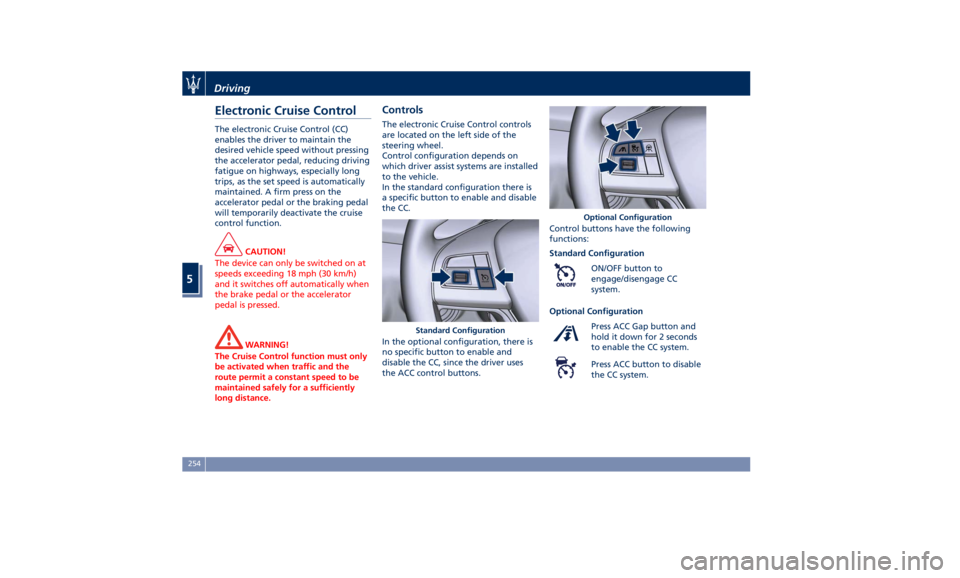
long distance. Controls The electronic Cruise Control controls
are located on the left side of the
steering wheel.
Control configuration depends on
which driver assist systems are installed
to the vehicle.
In the standard configuration there is
a specific button to enable and disable
the CC.
In the optional configuration, there is
no specific button to enable and
disable the CC, since the driver uses
the ACC control buttons. Control buttons have the following
functions:
Standard Configuration
ON/OFF button to
engage/disengage CC
system.
Optional Configuration
Press ACC Gap button and
hold it down for 2 seconds
to enable the CC system.
Press ACC button to disable
the CC system.Standard Configuration Optional ConfigurationDriving
5
254
Page 260 of 396
WARNING!
Never leave the electronic Cruise
Control system on when not in use.
You could accidentally set the system
or cause it to go faster than you want.
Always leave the system off when you
are not using it.
Speed Range of Use Speed mph (km/h)
Minimum 18 (30)
Engaged/activated 18 (30)
Maximum 130 (210)
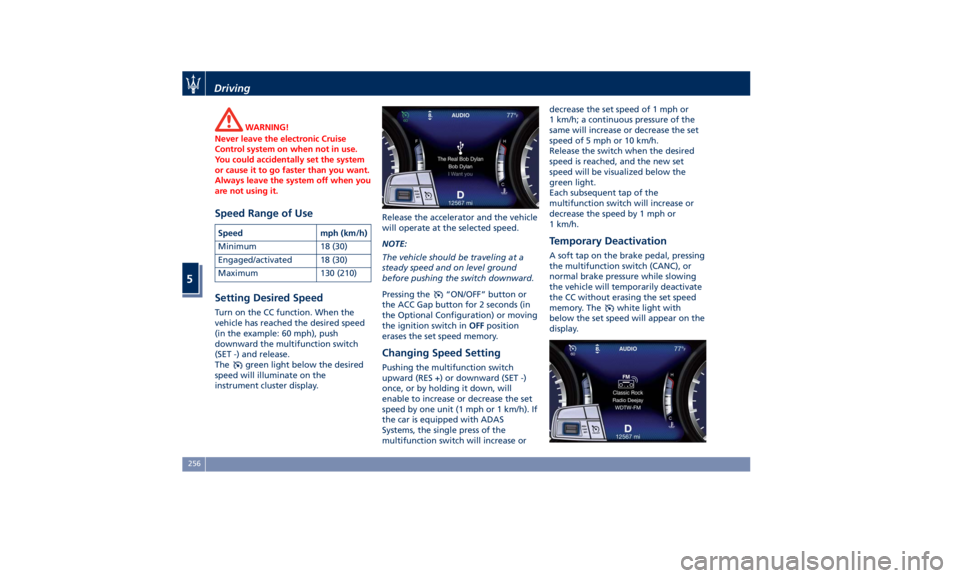
Setting Desired Speed Turn on the CC function. When the
vehicle has reached the desired speed
(in the example: 60 mph), push
downward the multifunction switch
(SET -) and release.
The
green light below the desired
speed will illuminate on the
instrument cluster display. Release the accelerator and the vehicle
will operate at the selected speed.
NOTE:
The vehicle should be traveling at a
steady speed and on level ground
before pushing the switch downward.
Pressing the
“ON/OFF” button or
the ACC Gap button for 2 seconds (in
the Optional Configuration) or moving
the ignition switch in OFF position
erases the set speed memory.
Changing Speed Setting Pushing the multifunction switch
upward (RES +) or downward (SET -)
once, or by holding it down, will
enable to increase or decrease the set
speed by one unit (1 mph or 1 km/h). If
the car is equipped with ADAS
Systems, the single press of the
multifunction switch will increase or decrease the set speed of 1 mph or
1 km/h; a continuous pressure of the
same will increase or decrease the set
speed of 5 mph or 10 km/h.
Release the switch when the desired
speed is reached, and the new set
speed will be visualized below the
green light.
Each subsequent tap of the
multifunction switch will increase or
decrease the speed by 1 mph or
1 km/h.
Temporary Deactivation A soft tap on the brake pedal, pressing
the multifunction switch (CANC), or
normal brake pressure while slowing
the vehicle will temporarily deactivate
the CC without erasing the set speed
memory. The
white light with
below the set speed will appear on the
display.Driving
5
256
Page 261 of 396
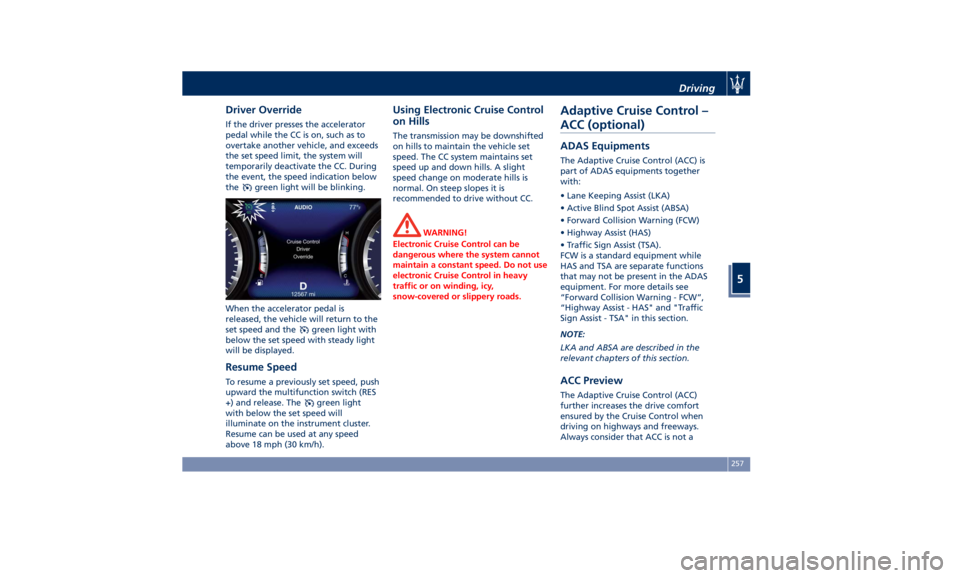
Driver Override If the driver presses the accelerator
pedal while the CC is on, such as to
overtake another vehicle, and exceeds
the set speed limit, the system will
temporarily deactivate the CC. During
the event, the speed indication below
the
green light will be blinking.
When the accelerator pedal is
released, the vehicle will return to the
set speed and the
green light with
below the set speed with steady light
will be displayed.
Resume Speed To resume a previously set speed, push
upward the multifunction switch (RES
+) and release. The
green light
with below the set speed will
illuminate on the instrument cluster.
Resume can be used at any speed
above 18 mph (30 km/h). Using Electronic Cruise Control
on Hills The transmission may be downshifted
on hills to maintain the vehicle set
speed. The CC system maintains set
speed up and down hills. A slight
speed change on moderate hills is
normal. On steep slopes it is
recommended to drive without CC.
WARNING!
Electronic Cruise Control can be
dangerous where the system cannot
maintain a constant speed. Do not use
electronic Cruise Control in heavy
traffic or on winding, icy,
snow-covered or slippery roads.Adaptive Cruise Control –
ACC (optional) ADAS Equipments The Adaptive Cruise Control (ACC) is
part of ADAS equipments together
with:
• Lane Keeping Assist (LKA)
• Active Blind Spot Assist (ABSA)
• Forward Collision Warning (FCW)
• Highway Assist (HAS)
• Traffic Sign Assist (TSA).
FCW is a standard equipment while
HAS and TSA are separate functions
that may not be present in the ADAS
equipment. For more details see
“Forward Collision Warning - FCW”,
“Highway Assist - HAS" and "Traffic
Sign Assist - TSA" in this section.
NOTE:
LKA and ABSA are described in the
relevant chapters of this section.
ACC Preview The Adaptive Cruise Control (ACC)
further increases the drive comfort
ensured by the Cruise Control when
driving on highways and freeways.
Always consider that ACC is not aDriving
5
257
Page 262 of 396
safety system and is not designed to
prevent accidents.
The ACC allows driver to keep Cruise
Control active in limited or moderate
traffic conditions with no need to
constantly restore the Cruise Control.
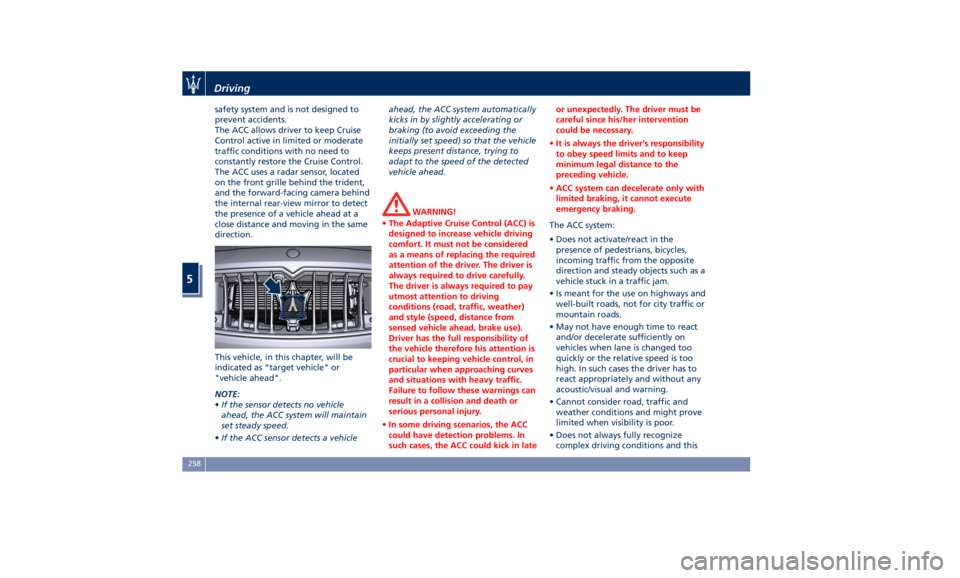
The ACC uses a radar sensor, located
on the front grille behind the trident,
and the forward-facing camera behind
the internal rear-view mirror to detect
the presence of a vehicle ahead at a
close distance and moving in the same
direction.
This vehicle, in this chapter, will be
indicated as "target vehicle" or
"vehicle ahead".
NOTE:
• If the sensor detects no vehicle
ahead, the ACC system will maintain
set steady speed.
• If the ACC sensor detects a vehicle ahead, the ACC system automatically
kicks in by slightly accelerating or
braking (to avoid exceeding the
initially set speed) so that the vehicle
keeps present distance, trying to
adapt to the speed of the detected
vehicle ahead.
WARNING!
• The Adaptive Cruise Control (ACC) is
designed to increase vehicle driving
comfort. It must not be considered
as a means of replacing the required
attention of the driver. The driver is
always required to drive carefully.
The driver is always required to pay
utmost attention to driving
conditions (road, traffic, weather)
and style (speed, distance from
sensed vehicle ahead, brake use).
Driver has the full responsibility of
the vehicle therefore his attention is
crucial to keeping vehicle control, in
particular when approaching curves
and situations with heavy traffic.
Failure to follow these warnings can
result in a collision and death or
serious personal injury.
• In some driving scenarios, the ACC
could have detection problems. In
such cases, the ACC could kick in late or unexpectedly. The driver must be
careful since his/her intervention
could be necessary.
• It is always the driver’s responsibility
to obey speed limits and to keep
minimum legal distance to the
preceding vehicle.
• ACC system can decelerate only with
limited braking, it cannot execute
emergency braking.
The ACC system:
•
Does not activate/react in the
presence of pedestrians, bicycles,
incoming traffic from the opposite
direction and steady objects such as a
vehicle stuck in a traffic jam.
• Is meant for the use on highways and
well-built roads, not for city traffic or
mountain roads.
• May not have enough time to react
and/or decelerate sufficiently on
vehicles when lane is changed too
quickly or the relative speed is too
high. In such cases the driver has to
react appropriately and without any
acoustic/visual and warning.
• Cannot consider road, traffic and
weather conditions and might prove
limited when visibility is poor.
• Does not always fully recognize
complex driving conditions and thisDriving
5
258