battery MAZDA CX30 2023 Owner's Guide
[x] Cancel search | Manufacturer: MAZDA, Model Year: 2023, Model line: CX30, Model: MAZDA CX30 2023Pages: 595, PDF Size: 21.06 MB
Page 217 of 595

▼Garage Door Two-Way
Communication
The garage door two-way
communication is a function that
communicates with the garage door
opener and indicates whether the
garages door is open or closed using
the indicator lights in the rear view
mirror. It can indicate the status of the
garage door within a range up-to 250
m (820 ft).
NOTE
The communication range may shorten
depending on obstructions.
Programming two-way
communication
Within five seconds after programming
a new HomeLink button, both of the
garage door status indicator lights will
flash rapidly in green indicating that
the garage door two-way
communication has been established.
If the garage door status indicator
lights flash, the two-way
communication programming is
complete.
If the garage door status indicator
lights do not flash, the two-way
communication programming is not
completed. For additional HomeLink
information and programming videos,
refer to the following Websites:
www.HomeLink.comwww.youtube.com/
HomeLinkGentex
Operating the garage door two-way
communication
By pressing HomeLink buttons 1 and 2
at the same time for two seconds, the
status of the garage door is indicated
for about 3 seconds as follows:
1. HomeLink button 2
2. HomeLink button 1
Garage door
status Indicator light
Closing Amber flashes
Opening Amber flashes
ClosedGreen turns on
Opened Green turns on
NOTE
The programming will not be erased
even if the battery is disconnected.
When Driving
Switches and Controls
4-70
CX-30_8LD3-EA-22J_Edition1_new
2022-6-7 13:06:59
Page 219 of 595

▼Electric Parking Brake (EPB)
The EPB system applies the parking
brake using an electric motor. The
system can operate automatically and
manually.
The EPB switch indicator light turns on
when applying the parking brake and it
turns off when releasing the parking
brake.
1. Indicator light
WARNING
Do not drive the vehicle with the
parking brake applied:
If the vehicle is driven with the parking
brake applied, the brake parts may
generate heat and the brake system
may not operate, leading to an
accident.
Before driving the vehicle, release the
parking brake and make sure that the
EPB indicator light in the instrument
cluster turns off.
Apply the parking brake when leaving
the vehicle:
Not applying the parking brake when
parking the vehicle is dangerous as the
vehicle may move unexpectedly and
result in an accident. Before leaving the
vehicle, apply the parking brake and
make sure that the EPB indicator light
in the instrument cluster turns on.
NOTE
The parking brake cannot be applied
or released while the vehicle battery
is dead.
Refer to If a Jump-Starting on page
7-13.
When the charging system warning
light in the instrument cluster turns
on, the parking brake cannot be
applied after switching the ignition
OFF. Before switching the ignition
OFF, apply the parking brake
manually.
The sound of the parking brake being
applied or released can be heard,
however, this does not indicate a
problem.
If the EPB is not used for long
periods, an automatic inspection of
the system is performed while the
vehicle is parked. An operation
sound can be heard, however, this
does not indicate a problem.
When applying the parking brake
and switching OFF the ignition, an
operation sound can be heard,
however, this does not indicate a
problem.
The brake pedal may move while
applying or releasing the parking
brake, however, this does not
indicate a problem.
If the parking brake is applied with
the ignition switched OFF or in ACC,
the EPB indicator light in the
instrument cluster and the indicator
light in the switch may turn on for 15
seconds.
When using an automatic car wash
which moves the vehicle with the
front tires mounted, it is necessary to
cancel the parking brake auto
operation before the vehicle enters
the automatic car wash. For details,
refer to Canceling the parking brake
automatic operation.
When Driving
Brake
4-72
CX-30_8LD3-EA-22J_Edition1_new
2022-6-7 13:06:59
Page 252 of 595

2. Detection areas
WARNING
Always check the surrounding area
visually before making an actual lane
change:
The system is only designed to assist
you in checking for vehicles at your rear
when making a lane change. Due to
certain limitations with the operation
of this system, the BSM warning
indicator light, the warning sound and
the warning screen indicator display
may not activate or they might be
delayed even though a vehicle is in an
adjacent driving lane. Always make it
your responsibility as a driver to check
the rear.
NOTE
The BSM will operate when all of the
following conditions are met:
The ignition is switched ON.The i-ACTIVSENSE warning
indication/warning light in the
instrument cluster is turned off.
The vehicle speed is about 10
km/h (6.3 mph) or faster.
The BSM will not operate under the
following circumstances.
The vehicle speed falls below
about 10 km/h (6.3 mph) even
though the i-ACTIVSENSE warning
indication/warning light is turned
off.
The selector lever is shifted to
reverse (R) and the vehicle is
reversing.
The turning radius is small (making
a sharp turn, turning at
intersections).
In the following cases, the
i-ACTIVSENSE warning indication/
warning light turns on and operation
of the system is stopped. If the
i-ACTIVSENSE warning indication/
warning light remains illuminated,
have the vehicle inspected at an
Authorized Mazda Dealer as soon as
possible.
Some problem with the system
including the BSM warning
indicator lights is detected.
A large deviation in the installation
position of a rear side radar sensor
on the vehicle has occurred.
There is a large accumulation of
snow or ice on the rear bumper
near a rear side radar sensor.
Remove any snow, ice or mud on
the rear bumper.
Driving on snow-covered roads for
long periods.
The temperature near the rear side
radar sensor becomes extremely
hot due to driving for long periods
on slopes during the summer.
The battery voltage has decreased.Under the following conditions, the
rear side radar sensor cannot detect
target objects or it may be difficult to
detect them.
The rear bumper around the rear
side radar sensor is deformed.
Radio wave interference from a
radar sensor equipped on a nearby
vehicle.
The approaching vehicle is any of
the following shapes.
a) The size of the vehicle body is
extremely small.
b) The vehicle height is extremely
low or high.
c) A special type of vehicle with a complex shape.
When Driving
i-ACTIVSENSE
4-105
CX-30_8LD3-EA-22J_Edition1_new 2022-6-7 13:06:59
Page 270 of 595

The temperature near the radar
sensors becomes extremely hot
due to driving for a long time on
slopes during the summer.
The battery voltage has decreased.The front side radar sensor of the
FCTA may be regulated under the
radio wave related laws of the
country where the vehicle is driven.
If this system is used abroad, it may
be necessary to turn off the system.
Refer to Front Side Radar Sensor
on page 4-203.
▼Canceling Operation of Front
Cross Traffic Alert (FCTA)
The FCTA can be set to inoperable.
(If only the FCTA is turned
off)
Refer to the Settings section in the
Mazda Connect Owner's Manual.
(If the FCTA is turned off by
operating the i-ACTIVSENSE OFF
switch)
Refer to i-ACTIVSENSE OFF Switch
on page 4-97.
NOTE
If the ignition is switched OFF while
you have canceled the system using the
i-ACTIVSENSE OFF switch, the system
is automatically enabled the next time
the ignition is switched ON. However,
if the system is canceled using the
personalization features, the system is
not automatically enabled.
Rear Cross Traffic Alert
(RCTA)
*
▼Rear Cross Traffic Alert (RCTA)
The RCTA system is designed to assist
the driver in checking the area to the
rear left and right sides of your vehicle
while your vehicle is reversing by
alerting the driver to the presence of
vehicles approaching the rear of your
vehicle.
The RCTA system detects vehicles
approaching from the rear left and
right sides of your vehicle and the rear
of your vehicle while your vehicle is
being reversed out of a parking space,
and notifies the driver of possible
danger using the Blind Spot Monitoring
(BSM) warning indicator lights and the
warning buzzer.
1. Your vehicle
2. Detection areas
When Driving
i-ACTIVSENSE
*Some models.4-123
CX-30_8LD3-EA-22J_Edition1_new
2022-6-7 13:06:59
Page 272 of 595

A vehicle approaching from the
rear left and right side of your
vehicle makes a right or left turn
directly in front of your vehicle.
A vehicle overtakes your vehicle
while it is stopped.
Your vehicle is in an area where
strong radio waves or electrical
noise may occur such as near a
television tower or power plant.
In the following cases, the
i-ACTIVSENSE warning indication/
warning light turns on and operation
of the system is stopped. If the
i-ACTIVSENSE warning indication/
warning light remains illuminated,
have the vehicle inspected at an
Authorized Mazda Dealer as soon as
possible.
Some problem with the system
including the Blind Spot
Monitoring (BSM) warning
indicator lights has occurred.
A large deviation in the installation
position of a rear side radar sensor
on the vehicle has occurred.
There is a large accumulation of
snow or ice on the rear bumper
near a rear side radar sensor.
Driving on snow-covered roads for
long periods.
The temperature near the radar
sensors becomes extremely hot
due to driving for long periods on
slopes during the summer.
The battery voltage has decreased.Under the following conditions, the
rear side radar sensor cannot detect
approaching vehicles or it might be
difficult to detect them, and the
system may not operate normally.
The vehicle speed when reversing
is about 15 km/h (9 mph) or
faster.
The rear side radar sensor
detection area is obstructed by a
nearby wall or parked vehicle.
(Reverse the vehicle to a position
where the radar sensor detection
area is no longer obstructed.)
1. Your vehicle
A vehicle is approaching directly
from the rear of your vehicle.
1. Your vehicle
The vehicle is parked at an angle.
1. Your vehicle
Directly after the RCTA system
becomes operable using the
personalization feature.
Radio wave interference from a
radar sensor equipped on a nearby
parked vehicle.
When Driving
i-ACTIVSENSE
4-125
CX-30_8LD3-EA-22J_Edition1_new 2022-6-7 13:06:59
Page 308 of 595

The vehicle speed is about 10 km/h
(6.2 mph) or slower.
The vehicle speed of an approaching
vehicle is about 3 km/h (2 mph) or
faster.
There is no problem with the DSC.
NOTE
When any of the following
conditions is met, the i-ACTIVSENSE
warning indication/warning light is
turned on and the system operation
is stopped. If the i-ACTIVSENSE
warning indication/warning light
remains on, have the vehicle
inspected by an Authorized Mazda
Dealer as soon as possible.
There is a problem with the
system.
A large deviation in the installation
position of a rear side radar sensor
on the vehicle has occurred.
Snow, ice, or mud is adhering
around a rear side radar sensor.
The temperature around a rear side
radar sensor is high.
Driving on snow-covered roads for
long periods.
The battery voltage has decreased.When any of the following
conditions is met, the Rear Crossing
detection function will not detect
approaching vehicles or they may be
difficult to detect.
The rear side radar sensor
detection area is obstructed by a
nearby wall or parked vehicle.
(Reverse the vehicle to a position
where the radar sensor detection
area is no longer obstructed.)
1. Your vehicle
A vehicle is approaching directly
from the rear of your vehicle.
1. Your vehicle
The vehicle is parked on a slant.
1. Your vehicle
When Driving
i-ACTIVSENSE
4-161
CX-30_8LD3-EA-22J_Edition1_new 2022-6-7 13:06:59
Page 313 of 595

Also, before using the system, always
make sure that the vehicle can be
parked/stopped in the parking/
stopping space.
NOTE
If there are water droplets, snow, or
mud on the camera lens, wipe it off
using a soft cloth. If the camera lens
is especially dirty, wash it off with
mild detergent.
If the camera lens is touched or there
is any dirt on it, it could affect the
screen image. Wipe the lens using a
soft cloth.
If the area where the camera is
installed, such as the front bumper,
liftgate or door mirrors, has been
damaged in a vehicle accident, the
camera (position, installation angle)
may have shifted. Always consult an
Authorized Mazda Dealer to have
the vehicle inspected.
If the camera is subjected to
excessive changes in temperature
such as by pouring hot water on the
camera during cold weather, the
360° View Monitor may not operate
normally.
If the vehicle is driven during cold
temperatures and the camera
temperature decreases, the top view
and the side view may become
unclear. However, this does not
indicate a problem. If the vehicle is
stopped for a while and the camera
temperature increases, the top view
and the side view will return to the
normal condition.
If the battery voltage is low, the
screen might be temporarily difficult
to view, however, this does not
indicate a problem.
The 360° View Monitor has
limitations. Objects under the
bumper or near both ends of the
bumper cannot be displayed.
Obstructions above the upper image
range of the camera are not
displayed.
Under the following conditions, the
screen might be difficult to view,
however this does not indicate a
problem.
The temperature near the lens is
high/low.
Rainy conditions, water droplets
on the camera, or high humidity.
Mud or foreign matter near the
camera.
The area around the vehicle is
dark.
Extremely bright light such as
sunlight or headlights hitting the
camera lens directly.
The surroundings are illuminated
by vehicle lights, fluorescent lights,
or LED lights (display may flicker).
Extremely small dark or white dots
appear on the screen (dots may
flicker).
An object is close to a camera.Because the 360° View Monitor
camera uses a special lens, the
distance displayed on the screen
differs from the actual distance.
Obstructions displayed on the screen
may appear differently than in
actuality. (Obstructions may appear
fallen, larger, or longer than they
actually are.)
Do not apply stickers to a camera or
the area around it. In addition, do
not install accessories or an
illuminated number/character
license plate to the area around a
camera. Otherwise, the camera may
not correctly displa y the surrounding
conditions.
When Driving
i-ACTIVSENSE
4-166
CX-30_8LD3-EA-22J_Edition1_new 2022-6-7 13:06:59
Page 349 of 595

NOTE
When the vehicle is driven on roads
in which there is an elevated road on
one side, the front radar sensor
function may be restricted
temporarily.
Under the following conditions, the
front radar sensor may not be able to
detect vehicles ahead or obstructions
correctly and each system may not
operate normally.
The rear surface of a vehicle ahead
does not reflect radio waves
effectively, such as an unloaded
trailer or an automobile with a
loading platform covered by a soft
top, vehicles with a hard plastic
tailgate, and round-shaped
vehicles.
Vehicles ahead with low vehicle
height and thus less area for
reflecting radio waves.
Visibility is reduced due to a
vehicle ahead casting off water,
snow, or sand from its tires and
onto your windshield.
The luggage compartment is
loaded with heavy objects or the
rear passenger seats are occupied.
Ice, snow, or soiling is on the front
surface of the front emblem.
During inclement weather such as
rain, snow, or sand storms.
When driving near facilities or
objects emitting strong radio
waves.
Under the following conditions, the
front radar sensor may not be able to
detect vehicles ahead or
obstructions.
The beginning and end of a curve.Roads with continuous curves.Narrow lane roads due to road
construction or lane closures.
The vehicle ahead enters the radar
sensor's blind spot.
The vehicle ahead is running
abnormally due to accident or
vehicle damage.
Roads with repeated up and down
slopes
Driving on poor roads or unpaved
roads.
The distance between your vehicle
and the vehicle ahead is extremely
short.
A vehicle suddenly comes close,
such as by cutting into your lane.
To prevent incorrect operation of the
system, use tires of the same
specified size, manufacturer, brand,
and tread pattern on all four wheels.
In addition, do not use tires with significantly different wear patterns
or tire pressures on the same vehicle
(Including the temporary spare tire).
If the battery power is weak, the
system may not operate correctly.
When driving on roads with little traffic and few vehicles ahead or
obstructions for the front radar
sensor to detect, “Safety and Driver
Support Systems Temporarily
Disabled. Front Radar Obscured.
Drive Safely” may be temporarily
displayed, however, this does not
indicate a problem.
The radar sensors are regulated by
the relevant radio wave laws of the
country in which the vehicle is
driven. If the vehicle is driven
abroad, authorization from the
country in which the vehicle is driven
may be required.
When Driving
i-ACTIVSENSE
4-202
CX-30_8LD3-EA-22J_Edition1_new 2022-6-7 13:06:59
Page 360 of 595
Please note that the TPMS is not a
substitute for proper tire
maintenance, and it is the driver's
responsibility to maintain correct tire
pressure, even if under-inflation has
not reached the level to trigger
illumination of the TPMS low tire
pressure telltale.
Your vehicle has also been equipped
with a TPMS malfunction indicator to
indicate when the system is not
operating properly.
The TPMS malfunction indicator is
combined with the low tire pressure
telltale. When the system detects a
malfunction, the telltale will flash for
approximately one minute and then
remain continuously illuminated.
This sequence will continue upon
subsequent vehicle start-ups as long
as the malfunction exists. When the
malfunction indicator is illuminated,
the system may not be able to detect
or signal low tire pressure as
intended. TPMS malfunctions may
occur for a variety of reasons,
including the installation of
replacement or alternate tires or
wheels on the vehicle that prevent
the TPMS from functioning properly.
Always check the TPMS malfunction
telltale after replacing one or more
tires or wheels on your vehicle to
ensure that the replacement or
alternate tires and wheels allow the
TPMS to continue to function
properly.
To avoid false readings, the system
samples for a little while before
indicating a problem. As a result it
will not instantaneously register a
rapid tire deflation or blow out.▼ If there is a problem with the Tire
Pressure Monitoring System
(TPMS)
If the TPMS warning light flashes, there
may be a problem with the system.
Consult an Authorized Mazda Dealer
to have the system inspected.
Refer to Tire Pressure Monitoring
System (TPMS) Warning Indication/
Warning Light (Flashing) on page
7-28.
In the following cases, the system
cannot recognize the tire pressures
correctly and the TPMS warning light
may
flash.
There is equipment or a device
nearby emitting radio signals the
same as a tire pressure sensor.
A metallic object such as a
non-genuine electronic device is
installed near the center of the
dashboard (obstructs the radio
signals from the tire pressure sensors
to the receiver).
A device such as one of the following
is used in the cabin.
Electronic devices such as a
computer.
Converter devices such as a
DC-AC converter.
There is a large accumulation of
snow or ice around the vehicle tires.
The battery in a tire pressure sensor
is dead.
A wheel not equipped with a tire
pressure sensor is used.
Tires employing steel in the sidewall
of the tire are installed.
Tire chains are used.
When Driving
Tire Pressure Monitoring System (TPMS)
4-213
CX-30_8LD3-EA-22J_Edition1_new 2022-6-7 13:06:59
Page 387 of 595
Operating Tips
▼Operating Tips
Operate the climate control system
with the engine running.
To prevent the battery from being
discharged, do not leave the fan
control switch on for a long period of
time with the ignition switched ON
when the engine is not running.
(With i-stop)
The airflow amount may decrease
slightly while the i-stop function is
operating.
Clear all obstructions such as leaves,
snow and ice from the hood and the
air inlet in the cowl grille to improve
the system
efficiency.
Use the climate control system to
defog the windows and dehumidify
the air.
The recirculate mode should be used
when driving through tunnels or
while in a traffic jam, or when you
would like to shut off outside air for
quick cooling of the interior.
Use the outside air position for
ventilation or windshield defrosting.
If the vehicle has been parked in
direct sunlight during hot weather,
open the windows to let warm air
escape, then run the climate control
system.
Run the air conditioner about 10
minutes at least once a month to
keep internal parts lubricated.
Have the air conditioner checked
before the weather gets hot. Lack of
refrigerant may make the air
conditioner less efficient.
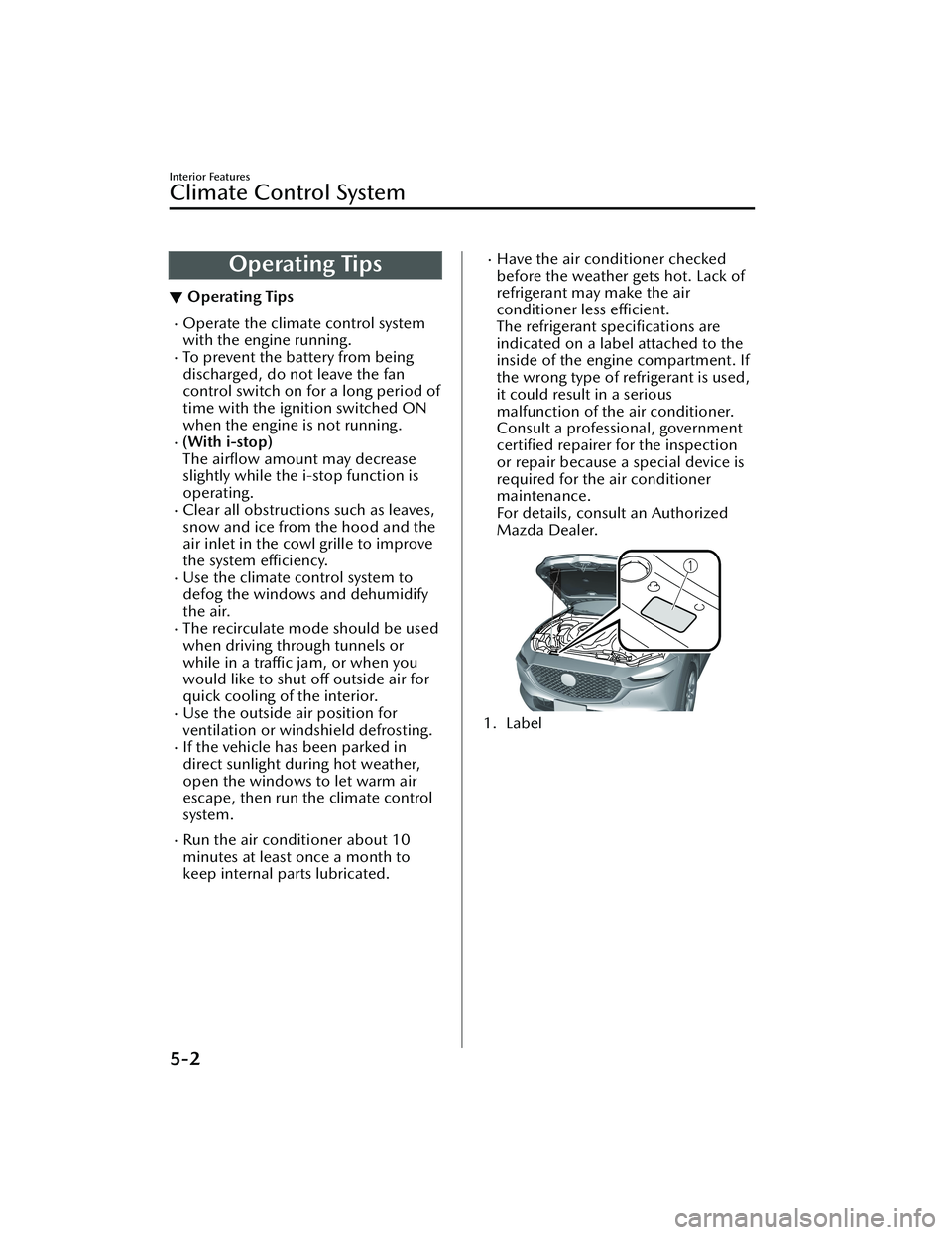
The refrigerant specifications are
indicated on a label attached to the
inside of the engine compartment. If
the wrong type of refrigerant is used,
it could result in a serious
malfunction of the air conditioner.
Consult a professional, government certified repairer for the inspection
or repair because a special device is
required for the air conditioner
maintenance.
For details, consult an Authorized
Mazda Dealer.
1. Label
Interior Features
Climate Control System
5-2
CX-30_8LD3-EA-22J_Edition1_new 2022-6-7 13:06:59