ad blue MAZDA CX9 2023 Owner's Manual
[x] Cancel search | Manufacturer: MAZDA, Model Year: 2023, Model line: CX9, Model: MAZDA CX9 2023Pages: 739, PDF Size: 11.69 MB
Page 487 of 739

▼Appendix
Gracenote® Database
When a USB device or Bluetooth® device is connected to this unit and the audio is played,
the album name, artist name, genre and title information are automatically displayed if there
is a match in the vehicle's database compilation to the music b eing played. The information
stored in this device uses database information in the Gracenot e
® music recognition service.
This application or device contains software from Gracenote, In c. of Emeryville, California
(“Gracenote”). The software from G racenote (the “Gracenote Software”) enables this
application to perform disc an d/or file identification and obta in music-related information,
including name, artist, track, and title information (“Gracenot e Data”) from online servers or
embedded databases (collectively, “Gracenote Servers”) and to p erform other functions. You
may use Gracenote Data only by means of the intended End-User f unctions of this
application or device.
You agree that you will use Gra cenote Data, the Gracenote Softw are, and Gracenote Servers
for your own personal non-commercial use only. You agree not to assign, copy, transfer or
transmit the Gracenote Software or any Gracenote Data to any third party. YOU AGREE
NOT TO USE OR EXPLOIT GRACENOTE DATA, THE GRACENOTE SOFTWARE,
OR GRACENOTE SERVERS, EXCEPT AS EXPRESSLY PERMITTED HEREIN.
You agree that your non-exclusive license to use the Gracenote Data, the Gracenote
Software, and Gracenote Servers w ill terminate if you violate these restrictions. If your
license terminates, you agree to cease any and all use of the Gracenote Data, the Gracenote
Software, and Gracenote Servers. Gracenote reserves all rights in Gracenote Data, the
Gracenote Software, and the Gracenote Servers, including all ow nership rights. Under no
circumstances will Gracenote become liable for any payment to y ou for any information that
you provide. You agree that Gracenote, Inc. may enforce its rig hts under this Agreement
against you directly in its own name.
The Gracenote service uses a unique identifier to track queries for statistical purposes. The
purpose of a randomly assigned numeric identifier is to allow t he Gracenote service to count
queries without knowing anything about who you are. For more in formation, see the web
page for the Gracenote Privacy Policy for the Gracenote service .
The Gracenote Software and each item of Gracenote Data are lice nsed to you “AS IS.”
Gracenote makes no representations or warranties, express or implied, regarding the
accuracy of any Gracenote Data from in the Gracenote Servers. G racenote reserves the right
to delete data from the Gracenote Servers or to change data cat egories for any cause that
Gracenote deems sufficient. No warranty is made that the Gracen ote Software or Gracenote
Servers are error-free or that f unctioning of Gracenote Softwar e or Gracenote Servers will
be uninterrupted. Gra cenote is not obligated to provide you wit h new enhanced or additional
data types or categories that Gracenote may provide in the futu re and is free to discontinue
its services at any time.
Interior Features
Mazda Connect [Mazda Connect (Type A)]
5-26
CX-9_8LJ2-EA-22H_Edition1_old 2022-6-9 13:33:08
Page 493 of 739

iPhone 6s Plus
iPhone 6s
iPhone 6 Plus
iPhone 6
iPhone 5s
iPhone 4s
iPod touch (7th generation)
iPod touch (6th generation)
iPod touch (5th generation)
Google, Android, Android Auto and other related marks are trademarks of Google LLC.
AudioPilot is a registered trademark of Bose Corporation.
Centerpoint is a registered tr ademark of Bose Corporation.
Windows Media and Microsoft are registered trademarks of Micros oft Corporation U.S.
in the United States a nd other countries.
This product is protected by cert ain intellectual property rights of Microsoft Corporation
and third parties.
Use or distribution of such technology outside of this product is prohibited without a
license from Microsoft or an authorized Microsoft subsidiary and third parties.
The Bluetooth® word mark and logos are registered trademarks owned by Bluetoo th SIG,
Inc. and any use of such marks by Panasonic Corporation is unde r license. Other
trademarks and trade names are those of their respective owners .
SDHC Logo is a trademark of SD-3C, LLC.
Interior Features
Mazda Connect [Mazda Connect (Type A)]
5-32
CX-9_8LJ2-EA-22H_Edition1_old 2022-6-9 13:33:08
Page 496 of 739

2. Bluetooth® Audio/Hands-Free Call/SMS (Short Message Service)
3. USB Audio/USB Video
4. USB port
*1/SD card slot*2
5. SD card (Navigation system)*
*
1 The location of the USB slot differs depending on the vehicle specifications.
*2 The SD card slot is for the navigation system only. For vehicles with the navigation
system, the SD card (Mazda genuine) with stored map data is ins erted into the SD card
slot.
No. Menu Explanation
(1) Information Fuel Efficiency Monitor:
Monitor fuel efficienc
y in real time and view fuel efficiency h istory.
SiriusXM Travel Link
*:
Access traffic information, weathe r, parking information and sports scores.
Vehicle Status Monitor:
View important vehicle mainten ance messages, information, and i ntervals.
(2) Entertainment FM
AM
SiriusXM
*
Pandora*
Bluetooth
USB1 Audio/USB2 Audio
USB1 Video/USB2 Video
Audio Off
(3) Notifications Displays text messages received by the mobile device paired to
Mazda Con‐
nect and notifications from the vehicle.
(4) Communication By connecting your mobile device,
such as a Smartphone, to Mazda Connect
via Bluetooth
®, you can use the hands-free call and short message functions.
(5) Navigation The navigation system (vehicles
with navigation system) can be used when
the SD card for the navigation system is inserted.
If the SD card for the navigation system is not inserted, the c ompass indicat‐
ing the direction in which the v ehicle is moving is displayed. The compass
may not indicate the correct bear ing when the vehicle is stopped or traveling
at a slow speed.
For the navigation system operation, refer to the navigation sy stem manual.
Interior Features
Mazda Connect [Mazda Connect (Type B)]
*Some models.5-35
CX-9_8LJ2-EA-22H_Edition1_old 2022-6-9 13:33:08
Page 497 of 739

No. MenuExplanation
(6) Settings You can change the settings for t
he Mazda Connect screen, sound settings,
and the vehicle functions.
In-Vehicle Displays:
Configures settings and content for all in-vehicle displays.
Sound Settings:
Configures the in-vehicle listening experience.
Safety Settings:
Configures safety and driver assistance features.
Vehicle Settings:
Configures vehicle convenience features.
Connectivity Settings:
Configures Bluetooth and other device connectivity settings.
System Settings:
Configures language, time, and other general settings.
(7) Apple CarPlay You can use Apple CarPlay
™ by connecting an iPhone
® compatible with
Apple CarPlay™ to the USB port.
(8) Android Auto You can use Android Auto™ by connecting an Android™ Smartphone
com‐
patible with Android Auto™ to the USB port.
WA R N I N G
Always adjust Mazda Connect while the vehicle is stopped:
Do not adjust Mazda Connect with the Commander switch while driving the vehicle.
Adjusting Mazda Connect with the Commander switch while driving the vehicle is dangerous
as it could distract your attention from the vehicle operation which could lead to a serious
accident.
Even if the audio remote control switches are eq uipped on the steering wheel, learn to use the
switches without looking down at them so that you can keep your maximum attention on the
road while driving the vehicle.
Do not allow the connection plug cord to get tangled with the selector lever:
Allowing the plug cord to become tangled with the selector lever is dangerous as it could
interfere with driving, resulting in an accident.
Interior Features
Mazda Connect [Mazda Connect (Type B)]
5-36
CX-9_8LJ2-EA-22H_Edition1_old 2022-6-9 13:33:08
Page 501 of 739
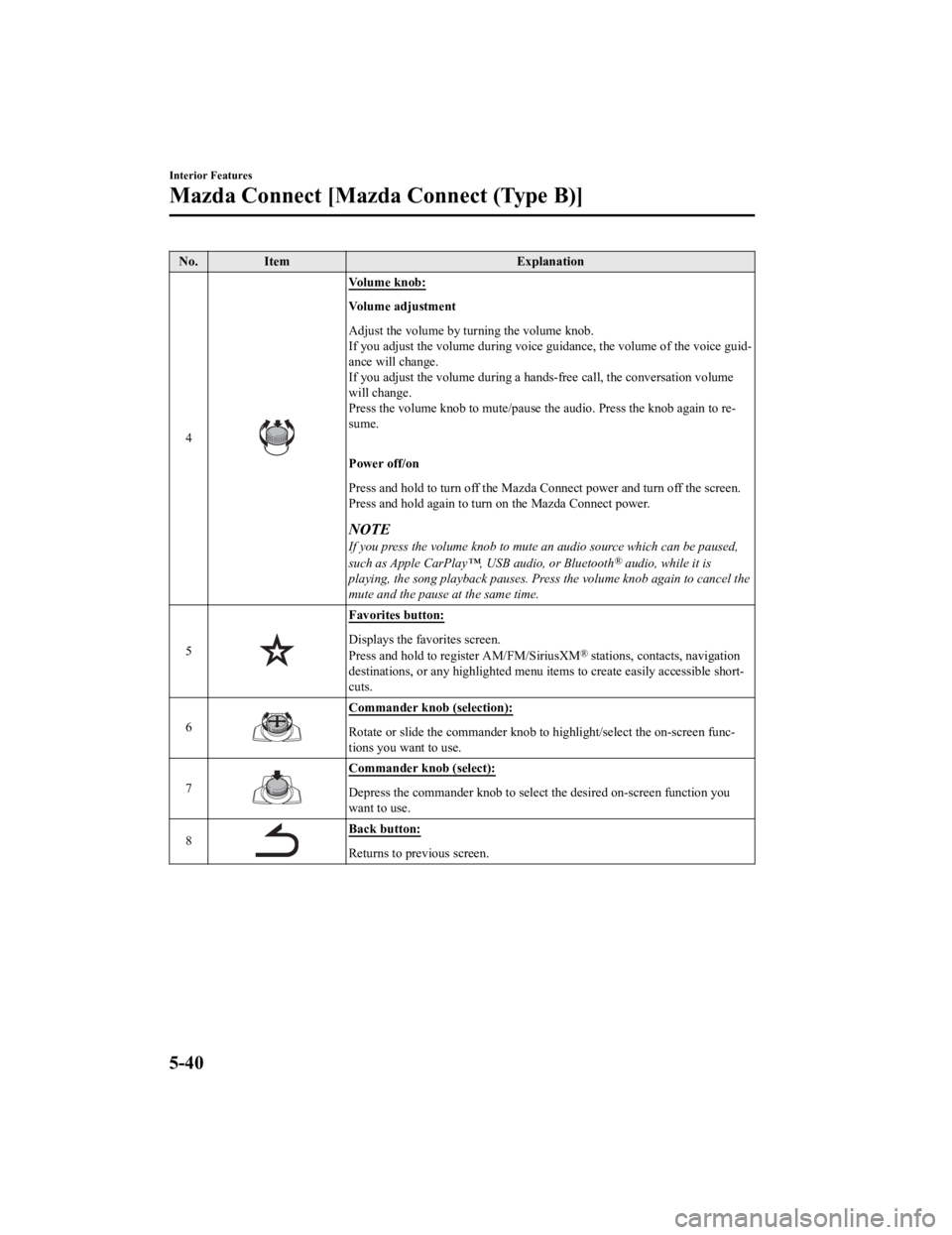
No.Item Explanation
4
Vo l u m e k n o b :
Vo l u m e a d j u s t m e n t
Adjust the volume by turning the volume knob.
If you adjust the volume during voice guidance, the volume of t he voice guid‐
ance will change.
If you adjust the volume during a hands-free call, the conversa tion volume
will change.
Press the volume knob to mute/pause the audio. Press the knob a gain to re‐
sume.
Power off/on
Press and hold to turn off the Mazda Connect power and turn off the screen.
Press and hold again to turn on the Mazda Connect power.
NOTE
If you press the volume knob to mute an audio source which can be paused,
such as Apple CarPlay™, USB audio, or Bluetooth® audio, while it is
playing, the song playback pauses. Press the volume knob again to cancel the
mute and the pause at the same time.
5
Favorites button:
Displays the favorites screen.
Press and hold to register AM/FM/SiriusXM® stations, contacts, navigation
destinations, or any highlighted menu items to create easily accessible short‐
cuts.
6
Commander knob (selection):
Rotate or slide the commander kn ob to highlight/select the on-screen func‐
tions you want to use.
7
Commander knob (select):
Depress the commander knob to sel ect the desired on-screen function you
want to use.
8
Back button:
Returns to previous screen.
Interior Features
Mazda Connect [Mazda Connect (Type B)]
5-40
CX-9_8LJ2-EA-22H_Edition1_old 2022-6-9 13:33:08
Page 502 of 739

▼Audio Remote Control Switch Operation
The audio remote control switch is on the left side of the stee
ring wheel. You can operate
basic audio functions, pick up/hang up the phone, or activate v oice control using the switch.
The shape of the switches may differ depending on the vehicle specifications.
No. Item Explanation
1
Volume adjustment button:
Press the (+) or ( -) button to adjust the volume.
If you adjust the volume during voice guidance, the volume of t he voice guid‐
ance will change.
If you adjust the volume during a hands-free call, the conversa tion volume
will change.
2
(SEEK UP) Seek Switch:Selecting a radio station
Radio stations saved to your Fav
orites can be selected by pressing the seek
switch while listening to FM/AM radio. The station will change to the previ‐
ous or next favorite station each t ime you press the seek switch. If you want
to manually tune to the next available station before or after the currently se‐
lected station, press and hold the seek switch until it beeps a nd the tuner will
select the next available station.
Playback Control
Music and video files can be cued when listening to stored cont ent via USB,
Bluetooth
®, and SiriusXM®, audio, or video.
Slide the volume knob right to s kip to the next track or slide it to the left to go
back to the previous track. You can also slide and hold the vol ume knob to
fast forward or rewind the track.
(SEEK DOWN)
Interior Features
Mazda Connect [Mazda Connect (Type B)]
5-41
CX-9_8LJ2-EA-22H_Edition1_old 2022-6-9 13:33:08
Page 503 of 739

No.Item Explanation
3
Hang-up button:
(During a call)
Press the button to end the call.
(While receiving a call)
Press the button to refuse a call.
4
Talk/Pick-up button:
(While receiving a call)
Press the button to answer the call.
5
Mute button:
Press the button to mute.
Press it again to cancel the mute.
NOTE
If you press the mute button to mute an audio source which can be paused,
such as Apple CarPlay™, USB audio, or Bluetooth® audio, while it is
playing, the song playback pauses. Press the mute button again to cancel the
mute and the pause at the same time.
▼ Operation Using Voice Recognition Function
The shape of the switches may differ depending on the vehicle s
pecifications.
No.Item Explanation
1
Talk/Pick-up button:
When the button is pressed, the voice recognition top screen is displayed and
the voice recognition is activated.
(While voice guidance is being announced)
Press the button to skip the voice guidance.
2
Hang-up button:
Press the button to end the voice recognition.
Interior Features
Mazda Connect [Mazda Connect (Type B)]
5-42
CX-9_8LJ2-EA-22H_Edition1_old 2022-6-9 13:33:08
Page 505 of 739

NOTE
The voice command examples shown in this manual are only a partial list of the available
commands. Some commands may be unusable depending on the vehicle specifications.
Some commands cannot be used depending on the device connection conditions and the
use conditions.
When the Barge-In setting is on, voice commands can be made even while the voice
guidance is being announced. For details on Barge-In, refer to the System Settings section
in the Mazda Connec t Owner's Manual.
For details on voice commands which can be used on the navigation screen, refer to the
navigation system manual.
To prevent misunderstood voice commands, be aware of the follow ing points:
Connect your mobile phone to Bluetooth® before operating the mobile phone using voice
recognition.
After pressing the talk/pick-up button, wait for the beep befor e speaking a command.
Speaking in a slightly louder voice will improve voice recognition, but an excessively
loud voice is unnecessary. Try to speak in a slightly louder voice than when talking to
other passengers in the vehicle.
You do not need to speak slowly. Speak at a normal speed.
When calling a person in the device's phonebook, the recognitio n rate increases the longer
the name is. Errors may occur wi th names that are short such as “Mama”, “Home”, or
“wife”.
Speak clearly, without pausing between words or numbers.
Voice commands other than those specified, cannot be recognized . Speak in the wording
specified by the voice commands.
It is not necessary to face the microphone or be near it. Speak the voice commands while
maintaining a safe driving position.
Close the windows and the moonroof* to reduce loud noises from outside the vehicle and
to prevent the airflow of the air-conditioning system from bein g a disturbance when using
Bluetooth
® Hands-Free.
Make sure that the air flow from the air conditioner is not blowing on the microphone.
If the voice recognition is poor with the guidance volume set to high, set the Barge-In to
OFF.
Interior Features
Mazda Connect [Mazda Connect (Type B)]
5-44*Some models.
CX-9_8LJ2-EA-22H_Edition1_old 2022-6-9 13:33:08
Page 507 of 739

Phone
Dial Phone Number (You can also use “Dial {Phone Number}”.)
Call History
Call a Contact (You can also use “Call {Contact Name}” and “Call {Contact Name} at
{Number Type}”.)
Redial
*1 : Audio source names other than “USB” can also be used as foll ows:
Bluetooth/AM/FM/Sirius XM/Pandora/USB1 Audio/USB2 Audio/USB1 Vid eo/USB2
Vi d e o
▼ Appendix
Gracenote® Database
When connecting a USB audio device or Bluetooth® audio device to this unit and playing
audio, the unit searches the database stored in the vehicle for the album art. If there is a
match in the vehicle's database compilation to the music being played, the album art is
displayed. The database information stored in this device uses database information in the
Gracenote
® music recognitions service.
SiriusXM Travel Link
®*
CAUTION
ADVISORY ONLY
The weather information is subject to service interruptions and may contain errors or
inaccuracies and consequently should not be re lied upon exclusively. You are urged to check
alternate weather information sources prior to making safety related decisions. You
acknowledge and agree that you shall be solely responsible for use of the information and all
decisions taken with respect thereto. By using this weather service, you release and waive any
claims against Sirius XM Radi o Inc. and Mazda Motor Corporat ion and all of their respective
affiliates with regard to this service.
Interior Features
Mazda Connect [Mazda Connect (Type B)]
5-46*Some models.
CX-9_8LJ2-EA-22H_Edition1_old 2022-6-9 13:33:08
Page 513 of 739

Made for
iPhone 7 Plus
iPhone 7
iPhone SE
iPhone 6s Plus
iPhone 6s
iPhone 6 Plus
iPhone 6
iPhone 5s
iPhone 5c
iPhone 5
iPhone 4s
iPod touch (6th generation)
iPod touch (5th generation)
iPod nano (7th generation)
Google, Android, Android Auto and other related marks are trademarks of Google LLC.
AudioPilot is a registered trademark of Bose Corporation.
Centerpoint is a registered tr ademark of Bose Corporation.
Windows Media and Microsoft are registered trademarks of Micros oft Corporation U.S.
in the United States a nd other countries.
This product is protected by cert ain intellectual property rights of Microsoft Corporation
and third parties.
Use or distribution of such technology outside of this product is prohibited without a
license from Microsoft or an authorized Microsoft subsidiary and third parties.
The Bluetooth® word mark and logos are registered trademarks owned by Bluetoo th SIG,
Inc. and any use of such marks by Panasonic Corporation is unde r license. Other
trademarks and trade names are those of their respective owners .
SDHC Logo is a trademark of SD-3C, LLC.
Interior Features
Mazda Connect [Mazda Connect (Type B)]
5-52
CX-9_8LJ2-EA-22H_Edition1_old 2022-6-9 13:33:08