lane assist MAZDA MAZDA 2021 User Guide
[x] Cancel search | Manufacturer: MAZDA, Model Year: 2021, Model line: MAZDA, Model: MAZDA MAZDA 2021Pages: 612, PDF Size: 11.91 MB
Page 238 of 612
Blind Spot Monitoring(BSM)
*
▼Blind Spot Monitoring (BSM)
The BSM is designed to assist the driver
in checking the area to the rear of the
vehicle on both sides during lane
changes by notifying the driver of the
presence of vehicles approaching from
the rear in an adjacent lane.
BSM operation
The BSM detects vehicles approaching
from the rear while traveling in the
forward direction at a speed of 10
km/h (6.3 mph) or faster and notifies
the driver by turning on the BSM
warning indicator light and displaying
the vehicle detection screen.
If the turn signal lever is operated to
signal a turn in the direction in which
the BSM warning indicator light is
illuminated while the approaching
vehicle is detected, the BSM
notifies
the driver of possible danger flashing
on the BSM warning indicator light,
and by activating the warning sound
and the warning screen indicator
display.
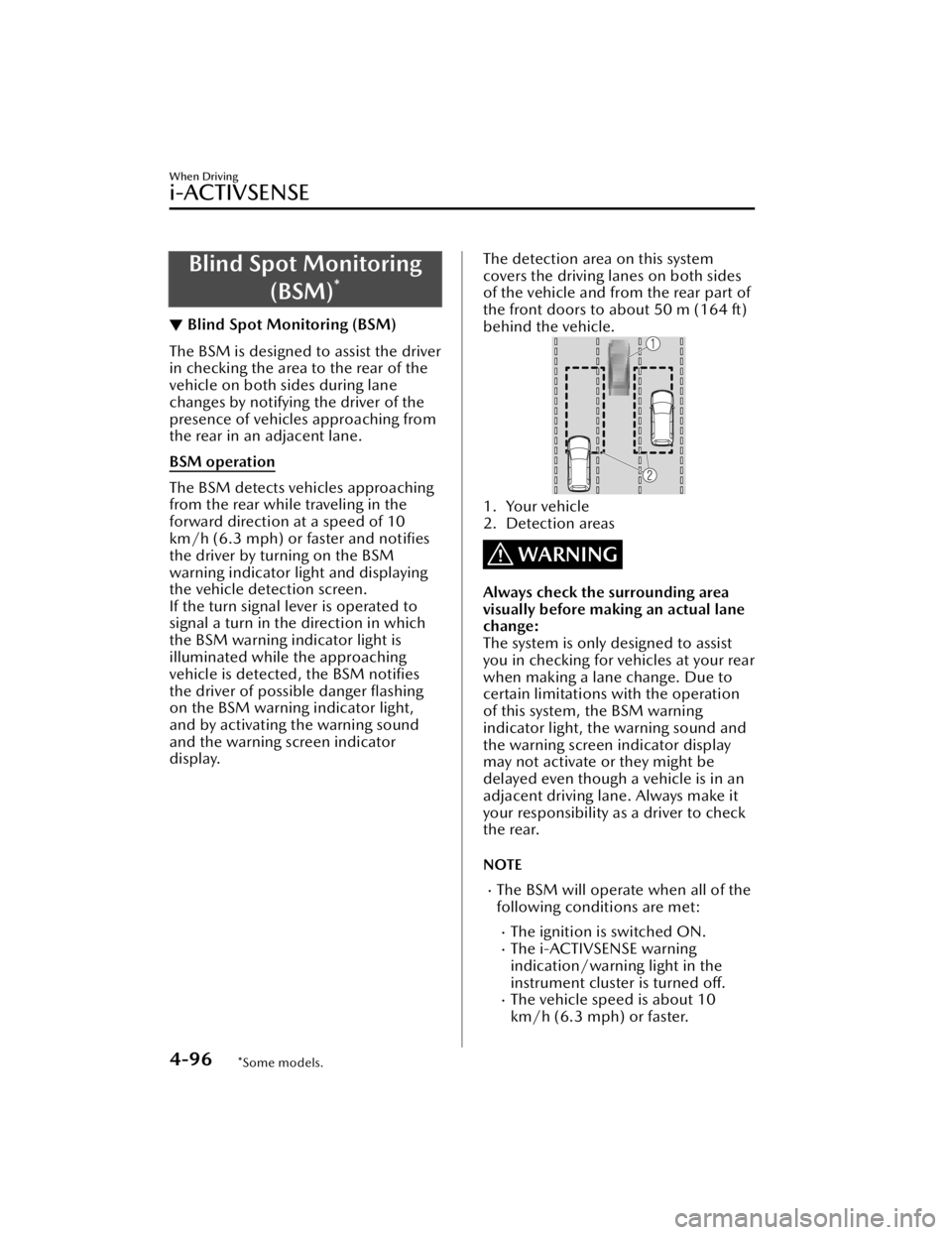
The detection area on this system
covers the driving lanes on both sides
of the vehicle and from the rear part of
the front doors to about 50 m (164 ft)
behind the vehicle.
1. Your vehicle
2. Detection areas
WARNING
Always check the surrounding area
visually before making an actual lane
change:
The system is only designed to assist
you in checking for vehicles at your rear
when making a lane change. Due to
certain limitations with the operation
of this system, the BSM warning
indicator light, th e warning sound and
the warning screen indicator display
may not activate or they might be
delayed even though a vehicle is in an
adjacent driving lane. Always make it
your responsibility as a driver to check
the rear.
NOTE
The BSM will operate when all of the
following conditions are met:
The ignition is switched ON.The i-ACTIVSENSE warning
indication/warning light in the
instrument cluster is turned off.
The vehicle speed is about 10
km/h (6.3 mph) or faster.
When Driving
i-ACTIVSENSE
4-96*Some models.
Mazda3_8JM2-EA-20H_Edition2_new 2020-8-19 13:13:07
Page 281 of 612

NOTE
When you resume driving by pressing
the RES switch, your vehicle does not
start moving until the distance
between your vehicle and the vehicle
ahead lengthens to the specified
distance or farther.
If the MRCC with Stop & Go
function is temporarily canceled
during stop hold control, you cannot
resume driving by pressing the RES
switch when there are no vehicles in
front of your vehicle. Depress the
accelerator pedal and resume driving
the vehicle.
If the vehicle ahead starts moving
within 3 seconds after your vehicle is
stopped by the stop hold control,
headway control will resume even if
you do not resume driving your
vehicle, such as by depressing the
accelerator pedal.
Resume driving information
If you do not resume driving within a
few seconds after the vehicle ahead
starts moving , the multi-information
display vehicle-ahead indication
flashes to urge the driver to resume
driving. If you do not resume driving
after the indicator light flashes, a
sound is activated to urge you to
resume driving.
Traffic Jam Assist (TJA)*
▼ Tra ffi c
Jam Assist (TJA)
The TJA is a system which consists of a
headway control function and a
steering assist function for reducing
driver fatigue during traffic jams when
driving on expressways or highways.
This system performs headway control
to maintain a constant distance
between your vehicle and a vehicle
ahead at a preset vehicle speed
without you having to use the
accelerator or brake pedal. Even
further, with the steering assist
function, when vehicle lane lines are
detected, the function assists the driver
in keeping the vehicle within the lane
lines. If lane lines are not detected, the
function provides the driver driving
assistance in keeping the vehicle along
the motion path with the vehicle
ahead.
WARNING
Do not rely completely on TJA:
The TJA is not an automated driving
system. In addition, the functions
have limitations. Do not rely
completely on the system and always
stay on course using the steering
wheel.
Set a vehicle speed within the speed
limit according to the road
conditions and the weather
conditions.
When Driving
i-ACTIVSENSE
*Some models.4-139
Mazda3_8JM2-EA-20H_Edition2_new 2020-8-19 13:13:07
Page 285 of 612
Steering assist function
When lane lines are detected, the
function assists the driver in keeping
the vehicle within the lane lines. If lane
lines are not detected, the function
provides the driver driving assistance in
keeping the vehicle along the motion
path with the vehicle ahead.
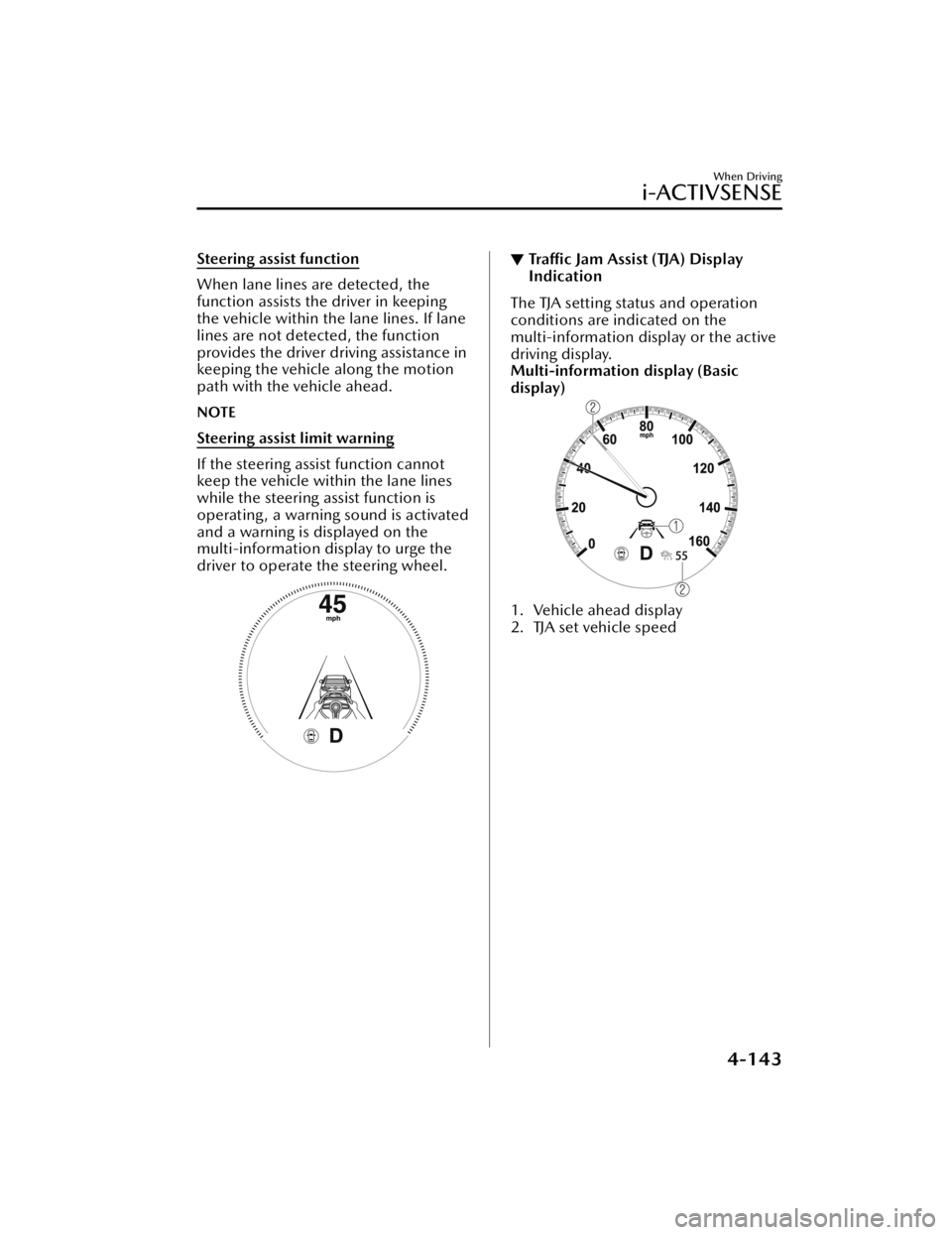
NOTE
Steering assist limit warning
If the steering assist function cannot
keep the vehicle within the lane lines
while the steering assist function is
operating , a warning sound is activated
and a warning is displayed on the
multi-information display to urge the
driver to operate the steering wheel.
▼Traffic Jam Assist (TJA) Display
Indication
The TJA setting status and operation
conditions are indicated on the
multi-information display or the active
driving display.
Multi-information display (Basic
display)
1. Vehicle ahead display
2. TJA set vehicle speed
When Driving
i-ACTIVSENSE
4-143
Mazda3_8JM2-EA-20H_Edition2_new
2020-8-19 13:13:07
Page 286 of 612
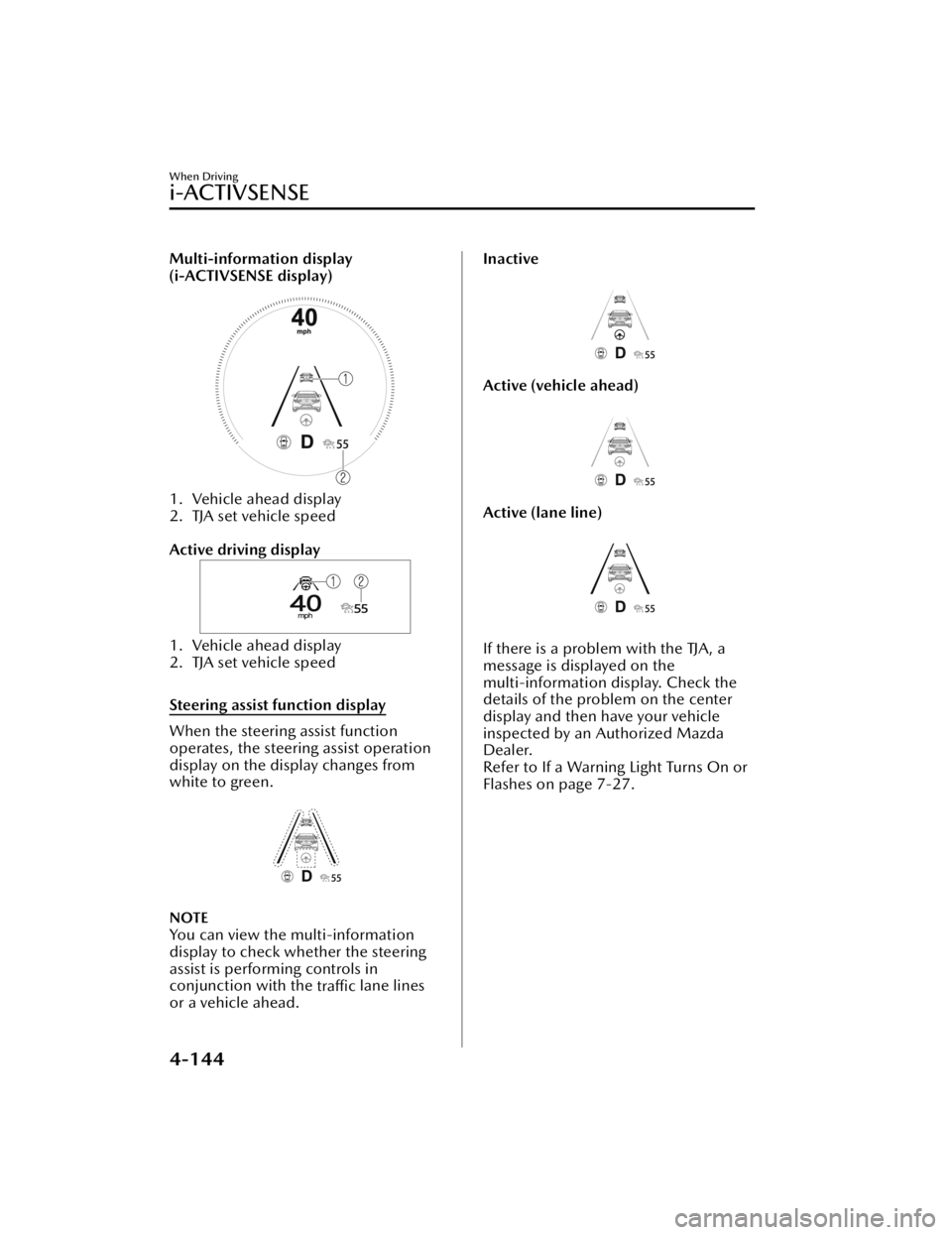
Multi-information display
(i-ACTIVSENSE display)
1. Vehicle ahead display
2. TJA set vehicle speed
Active driving display
1. Vehicle ahead display
2. TJA set vehicle speed
Steering assist function display
When the steering assist function
operates, the steering assist operation
display on the display changes from
white to green.
NOTE
You can view the multi-information
display to check whether the steering
assist is performing controls in
conjunction with the traffic lane lines
or a vehicle ahead.
Inactive
Active (vehicle ahead)
Active (lane line)
If there is a problem with the TJA, a
message is displayed on the
multi-information display. Check the
details of the problem on the center
display and then have your vehicle
inspected by an Authorized Mazda
Dealer.
Refer to If a Warning Light Turns On or
Flashes on page 7-27.
When Driving
i-ACTIVSENSE
4-144
Mazda3_8JM2-EA-20H_Edition2_new 2020-8-19 13:13:07
Page 289 of 612
Steering assist function
The steering assist function operates when all of the following conditions are met.
Your vehicle is moving and less than about 56 km/h (35 mph).White (yellow) lane lines on both sides are detected and you are driving near the
center of the lane, or your vehicle detects a vehicle ahead.
The steering wheel is not turned sharply.The turn signal lever is not operated.The headway control function is operating.(Manual transmission vehicle)
The vehicle speed is about 30 km/h (19 mph) or faster.
NOTE
The steering assist function operates so that the vehicle remains near the center of
the driving lane, however, depending on conditions such as the road curvature, road
slope and undulations, and vehicle speed, the function might not be able to keep
the vehicle near the center of the driving lane.
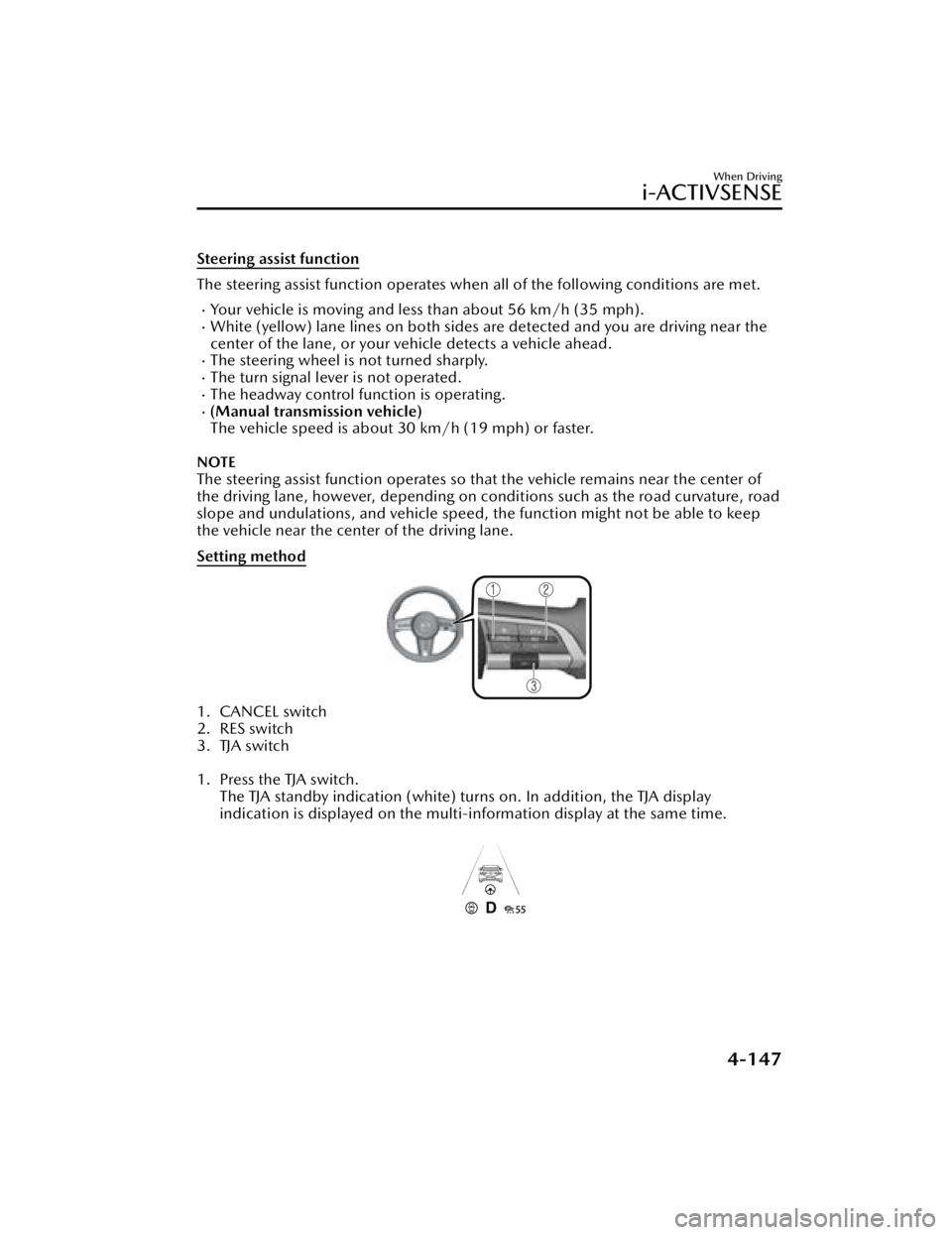
Setting method
1. CANCEL switch
2. RES switch
3. TJA switch
1. Press the TJA switch. The TJA standby indication (white) turns on. In addition, the TJA display
indication is displayed on the multi-information display at the same time.
When Driving
i-ACTIVSENSE
4-147
Mazda3_8JM2-EA-20H_Edition2_new 2020-8-19 13:13:07
Page 293 of 612

In the following cases, the TJA cancel indication is displayed and a sound is activated
one time.
The DSC has operated.The Smart Brake Support (SBS) has operated.The vehicle is driven on a downslope for a long time.There is a problem with the system.The front radar sensor cannot detect target objects (during rain, fog , snow or other
inclement weather conditions, or when the radiator grille is dirty).
The parking brake is applied.Any of the doors is opened.The driver's seat belt is unfastened.The operation frequency of the braking by the TJA control is high.(Automatic transmission vehicle)
The parking brake is automatically applied during stop hold control.
(Manual transmission vehicle)
The vehicle speed decreases below 25 km/h (15 mph).The shift lever is in the neutral posi tion for a certain period of time.The clutch pedal is depressed for a certain period of time.The engine has stalled.
Steering assist function
If any of the following conditions occurs, the steering assist function is temporarily
canceled.
The headway control function is canceled.White (yellow) lane lines cannot be detected or a vehicle ahead cannot be
recognized.
Your vehicle speed is more than about 64 km/h (40 mph).The accelerator pedal is operated.The turn signal lever is operated.The vehicle is being driven on a sharp curve.The width of a lane is excessively narrow or wide.The vehicle crosses a lane line.The driver takes his/her hands off the steering wheel.The steering wheel is operated abruptly.There is a problem with the system.The temperature in the Forward Sensing Camera (FSC) is too high or too low.The windshield around the Forward Sensing Camera (FSC) is foggy.The windshield around the Forward Sensing Camera (FSC) is blocked by an
obstruction, causing poor forward visibility.
When Driving
i-ACTIVSENSE
4-151
Mazda3_8JM2-EA-20H_Edition2_new 2020-8-19 13:13:07
Page 295 of 612
NOTE
If the set speed is not indicated on the display, the system does not operate even if
the RES switch is pressed.
After the operation, the steering assist operation may not operate for a period of 5
seconds at the most until the lane lines are detected or a vehicle ahead is
recognized.
Turning off
When the TJA switch is pressed while the TJA is operating, the TJA turns off.
▼ Shift-up/Shift-down Request
Display (Manual Transmission)
The shift-up or shift-down request
display might be displayed while the
TJA is operating. When this occurs, shift
gears because the gear position is not
appropriate.
Request Indication on display
Shift up Shift Up to a Higher Gear
Shift down Shift Down to a Lower Gear
NOTE
If the gears are not shifted up even
though the shift-up request
indication is displayed, load will be
applied to the engine and the TJA
might be automatically canceled or
engine damage could occur.
If the gears are not shifted down
even though the shift-down request
indication is displayed, the TJA might
be automatically canceled or engine
stalling could occur.
▼ Stop Hold Control (Automatic
Transmission)
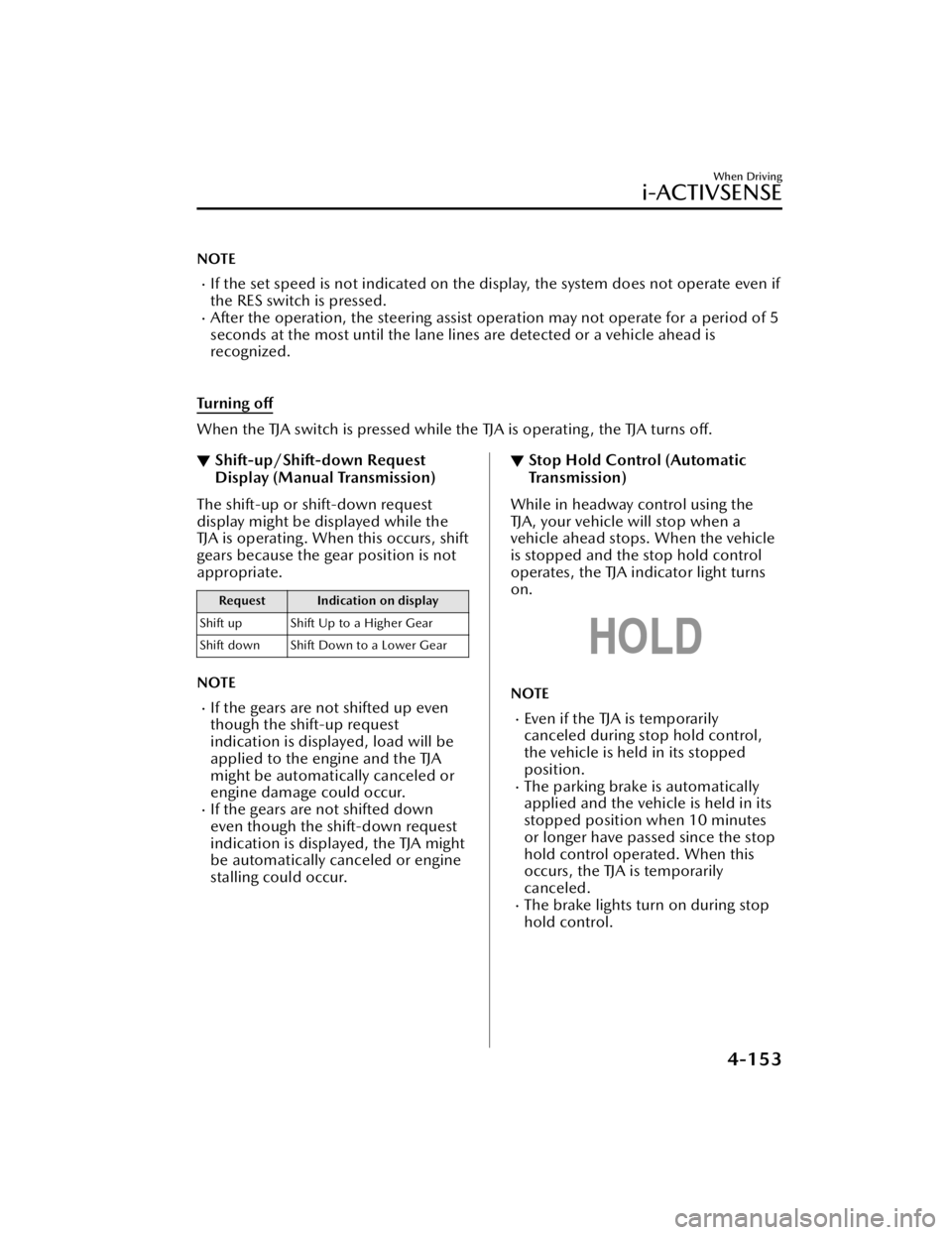
While in headway control using the
TJA, your vehicle will stop when a
vehicle ahead stops. When the vehicle
is stopped and the stop hold control
operates, the TJA indicator light turns
on.
NOTE
Even if the TJA is temporarily
canceled during stop hold control,
the vehicle is held in its stopped
position.
The parking brake is automatically
applied and the vehicle is held in its
stopped position when 10 minutes
or longer have passed since the stop
hold control operated. When this
occurs, the TJA is temporarily
canceled.
The brake lights turn on during stop
hold control.
When Driving
i-ACTIVSENSE
4-153
Mazda3_8JM2-EA-20H_Edition2_new 2020-8-19 13:13:07
Page 296 of 612

To resume driving
After the vehicle ahead starts moving
while your vehicle is stopped under
stop hold control, press the RES switch
or depress the accelerator pedal to
cancel the stop hold control and start
driving.
NOTE
When you resume driving by pressing
the RES switch, your vehicle does not
start moving until the distance
between your vehicle and the vehicle
ahead lengthens to the specified
distance or farther.
If the TJA is temporarily canceled,
depress the accelerator pedal and
start driving the vehicle. If the TJA is
temporarily canceled, you cannot
resume driving by pressing the RES
switch when there are no vehicles in
front of your vehicle.
If the vehicle ahead starts moving
within 3 seconds after your vehicle is
stopped by the stop hold control,
headway control will continue even if
you do not resume driving your
vehicle, such as by depressing the
accelerator pedal.
Vehicle departure information
If you do not resume driving within a
few seconds after the vehicle ahead
starts moving during stop hold control,
the multi-information display
vehicle-ahead indication flashes to
urge the driver to resume driving. If you
do not resume driving after the
indicator light flashes, a sound is
activated to urge you to resume
driving.
Lane-keep Assist System
(LAS)
*
▼Lane-keep Assist System (LAS)
The LAS provides steering assistance to
help the driver stay within the vehicle
lane if the vehicle might be deviating.
The forward sensing camera (FSC)
detects the white lines (yellow lines) of
the vehicle lane in which the vehicle is
traveling and if the system determines
that the vehicle may deviate from its
lane, it operates the electric power
steering to assist the driver’s steering
operation. The system also alerts the
driver by displaying an alert on the
multi-information display. Use the
system when you drive the vehicle on
roads with white (yellow) lines such as
expressways and highways.
1. Forward sensing camera (FSC)
WARNING
Do not rely completely on the LAS:
The LAS is not an automated driving
system. In addition, the system is not
designed to compensate for a
driver’s lack of caution, and
over-reliance on the system could
lead to an accident.
When Driving
i-ACTIVSENSE
4-154*Some models.
Mazda3_8JM2-EA-20H_Edition2_new 2020-8-19 13:13:07
Page 299 of 612
System malfunction
If there is a problem with the system,
the i-ACTIVSENSE status symbol
(warning/risk avoidance support
system) (white) and the i-ACTIVSENSE
warning indication/warning light on
the multi-information display turns on
and a message is indicated.
Refer to i-ACTIVSENSE Status Symbol
(Warning/Risk Avoidance Support
System) on page 4-87.
▼Steering Wheel Operation Assist
When the system determines that the
vehicle might be deviating from its
lane, the steering wheel operation
assist operates.
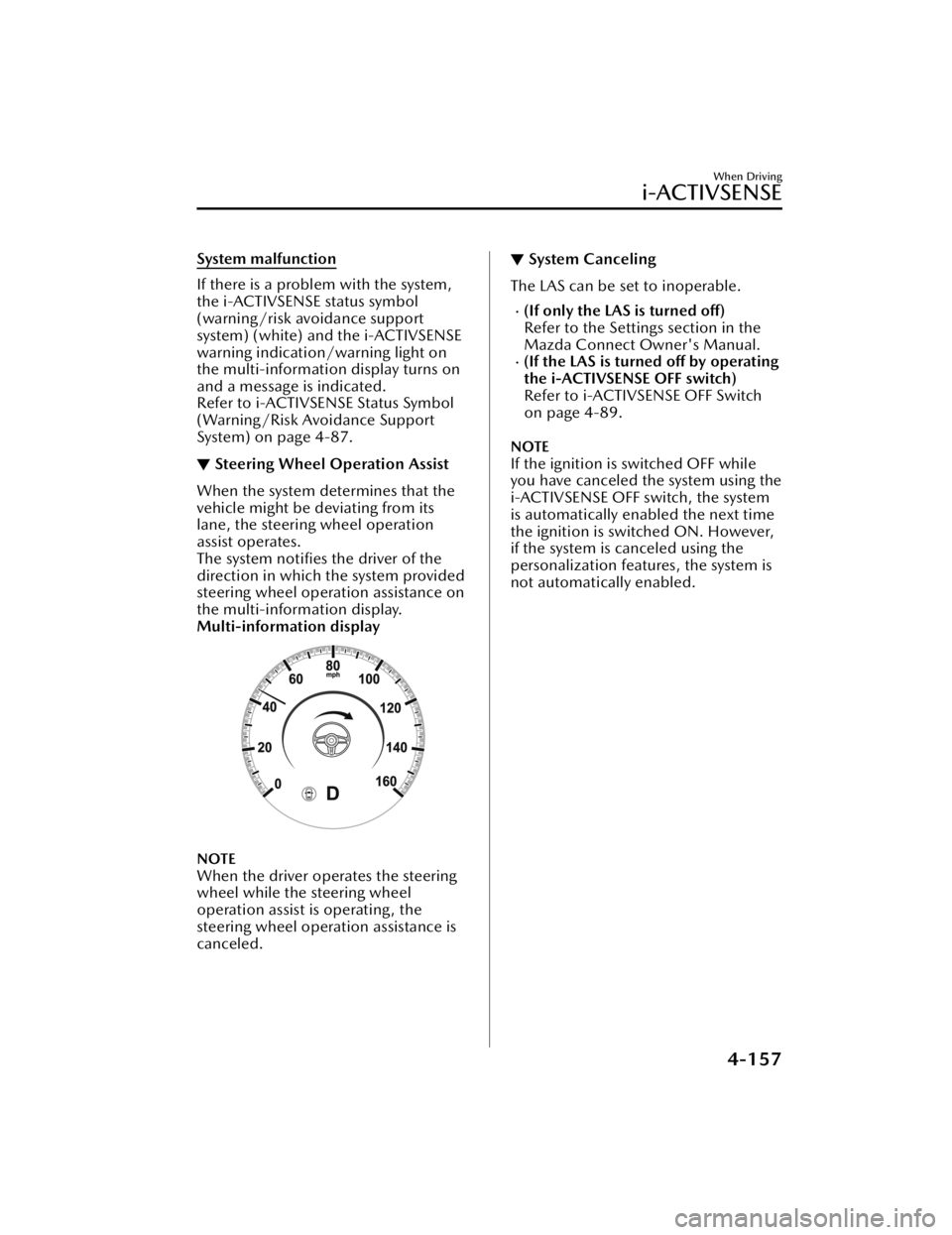
The system notifies the driver of the
direction in which the system provided
steering wheel operation assistance on
the multi-information display.
Multi-information display
NOTE
When the driver operates the steering
wheel while the steering wheel
operation assist is operating, the
steering wheel operation assistance is
canceled.
▼
System Canceling
The LAS can be set to inoperable.
(If only the LAS is turned
off)
Refer to the Settings section in the
Mazda Connect Owner's Manual.
(If the LAS is turned off by operating
the i-ACTIVSENSE OFF switch)
Refer to i-ACTIVSENSE OFF Switch
on page 4-89.
NOTE
If the ignition is switched OFF while
you have canceled the system using the
i-ACTIVSENSE OFF switch, the system
is automatically enabled the next time
the ignition is switched ON. However,
if the system is canceled using the
personalization features, the system is
not automatically enabled.
When Driving
i-ACTIVSENSE
4-157
Mazda3_8JM2-EA-20H_Edition2_new 2020-8-19 13:13:07
Page 345 of 612
Forward Sensing Camera(FSC)
*
▼Forward Sensing Camera (FSC)
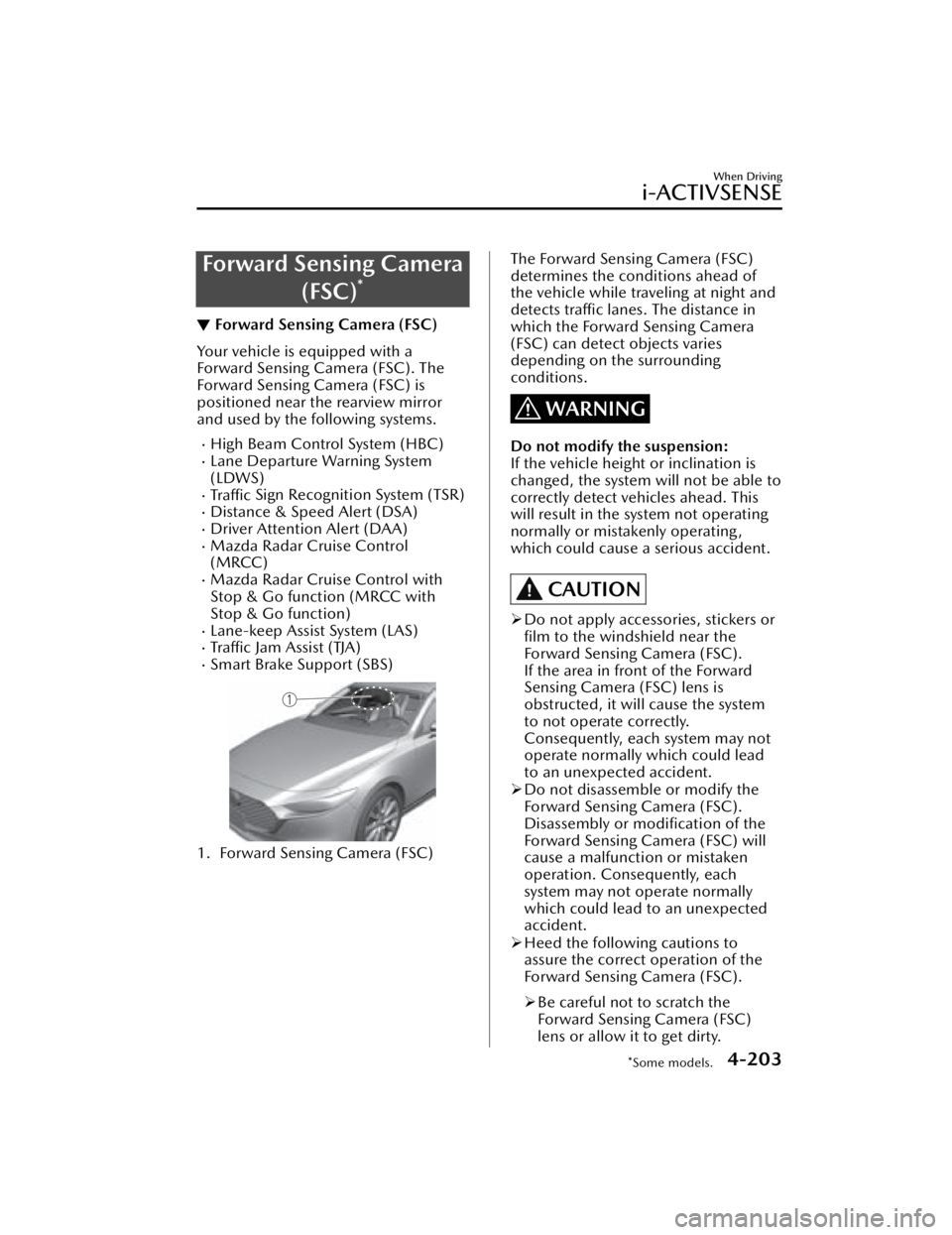
Your vehicle is equipped with a
Forward Sensing Camera (FSC). The
Forward Sensing Camera (FSC) is
positioned near the rearview mirror
and used by the following systems.
High Beam Control System (HBC)Lane Departure Warning System
(LDWS)
Tra ffi c
Sign Recognition System (TSR)Distance & Speed Alert (DSA)Driver Attention Alert (DAA)Mazda Radar Cruise Control
(MRCC)
Mazda Radar Cruise Control with
Stop & Go function (MRCC with
Stop & Go function)
Lane-keep Assist System (LAS)Tra ffi c Jam Assist (TJA)Smart Brake Support (SBS)
1. Forward Sensing Camera (FSC)
The Forward Sensing Camera (FSC)
determines the conditions ahead of
the vehicle while traveling at night and
detects traffic lanes. The distance in
which the Forward Sensing Camera
(FSC) can detect objects varies
depending on the surrounding
conditions.
WARNING
Do not modify the suspension:
If the vehicle height or inclination is
changed, the system will not be able to
correctly detect vehicles ahead. This
will result in the system not operating
normally or mistakenly operating,
which could cause a serious accident.
CAUTION
Do not apply accessories, stickers or
film to the windshield near the
Forward Sensing Camera (FSC).
If the area in front of the Forward
Sensing Camera (FSC) lens is
obstructed, it will cause the system
to not operate correctly.
Consequently, each system may not
operate normally which could lead
to an unexpected accident.
Do not disassemble or modify the
Forward Sensing Camera (FSC).
Disassembly or
modification of the
Forward Sensing Camera (FSC) will
cause a malfunction or mistaken
operation. Consequently, each
system may not operate normally
which could lead to an unexpected
accident.
Heed the following cautions to
assure the correct operation of the
Forward Sensing Camera (FSC).
Be careful not to scratch the
Forward Sensing Camera (FSC)
lens or allow it to get dirty.
When Driving
i-ACTIVSENSE
*Some models.4-203
Mazda3_8JM2-EA-20H_Edition2_new 2020-8-19 13:13:07