low beam MAZDA MAZDA 2023 User Guide
[x] Cancel search | Manufacturer: MAZDA, Model Year: 2023, Model line: MAZDA, Model: MAZDA MAZDA 2023Pages: 623, PDF Size: 15.08 MB
Page 259 of 623
NOTE
The TSR is not supported in some countries or regions. For information concerning
the supported countries or regions, consult an Authorized Mazda Dealer.
The TSR operates only if the navigation system SD card (Mazda genuine) is
inserted in the SD card slot. Consult an Authorized Mazda Dealer for details.
The TSR does not operate if there is a malfunction in the Forward Sensing Camera
(FSC).
Under the following conditions, the TSR may not operate normally.
An object placed on the dashboard is reflected in the windshield and picked up
by the camera.
Heavy luggage is loaded in the luggage co mpartment or on the rear seat and the
vehicle is tilted.
The tire pressures are not adjusted to the specified pressure.Tires other than standard tires are equipped.The vehicle is driven on the ramp and surrounding area to or from a rest area or
a tollgate on a highway.
When surrounding brightness
suddenly changes such as when entering or exiting
a tunnel.
The illumination of the headlights is weakened because of dirt or the optical axis
is deviated.
The windshield is dirty or foggy.The windshield and camera are fogged (water droplets).Strong light is directed at the front of the vehicle (such as backlight or high-beam
headlights of on-coming vehicles).
The vehicle is making a sharp turn.Strong light reflects off the road.A traffic sign is in a position which makes it
difficult to
reflect the light from the
vehicle's headlights, such as when the ve hicle is driven at night or in a tunnel.
The vehicle is driven under weather conditions such as rain, fog, or snow.The stored map data for the navigation system is not current.A traffic sign is obscured by mud or snow.A
traffic sign is concealed by trees or a vehicle.A traffic sign is partially shaded.A
traffic sign is bent or warped.A traffic sign is too low or too high.A traffic sign is too bright or too dark
(including electronic traffic signs).A
traffic sign is too big or too small.There is an object similar to the traffic
sign being read (such as another traffic
sign or other signs resembling it).
The TSR can be set to invisible on the active driving display.
Refer to the Settings section in the Mazda Connect Owner's Manual.
When Driving
i-ACTIVSENSE
4-114
Mazda3_8LC2-EA-22G_Edition1_new 2022-5-20 11:26:10
Page 310 of 623
The functions of the LAS have
limitations. Always stay on course
using the steering wheel and drive
with care.
Do not use the LAS under the
following circumstances, otherwise it
may result in an accident.
The vehicle is driven on slippery
roads such as icy or snow-covered
roads, and unpaved roads.
Tires of a
different
specified size
are used, such as a temporary
spare tire.
Tires with
insufficient tread are
used.
The tire pressures are not adjusted
to the
specified pressure.
The vehicle is being used to tow a
camper or boat trailer.
Tire chains are used.
The vehicle is driven on roads with
lane lines other than white (yellow)
lines, such as an expressway.
CAUTION
Heed the following cautions so that
the LAS can operate normally.
Do not modify the vehicle's
suspensions.
Always use tires of the specified type
and size for the front and rear
wheels. Consult an Authorized
Mazda Dealer for tire replacement.
NOTE
The system may not operate normally
under the following conditions.
The white (yellow) lane lines are less
visible because of dirt or paint
flaking.
White (yellow) lane lines are less
visible because of bad weather (rain,
fog , or snow).
The vehicle is driven on a temporary
lane or section with a closed lane
resulting from construction where
there might be multiple white
(yellow) lane lines, or they are
interrupted.
The camera picks up an obscure line,
such as a temporary line being used
for construction, or because of
shade, unmelted snow, or grooves
filled with water.
The surrounding brightness suddenly
changes such as when entering or
exiting a tunnel.
Back-light is reflected off the road
surface.
The road surface is wet and shiny
after rain, or there are puddles on
the road.
The width of a lane is excessively
narrow.
The vehicle is driven on roads with
tight curves.
Heavy luggage is loaded in the
trunk/luggage compartment or on
the rear seat causing the vehicle to
tilt.
The vehicle is driven through a fork in
the road or a junction.
The shade of a guardrail parallel to a
white (yellow) lane line is cast on the
road.
The illumination of the headlights is
weakened because of dirt or the
optical axis is deviated at night.
The road is excessively uneven.The vehicle is shaken after hitting a
road bump.
A vehicle in front of your vehicle is
running near a white (yellow) lane
line making it less visible.
The windshield is dirty or foggy.Strong light is directed from the front
of the vehicle (such as sunlight, or
headlights (high-beam) of
on-coming vehicles).
When Driving
i-ACTIVSENSE
4-165
Mazda3_8LC2-EA-22G_Edition1_new 2022-5-20 11:26:10
Page 311 of 623
▼System Operation
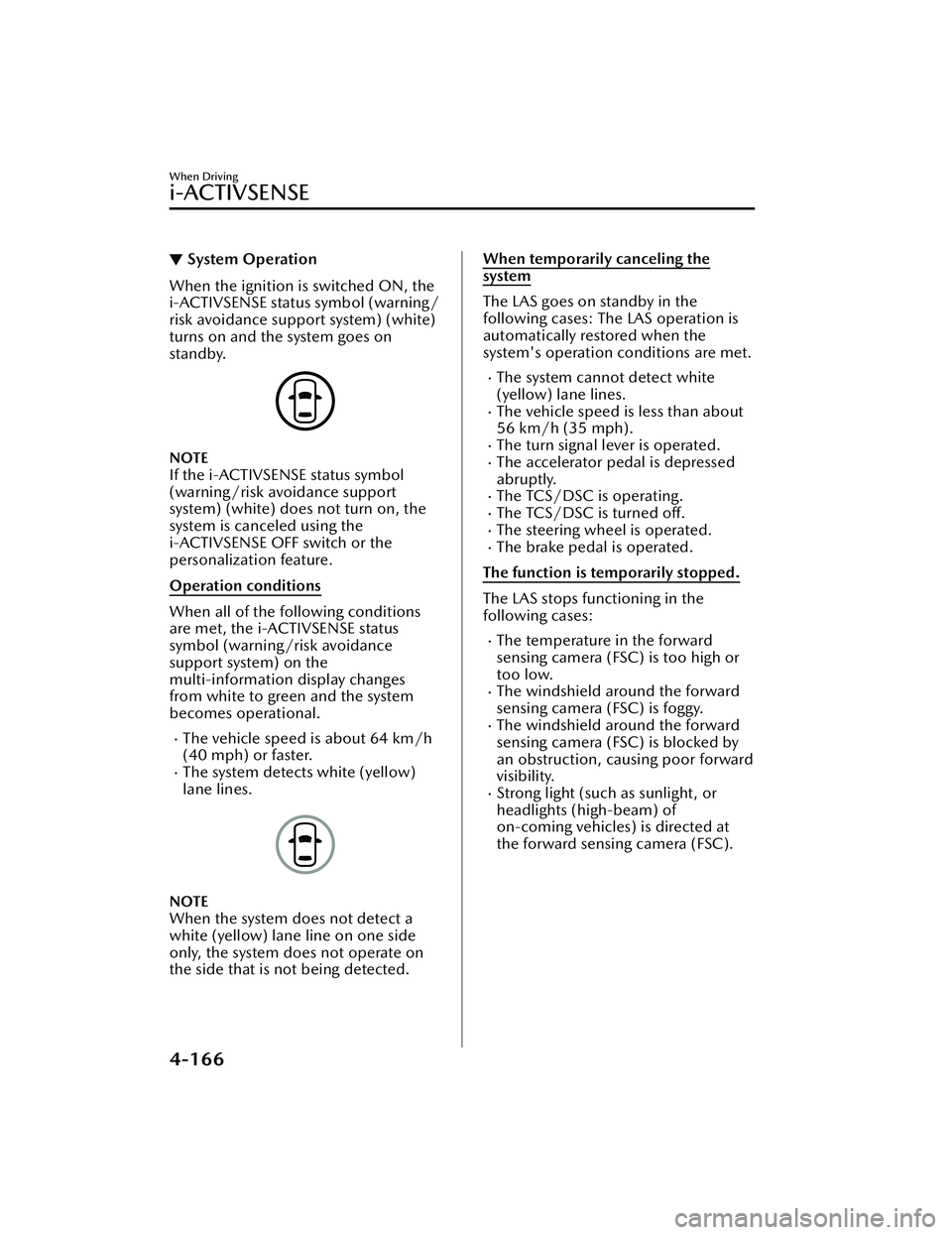
When the ignition is switched ON, the
i-ACTIVSENSE status symbol (warning/
risk avoidance support system) (white)
turns on and the system goes on
standby.
NOTE
If the i-ACTIVSENSE status symbol
(warning/risk avoidance support
system) (white) does not turn on, the
system is canceled using the
i-ACTIVSENSE OFF switch or the
personalization feature.
Operation conditions
When all of the following conditions
are met, the i-ACTIVSENSE status
symbol (warning
/risk avoidance
support system) on the
multi-information display changes
from white to green and the system
becomes operational.
The vehicle speed is about 64 km/h
(40 mph) or faster.
The system detects white (yellow)
lane lines.
NOTE
When the system does not detect a
white (yellow) lane line on one side
only, the system does not operate on
the side that is not being detected.
When temporarily canceling the
system
The LAS goes on standby in the
following cases: The LAS operation is
automatically restored when the
system's operation conditions are met.
The system cannot detect white
(yellow) lane lines.
The vehicle speed is less than about
56 km/h (35 mph).
The turn signal lever is operated.The accelerator pedal is depressed
abruptly.
The TCS/DSC is operating.The TCS/DSC is turned off.The steering wheel is operated.The brake pedal is operated.
The function is temporarily stopped.
The LAS stops functioning in the
following cases:
The temperature in the forward
sensing camera (FSC) is too high or
too low.
The windshield around the forward
sensing camera (FSC) is foggy.
The windshield around the forward
sensing camera (FSC) is blocked by
an obstruction, causing poor forward
visibility.
Strong light (such as sunlight, or
headlights (high-beam) of
on-coming vehicles) is directed at
the forward sensing camera (FSC).
When Driving
i-ACTIVSENSE
4-166
Mazda3_8LC2-EA-22G_Edition1_new 2022-5-20 11:26:10
Page 356 of 623
Forward Sensing Camera(FSC)
*
▼Forward Sensing Camera (FSC)
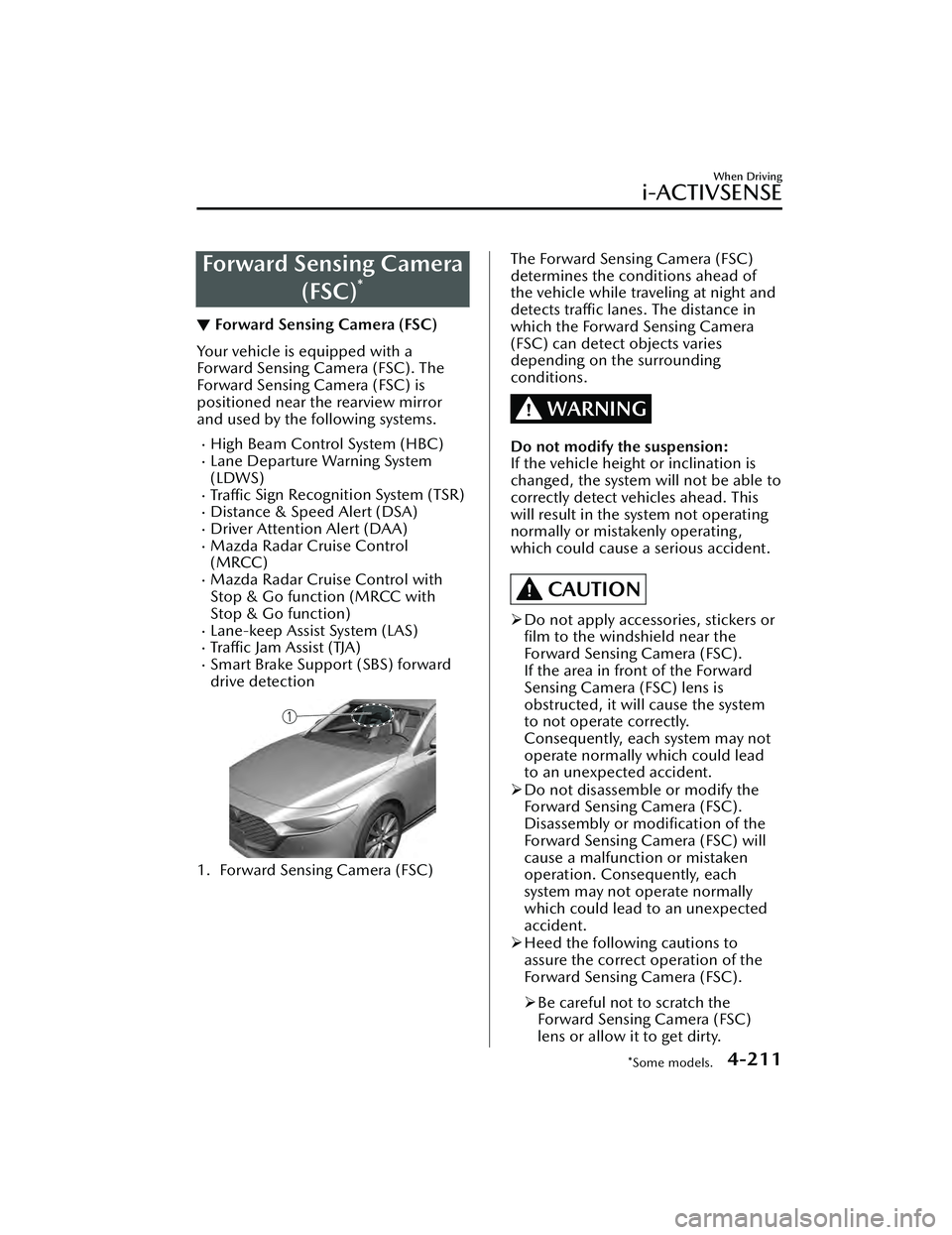
Your vehicle is equipped with a
Forward Sensing Camera (FSC). The
Forward Sensing Camera (FSC) is
positioned near the rearview mirror
and used by the following systems.
High Beam Control System (HBC)Lane Departure Warning System
(LDWS)
Tra ffi c
Sign Recognition System (TSR)Distance & Speed Alert (DSA)Driver Attention Alert (DAA)Mazda Radar Cruise Control
(MRCC)
Mazda Radar Cruise Control with
Stop & Go function (MRCC with
Stop & Go function)
Lane-keep Assist System (LAS)Tra ffi c Jam Assist (TJA)Smart Brake Support (SBS) forward
drive detection
1. Forward Sensing Camera (FSC)
The Forward Sensing Camera (FSC)
determines the conditions ahead of
the vehicle while traveling at night and
detects traffic lanes. The distance in
which the Forward Sensing Camera
(FSC) can detect objects varies
depending on the surrounding
conditions.
WARNING
Do not modify the suspension:
If the vehicle height or inclination is
changed, the system will not be able to
correctly detect vehicles ahead. This
will result in the system not operating
normally or mistakenly operating,
which could cause a serious accident.
CAUTION
Do not apply accessories, stickers or
film to the windshield near the
Forward Sensing Camera (FSC).
If the area in front of the Forward
Sensing Camera (FSC) lens is
obstructed, it will cause the system
to not operate correctly.
Consequently, each system may not
operate normally which could lead
to an unexpected accident.
Do not disassemble or modify the
Forward Sensing Camera (FSC).
Disassembly or
modification of the
Forward Sensing Camera (FSC) will
cause a malfunction or mistaken
operation. Consequently, each
system may not operate normally
which could lead to an unexpected
accident.
Heed the following cautions to
assure the correct operation of the
Forward Sensing Camera (FSC).
Be careful not to scratch the
Forward Sensing Camera (FSC)
lens or allow it to get dirty.
When Driving
i-ACTIVSENSE
*Some models.4-211
Mazda3_8LC2-EA-22G_Edition1_new 2022-5-20 11:26:10
Page 357 of 623
Do not remove the Forward
Sensing Camera (FSC) cover.
Do not place objects on the
dashboard which reflect light.
Always keep the windshield glass
around the camera clean by
removing dirt or fogging. Use the
windshield defroster to remove
fogging on the windshield.
Consult an Authorized Mazda
Dealer regarding cleaning the
interior side of the windshield
around the Forward Sensing
Camera (FSC).
Consult an Authorized Mazda
Dealer before performing repairs
around the Forward Sensing
Camera (FSC).
The Forward Sensing Camera (FSC)
is installed to the windshield.
Consult an Authorized Mazda
Dealer for windshield repair and
replacement.
When cleaning the windshield, do
not allow glass cleaners or similar
cleaning fluids to get on the
Forward Sensing Camera (FSC)
lens. In addition, do not touch the
Forward Sensing Camera (FSC)
lens.
When performing repairs around
the rearview mirror, consult an
Authorized Mazda Dealer.
Consult an Authorized Mazda
Dealer regarding cleaning of the
camera lens.
Do not hit or apply strong force to
the Forward Sensing Camera (FSC)
or the area around it. If the
Forward Sensing Camera (FSC) is
severely hit or if there are cracks or
damage caused by flying gravel or
debris in the area around it, stop
using the following systems and
consult an Authorized Mazda
Dealer.High Beam Control System
(HBC)
Lane Departure Warning System
(LDWS)
Traffic Sign Recognition System
(TSR)
Distance & Speed Alert (DSA)
Driver Attention Alert (DAA)
Mazda Radar Cruise Control
(MRCC)
Mazda Radar Cruise Control
with Stop & Go function (MRCC
with Stop & Go function)
Lane-keep Assist System (LAS)
Traffic Jam Assist (TJA)
Smart Brake Support (SBS)
forward drive detection
The direction in which the Forward
Sensing Camera (FSC) is pointed
has been
finely adjusted. Do not
change the installation position of
the Forward Sensing Camera (FSC)
or remove it. Otherwise, it could
result in damage or malfunction.
Always use tires for all wheels that
are of the specified size, and the
same manufacturer, brand, and tread
pattern. In addition, do not use tires
with significantly different wear
patterns on the same vehicle as the
system may not operate normally.
The Forward Sensing Camera (FSC)
includes a function for detecting a
soiled windshield and informing the
driver, however, depending on the
conditions, it may not detect plastic
shopping bags, ice or snow on the
windshield. In such cases, the system
cannot accurately determine a
vehicle ahead and may not be able
to operate normally. Always drive
carefully and pay attention to the
road ahead.
When Driving
i-ACTIVSENSE
4-212
Mazda3_8LC2-EA-22G_Edition1_new 2022-5-20 11:26:10
Page 358 of 623
NOTE
In the following cases, the Forward
Sensing Camera (FSC) cannot detect
target objects correctly, and each
system may be unable to operate
normally.
The height of the vehicle ahead is
low.
You drive your vehicle at the same
speed as the vehicle ahead.
Headlights are not turned on
during the night or when going
through a tunnel.
In the following cases, the Forward
Sensing Camera (FSC) may not be
able to detect target objects
correctly.
Under bad weather condition,
such as rain, fog and snow.
The window washer is being used
or the windshield wipers are not
used when it's raining.
Ice, fog , snow, frost, rainfall, dirt,
or foreign matter such as a plastic
bag is stuck on the windshield.
Trucks with low loading platforms
and vehicles with an extremely low
or high profile.
When driving next to walls with no
patterning (including fences and
longitudinally striped walls).
The taillights of the vehicle ahead
are turned off.
A vehicle is outside the
illumination range of the
headlights.
The vehicle is making a sharp turn,
or ascending or descending a steep
slope.
Entering or exiting a tunnel.Heavy luggage is loaded causing
the vehicle to tilt.
Strong light is shone at the front of
the vehicle (back light or
high-beam light from on-coming
vehicles).
There are many light emitters on
the vehicle ahead.
When the vehicle ahead is not
equipped with taillights or the
taillights are turned off at
nighttime.
Elongated luggage or cargo is
loaded onto installed roof rails and
covers the Forward Sensing
Camera (FSC).
Exhaust gas from the vehicle in
front, sand, snow, and water vapor
rising from manholes and grating,
and water splashed into the air.
When towing a malfunctioning
vehicle.
The vehicle is driven with tires
having significantly different wear.
The vehicle is driven on down
slopes or bumpy roads.
There are water puddles on the
road.
The surroundings are dark such as
during the night, early evening , or
early morning , or in a tunnel or
indoor parking lot.
The illumination brightness of the
headlights is reduced or the
headlight illumination is weakened
due to dirt or a deviated optical
axis.
The target object enters the blind
spot of the Forward Sensing
Camera (FSC).
A person or object bursts onto the
road from the shoulder or cuts
right in front of you.
You change lanes and approach a
vehicle ahead.
When driving extremely close to
the target object.
When Driving
i-ACTIVSENSE
4-213
Mazda3_8LC2-EA-22G_Edition1_new2022-5-20 11:26:10
Page 359 of 623
Tire chains or a temporary spare
tire is installed.
The vehicle ahead has a special
shape. For example, a vehicle
towing a trailer house or a boat, or
a vehicle carrier carrying a vehicle
with its front pointed rearward.
If the Forward Sensing Camera (FSC)
cannot operate normally due to rain,
backlight, or fog, the system
functions related to the Forward
Sensing Camera (FSC) are
temporarily stopped and the
following warning lights turn on.
However, this does not indicate a
malfunction.
High Beam Control System (HBC)
warning indication/warning light
(amber)
i-ACTIVSENSE warning indication/
warning light
If the Forward Sensing Camera (FSC)
cannot operate normally due to high
temperatures, the system functions
related to the Forward Sensing
Camera (FSC) are temporarily
stopped and the following warning
lights turn on. However, this does
not indicate a malfunction. Cool
down the area around the Forward
Sensing Camera (FSC) such as by
turning on the air conditioner.
High Beam Control System (HBC)
warning indication/warning light
(amber)
i-ACTIVSENSE warning indication/
warning light
If the Forward Sensing Camera (FSC)
detects that the windshield is dirty or
foggy, the system functions related to
the Forward Sensing Camera (FSC)
are temporarily stopped and the
following warning lights turn on.
However, this does not indicate a
problem. Remove the dirt from the
windshield or press the defroster
switch and defog the windshield.
High Beam Control System (HBC)
warning indication/warning light
(amber)
i-ACTIVSENSE warning indication/
warning light
If there are recognizable cracks or
damage caused by flying gravel or
debris on the windshield, always
have the windshield replaced.
Consult an Authorized Mazda Dealer
for replacement.
The Forward Sensing Camera (FSC)
recognizes pedestrians when all of
the following conditions are met:
The height of a pedestrian is about
1 to 2 meters.
An outline such as the head, both
shoulders, or the legs can be
determined.
In the following cases, the Forward
Sensing Camera (FSC) may not be
able to detect target objects
correctly:
Multiple pedestrians are walking,
or there are groups of people.
A pedestrian is close to a separate
object.
A pedestrian is crouching , lying , or
slouching.
A pedestrian suddenly jumps into
the road right in front of the
vehicle.
A pedestrian opens an umbrella, or
is carrying large baggage or
articles.
When Driving
i-ACTIVSENSE
4-214
Mazda3_8LC2-EA-22G_Edition1_new2022-5-20 11:26:10
Page 380 of 623
The distance appearing in the displayed image is different from the actual distance
because the rear view parking camera is equipped with a specific lens.
Images displayed on the monitor from the rear view parking camera are reversed
images (mirror images).
Some optionally installed vehicle accessories may be picked up by the camera. Do
not install any optional parts that can interfere with the camera view, such as
illuminating parts or parts made of reflective material.
It may be difficult to see the display under the following conditions, however, it
does not indicate a malfunction.
In darkened areas.When the temperature around the lens is high/low.When the camera is wet such as on a rainy day or during periods of high
humidity.
When foreign material such as mud is stuck around the camera.When the camera lens reflects sunlight or headlight beams.The surroundings are illuminated by vehi cle lights, fluorescent lights, or LED
lights (display may flicker).
Extremely small dark or white dots appear on the screen (dots may flicker).An object is close to a camera.Image display may be delayed if the temperature around the camera is low.
▼Viewing the Display
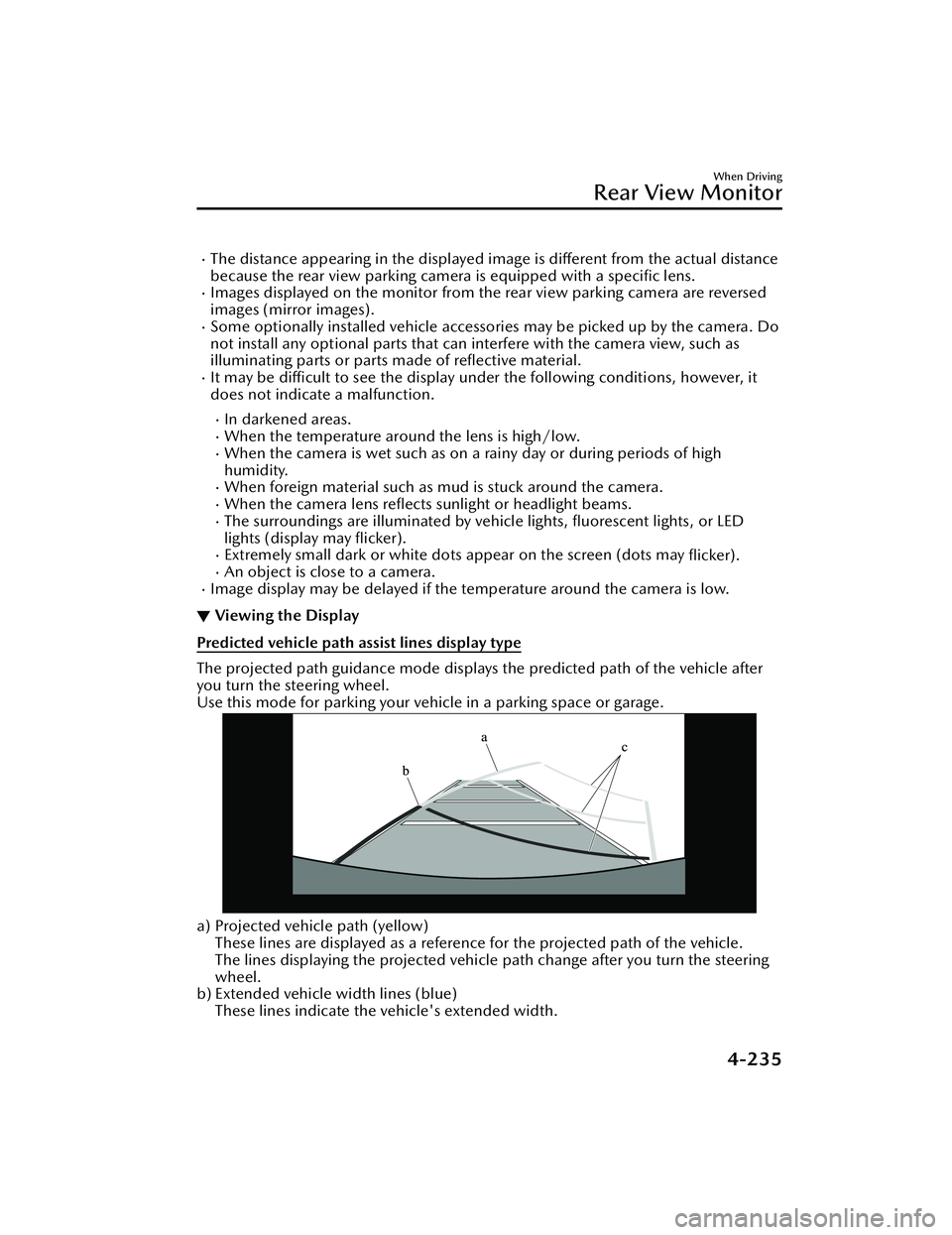
Predicted vehicle path assist lines display type
The projected path guidance mode displays
the predicted path of the vehicle after
you turn the steering wheel.
Use this mode for parking your vehi cle in a parking space or garage.
a) Projected vehicle path (yellow)
These lines are displayed as a reference for the projected path of the vehicle.
The lines displaying the projected vehicle path change after you turn the steering
wheel.
b) Extended vehicle width lines (blue)
These lines indicate the vehicle's extended width.
When Driving
Rear View Monitor
4-235
Mazda3_8LC2-EA-22G_Edition1_new 2022-5-20 11:26:10
Page 483 of 623
▼Replacing a Wheel
WARNING
Always use wheels of the correct size
on your vehicle:
Using a wrong-sized wheel is
dangerous. Braking and handling could
be affected, leading to loss of control
and an accident.
CAUTION
A wrong-sized wheel may adversely
affect:
Tire fit
Wheel and bearing life
Ground clearance
Snow-chain clearance
Speedometer calibration
Headlight aim
Bumper height
Tire Pressure Monitoring System
NOTE
When replacing a wheel, make sure
the new one is the same as the
original factory wheel in diameter,
rim width, and offset (inset/outset).
For details, contact an Authorized
Mazda Dealer.
Proper tire balancing provides the best
riding comfort and helps reduce tread
wear. Out-of-balance tires can cause
vibration and uneven wear, such as
cupping and flat spots.
Light Bulbs
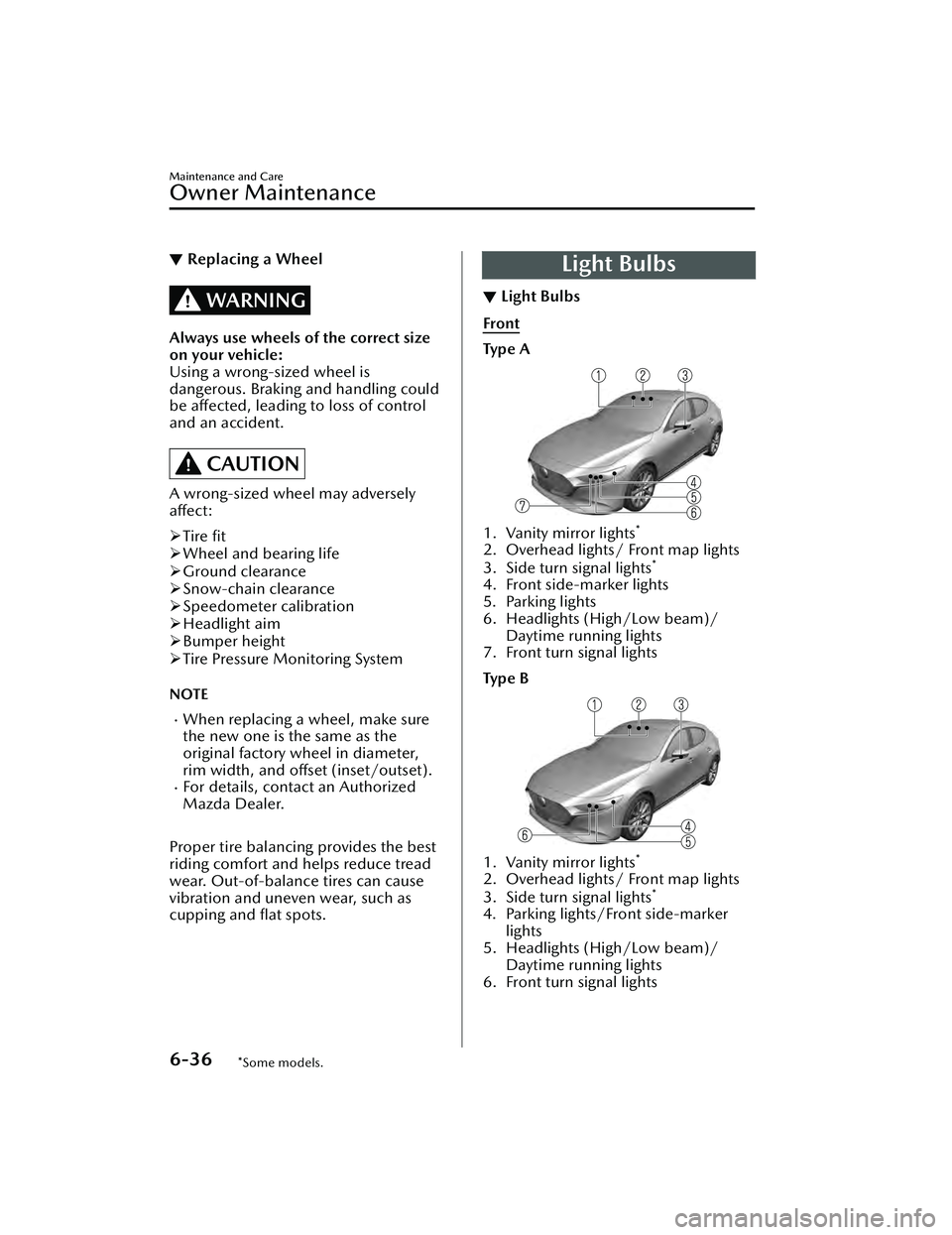
▼ Light Bulbs
Front
Ty p e A
1. Vanity mirror lights*
2. Overhead lights/ Front map lights
3. Side turn signal lights*
4. Front side-marker lights
5. Parking lights
6. Headlights (High/Low beam)/
Daytime running lights
7. Front turn signal lights
Ty p e B
1. Vanity mirror lights*
2. Overhead lights/ Front map lights
3. Side turn signal lights*
4. Parking lights/Front side-marker
lights
5. Headlights (High/Low beam)/ Daytime running lights
6. Front turn signal lights
Maintenance and Care
Owner Maintenance
6-36*Some models.
Mazda3_8LC2-EA-22G_Edition1_new 2022-5-20 11:26:10
Page 538 of 623
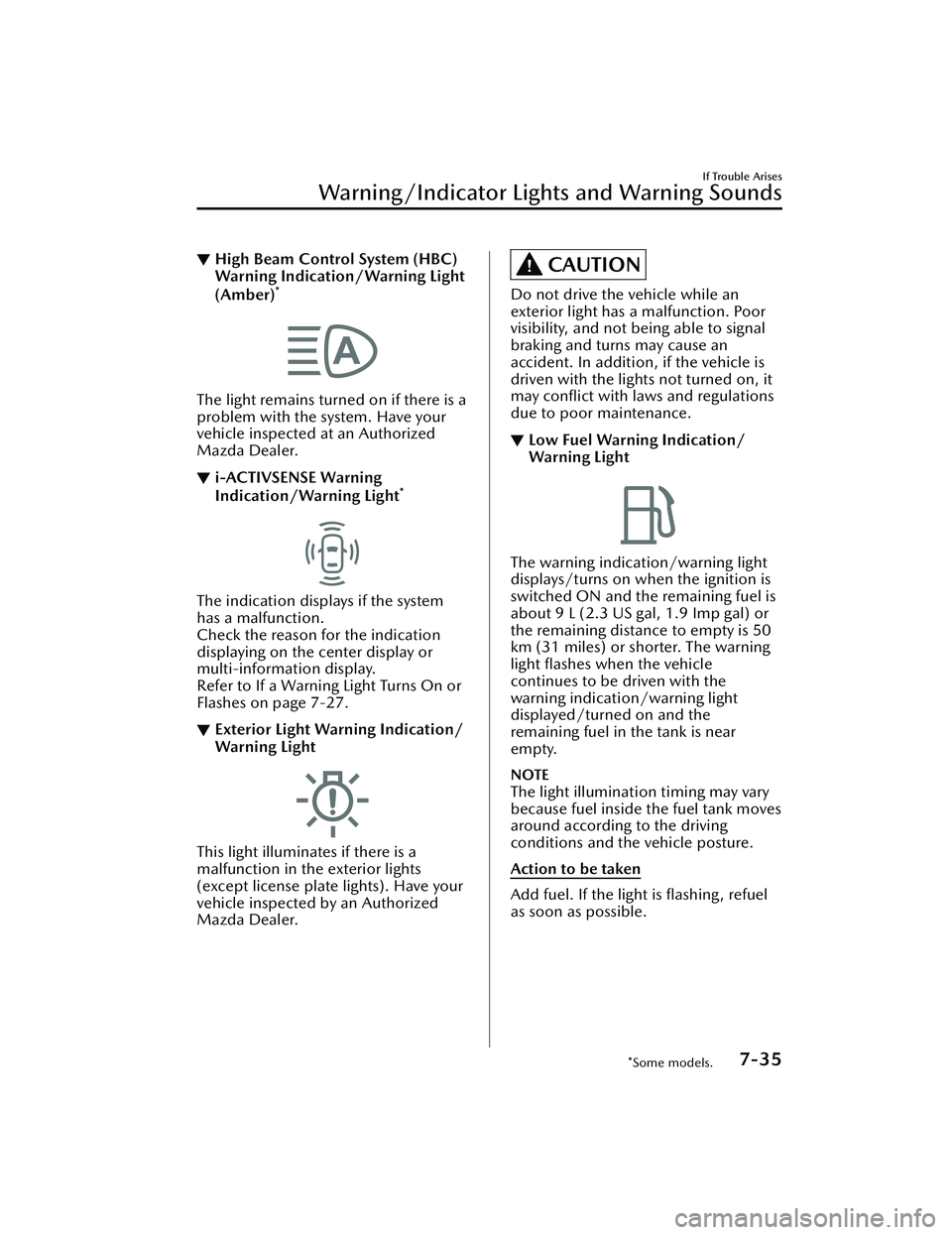
▼High Beam Control System (HBC)
Warning Indication/Warning Light
(Amber)
*
The light remains turned on if there is a
problem with the system. Have your
vehicle inspected at an Authorized
Mazda Dealer.
▼i-ACTIVSENSE Warning
Indication/Warning Light*
The indication displays if the system
has a malfunction.
Check the reason for the indication
displaying on the center display or
multi-information display.
Refer to If a Warning Light Turns On or
Flashes on page 7-27.
▼Exterior Light Warning Indication/
Warning Light
This light illuminates if there is a
malfunction in the exterior lights
(except license plate lights). Have your
vehicle inspected by an Authorized
Mazda Dealer.
CAUTION
Do not drive the vehicle while an
exterior light has a malfunction. Poor
visibility, and not being able to signal
braking and turns may cause an
accident. In addition, if the vehicle is
driven with the lights not turned on, it
may conflict with laws and regulations
due to poor maintenance.
▼Low Fuel Warning Indication/
Warning Light
The warning indication/warning light
displays/turns on when the ignition is
switched ON and the remaining fuel is
about 9 L (2.3 US gal, 1.9 Imp gal) or
the remaining distance to empty is 50
km (31 miles) or shorter. The warning
light flashes when the vehicle
continues to be driven with the
warning indication/warning light
displayed/turned on and the
remaining fuel in the tank is near
empty.
NOTE
The light illumination timing may vary
because fuel inside the fuel tank moves
around according to the driving
conditions and the vehicle posture.
Action to be taken
Add fuel. If the light is
flashing, refuel
as soon as possible.
If Trouble Arises
Warning/Indicator Lights and Warning Sounds
*Some models.7-35
Mazda3_8LC2-EA-22G_Edition1_new 2022-5-20 11:26:10