instrument cluster MAZDA MAZDA 2023 Owner's Guide
[x] Cancel search | Manufacturer: MAZDA, Model Year: 2023, Model line: MAZDA, Model: MAZDA MAZDA 2023Pages: 623, PDF Size: 15.08 MB
Page 202 of 623
Lighting Control
▼Headlights
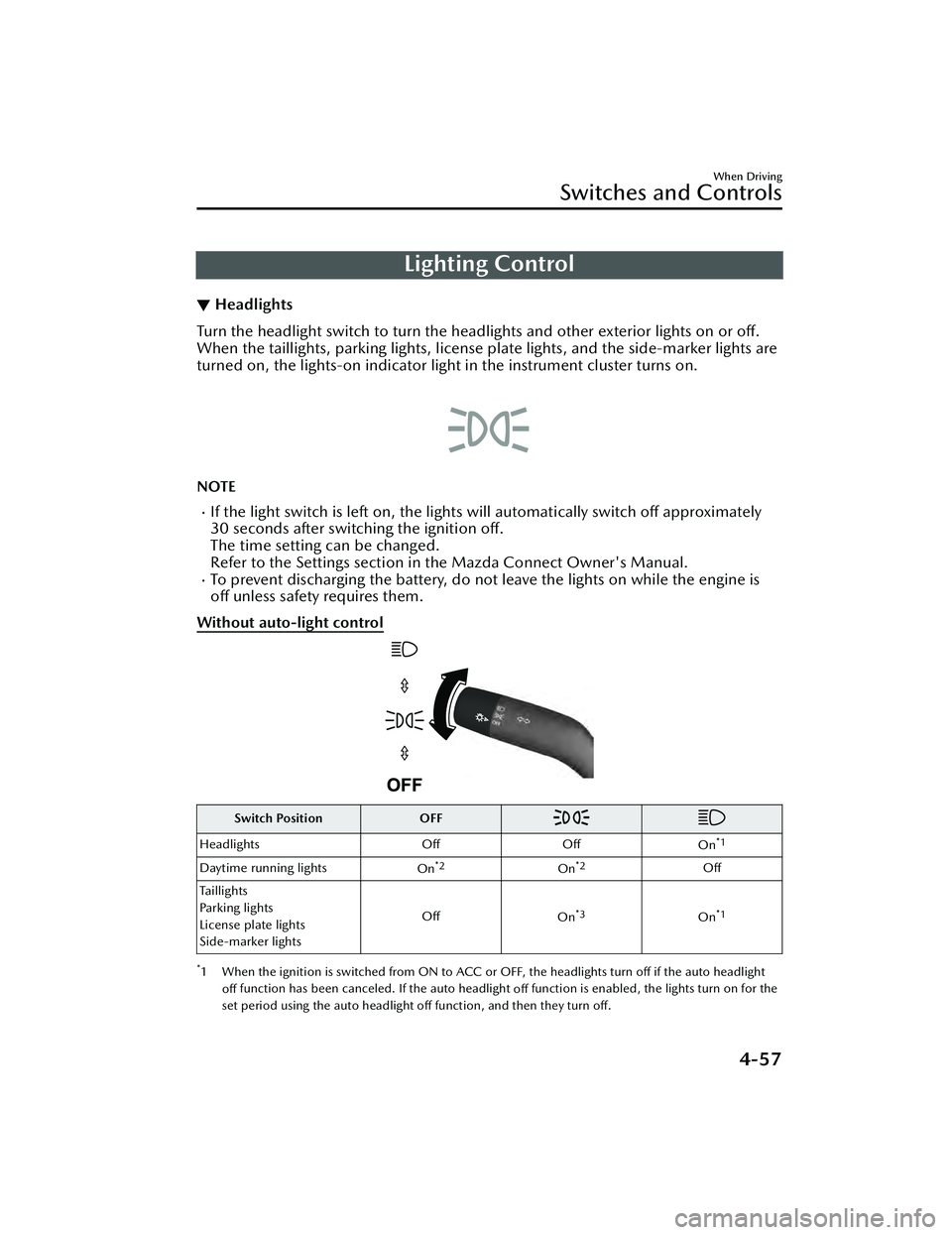
Turn the headlight switch to turn the headli
ghts and other exterior lights on or off.
When the taillights, parking lights, license plate lights, and the side-marker lights are
turned on, the lights-on indicator ligh t in the instrument cluster turns on.
NOTE
If the light switch is left on, the lights will automatically switch off approximately
30 seconds after switching the ignition off.
The time setting can be changed.
Refer to the Settings section in the Mazda Connect Owner's Manual.
To prevent discharging the battery, do not leave the lights on while the engine is
off unless safety requires them.
Without auto-light control
Switch Position OFF
Headlights OffOff
On*1
Daytime running lights On*2On*2Off
Taillights
Parking lights
License plate lights
Side-marker lights Off
On
*3On*1
*1 When the ignition is switched from ON to ACC or OFF, the headlights turn off if the auto headlight
off function has been canceled. If the auto headlight
off function is enabled, the lights turn on for the
set period using the auto headlight off function, and then they turn
off.
When Driving
Switches and Controls
4-57
Mazda3_8LC2-EA-22G_Edition1_new 2022-5-20 11:26:10
Page 205 of 623
NOTE
The headlights and other exterior lights may not turn off immediately even if the
surrounding area becomes well-lit because the light sensor determines that it is
night time if the surrounding area is cont inuously dark for several minutes such as
inside long tunnels, traffic jams inside tunnels, or in indoor parking lots.
If the headlight switch and the windshie ld wiper switch are in AUTO, and the
wipers are operated at low or high speed by the auto wiper control for several
seconds, bad weather conditions are determined and the headlights may be
turned on.
The sensitivity of the auto-light control may be changed.
Refer to the Settings section in the Mazda Connect Owner's Manual.
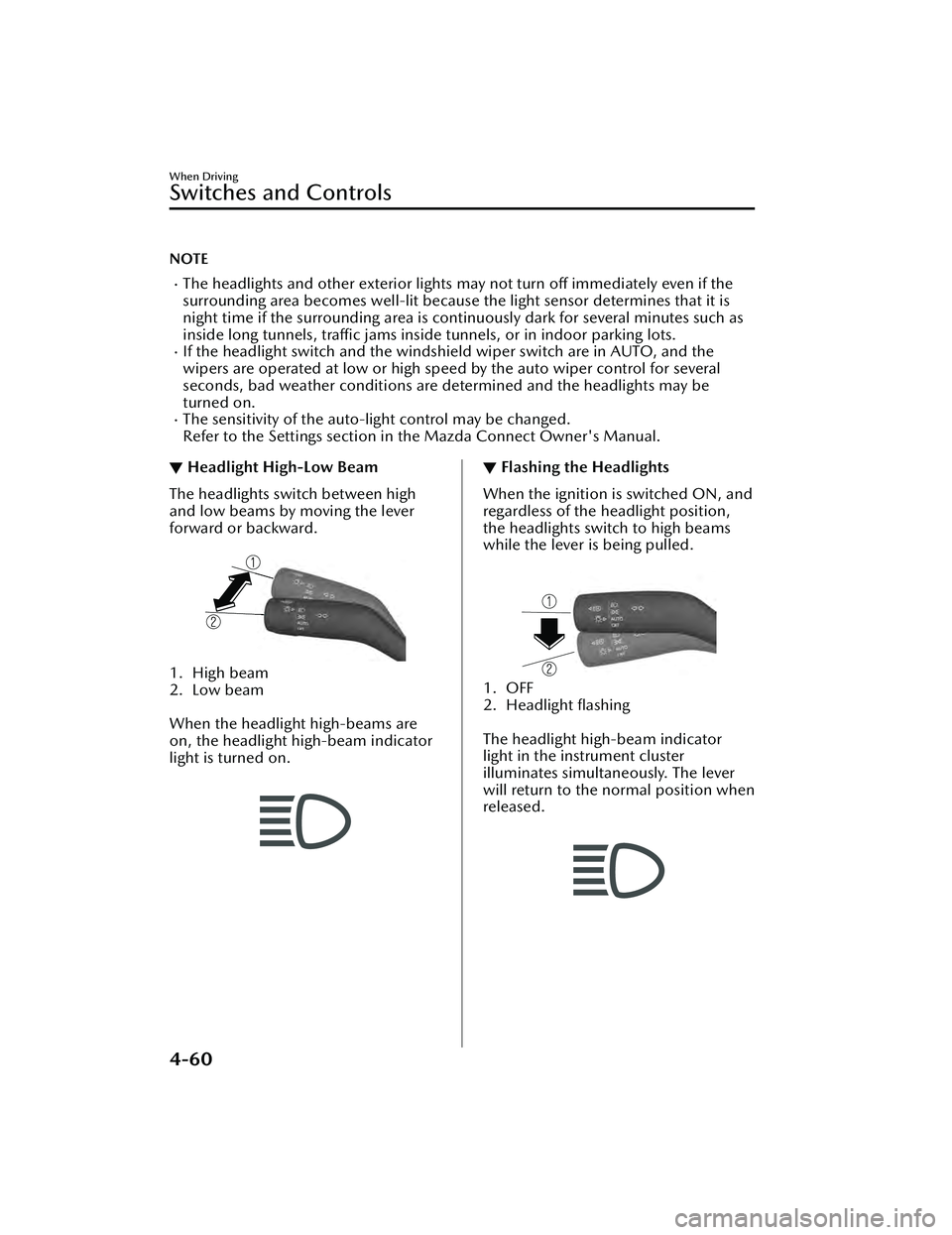
▼Headlight High-Low Beam
The headlights switch between high
and low beams by moving the lever
forward or backward.
1. High beam
2. Low beam
When the headlight high-beams are
on, the headlight high-beam indicator
light is turned on.
▼ Flashing the Headlights
When the ignition is switched ON, and
regardless of the headlight position,
the headlights switch to high beams
while the lever is being pulled.
1. OFF
2. Headlight flashing
The headlight high-beam indicator
light in the instrument cluster
illuminates simultaneously. The lever
will return to the normal position when
released.
When Driving
Switches and Controls
4-60
Mazda3_8LC2-EA-22G_Edition1_new
2022-5-20 11:26:10
Page 208 of 623
Turn and Lane-ChangeSignals
▼Turn and Lane-Change Signals
The ignition must be switched ON to
use the turn and lane-change signals.
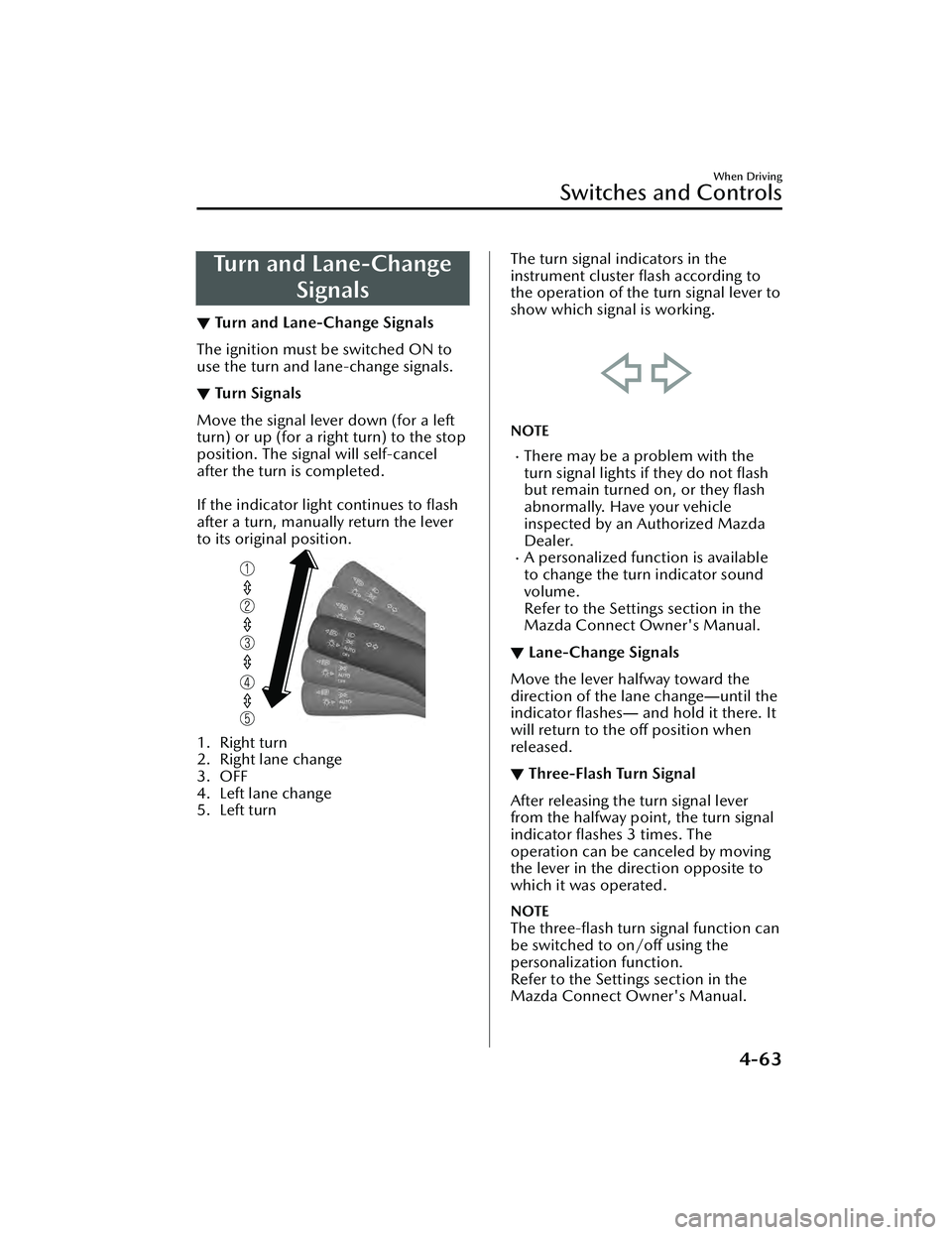
▼Tu r n S i g n a l s
Move the signal lever down (for a left
turn) or up (for a right turn) to the stop
position. The signal will self-cancel
after the turn is completed.
If the indicator light continues to flash
after a turn, manually return the lever
to its original position.
1. Right turn
2. Right lane change
3. OFF
4. Left lane change
5. Left turn
The turn signal indicators in the
instrument cluster flash according to
the operation of the turn signal lever to
show which signal is working.
NOTE
There may be a problem with the
turn signal lights if they do not flash
but remain turned on, or they flash
abnormally. Have your vehicle
inspected by an Authorized Mazda
Dealer.
A personalized function is available
to change the turn indicator sound
volume.
Refer to the Settings section in the
Mazda Connect Owner's Manual.
▼Lane-Change Signals
Move the lever halfway toward the
direction of the lane change
―until the
indicator flashes ― and hold it there. It
will return to the off position when
released.
▼ Three-Flash Turn Signal
After releasing the turn signal lever
from the halfway point, the turn signal
indicator
flashes 3 times. The
operation can be canceled by moving
the lever in the direction opposite to
which it was operated.
NOTE
The three-flash turn signal function can
be switched to on/off using the
personalization function.
Refer to the Settings section in the
Mazda Connect Owner's Manual.
When Driving
Switches and Controls
4-63
Mazda3_8LC2-EA-22G_Edition1_new 2022-5-20 11:26:10
Page 216 of 623
Hazard Warning Flasher
▼Hazard Warning Flasher
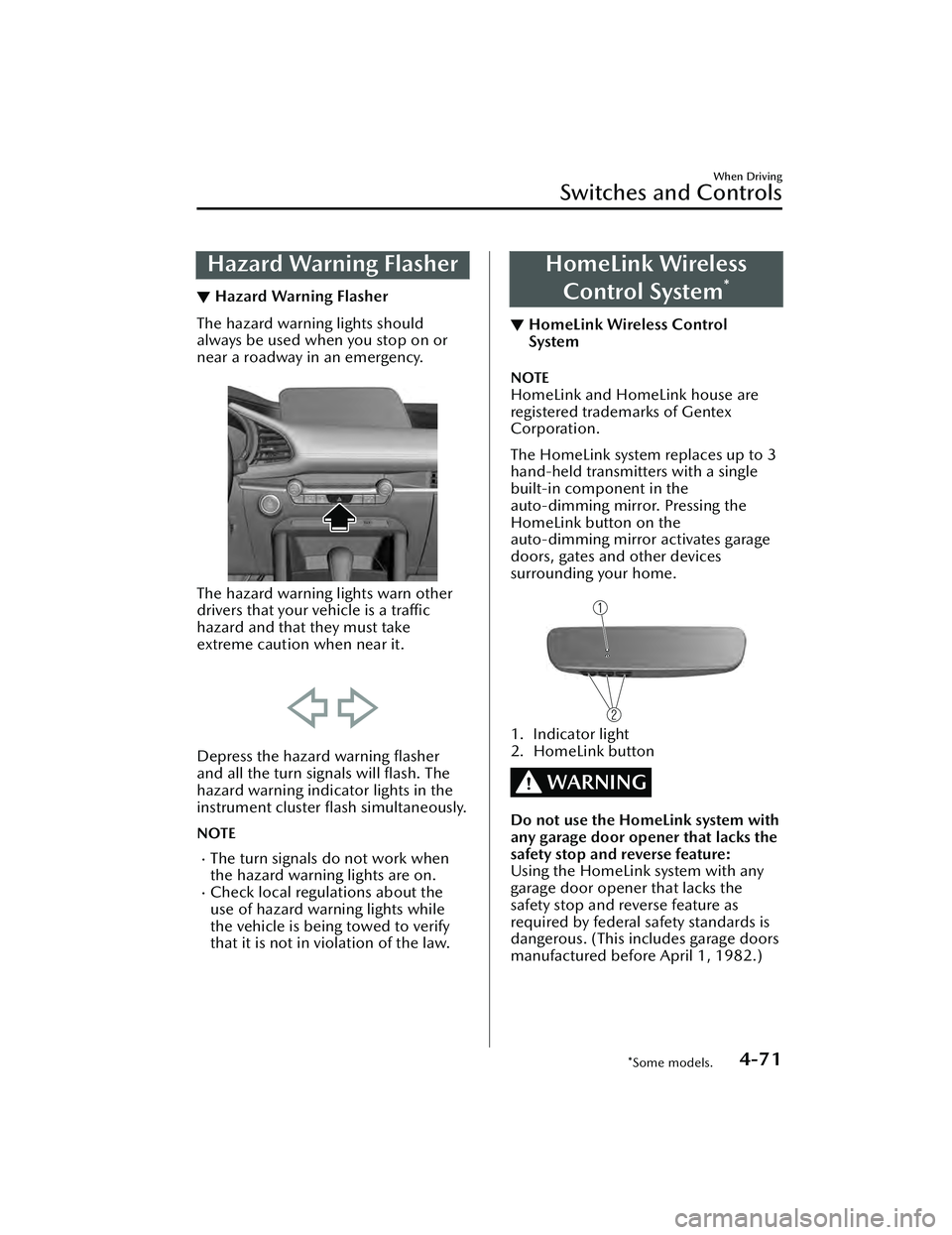
The hazard warning lights should
always be used when you stop on or
near a roadway in an emergency.
The hazard warning lights warn other
drivers that your vehicle is a traffic
hazard and that they must take
extreme caution when near it.
Depress the hazard warning flasher
and all the turn signals will
flash. The
hazard warning indicator lights in the
instrument cluster flash simultaneously.
NOTE
The turn signals do not work when
the hazard warning lights are on.
Check local regulations about the
use of hazard warning lights while
the vehicle is being towed to verify
that it is not in violation of the law.
HomeLink Wireless
Control System
*
▼ HomeLink Wireless Control
System
NOTE
HomeLink and HomeLink house are
registered trademarks of Gentex
Corporation.
The HomeLink system replaces up to 3
hand-held transmitters with a single
built-in component in the
auto-dimming mirror. Pressing the
HomeLink button on the
auto-dimming mirror activates garage
doors, gates and other devices
surrounding your home.
1. Indicator light
2. HomeLink button
WARNING
Do not use the HomeLink system with
any garage door opener that lacks the
safety stop and reverse feature:
Using the HomeLink system with any
garage door opener that lacks the
safety stop and reverse feature as
required by federal safety standards is
dangerous. (This includes garage doors
manufactured before April 1, 1982.)
When Driving
Switches and Controls
*Some models.4-71
Mazda3_8LC2-EA-22G_Edition1_new
2022-5-20 11:26:10
Page 222 of 623
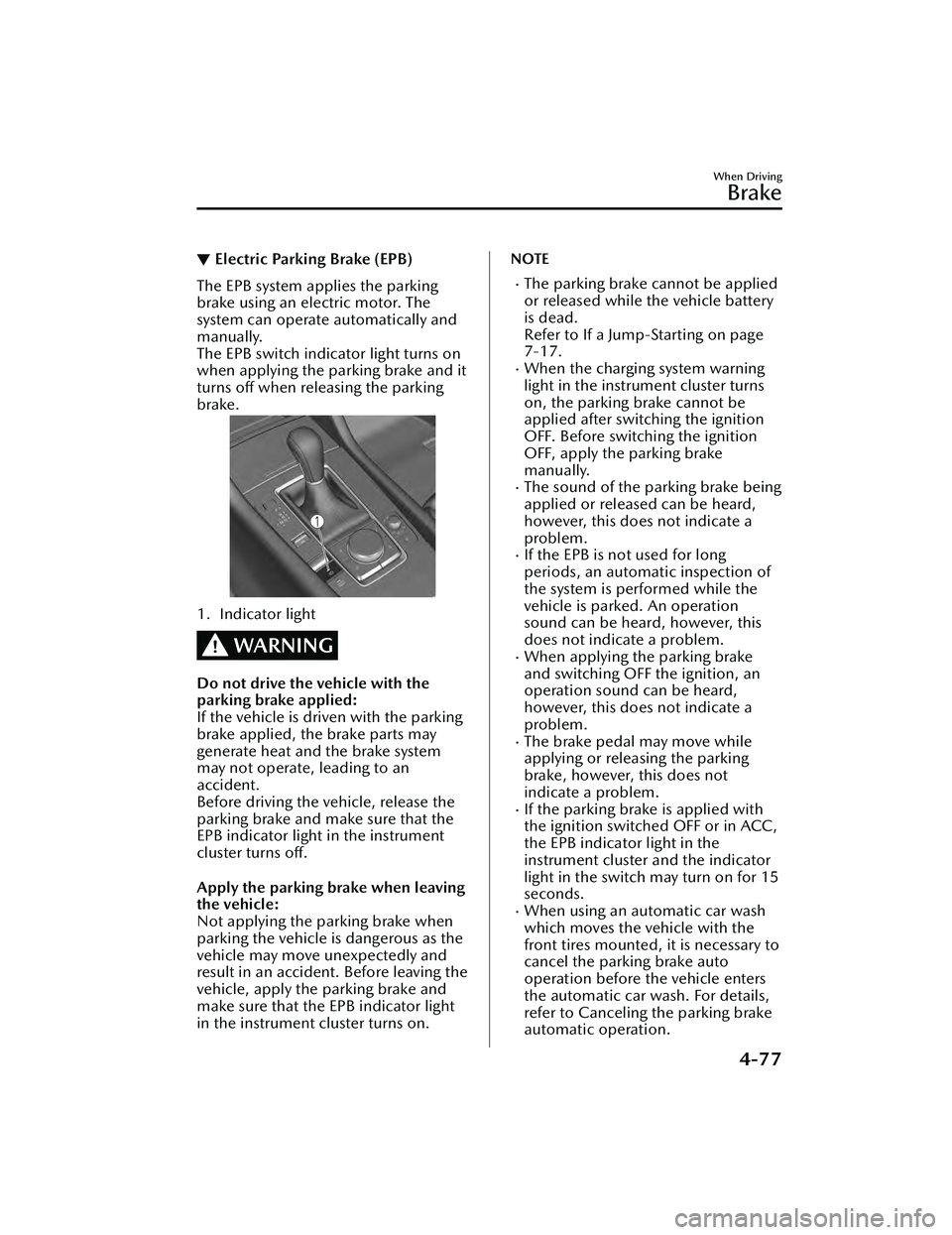
▼Electric Parking Brake (EPB)
The EPB system applies the parking
brake using an electric motor. The
system can operate automatically and
manually.
The EPB switch indicator light turns on
when applying the parking brake and it
turns off when releasing the parking
brake.
1. Indicator light
WARNING
Do not drive the vehicle with the
parking brake applied:
If the vehicle is driven with the parking
brake applied, the brake parts may
generate heat and the brake system
may not operate, leading to an
accident.
Before driving the vehicle, release the
parking brake and make sure that the
EPB indicator light in the instrument
cluster turns off.
Apply the parking brake when leaving
the vehicle:
Not applying the parking brake when
parking the vehicle is dangerous as the
vehicle may move unexpectedly and
result in an accident. Before leaving the
vehicle, apply the parking brake and
make sure that the EPB indicator light
in the instrument cluster turns on.
NOTE
The parking brake cannot be applied
or released while the vehicle battery
is dead.
Refer to If a Jump-Starting on page
7-17.
When the charging system warning
light in the instrument cluster turns
on, the parking brake cannot be
applied after switching the ignition
OFF. Before switching the ignition
OFF, apply the parking brake
manually.
The sound of the parking brake being
applied or released can be heard,
however, this does not indicate a
problem.
If the EPB is no
t used for long
periods, an automatic inspection of
the system is performed while the
vehicle is parked. An operation
sound can be heard, however, this
does not indicate a problem.
When applying the parking brake
and switching OFF the ignition, an
operation sound can be heard,
however, this does not indicate a
problem.
The brake pedal may move while
applying or releasing the parking
brake, however, this does not
indicate a problem.
If the parking brake is applied with
the ignition switched OFF or in ACC,
the EPB indicator light in the
instrument cluster and the indicator
light in the switch may turn on for 15
seconds.
When using an automatic car wash
which moves the vehicle with the
front tires mounted, it is necessary to
cancel the parking brake auto
operation before the vehicle enters
the automatic car wash. For details,
refer to Canceling the parking brake
automatic operation.
When Driving
Brake
4-77
Mazda3_8LC2-EA-22G_Edition1_new 2022-5-20 11:26:10
Page 223 of 623
Manual operation
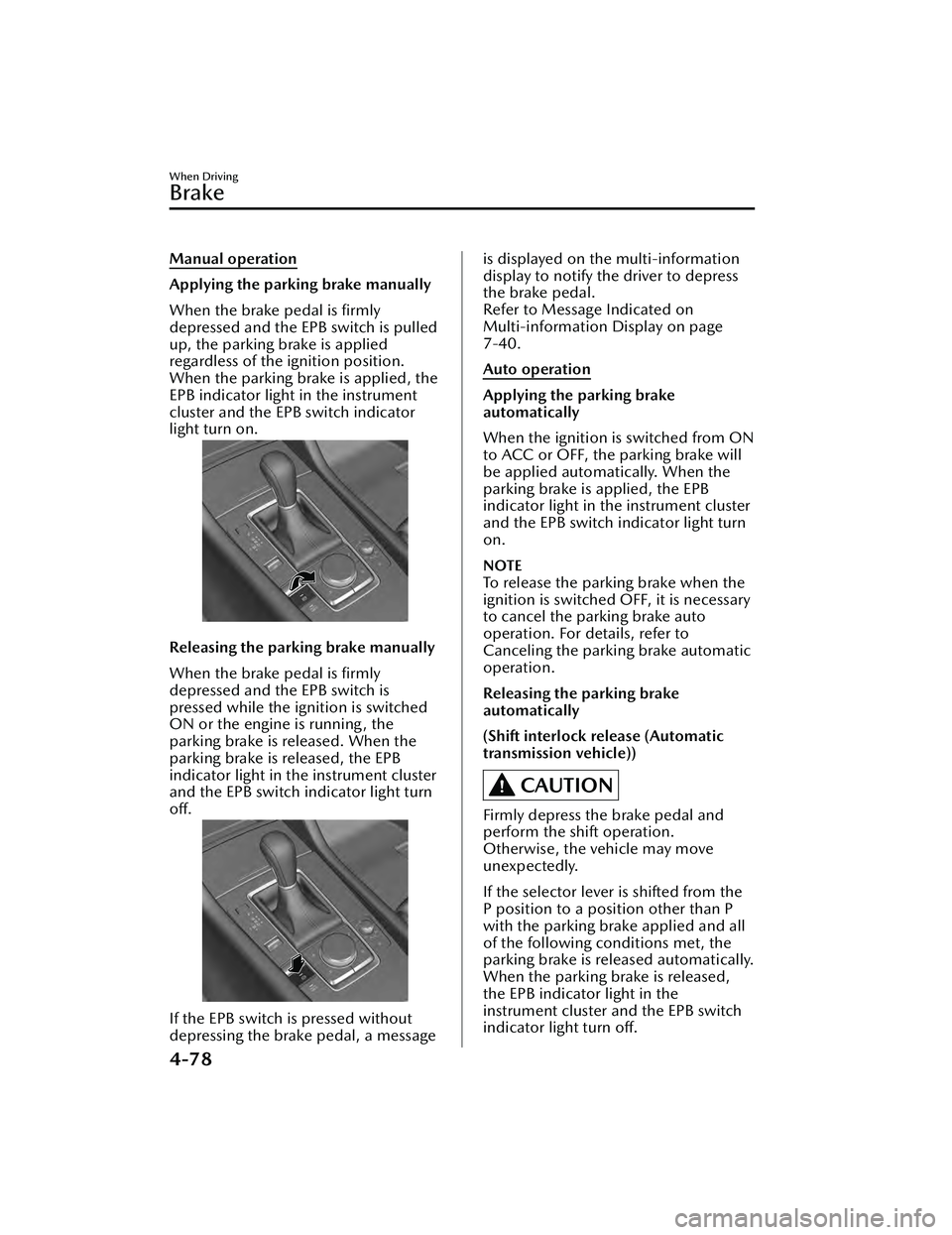
Applying the parking brake manually
When the brake pedal is firmly
depressed and the EPB switch is pulled
up, the parking brake is applied
regardless of the ignition position.
When the parking brake is applied, the
EPB indicator light in the instrument
cluster and the EPB switch indicator
light turn on.
Releasing the parking brake manually
When the brake pedal is firmly
depressed and the EPB switch is
pressed while the ignition is switched
ON or the engine is running, the
parking brake is released. When the
parking brake is released, the EPB
indicator light in the instrument cluster
and the EPB switch indicator light turn
off.
If the EPB switch is pressed without
depressing the brake pedal, a message
is displayed on the multi-information
display to notify the driver to depress
the brake pedal.
Refer to Message Indicated on
Multi-information Display on page
7-40.
Auto operation
Applying the parking brake
automatically
When the ignition is switched from ON
to ACC or OFF, the parking brake will
be applied automatically. When the
parking brake is applied, the EPB
indicator light in the instrument cluster
and the EPB switch indicator light turn
on.
NOTE
To release the parking brake when the
ignition is switched OFF, it is necessary
to cancel the parking brake auto
operation. For details, refer to
Canceling the parking brake automatic
operation.
Releasing the parking brake
automatically
(Shift interlock release (Automatic
transmission vehicle))
CAUTION
Firmly depress the brake pedal and
perform the shift operation.
Otherwise, the vehicle may move
unexpectedly.
If the selector lever is shifted from the
P position to a position other than P
with the parking brake applied and all
of the following conditions met, the
parking brake is released automatically.
When the parking brake is released,
the EPB indicator light in the
instrument cluster and the EPB switch
indicator light turn off.
When Driving
Brake
4-78
Mazda3_8LC2-EA-22G_Edition1_new2022-5-20 11:26:10
Page 224 of 623
The engine is running.The driver's door is closed.Shift interlock release is enabled.The brake pedal is being depressed.
When performing the following
operations, shift interlock release can
be enabled/disabled.
1. Switch the ignition ON.
2. Pull the EPB switch continuously for 4 seconds or longer.
3. Release the EPB switch once and then pull it again continuously for 4
seconds or longer within 3 seconds.
(Switching from disable to enable
shift interlock release)
When shift interlock release is
enabled, a sound is activated 2
times and the EPB switch indicator
changes to fast flashing , and flashes
for 3 seconds.
(Switching from enable to disable
shift interlock release)
When shift interlock release is
disabled, a sound is activated 2
times and the EPB switch indicator
light changes to slow flashing, and
flashes for 4 seconds.
NOTE
When the ignition is switched OFF,
the system setting before it was
turned off is maintained.
(Accelerator interlock release)
If the accelerator pedal is depressed
with the parking brake applied and all
of the following conditions met, the
parking brake is released automatically.
When the parking brake is released,
the EPB indicator light in the
instrument cluster and the EPB switch
indicator light turn off.
The engine is running.The driver's door is closed.The driver's seat belt is fastened.(Manual transmission vehicle)
The shift lever is in a position other
than neutral.
The clutch pedal is depressed
halfway.
(Automatic transmission vehicle)
The selector lever is in the D, M, or R
position.
CAUTION
If something such as the driver’s foot
contacts the accelerator pedal with the
engine running and the parking brake
applied, the parking brake may be
released automatically and the vehicle
may move unexpectedly. If you do not
intend to start driving the vehicle
immediately, shift the shift lever to the
neutral position for a manual
transmission, or shif t the selector lever
to the P or N position for an automatic
transmission.
Canceling the parking brake
automatic operation
The parking brake automatic operation
can be canceled by doing any of the
following after switching the ignition
from ON to OFF.
Auto operation cancel method 1
1. Switch the ignition ON.
2. Release the parking brake manually.
3. Turn off the AUTOHOLD.
4. Press the EPB switch continuously for 2 seconds or longer (until a
sound is activated).
5. Release the EPB switch and switch
the ignition OFF within 5 seconds
after the sound was activated.
After the auto operation is
canceled, a sound is activated one
time, and the EPB switch indicator
light switches from illumination to
flashing , and then turns off after 3
seconds.
When Driving
Brake
4-79
Mazda3_8LC2-EA-22G_Edition1_new 2022-5-20 11:26:10
Page 229 of 623
The brake pedal response may change, sound may occur from the brakes, or the
brake pedal could vibrate from the operation of the AUTOHOLD function.
However, this does not indicate a malfunction.
▼To Turn On AUTOHOLD System
Press the AUTOHOLD switch and
when the AUTOHOLD standby
indicator light turns on, the
AUTOHOLD function turns on.
1. AUTOHOLD standby indicator light
NOTE
When all of the following conditions
are met, the AUTOHOLD standby
indicator light turns on when the
AUTOHOLD switch is pressed and the
AUTOHOLD function turns on.
The ignition is switched ON (engine
is running or stopped by i-stop).
The driver's seat belt is fastened.The driver's door is closed.There is no problem with the
AUTOHOLD function.
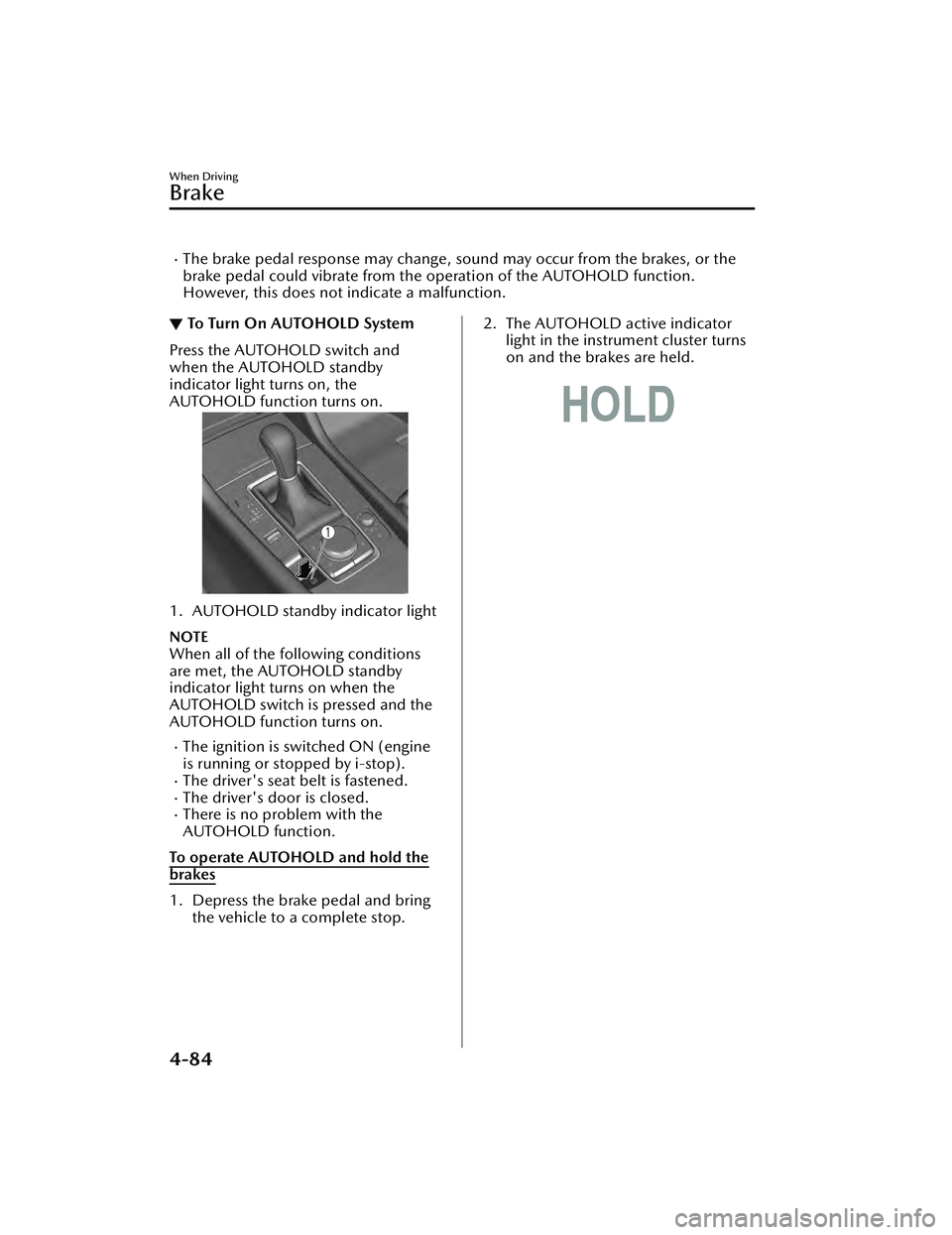
To operate AUTOHOLD and hold the
brakes
1. Depress the brake pedal and bring the vehicle to a complete stop.
2. The AUTOHOLD active indicatorlight in the instrument cluster turns
on and the brakes are held.
When Driving
Brake
4-84
Mazda3_8LC2-EA-22G_Edition1_new 2022-5-20 11:26:10
Page 231 of 623
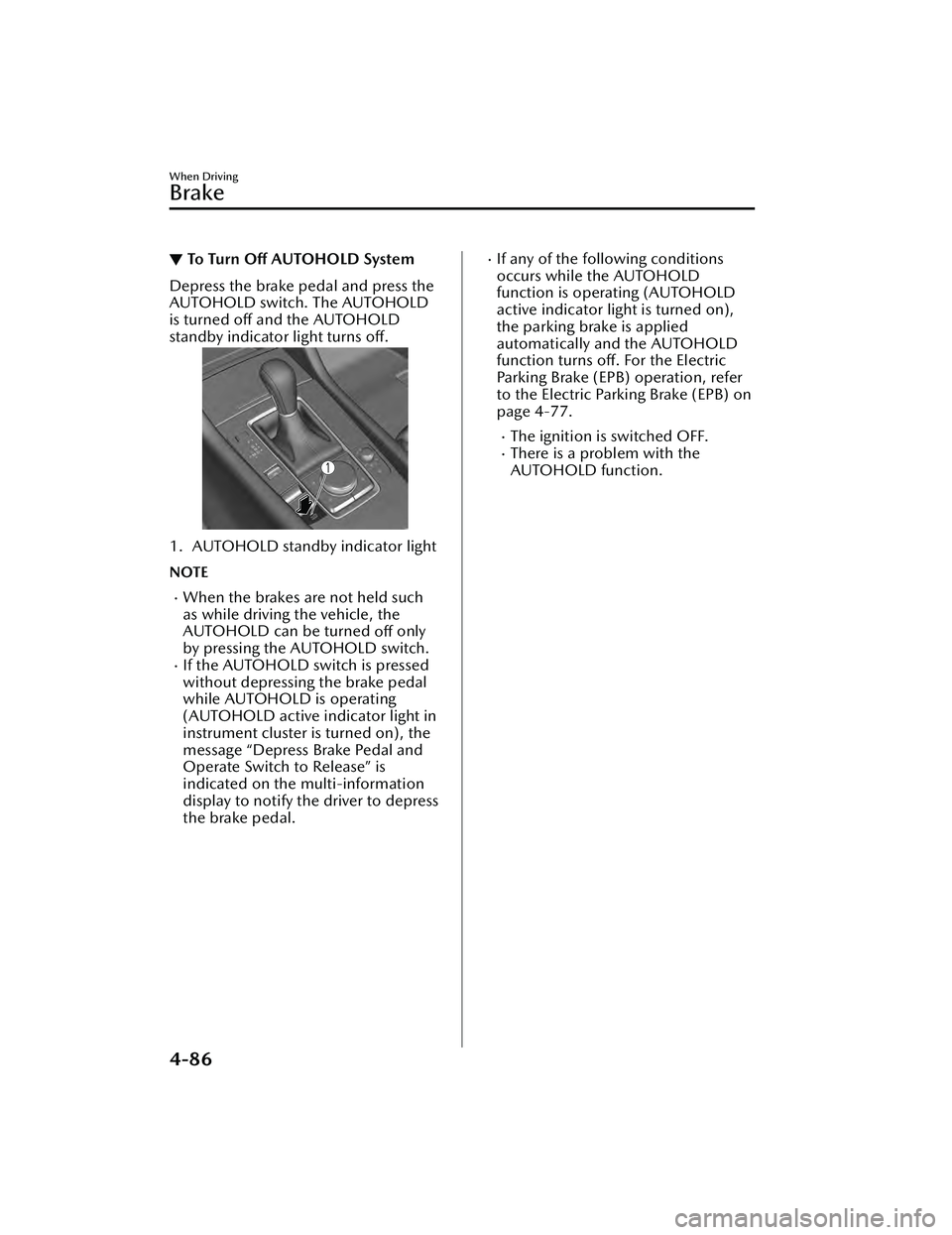
▼To Turn Off AUTOHOLD System
Depress the brake pedal and press the
AUTOHOLD switch. The AUTOHOLD
is turned off and the AUTOHOLD
standby indicator light turns off.
1. AUTOHOLD standby indicator light
NOTE
When the brakes are not held such
as while driving the vehicle, the
AUTOHOLD can be turned
off only
by pressing the AUTOHOLD switch.
If the AUTOHOLD switch is pressed
without depressing the brake pedal
while AUTOHOLD is operating
(AUTOHOLD active indicator light in
instrument cluster is turned on), the
message “Depress Brake Pedal and
Operate Switch to Release” is
indicated on the multi-information
display to notify the driver to depress
the brake pedal.
If any of the following conditions
occurs while the AUTOHOLD
function is operating (AUTOHOLD
active indicator light is turned on),
the parking brake is applied
automatically and the AUTOHOLD
function turns off. For the Electric
Parking Brake (EPB) operation, refer
to the Electric Parking Brake (EPB) on
page 4-77.
The ignition is switched OFF.There is a problem with the
AUTOHOLD function.
When Driving
Brake
4-86
Mazda3_8LC2-EA-22G_Edition1_new 2022-5-20 11:26:10
Page 236 of 623
▼DSC OFF Indicator Light
This indicator light stays on for a few
seconds when the ignition is switched
ON.
It also illuminates when the DSC OFF
switch is pressed and TCS/DSC is
switched off.
Refer to DSC OFF Switch on page
4-91.
If the light remains illuminated and the
TCS/DSC is not switched off, take your
vehicle to an Authorized Mazda
Dealer. The DSC may have a
malfunction.
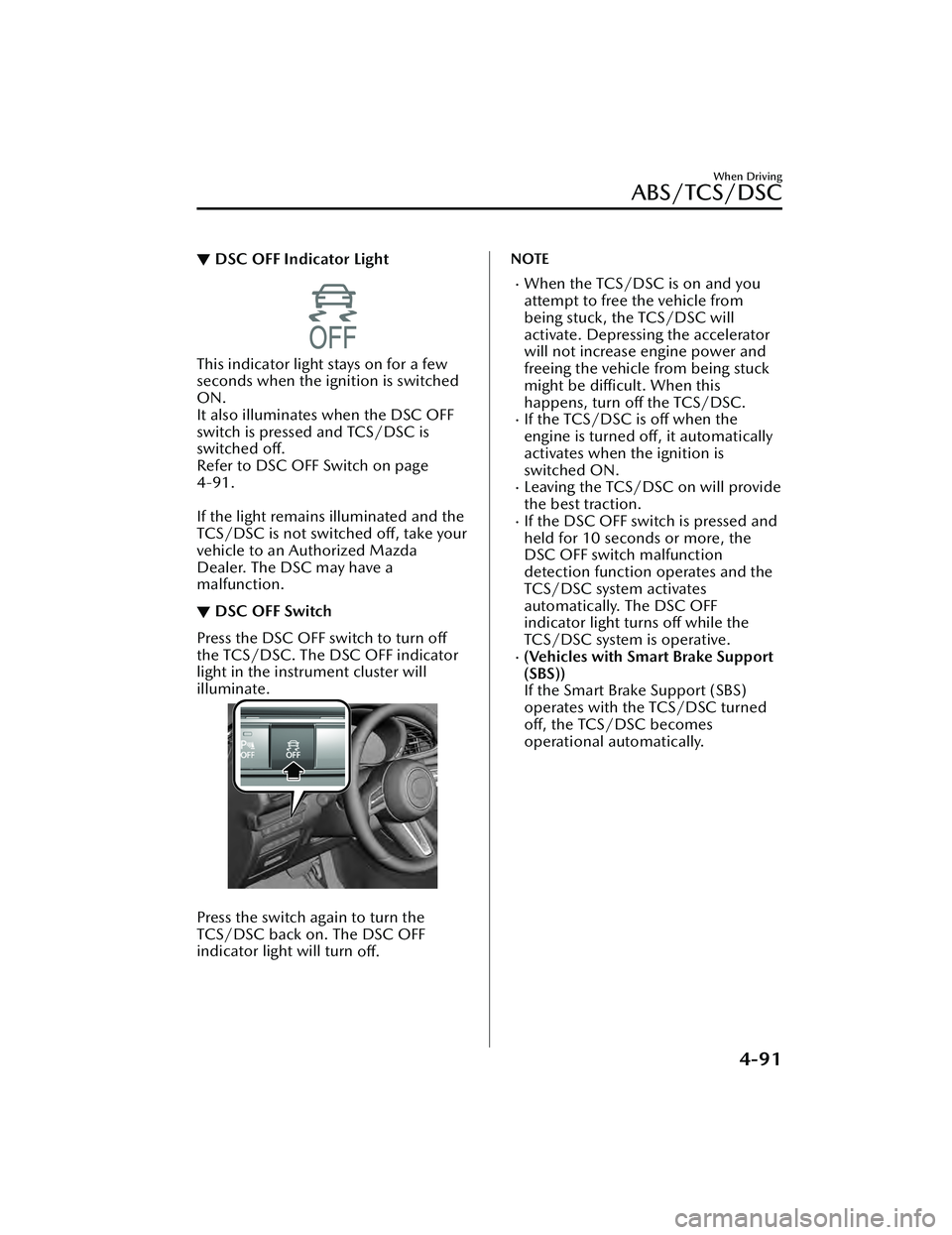
▼DSC OFF Switch
Press the DSC OFF switch to turn off
the TCS/DSC. The DSC OFF indicator
light in the instrument cluster will
illuminate.
Press the switch again to turn the
TCS/DSC back on. The DSC OFF
indicator light will turn
off.
NOTE
When the TCS/DSC is on and you
attempt to free the vehicle from
being stuck, the TCS/DSC will
activate. Depressing the accelerator
will not increase engine power and
freeing the vehicle from being stuck
might be difficult. When this
happens, turn off the TCS/DSC.
If the TCS/DSC is off when the
engine is turned off, it automatically
activates when the ignition is
switched ON.
Leaving the TCS/DSC on will provide
the best traction.
If the DSC OFF switch is pressed and
held for 10 seconds or more, the
DSC OFF switch malfunction
detection function operates and the
TCS/DSC system activates
automatically. The DSC OFF
indicator light turns off while the
TCS/DSC system is operative.
(Vehicles with Smart Brake Support
(SBS))
If the Smart Brake Support (SBS)
operates with the TCS/DSC turned
off, the TCS/DSC becomes
operational automatically.
When Driving
ABS/TCS/DSC
4-91
Mazda3_8LC2-EA-22G_Edition1_new 2022-5-20 11:26:10