fuel MAZDA MODEL 2 2014 User Guide
[x] Cancel search | Manufacturer: MAZDA, Model Year: 2014, Model line: MODEL 2, Model: MAZDA MODEL 2 2014Pages: 356, PDF Size: 4.02 MB
Page 109 of 356
Black plate (109,1)
NOTE
When the ignition is switched ON, the sound of
the fuel pump motor operating near the fuel
tank can be heard. This does not indicate an
abnormality.
START
The engine is started in this position. It
will crank until you release the key. It
then returns to the ON position.
qIgnition Key Reminder
If the ignition is switched off or the
ignition is switched to ACC with the key
inserted, a continuous beep sound will be
heard when the driver's door is opened.
Starting the Engine
NOTE
Engine-starting is controlled by the spark
ignition system.
This system meets all Canadian Interference-
Causing Equipment Standard requirements
regulating the impulse electrical field strength
of radio noise.
1. Occupants should fasten their seat
belts.
2. Make sure the parking brake is on.
3. Depress the brake pedal.
4. (Manual transaxle)
Depress the clutch pedal all the way
and shift into neutral.
Keep the clutch pedal depressed while
cranking the engine.
(Automatic transaxle)
Put the vehicle in park (P). If you must
restart the engine while the vehicle is
moving, shift into neutral (N).
NOTE
(Manual transaxle)
The starter will not operate unless the clutch is
depressed sufficiently.
(Automatic transaxle)
The starter will not operate if the shift lever is
not in P or N.
5. Switch the ignition to START and hold
(up to 10 seconds at a time) until the
engine starts.
CAUTION
Do not try the starter for more than
10 seconds at a time. If the engine
stalls or fails to start, wait 10 seconds
before trying again. Otherwise, you
may damage the starter and drain
the battery.
Driving Your Mazda
Starting and Driving
5-3
Mazda2_8DB2-EA-13G_Edition4 Page109
Thursday, May 15 2014 1:37 PM
Form No.8DB2-EA-13G
Page 120 of 356

Black plate (120,1)
NOTElWhen the ignition is switched off, the shift
lever cannot be shifted from P.
lTo be sure the vehicle is in park,the
ignition key cannot be removed unless the
shift lever is in P.
q Overdrive
Overdrive operation
In D, the transaxle automatically shifts to
overdrive, which improves fuel economy
and reduces noise.
To allow engine braking when going
down a steep grade, make sure the
overdrive button is in the off position.
Overdrive button
And for a smoother ride with less shifting,
don't use it when:
lGoing up a steep grade.lDriving in stop-and-go traffic.lPulling heavy loads.
To turn off the overdrive, push the
button.
The transaxle will then shift through a 3-
gear sequence in D.
Shift patterns without overdrive:
D = 1st, 2nd, 3rd
2 = 2nd
1 = 1st To turn it on, push the button again.
Shift patterns with overdrive:
D = 1st, 2nd, 3rd, 4th
2 = 2nd
1 = 1st
O/D OFF indicator light
This light illuminates when the overdrive
has been turned off.
CAUTION
If the overdrive-off indicator light
flashes, the transaxle has an
electrical problem. Continuing to
drive your Mazda in this condition
could cause damage to your
transaxle. Consult an Authorized
Mazda Dealer as soon as possible.
q
Driving Tips
WARNING
Do not allow the vehicle to move in
reverse on an up-slope while the
selector lever is in a forward gear
position, or move forward on a down-
slope while the selector lever is in the
reverse position.
Otherwise, the engine will stop,
causing the loss of the power brake
and power steering functions, and
make it difficult to control the vehicle
which could result in an accident.
5-14
Driving Your Mazda
Starting and Driving
Mazda2_8DB2-EA-13G_Edition4 Page120
Thursday, May 15 2014 1:37 PM
Form No.8DB2-EA-13G
Page 130 of 356
Black plate (130,1)
CAUTION
Each tire, including the spare (if provided), should be checked monthly when cold
and inflated to the inflation pressure recommended by the vehicle manufacturer on
the vehicle placard or tire inflation pressure label. (If your vehicle has tires of a
different size than the size indicated on the vehicle placard or tire inflation pressure
label, you should determine the proper tire inflation pressure for those tires.)
As an added safety feature, your vehicle has been equipped with a tire pressure
monitoring system (TPMS) that illuminates a low tire pressure telltale when one or
more of your tires is significantly under-inflated. Accordingly, when the low tire
pressure telltale illuminates, you should stop and check your tires as soon as
possible, and inflate them to the proper pressure. Driving on a significantly under-
inflated tire causes the tire to overheat and can lead to tire failure. Under-inflation
also reduces fuel efficiency and tire tread life, and may affect the vehicle's handling
and stopping ability.
Please note that the TPMS is not a substitute for proper tire maintenance, and it is
the driver's responsibility to maintain correct tire pressure, even if under-inflation
has not reached the level to trigger illumination of the TPMS low tire pressure
telltale.
Your vehicle has also been equipped with a TPMS malfunction indicator to indicate
when the system is not operating properly.
The TPMS malfunction indicator is combined with the low tire pressure telltale.
When the system detects a malfunction, the telltale will flash for approximately one
minute and then remain continuously illuminated. This sequence will continue upon
subsequent vehicle start-ups as long as the malfunction exists. When the
malfunction indicator is illuminated, the system may not be able to detect or signal
low tire pressure as intended. TPMS malfunctions may occur for a variety of reasons,
including the installation of replacement or alternate tires or wheels on the vehicle
that prevent the TPMS from functioning properly. Always check the TPMS
malfunction telltale after replacing one or more tires or wheels on your vehicle to
ensure that the replacement or alternate tires and wheels allow the TPMS to
continue to function properly.
To avoid false readings, the system samples for a little while before indicating a
problem. As a result it will not instantaneously register a rapid tire deflation or blow
out.
NOTE
This device complies with part 15 of the FCC Rules. Operation is subject to the following two
conditions: (1) This device may not cause harmful interference, and (2) this device must accept any
interference received, including interference that may cause undesired operation.
5-24
Driving Your Mazda
Starting and Driving
Mazda2_8DB2-EA-13G_Edition4 Page130
Thursday, May 15 2014 1:37 PM
Form No.8DB2-EA-13G
Page 135 of 356

Black plate (135,1)
Meters and Gauges
Speedometer ...................................................................................................... page 5-30
Odometer, Trip Meter and Trip Meter Selector .................................................. page 5-30
Tachometer ........................................................................................................ page 5-31
Fuel Gauge ........................................................................................................ page 5-31
Dashboard Illumination ..................................................................................... page 5-32
Trip Computer and INFO Button ...................................................................... page 5-32
Driving Your Mazda
Instrument Cluster and Indicators
5-29
Mazda2_8DB2-EA-13G_Edition4 Page135
Thursday, May 15 2014 1:37 PM
Form No.8DB2-EA-13G
Page 137 of 356
Black plate (137,1)
Trip meter
The trip meter can record the total
distance of two trips. One is recorded in
trip meter A, and the other is recorded in
trip meter B.
For instance, trip meter A can record the
distance from the point of origin, and trip
meter B can record the distance from
where the fuel tank is filled.
When trip meter A is selected, pressing
the selector again within one second will
change to trip meter B mode.
When trip meter A is selected, TRIP A
will be displayed. When trip meter B is
selected, TRIP B will be displayed.
The trip meter records the total distance
the vehicle is driven until the meter is
again reset. Return it to“0.0 ”by holding
the selector depressed for 1 second or
more. Use this meter to measure trip
distances and to compute fuel
consumption.
NOTE
lOnly the trip meters record tenths of
kilometers (miles).
lThe trip record will be erased when:lThe power supply is interrupted (blown
fuse or the battery is disconnected).
lThe vehicle is driven over 999.9 km
(mile).
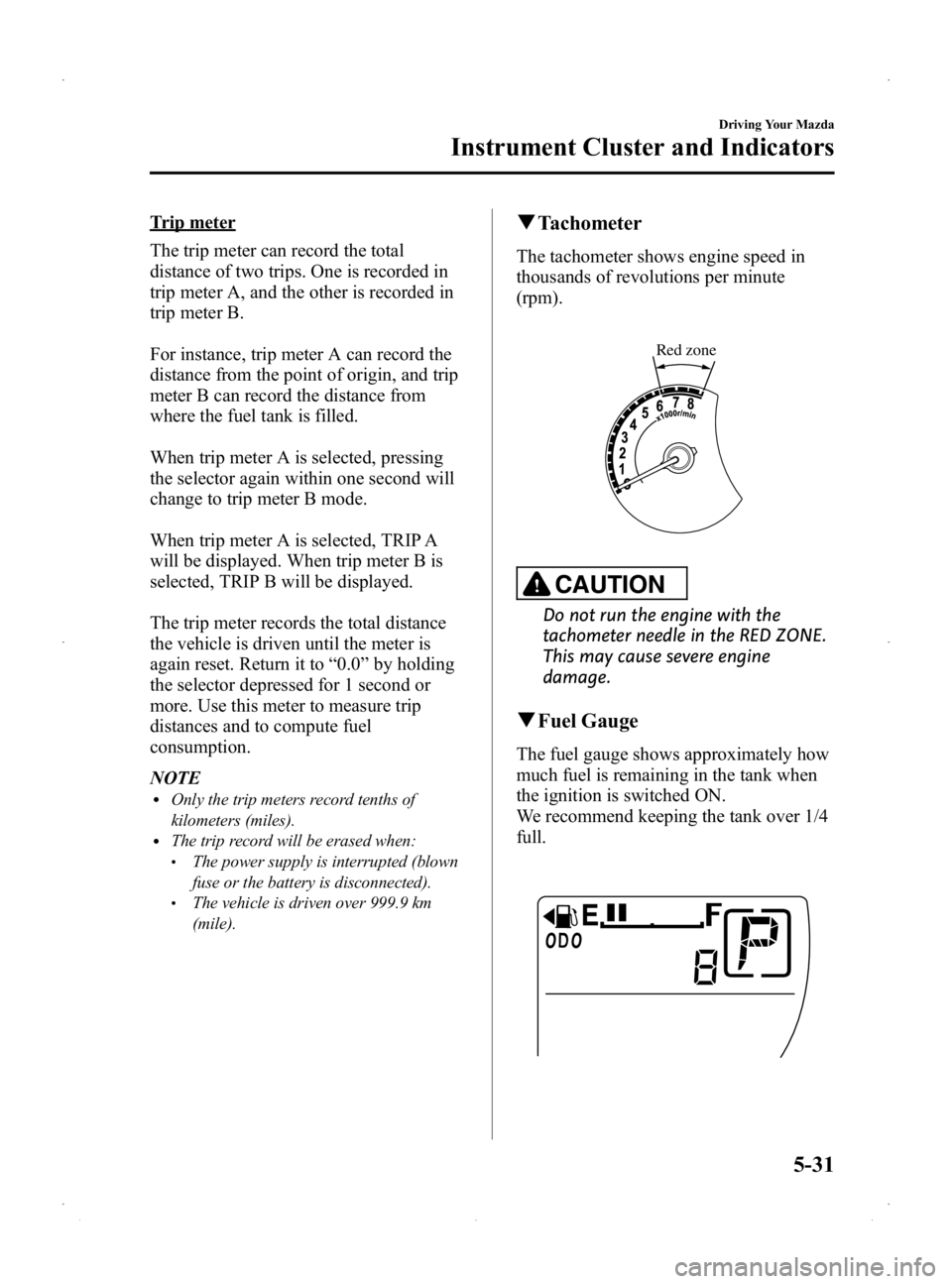
q Tachometer
The tachometer shows engine speed in
thousands of revolutions per minute
(rpm).
Red zone
CAUTION
Do not run the engine with the
tachometer needle in the RED ZONE.
This may cause severe engine
damage.
qFuel Gauge
The fuel gauge shows approximately how
much fuel is remaining in the tank when
the ignition is switched ON.
We recommend keeping the tank over 1/4
full.
Driving Your Mazda
Instrument Cluster and Indicators
5-31
Mazda2_8DB2-EA-13G_Edition4 Page137
Thursday, May 15 2014 1:37 PM
Form No.8DB2-EA-13G
Page 138 of 356
Black plate (138,1)
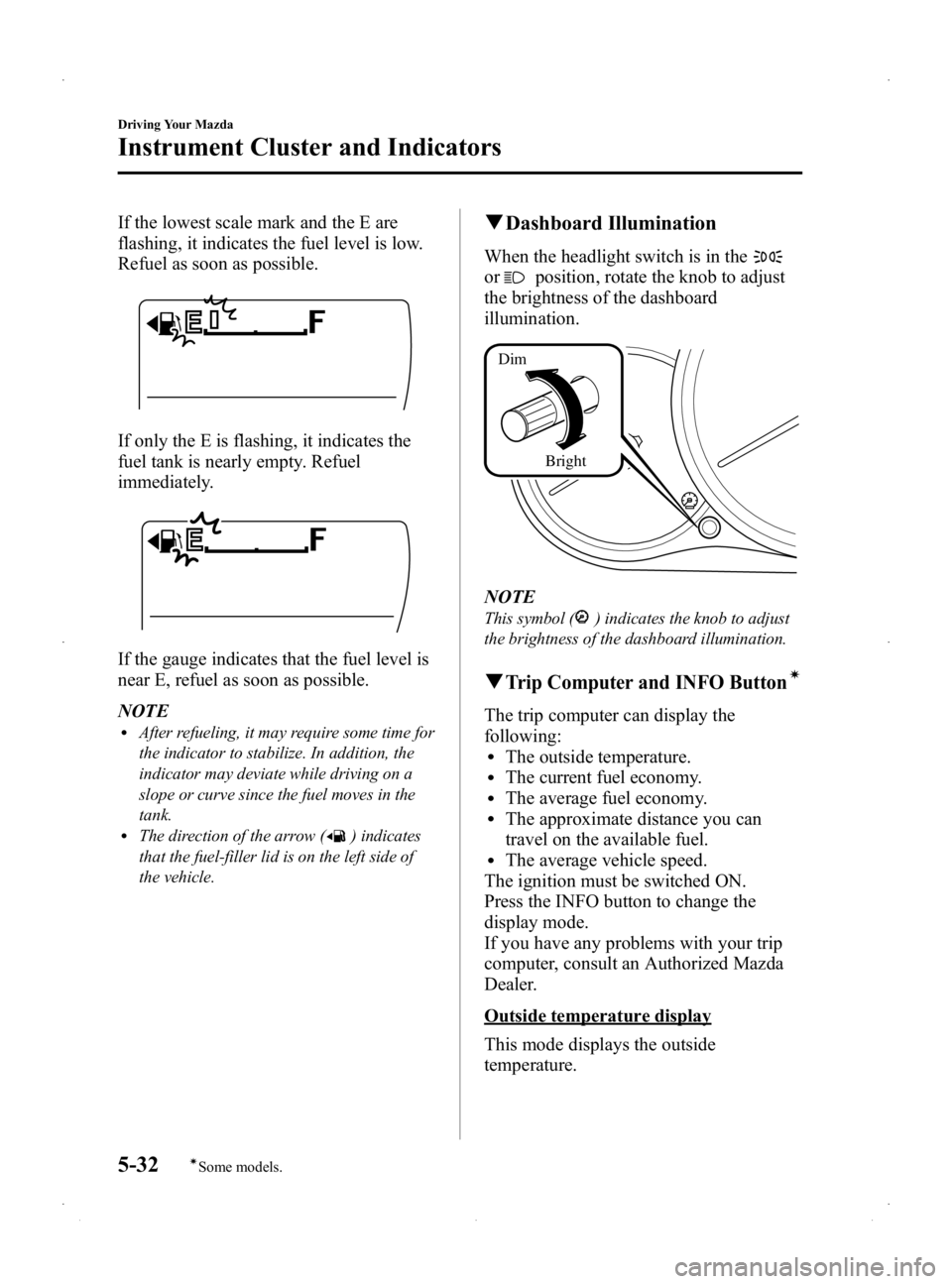
If the lowest scale mark and the E are
flashing, it indicates the fuel level is low.
Refuel as soon as possible.
If only the E is flashing, it indicates the
fuel tank is nearly empty. Refuel
immediately.
If the gauge indicates that the fuel level is
near E, refuel as soon as possible.
NOTE
lAfter refueling, it may require some time for
the indicator to stabilize. In addition, the
indicator may deviate while driving on a
slope or curve since the fuel moves in the
tank.
lThe direction of the arrow () indicates
that the fuel-filler lid is on the left side of
the vehicle.
q Dashboard Illumination
When the headlight switch is in the
orposition, rotate the knob to adjust
the brightness of the dashboard
illumination.
Bright
Dim
NOTE
This symbol () indicates the knob to adjust
the brightness of the dashboard illumination.
qTrip Computer and INFO Buttoní
The trip computer can display the
following:
lThe outside temperature.lThe current fuel economy.lThe average fuel economy.lThe approximate distance you can
travel on the available fuel.
lThe average vehicle speed.
The ignition must be switched ON.
Press the INFO button to change the
display mode.
If you have any problems with your trip
computer, consult an Authorized Mazda
Dealer.
Outside temperature display
This mode displays the outside
temperature.
5-32
Driving Your Mazda
íSome models.
Instrument Cluster and Indicators
Mazda2_8DB2-EA-13G_Edition4 Page138
Thursday, May 15 2014 1:37 PM
Form No.8DB2-EA-13G
Page 139 of 356
Black plate (139,1)
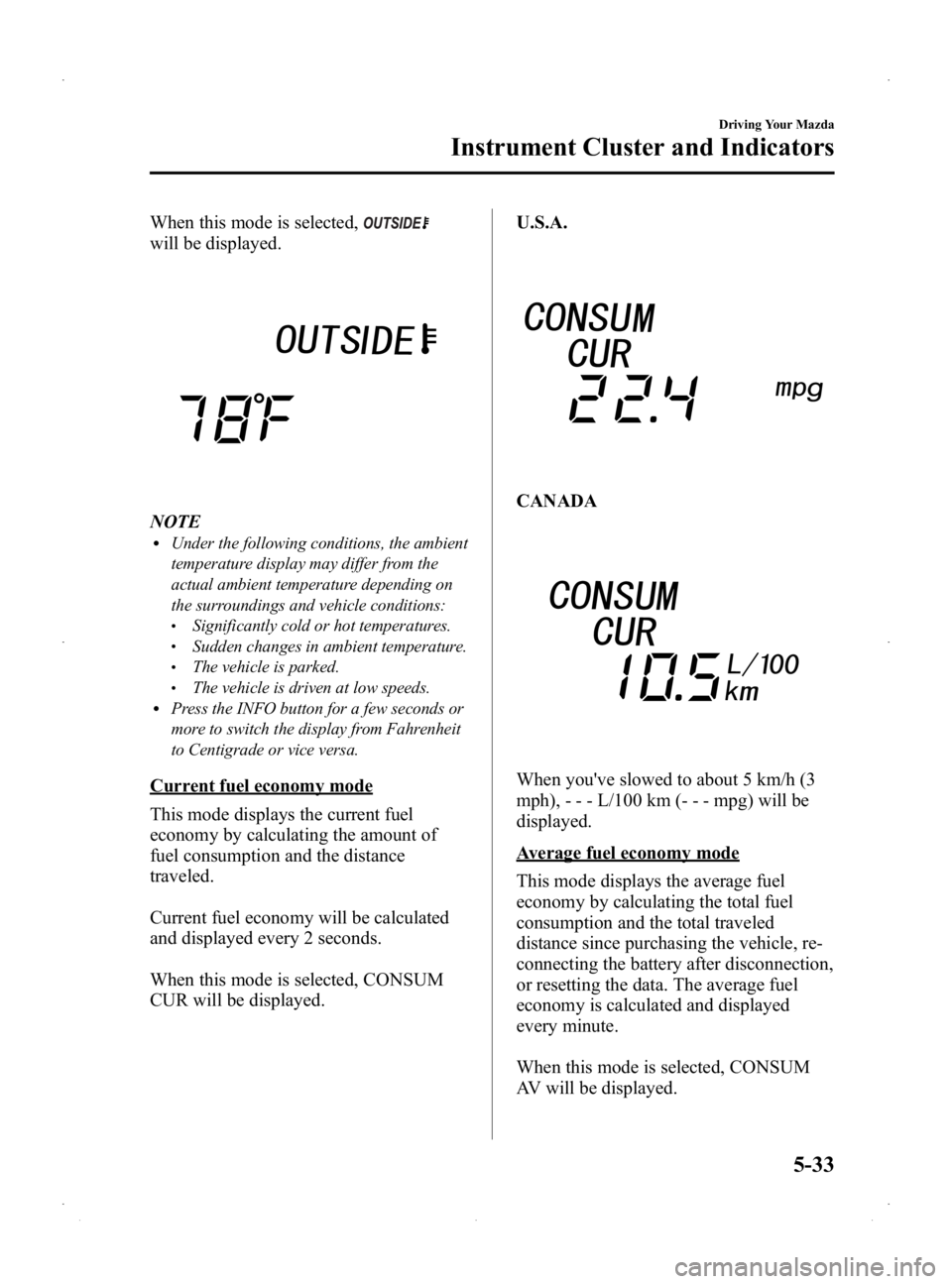
When this mode is selected,
will be displayed.
NOTElUnder the following conditions, the ambient
temperature display may differ from the
actual ambient temperature depending on
the surroundings and vehicle conditions:
lSignificantly cold or hot temperatures.lSudden changes in ambient temperature.lThe vehicle is parked.lThe vehicle is driven at low speeds.lPress the INFO button for a few seconds or
more to switch the display from Fahrenheit
to Centigrade or vice versa.
Current fuel economy mode
This mode displays the current fuel
economy by calculating the amount of
fuel consumption and the distance
traveled.
Current fuel economy will be calculated
and displayed every 2 seconds.
When this mode is selected, CONSUM
CUR will be displayed.U.S.A.
CANADA
When you've slowed to about 5 km/h (3
mph), - - - L/100 km (- - - mpg) will be
displayed.
Average fuel economy mode
This mode displays the average fuel
economy by calculating the total fuel
consumption and the total traveled
distance since purchasing the vehicle, re-
connecting the battery after disconnection,
or resetting the data. The average fuel
economy is calculated and displayed
every minute.
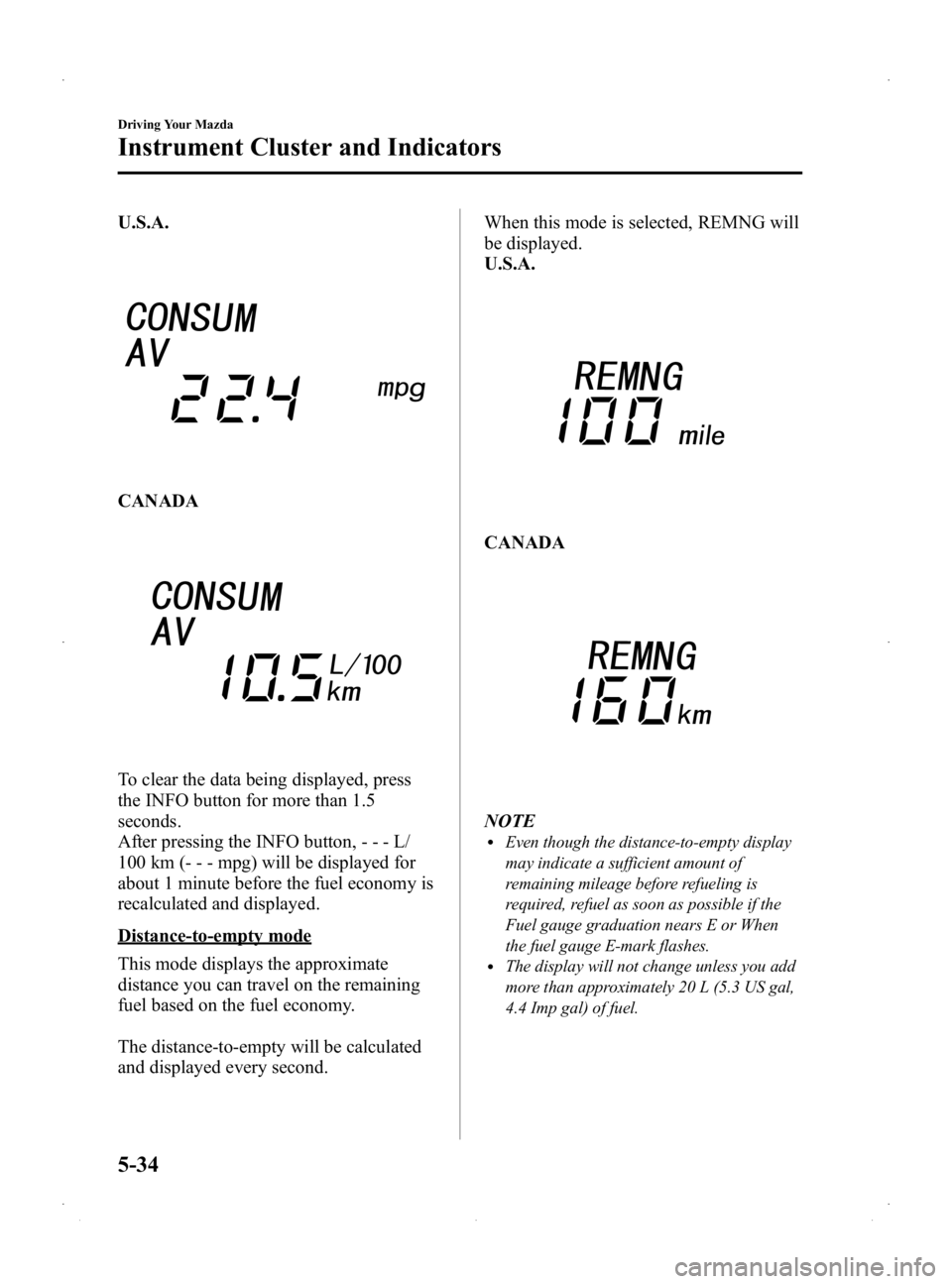
When this mode is selected, CONSUM
AV will be displayed.
Driving Your Mazda
Instrument Cluster and Indicators
5-33
Mazda2_8DB2-EA-13G_Edition4 Page139
Thursday, May 15 2014 1:37 PM
Form No.8DB2-EA-13G
Page 140 of 356
Black plate (140,1)
U.S.A.
CANADA
To clear the data being displayed, press
the INFO button for more than 1.5
seconds.
After pressing the INFO button,---L/
100 km (- - - mpg) will be displayed for
about 1 minute before the fuel economy is
recalculated and displayed.
Distance-to-empty mode
This mode displays the approximate
distance you can travel on the remaining
fuel based on the fuel economy.
The distance-to-empty will be calculated
and displayed every second. When this mode is selected, REMNG will
be displayed.
U.S.A.
CANADA
NOTElEven though the distance-to-empty display
may indicate a sufficient amount of
remaining mileage before refueling is
required, refuel as soon as possible if the
Fuel gauge graduation nears E or When
the fuel gauge E-mark flashes.
lThe display will not change unless you add
more than approximately 20 L (5.3 US gal,
4.4 Imp gal) of fuel.
5-34
Driving Your Mazda
Instrument Cluster and Indicators
Mazda2_8DB2-EA-13G_Edition4 Page140
Thursday, May 15 2014 1:37 PM
Form No.8DB2-EA-13G
Page 143 of 356
Black plate (143,1)
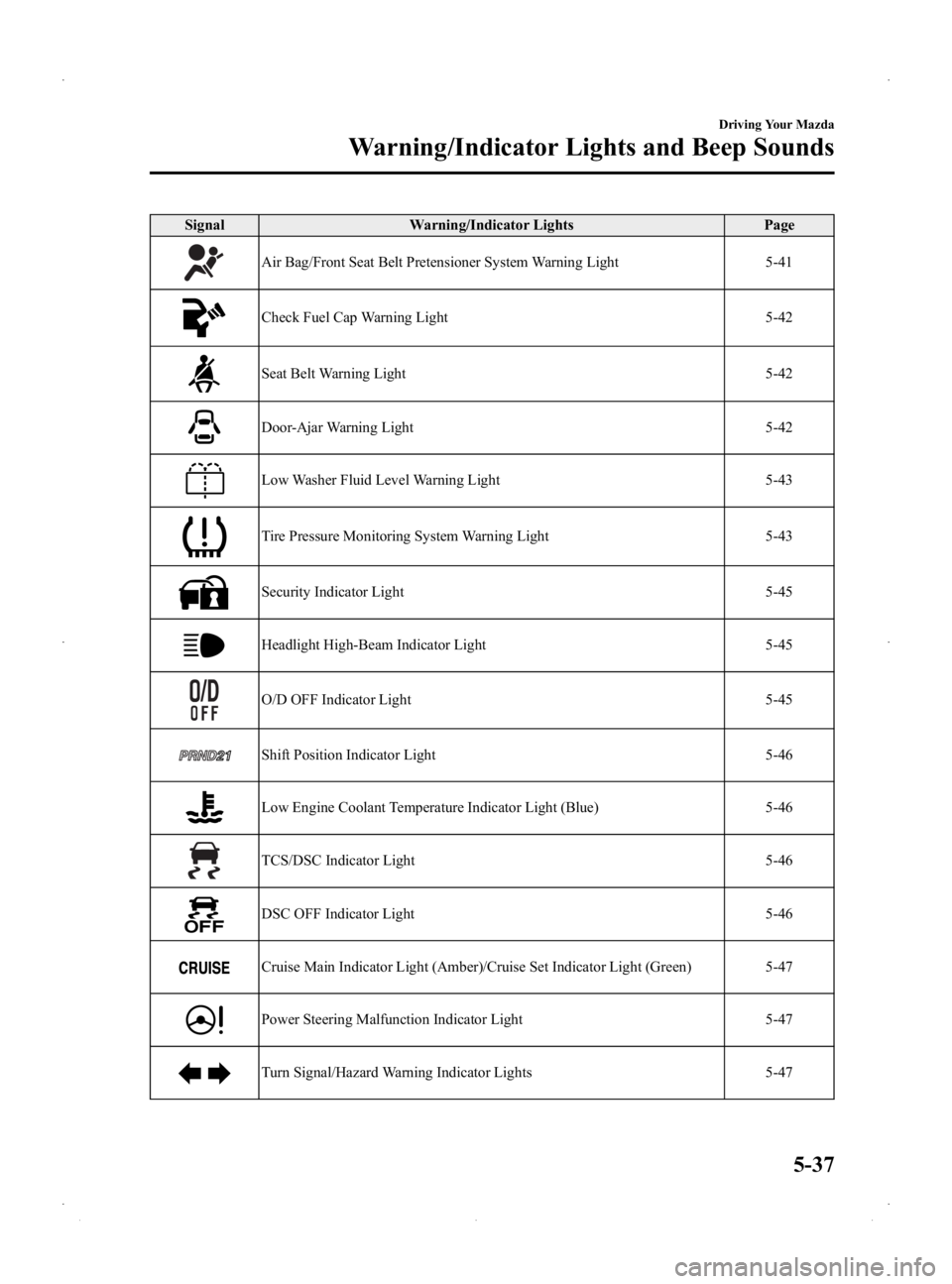
SignalWarning/Indicator Lights Page
Air Bag/Front Seat Belt Pretensioner System Warning Light 5-41
Check Fuel Cap Warning Light5-42
Seat Belt Warning Light5-42
Door-Ajar Warning Light5-42
Low Washer Fluid Level Warning Light5-43
Tire Pressure Monitoring System Warning Light5-43
Security Indicator Light5-45
Headlight High-Beam Indicator Light5-45
O/D OFF Indicator Light5-45
Shift Position Indicator Light5-46
Low Engine Coolant Temperature Indicator Light (Blue) 5-46
TCS/DSC Indicator Light5-46
DSC OFF Indicator Light5-46
Cruise Main Indicator Light (Amber)/Cruise Set Indicator Light (Green) 5-47
Power Steering Malfunction Indicator Light5-47
Turn Signal/Hazard Warning Indicator Lights5-47
Driving Your Mazda
Warning/Indicator Lights and Beep Sounds
5-37
Mazda2_8DB2-EA-13G_Edition4 Page143
Thursday, May 15 2014 1:37 PM
Form No.8DB2-EA-13G
Page 147 of 356

Black plate (147,1)
If this light illuminates while driving, the
vehicle may have a problem. It is
important to note the driving conditions
when the light illuminated and consult an
Authorized Mazda Dealer.
The check engine light may illuminate in
the following cases:
lThe fuel tank level being very low or
approaching empty.
lThe engine's electrical system has a
problem.
lThe emission control system has a
problem.
If the check engine light remains on or
flashes continuously, do not drive at high
speeds and consult an Authorized Mazda
Dealer as soon as possible.
qHigh Engine Coolant Temperature
Warning Light (Red)
When the ignition is switched ON, the
light illuminates momentarily and then
turns off.
The light flashes when the engine coolant
temperature is extremely high, and
illuminates when the engine coolant
temperature increases further.
Handling Procedure
Flashing light
Drive slowly to reduce engine load. Illuminated light
This indicates the possibility of
overheating. Park the vehicle in a safe
place immediately and stop the engine.
Refer to Overheating (page 7-15).
CAUTION
Do not drive the vehicle with the high
engine coolant temperature warning
light illuminated. Otherwise, it could
result in damage to the engine.
qAir Bag/Front Seat Belt
Pretensioner System Warning Light
If the air bag/front seat belt pretensioner
system is working properly, the warning
light illuminates when the ignition is
switched ON or after the engine is
cranked. The warning light turns off after
a specified period of time.
A system malfunction is indicated if the
warning light constantly flashes,
constantly illuminates or does not
illuminate at all when the ignition is
switched ON. If any of these occur,
consult an Authorized Mazda Dealer as
soon as possible. The system may not
operate in an accident.
Driving Your Mazda
Warning/Indicator Lights and Beep Sounds
5-41
Mazda2_8DB2-EA-13G_Edition4 Page147
Thursday, May 15 2014 1:37 PM
Form No.8DB2-EA-13G