ignition MAZDA MODEL 3 4-DOOR 2005 User Guide
[x] Cancel search | Manufacturer: MAZDA, Model Year: 2005, Model line: MODEL 3 4-DOOR, Model: MAZDA MODEL 3 4-DOOR 2005Pages: 378, PDF Size: 5.32 MB
Page 74 of 378
Black plate (74,1)
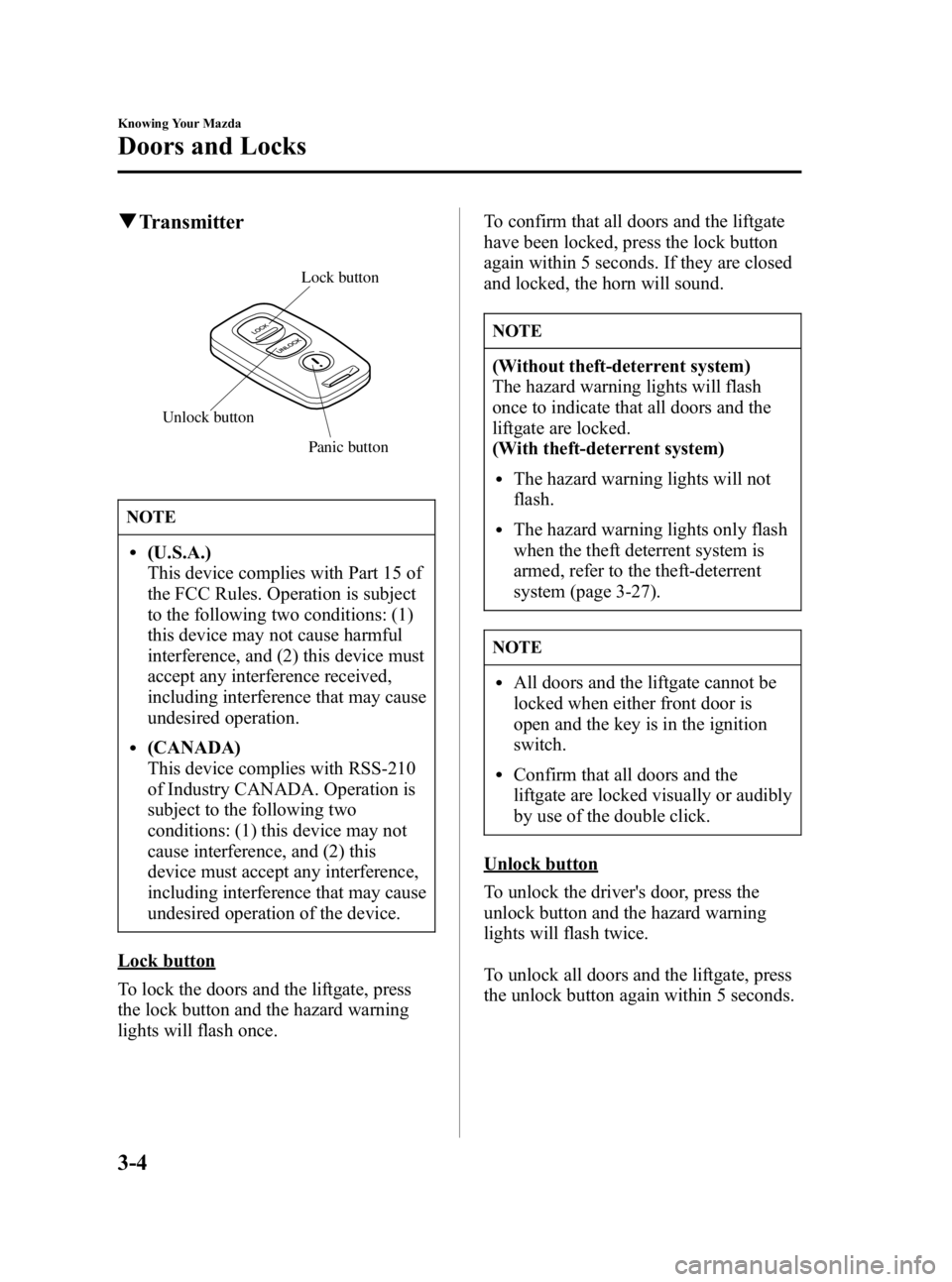
qTransmitter
Panic button
Lock button
Unlock button
NOTE
l(U.S.A.)
This device complies with Part 15 of
the FCC Rules. Operation is subject
to the following two conditions: (1)
this device may not cause harmful
interference, and (2) this device must
accept any interference received,
including interference that may cause
undesired operation.
l(CANADA)
This device complies with RSS-210
of Industry CANADA. Operation is
subject to the following two
conditions: (1) this device may not
cause interference, and (2) this
device must accept any interference,
including interference that may cause
undesired operation of the device.
Lock button
To lock the doors and the liftgate, press
the lock button and the hazard warning
lights will flash once. To confirm that all doors and the liftgate
have been locked, press the lock button
again within 5 seconds. If they are closed
and locked, the horn will sound.
NOTE
(Without theft-deterrent system)
The hazard warning lights will flash
once to indicate that all doors and the
liftgate are locked.
(With theft-deterrent system)
lThe hazard warning lights will not
flash.
lThe hazard warning lights only flash
when the theft deterrent system is
armed, refer to the theft-deterrent
system (page 3-27).
NOTE
lAll doors and the liftgate cannot be
locked when either front door is
open and the key is in the ignition
switch.
lConfirm that all doors and the
liftgate are locked visually or audibly
by use of the double click.
Unlock button
To unlock the driver's door, press the
unlock button and the hazard warning
lights will flash twice.
To unlock all doors and the liftgate, press
the unlock button again within 5 seconds.
3-4
Knowing Your Mazda
Doors and Locks
Mazda3_8T96-EA-04J_Edition3 Page74
Wednesday, May 11 2005 3:36 PM
Form No.8T96-EA-04J
Page 78 of 378
Black plate (78,1)
NOTE
If your vehicle is equipped with a front
passenger door key slot, the door can be
locked/unlocked with the key.
qLocking, Unlocking with
Transmitterí
The doors can be locked/unlocked by
operating the keyless entry system
transmitter, refer to Keyless Entry System
(page 3-3).
qLocking, Unlocking with Door-
Lock Knob
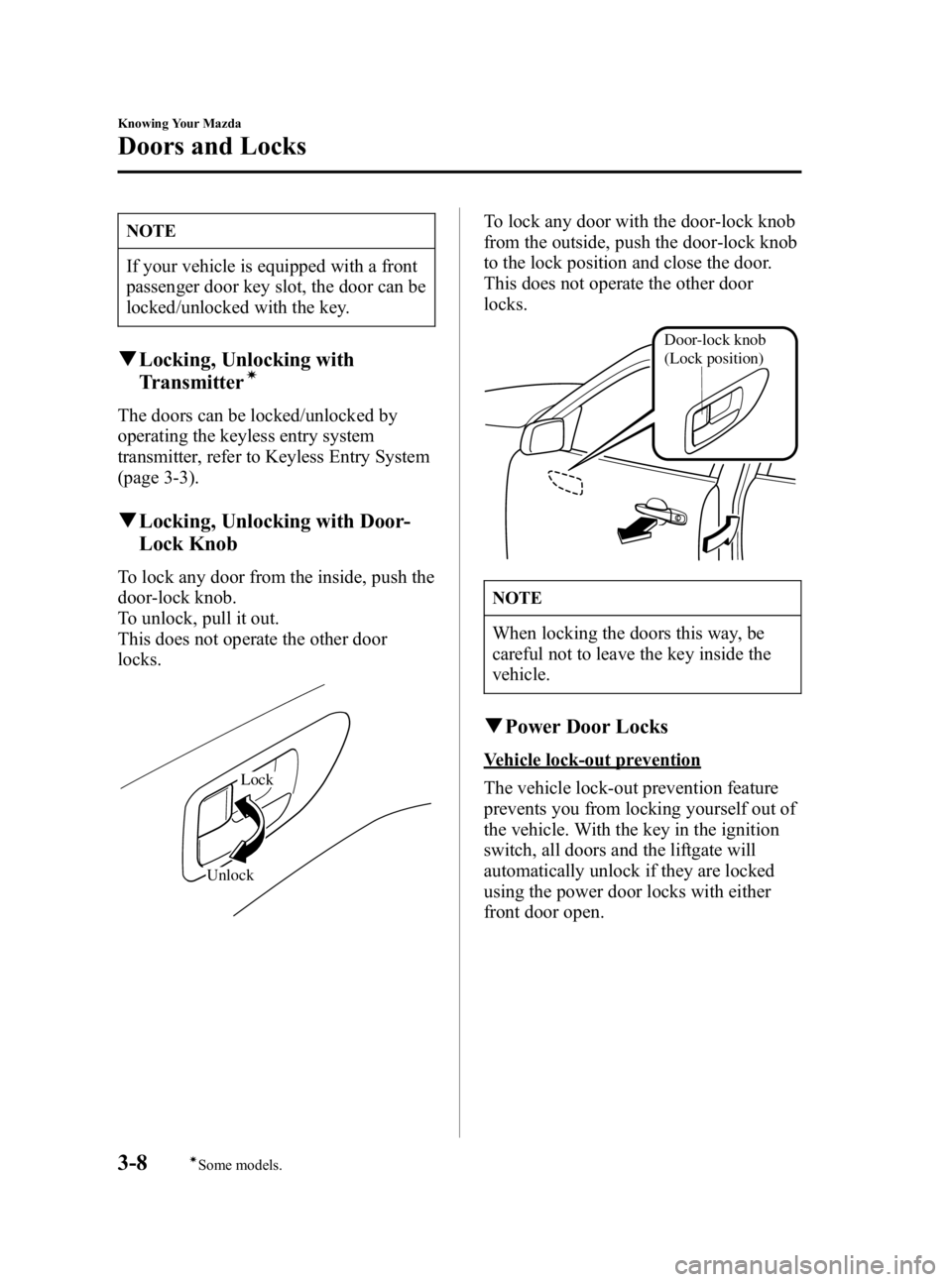
To lock any door from the inside, push the
door-lock knob.
To unlock, pull it out.
This does not operate the other door
locks.
Unlock Lock
To lock any door with the door-lock knob
from the outside, push the door-lock knob
to the lock position and close the door.
This does not operate the other door
locks.
Door-lock knob
(Lock position)
NOTE
When locking the doors this way, be
careful not to leave the key inside the
vehicle.
q
Power Door Locks
Vehicle lock-out prevention
The vehicle lock-out prevention feature
prevents you from locking yourself out of
the vehicle. With the key in the ignition
switch, all doors and the liftgate will
automatically unlock if they are locked
using the power door locks with either
front door open.
3-8
Knowing Your Mazda
íSome models.
Doors and Locks
Mazda3_8T96-EA-04J_Edition3 Page78
Wednesday, May 11 2005 3:37 PM
Form No.8T96-EA-04J
Page 87 of 378

Black plate (87,1)
Power Windowsí
The ignition switch must be in the ON
position for the power windows to
operate.
WARNING
Closing Power Windows:
Closing power windows are
dangerous. A person's hands, head, or
even neck could be caught by the
window and result in serious injury or
even death.
This warning applies especially to
children. Make sure the opening is
clear before closing a window.
Children and Power Windows:
Leaving the power window switches
unlocked while children are in the
vehicle is dangerous. Power window
switches that are not locked with the
power window lock switch would allow
children to operate power windows
unintentionally which could result in
serious injury if a child's hands, head
or neck becomes caught by the
window. Always lock all passenger
power windows with the power
window lock switch on the driver's
side while children are in the vehicle,
and never allow children to play with
power window switches.
CAUTION
To prevent burning out the fuse and
damaging the power window system,
don't open or close more than three
windows at once.
qOperating the Driver's Side
Power Window
Manual opening/closing
To open the window to the desired
position, lightly hold down the switch.
To close the window to the desired
position, lightly pull up the switch.
Close
Left front window
Open
Auto-opening
To fully open the window automatically,
press the switch completely down.
To stop the window partway, lightly pull
up the switch and then release it.
Knowing Your Mazda
Doors and Locks
3-17íSome models.
Mazda3_8T96-EA-04J_Edition3 Page87
Wednesday, May 11 2005 3:37 PM
Form No.8T96-EA-04J
Page 92 of 378

Black plate (92,1)
Moonroofí
The moonroof can be opened or closed
electrically only when the ignition switch
is in the ON position.
Tilt switch
Slide switch
WARNING
Extending the Head or Arms Through
the Moonroof:
Extending the head, arms, or other
parts of the body through the
moonroof is dangerous. The head or
arms could hit something while the
vehicle is moving. This could cause
death or serious injury. Don't let
passengers stand up or extend
anything through the open moonroof
while the vehicle is moving.
Closing the Moonroof:
A closing moonroof is dangerous. The
hands, head, or even neck of a person
―
especially a child ―could be caught
in it as it closes, causing serious injury
or even death. Make sure the opening
is clear before closing the moonroof.
NOTE
After washing your Mazda or after a
rain, wipe the water off the moonroof
before operating it to avoid water
penetration which could cause rust and
water damage to your headliner.
q Tilt Operation
The rear of the moonroof can be tilted
open to provide more ventilation.
To fully tilt automatically, push the rear of
the tilt switch.
To stop tilting partway, push any part of
the tilt or slide switch.
To close to the desired position, push the
front of the tilt or slide switch.
Close Tilt up
Close
q Slide Operation
To fully open automatically, push the rear
of the slide switch.
To stop sliding partway, push any part of
the tilt or slide switch.
3-22
Knowing Your Mazda
íSome models.
Doors and Locks
Mazda3_8T96-EA-04J_Edition3 Page92
Wednesday, May 11 2005 3:37 PM
Form No.8T96-EA-04J
Page 94 of 378
Black plate (94,1)
Immobilizer System
The immobilizer system allows the engine
to start only with a key the system
recognizes.
If someone attempts to start the engine
with an unrecognized key, the engine will
not start, thereby helping to prevent the
theft of your vehicle.
CAUTION
lChanges or modifications not
expressly approved by the party
responsible for compliance could
void the user's authority to operate
the equipment.
lTo avoid damage to the key, do not:
lDrop the key.lGet the key wet.lExpose the key to any kind of
magnetic field.
lExpose the key to high
temperatures on places such as the
dashboard or hood, under direct
sunlight.
CAUTION
When starting the engine do not allow
the following, as the engine may not
start due to the electronic signal from
the ignition key not being transmitted
correctly.
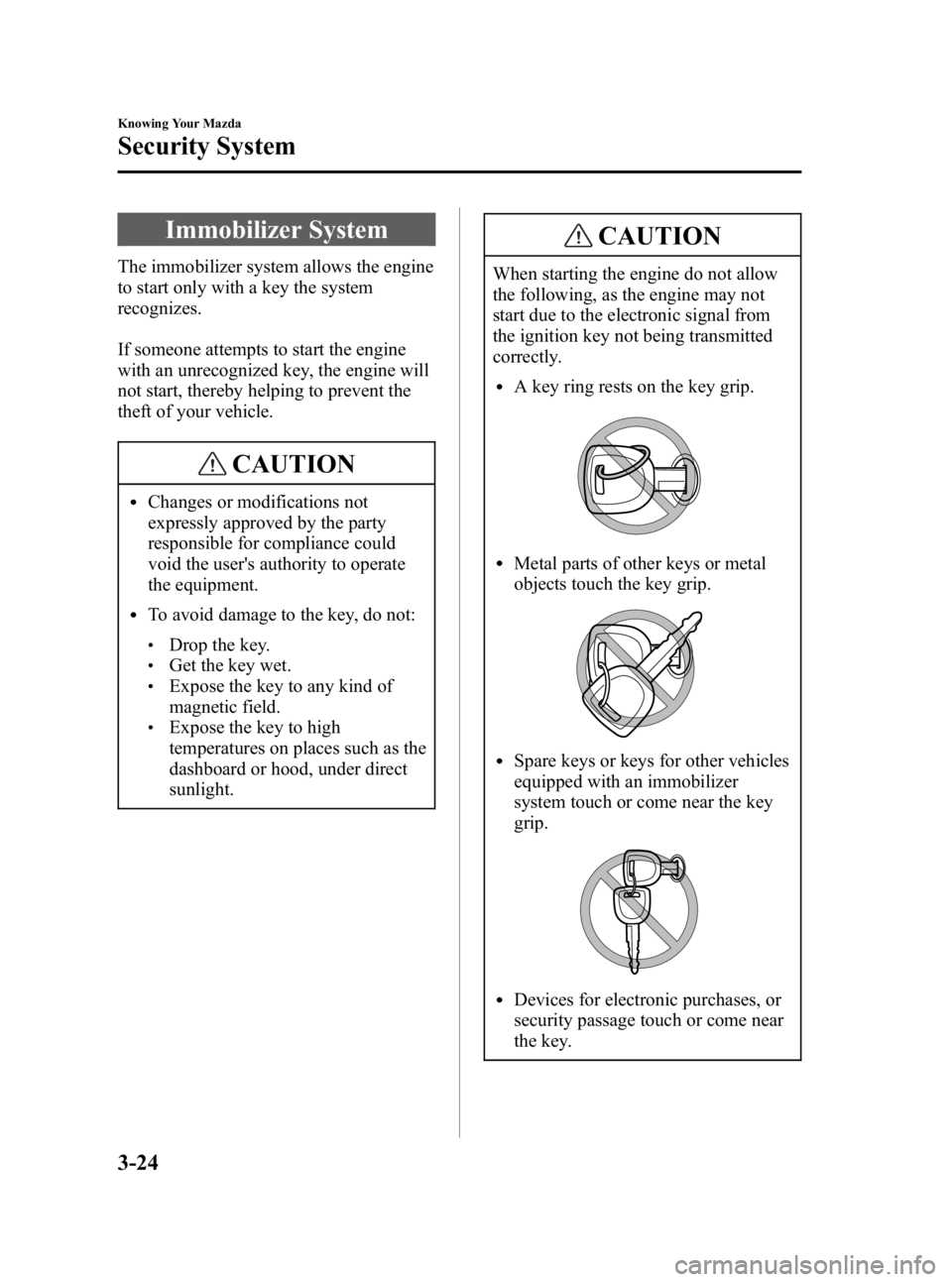
lA key ring rests on the key grip.
lMetal parts of other keys or metal
objects touch the key grip.
lSpare keys or keys for other vehicles
equipped with an immobilizer
system touch or come near the key
grip.
lDevices for electronic purchases, or
security passage touch or come near
the key.
3-24
Knowing Your Mazda
Security System
Mazda3_8T96-EA-04J_Edition3 Page94
Wednesday, May 11 2005 3:37 PM
Form No.8T96-EA-04J
Page 95 of 378
Black plate (95,1)
NOTE
l(U.S.A.)
This device complies with Part 15 of
the FCC Rules. Operation is subject
to the following two conditions: (1)
this device may not cause harmful
interference, and (2) this device must
accept any interference received,
including interference that may cause
undesired operation.
l(CANADA)
This device complies with RSS-210
of Industry CANADA. Operation is
subject to the following two
conditions: (1) this device may not
cause interference, and (2) this
device must accept any interference,
including interference that may cause
undesired operation of the device.
qOperation
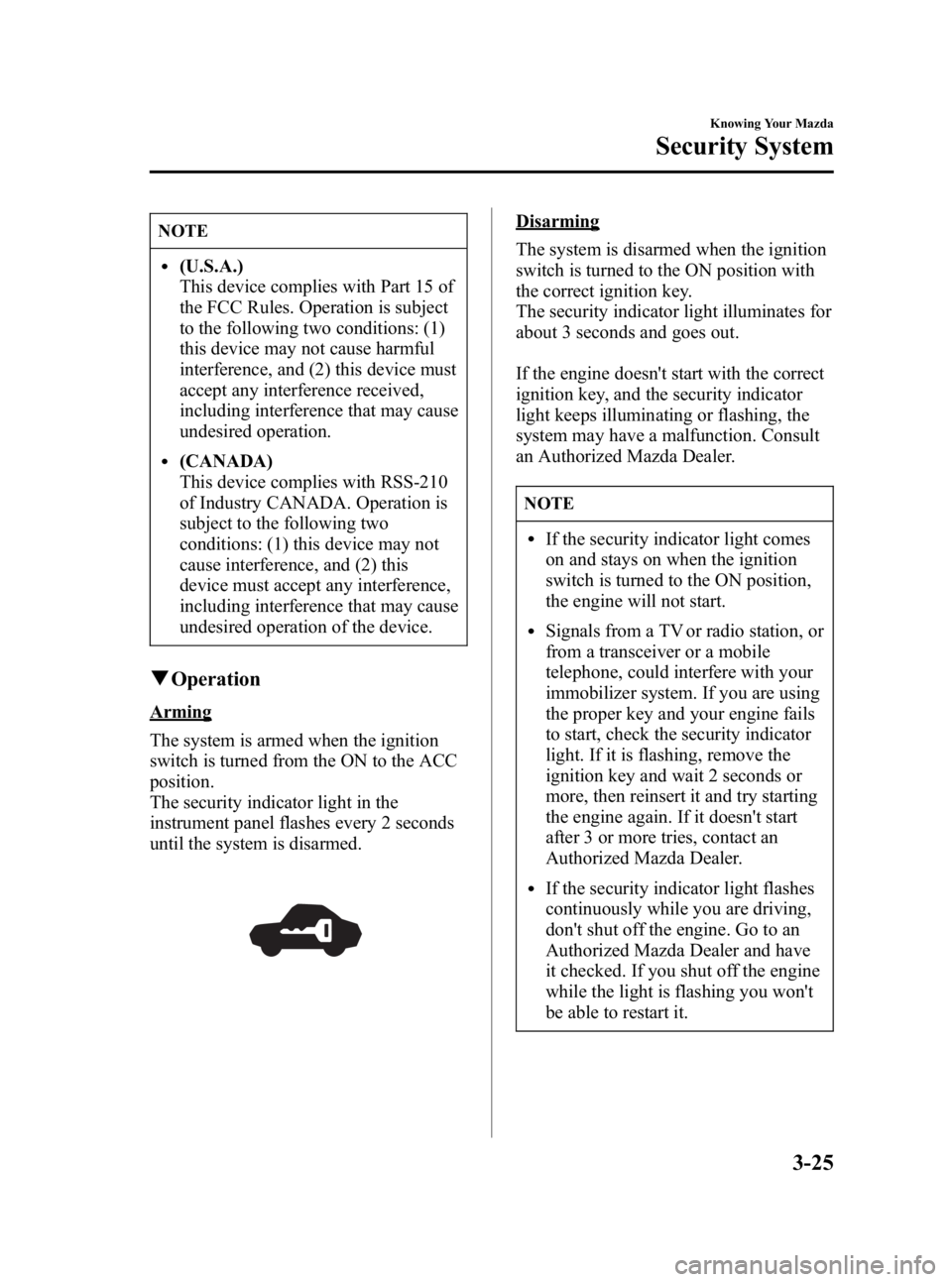
Arming
The system is armed when the ignition
switch is turned from the ON to the ACC
position.
The security indicator light in the
instrument panel flashes every 2 seconds
until the system is disarmed.
Disarming
The system is disarmed when the ignition
switch is turned to the ON position with
the correct ignition key.
The security indicator light illuminates for
about 3 seconds and goes out.
If the engine doesn't start with the correct
ignition key, and the security indicator
light keeps illuminating or flashing, the
system may have a malfunction. Consult
an Authorized Mazda Dealer.
NOTE
lIf the security indicator light comes
on and stays on when the ignition
switch is turned to the ON position,
the engine will not start.
lSignals from a TV or radio station, or
from a transceiver or a mobile
telephone, could interfere with your
immobilizer system. If you are using
the proper key and your engine fails
to start, check the security indicator
light. If it is flashing, remove the
ignition key and wait 2 seconds or
more, then reinsert it and try starting
the engine again. If it doesn't start
after 3 or more tries, contact an
Authorized Mazda Dealer.
lIf the security indicator light flashes
continuously while you are driving,
don't shut off the engine. Go to an
Authorized Mazda Dealer and have
it checked. If you shut off the engine
while the light is flashing you won't
be able to restart it.
Knowing Your Mazda
Security System
3-25
Mazda3_8T96-EA-04J_Edition3 Page95
Wednesday, May 11 2005 3:37 PM
Form No.8T96-EA-04J
Page 97 of 378
Black plate (97,1)
Theft-Deterrent Systemí
The theft-deterrent system is designed to
prevent your vehicle or its contents from
being stolen when all doors, hood, and
trunk lid/liftgate are locked.
If forcible entry is attempted, the system
sounds the horn and flashes the hazard
warning lights.
NOTE
lThe theft-deterrent system operates
with the key or the keyless entry
system transmitter.
lThe system will not function unless
it is properly armed. To properly
secure the vehicle, always make sure
all windows are completely closed
and all doors and the trunk lid/
liftgate are locked before leaving the
vehicle. Remember to take your key
and transmitter.
qOperation
System triggering conditions
The horn sounds intermittently and the
hazard warning lights flash for about 3
minutes when the system is triggered by
any one of the following:
lForcing open a door, the hood or the
trunk lid/liftgate.
lOpening a door, the hood or the trunk
lid by operating an inside door-lock
knob, the hood release handle or the
trunk lid release lever.
If the system is triggered again, the lights
and horn will activate until a door or the
trunk lid is unlocked with the key or with
the transmitter.
q How to Arm the System
1. Remove the key from the ignition
switch.
2. Make sure the hood is closed. Close and lock all doors and the liftgate/trunk
lid from the outside using the key. If
you have the keyless entry system,
press the lock button on the transmitter.
The hazard warning lights will flash
once to indicate that the system is
armed.
The following method will also arm the
theft-deterrent system:
Close the hood and the liftgate/trunk
lid . Press the area on the door-lock
switch marked “LOCK ”once. Close all
doors.
NOTE
Locking the doors with the inside door-
lock knob will not arm the system.
q To Turn off an Armed System
An armed system can be turned off by any
one of the following methods:
lUnlock a door or the trunk lid with the
key.
lPress the unlock button on the keyless
entry system transmitter.
lInsert the key into the ignition switch
and turn it to the ON position.
qTo Stop an Alarm
A triggered alarm can be turned off by
any one of the following methods:
lUnlock a door or the trunk lid with the
key.
Knowing Your Mazda
Security System
3-27íSome models.
Mazda3_8T96-EA-04J_Edition3 Page97
Wednesday, May 11 2005 3:37 PM
Form No.8T96-EA-04J
Page 99 of 378
Black plate (99,1)
Steering Wheel
WARNING
Adjusting the Steering Wheel:
Adjusting the steering wheel while the
vehicle is moving is dangerous.
Moving it can very easily cause the
driver to abruptly turn to the left or
right. This can lead to loss of control
or an accident. Never adjust the
steering wheel while the vehicle is
moving.
qSteering Wheel Adjustment
To change the angle or length of the
steering wheel:
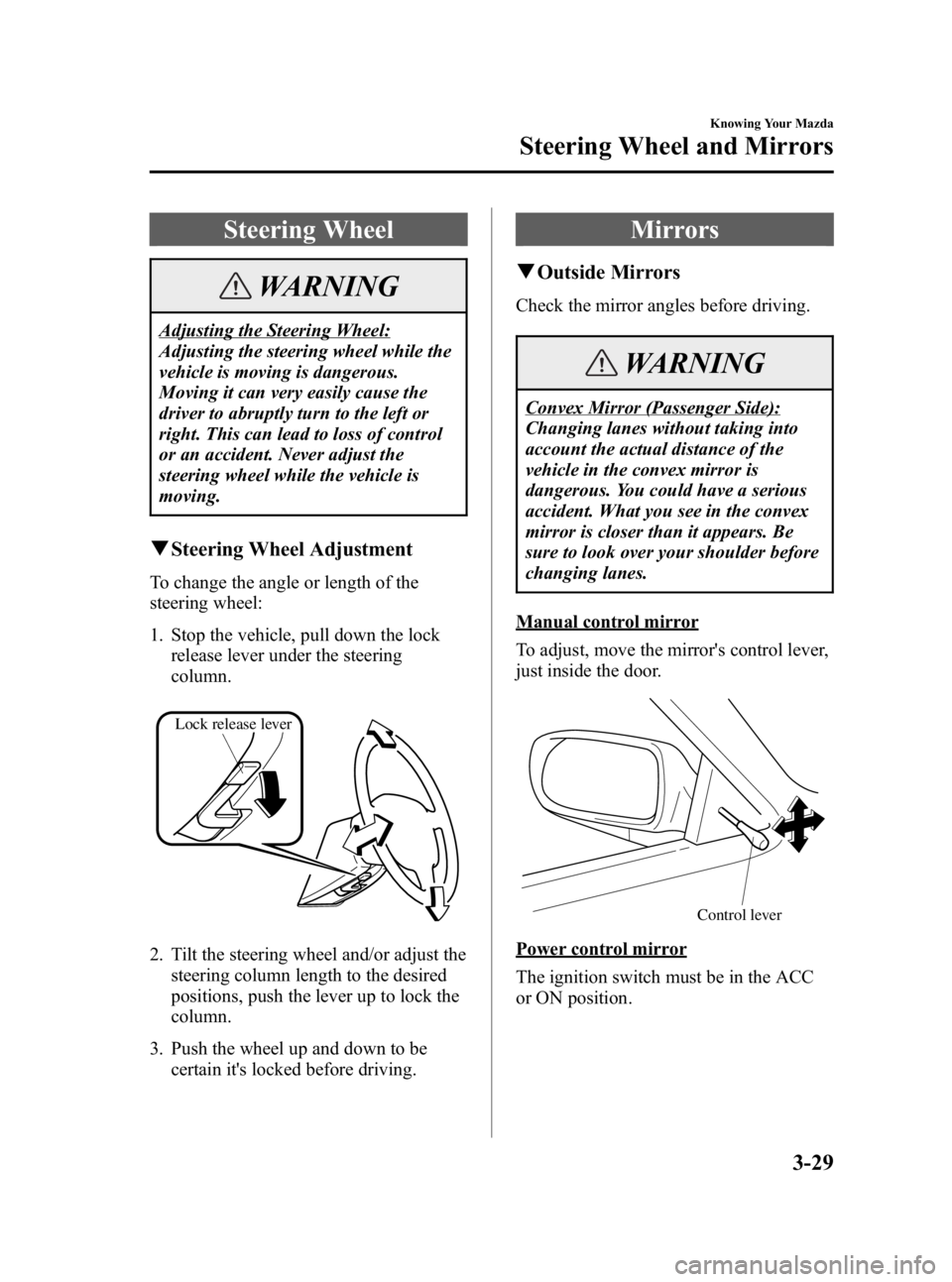
1. Stop the vehicle, pull down the lock
release lever under the steering
column.
Lock release lever
2. Tilt the steering wheel and/or adjust thesteering column length to the desired
positions, push the lever up to lock the
column.
3. Push the wheel up and down to be certain it's locked before driving.
Mirrors
qOutside Mirrors
Check the mirror angles before driving.
WARNING
Convex Mirror (Passenger Side):
Changing lanes without taking into
account the actual distance of the
vehicle in the convex mirror is
dangerous. You could have a serious
accident. What you see in the convex
mirror is closer than it appears. Be
sure to look over your shoulder before
changing lanes.
Manual control mirror
To adjust, move the mirror's control lever,
just inside the door.
Control lever
Power control mirror
The ignition switch must be in the ACC
or ON position.
Knowing Your Mazda
Steering Wheel and Mirrors
3-29
Mazda3_8T96-EA-04J_Edition3 Page99
Wednesday, May 11 2005 3:37 PM
Form No.8T96-EA-04J
Page 100 of 378
Black plate (100,1)
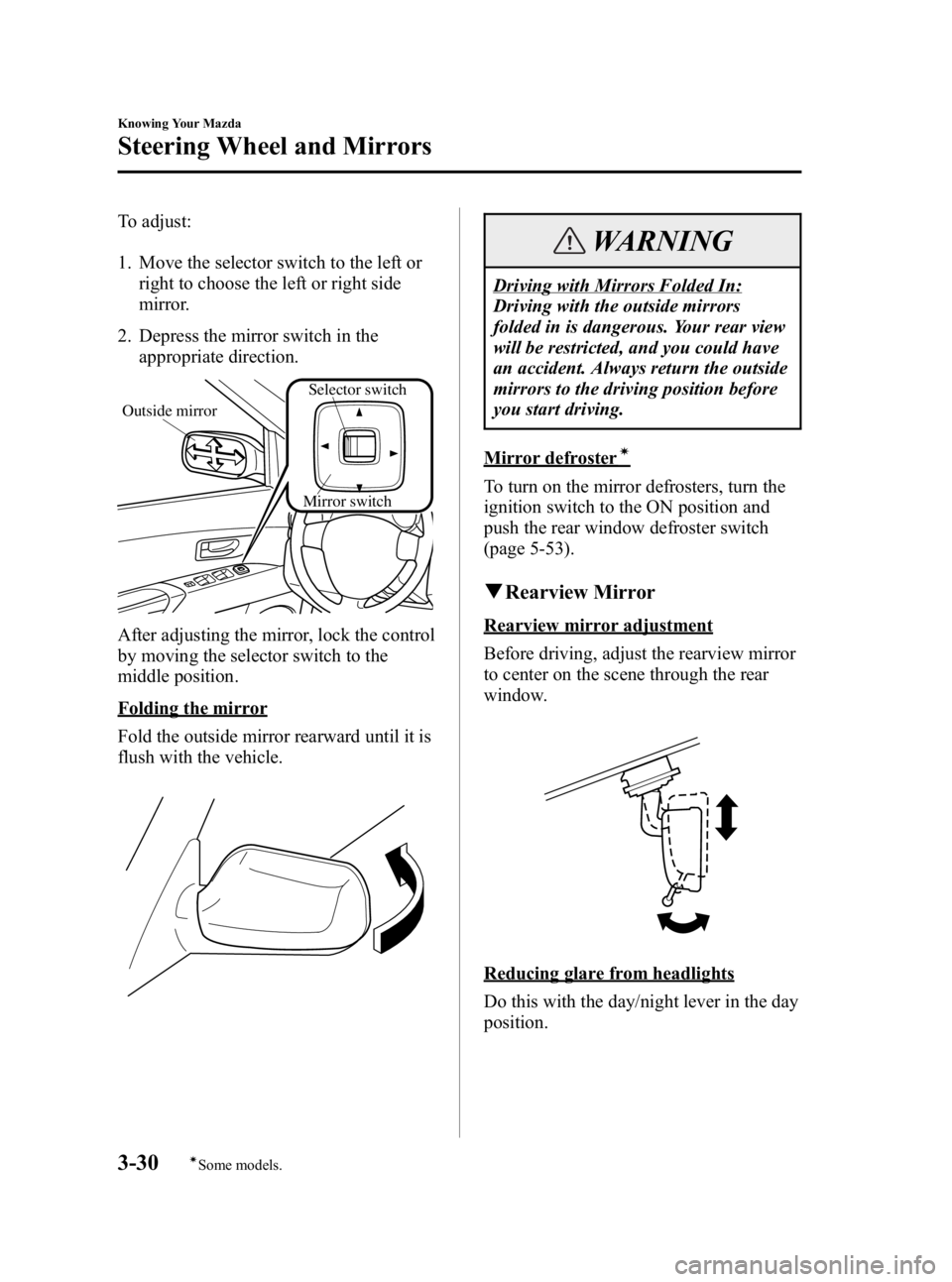
To adjust:
1. Move the selector switch to the left orright to choose the left or right side
mirror.
2. Depress the mirror switch in the appropriate direction.
Mirror switch
Outside mirror
Selector switch
After adjusting the mirror, lock the control
by moving the selector switch to the
middle position.
Folding the mirror
Fold the outside mirror rearward until it is
flush with the vehicle.
WARNING
Driving with Mirrors Folded In:
Driving with the outside mirrors
folded in is dangerous. Your rear view
will be restricted, and you could have
an accident. Always return the outside
mirrors to the driving position before
you start driving.
Mirror defrosterí
To turn on the mirror defrosters, turn the
ignition switch to the ON position and
push the rear window defroster switch
(page 5-53).
qRearview Mirror
Rearview mirror adjustment
Before driving, adjust the rearview mirror
to center on the scene through the rear
window.
Reducing glare from headlights
Do this with the day/night lever in the day
position.
3-30
Knowing Your Mazda
íSome models.
Steering Wheel and Mirrors
Mazda3_8T96-EA-04J_Edition3 Page100
Wednesday, May 11 2005 3:37 PM
Form No.8T96-EA-04J
Page 105 of 378

Black plate (105,1)
Emission Control System
Your vehicle is equipped with an emission control system (the catalytic converter is part of
this system) that enables your vehicle to comply with existing exhaust emissions
requirements.
WARNING
Parking Over Flammable Objects:
Parking over or near anything flammable, such as dry grass, is dangerous. Even with
the engine turned off, the exhaust system could ignite it because the exhaust system
gets very hot during normal use. A resulting fire could cause serious injury or death.
Never park over or near anything flammable.
CAUTION
Ignoring the following precautions could cause lead to accumulate on the catalyst inside
the converter or cause the converter to get very hot. Either condition will damage the
converter and cause poor performance.
lUSE ONLY UNLEADED FUEL.
lDon't drive your Mazda with any sign of engine malfunction.
lDon't coast with the ignition switch turned off.
lDon't descend steep grades in gear with the ignition switch turned off.
lDon't operate the engine at high idle for more than 5 minutes.
lDon't tamper with the emission control system. All inspections and adjustments must
be made by a qualified technician.
lDon't push-start or pull-start your vehicle.
NOTE
Under U.S. federal law, any modification to the original-equipment emission control
system before the first sale and registration of a vehicle is subject to penalties. In some
states, such modification made on a used vehicle is also subject to penalties.
Before Driving Your Mazda
Fuel and Engine Exhaust Precautions
4-3
Mazda3_8T96-EA-04J_Edition3 Page105
Wednesday, May 11 2005 3:37 PM
Form No.8T96-EA-04J