brake MAZDA MODEL 3 4-DOOR 2007 Owner's Manual
[x] Cancel search | Manufacturer: MAZDA, Model Year: 2007, Model line: MODEL 3 4-DOOR, Model: MAZDA MODEL 3 4-DOOR 2007Pages: 402, PDF Size: 5.12 MB
Page 139 of 402

Black plate (139,1)
NOTE
The gear does not shift down to M1
automatically while in the second gear
fixed mode.
If the vehicle is kicked down at the
following speeds or lower, the gears shift
down automatically:
Gear Vehicle speed
M5 →M4 182 km/h (113 mph)
M4 →M3 133 km/h (82 mph)
M3 →M2 48 km/h (30 mph)
M2 →M1 12 km/h (7 mph)
Recommendations for shifting
Upshifting
For normal acceleration and cruising, we
recommend these shift points.
(2.0-liter engine model)
Gear Vehicle speed
M1 to M2 24 km/h (15 mph)
M2 to M3 40 km/h (25 mph)
M3 to M4 65 km/h (40 mph)
(2.3-liter engine model) Gear Vehicle speed
M1 to M2 24 km/h (15 mph)
M2 to M3 40 km/h (25 mph)
M3 to M4 65 km/h (40 mph)
M4 to M5 73 km/h (45 mph)
Downshifting
When you must slow down in heavy
traffic or on a steep upgrade, downshift
before the engine starts to overwork. This
gives better acceleration when you need
more speed.
On a steep downgrade , downshifting
helps maintain safe speed and prolongs
brake life.
q Driving Tips
Passing
For extra power when passing another
vehicle or climbing steep grades, depress
the accelerator fully. The transaxle will
shift to a lower gear, depending on vehicle
speed.
Climbing steep grades from a stop
To climb a steep grade from a stopped
position:
1. Depress the brake pedal.
2. Shift to D or M1, depending on the
load weight and grade steepness.
3. Release the brake pedal while gradually accelerating.
Descending steep grades
When descending a steep grade, shift to
lower gears, depending on load weight
and grade steepness. Descend slowly,
using the brakes only occasionally to
prevent them from overheating.
Driving Your Mazda
Starting and Driving
5-17
Mazda3_8V66-EA-06F_Edition3 Page139
Wednesday, August 23 2006 11:19 AM
Form No.8V66-EA-06F
Page 143 of 402
Black plate (143,1)
NOTE
Accelerate if you want to speed up
temporarily when the cruise control is
on. Greater speed will not interfere with
it or change the set speed.
Take your foot off the accelerator to
return to the set speed.
qTo Decrease Cruising Speed
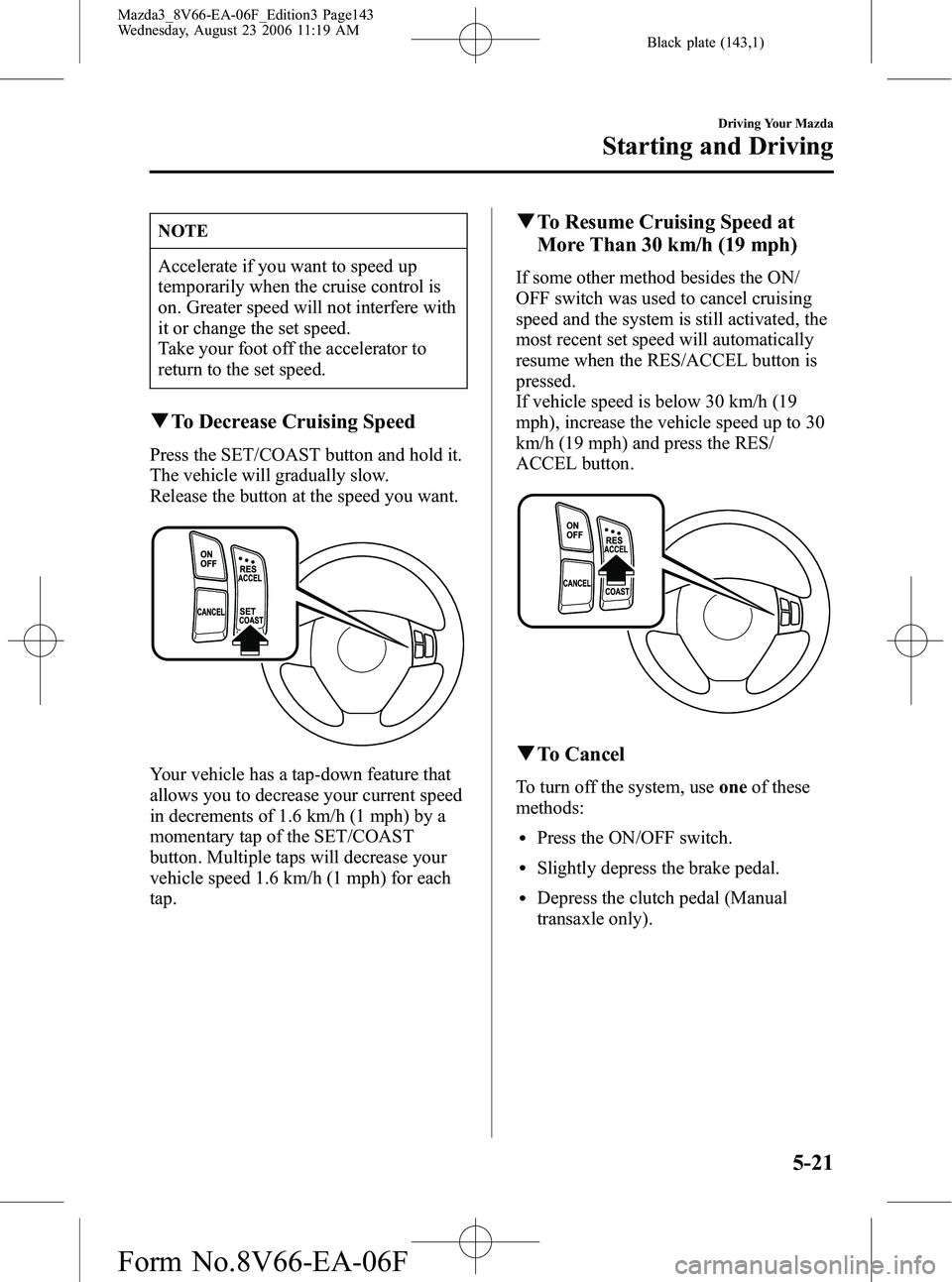
Press the SET/COAST button and hold it.
The vehicle will gradually slow.
Release the button at the speed you want.
Your vehicle has a tap-down feature that
allows you to decrease your current speed
in decrements of 1.6 km/h (1 mph) by a
momentary tap of the SET/COAST
button. Multiple taps will decrease your
vehicle speed 1.6 km/h (1 mph) for each
tap.
qTo Resume Cruising Speed at
More Than 30 km/h (19 mph)
If some other method besides the ON/
OFF switch was used to cancel cruising
speed and the system is still activated, the
most recent set speed will automatically
resume when the RES/ACCEL button is
pressed.
If vehicle speed is below 30 km/h (19
mph), increase the vehicle speed up to 30
km/h (19 mph) and press the RES/
ACCEL button.
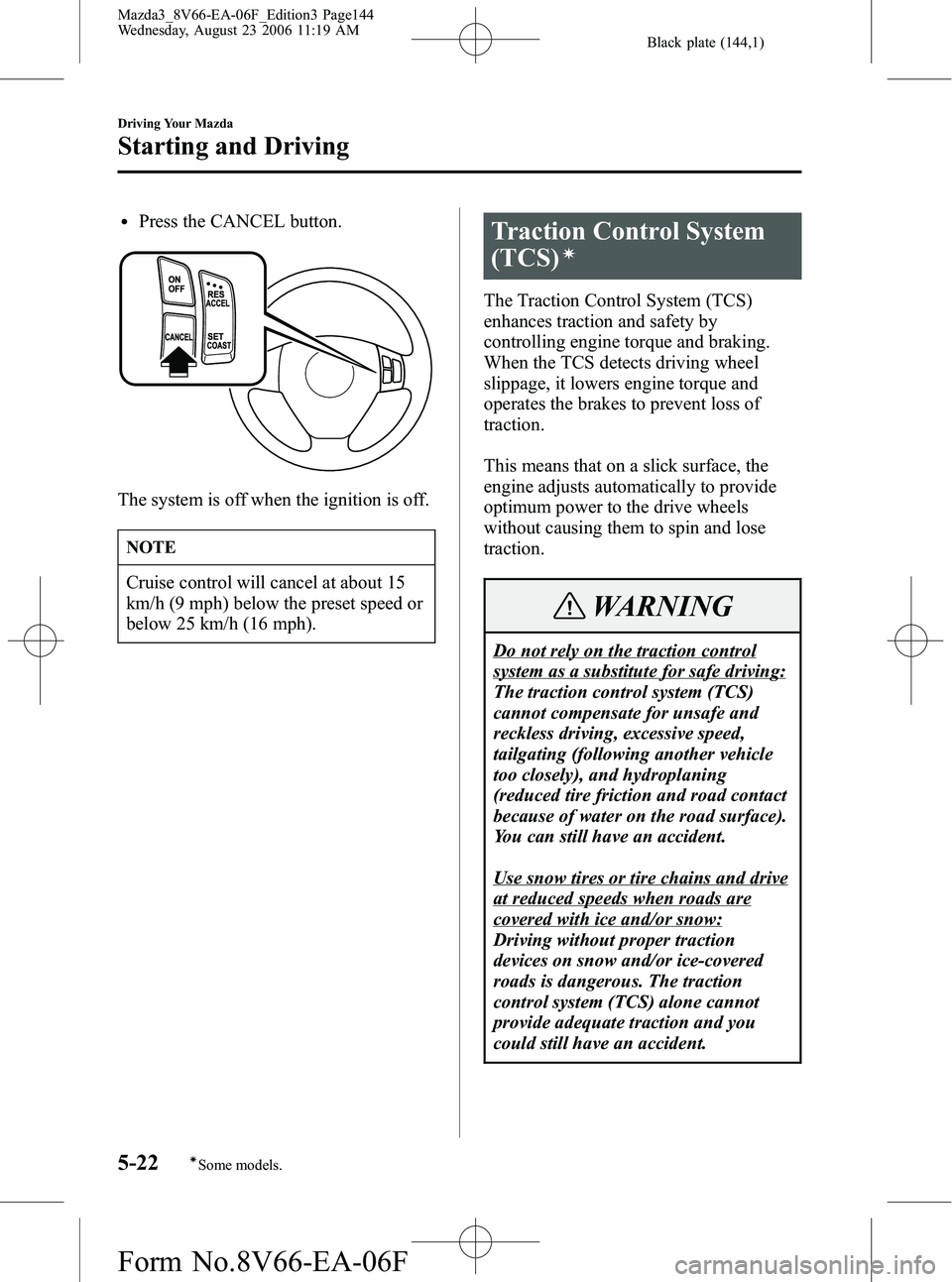
qTo Cancel
To turn off the system, use oneof these
methods:
lPress the ON/OFF switch.
lSlightly depress the brake pedal.
lDepress the clutch pedal (Manual
transaxle only).
Driving Your Mazda
Starting and Driving
5-21
Mazda3_8V66-EA-06F_Edition3 Page143
Wednesday, August 23 2006 11:19 AM
Form No.8V66-EA-06F
Page 144 of 402
Black plate (144,1)
lPress the CANCEL button.
The system is off when the ignition is off.
NOTE
Cruise control will cancel at about 15
km/h (9 mph) below the preset speed or
below 25 km/h (16 mph).
Traction Control System
(TCS)
í
The Traction Control System (TCS)
enhances traction and safety by
controlling engine torque and braking.
When the TCS detects driving wheel
slippage, it lowers engine torque and
operates the brakes to prevent loss of
traction.
This means that on a slick surface, the
engine adjusts automatically to provide
optimum power to the drive wheels
without causing them to spin and lose
traction.
WARNING
Do not rely on the traction control
system as a substitute for safe driving:
The traction control system (TCS)
cannot compensate for unsafe and
reckless driving, excessive speed,
tailgating (following another vehicle
too closely), and hydroplaning
(reduced tire friction and road contact
because of water on the road surface).
You can still have an accident.
Use snow tires or tire chains and drive
at reduced speeds when roads are
covered with ice and/or snow:
Driving without proper traction
devices on snow and/or ice-covered
roads is dangerous. The traction
control system (TCS) alone cannot
provide adequate traction and you
could still have an accident.
5-22
Driving Your Mazda
íSome models.
Starting and Driving
Mazda3_8V66-EA-06F_Edition3 Page144
Wednesday, August 23 2006 11:19 AM
Form No.8V66-EA-06F
Page 159 of 402
Black plate (159,1)
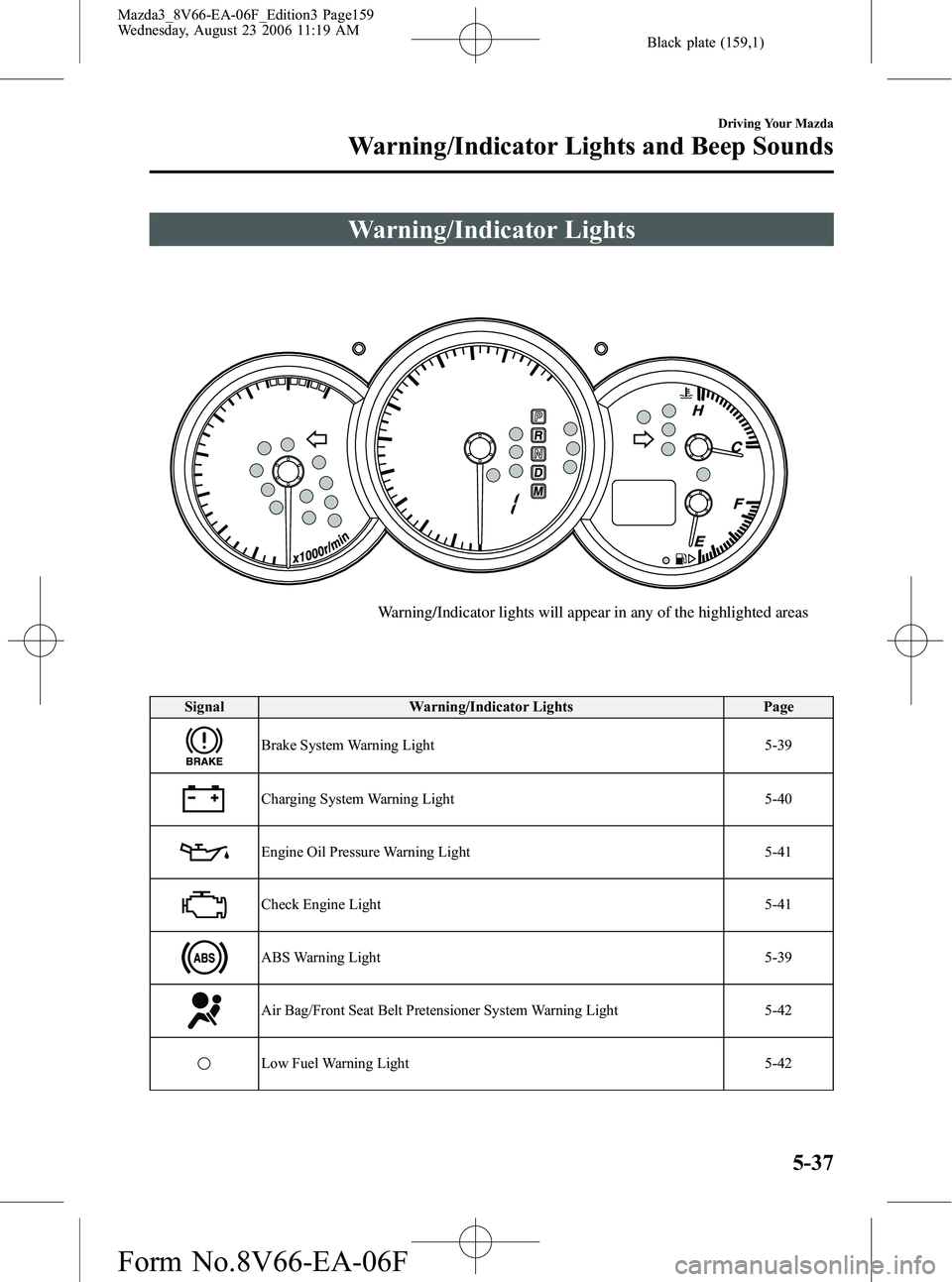
Warning/Indicator Lights
Warning/Indicator lights will appear in any of the highlighted areas
SignalWarning/Indicator Lights Page
Brake System Warning Light 5-39
Charging System Warning Light5-40
Engine Oil Pressure Warning Light5-41
Check Engine Light5-41
ABS Warning Light5-39
Air Bag/Front Seat Belt Pretensioner System Warning Light5-42
Low Fuel Warning Light5-42
Driving Your Mazda
Warning/Indicator Lights and Beep Sounds
5-37
Mazda3_8V66-EA-06F_Edition3 Page159
Wednesday, August 23 2006 11:19 AM
Form No.8V66-EA-06F
Page 161 of 402
Black plate (161,1)
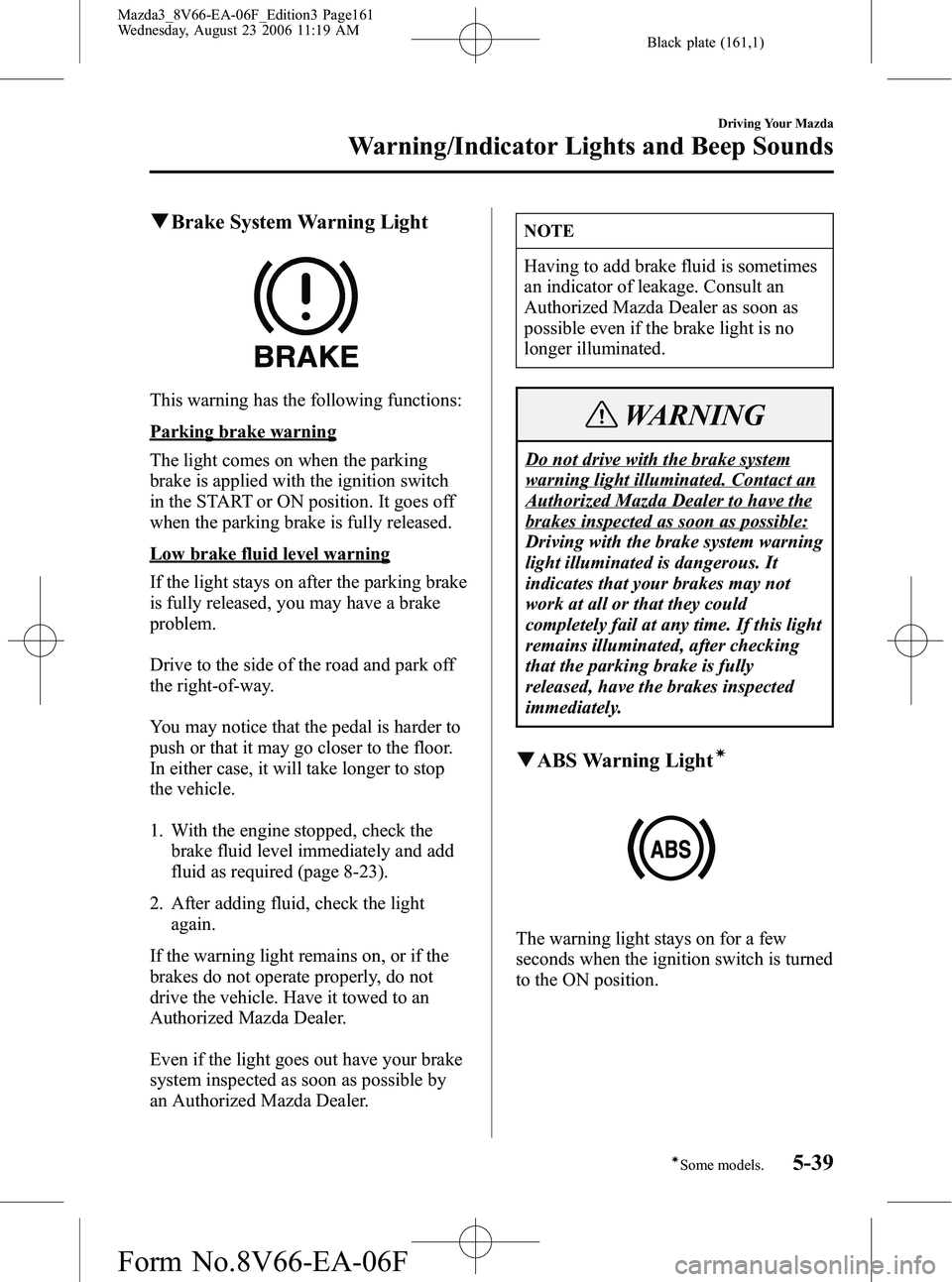
qBrake System Warning Light
This warning has the following functions:
Parking brake warning
The light comes on when the parking
brake is applied with the ignition switch
in the START or ON position. It goes off
when the parking brake is fully released.
Low brake fluid level warning
If the light stays on after the parking brake
is fully released, you may have a brake
problem.
Drive to the side of the road and park off
the right-of-way.
You may notice that the pedal is harder to
push or that it may go closer to the floor.
In either case, it will take longer to stop
the vehicle.
1. With the engine stopped, check the
brake fluid level immediately and add
fluid as required (page 8-23).
2. After adding fluid, check the light again.
If the warning light remains on, or if the
brakes do not operate properly, do not
drive the vehicle. Have it towed to an
Authorized Mazda Dealer.
Even if the light goes out have your brake
system inspected as soon as possible by
an Authorized Mazda Dealer.
NOTE
Having to add brake fluid is sometimes
an indicator of leakage. Consult an
Authorized Mazda Dealer as soon as
possible even if the brake light is no
longer illuminated.
WARNING
Do not drive with the brake system
warning light illuminated. Contact an
Authorized Mazda Dealer to have the
brakes inspected as soon as possible:
Driving with the brake system warning
light illuminated is dangerous. It
indicates that your brakes may not
work at all or that they could
completely fail at any time. If this light
remains illuminated, after checking
that the parking brake is fully
released, have the brakes inspected
immediately.
q ABS Warning Lightí
The warning light stays on for a few
seconds when the ignition switch is turned
to the ON position.
Driving Your Mazda
Warning/Indicator Lights and Beep Sounds
5-39íSome models.
Mazda3_8V66-EA-06F_Edition3 Page161
Wednesday, August 23 2006 11:19 AM
Form No.8V66-EA-06F
Page 162 of 402
Black plate (162,1)
If the ABS warning light stays on while
you're driving, the ABS control unit has
detected a system malfunction. If this
occurs, your brakes will function normally
as if the vehicle had no ABS.
Should this happen, consult an Authorized
Mazda Dealer as soon as possible.
NOTE
When the engine is jump-started to
charge the battery, uneven rpm occurs
and the ABS warning light comes on.
This is due to a weak battery, not a
malfunction.
Recharge the battery.
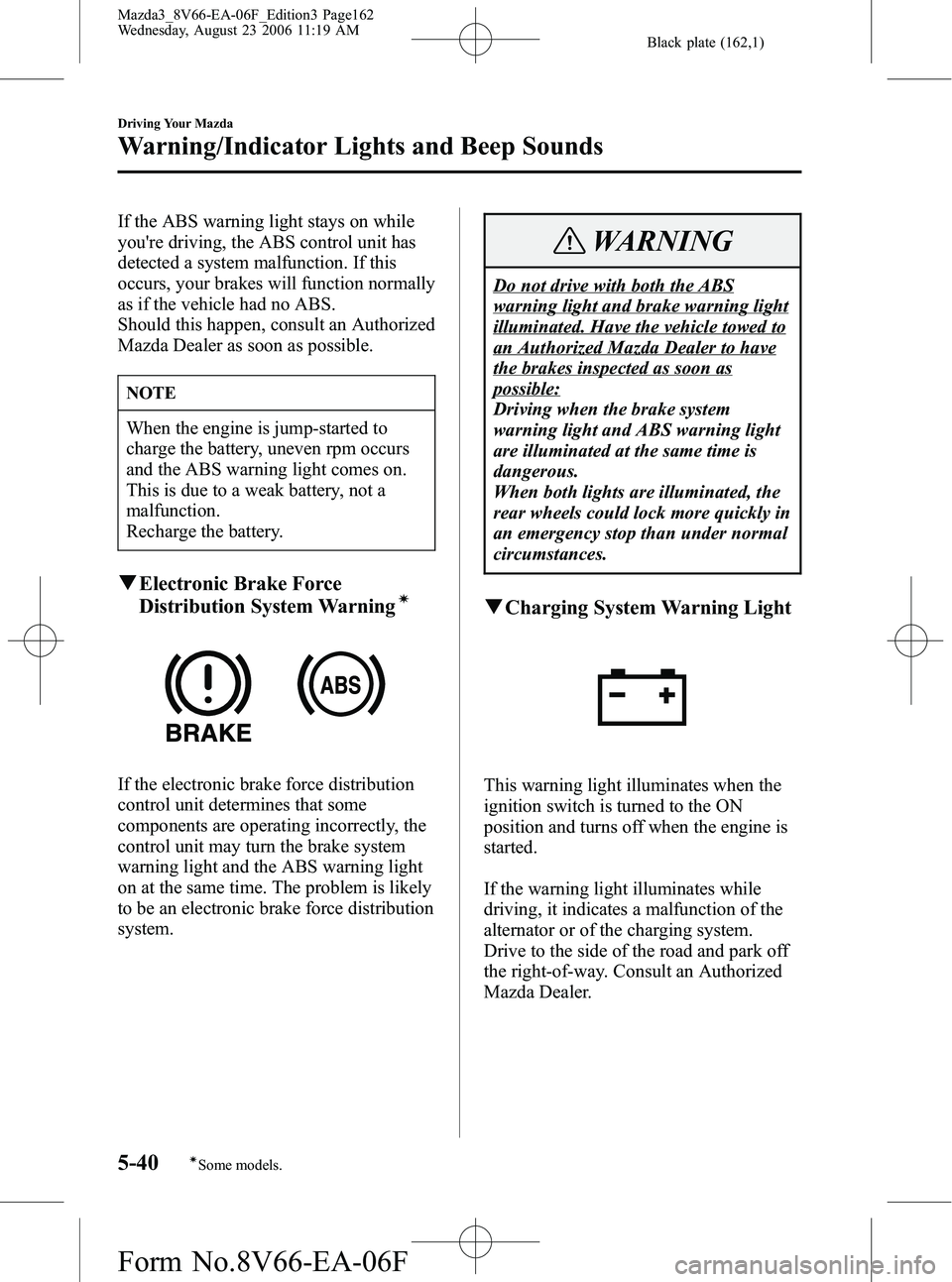
qElectronic Brake Force
Distribution System Warningí
If the electronic brake force distribution
control unit determines that some
components are operating incorrectly, the
control unit may turn the brake system
warning light and the ABS warning light
on at the same time. The problem is likely
to be an electronic brake force distribution
system.
WARNING
Do not drive with both the ABS
warning light and brake warning light
illuminated. Have the vehicle towed to
an Authorized Mazda Dealer to have
the brakes inspected as soon as
possible:
Driving when the brake system
warning light and ABS warning light
are illuminated at the same time is
dangerous.
When both lights are illuminated, the
rear wheels could lock more quickly in
an emergency stop than under normal
circumstances.
qCharging System Warning Light
This warning light illuminates when the
ignition switch is turned to the ON
position and turns off when the engine is
started.
If the warning light illuminates while
driving, it indicates a malfunction of the
alternator or of the charging system.
Drive to the side of the road and park off
the right-of-way. Consult an Authorized
Mazda Dealer.
5-40
Driving Your Mazda
íSome models.
Warning/Indicator Lights and Beep Sounds
Mazda3_8V66-EA-06F_Edition3 Page162
Wednesday, August 23 2006 11:19 AM
Form No.8V66-EA-06F
Page 176 of 402
Black plate (176,1)
qDaytime Running Lights (Canada)
In Canada, vehicles must be driven with
the headlights on during daytime
operation.
For that reason, the daytime running lights
automatically turn on when the ignition
switch is turned to the ON position.
NOTE
The Daytime Running Lights turn off
when the parking brake is applied.
Turn and Lane-Change
Signals
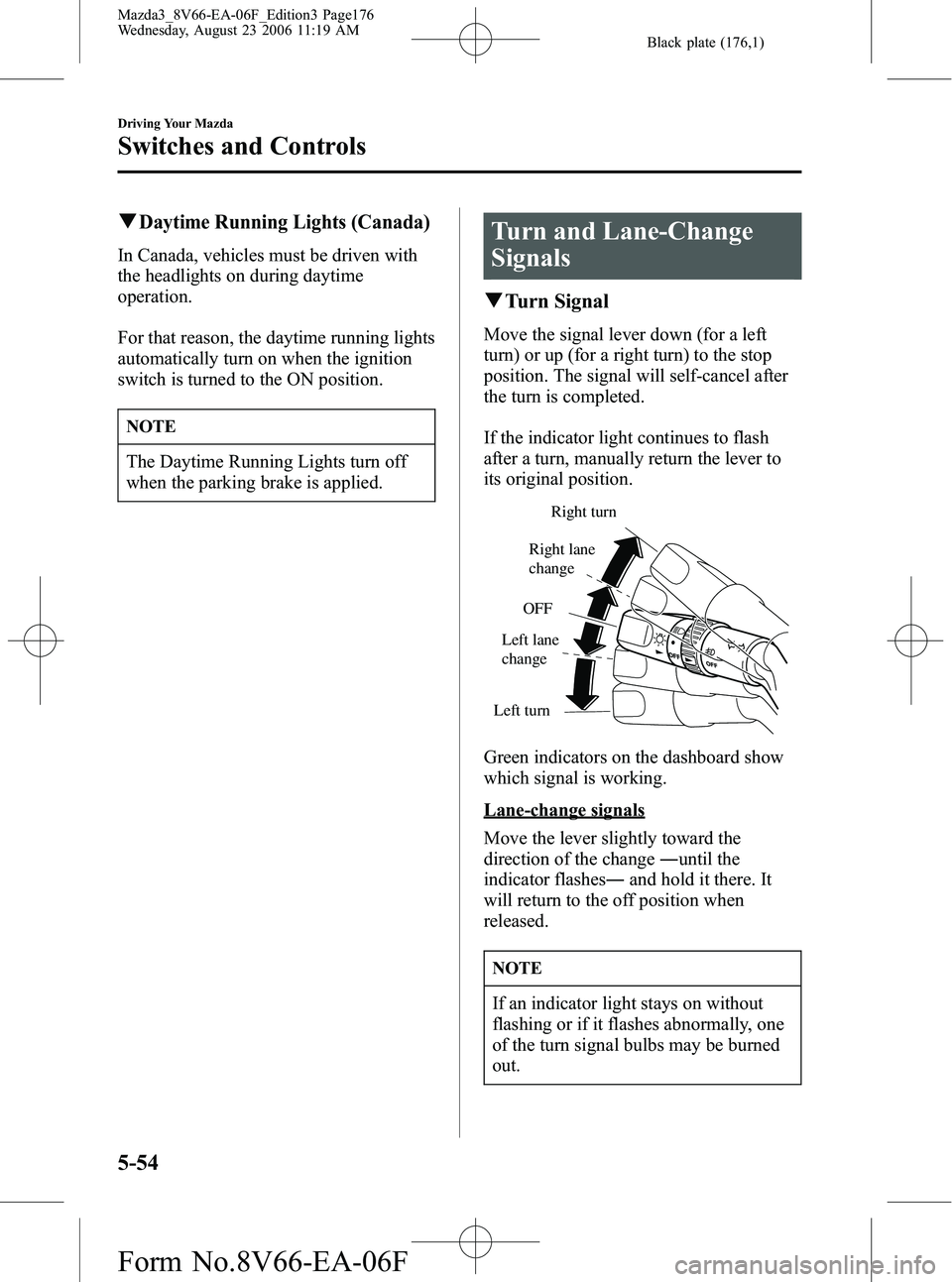
qTurn Signal
Move the signal lever down (for a left
turn) or up (for a right turn) to the stop
position. The signal will self-cancel after
the turn is completed.
If the indicator light continues to flash
after a turn, manually return the lever to
its original position.
Right turn
Left turn OFF
Right lane
change
Left lane
change
Green indicators on the dashboard show
which signal is working.
Lane-change signals
Move the lever slightly toward the
direction of the change ―until the
indicator flashes ―and hold it there. It
will return to the off position when
released.
NOTE
If an indicator light stays on without
flashing or if it flashes abnormally, one
of the turn signal bulbs may be burned
out.
5-54
Driving Your Mazda
Switches and Controls
Mazda3_8V66-EA-06F_Edition3 Page176
Wednesday, August 23 2006 11:19 AM
Form No.8V66-EA-06F
Page 233 of 402

Black plate (233,1)
4. Open the tray by pulling the lowerrelease catch.
5. Pass the connection plug cord through the hole of the tray and insert the plug
in the auxiliary jack.
Plug
WARNING
Do not allow the connection plug cord
to get tangled with the parking brake
or the shift lever:
Allowing the plug cord to become
tangled with the parking brake or the
shift lever is dangerous as it could
interfere with driving, resulting in an
accident.
CAUTION
Do not place objects or apply force to
the auxiliary jack with the plug
connected.
NOTE
lInsert the plug to the auxiliary jack
securely.
lInsert or remove the plug with the
plug perpendicular to the auxiliary
jack hole.
lInsert or remove the plug by holding
its base.
6. Make sure the connection plug cord is running through the cap slot; reinstall
the cap and turn it clockwise (about
45° to the opened position).
Connection plug
cord
7. Pass the connection plug cord throughthe slit in the tray mat and then set the
tray mat in place.
Interior Comfort
Audio System
6-49
Mazda3_8V66-EA-06F_Edition3 Page233
Wednesday, August 23 2006 11:20 AM
Form No.8V66-EA-06F
Page 259 of 402
Black plate (259,1)
Changing a Flat Tire
NOTE
If the following occurs while driving, it
could indicate a flat tire.
lSteering becomes difficult.
lThe vehicle begins to vibrate
excessively.
lThe vehicle pulls in one direction.
If you have a flat tire, drive slowly to a
level spot that is well off the road and out
of the way of traffic to change the tire.
Stopping in traffic or on the shoulder of a
busy road is dangerous.
WARNING
Be sure to follow the directions for
changing a tire, and never get under a
vehicle that is supported only by a
jack:
Changing a tire is dangerous if not
done properly. The vehicle can slip off
the jack and seriously injure someone.
Never allow anyone inside a vehicle
supported by a jack:
Allowing someone to remain in a
vehicle supported by a jack is
dangerous. The occupant could cause
the vehicle to fall resulting in serious
injury.
CAUTION
(With Tire Pressure Monitoring
System)
The wheels equipped on your Mazda
are specially designed for installation of
the tire pressure sensors. Do not use
non-genuine wheels, otherwise it may
not be possible to install the tire
pressure sensors.
NOTE
lMake sure the jack is well lubricated
before using it.
(With Tire Pressure Monitoring
System)
lBe sure to register the tire pressure
sensor ID signal code whenever tires
or wheels are changed (page 5-29).
1. Park on a level surface off the right-of- way and firmly set the parking brake.
2. Put a vehicle with an automatic transaxle in Park (P), a manual
transaxle in Reverse (R) or 1, and turn
off the engine.
3. Turn on the hazard warning flasher.
4. Have everyone get out of the vehicle and away from the vehicle and traffic.
5. Remove the jack, tool, and spare tire (page 7-3).
In Case of an Emergency
Flat Tire
7-7
Mazda3_8V66-EA-06F_Edition3 Page259
Wednesday, August 23 2006 11:20 AM
Form No.8V66-EA-06F
Page 265 of 402
Black plate (265,1)
Overheating
If the temperature gauge indicates
overheating, the vehicle loses power, or
you hear a loud knocking or pinging
noise, the engine is probably too hot.
WARNING
Turn off the ignition switch and
make sure the fan is not running
before attempting to work near the
cooling fan:
Working near the cooling fan when it
is running is dangerous. The fan
could continue running indefinitely
even if the engine has stopped and the
engine compartment temperature is
high. You could be hit by the fan and
seriously injured.
Do not remove the cooling
system cap when the engine and
radiator are hot:
When the engine and radiator are hot,
scalding coolant and steam may shoot
out under pressure and cause serious
injury.
Open the hood ONLY after steam is no
longer escaping from the engine:
Steam from an overheated engine is
dangerous. The escaping steam could
seriously burn you.If the temperature gauge indicates
overheating:
1. Drive safely to the side of the road and
park off the right-of-way.
2. Put a vehicle with an automatic transaxle in park (P), a manual
transaxle in neutral.
3. Apply the parking brake.
4. Turn off the air conditioner.
5. Check whether coolant or steam is escaping from under the hood or from
the engine compartment.
If steam is coming from the engine
compartment:
Don't go near the front of the vehicle.
Stop the engine.
Wait until the steam dissipates, then
open the hood and start the engine.
If neither coolant nor steam is
escaping:
Open the hood and idle the engine until
it cools.
CAUTION
If the cooling fan does not operate
while the engine is running, the engine
temperature will increase. Stop the
engine and call an Authorized Mazda
Dealer.
6. Make sure the cooling fan is operating, then turn off the engine after the
temperature has decreased.
7. When cool, check the coolant level. If it's low, look for coolant leaks from
the radiator and hoses.
In Case of an Emergency
Overheating
7-13
Mazda3_8V66-EA-06F_Edition3 Page265
Wednesday, August 23 2006 11:21 AM
Form No.8V66-EA-06F