ECO mode MAZDA MODEL 3 4-DOOR 2008 Owner's Manual
[x] Cancel search | Manufacturer: MAZDA, Model Year: 2008, Model line: MODEL 3 4-DOOR, Model: MAZDA MODEL 3 4-DOOR 2008Pages: 412, PDF Size: 5.26 MB
Page 171 of 412
Black plate (171,1)
Beep Sounds
qAir Bag/Front Seat Belt
Pretensioner System Warning Beep
If a malfunction is detected in both the air
bag/front seat belt pretensioner system
and the warning light, a warning beep
sound will be heard for about 1 minute.
After that, the one-minute beep will be
repeated every 30 minutes.
Have your vehicle inspected at an
Authorized Mazda Dealer as soon as
possible.
WARNING
Do not drive the vehicle with the air
bag/front seat belt pretensioner system
warning beep sounding:Driving the vehicle with the air bag/
front seat belt pretensioner system
warning beep sounding is dangerous.
In a collision, the air bags and the
front seat belt pretensioner system
will not deploy and this could result
in death or serious injury.
Contact an Authorized Mazda Dealer
to have the vehicle inspected as soon
as possible.
qSeat Belt Warning Beep
If the driver's seat belt is not fastened
when the ignition switch is turned to the
ON position, a beep sound will be heard
for about 6 seconds.
If the driver's seat belt is not fastened and
the vehicle is driven at a speed faster than
about 20 km/h (12 mph), a beep sound
will be heard again for a specified period
of time.
Refer to Seat Belt Warning Light/Beep on
page 5-42.
qIgnition Key Reminder
If the ignition switch is in the LOCK or
ACC position with the key inserted, a
continuous beep sound will be heard
when the driver's door is opened.
qLights-On Reminder
If lights are on and the key is removed
from the ignition switch, a continuous
beep sound will be heard when the
driver's door is opened.
qTire Inflation Pressure Warning
Beepí
The warning beep sound will be heard for
about 3 seconds when there is any
abnormality in tire inflation pressures
(page 5-26).
Driving Your Mazda
Warning/Indicator Lights and Beep Sounds
5-49íSome models.
Mazda3_8Y64-EA-08A_Edition1 Page171
Tuesday, November 27 2007 9:1 AM
Form No.8Y64-EA-08A
Page 173 of 412
Black plate (173,1)
CAUTION
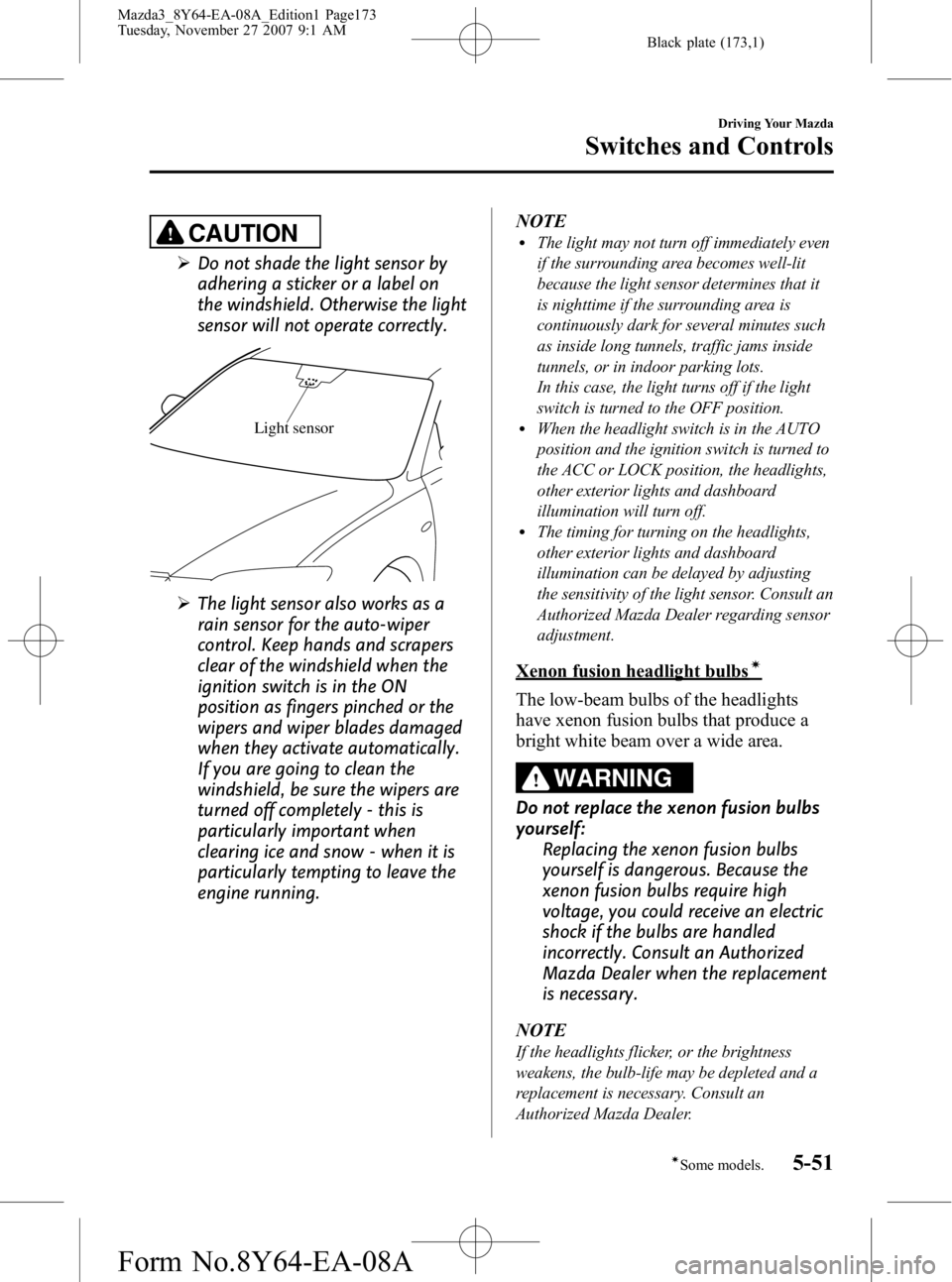
ØDo not shade the light sensor by
adhering a sticker or a label on
the windshield. Otherwise the light
sensor will not operate correctly.
Light sensor
ØThe light sensor also works as a
rain sensor for the auto-wiper
control. Keep hands and scrapers
clear of the windshield when the
ignition switch is in the ON
position as fingers pinched or the
wipers and wiper blades damaged
when they activate automatically.
If you are going to clean the
windshield, be sure the wipers are
turned off completely - this is
particularly important when
clearing ice and snow - when it is
particularly tempting to leave the
engine running. NOTE
lThe light may not turn off immediately even
if the surrounding area becomes well-lit
because the light sensor determines that it
is nighttime if the surrounding area is
continuously dark for several minutes such
as inside long tunnels, traffic jams inside
tunnels, or in indoor parking lots.
In this case, the light turns off if the light
switch is turned to the OFF position.
lWhen the headlight switch is in the AUTO
position and the ignition switch is turned to
the ACC or LOCK position, the headlights,
other exterior lights and dashboard
illumination will turn off.
lThe timing for turning on the headlights,
other exterior lights and dashboard
illumination can be delayed by adjusting
the sensitivity of the light sensor. Consult an
Authorized Mazda Dealer regarding sensor
adjustment.
Xenon fusion headlight bulbsí
The low-beam bulbs of the headlights
have xenon fusion bulbs that produce a
bright white beam over a wide area.
WARNING
Do not replace the xenon fusion bulbs
yourself:
Replacing the xenon fusion bulbs
yourself is dangerous. Because the
xenon fusion bulbs require high
voltage, you could receive an electric
shock if the bulbs are handled
incorrectly. Consult an Authorized
Mazda Dealer when the replacement
is necessary.
NOTE
If the headlights flicker, or the brightness
weakens, the bulb-life may be depleted and a
replacement is necessary. Consult an
Authorized Mazda Dealer.
Driving Your Mazda
Switches and Controls
5-51íSome models.
Mazda3_8Y64-EA-08A_Edition1 Page173
Tuesday, November 27 2007 9:1 AM
Form No.8Y64-EA-08A
Page 189 of 412
Black plate (189,1)
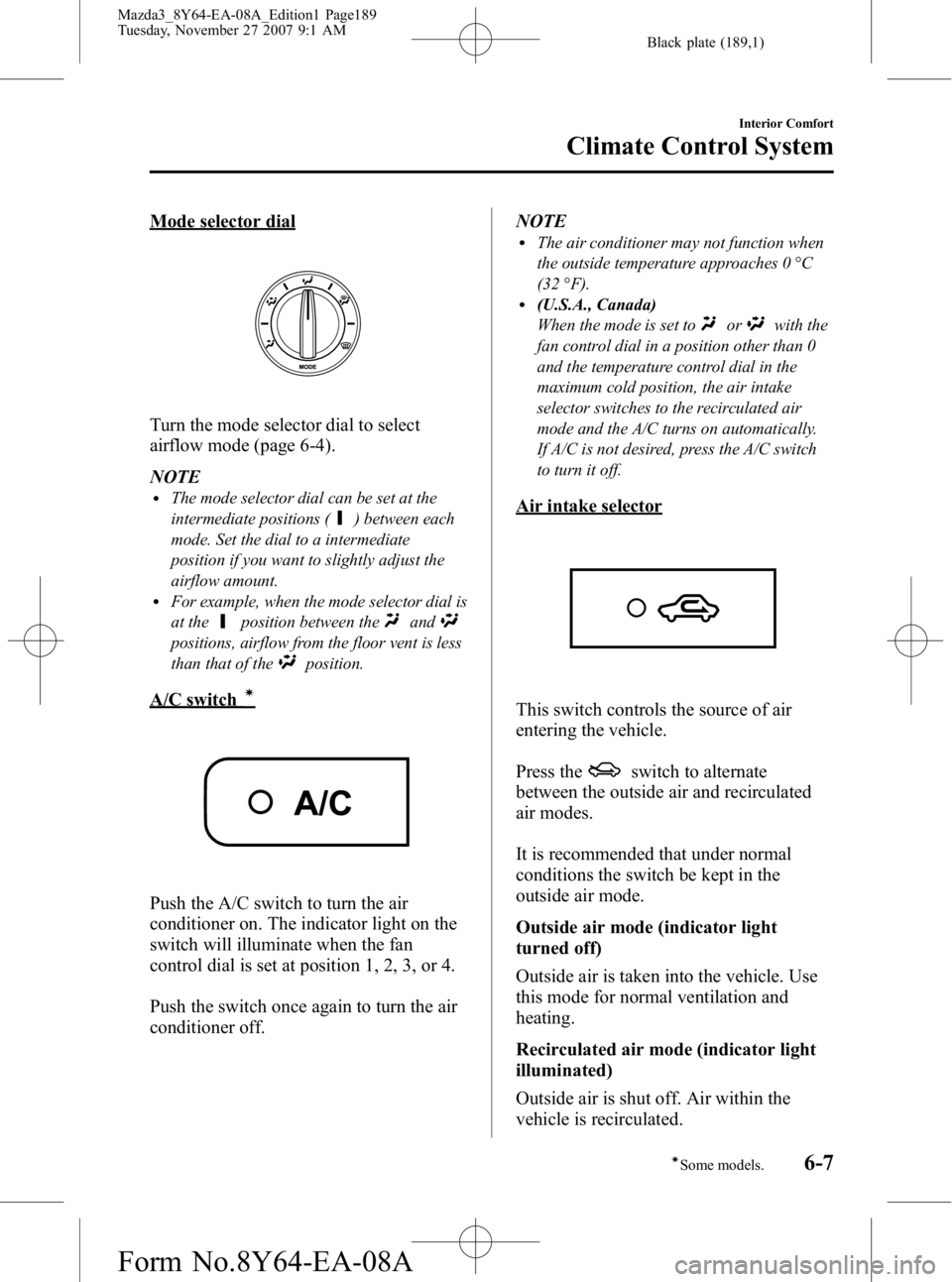
Mode selector dial
Turn the mode selector dial to select
airflow mode (page 6-4).
NOTE
lThe mode selector dial can be set at the
intermediate positions (
) between each
mode. Set the dial to a intermediate
position if you want to slightly adjust the
airflow amount.
lFor example, when the mode selector dial is
at the
position between theand
positions, airflow from the floor vent is less
than that of the
position.
A/C switchí
Push the A/C switch to turn the air
conditioner on. The indicator light on the
switch will illuminate when the fan
control dial is set at position 1, 2, 3, or 4.
Push the switch once again to turn the air
conditioner off. NOTE
lThe air conditioner may not function when
the outside temperature approaches 0 °C
(32 °F).
l(U.S.A., Canada)
When the mode is set to
orwith the
fan control dial in a position other than 0
and the temperature control dial in the
maximum cold position, the air intake
selector switches to the recirculated air
mode and the A/C turns on automatically.
If A/C is not desired, press the A/C switch
to turn it off.
Air intake selector
This switch controls the source of air
entering the vehicle.
Press the
switch to alternate
between the outside air and recirculated
air modes.
It is recommended that under normal
conditions the switch be kept in the
outside air mode.
Outside air mode (indicator light
turned off)
Outside air is taken into the vehicle. Use
this mode for normal ventilation and
heating.
Recirculated air mode (indicator light
illuminated)
Outside air is shut off. Air within the
vehicle is recirculated.
Interior Comfort
Climate Control System
6-7íSome models.
Mazda3_8Y64-EA-08A_Edition1 Page189
Tuesday, November 27 2007 9:1 AM
Form No.8Y64-EA-08A
Page 209 of 412
Black plate (209,1)
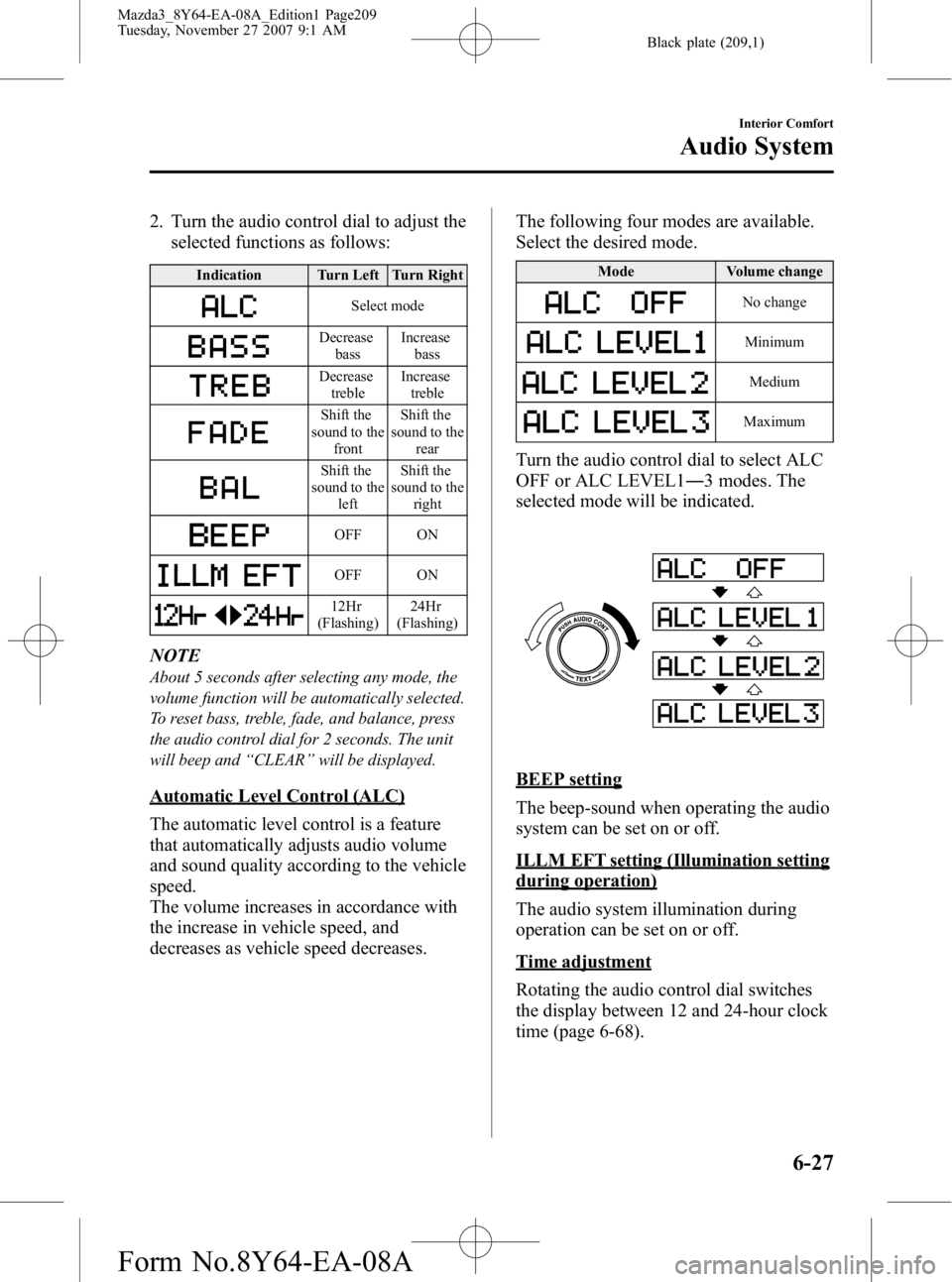
2. Turn the audio control dial to adjust theselected functions as follows:
Indication Turn Left Turn Right
Select mode
Decrease
bass Increase
bass
Decreasetreble Increase
treble
Shift the
sound to the front Shift the
sound to the rear
Shift the
sound to the left Shift the
sound to the right
OFF ON
OFF ON
12Hr
(Flashing) 24Hr
(Flashing)
NOTE
About 5 seconds after selecting any mode, the
volume function will be automatically selected.
To reset bass, treble, fade, and balance, press
the audio control dial for 2 seconds. The unit
will beep and “CLEAR ”will be displayed.
Automatic Level Control (ALC)
The automatic level control is a feature
that automatically adjusts audio volume
and sound quality according to the vehicle
speed.
The volume increases in accordance with
the increase in vehicle speed, and
decreases as vehicle speed decreases. The following four modes are available.
Select the desired mode.
Mode
Volume change
No change
Minimum
Medium
Maximum
Turn the audio control dial to select ALC
OFF or ALC LEVEL1― 3 modes. The
selected mode will be indicated.
BEEP setting
The beep-sound when operating the audio
system can be set on or off.
ILLM EFT setting (Illumination setting
during operation)
The audio system illumination during
operation can be set on or off.
Time adjustment
Rotating the audio control dial switches
the display between 12 and 24-hour clock
time (page 6-68).
Interior Comfort
Audio System
6-27
Mazda3_8Y64-EA-08A_Edition1 Page209
Tuesday, November 27 2007 9:1 AM
Form No.8Y64-EA-08A
Page 210 of 412
Black plate (210,1)
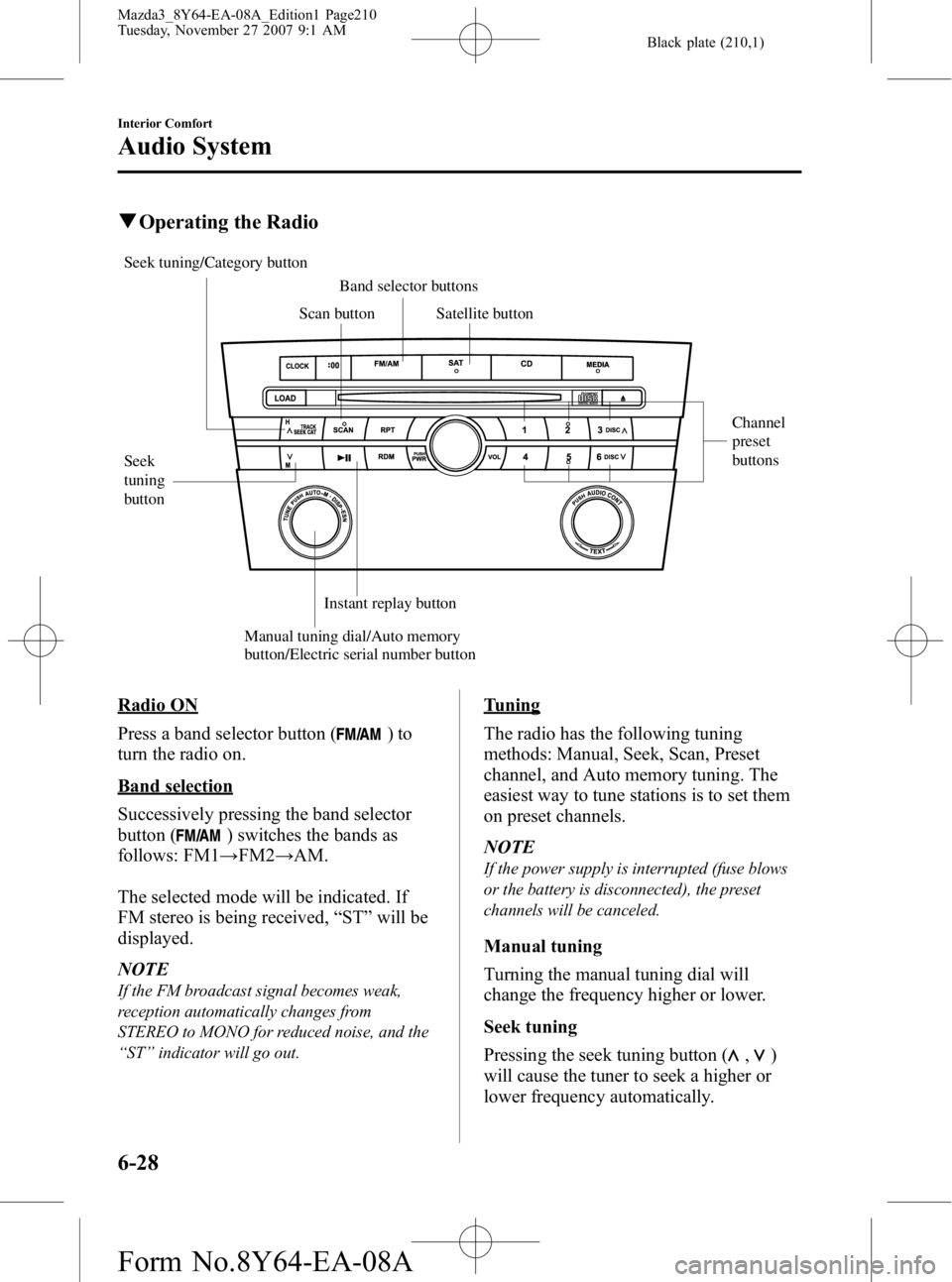
qOperating the Radio
Seek
tuning
button Channel
preset
buttons
Manual tuning dial/Auto memory
button/Electric serial number button Scan button
Band selector buttons
Satellite button
Instant replay button
Seek tuning/Category button
Radio ON
Press a band selector button (
)to
turn the radio on.
Band selection
Successively pressing the band selector
button (
) switches the bands as
follows: FM1 →FM2 →AM.
The selected mode will be indicated. If
FM stereo is being received, “ST ”will be
displayed.
NOTE
If the FM broadcast signal becomes weak,
reception automatically changes from
STEREO to MONO for reduced noise, and the
“ ST ”indicator will go out.
Tuning
The radio has the following tuning
methods: Manual, Seek, Scan, Preset
channel, and Auto memory tuning. The
easiest way to tune stations is to set them
on preset channels.
NOTE
If the power supply is interrupted (fuse blows
or the battery is disconnected), the preset
channels will be canceled.
Manual tuning
Turning the manual tuning dial will
change the frequency higher or lower.
Seek tuning
Pressing the seek tuning button (
,)
will cause the tuner to seek a higher or
lower frequency automatically.
6-28
Interior Comfort
Audio System
Mazda3_8Y64-EA-08A_Edition1 Page210
Tuesday, November 27 2007 9:1 AM
Form No.8Y64-EA-08A
Page 217 of 412
Black plate (217,1)
4. Hold down a channel preset button forabout 1.5 seconds, and release when
the beep is heard.
5. The programming process is complete after the channel number or text blinks.
Preset channel call-up (Channel preset
buttons)
Press a channel preset button for about 1.5
seconds.
Category change (Category button)
Press the category button (UP or DOWN)
and select the desired category.
lPress the category button (UP):
Category up
lPress the category button (DOWN):
Category down
At this time, the lowest (smallest-number)
channel within the category indicated is
received.
When the highest (or lowest) category is
reached, the display of the category is
changed over in the order shown below.
Highest category →Category all →Lowest
category
NOTE
While in “CATEGORY ALL ”mode, all
channels covering a category can be accessed
(Category off condition).
Channel selection within a category
(Manual tuning dial)
NOTE
If the category is not in “ALL ”, turning the
manual tuning dial moves the channel number
up/down in the present category.
lTurn the knob clockwise: Channel UplTurn the knob counterclockwise: Channel
Down
Channel number, channel, category,
artist, and song title display (Display
button, display feed dial)
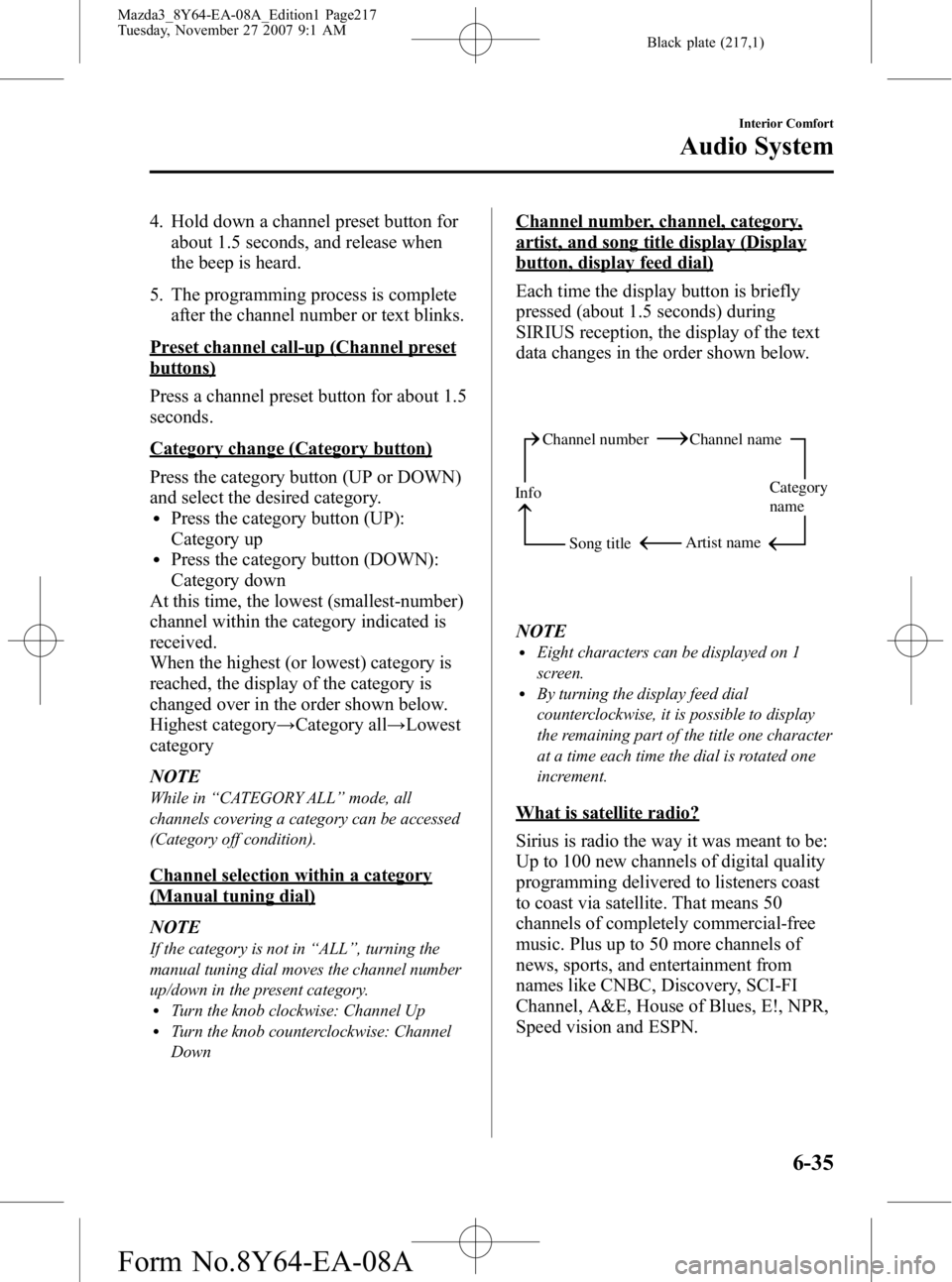
Each time the display button is briefly
pressed (about 1.5 seconds) during
SIRIUS reception, the display of the text
data changes in the order shown below.
Channel number Channel name
Category
name
Artist name
Info
Song title
NOTElEight characters can be displayed on 1
screen.
lBy turning the display feed dial
counterclockwise, it is possible to display
the remaining part of the title one character
at a time each time the dial is rotated one
increment.
What is satellite radio?
Sirius is radio the way it was meant to be:
Up to 100 new channels of digital quality
programming delivered to listeners coast
to coast via satellite. That means 50
channels of completely commercial-free
music. Plus up to 50 more channels of
news, sports, and entertainment from
names like CNBC, Discovery, SCI-FI
Channel, A&E, House of Blues, E!, NPR,
Speed vision and ESPN.
Interior Comfort
Audio System
6-35
Mazda3_8Y64-EA-08A_Edition1 Page217
Tuesday, November 27 2007 9:1 AM
Form No.8Y64-EA-08A
Page 219 of 412
Black plate (219,1)
lProduct serial numberlVehicle Identification Number (VIN)
When you are ready to receive the on-air
activation signals you will be instructed
(for activation via phone) to turn on your
tuner, have the antenna pointed skyward,
and to set the channel to channel 184.
Once the signal is sent from the national
studio it may take up to 10 minutes to be
received by your unit.
*ESN: Electronic Serial Number
NOTE
lOn-air activation is completed after the
procedure, in most cases from 10 seconds
to 10 minutes.
lThe VIN/SIRIUS ID (ESN*)/SERIAL No. is
printed on the back cover label of the
manual.
Sirius operation
All operations of the satellite radio are
conducted by means of the audio unit.
Sirius radio mode selection
When the satellite button is pressed during
ACC ON, it will play the last SIRIUS
channel in use before the mode was
switched over to another mode or the
power was turned off.
When the satellite button is pressed in a
mode other than the SIRIUS mode, the
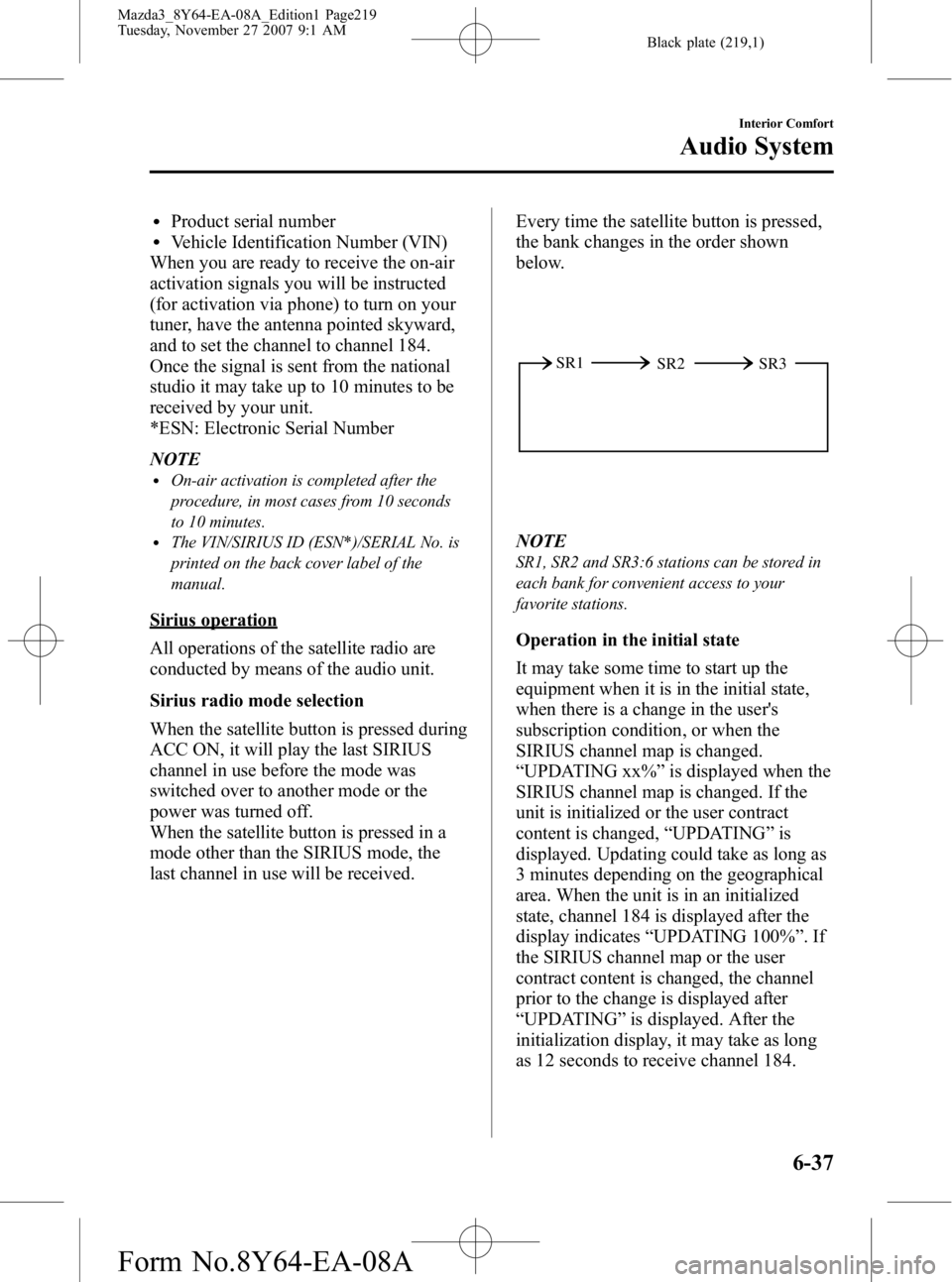
last channel in use will be received. Every time the satellite button is pressed,
the bank changes in the order shown
below.
SR2
SR1
SR3
NOTE
SR1, SR2 and SR3:6 stations can be stored in
each bank for convenient access to your
favorite stations.
Operation in the initial state
It may take some time to start up the
equipment when it is in the initial state,
when there is a change in the user's
subscription condition, or when the
SIRIUS channel map is changed.
“UPDATING xx% ”is displayed when the
SIRIUS channel map is changed. If the
unit is initialized or the user contract
content is changed, “UPDATING ”is
displayed. Updating could take as long as
3 minutes depending on the geographical
area. When the unit is in an initialized
state, channel 184 is displayed after the
display indicates “UPDATING 100% ”.If
the SIRIUS channel map or the user
contract content is changed, the channel
prior to the change is displayed after
“ UPDATING ”is displayed. After the
initialization display, it may take as long
as 12 seconds to receive channel 184.
Interior Comfort
Audio System
6-37
Mazda3_8Y64-EA-08A_Edition1 Page219
Tuesday, November 27 2007 9:1 AM
Form No.8Y64-EA-08A
Page 220 of 412
Black plate (220,1)
When the SIRIUS mode is switched to
another mode, or when the power is
turned off, the present channel which is
being received is stored as the last
channel.
Channel selection
Turning the manual tuning dial allows you
to select the desired receiving channel.
lTurn the knob clockwise: Channel UplTurn the knob counterclockwise:
Channel Down
Unsubscribed channel
When a selected station has not been
subscribed to, the display indicates the
following:
[CALL + 888] and [539 + SIRI] (Flashes
alternately)
NOTE
When the subscription contract is canceled, all
of the channels including channel 184 appear
as unsubscribed.
Invalid channel
When a selected channel is not
broadcasting, [SR + (bank number) +
INVALID] is displayed for 1 second,
followed by [SR + (bank number) +
CHANNEL], which is also displayed for
1 second. The display then returns to the
previous valid channel.
NOTE
If the last channel selected has become
unavailable because of a channel update the
above indication is displayed until any button
is pressed.
Preset channel programming
(Programming with “channel number ”
display)
1. Press the display button to select the channel number display mode.
Select the desired channel to be
programmed. At this point, the
following is displayed:
[SR + (bank number) + (channel
number)]
2. Keep pressing the channel preset button for 1.5 seconds or more.
The programming process is complete
after the channel number flashes. Then,
[SR + (bank number)] is displayed and
a beep sound is heard at the same time.
3. [SR + (bank number) + CH + (preset number) + (channel number)] are
displayed.
(Programming with “text ”display (e.g.
channel name))
1. Press the display button to select the desired text display mode (e.g. channel
name).
Select the desired channel to be
programmed. At this point, the
following is displayed:
[SR + (bank number) + (selected text
(e.g. channel name))]
2. Keep pressing the channel preset button for 1.5 seconds or more.
The programming process is complete
after the text (e.g. channel name)
flashes. Then, [SR + (bank number)] is
displayed and you will hear beep sound
at the same time.
3. SR + (bank number) + CH + (preset number) + (channel number)] are
displayed.
6-38
Interior Comfort
Audio System
Mazda3_8Y64-EA-08A_Edition1 Page220
Tuesday, November 27 2007 9:1 AM
Form No.8Y64-EA-08A
Page 221 of 412
![MAZDA MODEL 3 4-DOOR 2008 Owners Manual Black plate (221,1)
4. Three seconds later, it returns to normaldisplay. [SR + (bank number) + (text
(e.g. channel name))]
NOTE
Six stations can be stored in each bank, SR1,
SR2, and SR3 for convenien](/img/28/41023/w960_41023-220.png "MAZDA MODEL 3 4-DOOR 2008 Owners Manual Black plate (221,1)
4. Three seconds later, it returns to normaldisplay. [SR + (bank number) + (text
(e.g. channel name))]
NOTE
Six stations can be stored in each bank, SR1,
SR2, and SR3 for convenien")
Black plate (221,1)
4. Three seconds later, it returns to normaldisplay. [SR + (bank number) + (text
(e.g. channel name))]
NOTE
Six stations can be stored in each bank, SR1,
SR2, and SR3 for convenient access to your
favorite stations.
Preset channel call-up
Press and release the channel preset
button for about 1.5 seconds,
[SR + (bank number) + CH + (preset
number) + (channel number)] appears.
When the preset button is pressed during
text mode, its channel number is
displayed first for 3 second and then its
text is displayed.
NOTE
In the initial setting, all channels are preset to
184.
Category change
Press the category button (UP or DOWN)
and select the desired category.
lPress the category button (UP):
Category up
lPress the category button (DOWN):
Category down
Every time the category (UP) button is
pressed for 1.5 second or less, the
category is changed over in the order
shown below.
At this time, the lowest (smallest-number)
channel within the category indicated is
received.
When the highest (or lowest) category is
reached, the category is changed over in
the order shown below.
Highest category →Category all →Lowest
category NOTE
While in
“CATEGORY ALL ”mode, all
channels covering a category can be accessed
(Category off condition).
Channel selection within a category
If category is not in “ALL ”and the
channel number is displayed, turning the
manual tuning dial moves the channel
number up/down in the present category.
lTurn the manual tuning dial clockwise:
Channel Up
lTurn the manual tuning dial
counterclockwise: Channel Down
NOTE
The channel number needs to be indicated in
the display to use manual tuning dial for this
function.
Channel number, channel name,
category, artist, song titles and info
display
Each time the display button is briefly
pressed (about 0.5 seconds) during
SIRIUS reception, the display of the text
data is changed over in the order shown
below.
Channel number Channel name
Category
name
Artist name
Info
Song title
Interior Comfort
Audio System
6-39
Mazda3_8Y64-EA-08A_Edition1 Page221
Tuesday, November 27 2007 9:1 AM
Form No.8Y64-EA-08A
Page 222 of 412
Black plate (222,1)
NOTElEight characters are displayed on 1 screen.lBy turning the display feed dial
counterclockwise, it is possible to display
the remaining part of the title one character
at a time each time the display feed dial is
rotated one increment counterclockwise.
(Channel number display)lWhen the display button is briefly
pressed (about 0.5 seconds) while in
song title display mode, the mode
changes to the channel number display
mode.
(Channel name display)
lWhen the display button is briefly
pressed (about 0.5 seconds) while in
channel number display mode, it
changes to channel name display
mode.
lThere are short (8 fixed characters) and
long names for the channel name.
lThe long name is displayed first, and 3
seconds later the short name is
displayed. If there is no short name, the
long name is displayed.
lIf there are more than 8 characters in
the channel name, it is possible to
display the remaining part of the
channel name one character at a time
each time the display feed dial is
rotated one increment clockwise.
lWhile the short name is displayed,
turning the display feed dial switches
the display to the long name.
lThree seconds after scrolling the long
name, the display automatically returns
to the first part of the long name. Three
more seconds and the short name
appears.
lIf there is no channel name,
“ No TITLE ”is displayed. (Category name display)
lWhen the display button is briefly
pressed (about 0.5 seconds) while in
channel name display mode, it changes
to the category name display mode.
lThere are short (8 fixed characters) and
long names for the category name.
lThe long name is displayed first, and 3
seconds later the short name is
displayed. If there is no short name, the
long name is displayed.
lIf there are more than 8 characters in
the category name, it is possible to
display the remaining part of the
category name one character at a time
each time the display feed dial is
rotated one increment clockwise.
lWhile the short name is displayed,
turning the display feed dial switches
the display to the long name.
lThree seconds after scrolling the long
name, the display automatically returns
to display the first part of the long
name. Three more seconds and the
short name appears.
lIf there is no category name,
“
No CATEGORY ”is displayed.
(Artist name display)
lWhen the display button is briefly
pressed (about 0.5 seconds) while in
category name display mode, it
changes to the artist name display
mode.
lIf there are more than 8 characters in
the artist's name, it is possible to
display the remaining part of the artist
name one character at a time each time
the display feed dial is rotated one
increment clockwise.
lThree seconds after scrolling the artist
name, the display automatically return
to display the first part of the artist's
name.
6-40
Interior Comfort
Audio System
Mazda3_8Y64-EA-08A_Edition1 Page222
Tuesday, November 27 2007 9:1 AM
Form No.8Y64-EA-08A