warning MAZDA MODEL 3 4-DOOR 2016 Owners Manual
[x] Cancel search | Manufacturer: MAZDA, Model Year: 2016, Model line: MODEL 3 4-DOOR, Model: MAZDA MODEL 3 4-DOOR 2016Pages: 598, PDF Size: 30.13 MB
Page 555 of 598
8–31
Customer Information and Reporting Safety Defects
Tire Information (U.S.A.)
WARNING
Always check the tire inflation pressures on a regular basis according to the
recommended tire inflation pressure on the tire label and in conjunction with the
information in this owner's manual:Driving your vehicle with under-inflated tires is dangerous.
Under-inflation is the most common cause of failures in any kind of tire and may result
in severe cracking, tread separation or “blowout”, with unexpected loss of vehicle
control and increased risk of injury. Under-inflation increases sidewall flexing and
rolling resistance, resulting in heat buildup and internal damage to the tire. It results in
unnecessary tire stress, irregular wear, loss of control and accidents. A tire can lose up to
half of its air pressure and not appear to be flat!
It is impossible to determine whether or not tires are properly inflated just by looking at
them.
Checking Tire Pressure
1. When you check the air pressure, make sure the tires are cold — meaning they are not hot
from driving even a mile.
2. Remove the cap from the valve on one tire.
3. Firmly press a tire gauge onto the valve.
4. Add air to achieve recommended air pressure.
5. If you overfill the tire, release air by pushing on the metal stem in the center of the valve.
Then recheck the pressure with your tire gauge.
6. Replace the valve cap.
7. Repeat with each tire, including the spare.
NOTE
Some spare tires require higher inflation pressure.
8. Visually inspect the tires to make sure there are no nails or other objects embedded that
could poke a hole in the tire and cause an air leak.
9. Check the sidewalls to make sure there are no gouges, cuts, bulges, crac\
ks or other
irregularities.
Mazda3_8FA4-EA-15G_Edition1.indb 312015/05/11 14:02:51
Page 558 of 598
8–34
Customer Information and Reporting Safety Defects
Tire Information (U.S.A.)
Replacing a Tire
WARNING
Always use tires that are in good condition:
Driving with worn tires is dangerous. Reduced braking, steering, and traction could result
in an accident.
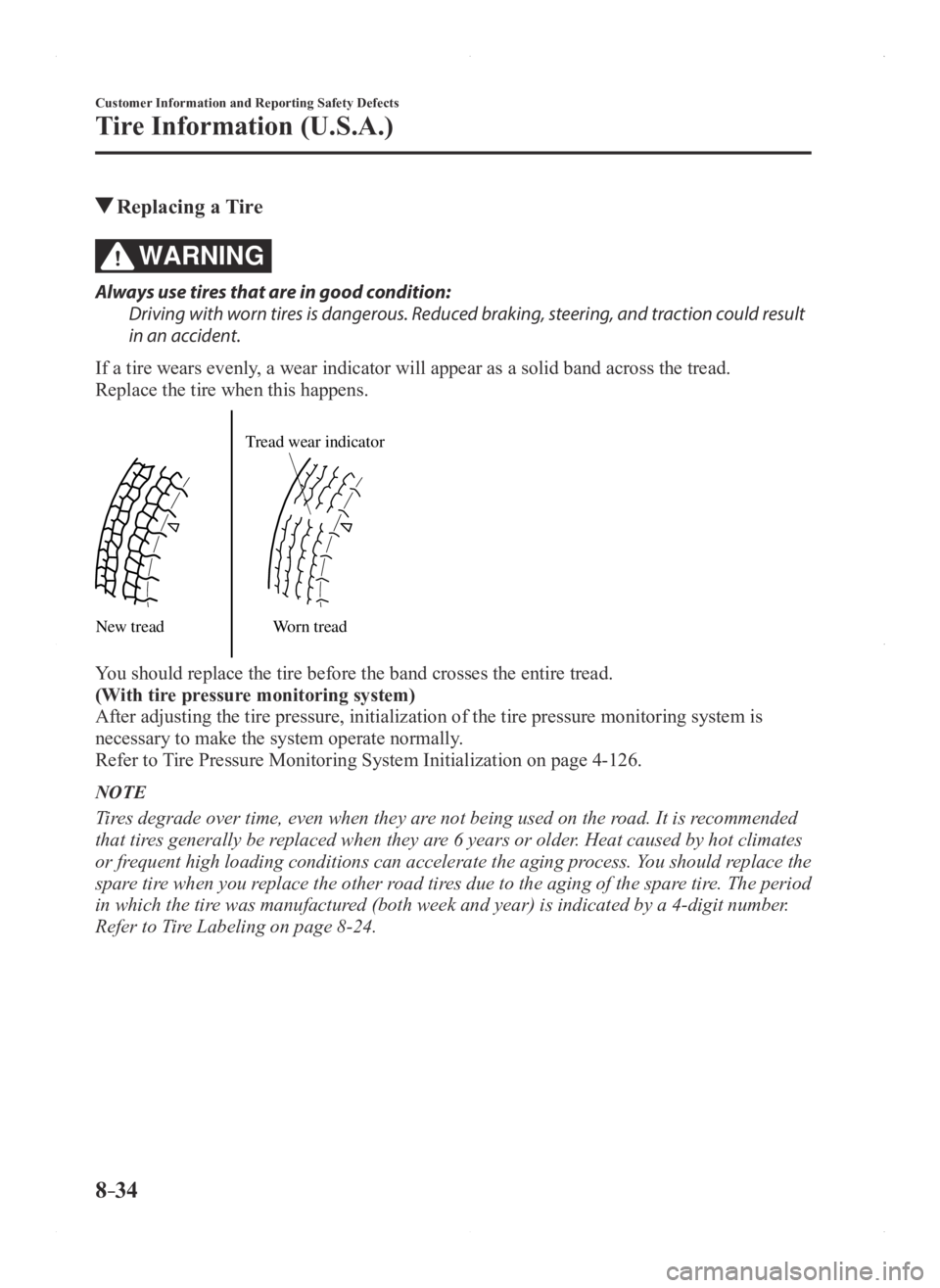
If a tire wears evenly, a wear indicator will appear as a solid band across the tread.
Replace the tire when this happens.
New tread Tread wear indicator
Worn tread
You should replace the tire before the band crosses the entire tread.
(With tire pressure monitoring system)
After adjusting the tire pressure, initialization of the tire pressure m\
onitoring system is
necessary to make the system operate normally.
Refer to Tire Pressure Monitoring System Initialization on page 4-126.
NOTE
Tires degrade over time, even when they are not being used on the road. It is recommended
that tires generally be replaced when they are 6 years or older. Heat caused by hot climates
or frequent high loading conditions can accelerate the aging process. You should replace the
spare tire when you replace the other road tires due to the aging of the spare tire. The period
in which the tire was manufactured (both week and year) is indicated by a 4-digit number.
Refer to Tire Labeling on page 8-24.
Mazda3_8FA4-EA-15G_Edition1.indb 342015/05/11 14:02:51
Page 560 of 598
8–36
Customer Information and Reporting Safety Defects
Tire Information (U.S.A.)
Vehicle Loading
WARNING
Do not tow a trailer with this vehicle:
Towing a trailer with this vehicle is dangerous because it has not been designed to tow a
trailer and doing so will affect the drive system which could result in vehicle damage.
This section will guide you in the proper loading of your vehicle, to ke\
ep your loaded
vehicle weight within its design rating capability. Properly loading your vehicle will provide
maximum return of vehicle design performance. Before loading your vehicle, familiarize
yourself with the following terms for determining your vehicle's weight \
ratings, from the
vehicle's Safety Certification Label and Tire and Load Information Label:
WARNING
Overloaded Vehicle:
Overloading a vehicle is dangerous. The results of overloading can have serious
consequences in terms of passenger safety. Too much weight on a vehicle's suspension
system can cause spring or shock absorber failure, brake failure, handling or steering
problems, irregular tire wear, tire failure or other damage.
Overloading makes a vehicle harder to drive and control. It also increases the distance
required for stopping. In cases of serious overloading, brakes can fail completely,
particularly on steep grades. The load a tire will carry safely is a combination of the size of
the tire, its load range, and corresponding inflation pressure.
Never overload the vehicle and always observe the vehicle's weight ratings from the
vehicle's Safety Certification and Tire and Load Information labels.
Mazda3_8FA4-EA-15G_Edition1.indb 362015/05/11 14:02:52
Page 565 of 598
8–41
Customer Information and Reporting Safety Defects
Tire Information (U.S.A.)
WARNING
Never Exceed Axle Weight Rating Limits:
Exceeding the Safety Certification Label axle weight rating limits is dangerous and could
result in death or serious injury as a result of substandard vehicle handling, performance,
engine, transmission and/or structural damage, serious damage to the vehicle, or loss of
control.
Always keep the vehicle within the axle weight rating limits.
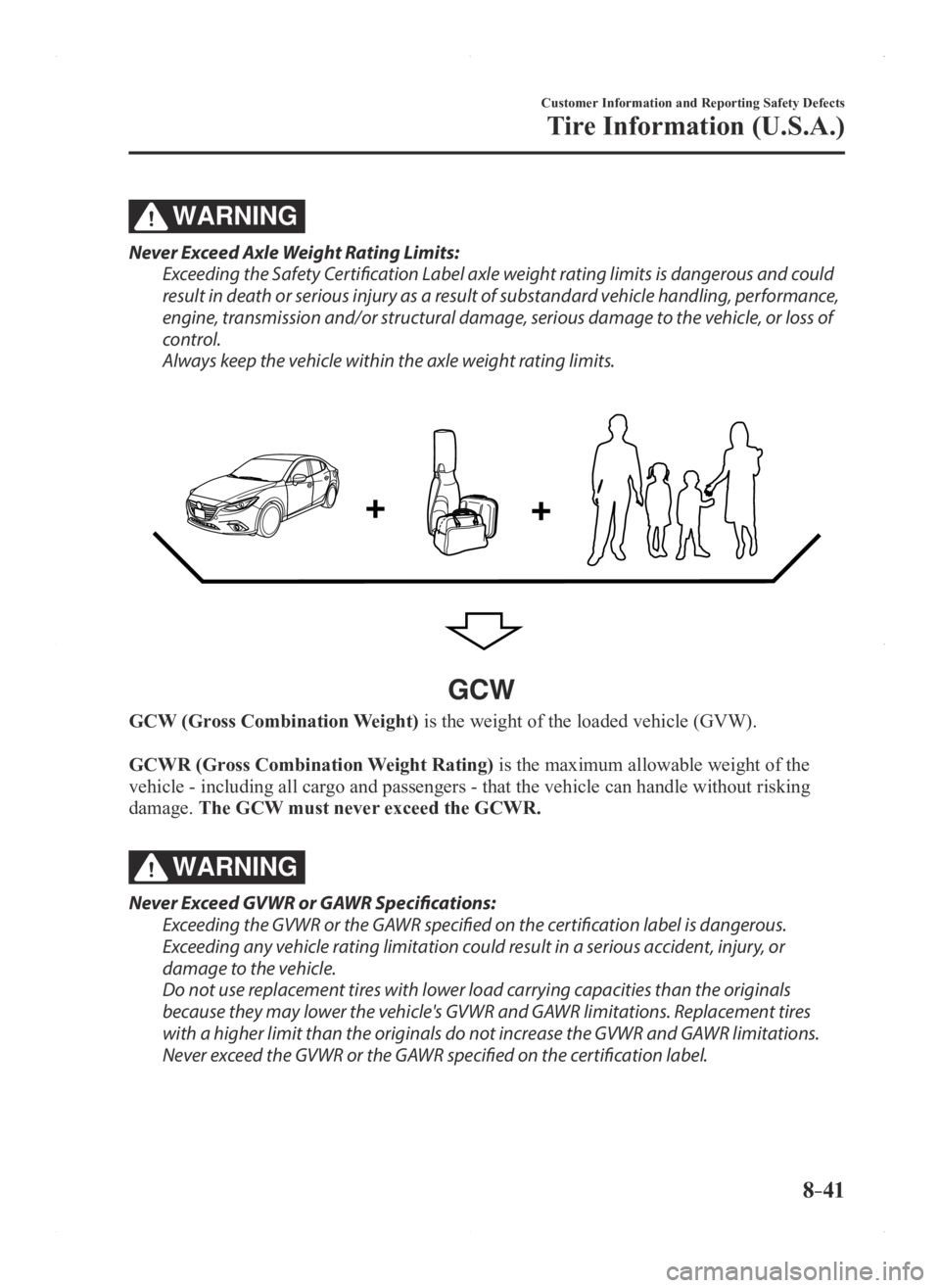
GCW
GCW (Gross Combination Weight) is the weight of the loaded vehicle (GVW).
GCWR (Gross Combination Weight Rating) is the maximum allowable weight of the
vehicle - including all cargo and passengers - that the vehicle can handle without risking
damage. The GCW must never exceed the GCWR.
WARNING
Never Exceed GVWR or GAWR Specifications:
Exceeding the GVWR or the GAWR specified on the certification label is dangerous.
Exceeding any vehicle rating limitation could result in a serious accident, injury, or
damage to the vehicle.
Do not use replacement tires with lower load carrying capacities than the originals
because they may lower the vehicle's GVWR and GAWR limitations. Replacement tires
with a higher limit than the originals do not increase the GVWR and GAWR limitations.
Never exceed the GVWR or the GAWR specified on the certification label.
Mazda3_8FA4-EA-15G_Edition1.indb 412015/05/11 14:02:53
Page 569 of 598
8–45
Customer Information and Reporting Safety Defects
Declaration of Conformity
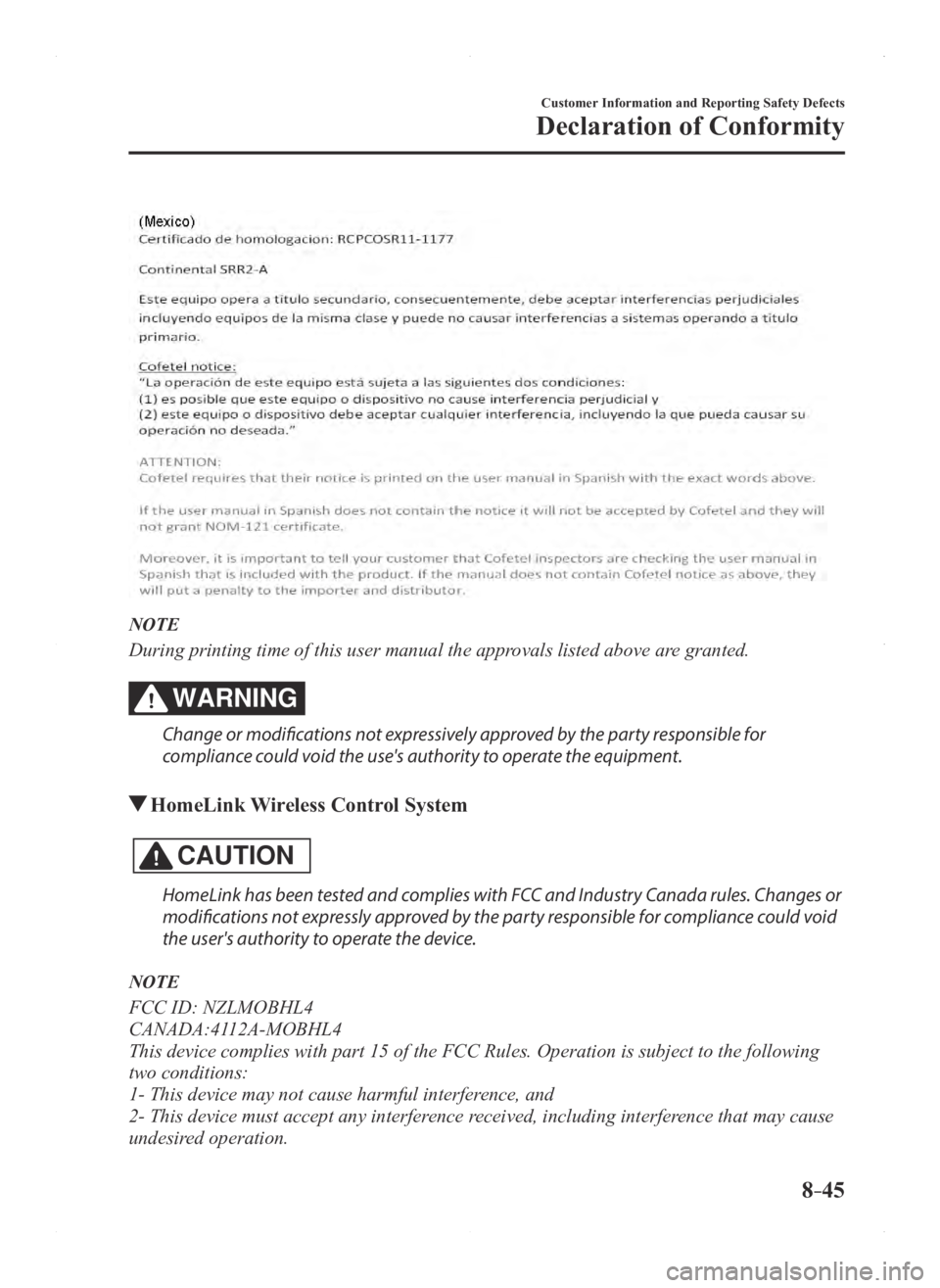
NOTE
During printing time of this user manual the approvals listed above are granted.
WARNING
Change or modifications not expressively approved by the party responsible for
compliance could void the use's authority to operate the equipment.
HomeLink Wireless Control System
CAUTION
HomeLink has been tested and complies with FCC and Industry Canada rules. Changes or
modifications not expressly approved by the party responsible for compliance could void
the user's authority to operate the device.
NOTE
FCC ID: NZLMOBHL4
CANADA:4112A-MOBHL4
This device complies with part 15 of the FCC Rules. Operation is subject\
to the following
two conditions:
1- This device may not cause harmful interference, and
2- This device must accept any interference received, including interference that may cause
undesired operation.
Mazda3_8FA4-EA-15G_Edition1.indb 452015/05/11 14:02:55
Page 570 of 598

8–46
Customer Information and Reporting Safety Defects
Declaration of Conformity
Bluetooth® Hands-Free
Type A
U.S.A. and Canada
FCC ID: CB2MBLUEC09 IC:279B-MBLUEC09
This device complies with Part 15 of the FCC Rules and with RSS-210 of Industry Canada.
Operation is subject to the following two conditions:
(1) This device may not cause harmful interference, and
(2) This device must accept any interference received, including interferenc\
e that may cause
undesired operation.
WARNING
Changes or modifications not expressly approved by the party responsible for compliance
could void the user's authority to operate the equipment.
The term “IC: ” before the radio certification number only signifies that Industry Canada
technical specifications were met.
The antenna used for this transmitter must not be co-located or operatin\
g in conjunction
with any other antenna or transmitter. End-users and installers must be provided with
installation instructions and transmitter operating conditions for satisfying RF exposure
compliance.
Mazda Bluetooth
® Hands-Free Customer Service
U.S.A.
Phone: 800-430-0153 (T oll-free)
Web: www.MazdaUSA.com/bluetooth Canada
Phone: 800-430-0153 (Toll-free)
Web: www.mazdahandsfree.ca
Mazda3_8FA4-EA-15G_Edition1.indb 462015/05/11 14:02:56
Page 574 of 598
8–50
Customer Information and Reporting Safety Defects
Declaration of Conformity
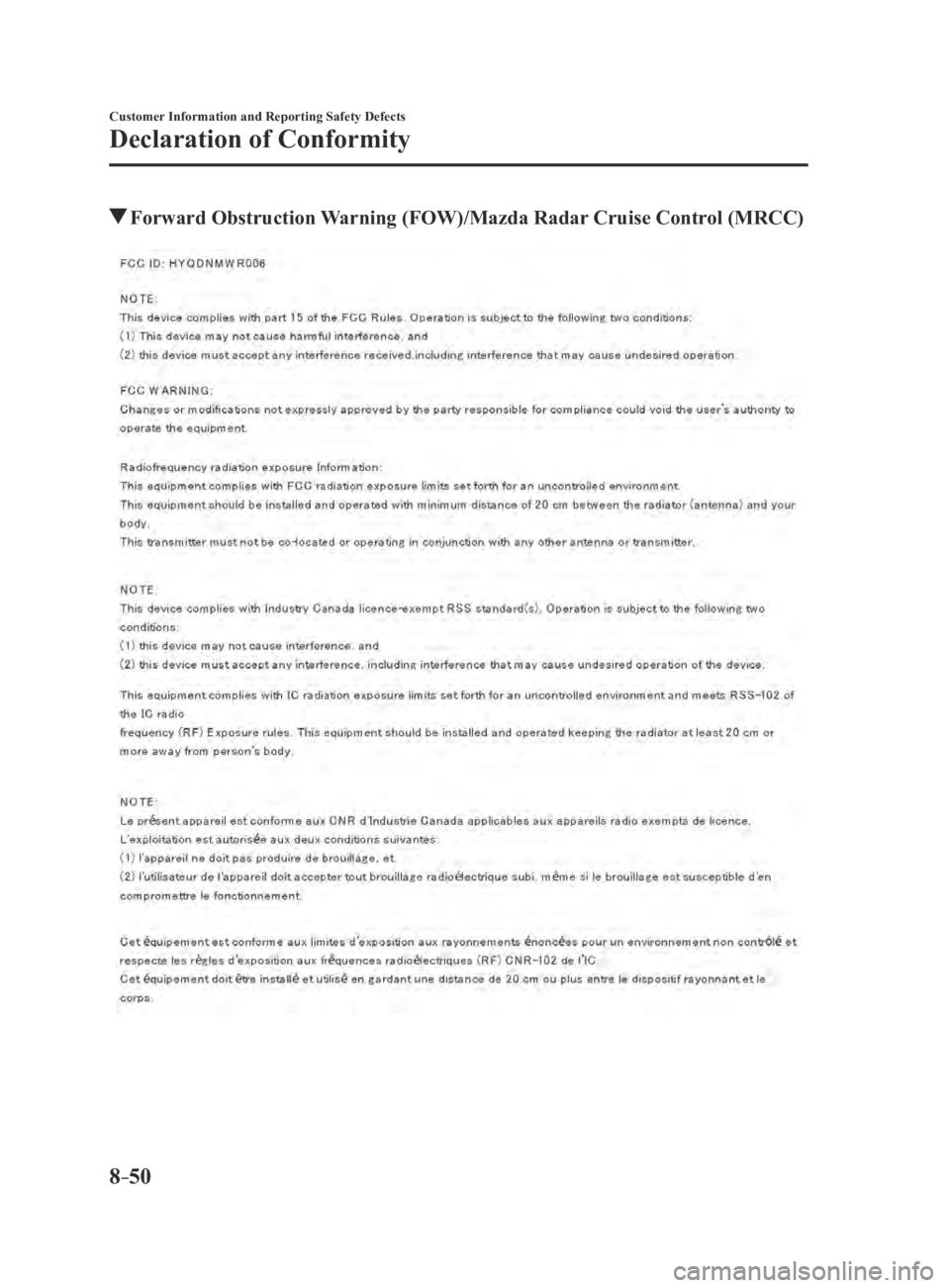
Forward Obstruction Warning (FOW)/Mazda Radar Cruise Control (MRCC)
Mazda3_8FA4-EA-15G_Edition3.indb 502015/12/04 19:26:12
Page 586 of 598

9–12
Specifications
Personalization Features
Personalization Features
The following personalization features can be set or changed by the cust\
omer or an
Authorized Mazda Dealer.
Additionally, some of the personalization features can be changed by the customer
depending on the feature.
Personalization features and settings which can be changed differ depending on the market
and specification.
Settings Change Method
Settings can be changed by operating the center display screen.
A: Refer to Settings on page 5-55.
B: Refer to Active Driving Display on page
4-18.
C: Refer to Fuel Economy Monitor on page
4-69.
Settings can be changed by operating the vehicle switches.
D: Refer to Auto Lock/Unlock Function on page 3-16.
E: Refer to Transmitter on page
3-4.
F: Refer to Locking, Unlocking with Request Switch (With the advanced keyless function) on page
3-13.
Settings can be changed by an Authorized Mazda Dealer.
Item FeatureFactory
Setting Available Settings Settings
Change
Method
Safety
Forward Obstruction
Warning (FOW)
(page
4-95) The system can be changed so
that Forward Obstruction Warning
(FOW) does not operate.
*1On
On/OffA— —
The distance at which the collision
warning activates can be changed. Near
Near/Far A— —
The volume of the collision warning
can be changed. High
High/Low/Off A— —
Smart City Brake
Support (SCBS)
(page
4-106) The system can be changed so that
Smart City Brake Support (SCBS)
does not operate.*1On
On/OffA— —
Mazda3_8FA4-EA-15G_Edition3.indb 122015/12/04 19:26:17
Page 587 of 598
9–13
Specifications
Personalization Features
ItemFeatureFactory
Setting Available Settings Settings
Change
Method
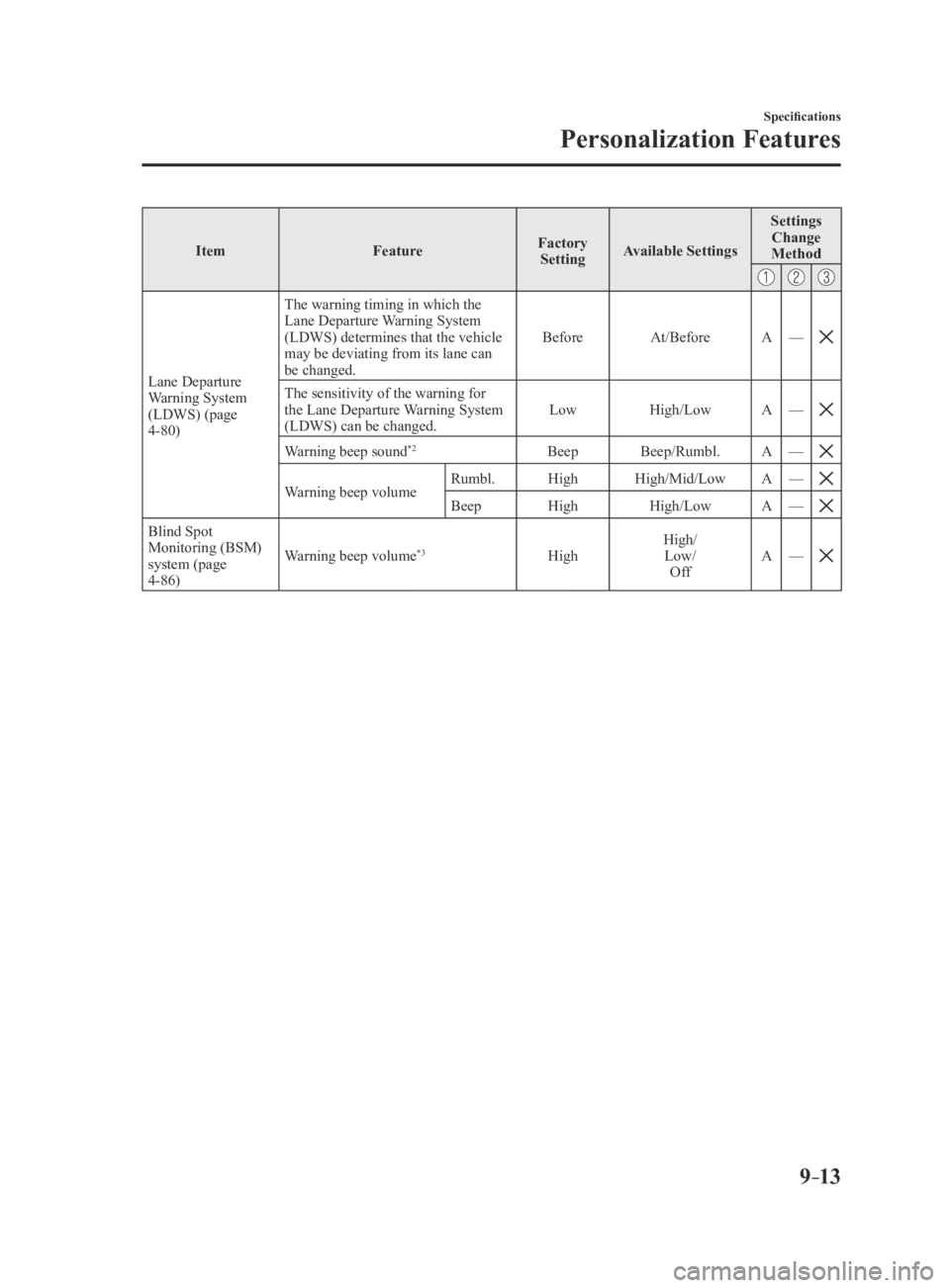
Lane Departure Warning System
(LDWS) (page
4-80) The warning timing in which the
Lane Departure Warning System
(LDWS) determines that the vehicle
may be deviating from its lane can
be changed.
Before
At/Before A—
The sensitivity of the warning for the Lane Departure Warning System
(LDWS) can be changed. Low
High/Low A—
Warning beep sound*2Beep Beep/Rumbl. A—
Warning beep volumeRumbl. HighHigh/Mid/Low A—
BeepHigh High/Low A—
Blind Spot Monitoring (BSM)
system (page
4-86) Warning beep volume
*3High
High/
Low/ Off A
—
Mazda3_8FA4-EA-15G_Edition3.indb 132015/12/04 19:26:18
Page 589 of 598
9–15
Specifications
Personalization Features
ItemFeatureFactory
Setting Available Settings Settings
Change
Method
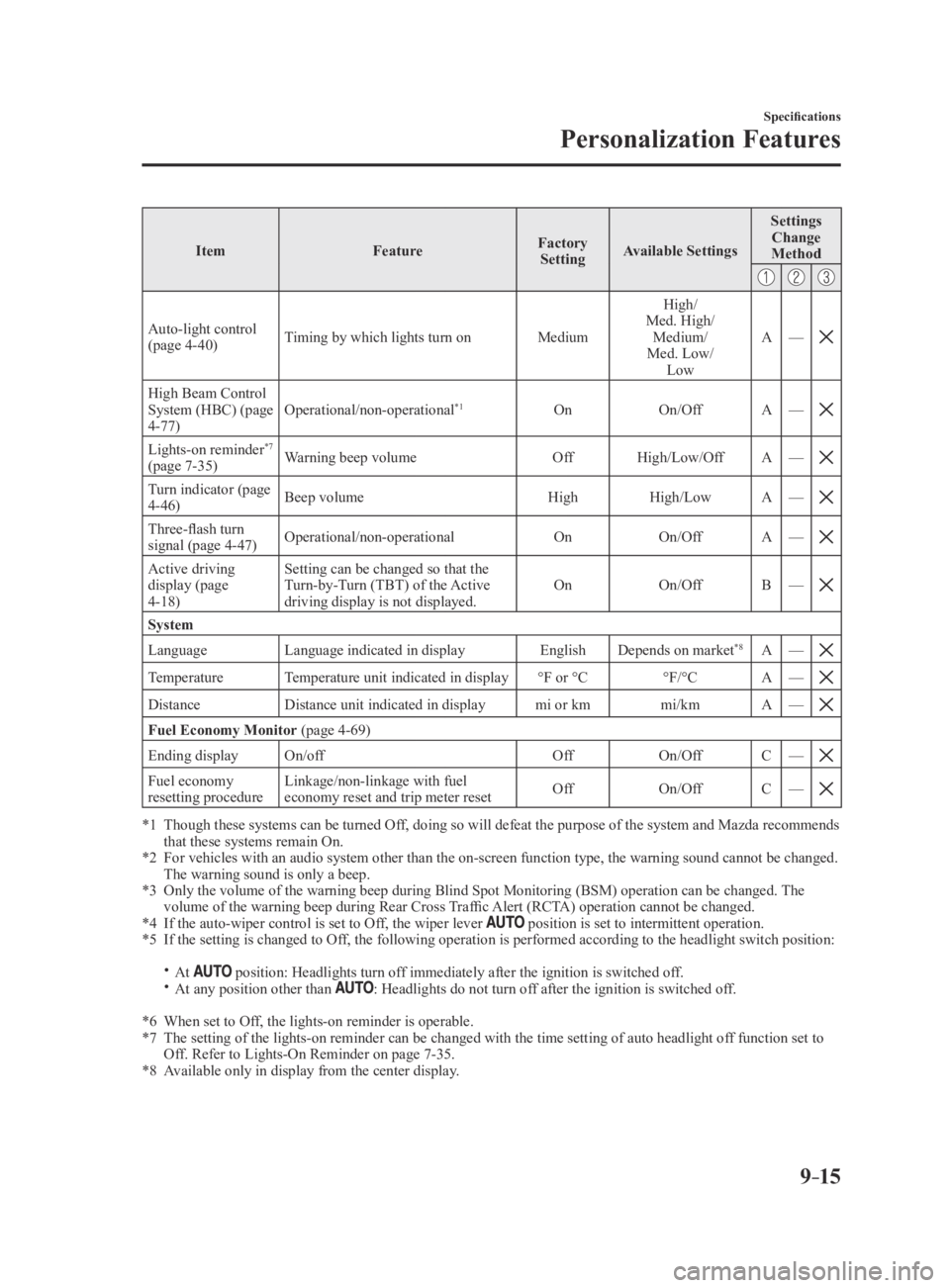
Auto-light control (page 4-40) Timing by which lights turn on
MediumHigh/
Med. High/ Medium/
Med. Low/ Low A
—
High Beam Control System (HBC) (page 4-77) Operational/non-operational
*1On
On/OffA—
Lights-on reminder*7
(page 7-35) Warning beep volume
OffHigh/Low/Off A—
Turn indicator (page 4-46) Beep volume
HighHigh/Low A—
Three-flash turn signal (page 4-47) Operational/non-operational
OnOn/OffA—
Active driving display (page 4-18) Setting can be changed so that the
Turn-by-Turn (TBT) of the Active
driving display is not displayed.
On
On/OffB—
System
Language Language indicated in display EnglishDepends on market*8A—
TemperatureTemperature unit indicated in display °F or °C°F/°CA—
DistanceDistance unit indicated in display mi or kmmi/kmA—
Fuel Economy Monitor (page 4-69)
Ending display On/off OffOn/OffC—
Fuel economy resetting procedure Linkage/non-linkage with fuel
economy reset and trip meter reset
Off
On/OffC—
*1 Though these systems can be turned Of f, doing so will defeat the purpose of the system and Mazda recommends that these systems remain On.*2 For vehicles with an audio system other than the on-screen function type\
, the warning sound cannot be changed. The warning sound is only a beep.*3 Only the volume of the warning beep during Blind Spot Monitorin g (BSM) operation can be changed. The volume of the warning beep during Rear Cross Traffic Alert (RCTA) operation cannot be changed.*4 If the auto-wiper control is set to Off, the wiper lever position is set to intermittent operation.*5 If the setting is changed to Off, the following operation is performed according to the headlight switc\
h position:
At position: Headlights turn off immediately after the ignition is switched off. At any position other than : Headlights do not turn off after the ignition is switched off.
*6 When set to Off, the lights-on reminder is operable.*7 The setting of the lights-on reminder can be changed with the time setti\
ng of auto headlight of f function set to Off. Refer to Lights-On Reminder on page 7-35.*8 Available only in display from the center display.
Mazda3_8FA4-EA-15G_Edition3.indb 152015/12/04 19:26:19