lock MAZDA MODEL 3 4-DOOR 2016 Owner's Manual
[x] Cancel search | Manufacturer: MAZDA, Model Year: 2016, Model line: MODEL 3 4-DOOR, Model: MAZDA MODEL 3 4-DOOR 2016Pages: 598, PDF Size: 30.13 MB
Page 77 of 598
3–1*Some models.
3Before Driving
Use of various features, including keys, doors, mirrors and windows.
Keys ......................................................3-2
Keys
...............................................3-2
Keyless Entry System
....................3-3
Advanced Keyless Entry System
.......3-9
Advanced Keyless Entry
System
* ...........................................3-9
Operational Range
.......................3-10
Doors and Locks
................................3-11
Door Locks
...................................3-11
Liftgate/Trunk Lid
........................3-20
Inside Trunk Release Lever
(4-Door)
* ......................................3-24
Fuel and Emission
.............................3-26
Fuel and Engine Exhaust
Precautions
...................................3-26
Fuel-Filler Lid and Cap
................3-29
Steering Wheel ................................... 3-31
Steering Wheel
.............................3-31
Mirrors
...............................................3-32
Mirrors
.........................................3-32
Windows
.............................................3-35
Power Windows
...........................3-35
Moonroof * ...................................3-38 Security System
.................................3-40
Modification and Add-On
Equipment
....................................3-40
Immobilizer System
.....................3-40
Theft-Deterrent System* ...............3-42
Driving Tips
.......................................3-44
Break-In Period
............................3-44
Saving Fuel and Protection of the
Environment
.................................3-44
Hazardous Driving
.......................3-45
Floor Mat
.....................................3-45
Rocking the Vehicle
.....................3-46
Winter Driving
.............................3-46
Driving In Flooded Area
..............3-48
Overloading
..................................3-49
Driving on Uneven Road
.............3-50
Towing
................................................3-51
Trailer Towing
..............................3-51
Recreational Towing
....................3-51
Mazda3_8FA4-EA-15G_Edition1.indb 12015/05/11 14:00:16
Page 79 of 598
3–3
Before Driving
Keys
NOTE
The driver must carry the key to ensure the
system functions properly.
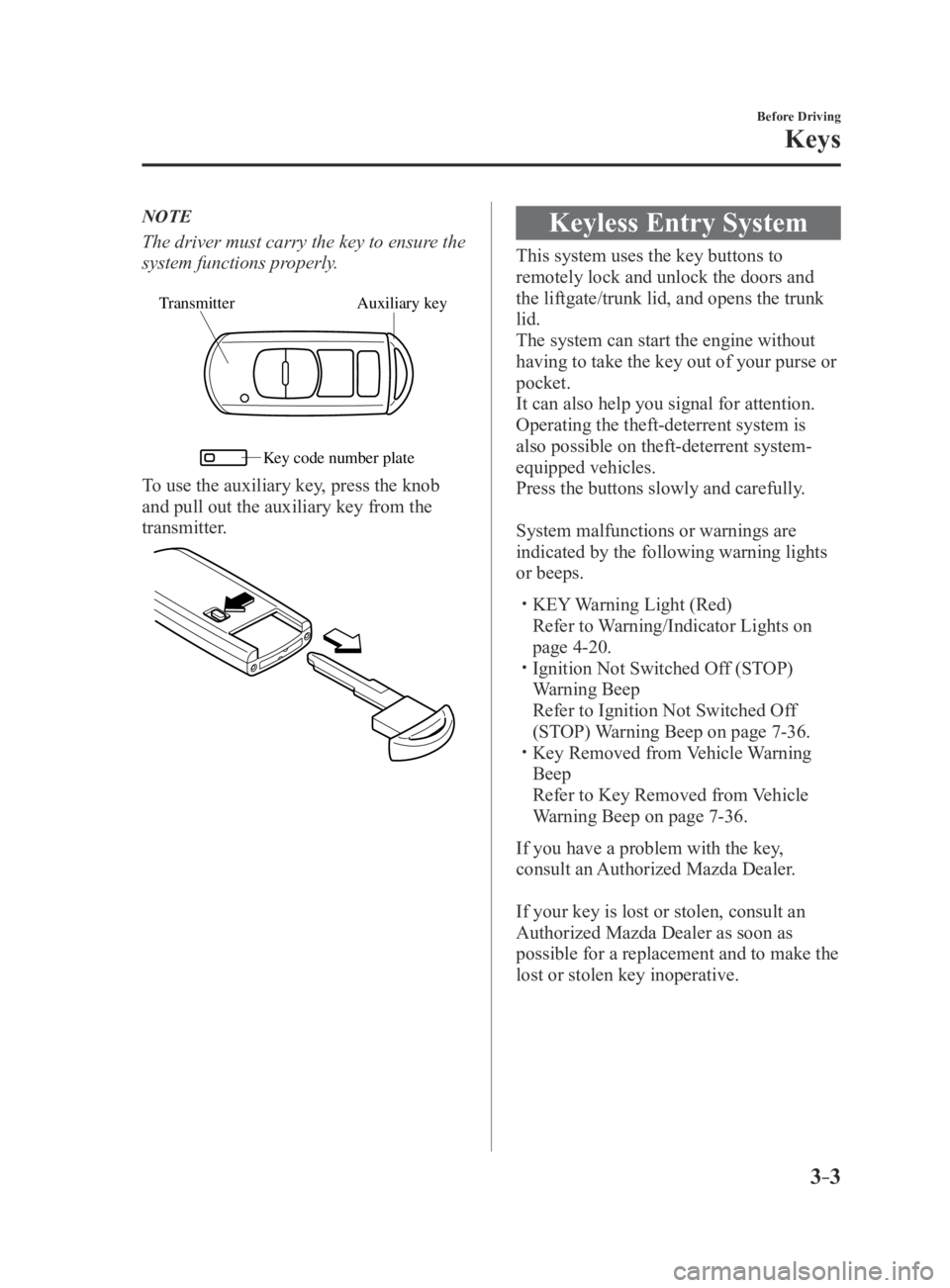
Auxiliary key
Transmitter
Ke y code number plate
To use the auxiliary key, press the knob
and pull out the auxiliary key from the
transmitter.
Keyless Entry System
This system uses the key buttons to
remotely lock and unlock the doors and
the liftgate/trunk lid, and opens the trunk
lid.
The system can start the engine without
having to take the key out of your purse or
pocket.
It can also help you signal for attention.
Operating the theft-deterrent system is
also possible on theft-deterrent system-
equipped vehicles.
Press the buttons slowly and carefully.
System malfunctions or warnings are
indicated by the following warning lights
or beeps.
KEY Warning Light (Red)
Refer to Warning/Indicator Lights on
page 4-20. Ignition Not Switched Of f (STOP)
Warning Beep
Refer to Ignition Not Switched Of f
(STOP) Warning Beep on page 7-36. Key Removed from Vehicle Warning
Beep
Refer to Key Removed from Vehicle
Warning Beep on page 7-36.
If you have a problem with the key,
consult an Authorized Mazda Dealer.
If your key is lost or stolen, consult an
Authorized Mazda Dealer as soon as
possible for a replacement and to make the
lost or stolen key inoperative.
Mazda3_8FA4-EA-15G_Edition3.indb 32015/12/04 19:22:07
Page 80 of 598
3–4
Before Driving
Keys
CAUTION
Radio equipment like this is governed
by laws in the United States.
Changes or modifications not expressly
approved by the party responsible
for compliance could void the user's
authority to operate the equipment.
NOTE
The keyless entry system operation may
vary due to local conditions. The keyless entry system is fully
operational (door/liftgate/trunk lid lock/
unlock) when the ignition is switched
off. The system does not operate if the
ignition is switched to any position
other than off.
If the key does not operate when
pressing a button or the operational
range becomes too small, the battery
may be dead. To install a new battery,
refer to Key Battery Replacement (page
6-40).
Battery life is about one year. Replace
the battery with a new one if the KEY
indicator light (green) flashes in the
instrument cluster. Replacing the battery
about once a year is recommended
because the KEY warning light/
indicator light may not illuminate or
flash depending on the rate of battery
depletion.
Additional keys can be obtained at
an Authorized Mazda Dealer. Up to
6 keys can be used with the keyless
functions per vehicle. Bring all keys
to an Authorized Mazda Dealer when
additional keys are required.
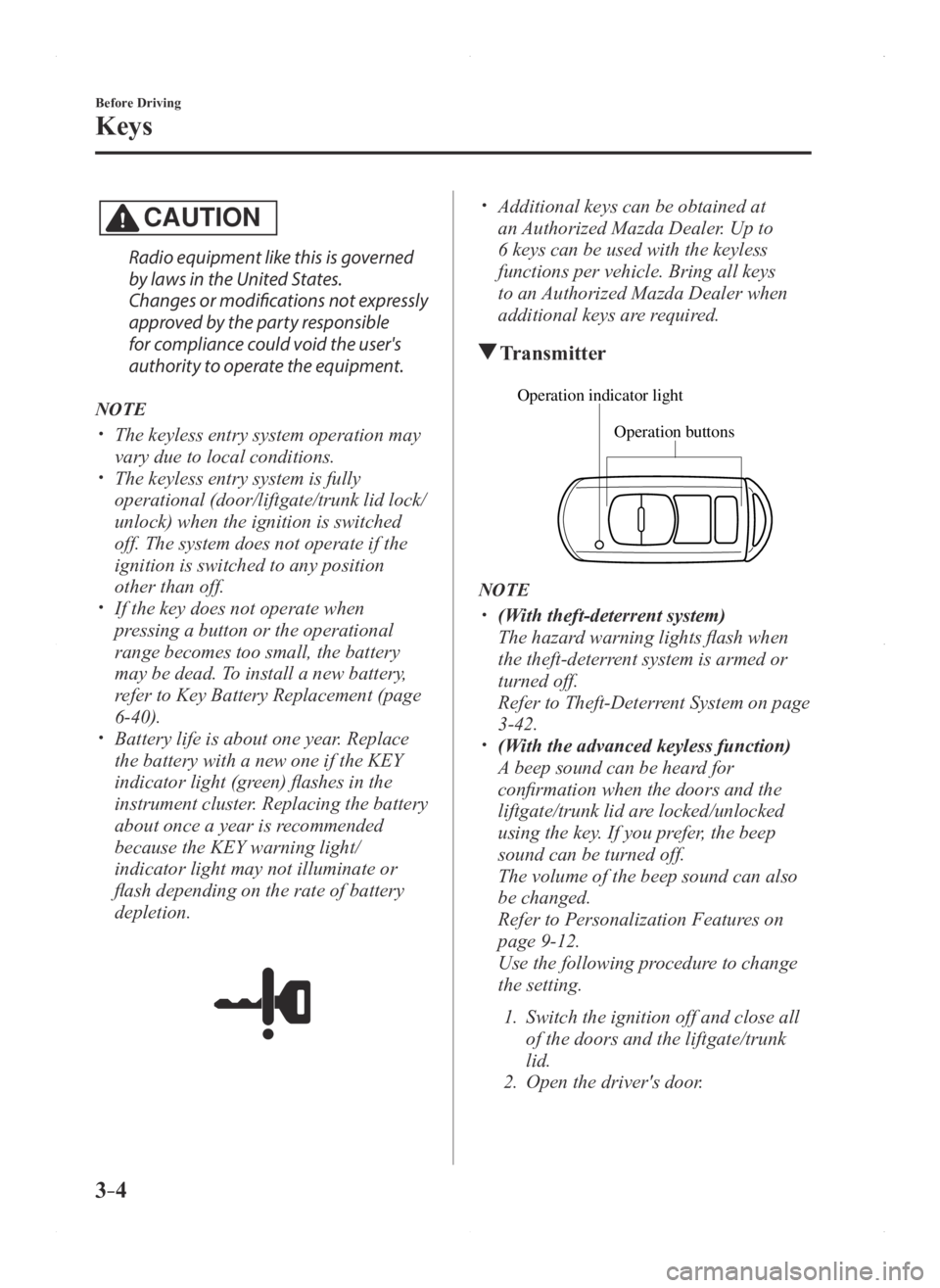
Transmitter
Operation buttons
Operation indicator light
NOTE
(With theft-deterrent system)
The hazard warning lights flash when
the theft-deterrent system is armed or
turned off.
Refer to Theft-Deterrent System on page
3-42. (With the advanced keyless function)
A beep sound can be heard for
confirmation when the doors and the
liftgate/trunk lid are locked/unlocked
using the key. If you prefer, the beep
sound can be turned off.
The volume of the beep sound can also
be changed.
Refer to Personalization Featur es on
page 9-12.
Use the following procedure to change
the setting.
1. Switch the ignition off and close all
of the doors and the liftgate/trunk
lid.
2. Open the driver's door .
Mazda3_8FA4-EA-15G_Edition1.indb 42015/05/11 14:00:17
Page 81 of 598
3–5
Before Driving
Keys
3. Within 30 seconds of opening the
driver's door, press and hold the
LOCK button on the key for 5
seconds or longer.
All of the doors and the liftgate/
trunk lid lock and the beep sound
activates at the currently set volume.
(If the beep sound is currently set
to not activate, it will not activate.)
The setting changes each time the
LOCK button on the key is pressed
and the beep sound activates at the
set volume. (If the beep sound has
been set to not activate, it will not
activate.)
4. The setting change is completed by
doing any one of the following:
Switching the ignition to ACC or
ON. Closing the driver's door. Opening the liftgate/trunk lid. Not operating the key for 10
seconds. Pressing any button except the
LOCK button on the key. Pressing a request switch.
The operation indicator light flashes when
the buttons are pressed.
Lock button
To lock the doors and the liftgate/trunk
lid, press the lock button and the hazard
warning lights will flash once.
(With the advanced keyless function)
A beep sound will be heard once.
To confirm that all doors and the liftgate/
trunk lid have been locked, press the lock
button again within 5 seconds. If they are
closed and locked, the horn will sound.
NOTE
The doors and the liftgate/trunk lid can
be locked by pressing the lock button
while any other door or the liftgate/
trunk lid is open. The hazard warning
lights will not flash.
When the lock button is pr essed while
any door is open and then the door is
closed, all the doors and the liftgate/
trunk lid are locked.
Confirm that all doors and the liftgate/
trunk lid are locked visually or audibly
by use of the double click.
Make sure all doors and the liftgate/
trunk lid are locked after pressing the
button.
(With theft-deterrent system)
When the doors are locked by pressing
the lock button on the key while the
theft-deterrent system is armed, the
hazard warning lights will flash once to
indicate that the system is armed.
Unlock button
To unlock the driver's door, press the
unlock button and the hazard warning
lights will flash twice.
(With the advanced keyless function)
A beep sound will be heard twice.
To unlock all doors and the liftgate/trunk
lid, press the unlock button again within
3 seconds and two more beep sounds will
be heard.
Mazda3_8FA4-EA-15G_Edition1.indb 52015/05/11 14:00:18
Page 82 of 598

3–6
Before Driving
Keys
NOTE
The system can be set to unlock all
doors by performing a single operation.
Refer to Personalization Features on
page 9-12.
Use the following procedure to change
the setting.
1. Switch the ignition off and close all
of the doors and the liftgate/trunk
lid.
2. Open the driver's door .
3. Within 30 seconds of opening the
driver's door, press and hold the
UNLOCK button on the key for 5
seconds or longer. The sound of
the doors locking/unlocking can be
heard.
After this, the system switches the
setting each time the UNLOCK
button is pressed (the sound of the
doors locking/unlocking can be
heard).
4. The setting change is completed by
doing any one of the following:
Switching the ignition to ACC or
ON. Closing the driver's door. Opening the liftgate/trunk lid. Not operating the key for 10
seconds. Pressing any button except the
UNLOCK button on the key. Pressing a request switch.
(Auto re-lock function)
After unlocking with the key , all
doors and the liftgate/trunk lid will
automatically lock if any of the
following operations are not performed
within about 60 seconds. If your
vehicle has a theft-deterrent system,
the hazard warning lights will flash for
confirmation.
The time required for the doors to lock
automatically can be changed.
Refer to Personalization Featur es on
page 9-12.
A door or the liftgate/trunk lid is
opened. The ignition is switched to any
position other than off.
(With theft-deterrent system)
When the doors are unlocked by
pressing the unlock button on the key
while the theft-deterrent system is
turned off, the hazard warning lights
will flash twice to indicate that the
system is turned off.
Trunk button (4–door)
To open the trunk lid, press and hold the
trunk button until the trunk lid opens.
Mazda3_8FA4-EA-15G_Edition1.indb 62015/05/11 14:00:18
Page 84 of 598
3–8
Before Driving
Keys
NOTE
The engine may not start if the key is
placed in the following areas:
Around the dashboard In the storage compartments such as
the glove compartment or the center
console
On the rear parcel shelf (4–door)
Key Suspend Function
If a key is left in the vehicle, the
functions of the key left in the vehicle are
temporarily suspended to prevent theft of
the vehicle.
To restore the functions, press the unlock
button on the functions-suspended key in
the vehicle.
Mazda3_8FA4-EA-15G_Edition3.indb 82015/12/04 19:22:09
Page 85 of 598
3–9
Before Driving
Advanced Keyless Entry System
*Some models.
Advanced Keyless Entry
System
*
WARNING
Radio waves from the key may affect
medical devices such as pacemakers:Before using the key near people who
use medical devices, ask the medical
device manufacturer or your physician
if radio waves from the key will affect
the device.
The advanced keyless function allows you
to lock/unlock the door and the liftgate, or
open the liftgate/trunk lid while carrying
the key.
System malfunctions or warnings are
indicated by the following warning beeps.
Request switch Inoperable Warning
Beep
Refer to Request Switch Inoperable
Warning Beep (With the advanced
keyless function) on page 7-36.
Key Left-in-luggage Compartment/
Trunk Warning Beep
Refer to Key Left-in-luggage
Compartment Warning Beep (With the
advanced keyless function) on page
7-37.
Key Left-in-vehicle Warning Beep
Refer to Key Left-in-vehicle Warning
Beep (With the advanced keyless
function) on page 7-37.
NOTE
The advanced keyless entry system
functions can be deactivated to prevent
any possible adverse effect on a user
wearing a pacemaker or other medical
device. If the system is deactivated, you
will be unable to start the engine by
carrying the key. Consult an Authorized
Mazda Dealer for details. If the advanced
keyless entry system has been deactivated,
you can start the engine by following the
procedure indicated when the key battery
goes dead.
Refer to Engine Start Function When Key
Battery is Dead on page 4-8.
Mazda3_8FA4-EA-15G_Edition1.indb 92015/05/11 14:00:18
Page 86 of 598

3–10
Before Driving
Advanced Keyless Entry System
Operational Range
The system operates only when the driver
is in the vehicle or within operational
range while the key is being carried.
NOTE
When the battery power is low, or in
places where there are high-intensity radio
waves or noise, the operational range
may become narrower or the system may
not operate. For determining battery
replacement, Refer to Keyless Entry
System on page 3-3.
Locking, Unlocking the Doors and
the Liftgate
Exterior antennaLocking only
(5-door)
Operational range 80cm (31in)
80cm (31in)
NOTE
The system may not operate if you are too
close to the windows or door handles, or
liftgate.
Opening the Liftgate/T
runk Lid
Exterior antenna
Operational range80cm (31in)
Mazda3_8FA4-EA-15G_Edition1.indb 102015/05/11 14:00:19
Page 87 of 598

3–11
Before Driving
Doors and Locks
Door Locks
WARNING
Always take all children and pets with
you or leave a responsible person with
them:Leaving a child or a pet unattended in
a parked vehicle is dangerous. In hot
weather, temperatures inside a vehicle
can become high enough to cause
brain damage or even death.
Do not leave the key in your vehicle with
children and keep them in a place where
your children will not find or play with
them: Leaving children in a vehicle with the
key is dangerous. This could result in
someone being badly injured or even
killed.
Keep all doors locked when driving: Unlocked doors in a moving vehicle
are dangerous. Passengers can fall out
if a door is accidentally opened and
can more easily be thrown out in an
accident.
Always close all the windows and
moonroof, lock the doors and take the
key with you when leaving your vehicle
unattended: Leaving your vehicle unlocked is
dangerous as children could lock
themselves in a hot vehicle, which
could result in death. Also, a vehicle left
unlocked becomes an easy target for
thieves and intruders. After closing the doors, always verify
that they are securely closed:
Doors not securely closed are
dangerous, if the vehicle is driven with
a door not securely closed, the door
could open unexpectedly resulting in
an accident.
Always confirm the safety around the
vehicle before opening a door: Suddenly opening a door is dangerous.
A passing vehicle or a pedestrian could
be hit and cause an accident.
CAUTION
Always confirm the conditions around
the vehicle before opening/closing the
doors and use caution during strong
winds or when parked on an incline.
Not being aware of the conditions
around the vehicle is dangerous
because fingers could get caught in
the door or a passing pedestrian could
be hit, resulting in an unexpected
accident or injury.
Mazda3_8FA4-EA-15G_Edition1.indb 112015/05/11 14:00:19
Page 88 of 598

3–12
Before Driving
Doors and Locks
NOTE
When the ignition is switched to ACC
or ON, the vehicle lock-out prevention
feature prevents you from locking
yourself out of the vehicle.
All doors and the liftgate/trunk lid will
automatically unlock if they are locked
using the power door locks with any
door open.
The vehicle lock-out prevention feature
does not operate while the ignition is
switched off.
When any door is opened fr om the
outside while the key is inside the
vehicle, the closed doors are locked. All
the doors are automatically unlocked by
closing the open door.
(With the advanced keyless function)
The beep sound is heard for about 10
seconds to notify the driver that the key
has been left in the vehicle.
(Without the advanced keyless
function)
The horn sound is hear d twice to notify
the driver that the key has been left in
the vehicle.
(Door unlock (control) system with
collision detection)
This system automatically unlocks
the doors and the liftgate/trunk lid in
the event the vehicle is involved in an
accident to allow passengers to get
out of the vehicle immediately and
prevent being trapped inside. While
the ignition is switched ON and in the
event the vehicle receives an impact
strong enough to inflate the air bags,
all the doors and the liftgate/trunk lid
are automatically unlocked after about
6 seconds have elapsed from the time of
the accident.
The doors may not unlock depending on
how an impact is applied, the force of
the impact, and other conditions of the
accident.
If door-related systems or the battery
is malfunctioning, the doors and the
liftgate/trunk lid will not unlock.
Mazda3_8FA4-EA-15G_Edition1.indb 122015/05/11 14:00:19