warning MAZDA MODEL 3 4-DOOR 2017 Owners Manual
[x] Cancel search | Manufacturer: MAZDA, Model Year: 2017, Model line: MODEL 3 4-DOOR, Model: MAZDA MODEL 3 4-DOOR 2017Pages: 612
Page 263 of 612
4–133
When Driving
i-ACTIVSENSE
*Some models.
Smart Brake Support (SBS)*
The Smart Brake Support (SBS) system alerts the driver of a possible collision using a
display and warning sound if the radar sensor (front) and the Forward \
Sensing Camera
(FSC) determine that there is the possibility of a collision with a ve\
hicle ahead while the
vehicle is being driven at about 15 km/h or faster (10 mph or faster).\
Furthermore, if the
radar sensor (front) and the Forward Sensing Camera (FSC) determines\
that a collision is
unavoidable, the automatic brake control is performed to reduce damage i\
n the event of a
collision.
In addition, when the driver depresses the brake pedal, the brakes are applied firmly and
quickly to assist. (Brake Assist (SBS brake assist))
WARNING
Do not rely completely on the Smart Brake Support (SBS) system and always drive
carefully:The Smart Brake Support (SBS) is designed to reduce damage in the event of a collision,
not avoid an accident. The ability to detect an obstruction is limited depending on the
obstruction, weather conditions, or traffic conditions. Therefore, if the accelerator pedal
or brake pedal is mistakenly operated it could result in an accident. Always verify the
safety of the surrounding area and depress the brake pedal or accelerator pedal while
keeping a safer distance from vehicles ahead or on-coming vehicles.
CAUTION
In the following cases, turn the system off to prevent a mis-operation:
The vehicle is being towed or when towing another vehicle. The vehicle is on a chassis roller. When driving on rough roads such as in areas of dense grass or off-road.
Mazda3_8FL6-EA-16F_Edition2.indb 1332016/08/10 17:36:58
Page 264 of 612
 system operates when all of the followin\
g conditions are
met:
The ignition is switched ON. The Smart Brake Support (S")
4–134
When Driving
i-ACTIVSENSE
NOTE
The Smart Brake Support (SBS) system operates when all of the followin\
g conditions are
met:
The ignition is switched ON. The Smart Brake Support (SBS) system is on. The vehicle speed is about 15 km/h or faster (10 mph or faster). The relative speed between your vehicle and the vehicle ahead is about 15 km/\
h or
faster (10 mph or faster). The Dynamic Stability Control (DSC) is not operating.
The Smart Brake Support (SBS) system may not operate under the followi\
ng conditions:
If the vehicle is accelerated rapidly and it comes close to a vehicle ah\
ead. The vehicle is driven at the same speed as the vehicle ahead. The accelerator pedal is depr essed. The brake pedal is depressed. The steering wheel is being operated. The selector lever is being operated. The turn signal is being used. When the vehicle ahead is not equipped with taillights or the taillights\
ar e turned off. When warnings and messages, such as a dirty windshield, related to the Forward
Sensing Camera (FSC) are being displayed in the center display.
Although the objects which activate the system are four-wheeled vehicles, the radar
sensor (front) could detect the following objects, determine them to be an obstru\
ction, and
operate the Smart Brake Support (SBS) system.
Objects on the road at the entrance to a curve (including guardrails and snow banks). A vehicle appears in the opposite lane while cornering or rounding a curve. When crossing a narrow bridge. When passing under a low gate or thr ough a tunnel or narrow gate. When entering an underground parking area. Metal objects, bumps, or pr otruding objects on the road. If you suddenly come close to a vehicle ahead. When driving in areas where there is high grass or forage. Two-wheeled vehicles such as motorbikes or bicycles. Pedestrians or non-metallic objects such as standing tr ees.
The Smart Brake Support (SBS) warning indication (amber) turns on wh\
en the system has
a malfunction.
Refer to Warning Lights on page 4-23.
Mazda3_8FL6-EA-16F_Edition2.indb 1342016/08/10 17:36:58
Page 265 of 612
4–135
When Driving
i-ACTIVSENSE
Smart Brake Support (SBS)
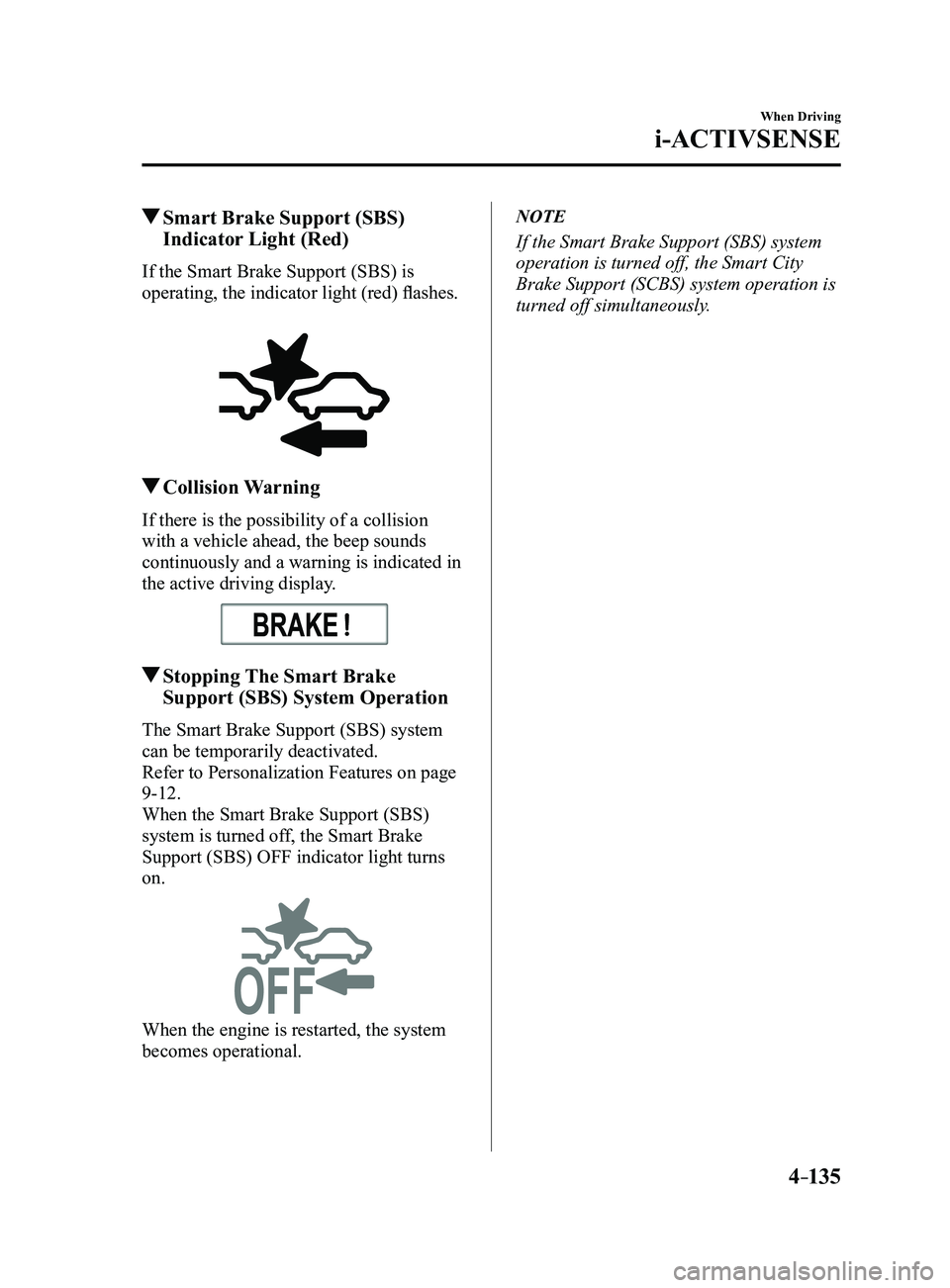
Indicator Light (Red)
If the Smart Brake Support (SBS) is
operating, the indicator light (red) flashes.
Collision Warning
If there is the possibility of a collision
with a vehicle ahead, the beep sounds
continuously and a warning is indicated in
the active driving display.
Stopping The Smart Brake
Support (SBS) System Operation
The Smart Brake Support (SBS) system
can be temporarily deactivated.
Refer to Personalization Features on page
9-12.
When the Smart Brake Support (SBS)
system is turned off, the Smart Brake
Support (SBS) OFF indicator light turns
on.
When the engine is restarted, the system
becomes operational.
NOTE
If the Smart Brake Support (SBS) system
operation is turned off, the Smart City
Brake Support (SCBS) system operation is
turned off simultaneously.
Mazda3_8FL6-EA-16F_Edition2.indb 1352016/08/10 17:36:58
Page 266 of 612
4–136
When Driving
i-ACTIVSENSE
Forward Sensing Camera (FSC)
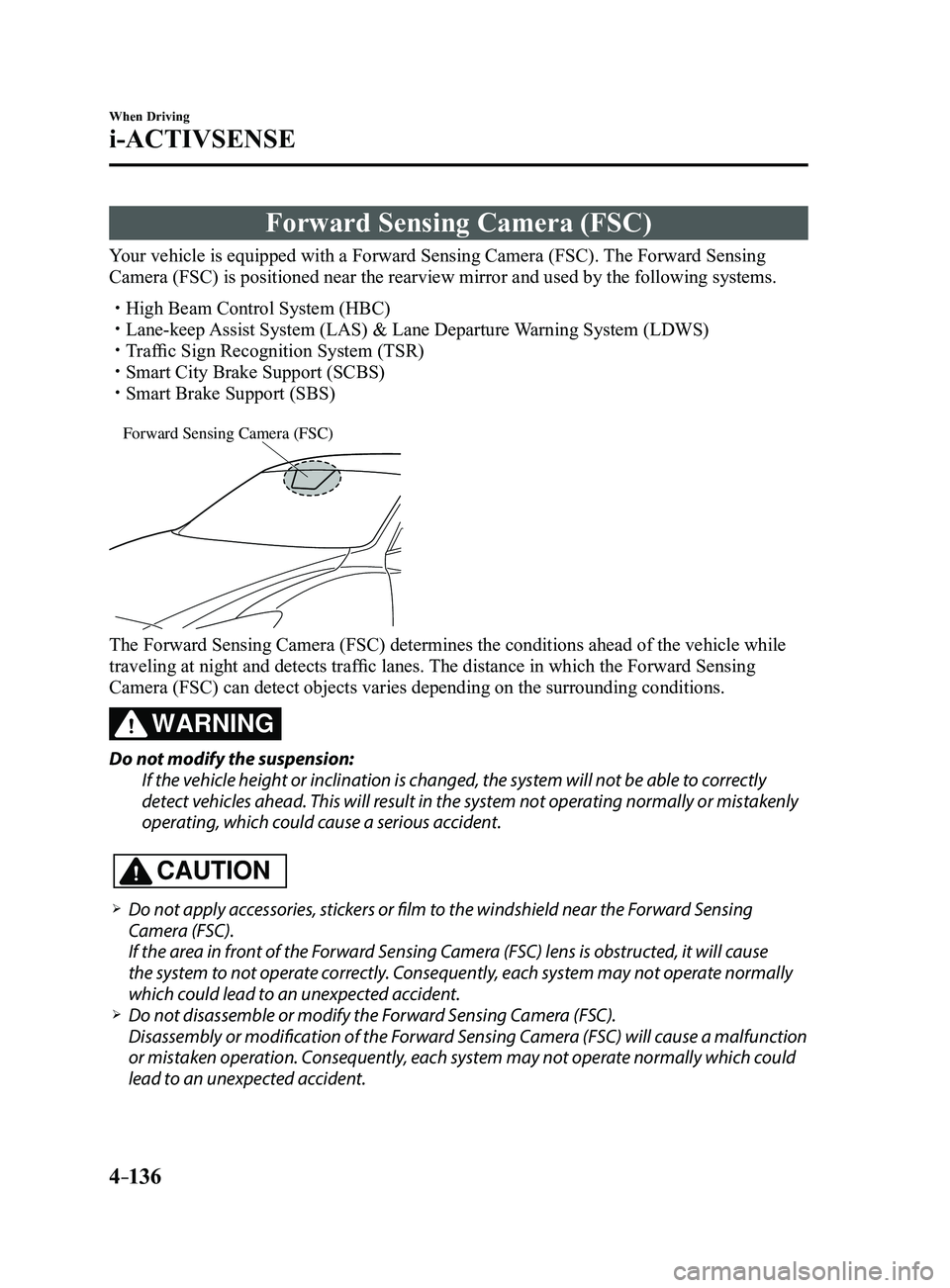
Your vehicle is equipped with a Forward Sensing Camera (FSC). The Forward Sensing
Camera (FSC) is positioned near the rearview mirror and used by the fo\
llowing systems.
High Beam Control System (HBC) Lane-keep Assist System (LAS) & Lane Departure Warning System (LDWS) Traffic Sign Recognition System (TSR) Smart City Brake Support (SCBS) Smart Brake Support (SBS)
Forward Sensing Camera (FSC)
The Forward Sensing Camera (FSC) determines the conditions ahead of th\
e vehicle while
traveling at night and detects traffic lanes. The distance in which the Forward Sensing
Camera (FSC) can detect objects varies depending on the surrounding co\
nditions.
WARNING
Do not modify the suspension:
If the vehicle height or inclination is changed, the system will not be able to correctly
detect vehicles ahead. This will result in the system not operating normally or mistakenly
operating, which could cause a serious accident.
CAUTION
Do not apply accessories, stickers or film to the windshield near the Forward Sensing
Camera (FSC).
If the area in front of the Forward Sensing Camera (FSC) lens is obstructed, it will cause
the system to not operate correctly. Consequently, each system may not operate normally
which could lead to an unexpected accident.
Do not disassemble or modify the Forward Sensing Camera (FSC).
Disassembly or modification of the Forward Sensing Camera (FSC) will cause a malfunction
or mistaken operation. Consequently, each system may not operate normally which could
lead to an unexpected accident.
Mazda3_8FL6-EA-16F_Edition2.indb 1362016/08/10 17:36:59
Page 267 of 612
4–137
When Driving
i-ACTIVSENSE
Heed the following cautions to assure the correct operation of the Forward Sensing Camera
(FSC).
Be careful not to scratch the Forward Sensing Camera (FSC) lens or allow it to get dirty. Do not remove the Forward Sensing Camera (FSC) cover. Do not place objects on the dashboard which reflect light. Always keep the windshield glass around the camera clean by removing dirt or fogging.
Use the windshield defroster to remove fogging on the windshield. Consult an Authorized Mazda Dealer regarding cleaning the interior side of the
windshield around the Forward Sensing Camera (FSC). Consult an Authorized Mazda Dealer before performing repairs around the Forward
Sensing Camera (FSC). The Forward Sensing Camera (FSC) is installed to the windshield. Consult an Authorized
Mazda Dealer for windshield repair and replacement. When cleaning the windshield, do not allow glass cleaners or similar cleaning fluids to
get on the Forward Sensing Camera (FSC) lens. In addition, do not touch the Forward
Sensing Camera (FSC) lens.
When performing repairs around the rearview mirror, consult an Authorized Mazda Dealer. Consult an Authorized Mazda Dealer regarding cleaning of the camera lens. Do not hit or apply strong force to the Forward Sensing Camera (FSC) or the area around
it. If the Forward Sensing Camera (FSC) is severely hit or if there are cracks or damage
caused by flying gravel or debris in the area around it, stop using the following systems
and consult an Authorized Mazda Dealer.
High Beam Control System (HBC) Lane-keep Assist System (LAS) & Lane Departure Warning System (LDWS) Traffic Sign Recognition System (TSR) Smart City Brake Support (SCBS) Smart Brake Support (SBS)
The direction in which the Forward Sensing Camera (FSC) is pointed has been finely
adjusted. Do not change the installation position of the Forward Sensing Camera (FSC)
or remove it. Otherwise, it could result in damage or malfunction.
Always use tires for all wheels that are of the specified size, and the same manufacturer,
brand, and tread pattern. In addition, do not use tires with significantly different wear
patterns on the same vehicle as the system may not operate normally.
The Forward Sensing Camera (FSC) includes a function for detecting a soiled windshield
and informing the driver, however, depending on the conditions, it may not detect plastic
shopping bags, ice or snow on the windshield. In such cases, the system cannot accurately
determine a vehicle ahead and may not be able to operate normally. Always drive carefully
and pay attention to the road ahead.
Mazda3_8FL6-EA-16F_Edition2.indb 1372016/08/10 17:36:59
Page 270 of 612
 cannot operate normally due to backlight or fog\
,
the system functions related to the Forward Sensing Camera (FSC) are temp")
4–14 0
When Driving
i-ACTIVSENSE
If the Forward Sensing Camera (FSC) cannot operate normally due to backlight or fog\
,
the system functions related to the Forward Sensing Camera (FSC) are temporarily
stopped and the following warning lights turn on. However, this does not indicate a
malfunction.
High Beam Contr ol System (HBC) warning light (amber)
Lane-keep Assist System (LAS) & Lane Departure Warning System (LDWS) warning
light Smart Brake Support/Smart City Brake Support (SBS/SCBS) warning light \
(amber)
If the Forward Sensing Camera (FSC) cannot operate normally due to high temperatures,
the system functions related to the Forward Sensing Camera (FSC) are temporarily
stopped and the following warning lights turn on. However, this does not indicate a
malfunction. Cool down the area around the Forward Sensing Camera (FSC) such as by
turning on the air conditioner.
High Beam Contr ol System (HBC) warning light (amber)
Lane-keep Assist System (LAS) & Lane Departure Warning System (LDWS) warning
light
Smart Brake Support/Smart City Brake Support (SBS/SCBS) warning light \
(amber)
If the Forward Sensing Camera (FSC) detects that the windshield is dirty or foggy,
the system functions related to the Forward Sensing Camera (FSC) are temporarily
stopped and the following warning lights turn on. However, this does not indicate a
problem. Remove the dirt from the windshield or press the defroster switch and defog the
windshield.
High Beam Contr ol System (HBC) warning light (amber)
Lane-keep Assist System (LAS) & Lane Departure Warning System (LDWS) warning
light
Smart Brake Support/Smart City Brake Support (SBS/SCBS) warning light \
(amber)
Mazda3_8FL6-EA-16F_Edition2.indb 1402016/08/10 17:36:59
Page 271 of 612
4–141
When Driving
i-ACTIVSENSE
Radar Sensor (Front)
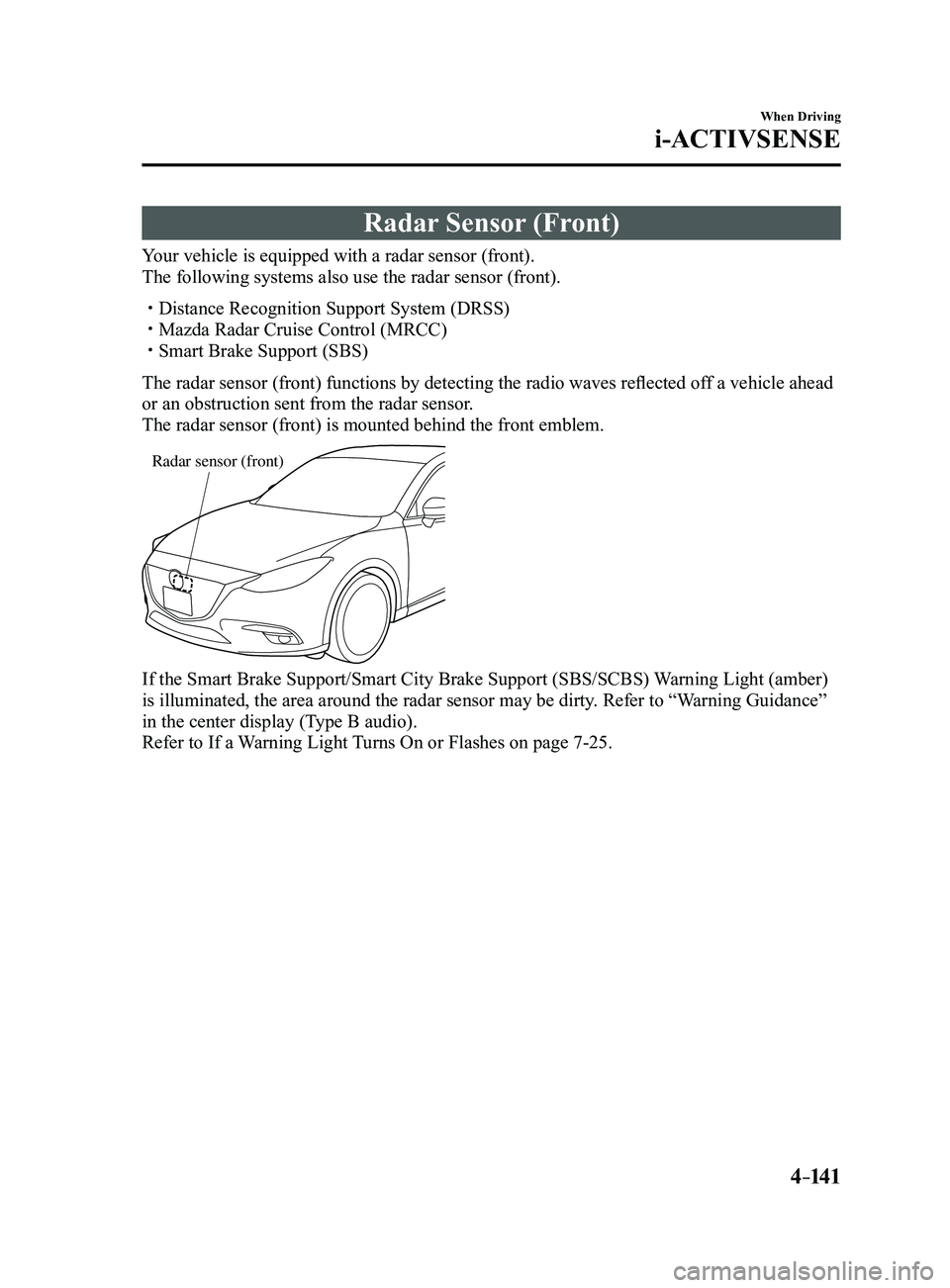
Your vehicle is equipped with a radar sensor (front).
The following systems also use the radar sensor (front).
Distance Recognition Support System (DRSS) Mazda Radar Cruise Control (MRCC) Smart Brake Support (SBS)
The radar sensor (front) functions by detecting the radio waves reflected off a vehicle ahead
or an obstruction sent from the radar sensor.
The radar sensor (front) is mounted behind the front emblem.
Radar sensor (front)
If the Smart Brake Support/Smart City Brake Support (SBS/SCBS) Warning Light (amber)
is illuminated, the area around the radar sensor may be dirty. Refer to “Warning Guidance”
in the center display (Type B audio).
Refer to If a Warning Light Turns On or Flashes on page
7-25.
Mazda3_8FL6-EA-16F_Edition2.indb 1412016/08/10 17:37:00
Page 273 of 612
4–14 3
When Driving
i-ACTIVSENSE
NOTE
Under the following conditions, the radar sensor (front) may not be able to detect
vehicles ahead or obstructions correctly and each system may not operate normally.
The rear surface of a vehicle ahead does not reflect radio waves effectively, such as
an unloaded trailer or an automobile with a loading platform covered by a soft top,
vehicles with a hard plastic tailgate, and round-shaped vehicles.
Vehicles ahead with low vehicle height and thus less area for reflecting radio waves. Visibility is reduced due to a vehicle ahead casting off water, snow, or sand from its
tires and onto your windshield. The trunk/luggage compartment is loaded with heavy objects or the r ear passenger
seats are occupied. Ice, snow, or soiling is on the front surface of the front emblem. During inclement weather such as rain, snow, or sand storms. When driving near facilities or objects emitting str ong radio waves.
Under the following conditions, the radar sensor (fr ont) may not be able to detect
vehicles ahead or obstructions.
The beginning and end of a curve. Roads with continuous curves. Narrow lane roads due to road construction or lane closures. The vehicle ahead enters the radar sensor's blind spot. The vehicle ahead is running abnormally due to accident or vehicle damag\
e. Roads with repeated up and down slopes Driving on poor r oads or unpaved roads. The distance between your vehicle and the vehicle ahead is extr emely short. A vehicle suddenly comes close such as by cutting into the lane.
To prevent incorrect operation of the system, use tires of the same specified size,
manufacturer, brand, and tread pattern on all four wheels. In addition, do not use tires
with significantly different wear patterns or tire pressures on the same vehicle (Including
the temporary spare tire).
If the battery power is weak, the system may not operate correctly. If the vehicle is driven on a road with little traffic and few vehicles ahead or obstructions
for the radar sensor (front) to detect, the sensor detects that the radar sensor (front) is
dirty and the Smart Brake Support/Smart City Brake Support (SBS/SCBS) \
Warning Light
(amber) may be temporarily turned on. However, it does not indicate a malfunction.
Mazda3_8FL6-EA-16F_Edition2.indb 1432016/08/10 17:37:00
Page 276 of 612
.
WARNING
Do not use the")
4–14 6
When Driving
Cruise Control
*Some models.
Cruise Control*
With cruise control, you can set and automatically maintain any speed of \
more than about
25 km/h (16 mph).
WARNING
Do not use the cruise control under the following conditions:
Using the cruise control under the following conditions is dangerous and could result in
loss of vehicle control.
Hilly terrain Steep inclines Heavy or unsteady traffic Slippery or winding roads Similar restrictions that require inconsistent speed
Cruise Control Switch
ON switch RES/+ switch
SET- switch
OFF/CAN
switch
Mazda3_8FL6-EA-16F_Edition2.indb 1462016/08/10 17:37:01
Page 277 of 612
4–147
When Driving
Cruise Control
Cruise Main Indication (White),
Cruise Set Indication (white)/
Indicator Light (Green)
Cruise main indication (white)
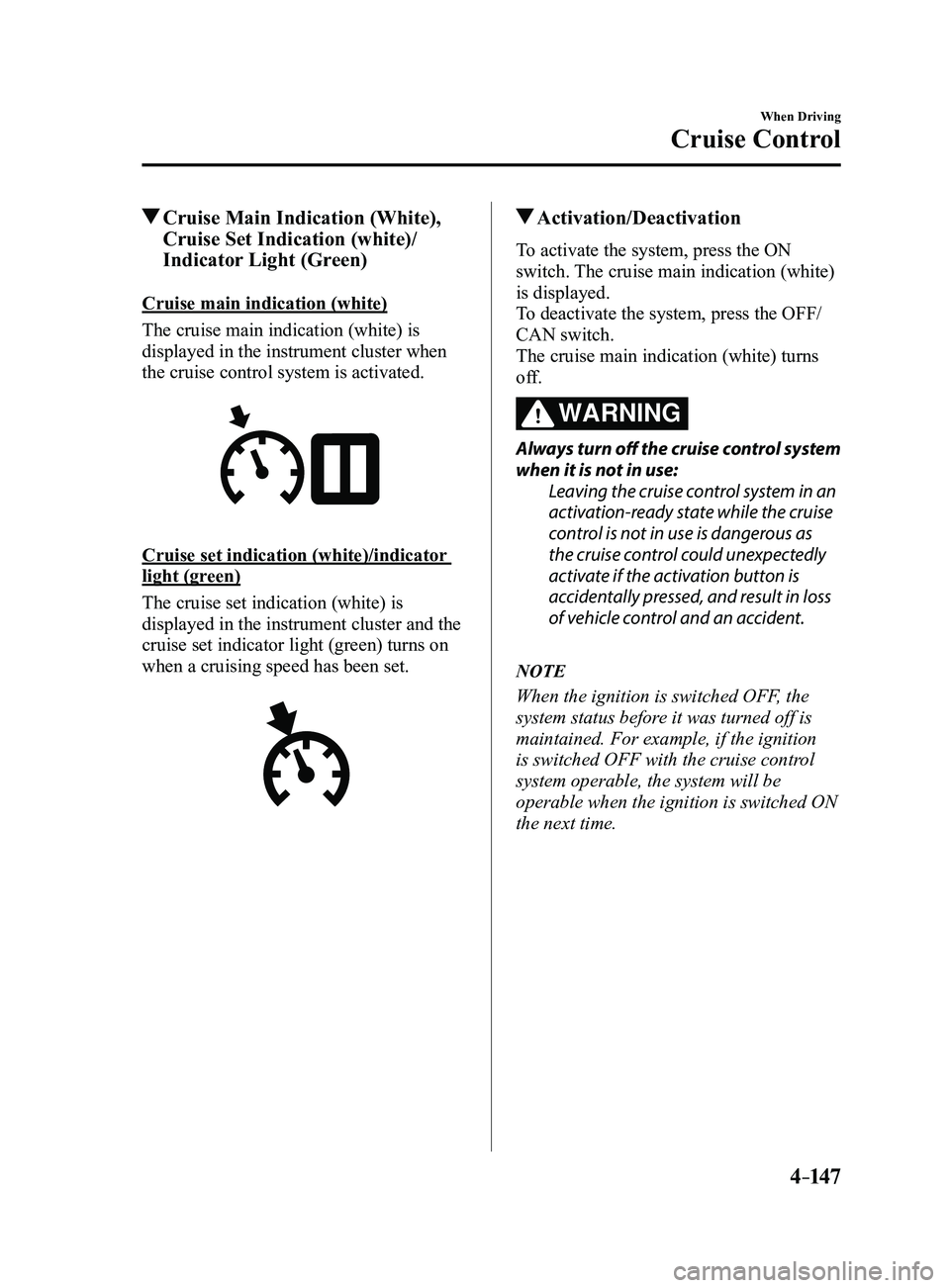
The cruise main indication (white) is
displayed in the instrument cluster when
the cruise control system is activated.
Cruise set indication (white)/indicator
light (green)
The cruise set indication (white) is
displayed in the instrument cluster and the
cruise set indicator light (green) turns on
when a cruising speed has been set.
Activation/Deactivation
To activate the system, press the ON
switch. The cruise main indication (white)
is displayed.
To deactivate the system, press the OFF/
CAN switch.
The cruise main indication (white) turns
off.
WARNING
Always turn off the cruise control system
when it is not in use:Leaving the cruise control system in an
activation-ready state while the cruise
control is not in use is dangerous as
the cruise control could unexpectedly
activate if the activation button is
accidentally pressed, and result in loss
of vehicle control and an accident.
NOTE
When the ignition is switched OFF, the
system status before it was turned off is
maintained. For example, if the ignition
is switched OFF with the cruise control
system operable, the system will be
operable when the ignition is switched ON
the next time.
Mazda3_8FL6-EA-16F_Edition2.indb 1472016/08/10 17:37:02