bluetooth MAZDA MODEL 3 4-DOOR 2017 User Guide
[x] Cancel search | Manufacturer: MAZDA, Model Year: 2017, Model line: MODEL 3 4-DOOR, Model: MAZDA MODEL 3 4-DOOR 2017Pages: 612
Page 372 of 612
5–80
Interior Features
Bluetooth®
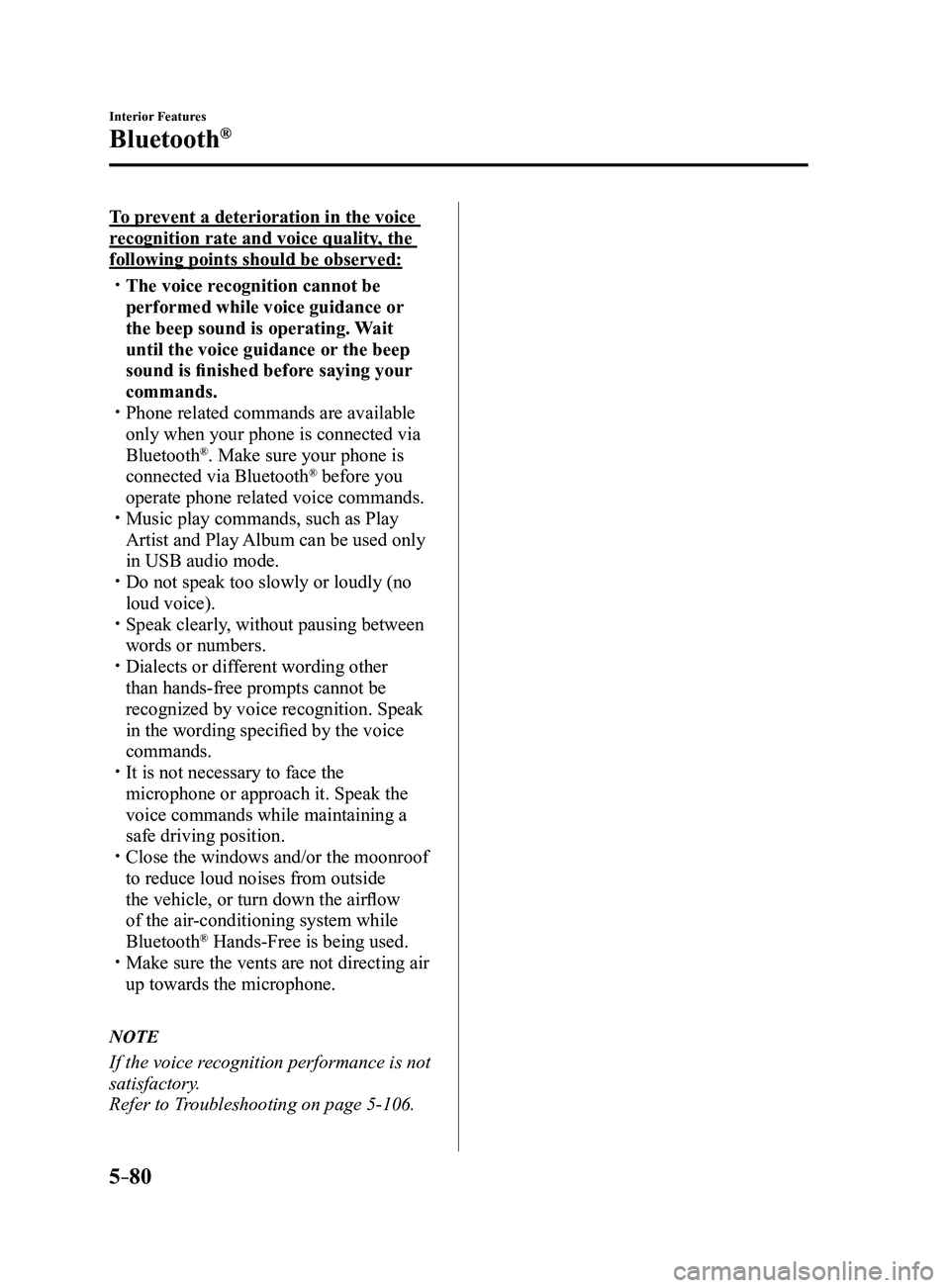
To prevent a deterioration in the voice
recognition rate and voice quality, the
following points should be observed:
The voice recognition cannot be
performed while voice guidance or
the beep sound is operating. Wait
until the voice guidance or the beep
sound is finished before saying your
commands.
Phone related commands are available
only when your phone is connected via
Bluetooth®. Make sure your phone is
connected via Bluetooth® before you
operate phone related voice commands.
Music play commands, such as Play
Artist and Play Album can be used only
in USB audio mode.
Do not speak too slowly or loudly (no
loud voice). Speak clearly , without pausing between
words or numbers. Dialects or dif ferent wording other
than hands-free prompts cannot be
recognized by voice recognition. Speak
in the wording specified by the voice
commands.
It is not necessary to face the
microphone or approach it. Speak the
voice commands while maintaining a
safe driving position.
Close the windows and/or the moonroof
to reduce loud noises from outside
the vehicle, or turn down the airflow
of the air-conditioning system while
Bluetooth
® Hands-Free is being used. Make sure the vents are not directing air
up towards the microphone.
NOTE
If the voice recognition performance is not
satisfactory.
Refer to Troubleshooting on page
5-106.
Mazda3_8FL6-EA-16F_Edition2.indb 802016/08/10 17:38:01
Page 373 of 612

5–81
Interior Features
Bluetooth®
Audio Operation Using Voice Recognition
Voice command
When the talk button is pressed and the following command is spoken, the\
audio or
navigation can be operated. The commands in the () can be omitted. The specified name and
number are put into the {}.
Standard command
Voice command Function
cancel Ends the voice recognition mode.
(go) back Returns to the previous operation.
help Usable commands can be verified.
tutorial Basic voice commands and methods of use can be verified.
(go to) home (screen)/main menu Moves to the home screen.
(go to) communication Moves to the communication screen.
(go to) navigation Moves to the navigation screen.
(go to) entertainment (menu) Moves to the entertainment screen.
(go to) settings Moves to the setting screen.
(go to) favorites Moves to the favorites screen.
Communication (phone) related command
Voice command Function
Call {name in phonebook} (mobile/
home/work/other)
Example: “Call John Mobile” Call to the contact in the downloaded phonebook.
Refer to Making a Call on page
5-70.
Redial Call to the last contact you called.
Refer to Making a Call on page
5-70.
Callback Call to the last contact who called you.
Refer to Making a Call on page
5-70.
Mazda3_8FL6-EA-16F_Edition2.indb 812016/08/10 17:38:02
Page 374 of 612
5–82
Interior Features
Bluetooth®
*Some models.
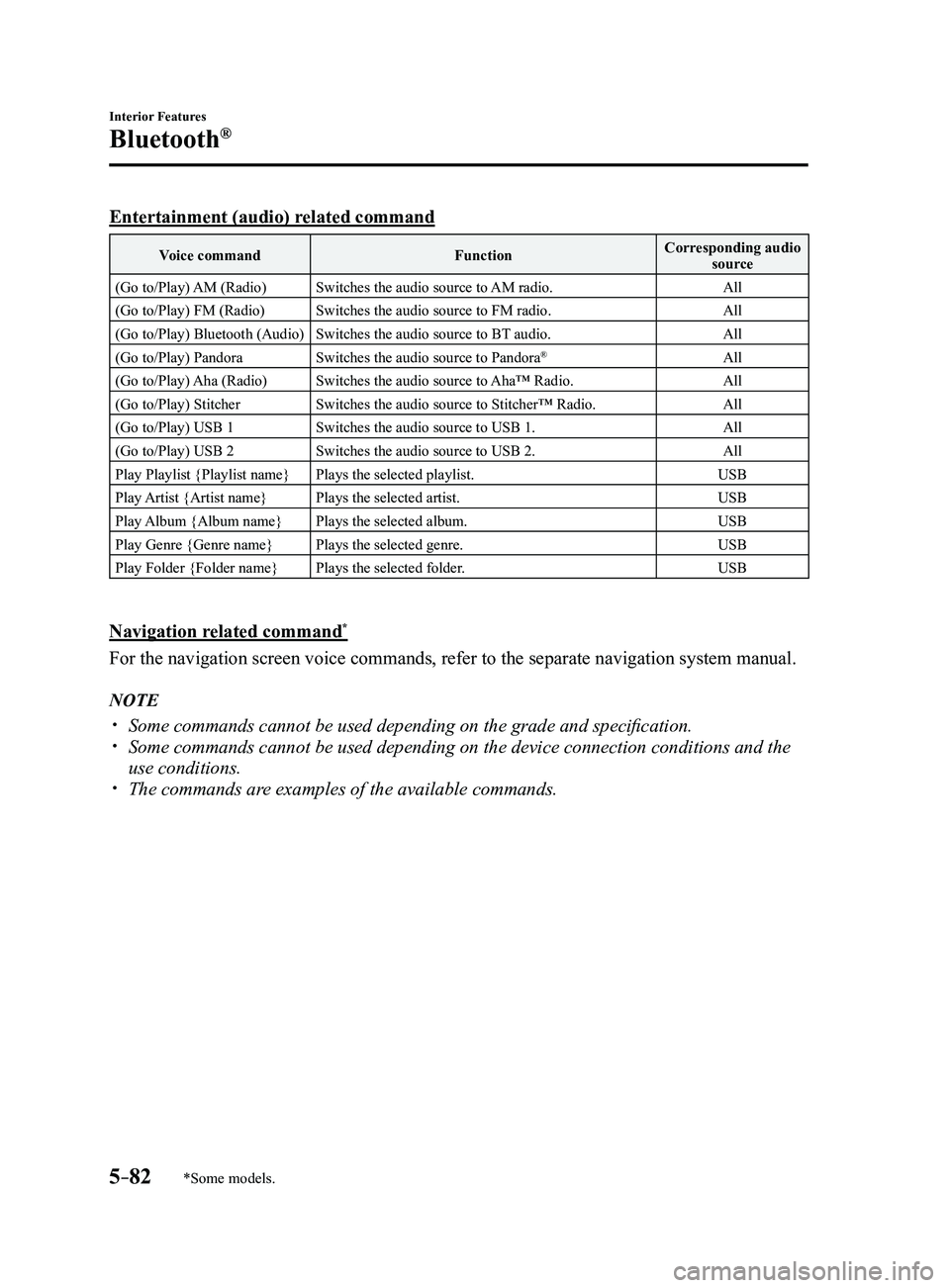
Entertainment (audio) related command
Voice commandFunctionCorresponding audio
source
(Go to/Play) AM (Radio) Switches the audio source to AM radio. All
(Go to/Play) FM (Radio) Switches the audio source to FM radio. All
(Go to/Play) Bluetooth (Audio) Switches the audio source to BT audio. All
(Go to/Play) Pandora Switches the audio source to Pandora
®All
(Go to/Play) Aha (Radio) Switches the audio source to Aha™ Radio. All
(Go to/Play) Stitcher Switches the audio source to Stitcher™ Radio. All
(Go to/Play) USB 1 Switches the audio source to USB 1. All
(Go to/Play) USB 2 Switches the audio source to USB 2. All
Play Playlist {Playlist name} Plays the selected playlist. USB
Play Artist {Artist name} Plays the selected artist. USB
Play Album {Album name} Plays the selected album. USB
Play Genre {Genre name} Plays the selected genre. USB
Play Folder {Folder name} Plays the selected folder. USB
Navigation related command*
For the navigation screen voice commands, refer to the separate navigati\
on system manual.
NOTE
Some commands cannot be used depending on the grade and specific ation. Some commands cannot be used depending on the device connection conditio\
ns and the
use conditions. The commands are examples of the available commands.
Mazda3_8FL6-EA-16F_Edition2.indb 822016/08/10 17:38:02
Page 375 of 612
5–83
Interior Features
Bluetooth®
*Some models.
Bluetooth® Hands-Free*
Making a Call
Phonebook Usage
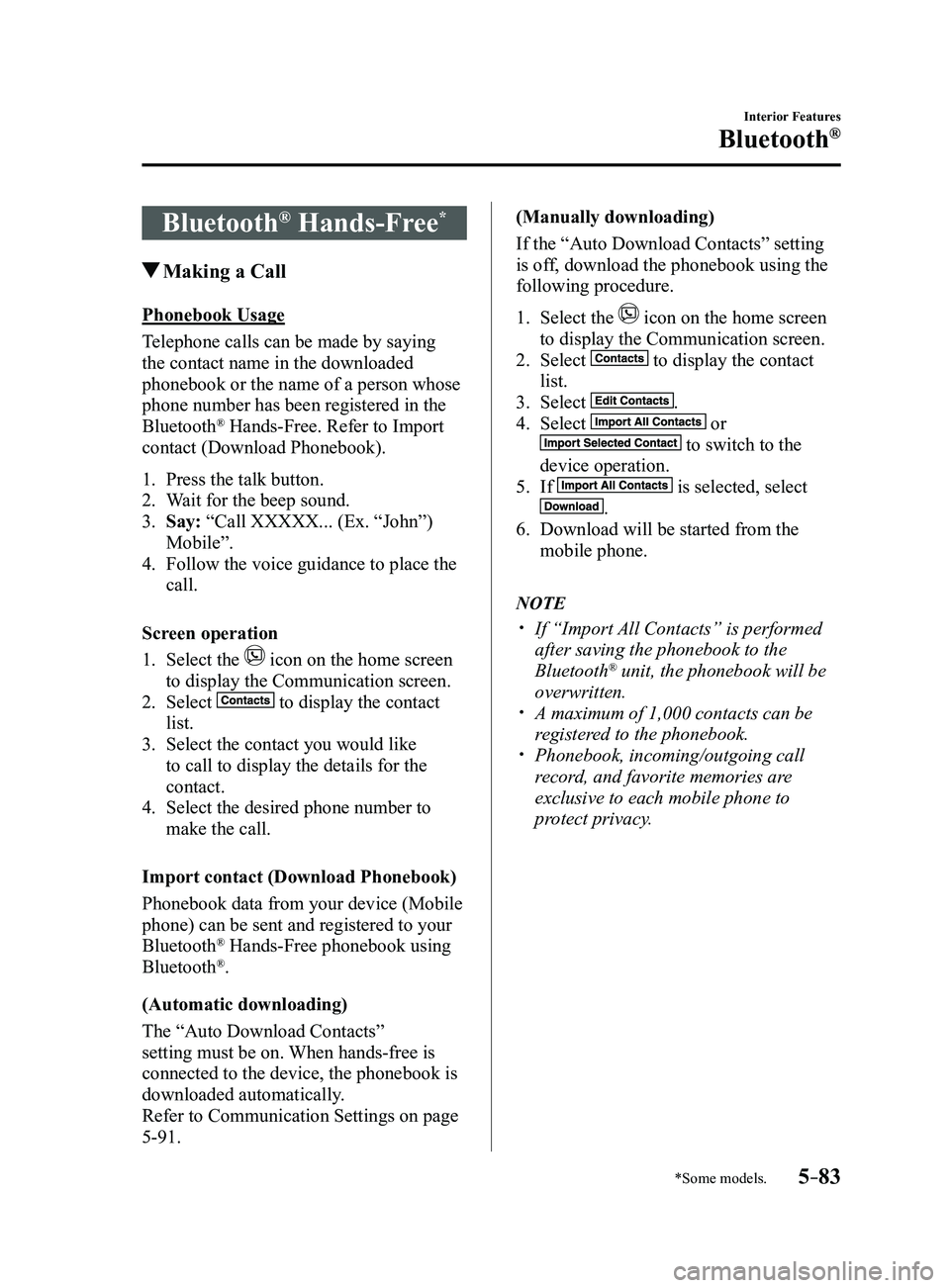
Telephone calls can be made by saying
the contact name in the downloaded
phonebook or the name of a person whose
phone number has been registered in the
Bluetooth
® Hands-Free. Refer to Import
contact (Download Phonebook).
1. Press the talk button.
2. Wait for the beep sound.
3. Say: “Call XXXXX... (Ex. “John”)
Mobile”.
4. Follow the voice guidance to place the
call.
Screen operation
1. Select the icon on the home screen
to display the Communication screen.
2. Select to display the contact
list.
3. Select the contact you would like
to call to display the details for the
contact.
4. Select the desired phone number to
make the call.
Import contact (Download Phonebook)
Phonebook data from your device (Mobile
phone) can be sent and registered to your
Bluetooth
® Hands-Free phonebook using
Bluetooth®.
(Automatic downloading)
The “Auto Download Contacts”
setting must be on. When hands-free is
connected to the device, the phonebook is
downloaded automatically.
Refer to Communication Settings on page
5-91. (Manually downloading)
If the “Auto Download Contacts” setting
is off, download the phonebook using the
following procedure.
1. Select the icon on the home screen
to display the Communication screen.
2. Select to display the contact
list.
3. Select .
4. Select or
to switch to the
device operation.
5. If is selected, select
.
6. Download will be started from the
mobile phone.
NOTE
If “Import All Contacts” is performed
after saving the phonebook to the
Bluetooth® unit, the phonebook will be
overwritten.
A maximum of 1,000 contacts can be
registered to the phonebook. Phonebook, incoming/outgoing call
record, and favorite memories are
exclusive to each mobile phone to
protect privacy.
Mazda3_8FL6-EA-16F_Edition2.indb 832016/08/10 17:38:03
Page 376 of 612
5–84
Interior Features
Bluetooth®
Favorites Contacts
A maximum of 50 contacts can be
registered. It will take less time to make a
call after registering the telephone number.
In addition, you do not have to look for the
person you want to call in the phonebook.
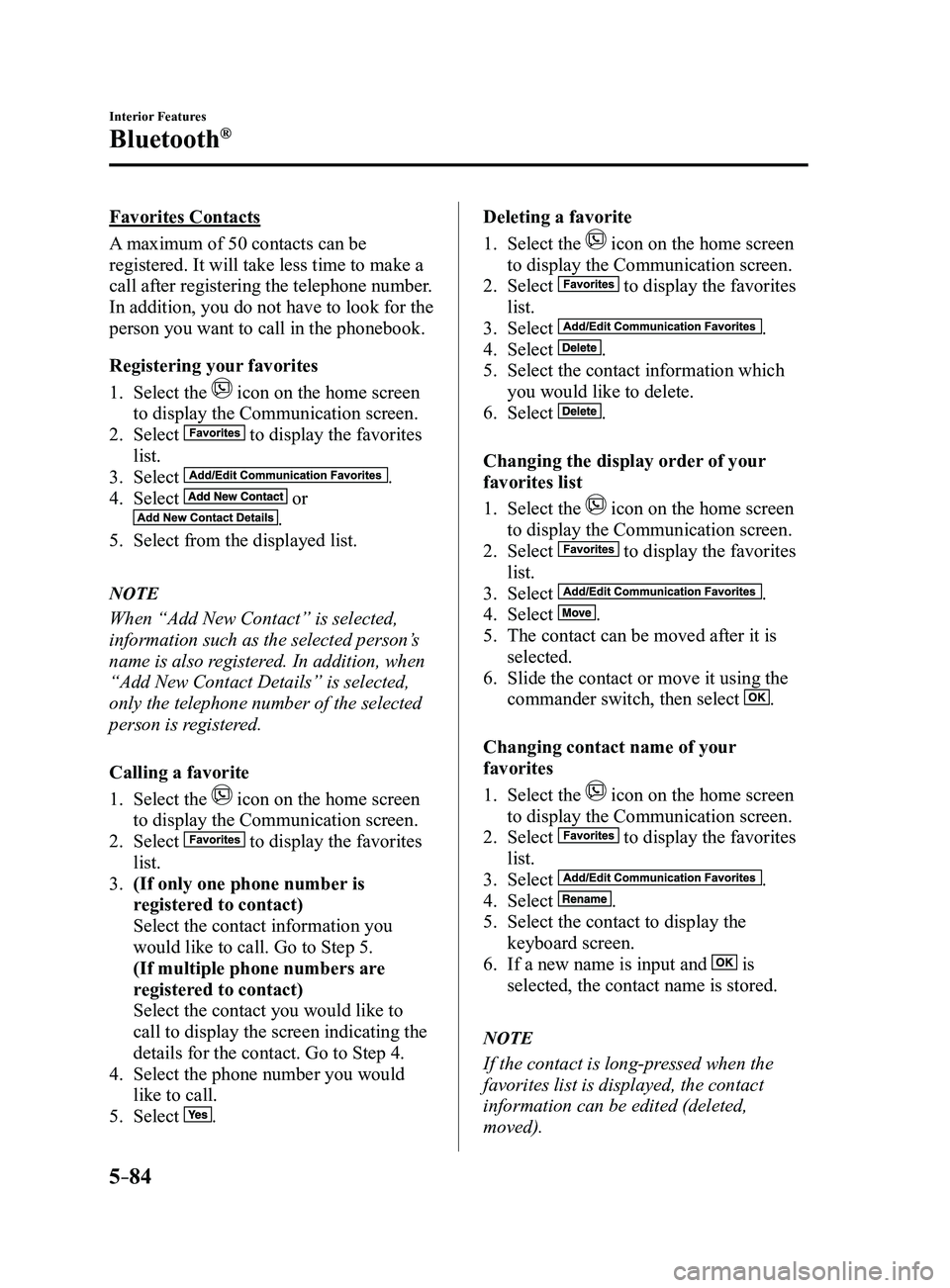
Registering your favorites
1. Select the icon on the home screen
to display the Communication screen.
2. Select to display the favorites
list.
3. Select .
4. Select or
.
5. Select from the displayed list.
NOTE
When “Add New Contact” is selected,
information such as the selected person’s
name is also registered. In addition, when
“Add New Contact Details” is selected,
only the telephone number of the selected
person is registered.
Calling a favorite
1. Select the icon on the home screen
to display the Communication screen.
2. Select to display the favorites
list.
3. (If only one phone number is
registered to contact)
Select the contact information you
would like to call. Go to Step 5.
(If multiple phone numbers are
registered to contact)
Select the contact you would like to
call to display the screen indicating the
details for the contact. Go to Step 4.
4. Select the phone number you would
like to call.
5. Select .
Deleting a favorite
1. Select the icon on the home screen
to display the Communication screen.
2. Select to display the favorites
list.
3. Select .
4. Select .
5. Select the contact information which
you would like to delete.
6. Select .
Changing the display order of your
favorites list
1. Select the icon on the home screen
to display the Communication screen.
2. Select to display the favorites
list.
3. Select .
4. Select .
5. The contact can be moved after it is
selected.
6. Slide the contact or move it using the
commander switch, then select .
Changing contact name of your
favorites
1. Select the icon on the home screen
to display the Communication screen.
2. Select to display the favorites
list.
3. Select .
4. Select .
5. Select the contact to display the
keyboard screen.
6. If a new name is input and is
selected, the contact name is stored.
NOTE
If the contact is long-pressed when the
favorites list is displayed, the contact
information can be edited (deleted,
moved).
Mazda3_8FL6-EA-16F_Edition2.indb 842016/08/10 17:38:04
Page 377 of 612
5–85
Interior Features
Bluetooth®
Telephone Number Input
NOTE
Practice this while parked until you are
confident you can do it while driving in a
non-taxing road situation. If you are not
completely comfortable, make all calls
from a safe parking position, and only
start driving when you can devote your full
attention to driving.
1. Select the icon on the home screen
to display the Communication screen.
2. When is pressed, the dial pad
is displayed.
3. Input the telephone number using the
dial pad.
4. Select to make the call.
Numeral or symbol entry
Use the dial pad.
Long-press the
to input +.
Select to delete the currently input
value.
Long-press
to delete all input values.
Redial Function
Makes a call to the last person called
(latest person on outgoing call record)
from the mobile phone/vehicle.
1. Press the talk button.
2. Wait for the beep sound.
3. Say: “Redial”
Call back Function
Makes a call to the last person who called
your (latest person on incoming call
record) mobile phone/vehicle.
1. Press the talk button.
2. Wait for the beep sound.
3. Say: “Call back” Mobile 911 (U.S.A./Canada only)
If the vehicle is involved in a moderate
to severe collision, a call is made
automatically to 911 from the connected
device. The “Emergency Assistance Call”
setting must be on.
Refer to Communication Settings on page
5-91.
CAUTION
Though the system can be set to
not call 911, doing so will defeat
the purpose of the system. Mazda
recommends that the Mobile 911
system remain activated.
NOTE
Mobile 911 is a secondary function
of the audio entertainment system.
Therefore, the mobile 911 function
does not assure that the call is always
made to 911 after an accident occurs.
A Hands-free device must be paired and
connected. The 911 operator can verify
the vehicle's position information using
the Hands-free device GPS if equipped.
1. If the vehicle is involved in a moderate
to severe collision, notification of the
call to 911 is made via audio and screen
display. To cancel the call, press
or hang-up
button within 10 seconds.
2. If or hang-
up button is not pressed within 10
seconds, the call is made to 911
automatically.
Mazda3_8FL6-EA-16F_Edition2.indb 852016/08/10 17:38:05
Page 378 of 612
5–86
Interior Features
Bluetooth®
Receiving an Incoming Call
When an incoming call is received, the incoming call notification screen is displayed. The
“Incoming Call Notifications” setting must be on.
Refer to Communication Settings on page
5-91.
To accept the call, press the pick-up button on the audio control switch \
or select
on
the screen.
To reject the call, press the hang-up button on the audio control switch \
or select
on the
screen.
The following icons are displayed on the screen during a call. Icons whi\
ch can be used differ
depending on use conditions.
Icon Function
Displays the Communication menu.
Ends the call.
Transferring a call from hands-free to a mobile phoneCommunication between the Bluetooth® unit and a device (mobile phone) is canceled, and
an incoming call will be received by the device (mobile phone) like a \
standard call.
Transferring a call from a device (mobile phone) to hands-freeCommunication between devices (mobile phone) can be switched to Bluetooth® Hands-
Free.
MuteThe microphone can be muted during a call.
When selected again, the mute is canceled.
To make a 3-way call, select the contacts from the following:: Call History is displayed.: The phonebook is displayed.: The dial pad is displayed. Input the phone number.The device may be unusable depending on the contractual content.
The call on hold is made to make a 3-way call.The device may be unusable depending on the contractual content.
Switches the call on hold.
DTMF (Dual Tone Multi-Frequency Signal) TransmissionThis function is used when transmitting DTMF via the dial pad. The receiver of a DTMF
transmission is generally a home telephone answering machine or a compan\
y's automated
guidance call center.
Input the number using a dial pad.
Mazda3_8FL6-EA-16F_Edition2.indb 862016/08/10 17:38:08
Page 379 of 612
5–87
Interior Features
Bluetooth®
NOTE
If the ignition is switched off during a
hands-free call, the line is transferred
to the device (Mobile phone)
automatically.
If the DTMF code has two or more
digits or symbols, each one must be
transmitted individually.
Call Interrupt
A call can be interrupted to receive an
incoming call from a third party.
When
is selected or the pick-
up button on the steering wheel is pressed,
the current call is held and the system
switches to the new incoming call.
When
is selected, the current
call is ended and the system switches to
the new incoming call (GSM network
only).
When
is selected or the hang-up
button on the steering wheel is pressed, an
incoming call is refused.
NOTE
The function may not be available
depending on the contractual content of
the mobile device.
The function may not be operable
depending on the type of the telephone
network and the mobile device.
Receiving and Replying to
Messages (available only with
E-mail/SMS compatible phones)
SMS (Short Message Service) messages,
and E-mail received by connected devices
can be downloaded, displayed, and played
(read by the system).
Additionally, replies can also be made
to calls and messages in the received
messages.
Downloading messages
Up to 20 new messages can be
downloaded and displayed from a
connected device.
NOTE
For E-mail, 20 messages for each account
can be downloaded.
(Automatic downloading)
The “Auto Download Email” (E-mail)
or “Auto Download Text Message”
(SMS) setting must be on. A message
is downloaded automatically when the
Bluetooth
® unit is connected to the device.
Refer to Communication Settings on page
5-91.
(Manually downloading)
When the “Auto Download Email”
(E-mail) or “Auto Download Text
Message” (SMS) setting is off, the
message is downloaded using the
following procedure.
1. Select the icon on the home screen
to display the Communication screen.
2. Select or to display
the Inbox.
3. Select .
4. Download will be started from the
mobile phone.
Mazda3_8FL6-EA-16F_Edition2.indb 872016/08/10 17:38:09
Page 380 of 612
5–88
Interior Features
Bluetooth®
NOTE
Attached data is not downloaded. Messages up to 1 kilobyte (E-mail)/140-
bytes (SMS) can be downloaded. A message list is created for each
device. If the connected device does not
correspond to MAP 1.0, the AT
command is used to download. The
downloaded message indicates that it is
already read.
Downloading using the AT command
may not function depending on the
connected device.
Receiving messages
(Method 1)
When a device receives a message, a
message received notification is displayed.
The “Email Notifications” (E-mail) or
“Text Notifications” (SMS) setting must
be on.
Refer to Communication Settings on page
5-91.
Select
and display the message.
(Method 2)
1. Select the icon on the home screen
to display the Communication screen.
2. Select and display the new
message list for E-mail and SMS.
3. Select the message you would like to
display.
Mazda3_8FL6-EA-16F_Edition2.indb 882016/08/10 17:38:09
Page 381 of 612

5–89
Interior Features
Bluetooth®
The following icons are displayed in the lower part of the details on th\
e message. Icons
which can be used differ depending on use conditions.
IconFunction
Displays the Communication menu.
Displays the inbox.
Plays back a message.
When selected again, playback is temporarily stopped.
Displays the previous message.
Displays the next message.
Only replies to the sender of the currently displayed message.Select the sentence on the displayed reply screen and select the sentenc\
e for sending from
the preset message.
Select
.
(Only E-mail)Replies to all members including CC.
Select the sentence on the displayed reply screen and select the sentenc\
e for sending from
the preset message.
Select
.
Makes a call to a person who sent a message.For E-mail, this function may not work depending on the device.
Deletes a message.The messages stored in a device is also deleted.
NOTE
Up to three preset messages can be selected.
Mazda3_8FL6-EA-16F_Edition2.indb 892016/08/10 17:38:10