warning MAZDA MODEL 3 4-DOOR 2017 Manual PDF
[x] Cancel search | Manufacturer: MAZDA, Model Year: 2017, Model line: MODEL 3 4-DOOR, Model: MAZDA MODEL 3 4-DOOR 2017Pages: 612
Page 134 of 612
4–4
When Driving
Start/Stop Engine
Ignition Switch
Push Button Start Positions
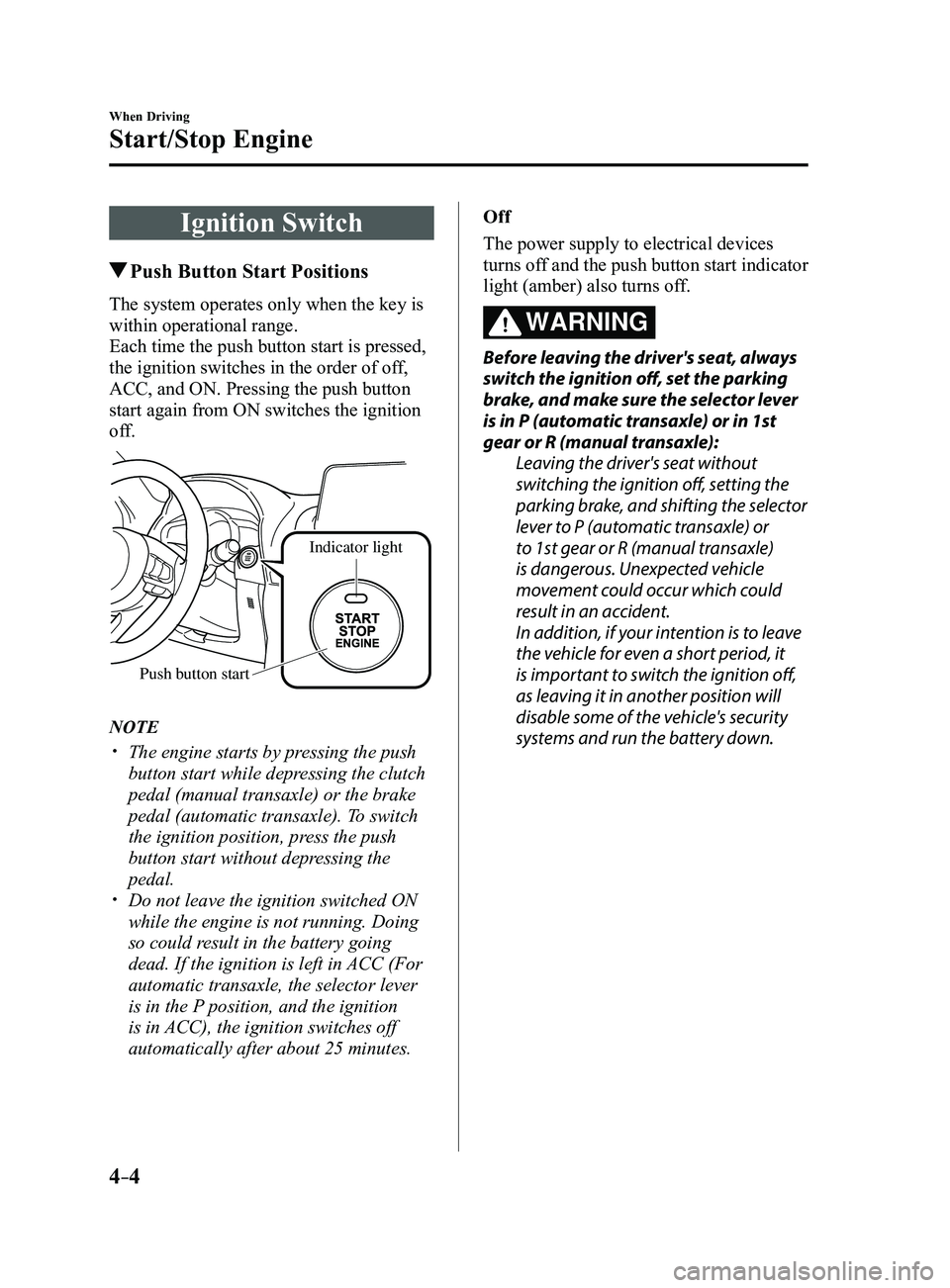
The system operates only when the key is
within operational range.
Each time the push button start is pressed,
the ignition switches in the order of off,
ACC, and ON. Pressing the push button
start again from ON switches the ignition
off.
Indicator light
Push button start
NOTE
The engine starts by pressing the push
button start while depressing the clutch
pedal (manual transaxle) or the brake
pedal (automatic transaxle). To switch
the ignition position, press the push
button start without depressing the
pedal.
Do not leave the ignition switched ON
while the engine is not running. Doing
so could result in the battery going
dead. If the ignition is left in ACC (For
automatic transaxle, the selector lever
is in the P position, and the ignition
is in ACC), the ignition switches off
automatically after about 25 minutes. Off
The power supply to electrical devices
turns off and the push button start indicator
light (amber) also turns off.
WARNING
Before leaving the driver's seat, always
switch the ignition off, set the parking
brake, and make sure the selector lever
is in P (automatic transaxle) or in 1st
gear or R (manual transaxle):
Leaving the driver's seat without
switching the ignition off, setting the
parking brake, and shifting the selector
lever to P (automatic transaxle) or
to 1st gear or R (manual transaxle)
is dangerous. Unexpected vehicle
movement could occur which could
result in an accident.
In addition, if your intention is to leave
the vehicle for even a short period, it
is important to switch the ignition off,
as leaving it in another position will
disable some of the vehicle's security
systems and run the battery down.
Mazda3_8FL6-EA-16F_Edition2.indb 42016/08/10 17:35:41
Page 135 of 612
4–5
When Driving
Start/Stop Engine
ACC (Accessory)
Some electrical accessories will operate
and the indicator light (amber) illuminates.
NOTE
The keyless entry system does not function
while the push button start has been
pressed to ACC, and the doors will not
lock/unlock even if they have been locked
manually.
ON
This is the normal running position after
the engine is started. The indicator light
(amber) turns off. (The indicator light
(amber) illuminates when the ignition
is switched ON and the engine is not
running.)
Some indicator lights/warning lights
should be inspected before the engine is
started (page
4-23).
NOTE
When the push button start is pressed to
ON, the sound of the fuel pump motor
operating near the fuel tank can be heard.
This does not indicate an abnormality.
Starting the Engine
WARNING
Radio waves from the key may affect
medical devices such as pacemakers:
Before using the key near people who use
medical devices, ask the medical device
manufacturer or your physician if radio
waves from the key will affect the device.
NOTE
The key must be carried because the key
carries an immobilizer chip that must
communicate with the engine controls at
short range.
The engine can be started when the push
button start is pressed from off, ACC, or ON.
The push button start system functions
(function which can start the engine by
only carrying the key) can be deactivated
to prevent any possible adverse effect
on a user wearing a pacemaker or
other medical device. If the system is
deactivated, you will be unable to start
the engine by carrying the key. Consult
an Authorized Mazda Dealer for details.
If the push button start system functions
have been deactivated, you can start
the engine by following the procedure
indicated when the key battery goes dead.
Refer to Engine Start Function When
Key Battery is Dead on page 4-8. After starting a cold engine, the engine
speed increases and a whining sound from
the engine compartment can be heard.
This is for improved exhaust gas purification
and does not indicate any parts defect.
Engine-starting is controlled by the
spark ignition system.
This system meets all Canadian
Interference-Causing Equipment Standard
requirements regulating the impulse
electrical field strength of radio noise.
Mazda3_8FL6-EA-16F_Edition2.indb 52016/08/10 17:35:41
Page 136 of 612
4–6
When Driving
Start/Stop Engine
1. Make sure you are carrying the key.
2. Occupants should fasten their seat
belts.
3. Make sure the parking brake is on.
4. Continue to press the brake pedal
firmly until the engine has completely
started.
5. (Manual transaxle)
Continue to press the clutch pedal
firmly until the engine has completely
started.
(Automatic transaxle)
Put the vehicle in park (P). If you must
restart the engine while the vehicle is
moving, shift into neutral (N).
NOTE
(Manual transaxle)
The starter will not operate if the clutch
pedal is not depressed sufficiently.
(Automatic transaxle)
The starter will not operate if the selector
lever is not in P or N and the brake pedal
is not depressed sufficiently.
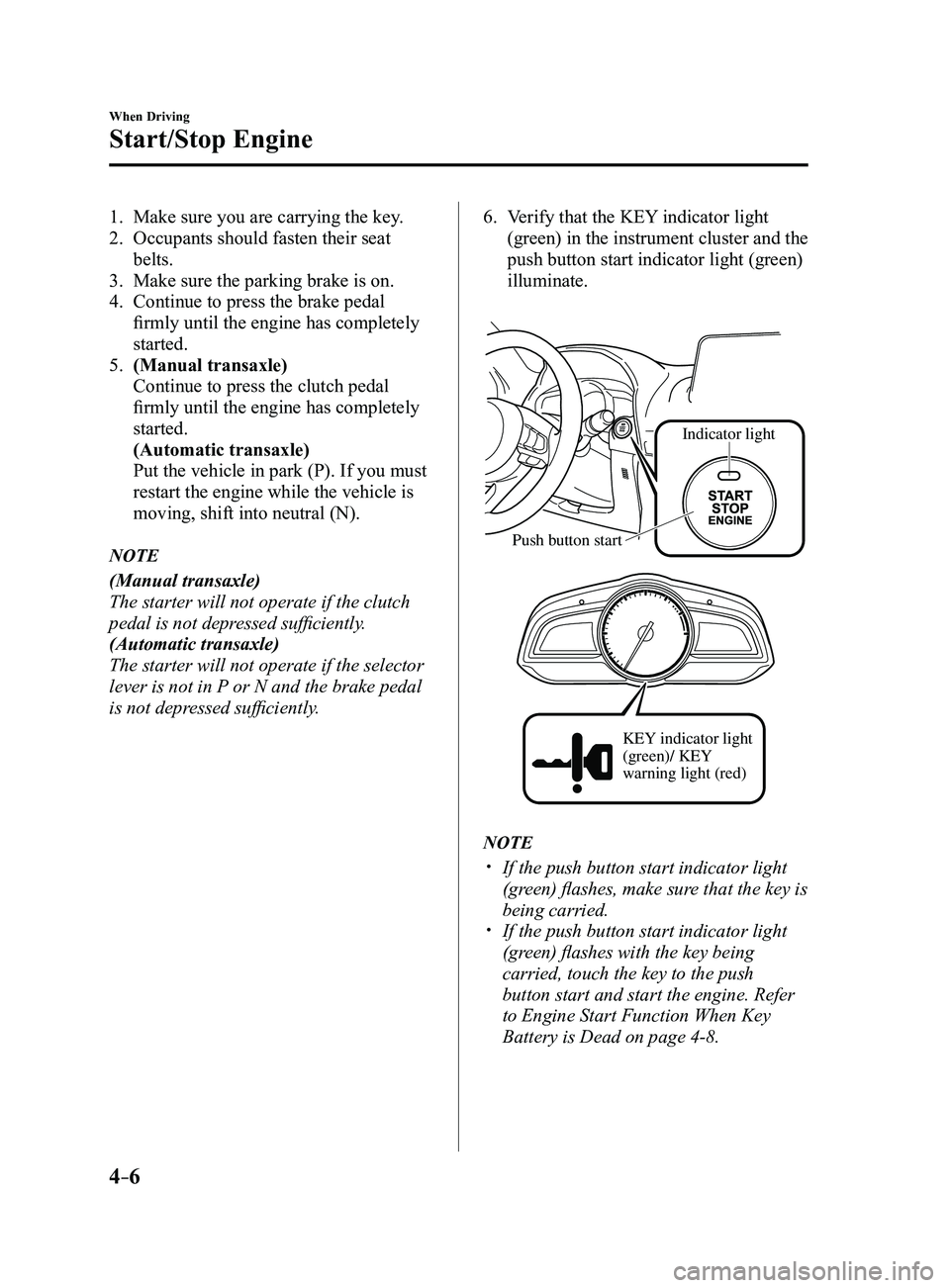
6. Verify that the KEY indicator light
(green) in the instrument cluster and the
push button start indicator light (green)
illuminate.
Indicator light
Push button start
KEY indicator light
(green)/ KEY
warning light (red)
NOTE
If the push button start indicator light
(green) flashes, make sure that the key is
being carried.
If the push button start indicator light
(green) flashes with the key being
carried, touch the key to the push
button start and start the engine. Refer
to Engine Start Function When Key
Battery is Dead on page
4-8.
Mazda3_8FL6-EA-16F_Edition2.indb 62016/08/10 17:35:42
Page 137 of 612
4–7
When Driving
Start/Stop Engine
CAUTION
If the KEY warning light (red)
illuminates, or the push button start
indicator light (amber) flashes, this
could indicate a problem with the
engine starting system. This may
prevent the engine from starting or
from switching the ignition to ACC or
ON. Have your vehicle inspected at an
Authorized Mazda Dealer as soon as
possible.
NOTE
Under the following conditions, the
KEY warning light (red) flashes after
the push button start is pressed. This
informs the driver that the push button
start will not switch to ACC, even if it is
pressed from off.
The key battery is dead. The key is out of operational range. The key is placed in areas where it is
difficult for the system to detect the
signal (page
3-8). A key from another manufacturer
similar to the key is in the
operational range.
(Forced engine starting method)
If the KEY warning light (r ed)
illuminates, or the push button start
indicator light (amber) flashes, this
could indicate that the engine may not
start using the usual starting method.
Have your vehicle inspected at an
Authorized Mazda Dealer as soon as
possible. If this occurs, the engine can
be force-started. Press and hold the
push button start until the engine starts.
Other procedures necessary for starting
the engine, such as having the key in the
cabin, and depressing the clutch pedal
(manual transaxle) or the brake pedal
(automatic transaxle) are required.
When the engine is force-started,
the KEY warning light (red) remains
illuminated and the push button
start indicator light (amber) remains
flashing.
(Automatic transaxle)
When the selector lever is in the neutral
(N) position, the KEY indicator light
(green) and the push button start
indicator light (green) do not illuminate.
Mazda3_8FL6-EA-16F_Edition2.indb 72016/08/10 17:35:42
Page 140 of 612
4–10
When Driving
Start/Stop Engine
Emergency Operation for Starting
the Engine
If the KEY warning light (red) illuminates,
or the push button start indicator light
(amber) flashes, this could indicate that
the engine may not start using the usual
starting method. Have your vehicle
inspected at an Authorized Mazda Dealer
as soon as possible. If this occurs, the
engine can be force-started. Press and hold
the push button start until the engine starts.
Other procedures necessary for starting the
engine such as having the key in the cabin,
and depressing the clutch pedal (manual
transaxle) or the brake pedal (automatic
transaxle) are required.
Turning the Engine Off
WARNING
Do not stop the engine while the vehicle
is moving:
Stopping the engine while the vehicle
is moving for any reason other than in
an emergency is dangerous. Stopping
the engine while the vehicle is moving
will result in reduced braking ability
due to the loss of power braking, which
could cause an accident and serious
injury.
1. Stop the vehicle completely .
2. (Manual transaxle)
Shift into neutral and set the parking
brake.
(Automatic transaxle)
Shift the selector lever to the P position
and set the parking brake.
3. Press the push button start to turn of f
the engine. The ignition position is off.
CAUTION
When leaving the vehicle, make sure
the push button start is off.
Mazda3_8FL6-EA-16F_Edition2.indb 102016/08/10 17:35:43
Page 147 of 612
4–17
When Driving
Instrument Cluster and Display
Fuel Gauge
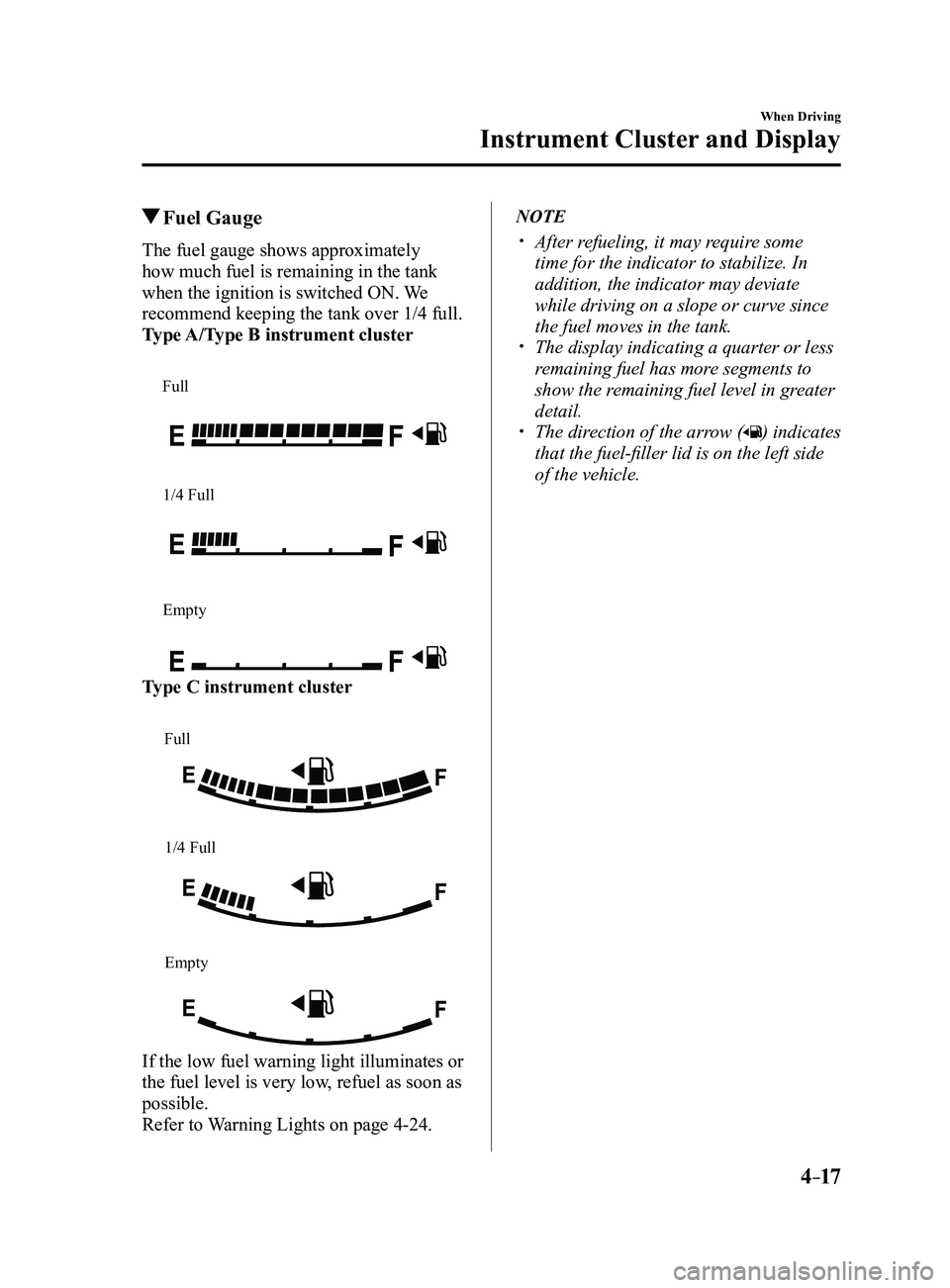
The fuel gauge shows approximately
how much fuel is remaining in the tank
when the ignition is switched ON. We
recommend keeping the tank over 1/4 full.
Type A/Type B instrument cluster
Full
1/4 Full
Empty
Type C instrument cluster
Full
1/4 Full
Empty
If the low fuel warning light illuminates or
the fuel level is very low, refuel as soon as
possible.
Refer to Warning Lights on page
4-24.
NOTE
After refueling, it may require some
time for the indicator to stabilize. In
addition, the indicator may deviate
while driving on a slope or curve since
the fuel moves in the tank.
The display indicating a quarter or less
remaining fuel has more segments to
show the remaining fuel level in greater
detail.
The direction of the arrow () indicates
that the fuel-filler lid is on the left side
of the vehicle.
Mazda3_8FL6-EA-16F_Edition2.indb 172016/08/10 17:35:49
Page 150 of 612
4–20
When Driving
Instrument Cluster and Display
NOTE
Even though the distance-to-empty
display may indicate a sufficient amount
of remaining driving distance before
refueling is required, refuel as soon as
possible if the fuel level is very low or
the low fuel warning light illuminates.
The display may not change unless you
add more than approximately 9 L
(2.3 US gal, 1.9 Imp gal) of fuel.
The distance-to-empty is the
approximate remaining distance the
vehicle can be driven until all the
graduation marks in the fuel gauge
(indicating the remaining fuel supply)
disappear.
If there is no past fuel economy
information such as after first
purchasing your vehicle or the
information is deleted when the battery
cables are disconnected, the actual
distance-to empty/range may differ from
the amount indicated.
Average fuel economy mode
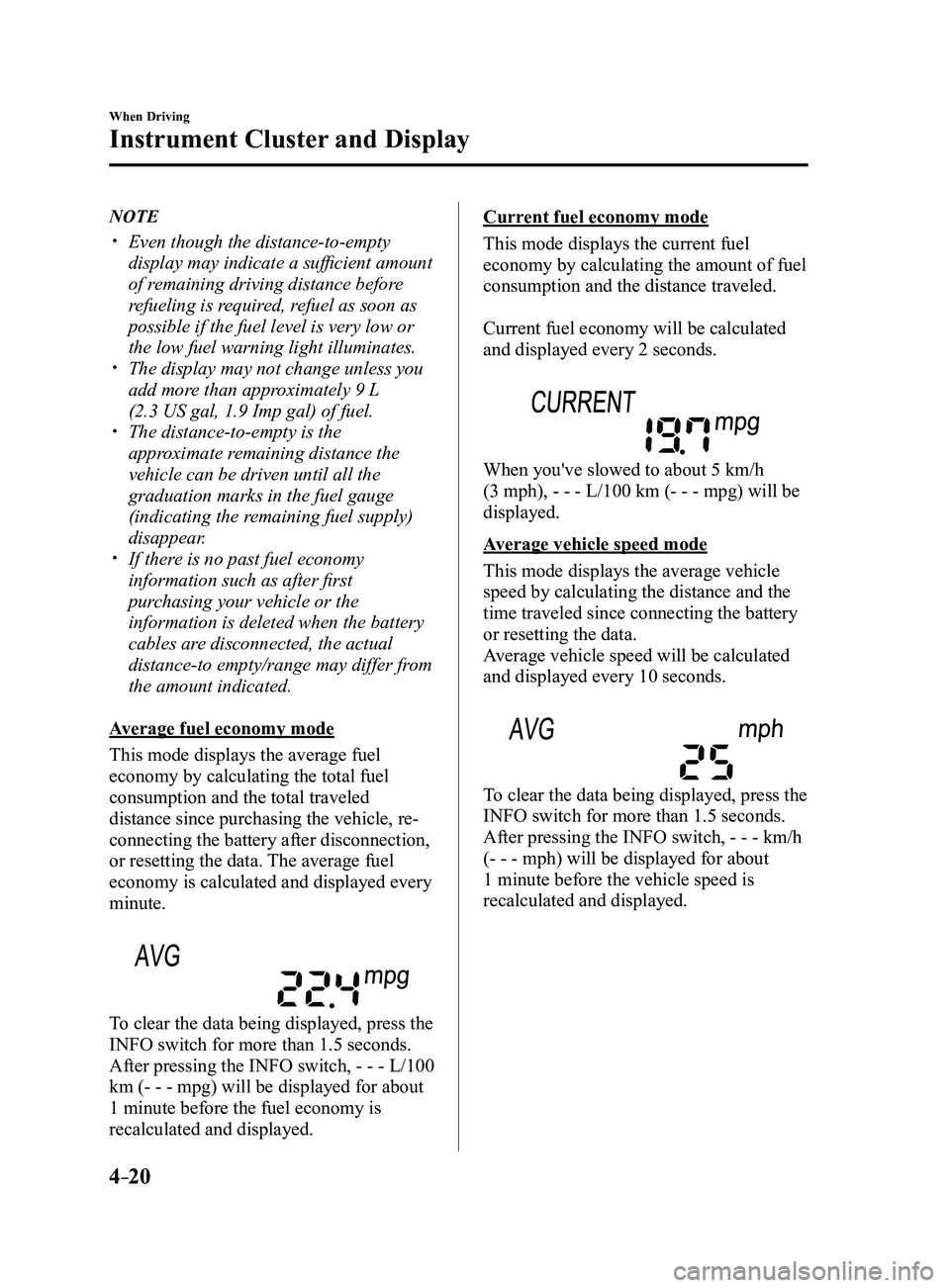
This mode displays the average fuel
economy by calculating the total fuel
consumption and the total traveled
distance since purchasing the vehicle, re-
connecting the battery after disconnection,
or resetting the data. The average fuel
economy is calculated and displayed every
minute.
To clear the data being displayed, press the
INFO switch for more than 1.5 seconds.
After pressing the INFO switch, - - - L/100
km (- - - mpg) will be displayed for about
1 minute before the fuel economy is
recalculated and displayed.
Current fuel economy mode
This mode displays the current fuel
economy by calculating the amount of fuel
consumption and the distance traveled.
Current fuel economy will be calculated
and displayed every 2 seconds.
When you've slowed to about 5 km/h
(3 mph), - - - L/100 km (- - - mpg) will be
displayed.
Average vehicle speed mode
This mode displays the average vehicle
speed by calculating the distance and the
time traveled since connecting the battery
or resetting the data.
Average vehicle speed will be calculated
and displayed every 10 seconds.
To clear the data being displayed, press the
INFO switch for more than 1.5 seconds.
After pressing the INFO switch, - - - km/h
(- - - mph) will be displayed for about
1 minute before the vehicle speed is
recalculated and displayed.
Mazda3_8FL6-EA-16F_Edition2.indb 202016/08/10 17:35:51
Page 151 of 612
4–21
When Driving
Instrument Cluster and Display
*Some models.
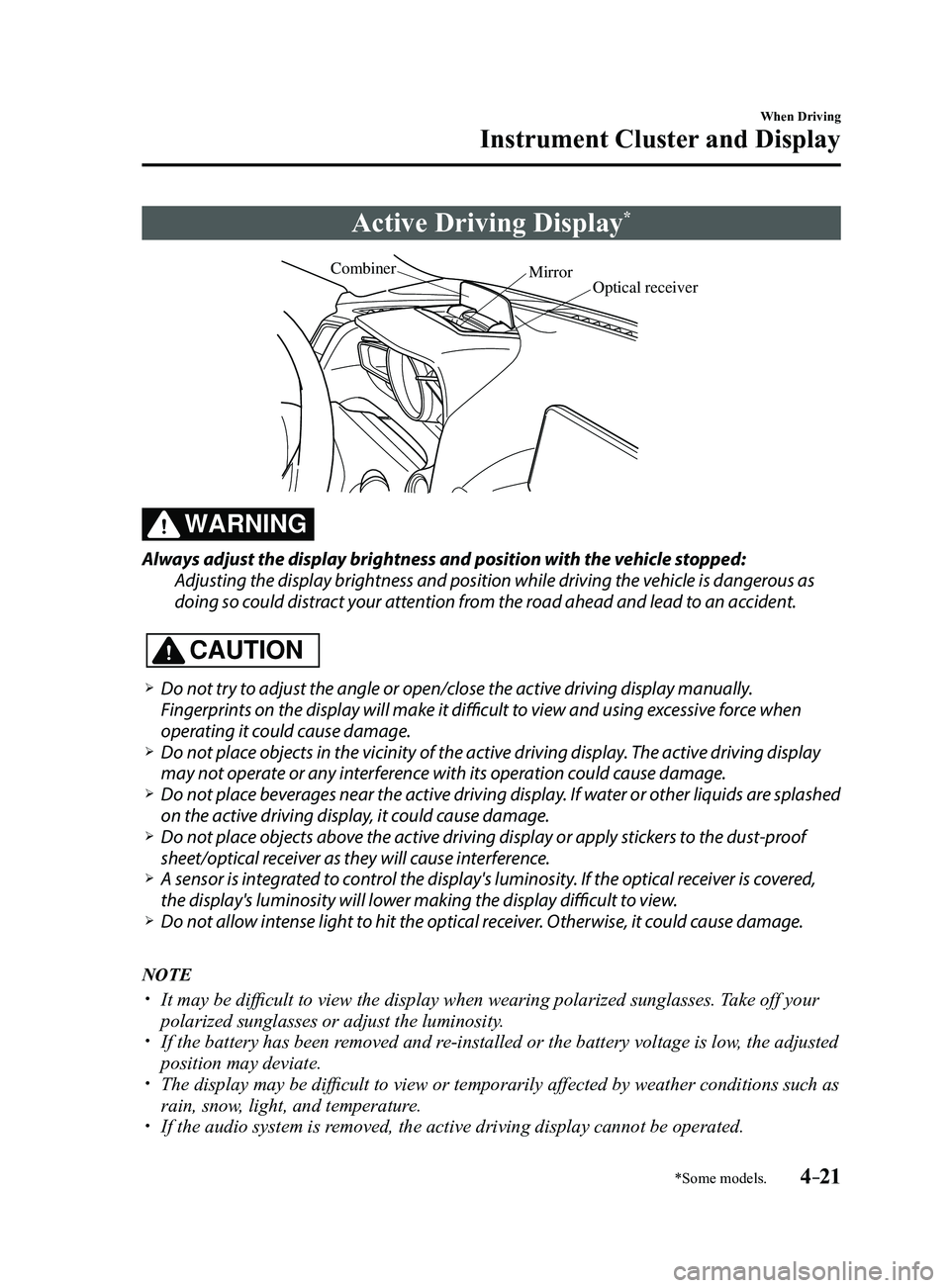
Active Driving Display*
Optical receiver
Mirror
Combiner
WARNING
Always adjust the display brightness and position with the vehicle stopped:
Adjusting the display brightness and position while driving the vehicle is dangerous as
doing so could distract your attention from the road ahead and lead to an accident.
CAUTION
Do not try to adjust the angle or open/close the active driving display manually.
Fingerprints on the display will make it difficult to view and using excessive force when
operating it could cause damage.
Do not place objects in the vicinity of the active driving display. The active driving display
may not operate or any interference with its operation could cause damage. Do not place beverages near the active driving display. If water or other liquids are splashed
on the active driving display, it could cause damage. Do not place objects above the active driving display or apply stickers to the dust-proof
sheet/optical receiver as they will cause interference. A sensor is int
egrated to control the display's luminosity. If the optical receiver is covered,
the display's luminosity will lower making the display difficult to view. Do not allow intense light to hit the optical receiver. Otherwise, it could cause damage.
NOTE
It may be difficult to view the display when wearing polarized s unglasses. Take off your
polarized sunglasses or adjust the luminosity. If the battery has been removed and re-installed or the battery voltage is low, the adjusted
position may deviate. The display may be difficult to view or temporarily affected by weather conditions such as
rain, snow, light, and temperature. If the audio system is removed, the active driving display cannot be operated.
Mazda3_8FL6-EA-16F_Edition2.indb 212016/08/10 17:35:51
Page 152 of 612
4–22
When Driving
Instrument Cluster and Display
The active driving display indicates the following information:
Blind Spot Monitoring (BSM) Operation Conditions and Warnings
Refer to Blind Spot Monitoring (BSM) on page 4-88.
Distance Recognition Support System (DRSS) Warnings
Refer to Distance Recognition Support System (DRSS) on page 4-101.
Traffic Sign Recognition System (TSR) traffic signs and Warnings
Refer to Traffic Sign Recognition System (TSR) on page 4-94.
Mazda Radar Cruise Control (MRCC) Operation Conditions and Warnings
Refer to Mazda Radar Cruise Control (MRCC) on page 4-107.
Lane-keep Assist System (LAS) & Lane Departure Warning System (LDWS) Operation
Conditions and Warnings
Refer to Lane-keep Assist System (LAS) & Lane Departure Warning System (LDWS) on
page 4-117.
Smart City Brake Support (SCBS) Warnings
Refer to Smart City Brake Support (SCBS) on page 4-128.
Smart Brake Support (SBS) Warnings
Refer to Smart Brake Support (SBS) on page 4-133.
Cruise Control Operation Conditions
Refer to Cruise Control on page 4-146.
Navigation Guidance (vehicles with navigation system)
Speed limit indicator (vehicles with navigation system)
Vehicle Speed
Each setting/adjustment for the active driving display can be performed on the center display.
1. Select the icon on the home screen and display the Settings screen.
2. Select the AD-Disp tab.
3. Select the desired item and perform the setting/adjustment.
Method for adjusting screen brightness (automatically/manually) Screen brightness initial settings (automatic adjustment is selected) Screen brightness adjustment (manual adjustment is selected) Display position of active driving display (display height) Active driving display angle adjustment (display angle correction) The combination of street name display , lane guidance, and turn by turn (TBT) can be
changed. (navigation guidance) Active driving display ON/OFF (indication) Reset settings (reset)
Mazda3_8FL6-EA-16F_Edition2.indb 222016/08/10 17:35:52
Page 153 of 612
4–23
When Driving
Instrument Cluster and Display
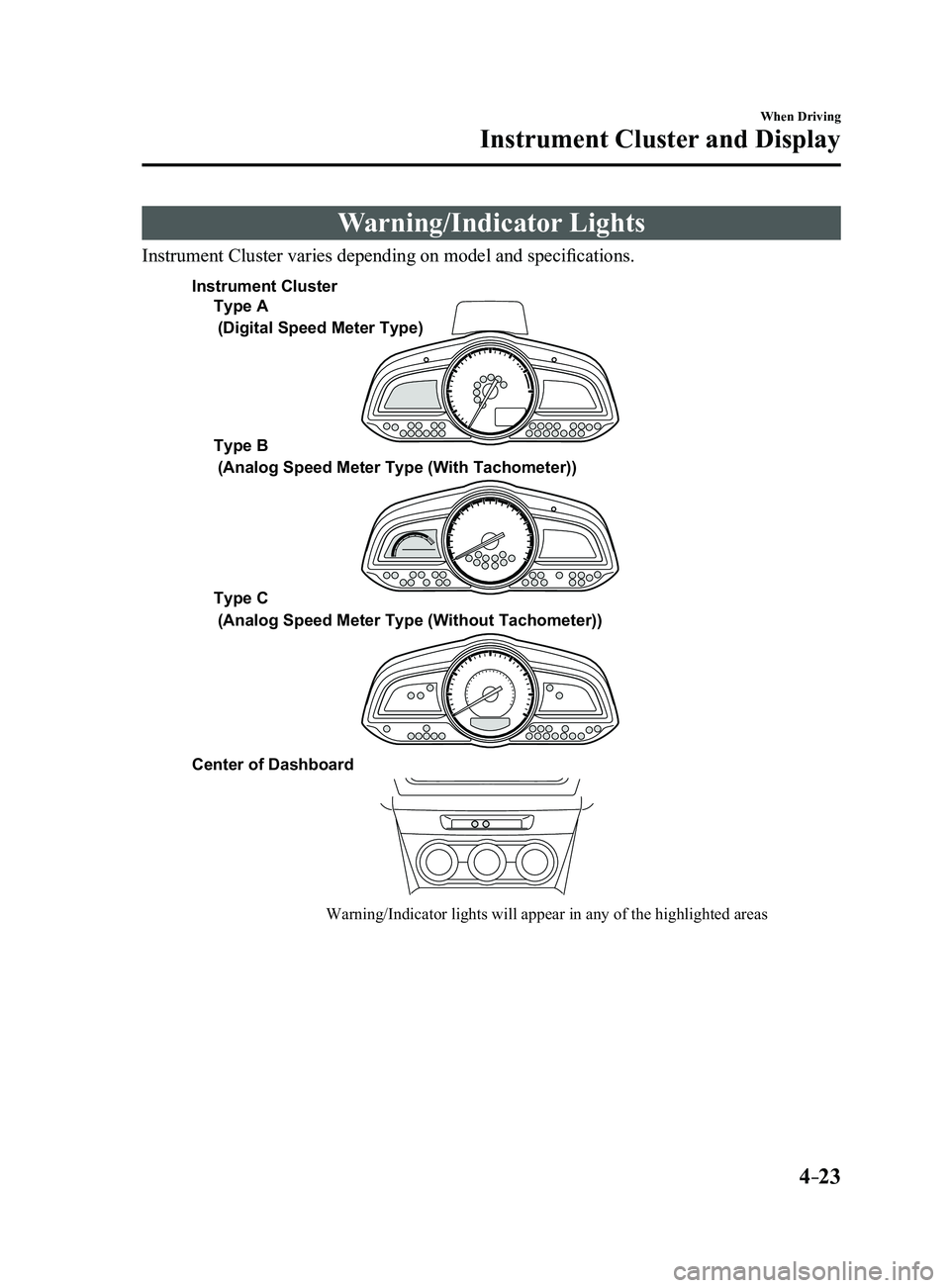
Warning/Indicator Lights
Instrument Cluster varies depending on model and specifications.
Warning/Indicator lights will appear in any of the highlighted areas
Type A
Type B
Type C
Center of Dashboard
(Digital Speed Meter Type)
(Analog Speed Meter Type (With Tachometer))
(Analog Speed Meter Type (Without Tachometer))
Instrument Cluster
Mazda3_8FL6-EA-16F_Edition2.indb 232016/08/10 17:35:52