warning light MAZDA MODEL 3 4-DOOR 2017 Manual Online
[x] Cancel search | Manufacturer: MAZDA, Model Year: 2017, Model line: MODEL 3 4-DOOR, Model: MAZDA MODEL 3 4-DOOR 2017Pages: 612
Page 239 of 612
4–109
When Driving
i-ACTIVSENSE
During headway control travel, the system accelerates and decelerates your vehicle in
conjunction with the speed of the vehicle ahead. However, if it is necessary to accelerate
for a lane change or if the vehicle ahead brakes suddenly causing you to\
close in on the
vehicle rapidly, accelerate using the accelerator pedal or decelerate using the brake
pedal depending on the conditions.
While the Mazda Radar Cruise Contr ol (MRCC) system is in use, it does not cancel even
if the selector lever (automatic transaxle)/shift lever (manual trans\
axle) is operated and
any intended engine braking will not occur. If deceleration is required, lower the vehicle
speed setting or depress the brake pedal.
The brake lights are illuminated while the Mazda Radar Cruise Control (MRCC)
automatic braking is operating. The Mazda Radar Cruise Contr ol (MRCC) warning light (amber) illuminates when the
system has a malfunction.
Refer to Warning Lights on page 4-24. The headway contr ol operation can be canceled and the system can be switched to only
cruise control. Refer to Cruise Control Function on page 4-115.
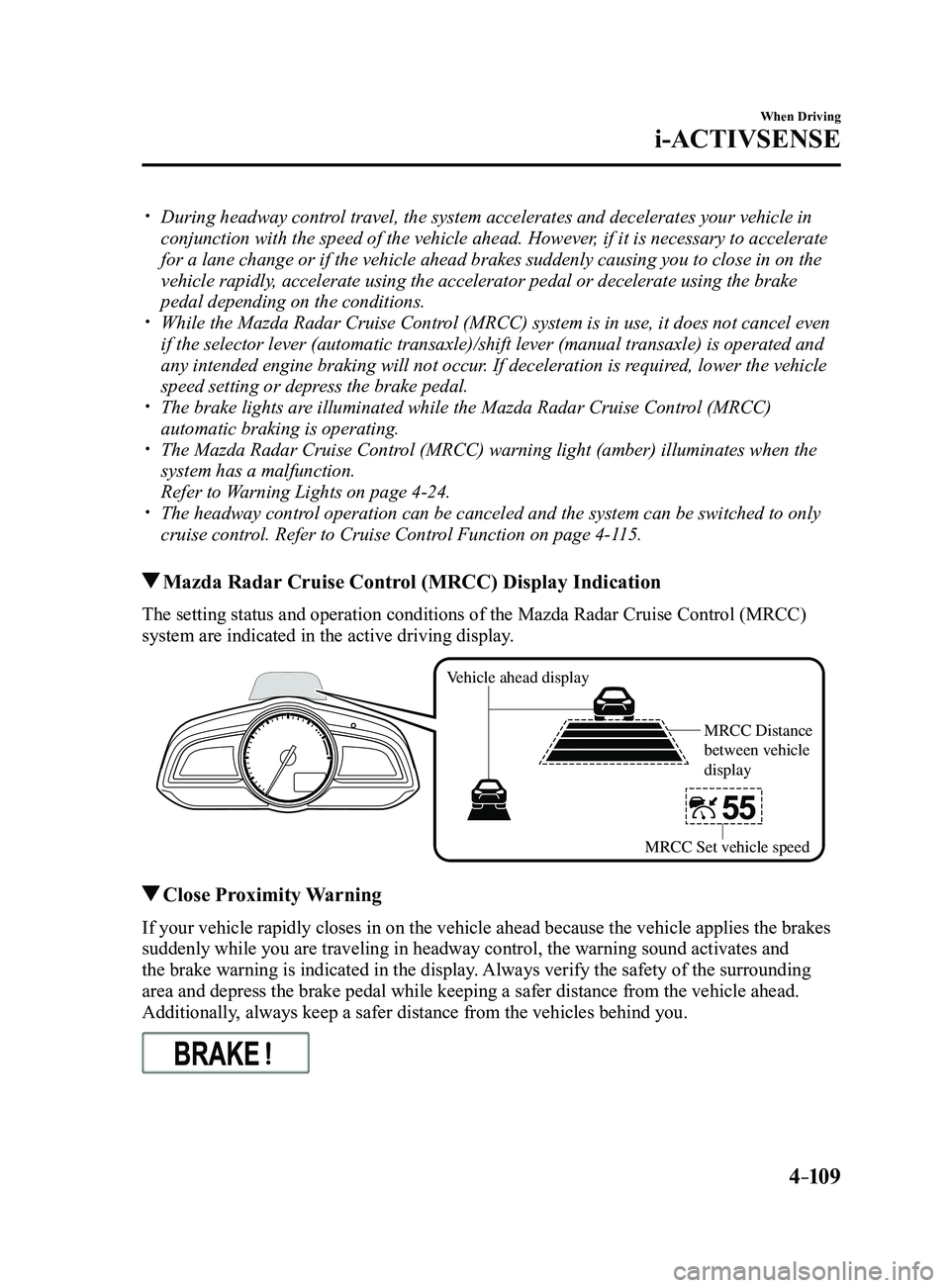
Mazda Radar Cruise Control (MRCC) Display Indication
The setting status and operation conditions of the Mazda Radar Cruise Control (MRCC)
system are indicated in the active driving display.
Vehicle ahead display
MRCC Distance
between vehicle
display
MRCC Set vehicle speed
Close Proximity Warning
If your vehicle rapidly closes in on the vehicle ahead because the vehic\
le applies the brakes
suddenly while you are traveling in headway control, the warning sound a\
ctivates and
the brake warning is indicated in the display. Always verify the safety of the surrounding
area and depress the brake pedal while keeping a safer distance from the\
vehicle ahead.
Additionally, always keep a safer distance from the vehicles behind you.
Mazda3_8FL6-EA-16F_Edition2.indb 1092016/08/10 17:36:47
Page 249 of 612
 line, the system determines that")
4–119
When Driving
i-ACTIVSENSE
If the steering wheel, accelerator pedal, or brake pedal is operated abr\
uptly and the vehicle
moves close to a white (yellow) line, the system determines that the d\
river is making a lane
change and the Lane-keep Assist System (LAS) & Lane Departure Warning System (LDWS)
operation is temporarily canceled. The Lane-keep Assist System (LAS) & Lane Departure
Warning System (LDWS) becomes operational again when the system detects\
white (yellow)
lane lines while the vehicle is being driven normally within its vehicle\
lane.
If the vehicle deviates from its lane repeatedly within a short period of time, the Lane-
keep Assist System (LAS) & Lane Departure Warning System (LDWS) may not operate. When white (yellow) lane lines ar e not detected, the Lane-keep Assist System (LAS) &
Lane Departure Warning System (LDWS) does not operate. Under the following conditions, the Lane-keep Assist System (LAS) & Lane Departure
Warning System (LDWS) may not be able to detect white (yellow) lane l\
ines correctly and
it may not operate normally.
If an object placed on the dashboard is reflected in the windshield and picked up by the
camera. Heavy luggage is loaded in the luggage compartment or on the r ear seat and the
vehicle is tilted. The tire pressures are not adjusted to the specified pressure. Tires other than conventional tires are equipped. When the vehicle is driven on the guiding branch to or from the rest area or tollgate of
a highway. The white (yellow) lane lines are less visible because of dirt or fading/patchiness. A vehicle in front of your vehicle is running near a white (yellow) lane line making \
it
less visible. A white (yellow) lane line is less visible because of bad weather (rai\
n, fog, or snow). The vehicle is driven on a temporary lane or section with a closed lane \
resulting from
construction where there may be multiple white (yellow) lane lines or they are interrupted.
A misleading line is picked up on the road such as a temporary line for construction,
or because of shade, lingering snow, or grooves filled with water. The surrounding brightness suddenly changes such as when entering or exiting a t\
unnel. The illumination of the headlights is weakened because of dirt or the op\
tical axis is
deviated. The windshield is dirty or foggy . The windshield, camera is fogged (water dr oplets). Back-light is reflected off the road surface. The road surface is wet and shiny after rain, or there are puddles on the road. The shade of a guar drail parallel to a white (yellow) lane line is cast on the road. The width of the driving lane is narr ow (less than about 2.5 m (98 in)) or wide (more
than about 4.5 m (178 in)) Driving on roads with tight curves. The road is excessively uneven. The vehicle is shaken after hitting a r oad bump. There are two or more adjacent white (yellow) lane lines. There are various road markings or lane markings of various shapes near an intersection.
Mazda3_8FL6-EA-16F_Edition2.indb 1192016/08/10 17:36:52
Page 250 of 612
4–120
When Driving
i-ACTIVSENSE
System Operation
If the Lane-keep Assist System (LAS) & Lane Departure Warning System (LDWS) OFF
indicator light in the instrument cluster turns off when the ignition is switched ON, the
system goes on standby.
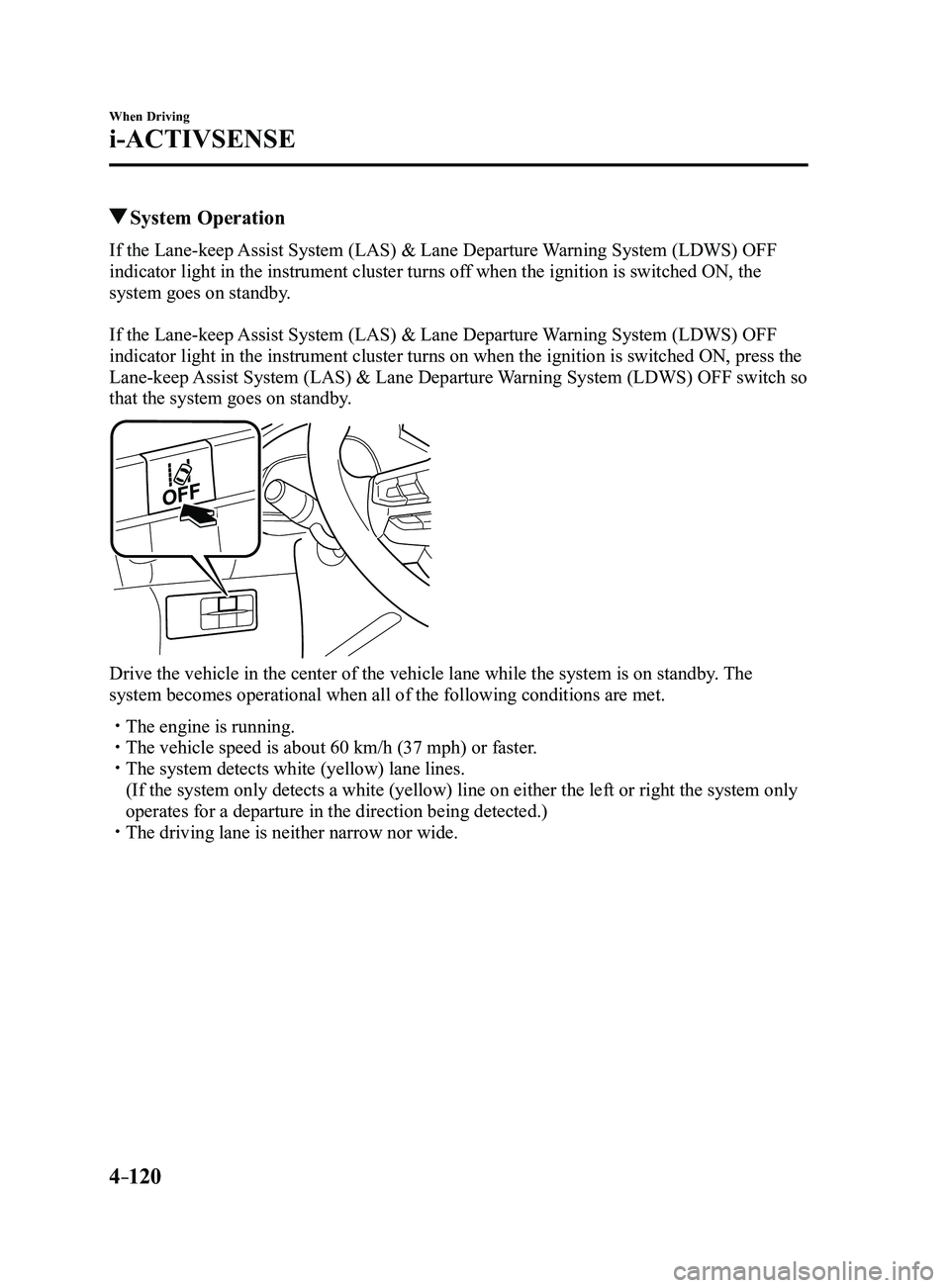
If the Lane-keep Assist System (LAS) & Lane Departure Warning System (LDWS) OFF
indicator light in the instrument cluster turns on when the ignition is switched ON, press the
Lane-keep Assist System (LAS) & Lane Departure Warning System (LDWS) OFF switch so
that the system goes on standby.
Drive the vehicle in the center of the vehicle lane while the system is \
on standby. The
system becomes operational when all of the following conditions are met.\
The engine is running. The vehicle speed is about 60 km/h (37 mph) or faster. The system detects white (yellow) lane lines.
(If the system only detects a white (yellow) line on either the left \
or right the system only
operates for a departure in the direction being detected.) The driving lane is neither narrow nor wide.
Mazda3_8FL6-EA-16F_Edition2.indb 1202016/08/10 17:36:53
Page 251 of 612
4–121
When Driving
i-ACTIVSENSE
The Lane-keep Assist System (LAS) & Lane Departure Warning System (LDWS) goes on
stand-by status in the following cases:
The system cannot detect white (yellow) lane lines. The vehicle speed is less than about 60 km/h (37 mph). The ABS/TCS/DSC is operating. The DSC is turned off.
(If the DSC is turned of f while the system is operational, a warning beep is heard and the
system goes on standby.) The vehicle is making a sharp curve. The steering wheel is operated abruptly . The brake pedal is depressed. The width of a lane is excessively narrow or wide.
NOTE
The Lane-keep Assist System (LAS) & Lane Departure Warning System (LDWS) does not
operate until the system detects white (yellow) lane lines on either t\
he left or right. When the system detects a white (yellow) lane line on one side only , the system will not
activate warnings for the lane line on the side that is not being detect\
ed. The warning is
only for a lane deviation on the side that is being detected.
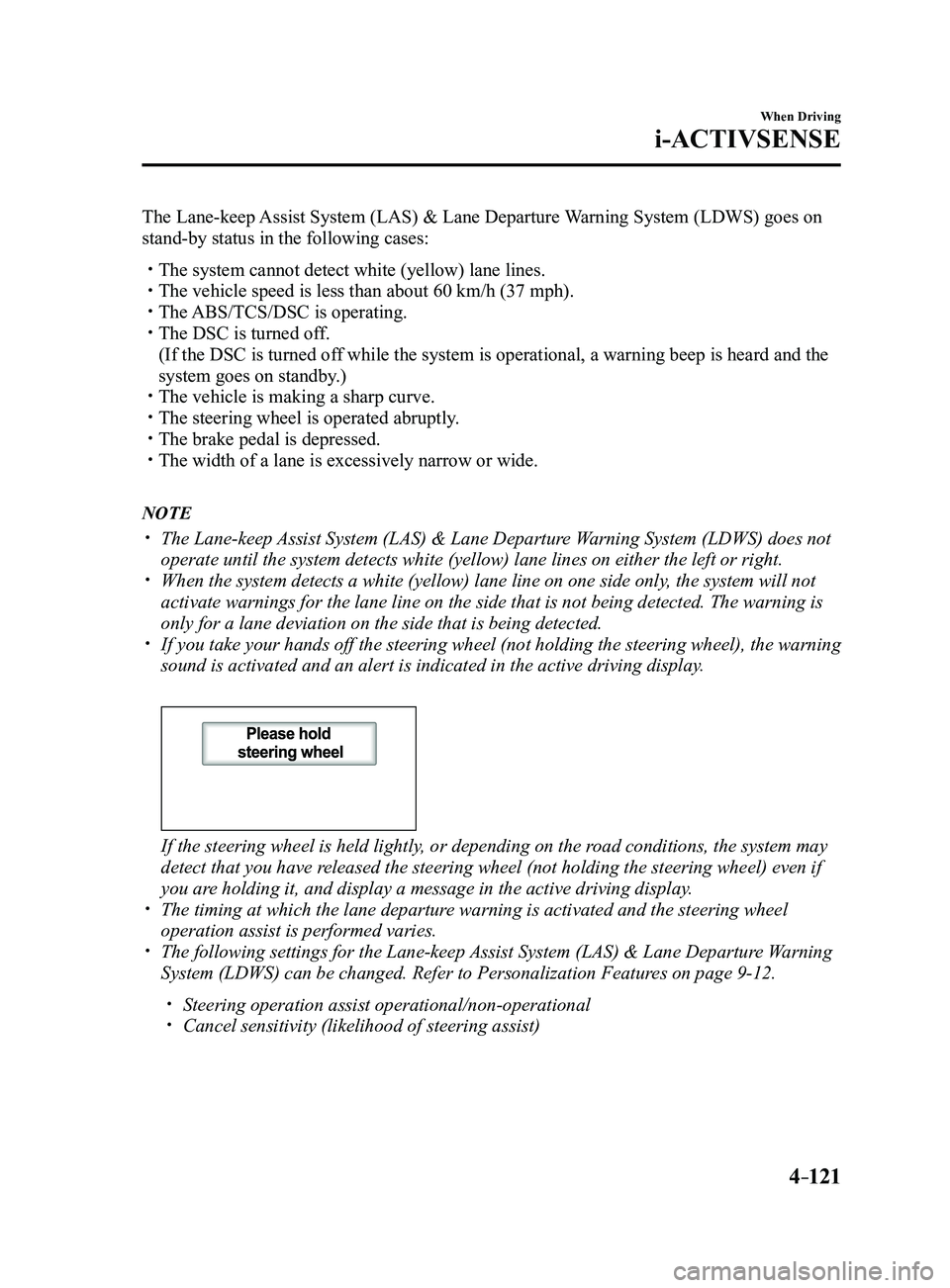
If you take your hands off the steering wheel (not holding the steering\
wheel), the warning
sound is activated and an alert is indicated in the active driving displ\
ay.
If the steering wheel is held lightly, or depending on the road conditions, the system may
detect that you have released the steering wheel (not holding the steering wheel) even if
you are holding it, and display a message in the active driving display.
The timing at which the lane departur e warning is activated and the steering wheel
operation assist is performed varies. The following settings for the Lane-keep Assist System (LAS) & Lane Departure Warning
System (LDWS) can be changed. Refer to Personalization Features on page 9-12.
Steering operation assist operational/non-operational Cancel sensitivity (likelihood of steering assist)
Mazda3_8FL6-EA-16F_Edition2.indb 1212016/08/10 17:36:53
Page 253 of 612
 & Lane Departure Warning
System (LDWS) operation may not operate for a period of 5 seconds at t\
he m")
4–123
When Driving
i-ACTIVSENSE
NOTE
After the operation, the Lane-keep Assist System (LAS) & Lane Departure Warning
System (LDWS) operation may not operate for a period of 5 seconds at t\
he most until the
lane lines are detected.
Under the following conditions, the Lane-keep Assist System (LAS) & Lane Departure
Warning System (LDWS) cancels the warning/steering assist automatically\
.
The driver takes his/her hands off the steering wheel.
(The Lane-keep Assist System (LAS) & Lane Departure Warning System (LDWS)
is designed to assist the driver's steering operation and it will resume operation
automatically when the driver holds the steering wheel.)
The DSC OFF switch is pr essed to cancel the DSC.
Steering operation assist OFF (non-operational)
The steering operation assist for the Lane-keep Assist System (LAS) & Lane Departure
Warning System (LDWS) can be changed to non-operational (OFF).
Refer to Setting Change (Personalization Features) on page
9-12.
When the steering operation assist has been changed to inoperable (OFF)\
, operate the Lane-
keep Assist System (LAS) & Lane Departure Warning System (LDWS) as follows:
System operation
If the Lane-keep Assist System (LAS) & Lane Departure Warning System (LDWS) OFF
indicator light in the instrument cluster turns off when the ignition is switched ON, the
system goes on standby.
If the Lane-keep Assist System (LAS) & Lane Departure Warning System (LDWS) OFF
indicator light in the instrument cluster turns on when the ignition is switched ON, press the
Lane-keep Assist System (LAS) & Lane Departure Warning System (LDWS) OFF switch so
that the system goes on standby.
Mazda3_8FL6-EA-16F_Edition2.indb 1232016/08/10 17:36:54
Page 255 of 612
4–125
When Driving
i-ACTIVSENSE
(Auto cancel of warnings)
When the following operations are performed, the Lane-keep Assist System (LAS) &
Lane Departure Warning System (LDWS) determines that the driver intends to make a
lane change and the system operation is canceled automatically. The Lane-keep Assist
System (LAS) & Lane Departure Warning System (LDWS) resumes automatically after the
operation.
The steering wheel is operated abruptly. The brake pedal is depressed. The accelerator pedal is depressed.
(To cancel the automatic sensitivity cancel function, deselect “Warning sensitivity” in the
personalization features setting.) The turn signal lever is operated. The vehicle crosses a lane line.
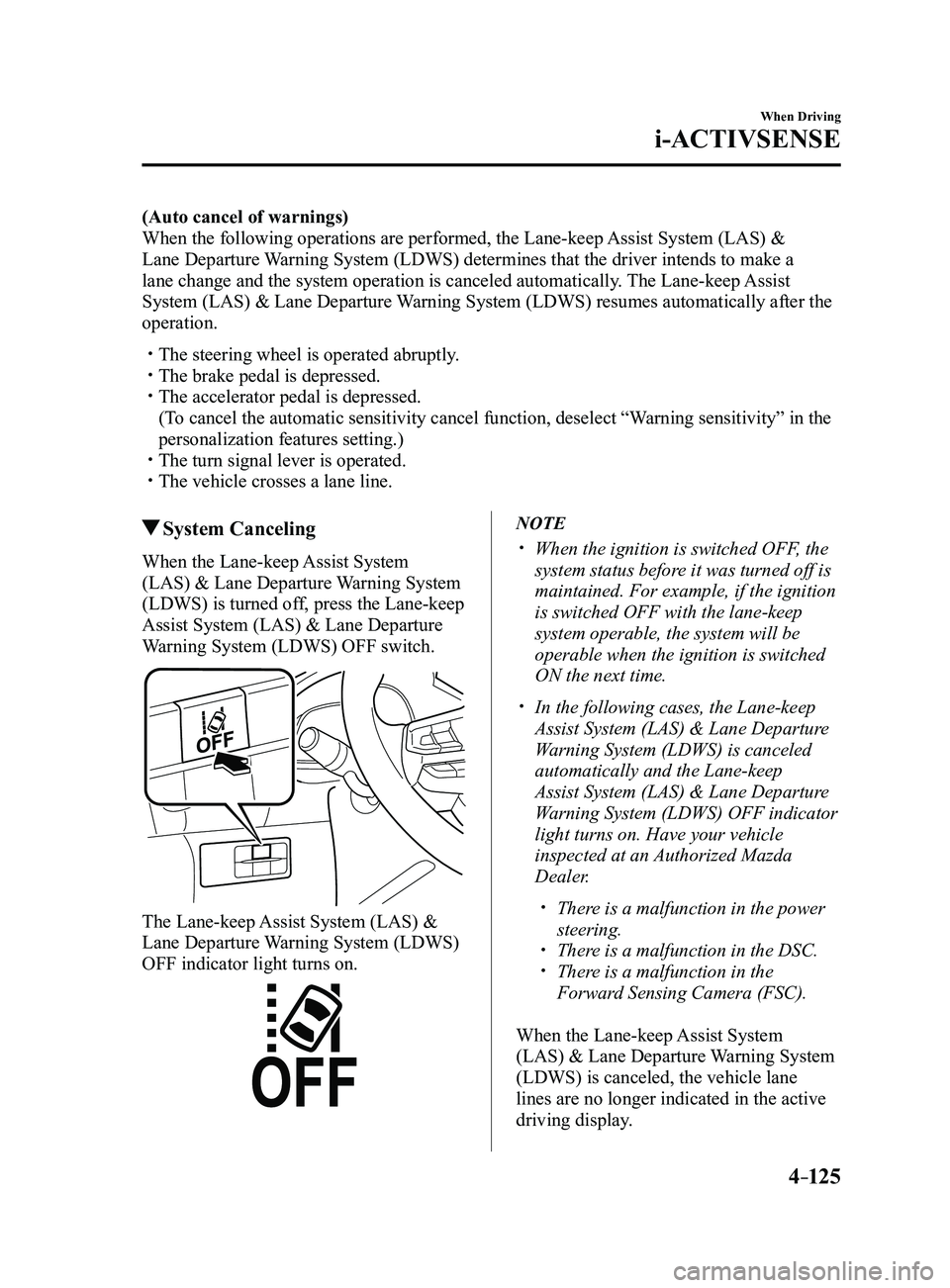
System Canceling
When the Lane-keep Assist System
(LAS) & Lane Departure Warning System
(LDWS) is turned off, press the Lane-keep
Assist System (LAS) & Lane Departure
Warning System (LDWS) OFF switch.
The Lane-keep Assist System (LAS) &
Lane Departure Warning System (LDWS)
OFF indicator light turns on.
NOTE
When the ignition is switched OFF, the
system status before it was turned off is
maintained. For example, if the ignition
is switched OFF with the lane-keep
system operable, the system will be
operable when the ignition is switched
ON the next time.
In the following cases, the Lane-keep
Assist System (LAS) & Lane Departure
Warning System (LDWS) is canceled
automatically and the Lane-keep
Assist System (LAS) & Lane Departure
Warning System (LDWS) OFF indicator
light turns on. Have your vehicle
inspected at an Authorized Mazda
Dealer.
There is a malfunction in the power
steering. There is a malfunction in the DSC. There is a malfunction in the
Forward Sensing Camera (FSC).
When the Lane-keep Assist System
(LAS) & Lane Departure Warning System
(LDWS) is canceled, the vehicle lane
lines are no longer indicated in the active
driving display.
Mazda3_8FL6-EA-16F_Edition2.indb 1252016/08/10 17:36:54
Page 260 of 612
 system will operate under the foll\
owing conditions.
The engine is running. The Smart Brake Support/Smart City Br")
4–130
When Driving
i-ACTIVSENSE
NOTE
The Smart City Brake Support (SCBS) system will operate under the foll\
owing conditions.
The engine is running. The Smart Brake Support/Smart City Brake Support (SBS/SCBS) system war\
ning light
(amber) does not illuminate. (Rear-end collision warning)
The vehicle speed is about 4 to 80 km/h (2 to 50 mph). (Brake control (SCBS brake))
The vehicle speed is about 4 to 30 km/h (2 to 18 mph). The Smart City Brake Support (SCBS) system is not turned off.
Under the following conditions, the Smart City Brake Support (SCBS) sy\
stem may not
operate normally:
The Smart City Brake Support (SCBS) system will not operate if the dri\
ver is
deliberately performing driving operations (accelerator pedal and steer\
ing wheel). If there is the possibility of partial contact with a vehicle ahead. The vehicle is driven on a slippery road surface such as wet roads or icy or snow-
bound roads. The braking performance is adversely affected due to cold temperatur es or wet brakes. The vehicle is driven at the same speed as the vehicle ahead. The accelerator pedal is depressed. The brake pedal is depressed. The steering wheel is being operated. The selector lever is being operated.
In the following cases, the Forwar d Sensing Camera (FSC) determines that there is a
vehicle ahead and the Smart City Brake Support (SCBS) may operate.
Objects on the road at the entrance to a curve. Vehicles passing in the opposite lane while making a curve. Metal objects, bumps, or pr otruding objects on the road. When passing through a toll gate. When passing through low gates, narrow gates, car washing machines, or tunnels. If you suddenly come close to a vehicle ahead. 2-wheeled vehicles, pedestrians, animals or standing tr ees. Vehicle is driven with some of the tires having significant wear.
(Manual transaxle)
If the vehicle is stopped by the SCBS operation and the clutch pedal is \
not depr essed, the
engine stops.
Mazda3_8FL6-EA-16F_Edition2.indb 1302016/08/10 17:36:56
Page 261 of 612
4–131
When Driving
i-ACTIVSENSE
Smart City Brake Support (SCBS)
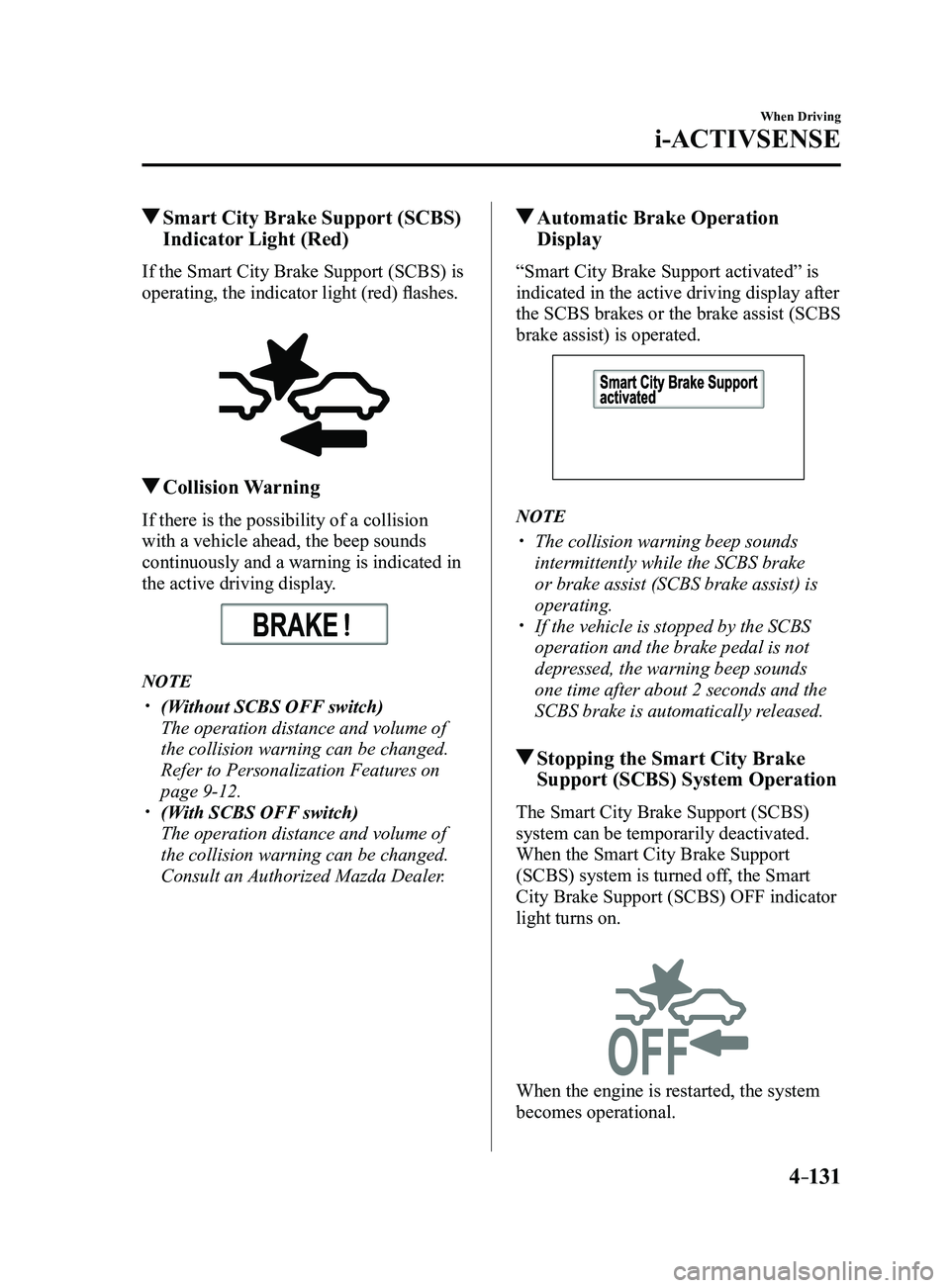
Indicator Light (Red)
If the Smart City Brake Support (SCBS) is
operating, the indicator light (red) flashes.
Collision Warning
If there is the possibility of a collision
with a vehicle ahead, the beep sounds
continuously and a warning is indicated in
the active driving display.
NOTE
(Without SCBS OFF switch)
The operation distance and volume of
the collision warning can be changed.
Refer to Personalization Features on
page 9-12. (With SCBS OFF switch)
The operation distance and volume of
the collision warning can be changed.
Consult an Authorized Mazda Dealer.
Automatic Brake Operation
Display
“Smart City Brake Support activated” is
indicated in the active driving display after
the SCBS brakes or the brake assist (SCBS
brake assist) is operated.
NOTE
The collision warning beep sounds
intermittently while the SCBS brake
or brake assist (SCBS brake assist) is
operating.
If the vehicle is stopped by the SCBS
operation and the brake pedal is not
depressed, the warning beep sounds
one time after about 2 seconds and the
SCBS brake is automatically released.
Stopping the Smart City Brake
Support (SCBS) System Operation
The Smart City Brake Support (SCBS)
system can be temporarily deactivated.
When the Smart City Brake Support
(SCBS) system is turned off, the Smart
City Brake Support (SCBS) OFF indicator
light turns on.
When the engine is restarted, the system
becomes operational.
Mazda3_8FL6-EA-16F_Edition2.indb 1312016/08/10 17:36:57
Page 264 of 612
 system operates when all of the followin\
g conditions are
met:
The ignition is switched ON. The Smart Brake Support (S")
4–134
When Driving
i-ACTIVSENSE
NOTE
The Smart Brake Support (SBS) system operates when all of the followin\
g conditions are
met:
The ignition is switched ON. The Smart Brake Support (SBS) system is on. The vehicle speed is about 15 km/h or faster (10 mph or faster). The relative speed between your vehicle and the vehicle ahead is about 15 km/\
h or
faster (10 mph or faster). The Dynamic Stability Control (DSC) is not operating.
The Smart Brake Support (SBS) system may not operate under the followi\
ng conditions:
If the vehicle is accelerated rapidly and it comes close to a vehicle ah\
ead. The vehicle is driven at the same speed as the vehicle ahead. The accelerator pedal is depr essed. The brake pedal is depressed. The steering wheel is being operated. The selector lever is being operated. The turn signal is being used. When the vehicle ahead is not equipped with taillights or the taillights\
ar e turned off. When warnings and messages, such as a dirty windshield, related to the Forward
Sensing Camera (FSC) are being displayed in the center display.
Although the objects which activate the system are four-wheeled vehicles, the radar
sensor (front) could detect the following objects, determine them to be an obstru\
ction, and
operate the Smart Brake Support (SBS) system.
Objects on the road at the entrance to a curve (including guardrails and snow banks). A vehicle appears in the opposite lane while cornering or rounding a curve. When crossing a narrow bridge. When passing under a low gate or thr ough a tunnel or narrow gate. When entering an underground parking area. Metal objects, bumps, or pr otruding objects on the road. If you suddenly come close to a vehicle ahead. When driving in areas where there is high grass or forage. Two-wheeled vehicles such as motorbikes or bicycles. Pedestrians or non-metallic objects such as standing tr ees.
The Smart Brake Support (SBS) warning indication (amber) turns on wh\
en the system has
a malfunction.
Refer to Warning Lights on page 4-23.
Mazda3_8FL6-EA-16F_Edition2.indb 1342016/08/10 17:36:58
Page 265 of 612
4–135
When Driving
i-ACTIVSENSE
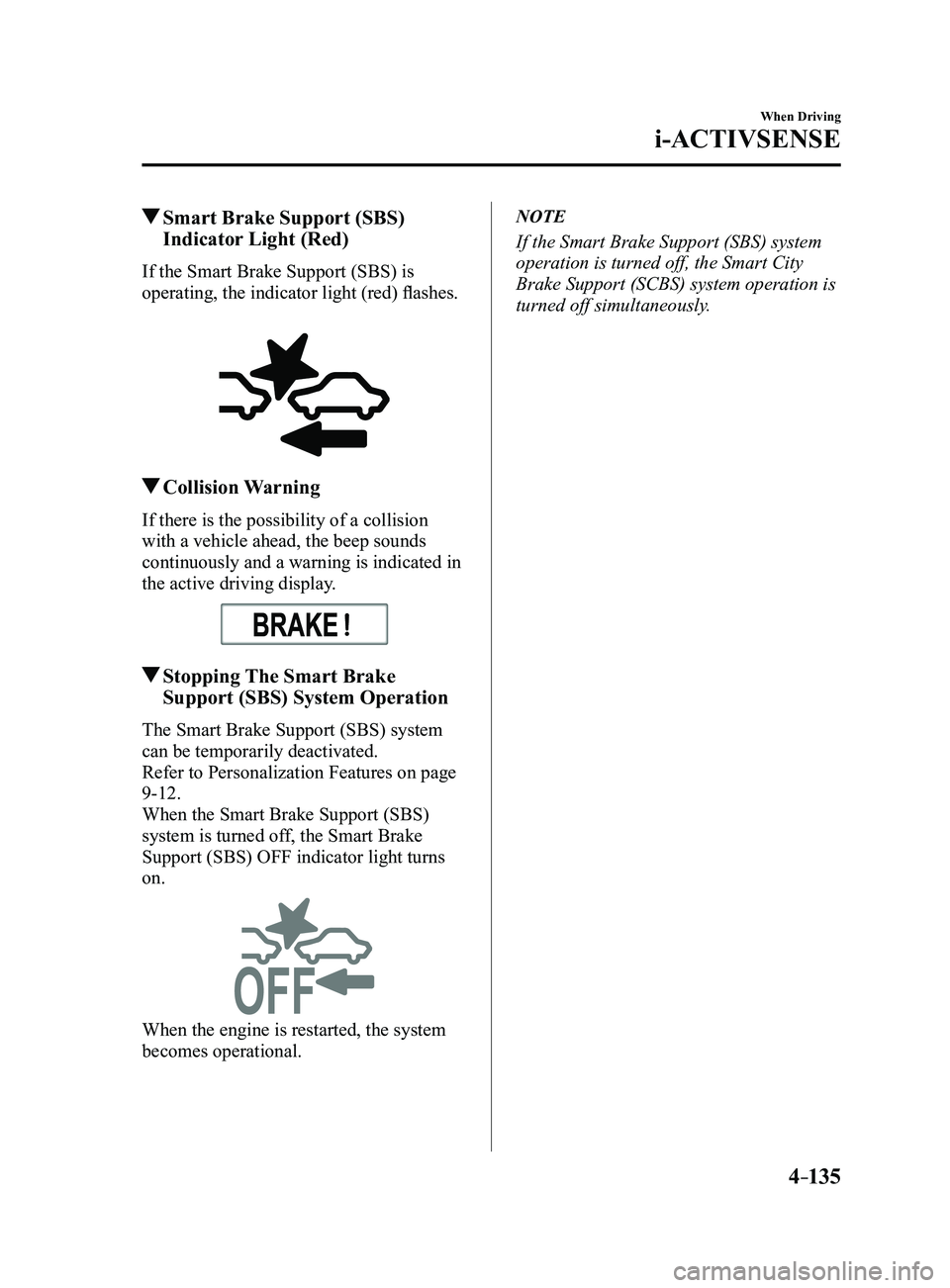
Smart Brake Support (SBS)
Indicator Light (Red)
If the Smart Brake Support (SBS) is
operating, the indicator light (red) flashes.
Collision Warning
If there is the possibility of a collision
with a vehicle ahead, the beep sounds
continuously and a warning is indicated in
the active driving display.
Stopping The Smart Brake
Support (SBS) System Operation
The Smart Brake Support (SBS) system
can be temporarily deactivated.
Refer to Personalization Features on page
9-12.
When the Smart Brake Support (SBS)
system is turned off, the Smart Brake
Support (SBS) OFF indicator light turns
on.
When the engine is restarted, the system
becomes operational.
NOTE
If the Smart Brake Support (SBS) system
operation is turned off, the Smart City
Brake Support (SCBS) system operation is
turned off simultaneously.
Mazda3_8FL6-EA-16F_Edition2.indb 1352016/08/10 17:36:58