air condition MAZDA MODEL 3 5-DOOR 2008 User Guide
[x] Cancel search | Manufacturer: MAZDA, Model Year: 2008, Model line: MODEL 3 5-DOOR, Model: MAZDA MODEL 3 5-DOOR 2008Pages: 412, PDF Size: 5.26 MB
Page 150 of 412
Black plate (150,1)
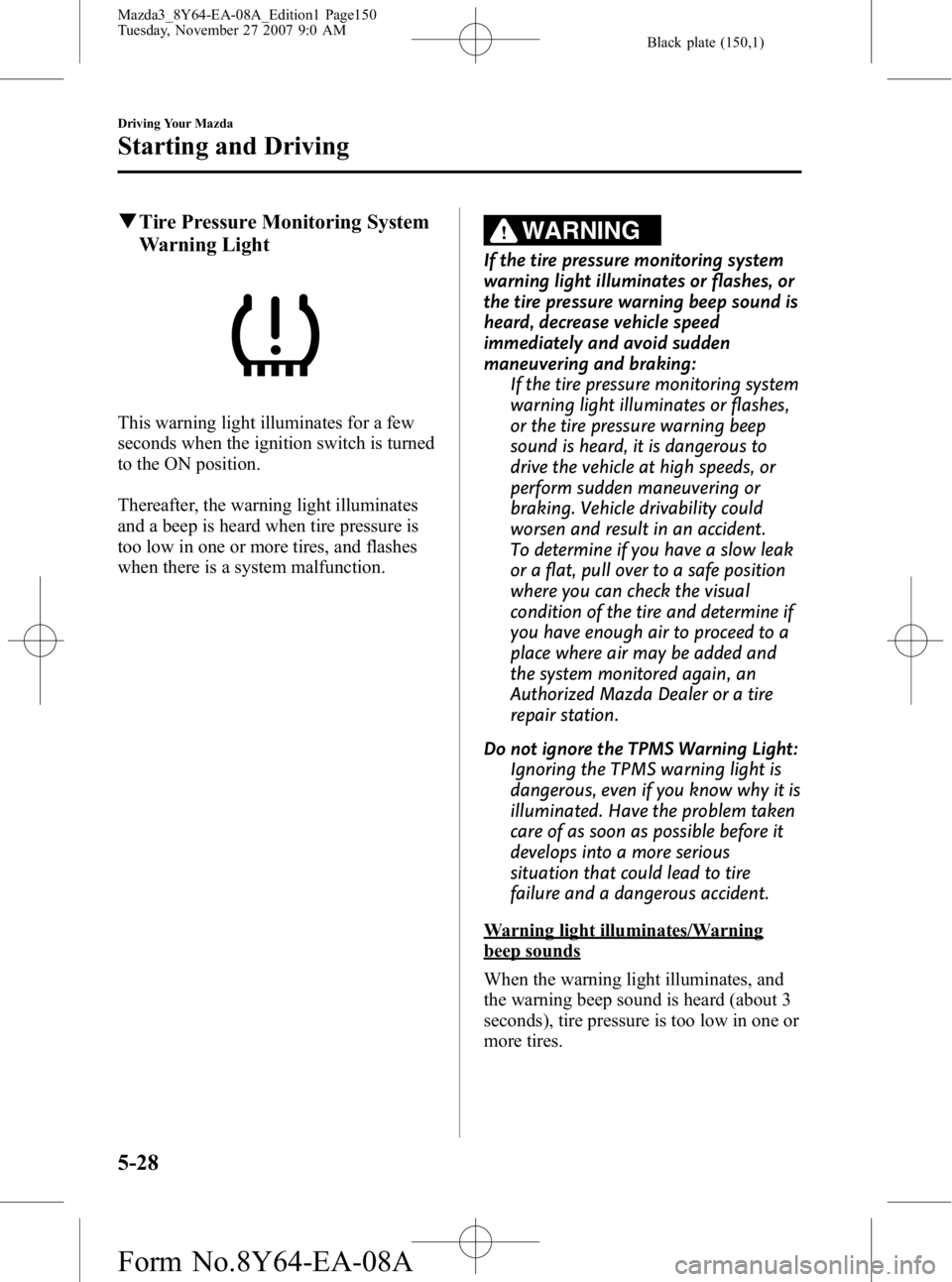
qTire Pressure Monitoring System
Warning Light
This warning light illuminates for a few
seconds when the ignition switch is turned
to the ON position.
Thereafter, the warning light illuminates
and a beep is heard when tire pressure is
too low in one or more tires, and flashes
when there is a system malfunction.
WARNING
If the tire pressure monitoring system
warning light illuminates or flashes, or
the tire pressure warning beep sound is
heard, decrease vehicle speed
immediately and avoid sudden
maneuvering and braking:
If the tire pressure monitoring system
warning light illuminates or flashes,
or the tire pressure warning beep
sound is heard, it is dangerous to
drive the vehicle at high speeds, or
perform sudden maneuvering or
braking. Vehicle drivability could
worsen and result in an accident.
To determine if you have a slow leak
or a flat, pull over to a safe position
where you can check the visual
condition of the tire and determine if
you have enough air to proceed to a
place where air may be added and
the system monitored again, an
Authorized Mazda Dealer or a tire
repair station.
Do not ignore the TPMS Warning Light: Ignoring the TPMS warning light is
dangerous, even if you know why it is
illuminated. Have the problem taken
care of as soon as possible before it
develops into a more serious
situation that could lead to tire
failure and a dangerous accident.
Warning light illuminates/Warning
beep sounds
When the warning light illuminates, and
the warning beep sound is heard (about 3
seconds), tire pressure is too low in one or
more tires.
5-28
Driving Your Mazda
Starting and Driving
Mazda3_8Y64-EA-08A_Edition1 Page150
Tuesday, November 27 2007 9:0 AM
Form No.8Y64-EA-08A
Page 163 of 412
Black plate (163,1)
If the light illuminates while driving:
1. Drive to the side of the road and parkoff the right-of-way on level ground.
2. Turn off the engine and wait 5 minutes for the oil to drain back into the oil
pan.
3. Inspect the engine oil level (page 8-20). If it's low, add oil.
4. Start the engine and check the warning light.
If the light remains illuminated even after
you add oil, stop the engine immediately
and have your vehicle towed to an
Authorized Mazda Dealer.
CAUTION
Don't run the engine if oil pressure is
low. It could result in extensive
engine damage.
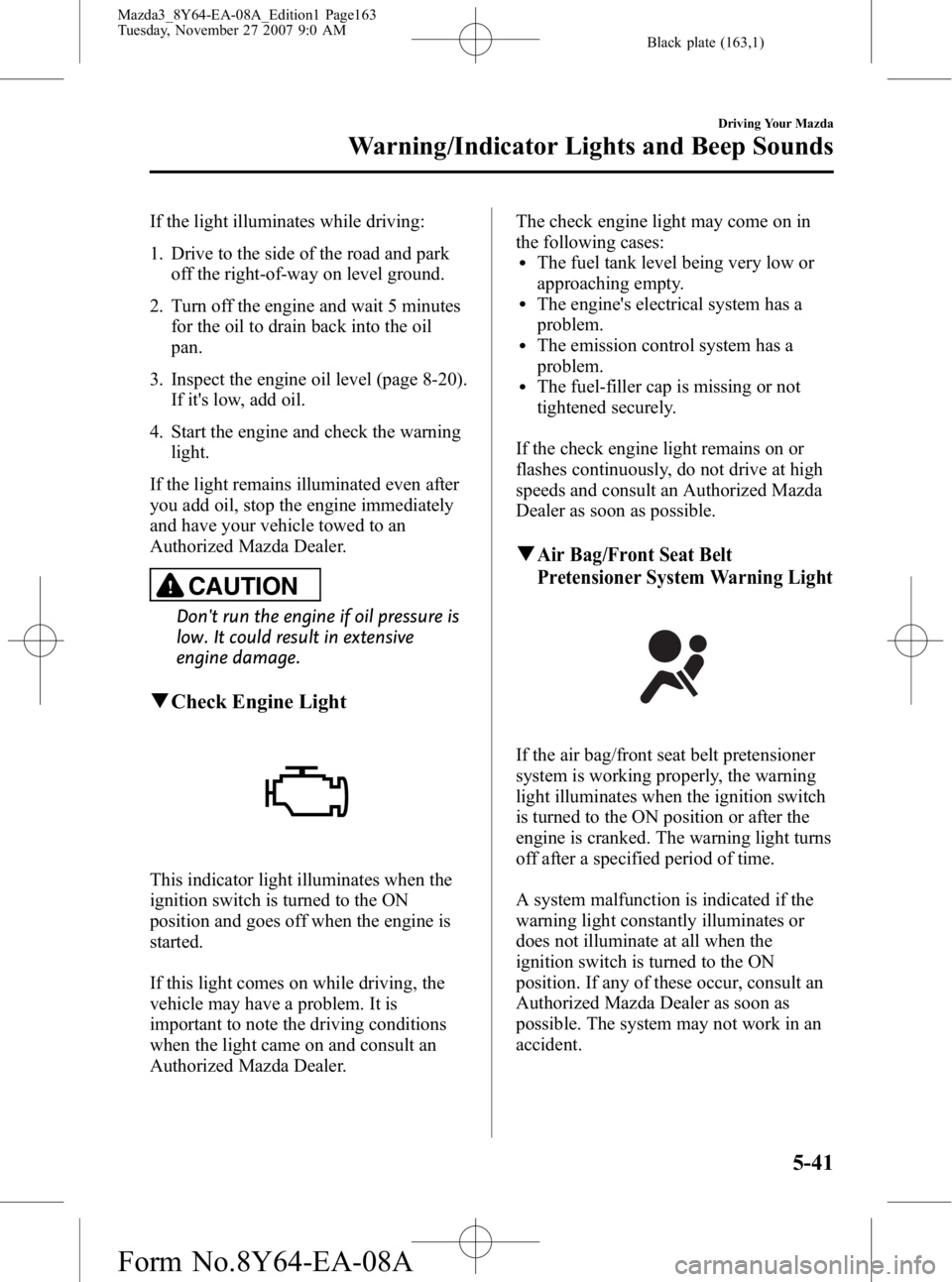
q Check Engine Light
This indicator light illuminates when the
ignition switch is turned to the ON
position and goes off when the engine is
started.
If this light comes on while driving, the
vehicle may have a problem. It is
important to note the driving conditions
when the light came on and consult an
Authorized Mazda Dealer. The check engine light may come on in
the following cases:
lThe fuel tank level being very low or
approaching empty.
lThe engine's electrical system has a
problem.
lThe emission control system has a
problem.
lThe fuel-filler cap is missing or not
tightened securely.
If the check engine light remains on or
flashes continuously, do not drive at high
speeds and consult an Authorized Mazda
Dealer as soon as possible.
qAir Bag/Front Seat Belt
Pretensioner System Warning Light
If the air bag/front seat belt pretensioner
system is working properly, the warning
light illuminates when the ignition switch
is turned to the ON position or after the
engine is cranked. The warning light turns
off after a specified period of time.
A system malfunction is indicated if the
warning light constantly illuminates or
does not illuminate at all when the
ignition switch is turned to the ON
position. If any of these occur, consult an
Authorized Mazda Dealer as soon as
possible. The system may not work in an
accident.
Driving Your Mazda
Warning/Indicator Lights and Beep Sounds
5-41
Mazda3_8Y64-EA-08A_Edition1 Page163
Tuesday, November 27 2007 9:0 AM
Form No.8Y64-EA-08A
Page 164 of 412
Black plate (164,1)
WARNING
Never tamper with the air bag/
pretensioner systems and always have
an Authorized Mazda Dealer perform
all servicing and repairs:Self-servicing or tampering with the
systems is dangerous. An air bag/
pretensioner could accidentally
activate or become disabled causing
serious injury or death.
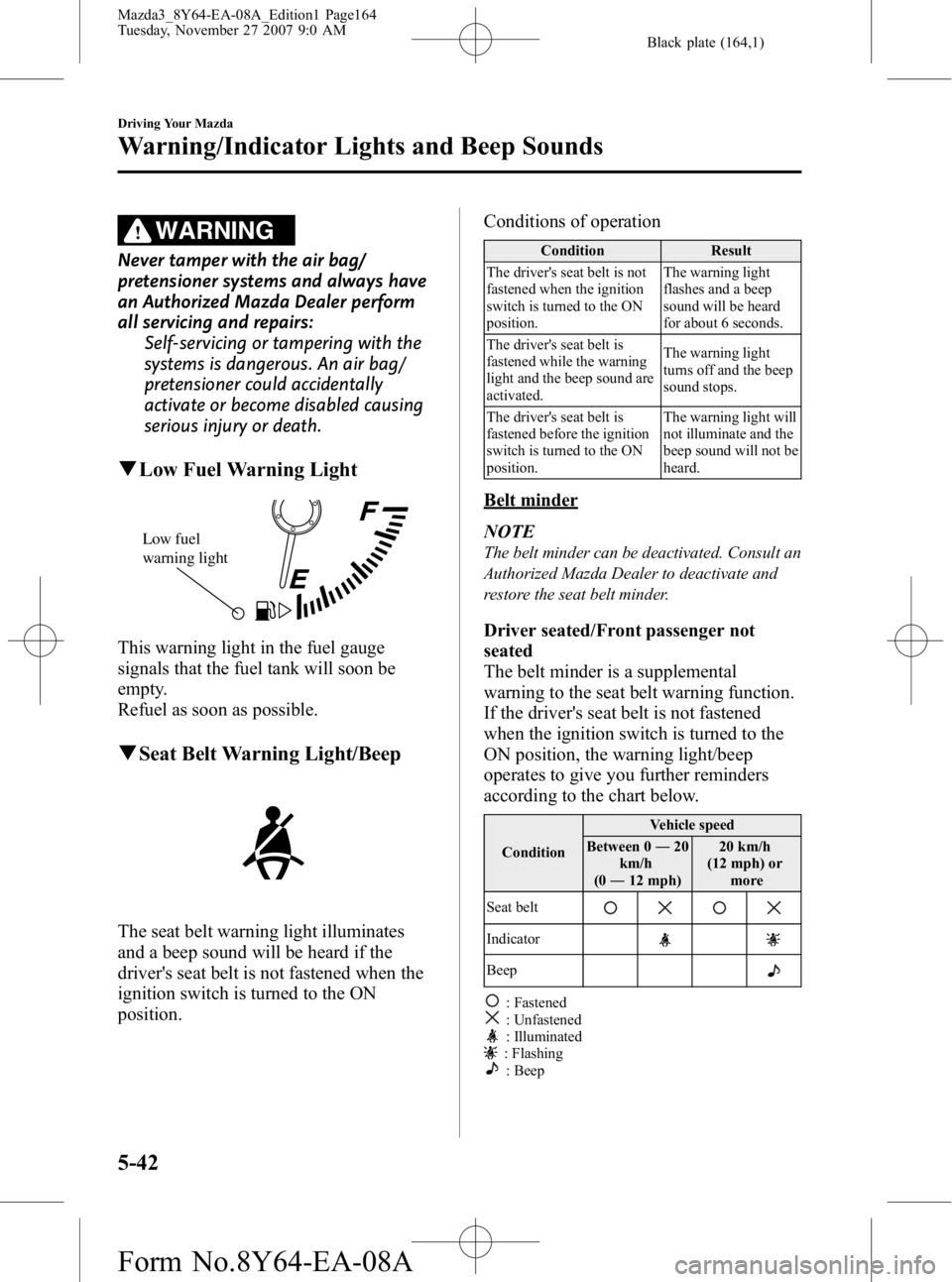
qLow Fuel Warning Light
Low fuel
warning light
This warning light in the fuel gauge
signals that the fuel tank will soon be
empty.
Refuel as soon as possible.
qSeat Belt Warning Light/Beep
The seat belt warning light illuminates
and a beep sound will be heard if the
driver's seat belt is not fastened when the
ignition switch is turned to the ON
position. Conditions of operation
Condition
Result
The driver's seat belt is not
fastened when the ignition
switch is turned to the ON
position. The warning light
flashes and a beep
sound will be heard
for about 6 seconds.
The driver's seat belt is
fastened while the warning
light and the beep sound are
activated. The warning light
turns off and the beep
sound stops.
The driver's seat belt is
fastened before the ignition
switch is turned to the ON
position. The warning light will
not illuminate and the
beep sound will not be
heard.
Belt minder
NOTE
The belt minder can be deactivated. Consult an
Authorized Mazda Dealer to deactivate and
restore the seat belt minder.
Driver seated/Front passenger not
seated
The belt minder is a supplemental
warning to the seat belt warning function.
If the driver's seat belt is not fastened
when the ignition switch is turned to the
ON position, the warning light/beep
operates to give you further reminders
according to the chart below.
Condition
Vehicle speed
Between 0 ―20
km/h
(0 ― 12 mph) 20 km/h
(12 mph) or more
Seat belt
Indicator
Beep
: Fastened: Unfastened: Illuminated: Flashing: Beep
5-42
Driving Your Mazda
Warning/Indicator Lights and Beep Sounds
Mazda3_8Y64-EA-08A_Edition1 Page164
Tuesday, November 27 2007 9:0 AM
Form No.8Y64-EA-08A
Page 166 of 412
Black plate (166,1)
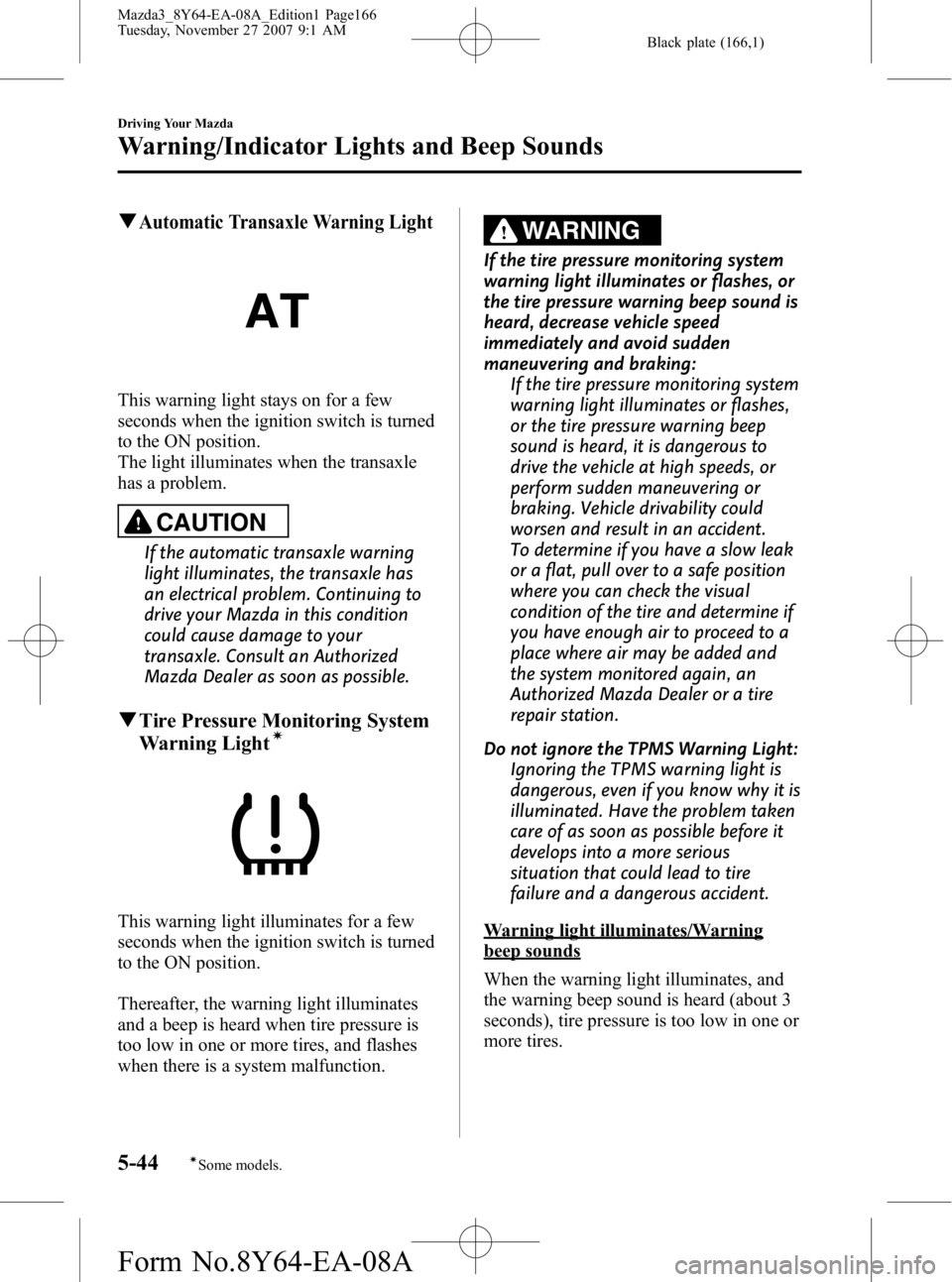
qAutomatic Transaxle Warning Light
This warning light stays on for a few
seconds when the ignition switch is turned
to the ON position.
The light illuminates when the transaxle
has a problem.
CAUTION
If the automatic transaxle warning
light illuminates, the transaxle has
an electrical problem. Continuing to
drive your Mazda in this condition
could cause damage to your
transaxle. Consult an Authorized
Mazda Dealer as soon as possible.
qTire Pressure Monitoring System
Warning Lightí
This warning light illuminates for a few
seconds when the ignition switch is turned
to the ON position.
Thereafter, the warning light illuminates
and a beep is heard when tire pressure is
too low in one or more tires, and flashes
when there is a system malfunction.
WARNING
If the tire pressure monitoring system
warning light illuminates or flashes, or
the tire pressure warning beep sound is
heard, decrease vehicle speed
immediately and avoid sudden
maneuvering and braking:
If the tire pressure monitoring system
warning light illuminates or flashes,
or the tire pressure warning beep
sound is heard, it is dangerous to
drive the vehicle at high speeds, or
perform sudden maneuvering or
braking. Vehicle drivability could
worsen and result in an accident.
To determine if you have a slow leak
or a flat, pull over to a safe position
where you can check the visual
condition of the tire and determine if
you have enough air to proceed to a
place where air may be added and
the system monitored again, an
Authorized Mazda Dealer or a tire
repair station.
Do not ignore the TPMS Warning Light: Ignoring the TPMS warning light is
dangerous, even if you know why it is
illuminated. Have the problem taken
care of as soon as possible before it
develops into a more serious
situation that could lead to tire
failure and a dangerous accident.
Warning light illuminates/Warning
beep sounds
When the warning light illuminates, and
the warning beep sound is heard (about 3
seconds), tire pressure is too low in one or
more tires.
5-44
Driving Your Mazda
íSome models.
Warning/Indicator Lights and Beep Sounds
Mazda3_8Y64-EA-08A_Edition1 Page166
Tuesday, November 27 2007 9:1 AM
Form No.8Y64-EA-08A
Page 180 of 412
Black plate (180,1)
Rear Window Wiper and
Washer (5 Door)
The ignition switch must be in the ON
position.
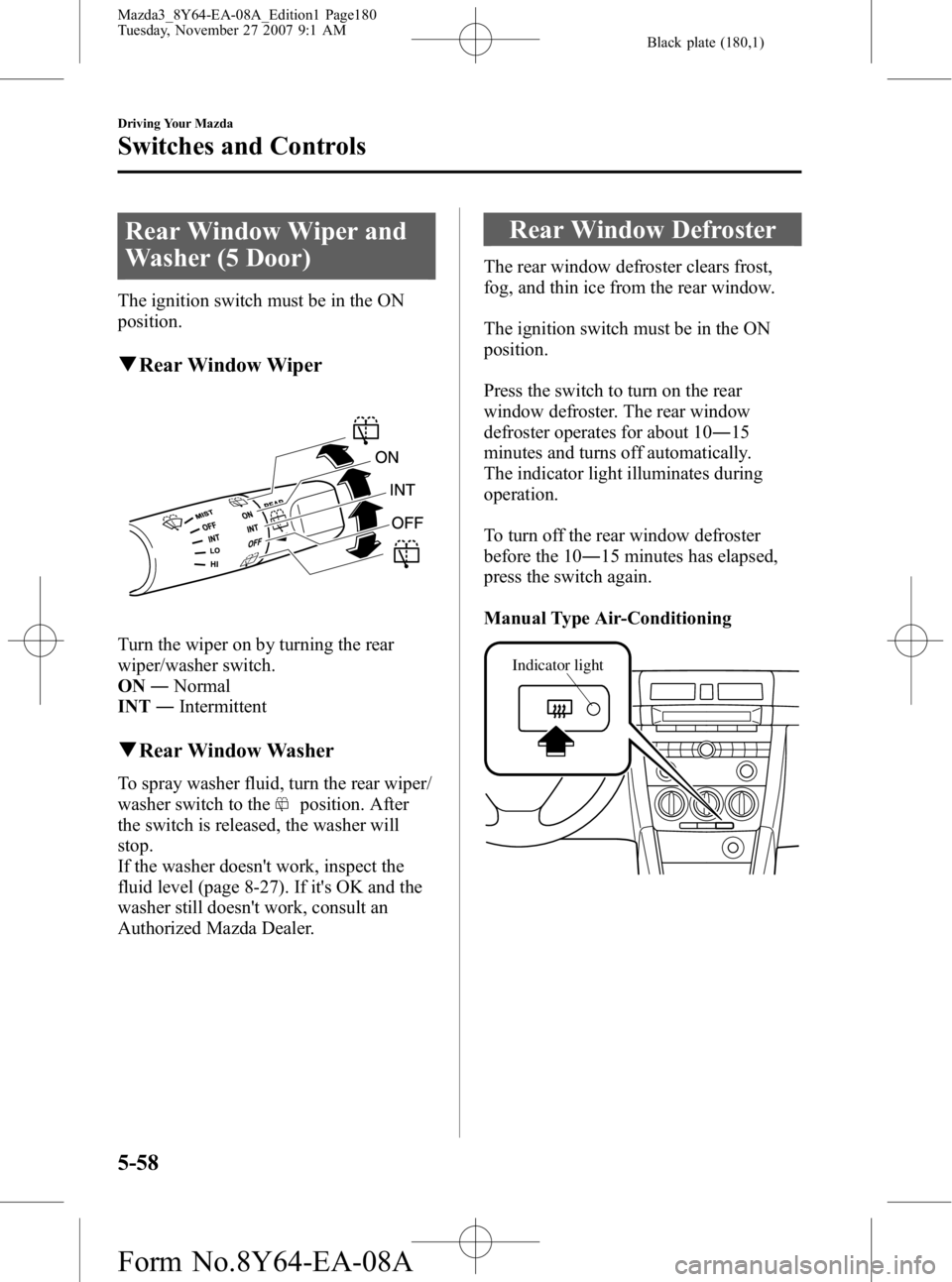
qRear Window Wiper
Turn the wiper on by turning the rear
wiper/washer switch.
ON ―Normal
INT ―Intermittent
qRear Window Washer
To spray washer fluid, turn the rear wiper/
washer switch to the
position. After
the switch is released, the washer will
stop.
If the washer doesn't work, inspect the
fluid level (page 8-27). If it's OK and the
washer still doesn't work, consult an
Authorized Mazda Dealer.
Rear Window Defroster
The rear window defroster clears frost,
fog, and thin ice from the rear window.
The ignition switch must be in the ON
position.
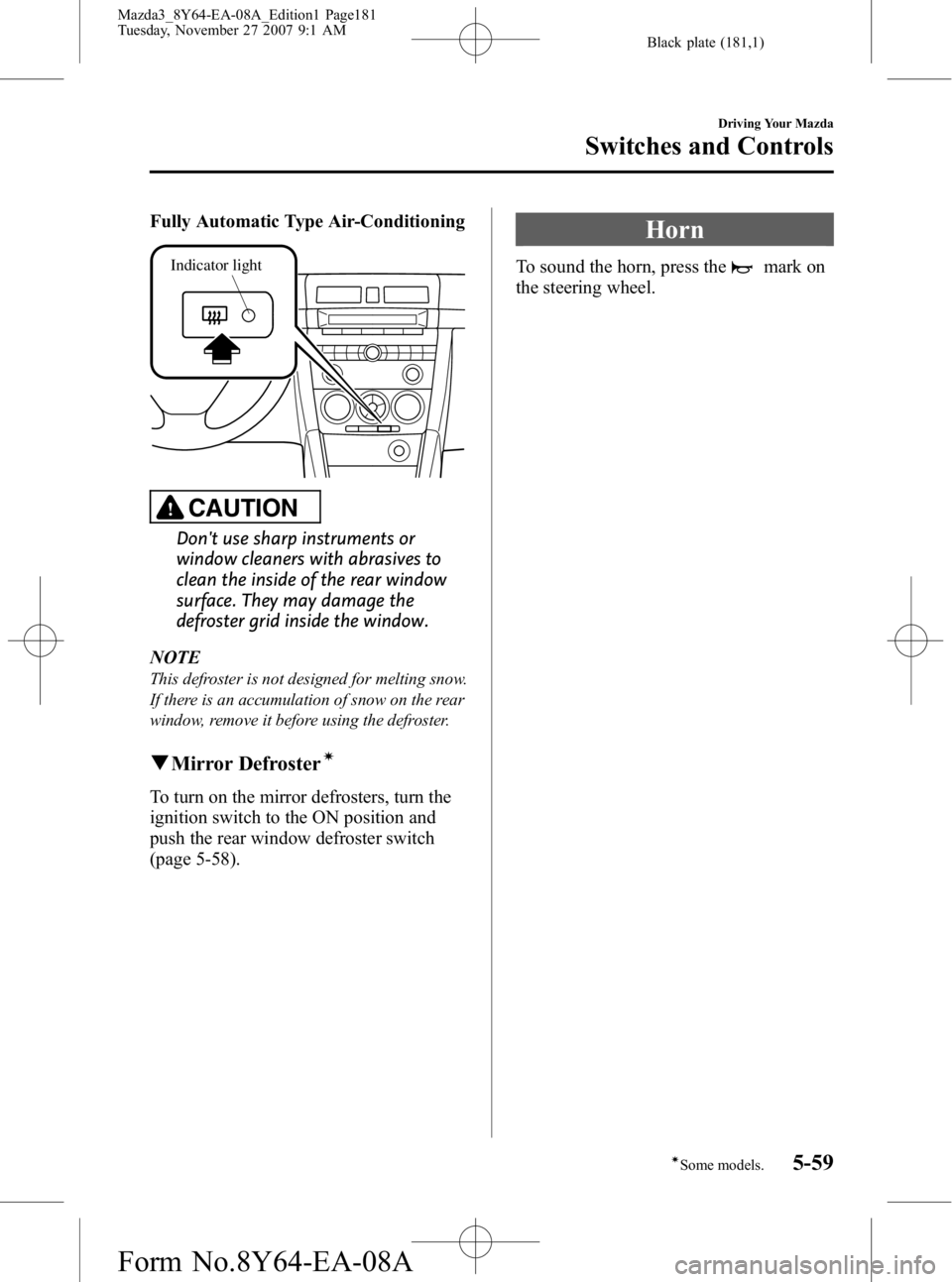
Press the switch to turn on the rear
window defroster. The rear window
defroster operates for about 10 ―15
minutes and turns off automatically.
The indicator light illuminates during
operation.
To turn off the rear window defroster
before the 10 ―15 minutes has elapsed,
press the switch again.
Manual Type Air-Conditioning
Indicator light
5-58
Driving Your Mazda
Switches and Controls
Mazda3_8Y64-EA-08A_Edition1 Page180
Tuesday, November 27 2007 9:1 AM
Form No.8Y64-EA-08A
Page 181 of 412
Black plate (181,1)
Fully Automatic Type Air-Conditioning
Indicator light
CAUTION
Don't use sharp instruments or
window cleaners with abrasives to
clean the inside of the rear window
surface. They may damage the
defroster grid inside the window.
NOTE
This defroster is not designed for melting snow.
If there is an accumulation of snow on the rear
window, remove it before using the defroster.
q Mirror Defrosterí
To turn on the mirror defrosters, turn the
ignition switch to the ON position and
push the rear window defroster switch
(page 5-58).
Horn
To sound the horn, press themark on
the steering wheel.
Driving Your Mazda
Switches and Controls
5-59íSome models.
Mazda3_8Y64-EA-08A_Edition1 Page181
Tuesday, November 27 2007 9:1 AM
Form No.8Y64-EA-08A
Page 183 of 412
Black plate (183,1)
6Interior Comfort
Use of various features for drive comfort, including air-conditioning and audio
system.
Climate Control System ............................................................... 6-2Operating Tips ........................................................................... 6-2
Vent Operation .......................................................................... 6-3
Types of the Climate Control System ....................................... 6-5
Manual Type
í.......................................................................... 6-6
Fully Automatic Typeí.......................................................... 6-10
Audio System ............................................................................... 6-15 Antenna ................................................................................... 6-15
Operating Tips for Audio System ........................................... 6-16
Audio Set ................................................................................ 6-25
Audio Control Switch Operation (Steering Wheel)
í............. 6-58
AUX Mode (Auxiliary input) ................................................. 6-60
Safety Certification ................................................................. 6-63
Interior Equipment ..................................................................... 6-64 Sunvisors ................................................................................. 6-64
Interior Lights ......................................................................... 6-64
Information Display ................................................................ 6-67
Lighter ..................................................................................... 6-72
Ashtray .................................................................................... 6-72
Cup Holder .............................................................................. 6-73
Bottle Holder ........................................................................... 6-74
Storage Compartments ............................................................ 6-74
Accessory Sockets
í................................................................ 6-78
6-1íSome models.
Mazda3_8Y64-EA-08A_Edition1 Page183
Tuesday, November 27 2007 9:1 AM
Form No.8Y64-EA-08A
Page 184 of 412
Black plate (184,1)
Operating Tips
qOperating the Climate Control
System
Operate the climate control system with
the engine running.
NOTE
To prevent the battery from being discharged,
do not leave the fan control dial on for a long
period of time with the ignition switch in the
ON position when the engine is not running.
qClearing the Air Inlet
Clear all obstructions like leaves, snow
and ice from the hood and the air inlet in
the cowl grille to improve the system
efficiency.
qFoggy Windows
The windows may fog up easily in humid
weather. Use the climate control system to
defog the windows.
To help defog the windows, operate the
air conditioner to dehumidify the air.
NOTE
The air conditioner may be used along with the
heater to dehumidify the air.
qOutside/Recirculated Air Position
Use the outside air position in normal
conditions. The recirculated air position
should be used only when driving on
dusty roads or for quick cooling of the
interior.
qParking in Direct Sunlight
If the vehicle has been parked in direct
sunlight during hot weather, open the
windows to let warm air escape, then run
the climate control system.
qNot Using for a Long Period
Run the air conditioner about 10 minutes
at least once a month to keep internal
parts lubricated.
qCheck the Refrigerant before the
Weather Gets Hot
Have the air conditioner checked before
the weather gets hot. Lack of refrigerant
may make the air conditioner less
efficient. Consult an Authorized Mazda
Dealer for refrigerant inspection.
The air conditioner is filled with
HFC134a (R134a), a refrigerant that will
not damage the ozone layer.
If the air conditioner is low on refrigerant
or has a malfunction, consult an
Authorized Mazda Dealer.
qReplacement of the Cabin Air
Filterí
If your vehicle is equipped with an air
filter for the air conditioner, it is necessary
to change the filter periodically as
indicated in scheduled maintenance (page
8-3). Consult an Authorized Mazda
Dealer for replacement of the cabin air
filter.
6-2
Interior Comfort
íSome models.
Climate Control System
Mazda3_8Y64-EA-08A_Edition1 Page184
Tuesday, November 27 2007 9:1 AM
Form No.8Y64-EA-08A
Page 185 of 412
Black plate (185,1)
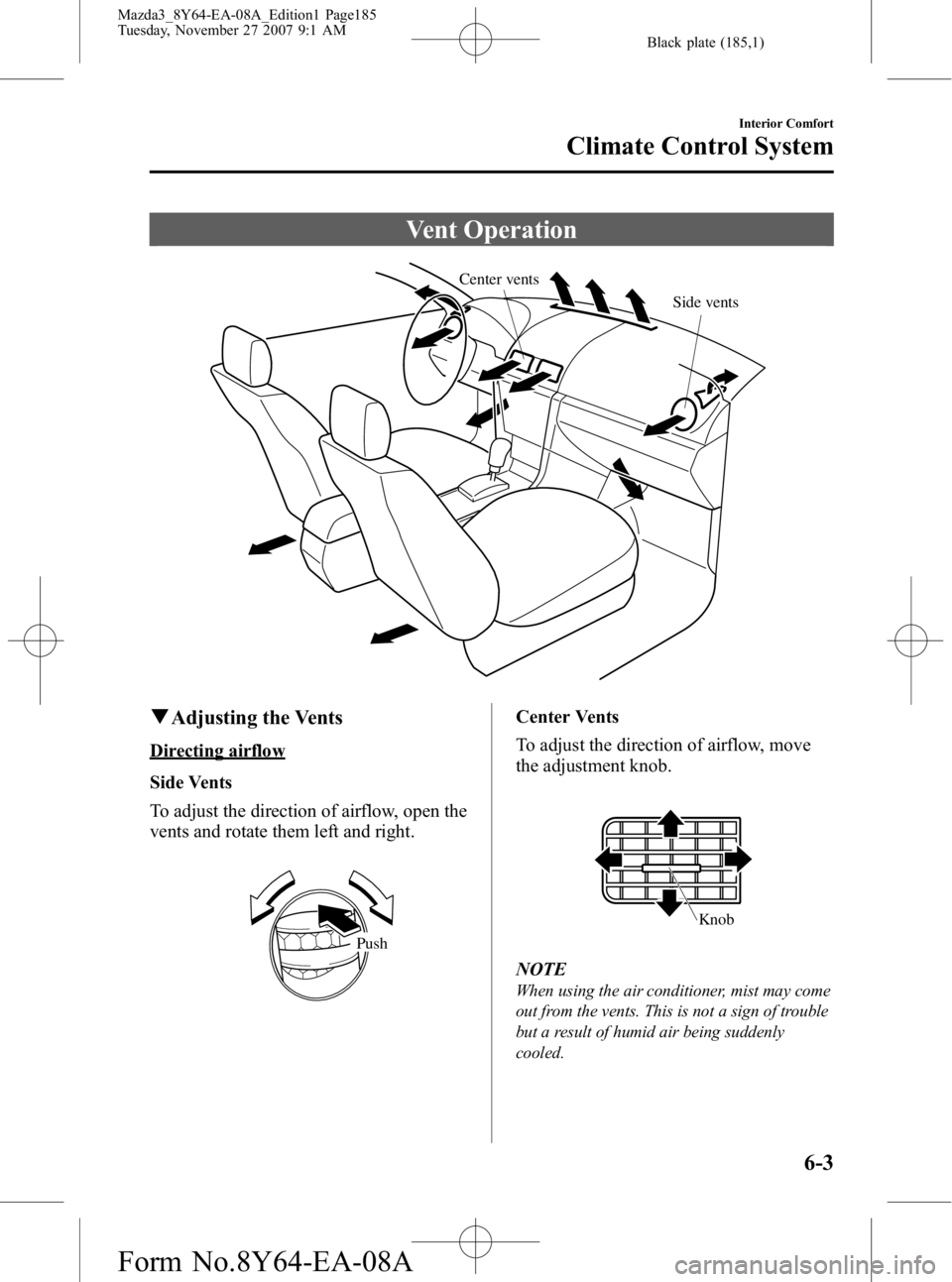
Vent Operation
Center ventsSide vents
qAdjusting the Vents
Directing airflow
Side Vents
To adjust the direction of airflow, open the
vents and rotate them left and right.
Push
Center Vents
To adjust the direction of airflow, move
the adjustment knob.
Knob
NOTE
When using the air conditioner, mist may come
out from the vents. This is not a sign of trouble
but a result of humid air being suddenly
cooled.
Interior Comfort
Climate Control System
6-3
Mazda3_8Y64-EA-08A_Edition1 Page185
Tuesday, November 27 2007 9:1 AM
Form No.8Y64-EA-08A
Page 189 of 412
Black plate (189,1)
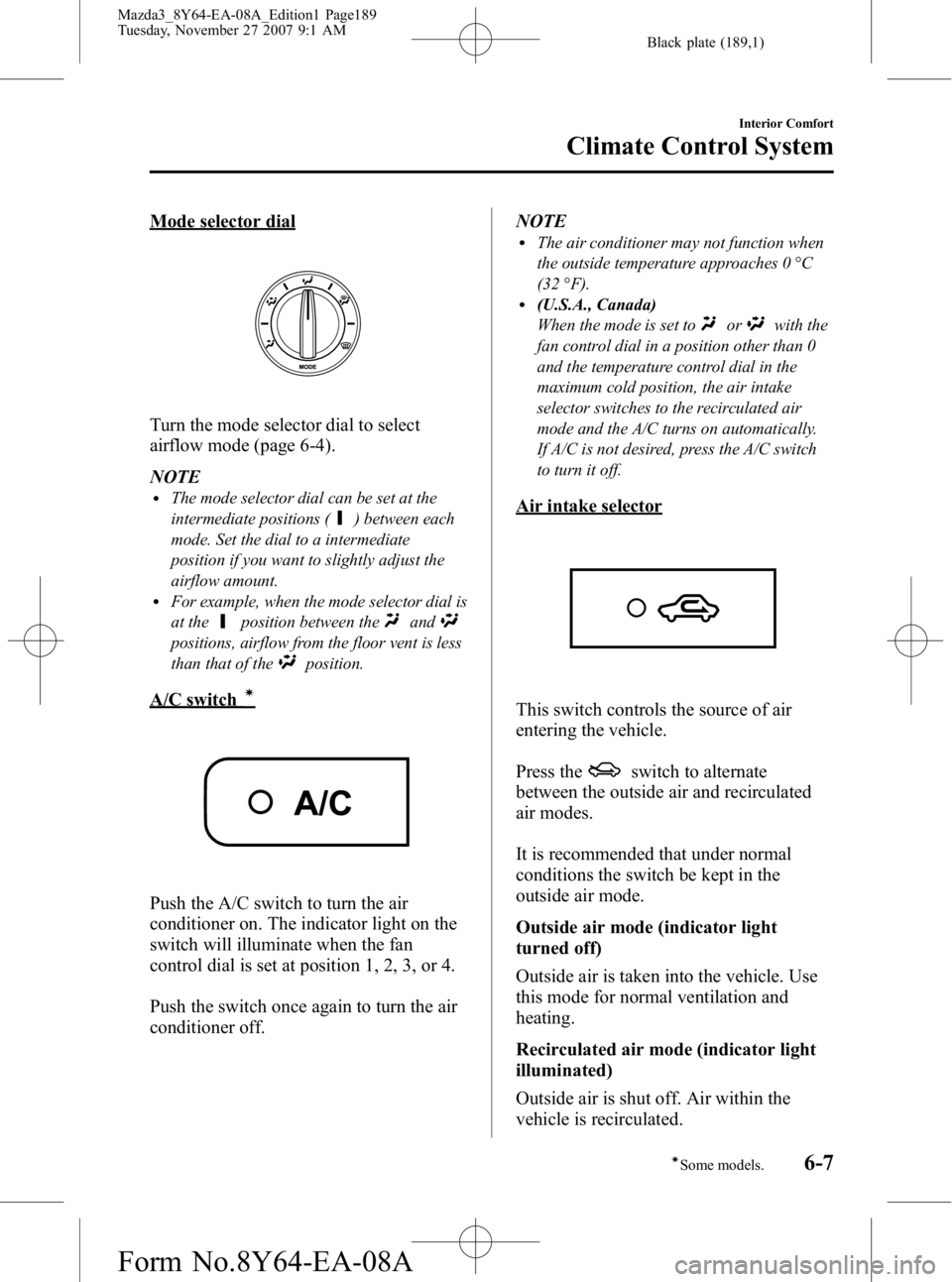
Mode selector dial
Turn the mode selector dial to select
airflow mode (page 6-4).
NOTE
lThe mode selector dial can be set at the
intermediate positions (
) between each
mode. Set the dial to a intermediate
position if you want to slightly adjust the
airflow amount.
lFor example, when the mode selector dial is
at the
position between theand
positions, airflow from the floor vent is less
than that of the
position.
A/C switchí
Push the A/C switch to turn the air
conditioner on. The indicator light on the
switch will illuminate when the fan
control dial is set at position 1, 2, 3, or 4.
Push the switch once again to turn the air
conditioner off. NOTE
lThe air conditioner may not function when
the outside temperature approaches 0 °C
(32 °F).
l(U.S.A., Canada)
When the mode is set to
orwith the
fan control dial in a position other than 0
and the temperature control dial in the
maximum cold position, the air intake
selector switches to the recirculated air
mode and the A/C turns on automatically.
If A/C is not desired, press the A/C switch
to turn it off.
Air intake selector
This switch controls the source of air
entering the vehicle.
Press the
switch to alternate
between the outside air and recirculated
air modes.
It is recommended that under normal
conditions the switch be kept in the
outside air mode.
Outside air mode (indicator light
turned off)
Outside air is taken into the vehicle. Use
this mode for normal ventilation and
heating.
Recirculated air mode (indicator light
illuminated)
Outside air is shut off. Air within the
vehicle is recirculated.
Interior Comfort
Climate Control System
6-7íSome models.
Mazda3_8Y64-EA-08A_Edition1 Page189
Tuesday, November 27 2007 9:1 AM
Form No.8Y64-EA-08A