AUX MAZDA MODEL 3 5-DOOR 2013 Owner's Manual
[x] Cancel search | Manufacturer: MAZDA, Model Year: 2013, Model line: MODEL 3 5-DOOR, Model: MAZDA MODEL 3 5-DOOR 2013Pages: 610, PDF Size: 7.05 MB
Page 219 of 610

Black plate (219,1)
If the warning light illuminates again even
after the tire pressures are adjusted, there
may be a tire puncture. Replace the
punctured tire with the temporary spare
tire (page 7-9).
NOTE
A tire pressure sensor is not installed to the
temporary spare tire. The warning light will
flash continuously while the temporary spare
tire is being used.
Warning light flashes
When the warning light flashes, there may
be a system malfunction. Consult an
Authorized Mazda Dealer.
qKEY Warning Light (Red)/KEY
Indicator Light (Green) (with
Advanced Key)
This indicator has two colors.
KEY Warning Light (Red)
When illuminated
lWhen the push button start is pressed
ON, it illuminates momentarily and
then turns off.
lIf any malfunction occurs in the
advanced keyless system, it illuminates
continuously.
WARNING
Do not drive the vehicle with the KEY
warning light illuminated:
If the KEY warning light remains
illuminated, do not continue to drive
using the advanced key system. Park
the vehicle in a safe place and use
the auxiliary key to continue driving
the vehicle. Have the vehicle
inspected at an Authorized Mazda
Dealer as soon as possible.
When flashing
lUnder the following conditions, the
KEY warning light (red) flashes to
inform the driver that the push button
start will not switch to ACC even if it
is pressed from off.
lThe advanced key battery is dead.lThe advanced key is not within
operational range.
lThe advanced key is placed in areas
where it is difficult for the system to
detect the signal (page 3-7).
lA key from another manufacturer
similar to the advanced key is in the
operational range.
Driving Your Mazda
Warning/Indicator Lights and Beep Sounds
5-57
Mazda3_8CV6-EA-12H_Edition3 Page219
Thursday, February 28 2013 11:28 AM
Form No.8CV6-EA-12H
Page 241 of 610
Black plate (241,1)
6Interior Comfort
Use of various features for drive comfort, including air-conditioning and audio
system.
Climate Control System .......................... 6-2 Operating Tips .................................... 6-2
Vent Operation .................................... 6-3
Types of the Climate Control
System ................................................. 6-5
Manual Type
í.................................... 6-6
Fully Automatic Typeí.................... 6-10
Audio System ......................................... 6-16 Antenna ............................................. 6-16
Operating Tips for Audio System ..... 6-17
Types of the Audio Set/System ......... 6-31
Audio Set (Type A) ........................... 6-33
Audio Set (Type B) ........................... 6-63
Audio Control Switch Operation
í.... 6-84
AUX/USB/iPod Mode ...................... 6-88
Safety Certification ......................... 6-107
Bluetooth® Audio (Type A) ................ 6-108 Bluetooth® Audio
í........................ 6-108
Bluetooth® Hands-Free (Type A) ....... 6-118 Bluetooth® Hands-Free
í............... 6-118
Basic Bluetooth® Hands-Free
Operation ........................................ 6-122
Convenient Use of the Hands-Free
System ............................................. 6-127
Hands-Free Setting .......................... 6-133
When Bluetooth® Hands-Free Cannot be
Used ................................................ 6-139
Safety Certification ......................... 6-140
Mazda Bluetooth® Hands-Free Customer
Service ............................................ 6-140 Bluetooth® (Type B) ............................ 6-141
Bluetooth®
í................................... 6-141
Bluetooth® Hands-Free .................. 6-147
Bluetooth® Audio ........................... 6-166
Troubleshooting .............................. 6-170
Safety Certification ......................... 6-174
Interior Equipment ............................. 6-176 Sunvisors ......................................... 6-176
Interior Lights ................................. 6-176
Information Display ........................ 6-178
Multi Information Display
í........... 6-180
Cup Holder ...................................... 6-189
Bottle Holder ................................... 6-190
Storage Compartments .................... 6-191
Accessory Sockets .......................... 6-194
6-1íSome models.
Mazda3_8CV6-EA-12H_Edition3 Page241
Thursday, February 28 2013 11:28 AM
Form No.8CV6-EA-12H
Page 273 of 610
Black plate (273,1)
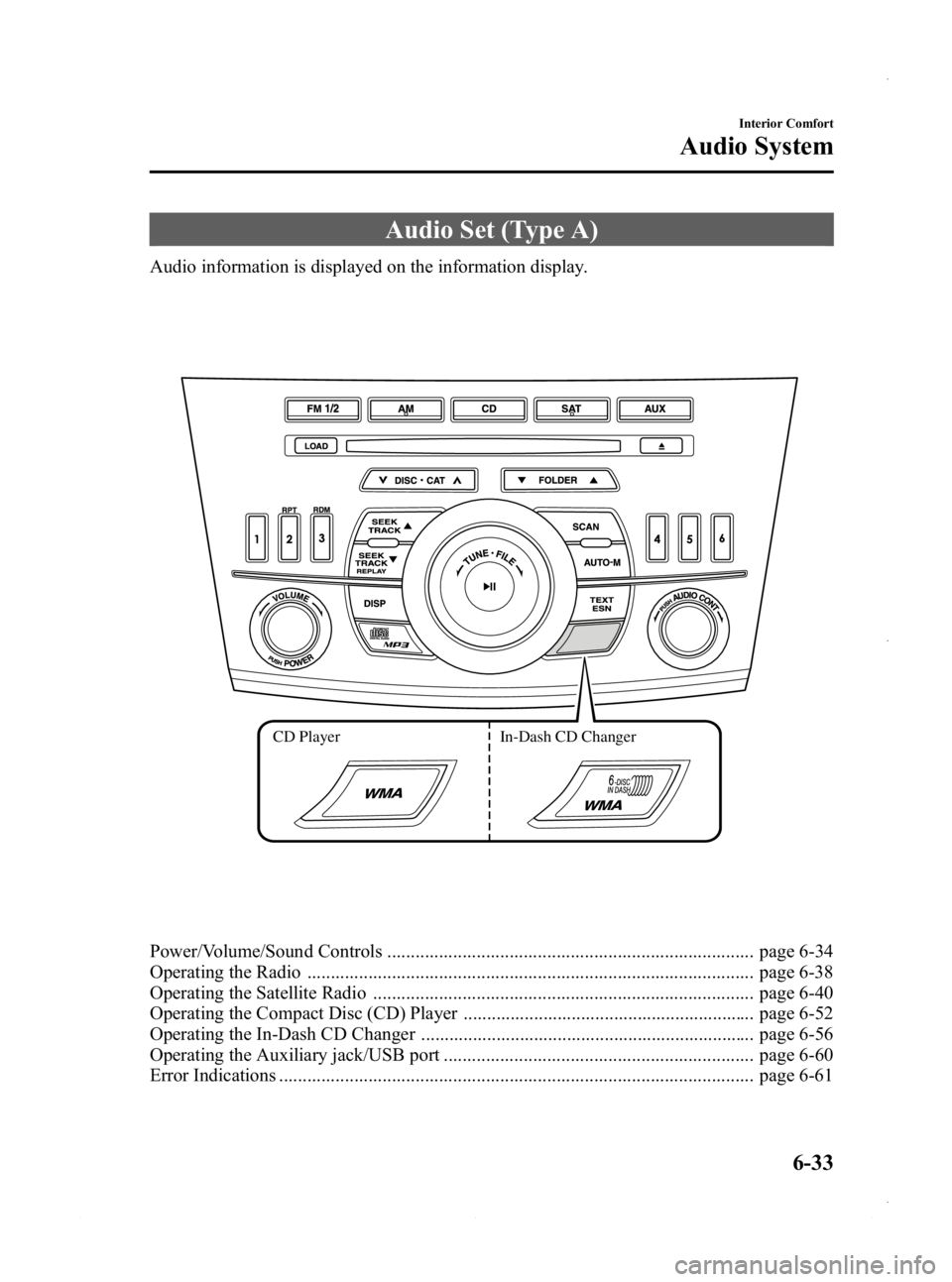
Audio Set (Type A)
Audio information is displayed on the information display.
CD PlayerIn-Dash CD Changer
Power/Volume/Sound Controls .............................................................................. page 6-34
Operating the Radio ............................................................................................... page 6-38
Operating the Satellite Radio ................................................................................. page 6-40
Operating the Compact Disc (CD) Player .............................................................. page 6-52
Operating the In-Dash CD Changer ....................................................................... page 6-56
Operating the Auxiliary jack/USB port .................................................................. page 6-60
Error Indications ..................................................................................................... page 6-61
Interior Comfort
Audio System
6-33
Mazda3_8CV6-EA-12H_Edition3 Page273
Thursday, February 28 2013 11:28 AM
Form No.8CV6-EA-12H
Page 277 of 610

Black plate (277,1)
AudioPilot®2*(Bose®Sound System-
equipped model)
AudioPilot
®2 automatically adjusts audio
volume and sound quality in accordance
with the level of noise entering the vehicle
interior while driving. When AudioPilot
®
2 is turned on, the system automatically
calculates the conditions for optimum
hearing of sound which may be difficult
to hear depending on exterior noise.
* AudioPilot
®2 is a registered trademark
of Bose Corporation.
Centerpoint®*(Bose®Sound System-
equipped model)
Centerpoint
®offers you the experience of
5.1-channel surround sound in your
vehicle even with your conventional 2-
channel stereo CDs.
Centerpoint
®can be set on or off.
NOTE
lCenterpoint®operates optimally with a 2-
channel stereo CD. MP3 audio files can be
played, however, MP3 audio files encoded
with high compression may result in poor
sound quality.
lCenterpoint®is available for 2-channel
stereo audio except for AM radio/FM radio/
SIRIUS digital satellite radio/AUX/BT
audio.
* Centerpoint®is a registered trademark
of Bose Corporation.
BEEP setting
The beep-sound when operating the audio
system can be set on or off.
ILLM EFT setting (Action Illumination
setting during operation)
The audio system illumination during
operation can be set on or off.
Welcome mode (Welcome sound)
Sound is heard when the ignition is
switched ON.
BT SETUP modeí
Music and other audio such as voice data
recorded on portable audio devices and
mobile phones available on the market
which are equipped with the Bluetooth
®
transmission function can be listened to
via wireless transmission over the
vehicle's speakers. Using the BT SETUP
mode, these devices can be programmed
to the Bluetooth
®unit or changed.
Refer to Bluetooth® Audio (Type A) on
page 6-108.
Interior Comfort
Audio System
6-37íSome models.
Mazda3_8CV6-EA-12H_Edition3 Page277
Thursday, February 28 2013 11:28 AM
Form No.8CV6-EA-12H
Page 300 of 610
Black plate (300,1)
NOTElThe information viewable in the display is
only CD information (such as artist name,
song title) which has been recorded to the
CD.
lThe system can only display one-byte
alphabetic characters. If two-byte or other
types of characters have been recorded to
the CD, they may not display correctly.
Display scroll
Only 12 characters (Except file name) can
be displayed at one time. To display the
rest of the characters of a long title, press
the text button (
). The display
scrolls the next 12 characters. Press the
text button (
) again after the last 12
characters have been displayed to return
to the beginning of the title.
NOTE
The displayable number of characters is
limited. If the number of characters, including
the file extension (.mp3/.wma), exceeds 32
characters, it may not be fully displayed.
Message display
If “CHECK CD ”is displayed, it means
that there is some CD malfunction. Check
the CD for damage, dirt, or smudges, and
then properly reinsert. If the message
appears again, take the unit to an
Authorized Mazda Dealer for service.
q Operating the Auxiliary jack/
USB port
Without USB port
Audio can be heard from the vehicle's
speakers by connecting a commercially-
available portable audio unit to the
auxiliary jack.
Use a commercially-available, non-
impedance (3.5
) stereo mini plug cable.
Contact an Authorized Mazda Dealer for
details.
Refer to AUX/USB/iPod Mode on page
6-88.
With USB port
Audio can be heard from the vehicle's
speakers by connecting a commercially-
available portable audio unit to the
auxiliary jack.
Use a commercially-available, non-
impedance (3.5
) stereo mini plug cable.
Contact an Authorized Mazda Dealer for
details.
In addition, audio can be played from the
vehicle's audio unit by connecting USB
device or an iPod to the USB port.
Refer to AUX/USB/iPod Mode on page
6-88.
6-60
Interior Comfort
Audio System
Mazda3_8CV6-EA-12H_Edition3 Page300
Thursday, February 28 2013 11:29 AM
Form No.8CV6-EA-12H
Page 303 of 610
Black plate (303,1)
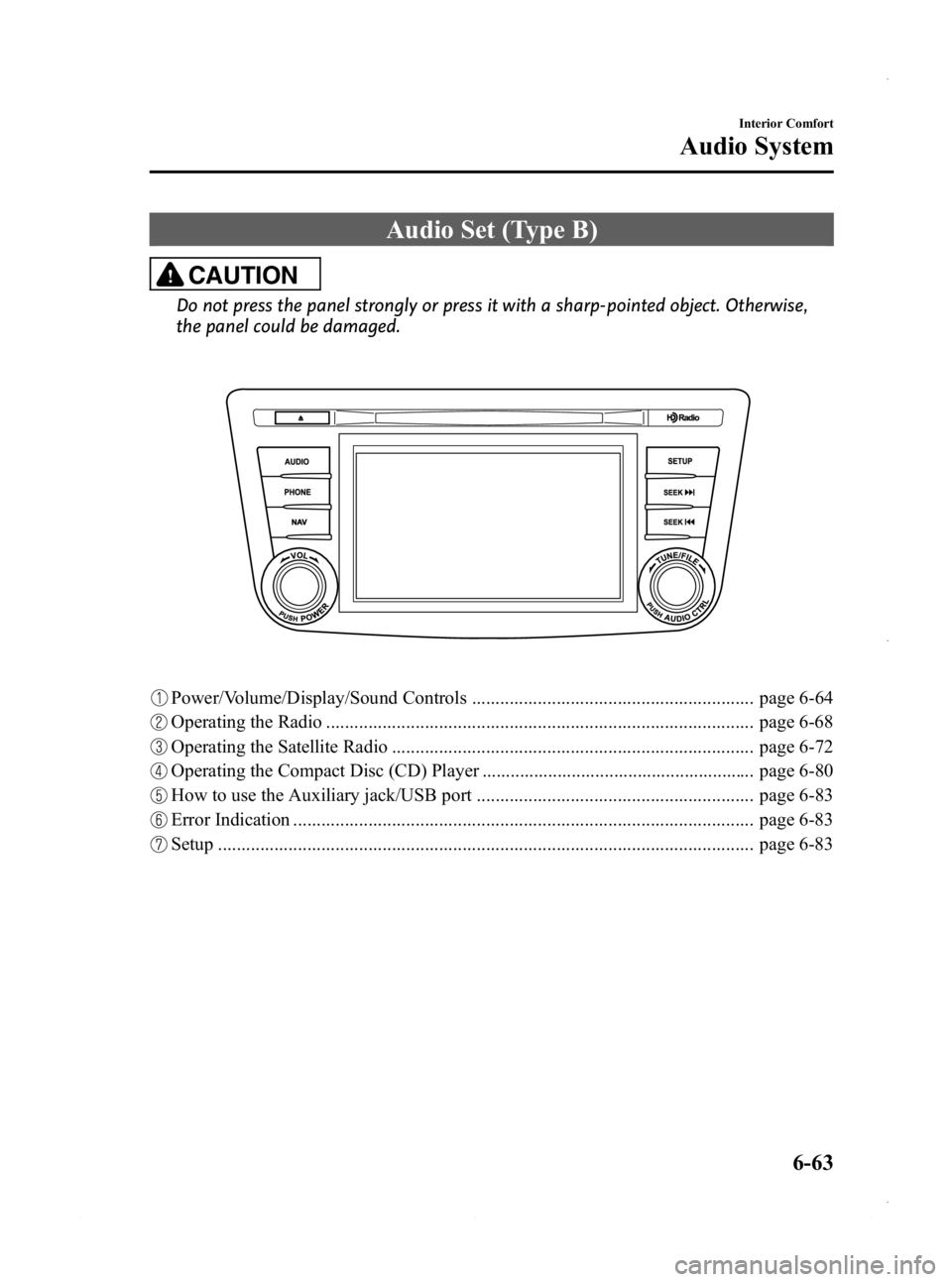
Audio Set (Type B)
CAUTION
Do not press the panel strongly or press it with a sharp-pointed object. Otherwise,
the panel could be damaged.
Power/Volume/Display/Sound Controls ............................................................ page 6-64
Operating the Radio ........................................................................................... page 6-68
Operating the Satellite Radio ............................................................................. page 6-72
Operating the Compact Disc (CD) Player .......................................................... page 6-80
How to use the Auxiliary jack/USB port ........................................................... page 6-83
Error Indication .................................................................................................. page 6-83
Setup .................................................................................................................. page 6-83
Interior Comfort
Audio System
6-63
Mazda3_8CV6-EA-12H_Edition3 Page303
Thursday, February 28 2013 11:29 AM
Form No.8CV6-EA-12H
Page 306 of 610

Black plate (306,1)
AudioPilot®2*4
AudioPilot®2 automatically adjusts audio
volume and sound quality in accordance
with the level of noise entering the vehicle
interior while driving. When AudioPilot
®
2 is turned on, the system automatically
calculates the conditions for optimum
hearing of sound which may be difficult
to hear depending on exterior noise.
AudioPilot
®2 can be set on or off.
*4 AudioPilot®2 is a registered
trademark of Bose Corporation.
Centerpoint
®*5
Centerpoint®offers you the experience of
5.1-channel surround sound in your
vehicle even with your conventional 2-
channel stereo CDs. Centerpoint
®can be
set on or off.
*5 Centerpoint
®is a registered trademark
of Bose Corporation.
NOTE
lCenterpoint®operates optimally with a 2-
channel stereo CD. Audio files encoded
with high compression can be played,
however, they may result in poor sound
quality.
lCenterpoint®is available for 2-channel
stereo audio except for AM radio/FM radio/
AUX/USB/iPod/Bluetooth® audio.
Sound setting reset
The settings for bass, treble, balance, and
fade can be returned to their initial
settings.
1. Touch the
on-screen button.
2. Touch the
on-screen button.
6-66
Interior Comfort
Audio System
Mazda3_8CV6-EA-12H_Edition3 Page306
Thursday, February 28 2013 11:29 AM
Form No.8CV6-EA-12H
Page 323 of 610
Black plate (323,1)
(CD shuffle)
Touch the
on-screen button two
times during playback to play the songs in
the CD shuffle. “
”is displayed during
playback.
Touch the
on-screen button while
“
” is displayed to cancel.
Display scroll
If a whole title cannot be displayed at one
time, touch the
on-screen button on
the right side of the title. When the last
character is displayed, touch the
on-
screen button to display the first character
of the title.
NOTE
lTheon-screen button is displayed only
if a whole title cannot be displayed at one
time.
lThe information viewable in the display is
only CD information (such as artist name,
song title) which has been recorded to the
CD.
lThis unit cannot display some characters.
Characters which cannot be displayed are
indicated by an asterisk (
).lThe number of characters which can be
displayed is restricted.
Message Display
If “CD Error ”is displayed, it means that
there is some CD malfunction. Check the
CD for damage, dirt, or smudges, and
then properly reinsert. If the message
appears again, take the unit to an
Authorized Mazda Dealer for service.
qHow to use Auxiliary jack/USB port
Audio can be heard from the vehicle's
speakers by connecting a commercially-
available portable audio unit to the
auxiliary jack.
Use a commercially-available, non-
impedance (3.5
) stereo mini plug cable.
Contact an Authorized Mazda Dealer for
details.
In addition, audio can be played from the
vehicle audio device by connecting a USB
device or an iPod to the USB port.
Refer to AUX/USB/iPod Mode on page
6-88.
q Error Indications
If you see an error indication on the
display, find the cause in the chart. If you
cannot clear the error indication, take the
vehicle to an Authorized Mazda Dealer.
IndicationCause Solution
CD
Error CD is inserted
upside down
Insert the CD
properly. If the error
indication continues
to display, consult an
Authorized Mazda
Dealer.
CD is defective Insert another CD
properly. If the error
indication continues
to display, consult an
Authorized Mazda
Dealer.
q
Setup
You can customize settings in the setup
display as follows:
Display
Refer to Power/Volume/Display/Sound
Controls on page 6-64.
Interior Comfort
Audio System
6-83
Mazda3_8CV6-EA-12H_Edition3 Page323
Thursday, February 28 2013 11:29 AM
Form No.8CV6-EA-12H
Page 325 of 610

Black plate (325,1)
With Bluetooth® Hands-Free and
navigation system
Talk buttonPick-up buttonTalk button
Hang-up button
Pick-up button
NOTElThe talk button, pick-up button, and hang-
up button are operable with the audio unit
turned off.
lMazda has installed this system to prevent
distraction while driving the vehicle and
using audio controls on the dashboard.
Always make safe driving your first priority.
q
Adjusting the Volume
To increase the volume, press up the
volume switch.
To decrease the volume, press down the
volume switch.
Without Bluetooth® Hands-Free
With Bluetooth® Hands-Free
qChanging the Sourceí
Press the mode switch () to change
the audio source (FM1 radio →FM2
radio →AM radio →CD player or CD
changer →SIRIUS1 →SIRIUS2 →
SIRIUS3 →AUX →BT audio →USB/
iPod →cyclical).
Without Bluetooth® Hands-Free
Interior Comfort
Audio System
6-85íSome models.
Mazda3_8CV6-EA-12H_Edition3 Page325
Thursday, February 28 2013 11:29 AM
Form No.8CV6-EA-12H
Page 326 of 610
Black plate (326,1)
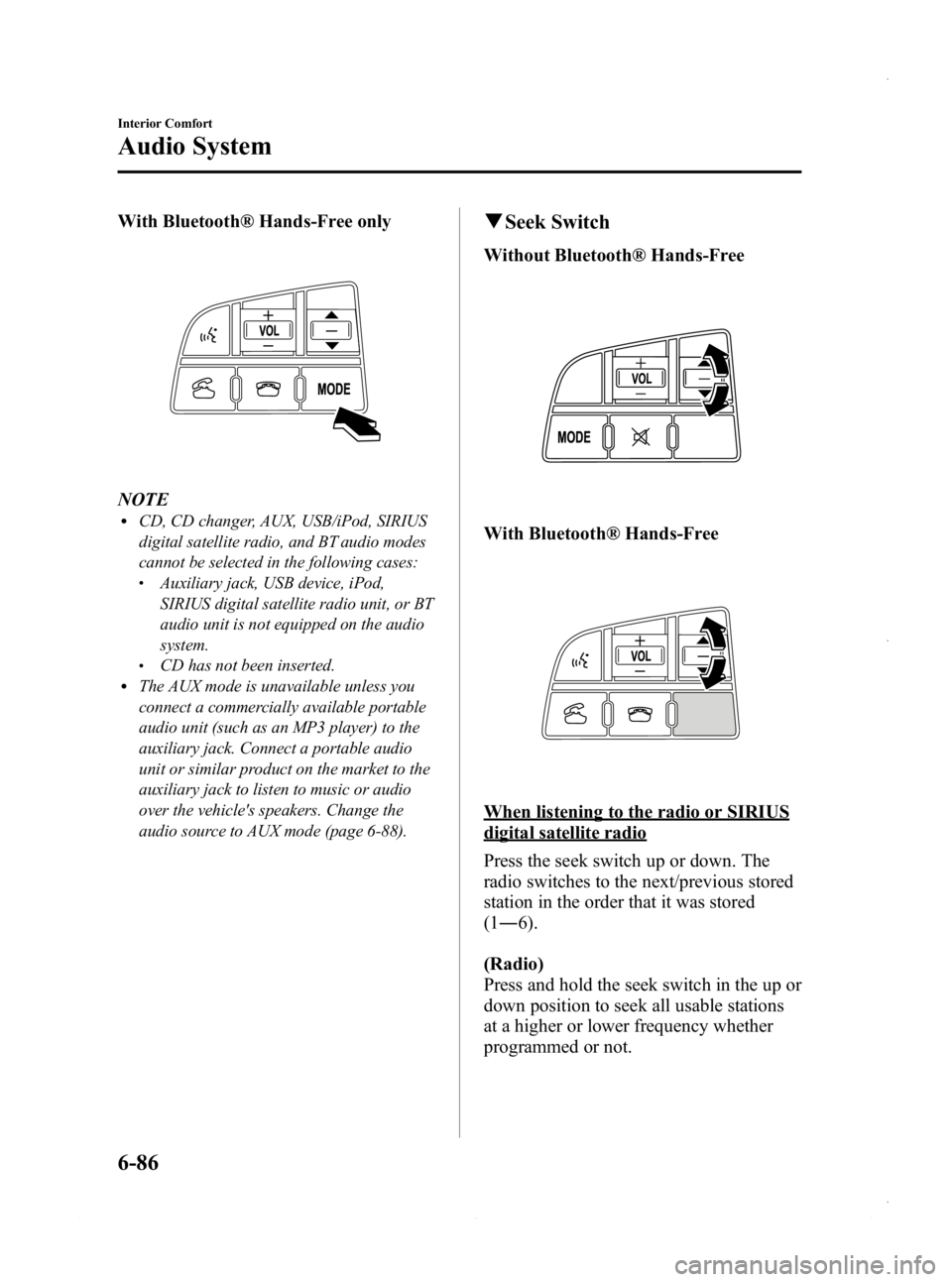
With Bluetooth® Hands-Free only
NOTElCD, CD changer, AUX, USB/iPod, SIRIUS
digital satellite radio, and BT audio modes
cannot be selected in the following cases:
lAuxiliary jack, USB device, iPod,
SIRIUS digital satellite radio unit, or BT
audio unit is not equipped on the audio
system.
lCD has not been inserted.lThe AUX mode is unavailable unless you
connect a commercially available portable
audio unit (such as an MP3 player) to the
auxiliary jack. Connect a portable audio
unit or similar product on the market to the
auxiliary jack to listen to music or audio
over the vehicle's speakers. Change the
audio source to AUX mode (page 6-88).
qSeek Switch
Without Bluetooth® Hands-Free
With Bluetooth® Hands-Free
When listening to the radio or SIRIUS
digital satellite radio
Press the seek switch up or down. The
radio switches to the next/previous stored
station in the order that it was stored
(1― 6).
(Radio)
Press and hold the seek switch in the up or
down position to seek all usable stations
at a higher or lower frequency whether
programmed or not.
6-86
Interior Comfort
Audio System
Mazda3_8CV6-EA-12H_Edition3 Page326
Thursday, February 28 2013 11:29 AM
Form No.8CV6-EA-12H