engine MAZDA MODEL 3 5-DOOR 2017 Repair Manual
[x] Cancel search | Manufacturer: MAZDA, Model Year: 2017, Model line: MODEL 3 5-DOOR, Model: MAZDA MODEL 3 5-DOOR 2017Pages: 612
Page 210 of 612
4–80
When Driving
Power Steering
Power Steering
Power steering is only operable when
the engine is running. If the engine is
off or if the power steering system is
inoperable, you can still steer, but it
requires more physical effort.
If the steering feels stiffer than usual
during normal driving or the steering
vibrates, consult an Authorized Mazda
Dealer.
The warning light notifies the driver
of system abnormalities and operation
conditions.
In addition, the buzzer may also activate
depending on the system abnormality or
operation condition.
Refer to Warning Lights on page
4-24.
Refer to Power Steering Warning Buzzer
on page 7-43.
CAUTION
Never hold the steering wheel to the
extreme left or right for more than 5
seconds with the engine running. This
could damage the power steering
system.
Mazda3_8FL6-EA-16F_Edition2.indb 802016/08/10 17:36:35
Page 223 of 612
4–93
When Driving
i-ACTIVSENSE
Canceling Operation of Blind Spot
Monitoring (BSM)
The Blind Spot Monitoring (BSM)
and Rear Cross Traffic Alert (RCTA)
systems are turned off and the Blind Spot
Monitoring (BSM) OFF indicator light in
the instrument cluster turns on.
Vehicles with Blind Spot Monitoring
(BSM) switch
When the Blind Spot Monitoring
(BSM) switch is pressed, the Blind Spot
Monitoring (BSM) and Rear Cross Traffic
Alert (RCTA) systems are turned off and
the Blind Spot Monitoring (BSM) OFF
indicator light in the instrument cluster
turns on.
If the switch is pressed again, the Blind
Spot Monitoring (BSM) and Rear Cross
Traffic Alert (RCTA) systems become
operable and the Blind Spot Monitoring
(BSM) OFF indicator light turns off.
NOTE
When the ignition is switched OFF, the
system status before it was turned off is
maintained. For example, if the ignition
is switched OFF while the Blind Spot
Monitoring (BSM) and Rear Cross Traffic
Alert (RCTA) systems are operable, the
Blind Spot Monitoring (BSM) and Rear
Cross Traffic Alert (RCTA) systems remain
operable the next time the ignition is
switched ON.
Vehicles without Blind Spot Monitoring
(BSM) switch
The Blind Spot Monitoring (BSM) system
can be set to inoperable.
Refer to Personalization Features on page
9-12.
When the Blind Spot Monitoring (BSM)
is set to inoperable, the Blind Spot
Monitoring (BSM) and Rear Cross Traffic
Alert (RCTA) systems are turned off and
the Blind Spot Monitoring (BSM) OFF
indicator light in the instrument cluster
turns on.
NOTE
If the engine is stopped while the Blind
Spot Monitoring (BSM) is turned off, the
Blind Spot Monitoring (BSM) becomes
operable the next time the engine is
started.
Mazda3_8FL6-EA-16F_Edition2.indb 932016/08/10 17:36:40
Page 239 of 612
4–109
When Driving
i-ACTIVSENSE
During headway control travel, the system accelerates and decelerates your vehicle in
conjunction with the speed of the vehicle ahead. However, if it is necessary to accelerate
for a lane change or if the vehicle ahead brakes suddenly causing you to\
close in on the
vehicle rapidly, accelerate using the accelerator pedal or decelerate using the brake
pedal depending on the conditions.
While the Mazda Radar Cruise Contr ol (MRCC) system is in use, it does not cancel even
if the selector lever (automatic transaxle)/shift lever (manual trans\
axle) is operated and
any intended engine braking will not occur. If deceleration is required, lower the vehicle
speed setting or depress the brake pedal.
The brake lights are illuminated while the Mazda Radar Cruise Control (MRCC)
automatic braking is operating. The Mazda Radar Cruise Contr ol (MRCC) warning light (amber) illuminates when the
system has a malfunction.
Refer to Warning Lights on page 4-24. The headway contr ol operation can be canceled and the system can be switched to only
cruise control. Refer to Cruise Control Function on page 4-115.
Mazda Radar Cruise Control (MRCC) Display Indication
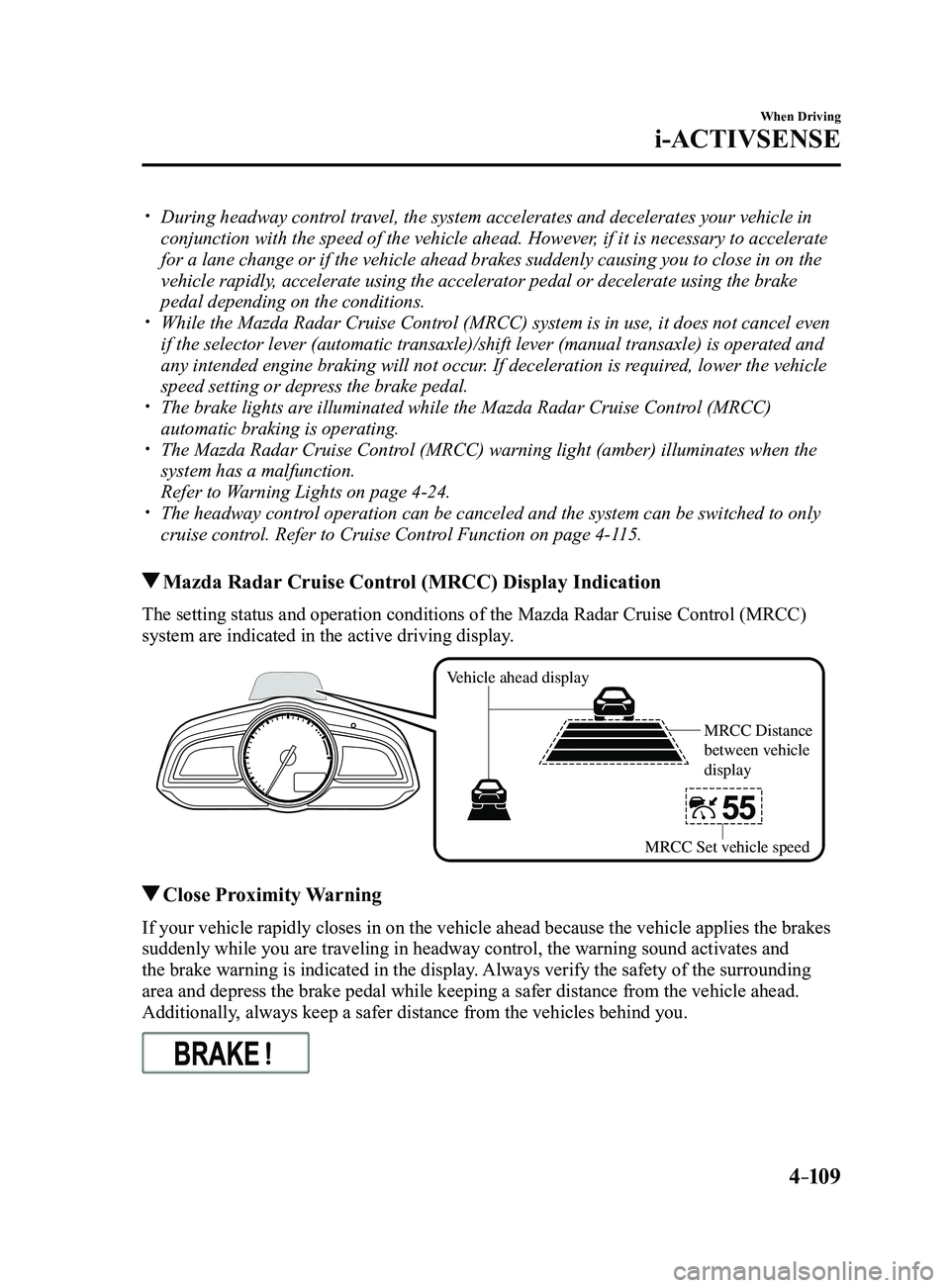
The setting status and operation conditions of the Mazda Radar Cruise Control (MRCC)
system are indicated in the active driving display.
Vehicle ahead display
MRCC Distance
between vehicle
display
MRCC Set vehicle speed
Close Proximity Warning
If your vehicle rapidly closes in on the vehicle ahead because the vehic\
le applies the brakes
suddenly while you are traveling in headway control, the warning sound a\
ctivates and
the brake warning is indicated in the display. Always verify the safety of the surrounding
area and depress the brake pedal while keeping a safer distance from the\
vehicle ahead.
Additionally, always keep a safer distance from the vehicles behind you.
Mazda3_8FL6-EA-16F_Edition2.indb 1092016/08/10 17:36:47
Page 241 of 612

4–111
When Driving
i-ACTIVSENSE
NOTE
If a vehicle ahead is detected while traveling at a constant speed, the \
vehicle-ahead
indication is displayed and headway control is performed. Additionally, when a vehicle
ahead is no longer detected, the vehicle-ahead indication turns off and \
the system
switches back to travel at constant speed.
Headway control is not possible if the vehicle ahead is driving faster than the set s\
peed.
Adjust the system to the desired vehicle speed using the accelerator pedal.
How to Set the Distance Between Vehicles During Headway Control
The distance between vehicles is set to a shorter distance each time the\
switch is pressed.
The distance between vehicles is set to a longer distance by pressing th\
e
switch. The
distance-between-vehicles can be set to 4 levels; Long, medium, short, a\
nd extremely short
distance.
Distance-between-vehicles guideline (at 80 km/h (50 mph) vehicle speed) Display
Long (about 50 m (164 ft))
Medium (about 40 m (131 ft))
Short (about 30 m (98 ft))
Extremely short (about 25 m (82 ft))
NOTE
The distance between vehicles differs depending on the vehicle speed, an\
d the slower the
vehicle speed, the shorter the distance. When the ignition is switched to ACC or OFF and then the engine is started again, the
system automatically sets the distance between vehicles to the previous setting.
Mazda3_8FL6-EA-16F_Edition2.indb 1112016/08/10 17:36:49
Page 243 of 612
4–113
When Driving
i-ACTIVSENSE
(Automatic transaxle)
The selector lever is shifted to park (P),
neutral (N) or reverse (R). (Manual transaxle)
The shift lever is in the reverse (R)
position .
In the following cases, the “Mazda
Radar Cruise Control Canceled”
indication is displayed and the beep
sounds one time.
The vehicle speed decreases to less
than 25 km (16 mph). The DSC has operated. The TCS has operated for a certain
period of time. The Smart City Brake Support (SCBS)
has operated. The Smart Brake Support (SBS) has
operated. When traveling on a down slope for a
long period of time. There is a problem with the system. Any door is opened. The driver's seat belt is unfastened.
(Manual transaxle)
The shift lever is shifted to neutral
(N) for a certain period of time. The clutch is depressed for a certain
period of time. The engine stalls.
NOTE
The Mazda Radar Cruise Control
(MRCC) system may be canceled during
rain, fog, snow or other inclement
weather conditions, or the front surface
of the radiator grille is dirty.
If you have temporarily canceled the
Mazda Radar Cruise Control (MRCC),
you can return to your previously set
speed by pressing the RES switch and
after all of the operation conditions
have been met.
If the Mazda Radar Cruise Contr ol
(MRCC) system is deactivated, the
system does not return to the previously
set speed even if the RES switch is
pressed.
Mazda3_8FL6-EA-16F_Edition2.indb 1132016/08/10 17:36:50
Page 244 of 612
4–114
When Driving
i-ACTIVSENSE
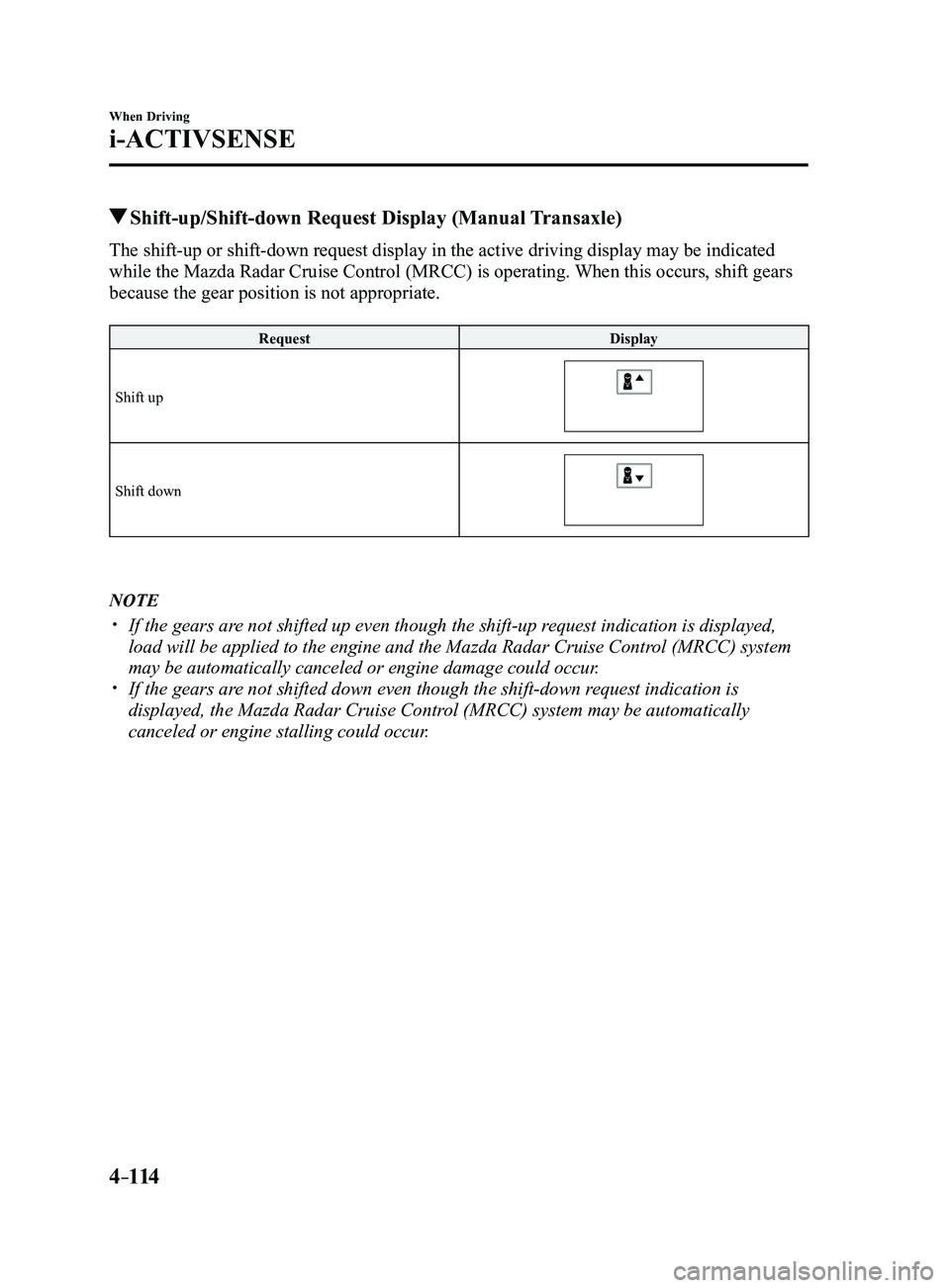
Shift-up/Shift-down Request Display (Manual Transaxle)
The shift-up or shift-down request display in the active driving display may be indicated
while the Mazda Radar Cruise Control (MRCC) is operating. When this occurs, shift gears
because the gear position is not appropriate.
Request Display
Shift up
Shift down
NOTE
If the gears ar e not shifted up even though the shift-up request indication is displayed,
load will be applied to the engine and the Mazda Radar Cruise Control (MRCC) system
may be automatically canceled or engine damage could occur.
If the gears are not shifted down even though the shift-down request indication is
displayed, the Mazda Radar Cruise Control (MRCC) system may be automatically
canceled or engine stalling could occur.
Mazda3_8FL6-EA-16F_Edition2.indb 1142016/08/10 17:36:51
Page 245 of 612
4–115
When Driving
i-ACTIVSENSE
Cruise Control Function
While this function is operating, the
headway control operation is canceled and
only the cruise control function operates.
The vehicle speed can be set more than
about 25 km/h (16 mph).
Use the cruise control function on
expressways and other highways which do
not require a lot of repeated acceleration
and deceleration.
WARNING
Do not use the cruise control function in
the following locations:
Otherwise, it could lead to an accident.
Roads with sharp cur ves and where
vehicle traffic is heavy and there is
insufficient space between vehicles.
(Driving under these conditions
using the cruise control function is
not possible)
Steep down slopes (Set speed may
be exceeded because sufficient
engine braking cannot be applied)
Slippery roads such as ice or snow-
bound roads (Tires could spin
causing you to lose vehicle control)
Always drive carefully: The warnings and brake control
will not operate after the headway
control function is canceled and the
system is switched to only the cruise
control function. Depress the brake
pedal to decelerate according to the
surrounding conditions while keeping
a safer distance from the vehicle ahead
and always driving carefully.
Switching to cruise control function
When the MODE switch is pressed while
the Mazda Radar Cruise Control (MRCC)
system is turned on, the system switches to
the cruise control function.
When the system switches to the cruise
control function, the cruise main indication
(white) is displayed in the instrument
cluster and the active driving display to
notify the driver as follows:
The Mazda Radar Cruise Control
(MRCC) set indication (green) or the
Mazda Radar Cruise Control (MRCC)
main indication (white) is turned off,
and the cruise main indication (white) is
turned on.
WARNING
Always turn off the cruise control
function when it is not in use:Leaving the cruise control function
turned on when it is not in use
is dangerous as it could operate
unexpectedly, resulting in an accident.
How to set the speed
Adjust the system to the desired vehicle
speed using the accelerator pedal.
When the SET
or SET switch is
pressed, the cruise set indication (green) is
turned on and headway control begins.
NOTE
The system may not be able to maintain
the set speed constantly depending on
driving conditions such as steep up or
down slopes.
The speed will continue incr easing
while the SET switch is pressed and
held. The speed will continue
decreasing while the SET
switch is
pressed and held.
Mazda3_8FL6-EA-16F_Edition2.indb 1152016/08/10 17:36:51
Page 250 of 612
4–120
When Driving
i-ACTIVSENSE
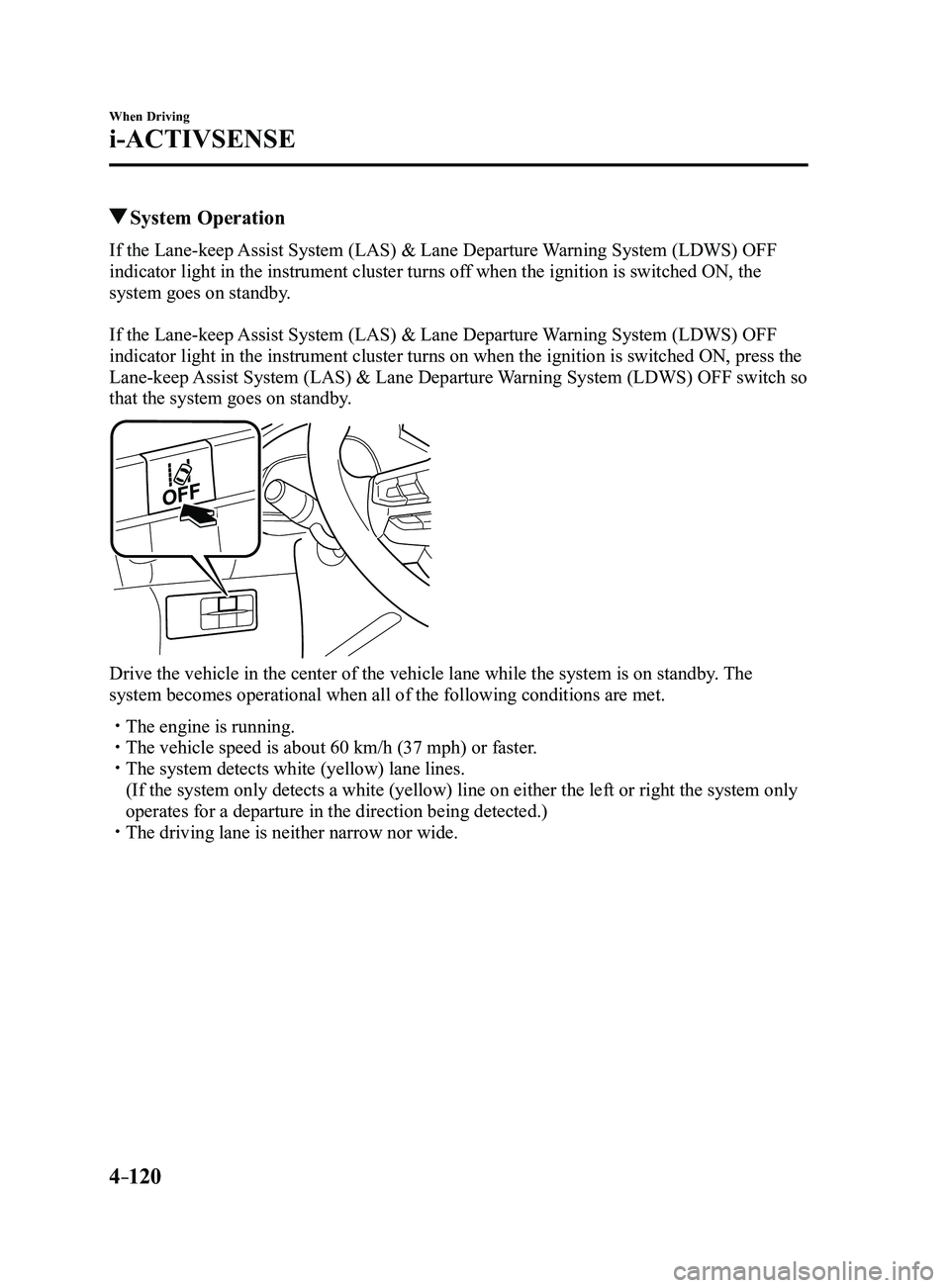
System Operation
If the Lane-keep Assist System (LAS) & Lane Departure Warning System (LDWS) OFF
indicator light in the instrument cluster turns off when the ignition is switched ON, the
system goes on standby.
If the Lane-keep Assist System (LAS) & Lane Departure Warning System (LDWS) OFF
indicator light in the instrument cluster turns on when the ignition is switched ON, press the
Lane-keep Assist System (LAS) & Lane Departure Warning System (LDWS) OFF switch so
that the system goes on standby.
Drive the vehicle in the center of the vehicle lane while the system is \
on standby. The
system becomes operational when all of the following conditions are met.\
The engine is running. The vehicle speed is about 60 km/h (37 mph) or faster. The system detects white (yellow) lane lines.
(If the system only detects a white (yellow) line on either the left \
or right the system only
operates for a departure in the direction being detected.) The driving lane is neither narrow nor wide.
Mazda3_8FL6-EA-16F_Edition2.indb 1202016/08/10 17:36:53
Page 254 of 612

4–124
When Driving
i-ACTIVSENSE
Drive the vehicle in the center of the vehicle lane while the system is \
on standby. The
system becomes operational when all of the following conditions are met.\
The system detects white (yellow) lane lines on both the right and lef\
t sides, or on either
side. The vehicle speed is about 60 km/h (37 mph) or faster. The vehicle is driven on a straight road or road with gentle curves. The engine is running.
The Lane-keep Assist System (LAS) & Lane Departure Warning System (LDWS) goes on
stand-by status in the following cases:
The system cannot detect white (yellow) lane lines. The vehicle speed is less than about 60 km/h (37 mph). The vehicle is making a sharp curve. The vehicle is making a curve at an inappropriate speed.
NOTE
The Lane-keep Assist System (LAS) & Lane Departure Warning System (LDWS) remains
on stand-by until it detects white (yellow) lines on both the left and\
right sides, or on
either side.
When the system detects a white (yellow) lane line on one side only , the system will not
activate warnings for the lane line on the side that is not being detect\
ed. The distance and warning sensitivity (likelihood of a warning) which t\
he system uses to
determine the possibility of a lane departure can be changed.
Refer to Setting Change (Personalization Features) on page 9-12.
Vehicle lane line display
When the Lane-keep Assist System (LAS) & Lane Departure Warning System (LDWS)
detects white (yellow) lines on both the left and right sides and beco\
mes operational, the
vehicle lane lines are indicated in the active driving display.
Auto cancel
Under the following conditions, the Lane-keep Assist System (LAS) & Lane Departure
Warning System (LDWS) is automatically canceled. The Lane-keep Assist System (LAS)
& Lane Departure Warning System (LDWS) is automatically re-enabled when it becomes
operational.
The temperature inside the camera is high or low . The windshield around the camera is foggy. The windshield around the camera is blocked by an obstruction, causing p\
oor forward
visibility.
Mazda3_8FL6-EA-16F_Edition2.indb 1242016/08/10 17:36:54
Page 260 of 612
 system will operate under the foll\
owing conditions.
The engine is running. The Smart Brake Support/Smart City Br")
4–130
When Driving
i-ACTIVSENSE
NOTE
The Smart City Brake Support (SCBS) system will operate under the foll\
owing conditions.
The engine is running. The Smart Brake Support/Smart City Brake Support (SBS/SCBS) system war\
ning light
(amber) does not illuminate. (Rear-end collision warning)
The vehicle speed is about 4 to 80 km/h (2 to 50 mph). (Brake control (SCBS brake))
The vehicle speed is about 4 to 30 km/h (2 to 18 mph). The Smart City Brake Support (SCBS) system is not turned off.
Under the following conditions, the Smart City Brake Support (SCBS) sy\
stem may not
operate normally:
The Smart City Brake Support (SCBS) system will not operate if the dri\
ver is
deliberately performing driving operations (accelerator pedal and steer\
ing wheel). If there is the possibility of partial contact with a vehicle ahead. The vehicle is driven on a slippery road surface such as wet roads or icy or snow-
bound roads. The braking performance is adversely affected due to cold temperatur es or wet brakes. The vehicle is driven at the same speed as the vehicle ahead. The accelerator pedal is depressed. The brake pedal is depressed. The steering wheel is being operated. The selector lever is being operated.
In the following cases, the Forwar d Sensing Camera (FSC) determines that there is a
vehicle ahead and the Smart City Brake Support (SCBS) may operate.
Objects on the road at the entrance to a curve. Vehicles passing in the opposite lane while making a curve. Metal objects, bumps, or pr otruding objects on the road. When passing through a toll gate. When passing through low gates, narrow gates, car washing machines, or tunnels. If you suddenly come close to a vehicle ahead. 2-wheeled vehicles, pedestrians, animals or standing tr ees. Vehicle is driven with some of the tires having significant wear.
(Manual transaxle)
If the vehicle is stopped by the SCBS operation and the clutch pedal is \
not depr essed, the
engine stops.
Mazda3_8FL6-EA-16F_Edition2.indb 1302016/08/10 17:36:56