change time MAZDA MODEL 5 2006 Owner's Manual
[x] Cancel search | Manufacturer: MAZDA, Model Year: 2006, Model line: MODEL 5, Model: MAZDA MODEL 5 2006Pages: 426, PDF Size: 7.18 MB
Page 410 of 426
38
Navigation Set Up
Navigation Set Up
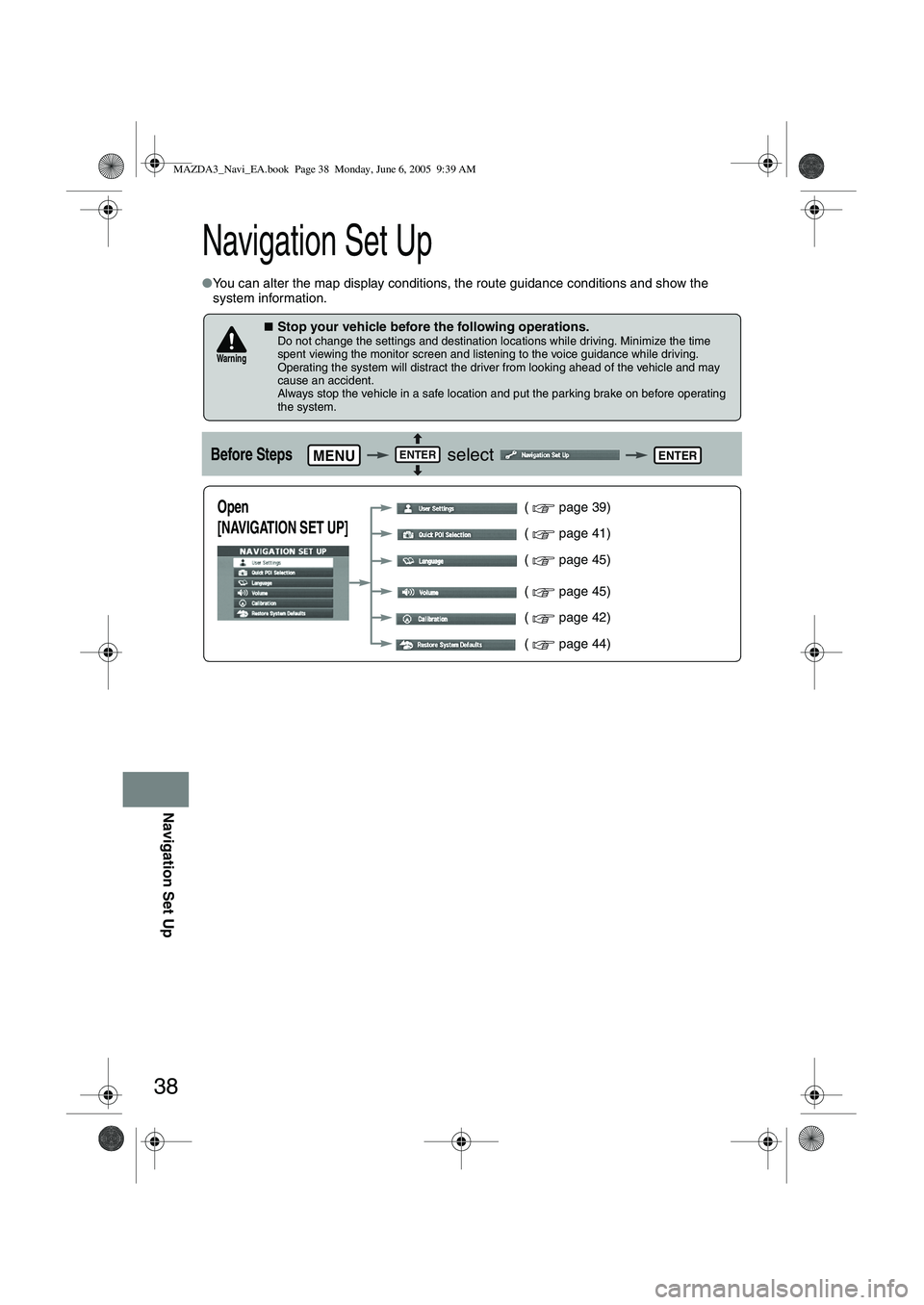
●You can alter the map display conditions, the route guidance conditions and show the
system information.
■Stop your vehicle before the following operations. Do not change the settings and destination locations while driving. Minimize the time
spent viewing the monitor screen and listening to the voice guidance while driving.
Operating the system will distract the driver from looking ahead of the vehicle and may
cause an accident.
Always stop the vehicle in a safe location and put the parking brake on before operating
the system.
Before Steps select
Warning
MENUENTERENTER
Open
[NAVIGATION SET UP] ( page 39)
( page 41)
( page 45)
( page 45)
( page 42)
( page 44)
MAZDA3_Navi_EA.book Page 38 Monday, June 6, 2005 9:39 AM
Page 416 of 426
![MAZDA MODEL 5 2006 Owners Manual 44
Navigation Set Up
Navigation Set Up
This function replaces all the settings in the mobile navigation system with the initial default
settings.
[Default List]
Restore System Defaults
Before Steps](/img/28/41037/w960_41037-415.png "MAZDA MODEL 5 2006 Owners Manual 44
Navigation Set Up
Navigation Set Up
This function replaces all the settings in the mobile navigation system with the initial default
settings.
[Default List]
Restore System Defaults
Before Steps")
44
Navigation Set Up
Navigation Set Up
This function replaces all the settings in the mobile navigation system with the initial default
settings.
[Default List]
Restore System Defaults
Before Steps
select
select
MENUENTERENTER
ENTERENTER
Open the [SYSTEM DEFAULTS] screen
Select .
:Restores the average speed setting to the initial
value upon factory setting.
If you execute Restore System Defaults, all of your Stored setting data will be deleted.
ItemInitial condition
Menu names
For maps (one screen and dual screen) North up
Map display mode single-screen display
Map Display scale/Map scale for Dual-screen is not object of backup.Single-screen: 10,000 map (1/16 mi)Dual-screen: 40,000 map (1/4 mi)Display guidance languageEnglish
Q-POI map display All Off
Q-POI Selection A : Gas station
B : ATM
C : Parking
D : Grocery store
E : All Restaurant
F : Hotel
Search Area U9 (including Washington DC)
Map Color 1
Day/Night/Auto Setting Auto
Distance Units (Miles/KM) (Global setting) Miles
Volume Presets 4 (1 to 7)
Right Screen Setting, POI On
Time display change (12h/24h)24h
Keyboard layout ABC
Arrival Time Time
Navigation Setup (Clock) Off
Navigation Setup (Beep) On
Map display
freeway Information Off
Guidance Screen ON
MAZDA3_Navi_EA.book Page 44 Monday, June 6, 2005 9:39 AM
Page 418 of 426
46
As necessary
Precautions/System Performance
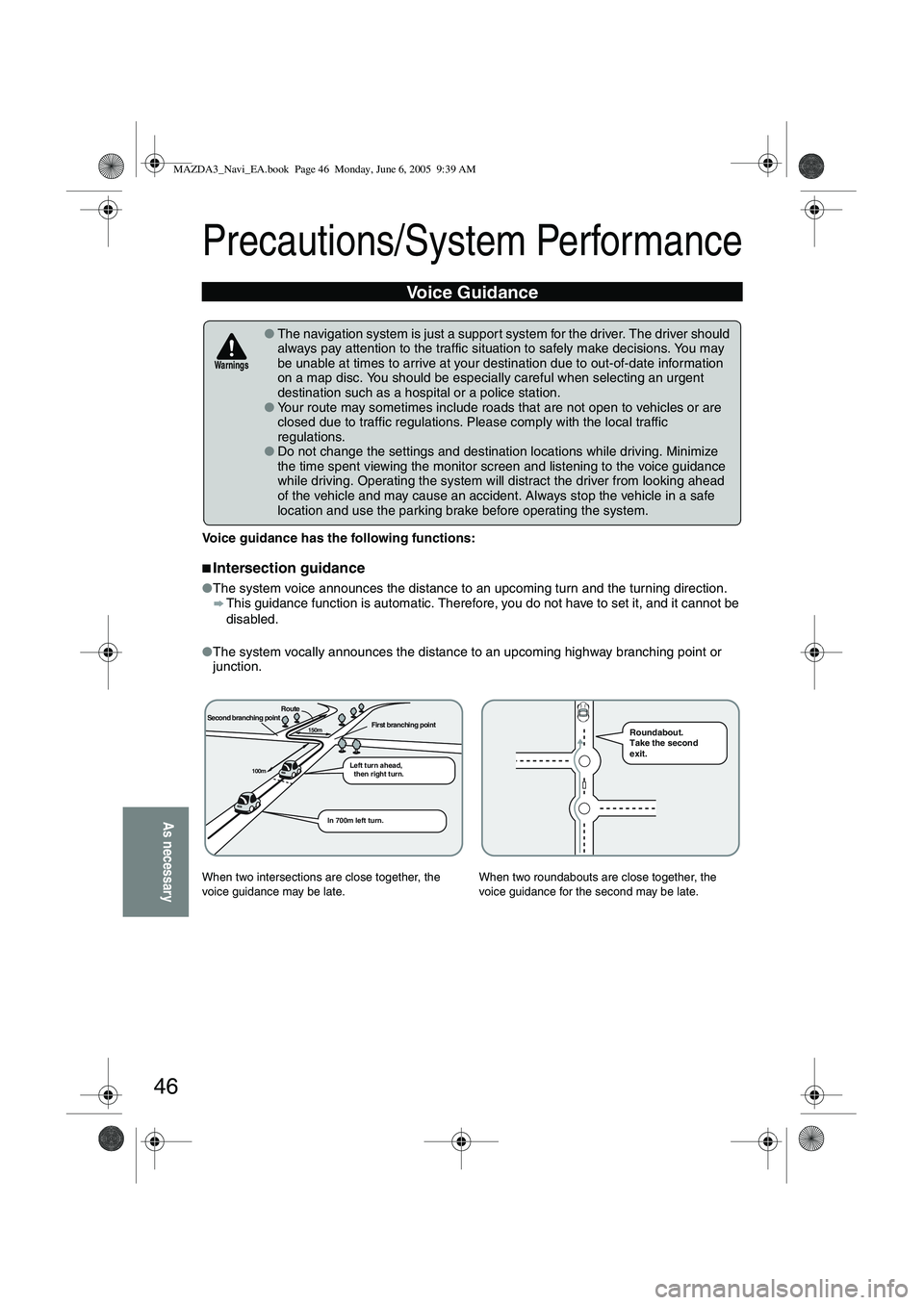
Voice guidance has the following functions:
■Intersection guidance
●The system voice announces the distance to an upcoming turn and the turning direction.
This guidance function is automatic. Therefore, you do not have to set it, and it cannot be
disabled.
● The system vocally announces the distance to an upcoming highway branching point or
junction.
Voice Guidance
● The navigation system is just a suppor t system for the driver. The driver should
always pay attention to the traffic situation to safely make decisions. You may
be unable at times to arrive at your destination due to out-of-date information
on a map disc. You should be especially careful when selecting an urgent
destination such as a hospital or a police station.
● Your route may sometimes include roads that are not open to vehicles or are
closed due to traffic regulations. Please comply with the local traffic
regulations.
● Do not change the settings and destination locations while driving. Minimize
the time spent viewing the monitor screen and listening to the voice guidance
while driving. Operating the system will distract the driver from looking ahead
of the vehicle and may cause an accident. Always stop the vehicle in a safe
location and use the parking brake before operating the system.
When two intersections are close together, the
voice guidance may be late. When two roundabouts are close together, the
voice guidance for the second may be late.
Warnings
Second branching pointFirst branching point150m
100m
Route
In 700m left turn. Left turn ahead,
then right turn.
Roundabout.
Take the second
exit.
MAZDA3_Navi_EA.book Page 46 Monday, June 6, 2005 9:39 AM