power steering MAZDA MODEL 5 2007 Owners Manual
[x] Cancel search | Manufacturer: MAZDA, Model Year: 2007, Model line: MODEL 5, Model: MAZDA MODEL 5 2007Pages: 409, PDF Size: 7.16 MB
Page 8 of 409
Black plate (9,1)
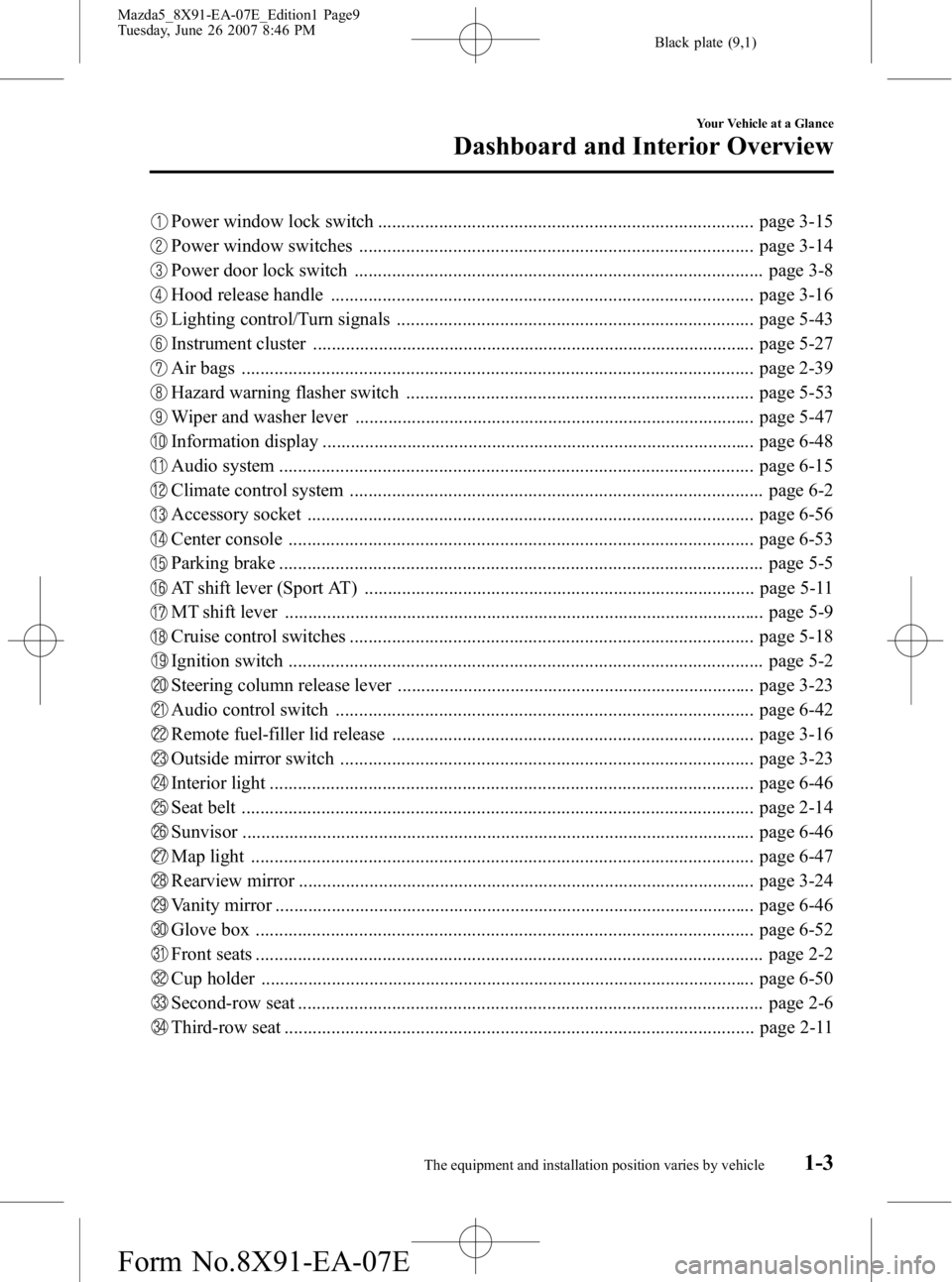
Power window lock switch ................................................................................ page 3-15
Power window switches .................................................................................... page 3-14
Power door lock switch ....................................................................................... page 3-8
Hood release handle .......................................................................................... page 3-16
Lighting control/Turn signals ............................................................................ page 5-43
Instrument cluster .............................................................................................. page 5-27
Air bags ............................................................................................................. page 2-39
Hazard warning flasher switch .......................................................................... page 5-53
Wiper and washer lever ..................................................................................... page 5-47
Information display ............................................................................................ page 6-48
Audio system ..................................................................................................... page 6-15
Climate control system ........................................................................................ page 6-2
Accessory socket ............................................................................................... page 6-56
Center console ................................................................................................... page 6-53
Parking brake ....................................................................................................... page 5-5
AT shift lever (Sport AT) ................................................................................... page 5-11
MT shift lever ...................................................................................................... page 5-9
Cruise control switches ...................................................................................... page 5-18
Ignition switch ..................................................................................................... page 5-2
Steering column release lever ............................................................................ page 3-23
Audio control switch ......................................................................................... page 6-42
Remote fuel-filler lid release ............................................................................. page 3-16
Outside mirror switch ........................................................................................ page 3-23
Interior light ....................................................................................................... page 6-46
Seat belt ............................................................................................................. page 2-14
Sunvisor ............................................................................................................. page 6-46
Map light ........................................................................................................... page 6-47
Rearview mirror ................................................................................................. page 3-24
Vanity mirror ...................................................................................................... page 6-46
Glove box .......................................................................................................... page 6-52
Front seats ............................................................................................................ page 2-2
Cup holder ......................................................................................................... page 6-50
Second-row seat ................................................................................................... page 2-6
Third-row seat .................................................................................................... page 2-11
Your Vehicle at a Glance
Dashboard and Interior Overview
1-3The equipment and installation position varies by vehicle
Mazda5_8X91-EA-07E_Edition1 Page9
Tuesday, June 26 2007 8:46 PM
Form No.8X91-EA-07E
Page 68 of 409

Black plate (69,1)
3Knowing Your Mazda
Explanation of basic operations and controls; opening/closing and adjustment
of various parts.
Doors and Locks ........................................................................... 3-2Keys .......................................................................................... 3-2
Keyless Entry System ............................................................... 3-3
Door Locks ............................................................................... 3-6
Liftgate .................................................................................... 3-11
Power Windows ...................................................................... 3-13
Fuel-Filler Lid and Cap ........................................................... 3-15
Hood ....................................................................................... 3-16
Moonroof
í............................................................................. 3-17
Security System ........................................................................... 3-19 Immobilizer System ................................................................ 3-19
Theft-Deterrent System
í........................................................ 3-21
Steering Wheel and Mirrors ...................................................... 3-23 Steering Wheel ........................................................................ 3-23
Mirrors .................................................................................... 3-23
3-1íSome models.
Mazda5_8X91-EA-07E_Edition1 Page69
Tuesday, June 26 2007 8:47 PM
Form No.8X91-EA-07E
Page 90 of 409

Black plate (91,1)
Steering Wheel
WARNING
Never adjust the steering wheel while
the vehicle is moving:Adjusting the steering wheel while
the vehicle is moving is dangerous.
Moving it can very easily cause the
driver to abruptly turn to the left or
right. This can lead to loss of control
or an accident.
qSteering Wheel Adjustment
To change the angle or length of the
steering wheel:
1. Stop the vehicle, pull up the lock
release lever under the steering
column.
Lock release lever
2. Tilt the steering wheel and/or adjust thesteering column length to the desired
positions, push the lever down to lock
the column.
3. Push the wheel up and down to be certain it's locked before driving.
Mirrors
qOutside Mirrors
Check the mirror angles before driving.
Mirror type
Flat type (driver's side)
Flat surface mirror.
Convex type (front passenger side)
The mirror has single curvature on its
surface.
WARNING
Be sure to look over your shoulder
before changing lanes:
Changing lanes without taking into
account the actual distance of the
vehicle in the convex mirror is
dangerous. You could have a serious
accident. What you see in the convex
mirror is closer than it appears.
Power control mirror
The ignition switch must be in the ACC
or ON position.
To adjust:
1. Press the left or right side of the
selector switch to choose the left or
right side mirror.
Knowing Your Mazda
Steering Wheel and Mirrors
3-23
Mazda5_8X91-EA-07E_Edition1 Page91
Tuesday, June 26 2007 8:47 PM
Form No.8X91-EA-07E
Page 99 of 409

Black plate (100,1)
Break-In Period
No special break-in is necessary, but a few
precautions in the first 1,000 km (600
miles) may add to the performance,
economy, and life of your Mazda.
lDon't race the engine.lDon't maintain one constant speed,
either slow or fast, for a long period of
time.
lDon't drive constantly at full-throttle or
high engine rpm for extended periods
of time.
lAvoid unnecessary hard stops.lAvoid full-throttle starts.
Money-Saving Suggestions
How you operate your Mazda determines
how far it will travel on a tank of fuel. Use
these suggestions to help save money on
fuel and repairs.
lAvoid long warm-ups. Once the engine
runs smoothly, begin driving.
lAvoid fast starts.lKeep the engine tuned. Follow the
maintenance schedule (page 8-3) and
have an Authorized Mazda Dealer
perform inspections and servicing.
lUse the air conditioner only when
necessary.
lSlow down on rough roads.lKeep the tires properly inflated.lDon't carry unnecessary weight.lDon't rest your foot on the brake pedal
while driving.
lKeep the wheels in correct alignment.lKeep windows closed at high speeds.lSlow down when driving in crosswinds
and headwinds.
WARNING
Never stop the engine when going
down a hill:Stopping the engine when going
down a hill is dangerous. This causes
the loss of power steering and power
brake control, and may cause
damage to the drivetrain. Any loss of
steering or braking control could
cause an accident.
4-6
Before Driving Your Mazda
Driving Tips
Mazda5_8X91-EA-07E_Edition1 Page100
Tuesday, June 26 2007 8:47 PM
Form No.8X91-EA-07E
Page 106 of 409
Black plate (107,1)
5Driving Your Mazda
Explanation of instruments and controls.
Starting and Driving ..................................................................... 5-2Ignition Switch .......................................................................... 5-2
Starting the Engine .................................................................... 5-3
Brake System ............................................................................ 5-4
Manual Transaxle Operation ..................................................... 5-9
Automatic Transaxle Controls ................................................. 5-11
Power Steering ........................................................................ 5-17
Cruise Control
í...................................................................... 5-18
Tire Pressure Monitoring Systemí......................................... 5-21
Instrument Cluster and Indicators ............................................ 5-27 Meters and Gauges .................................................................. 5-27
Warning/Indicator Lights and Beep Sounds ............................ 5-31 Warning/Indicator Lights ........................................................ 5-31
Beep Sounds ........................................................................... 5-42
Switches and Controls ................................................................ 5-43 Lighting Control ..................................................................... 5-43
Turn and Lane-Change Signals ............................................... 5-46
Front Fog Lights
í.................................................................. 5-47
Windshield Wipers and Washer .............................................. 5-47
Rear Window Wiper and Washer ............................................ 5-51
Rear Window Defroster ........................................................... 5-51
Horn ........................................................................................ 5-52
Hazard Warning Flasher .......................................................... 5-53
5-1íSome models.
Mazda5_8X91-EA-07E_Edition1 Page107
Tuesday, June 26 2007 8:47 PM
Form No.8X91-EA-07E
Page 122 of 409

Black plate (123,1)
Power Steering
Power steering is only operable when the
engine is running. If the engine is off or if
the power steering system is inoperable,
you can still steer, but it requires more
physical effort.
If the steering feels stiffer than usual
during normal driving, consult an
Authorized Mazda Dealer.
CAUTION
Never hold the steering wheel to the
extreme left or right for more than 5
seconds with the engine running.
This could damage the power
steering system.
qPower Steering Malfunction
Indicator Light
This indicator light illuminates when the
ignition switch is turned to the ON
position and goes off when the engine is
started. If the light stays illuminated after the
engine is started or illuminates while
driving, turn off the engine after parking
in a safe place, and then start the engine
again.
If the light does not illuminate after
restarting the engine, this indicates that
the power steering is restored and normal
steering is possible.
If the light remains illuminated, the power
steering is still inoperable. Consult an
Authorized Mazda Dealer.
NOTE
The power steering system is inoperable when
the power steering malfunction indicator light
illuminates. Steering is possible, but requires
more physical effort.
Driving Your Mazda
Starting and Driving
5-17
Mazda5_8X91-EA-07E_Edition1 Page123
Tuesday, June 26 2007 8:47 PM
Form No.8X91-EA-07E
Page 137 of 409

Black plate (138,1)
SignalWarning/Indicator Lights Page
Seat Belt Warning Light/Beep 5-36
Door-Ajar Warning Light5-37
Low Washer Fluid Level Warning Light5-37
Automatic Transaxle Warning Light5-37
Tire Pressure Monitoring System Warning Light5-38
Security Indicator Light5-40
Headlight High-Beam Indicator Light5-40
Shift Position Indicator Light5-40
Cruise Main Indicator Light5-41
Cruise Set Indicator Light5-41
Power Steering Malfunction Indicator Light5-41
Turn Signal/Hazard Warning Indicator Lights5-41
5-32
Driving Your Mazda
Warning/Indicator Lights and Beep Sounds
Mazda5_8X91-EA-07E_Edition1 Page138
Tuesday, June 26 2007 8:47 PM
Form No.8X91-EA-07E
Page 146 of 409

Black plate (147,1)
Gear position indicator
When the shift lever is in the D or M
position, the numeral for the selected gear
displays.
qCruise Main Indicator Lightí
This light comes on when the ON/OFF
switch is pressed and the cruise control
system is activated.
qCruise Set Indicator Lightí
This light comes on when a cruising speed
is set.
qPower Steering Malfunction
Indicator Light
This indicator light illuminates when the
ignition switch is turned to the ON
position and goes off when the engine is
started. If the light stays illuminated after the
engine is started or illuminates while
driving, turn off the engine after parking
in a safe place, and then start the engine
again.
If the light does not illuminate after
restarting the engine, this indicates that
the power steering is restored and normal
steering is possible.
If the light remains illuminated, the power
steering is still inoperable. Consult an
Authorized Mazda Dealer.
NOTE
The power steering system is inoperable when
the power steering malfunction indicator light
illuminates. Steering is possible, but requires
more physical effort.
q
Turn-Signal/Hazard Warning
Indicator Lights
When operating the turn signal lights, the
left or right turn signal indicator light
flashes to indicate which turn signal light
is operating (page 5-46).
When operating the hazard warning
lights, both turn signal indicator lights
flash (page 5-53).
NOTE
If an indicator light remains illuminated (does
not flash) or if it flashes abnormally, one of the
turn signal bulbs may be burned out.
Driving Your Mazda
Warning/Indicator Lights and Beep Sounds
5-41íSome models.
Mazda5_8X91-EA-07E_Edition1 Page147
Tuesday, June 26 2007 8:47 PM
Form No.8X91-EA-07E
Page 201 of 409
Black plate (202,1)
Audio Control Switch
Operation (Steering Wheel)
í
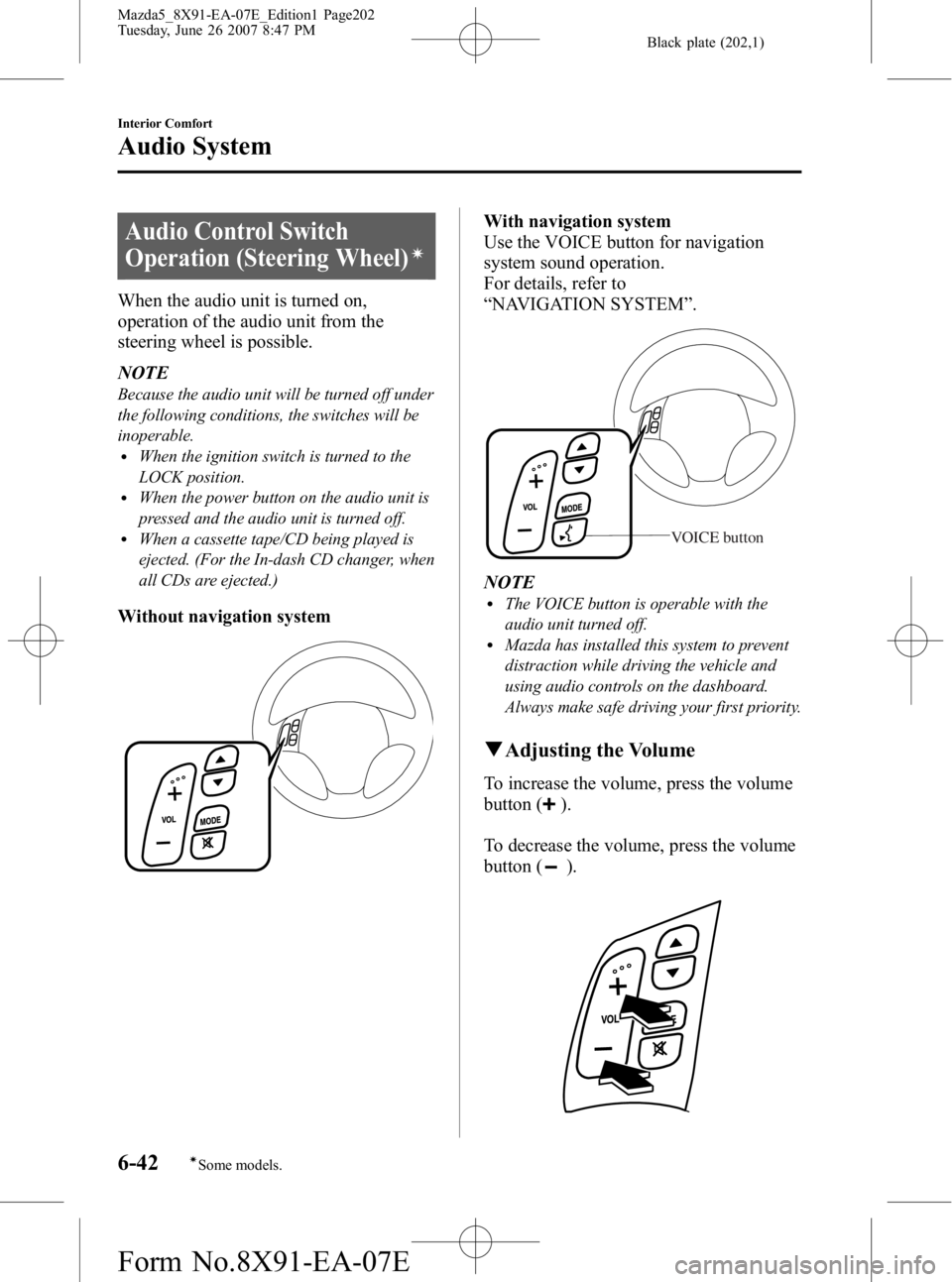
When the audio unit is turned on,
operation of the audio unit from the
steering wheel is possible.
NOTE
Because the audio unit will be turned off under
the following conditions, the switches will be
inoperable.
lWhen the ignition switch is turned to the
LOCK position.
lWhen the power button on the audio unit is
pressed and the audio unit is turned off.
lWhen a cassette tape/CD being played is
ejected. (For the In-dash CD changer, when
all CDs are ejected.)
Without navigation system
With navigation system
Use the VOICE button for navigation
system sound operation.
For details, refer to
“NAVIGATION SYSTEM ”.
VOICE button
NOTElThe VOICE button is operable with the
audio unit turned off.
lMazda has installed this system to prevent
distraction while driving the vehicle and
using audio controls on the dashboard.
Always make safe driving your first priority.
q Adjusting the Volume
To increase the volume, press the volume
button (
).
To decrease the volume, press the volume
button (
).
6-42
Interior Comfort
íSome models.
Audio System
Mazda5_8X91-EA-07E_Edition1 Page202
Tuesday, June 26 2007 8:47 PM
Form No.8X91-EA-07E
Page 238 of 409

Black plate (239,1)
CAUTION
Follow these instructions when
towing the vehicle with all wheels on
the ground.
1. Shift to neutral (MT), or the Nposition (AT).
2. Turn the ignition switch to the ACC position to prevent the steering
from locking up.
3. Release the parking brake.
Remember that power assist for the
brakes and steering will not be
available when the engine is not
running.
Tiedown Hooks
CAUTION
Don't use the tiedown hooks under
the front and rear for towing.
They are designed ONLY for tying
down the vehicle when it's being
transported. Using them for towing
will damage the bumper.
q Tiedown Hook-Front
1. Remove the tiedown eyelet, lug
wrench, and jack lever from the trunk
(page 7-3).
2. Wrap the jack lever with a soft cloth to prevent damage to the bumper and
open the cap located on the front
bumper.
CAUTION
The cap cannot be completely
removed. Do not use excessive force
as it may damage the cap or scratch
the painted bumper surface.
In Case of an Emergency
Emergency Towing
7-21
Mazda5_8X91-EA-07E_Edition1 Page239
Tuesday, June 26 2007 8:47 PM
Form No.8X91-EA-07E