steering wheel MAZDA MODEL 5 2008 User Guide
[x] Cancel search | Manufacturer: MAZDA, Model Year: 2008, Model line: MODEL 5, Model: MAZDA MODEL 5 2008Pages: 376, PDF Size: 4.7 MB
Page 110 of 376

Black plate (110,1)
Ignition Switch
qIgnition Switch Positions
LOCK
The steering wheel locks to protect
against theft. Only in this position can the
key be removed.
Manual transaxle
To turn the key from the ACC to the
LOCK position, push the button when the
key is at the ACC position, then turn the
key to the LOCK position.
Button
Automatic transaxle
To turn the key from the ACC to the
LOCK position, the shift lever must be in
the P position.
Shift lever
engaged in
P (park)
5-2
Driving Your Mazda
Starting and Driving
Mazda5_8X53-EA-07I_Edition3 Page110
Thursday, March 20 2008 4:11 PM
Form No.8X53-EA-07I
Page 111 of 376
Black plate (111,1)
WARNING
Remove the key only when the vehicle
is parked:Removing the key from the ignition
switch while the vehicle is moving is
dangerous. Removing the key allows
the steering wheel to lock. You will
lose steering control and a serious
accident could occur.
Before leaving the driver's seat, always
put the key to LOCK position, set the
parking brake and make sure the shift
lever is in P with an automatic
transaxle or in 1 or R with a manual
transaxle: Intentionally placing the key into
LOCK position is much more
important where you will not be
removing the key to leave the vehicle
and because leaving it in other
positions will disable some of the
vehicle security systems and run the
battery down.
Leaving the driver's seat without
putting the ignition switch in LOCK
position, setting the parking brake
and the shift lever is in P with an
automatic transaxle or in 1 or R with
a manual transaxle is dangerous.
Unexpected vehicle movement could
occur. This could cause an accident.
NOTE
If turning the key is difficult, jiggle the steering
wheel from side to side.
Leaving the key in any position but LOCK
position also disables some of the security
features and may run the battery down.
ACC (Accessory)
The steering wheel unlocks and some
electrical accessories will operate.
ON
This is the normal running position after
the engine is started. The warning lights
(except brakes) should be inspected
before the engine is started (page 5-33).
NOTE
When the ignition switch is turned to the ON
position, the sound of the fuel pump motor
operating near the fuel tank can be heard. This
does not indicate an abnormality.
START
The engine is started in this position. It
will crank until you release the key; then
it returns to the ON position. The brake
warning light can be checked after the
engine is started (page 5-33).
q Ignition Key Reminder
If the ignition switch is in the LOCK or
ACC position with the key inserted, a
continuous beep sound will be heard
when the driver's door is opened.
Driving Your Mazda
Starting and Driving
5-3
Mazda5_8X53-EA-07I_Edition3 Page111
Thursday, March 20 2008 4:11 PM
Form No.8X53-EA-07I
Page 125 of 376

Black plate (125,1)
Power Steering
Power steering is only operable when the
engine is running. If the engine is off or if
the power steering system is inoperable,
you can still steer, but it requires more
physical effort.
If the steering feels stiffer than usual
during normal driving, consult an
Authorized Mazda Dealer.
CAUTION
Never hold the steering wheel to the
extreme left or right for more than 5
seconds with the engine running.
This could damage the power
steering system.
qPower Steering Malfunction
Indicator Light
This indicator light illuminates when the
ignition switch is turned to the ON
position and goes off when the engine is
started. If the light stays illuminated after the
engine is started or illuminates while
driving, turn off the engine after parking
in a safe place, and then start the engine
again.
If the light does not illuminate after
restarting the engine, this indicates that
the power steering is restored and normal
steering is possible.
If the light remains illuminated, the power
steering is still inoperable. Consult an
Authorized Mazda Dealer.
NOTE
The power steering system is inoperable when
the power steering malfunction indicator light
illuminates. Steering is possible, but requires
more physical effort.
Driving Your Mazda
Starting and Driving
5-17
Mazda5_8X53-EA-07I_Edition3 Page125
Thursday, March 20 2008 4:11 PM
Form No.8X53-EA-07I
Page 162 of 376
Black plate (162,1)
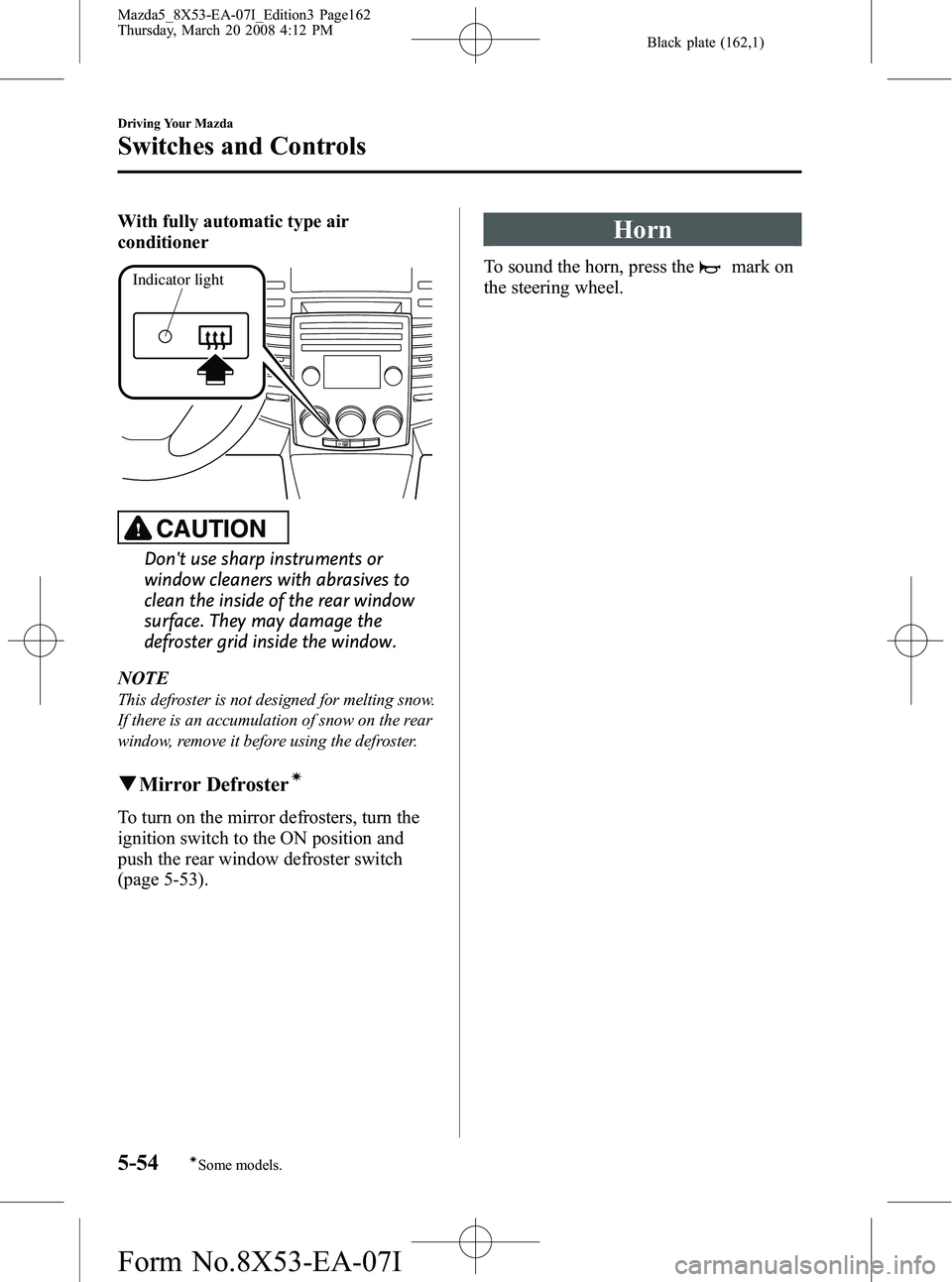
With fully automatic type air
conditioner
Indicator light
CAUTION
Don't use sharp instruments or
window cleaners with abrasives to
clean the inside of the rear window
surface. They may damage the
defroster grid inside the window.
NOTE
This defroster is not designed for melting snow.
If there is an accumulation of snow on the rear
window, remove it before using the defroster.
q Mirror Defrosterí
To turn on the mirror defrosters, turn the
ignition switch to the ON position and
push the rear window defroster switch
(page 5-53).
Horn
To sound the horn, press themark on
the steering wheel.
5-54
Driving Your Mazda
íSome models.
Switches and Controls
Mazda5_8X53-EA-07I_Edition3 Page162
Thursday, March 20 2008 4:12 PM
Form No.8X53-EA-07I
Page 165 of 376

Black plate (165,1)
6Interior Comfort
Use of various features for drive comfort, including air-conditioning and audio
system.
Climate Control System ............................................................... 6-2Operating Tips ........................................................................... 6-2
Vent Operation .......................................................................... 6-3
Types of the Climate Control System ....................................... 6-5
Manual Type
í.......................................................................... 6-6
Fully Automatic Typeí.......................................................... 6-10
Rear Ventilation Systemí....................................................... 6-16
Audio System ............................................................................... 6-17 Antenna ................................................................................... 6-17
Operating Tips for Audio System ........................................... 6-17
Audio Set ................................................................................ 6-23
Audio Control Switch Operation (Steering Wheel)
í............. 6-38
AUX Mode (Auxiliary input) ................................................. 6-40
Safety Certification ................................................................. 6-43
Bluetooth Hands-Free ................................................................. 6-44 Bluetooth Hands-Free
í.......................................................... 6-44
Basic Bluetooth Hands-Free Operation ................................... 6-48
Convenient Use of the Hands-Free System ............................. 6-51
Hands-Free Telephone Setting ................................................ 6-56
When Bluetooth Hands-Free cannot be used .......................... 6-60
Safety Certification ................................................................. 6-61
Interior Equipment ..................................................................... 6-62 Sunvisors ................................................................................. 6-62
Interior Lights ......................................................................... 6-62
Information Display ................................................................ 6-64
Cup Holder .............................................................................. 6-67
Bottle Holder ........................................................................... 6-69
Storage Compartments ............................................................ 6-69
Accessory Sockets .................................................................. 6-74
6-1íSome models.
Mazda5_8X53-EA-07I_Edition3 Page165
Thursday, March 20 2008 4:12 PM
Form No.8X53-EA-07I
Page 181 of 376

Black plate (181,1)
Antenna
qDetachable Type
To remove the antenna, turn it
counterclockwise.
To install the antenna, turn it clockwise.
Make sure the antenna is securely
installed.
Install
Remove
CAUTION
Ø To prevent damage to the
antenna, remove it before entering
a car wash facility or passing
beneath a low overhead clearance.
Ø Be careful around the antenna
when removing snow from the
roof. Otherwise the antenna could
be damaged.
NOTE
When leaving your vehicle unattended, we
recommend that you remove the antenna and
store it inside the vehicle.
Operating Tips for Audio
System
WARNING
Do not adjust the audio control
switches while driving the vehicle: Adjusting the audio while driving the
vehicle is dangerous as it could
distract your attention from the
vehicle operation which could lead to
a serious accident. Always adjust the
audio while the vehicle is stopped.
Even if the audio control switches are
equipped on the steering wheel, learn
to use the switches without looking
down at them so that you can keep
your maximum attention on the road
while driving the vehicle.
CAUTION
For the purposes of safe driving,
adjust the audio volume to a level
that allows you to hear sounds
outside of the vehicle.
NOTE
lDo not use the audio for long periods of
time while the engine is off. Otherwise the
battery could go dead.
lIf a cellular phone or CB radio is used in
or near the vehicle, it could cause noise to
occur from the audio system, however, this
does not indicate that the system has been
damaged.
Interior Comfort
Audio System
6-17
Mazda5_8X53-EA-07I_Edition3 Page181
Thursday, March 20 2008 4:12 PM
Form No.8X53-EA-07I
Page 202 of 376

Black plate (202,1)
Audio Control Switch
Operation (Steering Wheel)
í
When the audio unit is turned on,
operation of the audio unit from the
steering wheel is possible.
For navigation system equipped vehicles,
refer to the separate manual
“NAVIGATION SYSTEM ”.
NOTE
Because the audio unit will be turned off under
the following conditions, the switches will be
inoperable.
lWhen the ignition switch is turned to the
LOCK position.
lWhen the power button on the audio unit is
pressed and the audio unit is turned off.
lWhen the CD being played is ejected and
the audio unit is turned off.
Without Bluetooth Hands-Free
With Bluetooth Hands-Free
Voice recognition/hands-
free switch
NOTElThe Voice recognition/hands-free switch is
operable with the audio unit turned off.
lMazda has installed this system to prevent
distraction while driving the vehicle and
using audio controls on the dashboard.
Always make safe driving your first priority.
q Adjusting the Volume
To increase the volume, press the volume
button (
).
To decrease the volume, press the volume
button (
).
6-38
Interior Comfort
íSome models.
Audio System
Mazda5_8X53-EA-07I_Edition3 Page202
Thursday, March 20 2008 4:12 PM
Form No.8X53-EA-07I
Page 208 of 376

Black plate (208,1)
Bluetooth Hands-Freeí
qWhat is Bluetooth Hands-Free?
Bluetooth Hands-Free Outline
By connecting a Bluetooth equipped
mobile telephone to the hands-free unit
equipped on the vehicle, making and
receiving calls are possible using the
voice recognition/hands-free switch
located on the steering wheel, and saying
the voice commands.
Bluetooth equipped mobile telephone
A Bluetooth equipped mobile telephone
communicates with the hands-free unit
equipped on the vehicle using radio
transmission (Bluetooth).
For example, if the mobile telephone is
placed in a coat pocket, the phone calls
can be made through your mobile service
without direct use of the mobile
telephone.
CAUTION
The types of mobile phones which
can be connected to the hands-free
unit are limited, so before purchasing
or changing your mobile phone
model, consult an Authorized Mazda
Dealer.
Mobile phones which can be
connected to the hands-free system
need to be compliant with Bluetooth
specifications and the appropriate
profile, however, even among these
mobile phones are ones which
cannot be connected or have limited
functionality. Therefore, consult an
Authorized Mazda Dealer, a Web
support center, or a call center for
information regarding mobile phone
compatibility.
Web: http://www.mazdausa.com/
MusaWeb/displayPage.action?
pageParameter =
bluetoothHandsFreeLink
Phone:800-430-0153
Applicable Bluetooth specification
Ver. 1.1 or higher
Response profile
lHFP (Hands Free Profile) Ver.1.0lDUN (Dial-up Networking Profile)
Ver.1.1
Bluetooth is the registered trademark of
Bluetooth SIG. Inc.
6-44
Interior Comfort
íSome models.
Bluetooth Hands-Free
Mazda5_8X53-EA-07I_Edition3 Page208
Thursday, March 20 2008 4:12 PM
Form No.8X53-EA-07I
Page 209 of 376

Black plate (209,1)
NOTElIf the ignition switch is turned off during a
hands-free call, the line is transferred to the
mobile telephone automatically.
lIf the mobile telephone is in a location
where radio reception is difficult such as a
metal container or in the trunk, the call may
not be connected using Bluetooth. If
communication is not possible, change the
location of the mobile telephone.
qComponent parts
Bluetooth Hands-Free consists of the
following parts:
lVoice Recognition/Hands-Free switchlInformation displaylMicrophonelAudio unit/Navigation system
Voice Recognition/Hands-Free switch
Basic functions of Bluetooth Hands-Free
can be used such as making calls or
hanging up using the voice recognition/
hands-free switch on the steering wheel.
Voice recognition/hands-
free switch (Phone button)
Voice Recognition/Hands-Free switch
operations
A short press or a long press of the voice
recognition/hands-free switch is used
depending on the operation status as
follows:
lShort press (Press the button less than
0.7 sec.)
lLong press (Press the button 0.7 sec. or
more.)
Information display
Telephone numbers, Bluetooth Hands-
Free messages, and operation status are
displayed.
Microphone
The microphone is used for inputting
voice commands or exchanging
conversation.
Microphone
Interior Comfort
Bluetooth Hands-Free
6-45
Mazda5_8X53-EA-07I_Edition3 Page209
Thursday, March 20 2008 4:12 PM
Form No.8X53-EA-07I
Page 215 of 376

Black plate (215,1)
NOTElThe volume can also be adjusted using the
volume button on the steering wheel.
lThe music volume of the audio unit and the
navigation system cannot be adjusted while
Bluetooth Hands-Free is being used.
qHelp function use
The help function informs the user of all
the available voice commands under the
current conditions.
1. Press the voice recognition/hands-free
switch (Short press).
2. Say : [Beep] “Help ”
3. Follow prompts to get the appropriate voice guidance.
Convenient Use of the
Hands-Free System
qPhone book usage
Phone book registration
Phone numbers can be registered to the
Bluetooth Hands-Free phone book.
1. Activate the Bluetooth Hands-Free
(page 6-47).
2. Say: [Beep] “Phone book ”
3. Prompt: “Select one of the following:
new entry, edit, list names, delete or
erase all..., or say “cancel ”to return to
main menu. ”
4. Say: [Beep] “New entry ”
5. Prompt: “Name please. ”
6. Say: [Beep] “XXXXX... (Ex. “Mary's
phone ”)” (Say a voice tag for the name
registered.)
7. Prompt: “Adding XXXXX... (Ex.
“ Mary's phone ”) (Registered voice
tag). Is this correct? ”
8. Say: [Beep] “Ye s ”
9. Prompt: “Home, Work, Mobile, or
Pager? ”
10. Say: [Beep] “Mobile ”(Say “Home ”,
“ Work ”, “Mobile ”,or “Pager ”, for the
desired location to be registered.)
11. Prompt: “Mobile ”(Location to be
registered). Is this correct?
12. Say: [Beep] “Ye s ”
13. Prompt: “Number, please. ”
14. Say: [Beep] “XXXXXXXXXXX
(Ex. “555-1234 ”)” (Say the phone
number to be registered.)
Interior Comfort
Bluetooth Hands-Free
6-51
Mazda5_8X53-EA-07I_Edition3 Page215
Thursday, March 20 2008 4:12 PM
Form No.8X53-EA-07I