brake MAZDA MODEL 5 2012 Owner's Manual
[x] Cancel search | Manufacturer: MAZDA, Model Year: 2012, Model line: MODEL 5, Model: MAZDA MODEL 5 2012Pages: 440, PDF Size: 5.51 MB
Page 141 of 440

Black plate (141,1)
Second gear fixed mode
When the shift lever is tapped back (
)
while the vehicle is stopped or driven at
12 km/h (7 mph) or less, the transaxle is
set in the second gear fixed mode. The
gear is fixed in second while in this mode
for easier starting and driving on slippery
roads. If the shift lever is tapped back (
)
or forward (
) while in the second gear
fixed mode, the mode will be canceled.
Shifting specification
Shifting up
If the vehicle speed is lower than the
speed specified for each gear, the gear
cannot be shifted up to a higher gear.
Gear Vehicle speed
M1 →M2 You can shift up to M2 whether the
vehicle is stopped or moving.
M2 →M3 20.5 km/h (12.8 mph)
M3 or M4 →
M5 35.9 km/h (22.4 mph)
Shifting down
If the vehicle speed is higher than the
speed specified for each gear, the gear
cannot be shifted to a lower gear so as to
protect the transaxle.
Gear
Vehicle speed
M5 →M4 208.2 km/h (129.4 mph)
M4 →M3 144.7 km/h (89.91 mph)
M3 →M2 96.1 km/h (59.7 mph)
M2 →M1 48.3 km/h (30.0 mph)
NOTE
Regarding the vehicle speed at the highest
gear indicated above, achieving this speed
may not actually be possible depending on
various driving conditions such as the wind,
upslope, and road surface.
During deceleration, the gears shift down
automatically when speed is reduced to
the following:
Gear Vehicle speed
M5 or M4 →
M3 32.7 km/h (20.3 mph)
M3 or
M2 →M1 10 km/h (6 mph)
NOTE
The gear does not shift down to M1
automatically while in the second gear fixed
mode.
If the vehicle is kicked down at the
following speeds or lower, the gears shift
down automatically:
Gear
Vehicle speed
M5 →M4 202 km/h (125 mph)
M4 →M3 135 km/h (83.8 mph)
M3 →M2 52.5 km/h (32.6 mph)
Recommendations for shifting
Upshifting
For normal acceleration and cruising, we
recommend these shift points.
Gear Vehicle speed
M1 to M2 25 km/h (15 mph)
M2 to M3 41 km/h (25 mph)
M3 to M4 65 km/h (40 mph)
M4 to M5 73 km/h (45 mph)
Downshifting
When you must slow down in heavy
traffic or on a steep upgrade, downshift
before the engine starts to overwork. This
gives better acceleration when you need
more speed.
On a steep downgrade , downshifting
helps maintain safe speed and prolongs
brake life.
Driving Your Mazda
Starting and Driving
5-17
Mazda5_8BR9-EA-10J_Edition3 Page141
Monday, February 21 2011 1:44 PM
Form No.8BR9-EA-10J
Page 142 of 440

Black plate (142,1)
qDriving Tips
WARNING
Do not allow the vehicle to move in
reverse on an up-slope while the
selector lever is in a forward gear
position, or move forward on a down-
slope while the selector lever is in the
reverse position.
Otherwise, the engine will stop,
causing the loss of the power brake
and power steering functions, and
make it difficult to control the vehicle
which could result in an accident.
Passing
For extra power when passing another
vehicle or climbing steep grades, depress
the accelerator fully. The transaxle will
shift to a lower gear, depending on vehicle
speed.
Climbing steep grades from a stop
To climb a steep grade from a stopped
position:
1. Depress the brake pedal.
2. Shift to D or M1, depending on theload weight and grade steepness.
3. Release the brake pedal while gradually accelerating.
Descending steep grades
When descending a steep grade, shift to
lower gears, depending on load weight
and grade steepness. Descend slowly,
using the brakes only occasionally to
prevent them from overheating.
Power Steering
Power steering is only operable when the
engine is running. If the engine is off or if
the power steering system is inoperable,
you can still steer, but it requires more
physical effort.
If the steering feels stiffer than usual
during normal driving, consult an
Authorized Mazda Dealer.
CAUTION
Never hold the steering wheel to the
extreme left or right for more than 5
seconds with the engine running.
This could damage the power
steering system.
qPower Steering Malfunction
Indicator Light
This indicator light illuminates when the
ignition is switched ON, and turns off
when the engine is started.
5-18
Driving Your Mazda
Starting and Driving
Mazda5_8BR9-EA-10J_Edition3 Page142
Monday, February 21 2011 1:44 PM
Form No.8BR9-EA-10J
Page 146 of 440
Black plate (146,1)
Your vehicle has a tap-down feature that
allows you to decrease your current speed
in decrements of 1.6 km/h (1 mph) by a
momentary tap of the cruise control SET -
switch. Multiple taps will decrease your
vehicle speed 1.6 km/h (1 mph) for each
tap.
qTo Resume Cruising Speed at
More Than 30 km/h (19 mph)
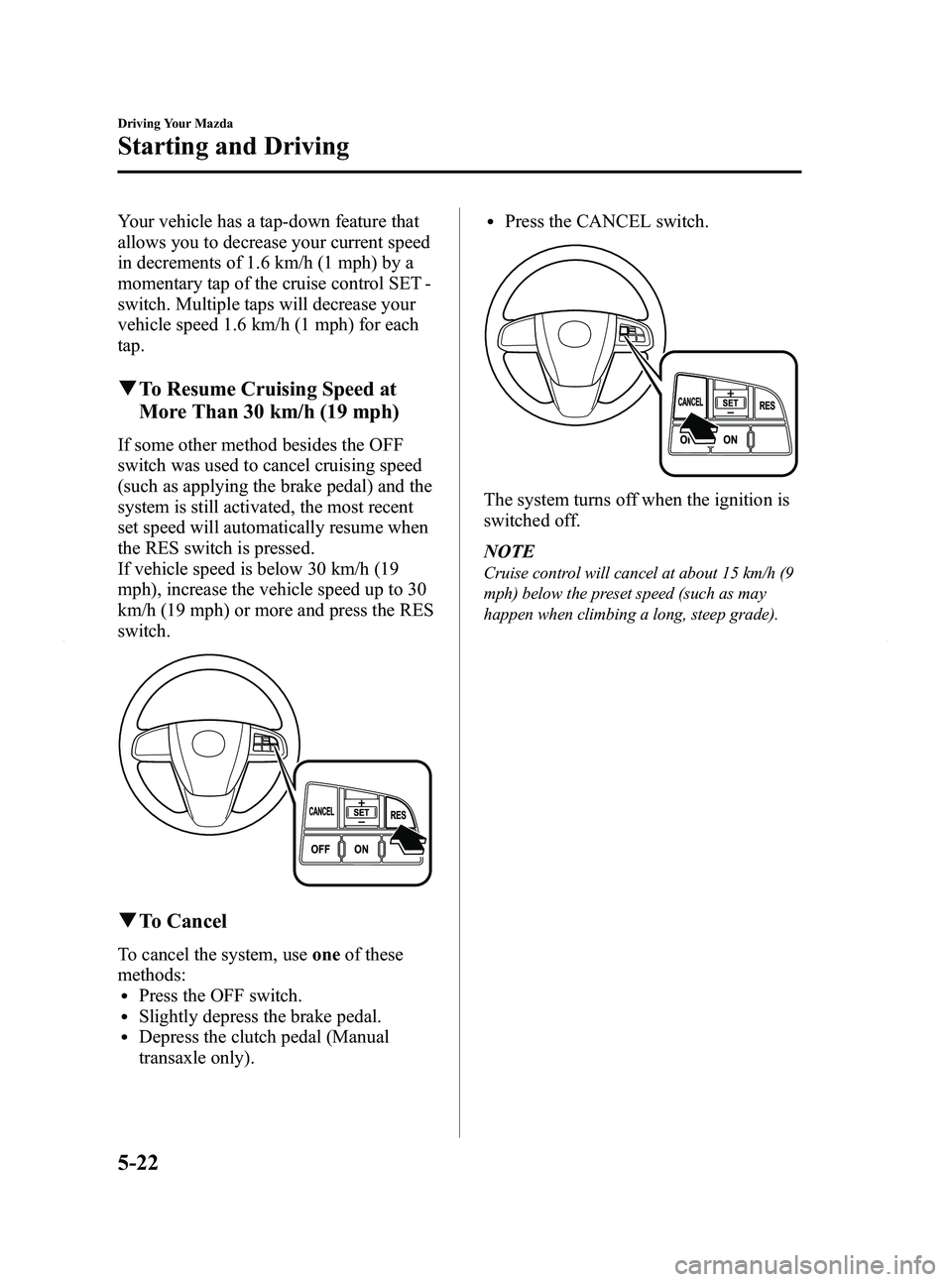
If some other method besides the OFF
switch was used to cancel cruising speed
(such as applying the brake pedal) and the
system is still activated, the most recent
set speed will automatically resume when
the RES switch is pressed.
If vehicle speed is below 30 km/h (19
mph), increase the vehicle speed up to 30
km/h (19 mph) or more and press the RES
switch.
qTo Cancel
To cancel the system, use oneof these
methods:
lPress the OFF switch.lSlightly depress the brake pedal.lDepress the clutch pedal (Manual
transaxle only).
lPress the CANCEL switch.
The system turns off when the ignition is
switched off.
NOTE
Cruise control will cancel at about 15 km/h (9
mph) below the preset speed (such as may
happen when climbing a long, steep grade).
5-22
Driving Your Mazda
Starting and Driving
Mazda5_8BR9-EA-10J_Edition3 Page146
Monday, February 21 2011 1:44 PM
Form No.8BR9-EA-10J
Page 147 of 440
Black plate (147,1)
Traction Control System
(TCS)
The Traction Control System (TCS)
enhances traction and safety by
controlling engine torque and braking.
When the TCS detects driving wheel
slippage, it lowers engine torque and
operates the brakes to prevent loss of
traction.
This means that on a slick surface, the
engine adjusts automatically to provide
optimum power to the drive wheels,
limiting wheel spin and loss of traction.
WARNING
Do not rely on the traction control
system as a substitute for safe driving:The traction control system (TCS)
cannot compensate for unsafe and
reckless driving, excessive speed,
tailgating (following another vehicle
too closely), and hydroplaning
(reduced tire friction and road
contact because of water on the road
surface). You can still have an
accident.
Use snow tires or tire chains and drive
at reduced speeds when roads are
covered with ice and/or snow: Driving without proper traction
devices on snow and/or ice-covered
roads is dangerous. The traction
control system (TCS) alone cannot
provide adequate traction and you
could still have an accident.
NOTE
To turn off the TCS, press the DSC OFF switch
(page 5-25).
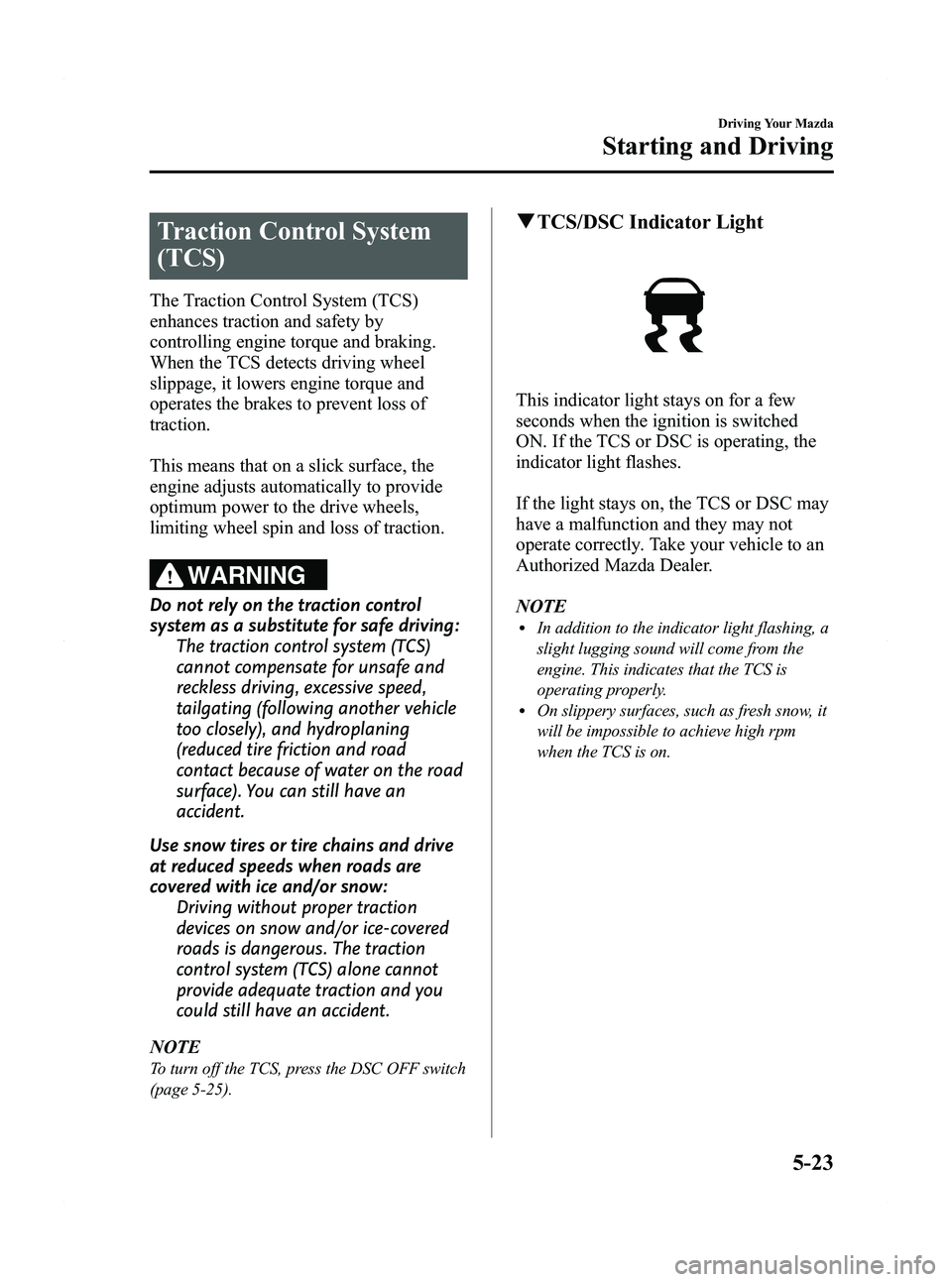
q TCS/DSC Indicator Light
This indicator light stays on for a few
seconds when the ignition is switched
ON. If the TCS or DSC is operating, the
indicator light flashes.
If the light stays on, the TCS or DSC may
have a malfunction and they may not
operate correctly. Take your vehicle to an
Authorized Mazda Dealer.
NOTE
lIn addition to the indicator light flashing, a
slight lugging sound will come from the
engine. This indicates that the TCS is
operating properly.
lOn slippery surfaces, such as fresh snow, it
will be impossible to achieve high rpm
when the TCS is on.
Driving Your Mazda
Starting and Driving
5-23
Mazda5_8BR9-EA-10J_Edition3 Page147
Monday, February 21 2011 1:44 PM
Form No.8BR9-EA-10J
Page 160 of 440
Black plate (160,1)
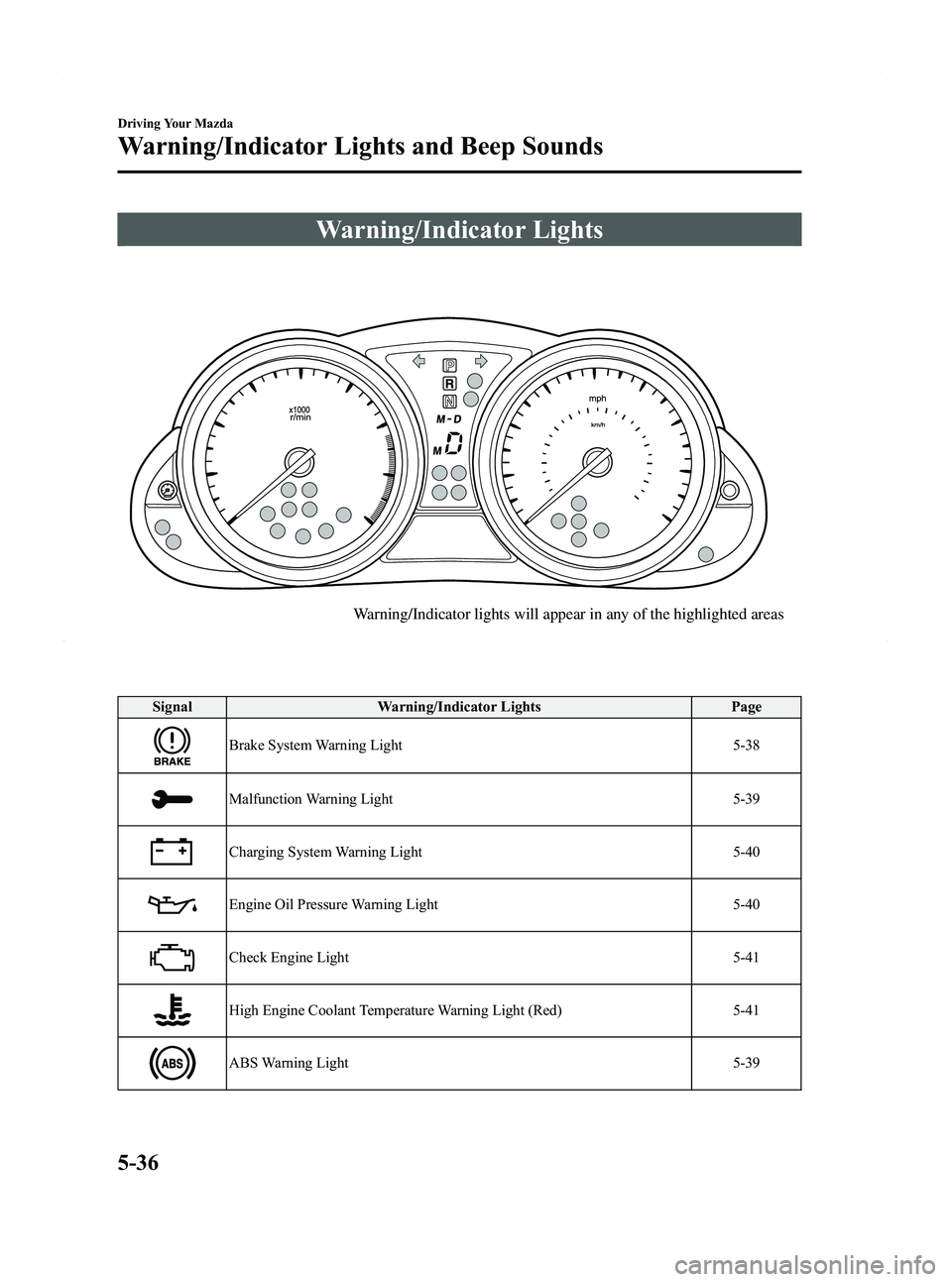
Warning/Indicator Lights
Warning/Indicator lights will appear in any of the highlighted areas
SignalWarning/Indicator Lights Page
Brake System Warning Light 5-38
Malfunction Warning Light5-39
Charging System Warning Light5-40
Engine Oil Pressure Warning Light5-40
Check Engine Light5-41
High Engine Coolant Temperature Warning Light (Red) 5-41
ABS Warning Light5-39
5-36
Driving Your Mazda
Warning/Indicator Lights and Beep Sounds
Mazda5_8BR9-EA-10J_Edition3 Page160
Monday, February 21 2011 1:44 PM
Form No.8BR9-EA-10J
Page 162 of 440

Black plate (162,1)
SignalWarning/Indicator Lights Page
Power Steering Malfunction Indicator Light 5-48
Turn Signal/Hazard Warning Indicator Lights5-48
qBrake System Warning Light
This warning has the following functions:
Parking brake warning
The light illuminates when the parking
brake is applied with the ignition switched
to START or ON. It turns off when the
parking brake is fully released.
Low brake fluid level warning
If the light stays on after the parking brake
is fully released, you may have a brake
problem.
Brake system warningí
Illuminates when there is a malfunction in
the brake switch.
Drive to the side of the road and park off
the right-of-way. You may notice that the pedal is harder to
depress or that it may go closer to the
floor. In either case, it will take longer to
stop the vehicle.
1. With the engine stopped, open the
hood and check the brake fluid level
immediately, and then add fluid if
required (page 8-21).
2. After adding fluid, check the light again.
If the warning light remains on, or if the
brakes do not operate properly, do not
drive the vehicle. Have it towed to an
Authorized Mazda Dealer.
Even if the light turns off have your brake
system inspected as soon as possible by
an Authorized Mazda Dealer.
NOTEHaving to add brake fluid is sometimes an
indicator of leakage. Consult an Authorized
Mazda Dealer as soon as possible even if the
brake light is no longer illuminated.
5-38
Driving Your Mazda
íSome models.
Warning/Indicator Lights and Beep Sounds
Mazda5_8BR9-EA-10J_Edition3 Page162
Monday, February 21 2011 1:44 PM
Form No.8BR9-EA-10J
Page 163 of 440

Black plate (163,1)
WARNING
Do not drive with the brake system
warning light illuminated. Contact an
Authorized Mazda Dealer to have the
brakes inspected as soon as possible:Driving with the brake system
warning light illuminated is
dangerous. It indicates that your
brakes may not work at all or that
they could completely fail at any
time. If this light remains
illuminated, after checking that the
parking brake is fully released, have
the brakes inspected immediately.
qMalfunction Warning Lightí
When the ignition is switched ON, the
malfunction warning light illuminates and
then turns off after a few seconds.
The light stays on if the brake switch has
a malfunction. Consult an Authorized
Mazda Dealer.
WARNING
Do not drive the vehicle with the
malfunction warning light illuminated.
Driving the vehicle with the light
illuminated is dangerous as it could
result in the loss of brake power and
cause an accident. In addition, loss of
brake power could occur when
stopping the vehicle. Have your
vehicle inspected by an Authorized
Mazda Dealer.
qABS Warning Light
The warning light stays on for a few
seconds when the ignition is switched
ON.
If the ABS warning light stays on while
you're driving, the ABS control unit has
detected a system malfunction. If this
occurs, your brakes will function normally
as if the vehicle had no ABS.
Should this happen, consult an Authorized
Mazda Dealer as soon as possible.
NOTE
When the engine is jump-started to charge the
battery, uneven rpm occurs and the ABS
warning light may illuminate. If this occurs, it
is the result of the weak battery and does not
indicate an ABS malfunction.
Recharge the battery.
Driving Your Mazda
Warning/Indicator Lights and Beep Sounds
5-39íSome models.
Mazda5_8BR9-EA-10J_Edition3 Page163
Monday, February 21 2011 1:44 PM
Form No.8BR9-EA-10J
Page 164 of 440
Black plate (164,1)
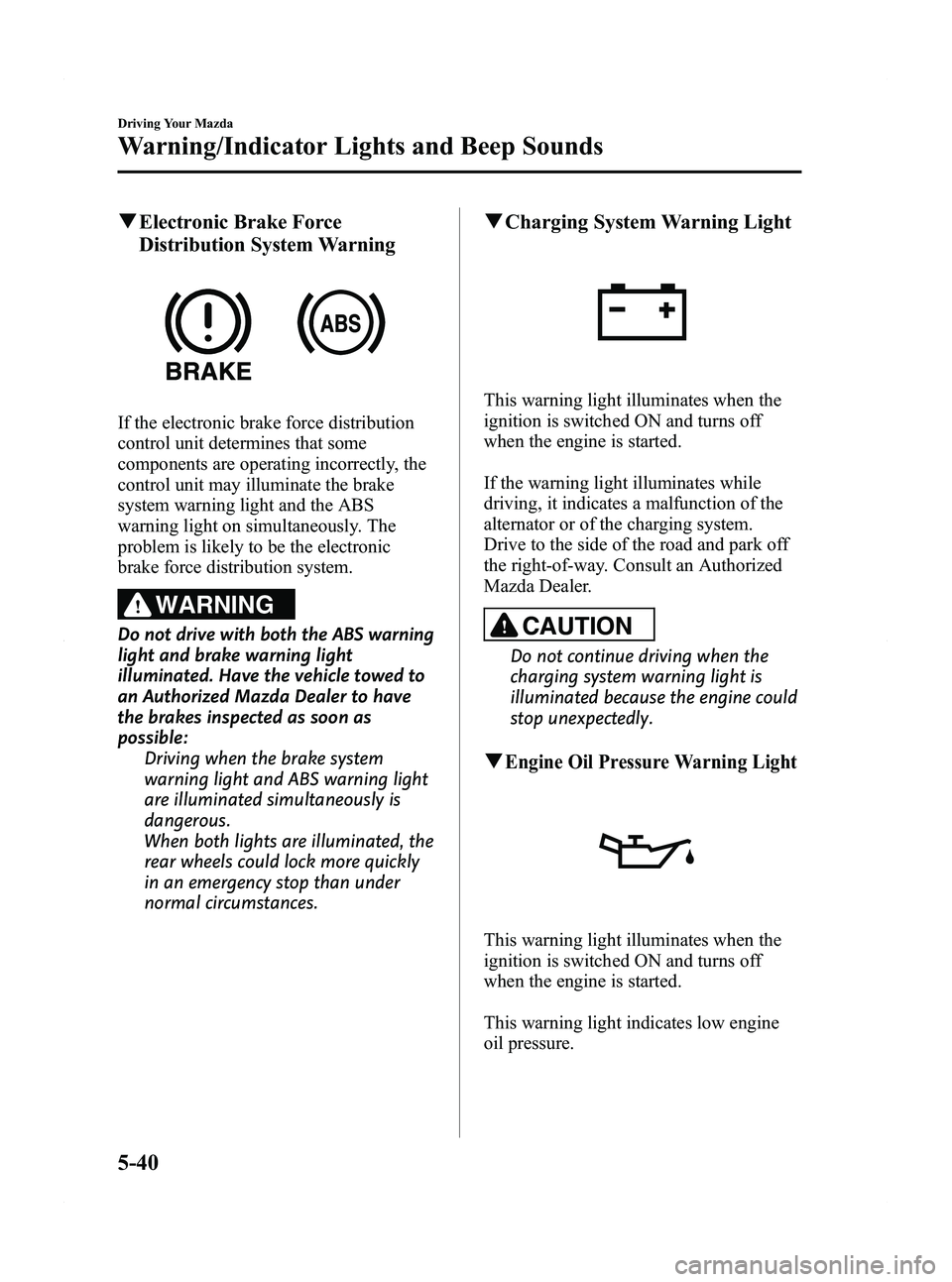
qElectronic Brake Force
Distribution System Warning
If the electronic brake force distribution
control unit determines that some
components are operating incorrectly, the
control unit may illuminate the brake
system warning light and the ABS
warning light on simultaneously. The
problem is likely to be the electronic
brake force distribution system.
WARNING
Do not drive with both the ABS warning
light and brake warning light
illuminated. Have the vehicle towed to
an Authorized Mazda Dealer to have
the brakes inspected as soon as
possible:
Driving when the brake system
warning light and ABS warning light
are illuminated simultaneously is
dangerous.
When both lights are illuminated, the
rear wheels could lock more quickly
in an emergency stop than under
normal circumstances.
qCharging System Warning Light
This warning light illuminates when the
ignition is switched ON and turns off
when the engine is started.
If the warning light illuminates while
driving, it indicates a malfunction of the
alternator or of the charging system.
Drive to the side of the road and park off
the right-of-way. Consult an Authorized
Mazda Dealer.
CAUTION
Do not continue driving when the
charging system warning light is
illuminated because the engine could
stop unexpectedly.
qEngine Oil Pressure Warning Light
This warning light illuminates when the
ignition is switched ON and turns off
when the engine is started.
This warning light indicates low engine
oil pressure.
5-40
Driving Your Mazda
Warning/Indicator Lights and Beep Sounds
Mazda5_8BR9-EA-10J_Edition3 Page164
Monday, February 21 2011 1:44 PM
Form No.8BR9-EA-10J
Page 179 of 440

Black plate (179,1)
Select the proper headlight angle from the following
chart.Front seat Rear
seat
*1Load Switch
Position
Driver Passenger
× ――― 0
×× ――0
×× × ―1
×× ×× 2
× ―― ×3
×: Yes
― :No
*1 Second-row and third-row seats
qDaytime Running Lights (Canada)
In Canada, vehicles must be driven with
the headlights on during daytime
operation.
For that reason, the daytime running lights
automatically turn on when the ignition is
switched ON.
NOTE
The Daytime Running Lights turn off when the
parking brake is applied.
Turn and Lane-Change
Signals
Turn Signals
Move the signal lever down (for a left
turn) or up (for a right turn) to the stop
position. The signal will self-cancel after
the turn is completed.
If the indicator light continues to flash
after a turn, manually return the lever to
its original position.
Right turn
Left turn
Right lane change
Left lane change OFF
Green indicators on the dashboard show
which signal is working.
Lane-change signals
Move the lever slightly toward the
direction of the change
―until the
indicator flashes ―and hold it there. It
will return to the off position when
released.
NOTE
lIf an indicator light stays on without
flashing or if it flashes abnormally, one of
the turn signal bulbs may be burned out.
lA personalized function is available to
change the turn indicator sound volume.
Refer to Personalization Features on page
10-8.
Driving Your Mazda
Switches and Controls
5-55
Mazda5_8BR9-EA-10J_Edition3 Page179
Monday, February 21 2011 1:44 PM
Form No.8BR9-EA-10J
Page 239 of 440
Black plate (239,1)
AUX Mode (Auxiliary input)
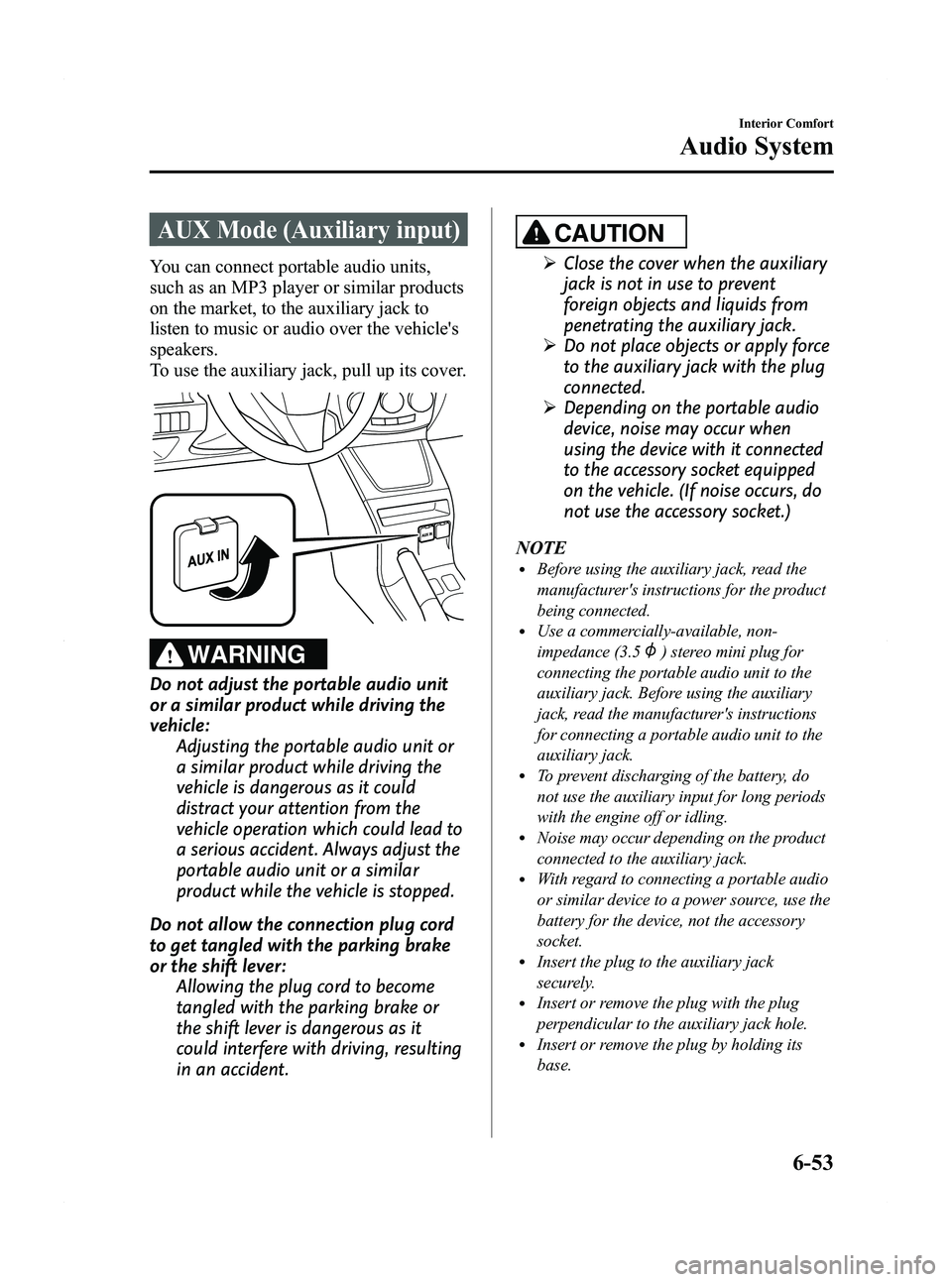
You can connect portable audio units,
such as an MP3 player or similar products
on the market, to the auxiliary jack to
listen to music or audio over the vehicle's
speakers.
To use the auxiliary jack, pull up its cover.
WARNING
Do not adjust the portable audio unit
or a similar product while driving the
vehicle:Adjusting the portable audio unit or
a similar product while driving the
vehicle is dangerous as it could
distract your attention from the
vehicle operation which could lead to
a serious accident. Always adjust the
portable audio unit or a similar
product while the vehicle is stopped.
Do not allow the connection plug cord
to get tangled with the parking brake
or the shift lever: Allowing the plug cord to become
tangled with the parking brake or
the shift lever is dangerous as it
could interfere with driving, resulting
in an accident.
CAUTION
ØClose the cover when the auxiliary
jack is not in use to prevent
foreign objects and liquids from
penetrating the auxiliary jack.
Ø Do not place objects or apply force
to the auxiliary jack with the plug
connected.
Ø Depending on the portable audio
device, noise may occur when
using the device with it connected
to the accessory socket equipped
on the vehicle. (If noise occurs, do
not use the accessory socket.)
NOTE
lBefore using the auxiliary jack, read the
manufacturer's instructions for the product
being connected.
lUse a commercially-available, non-
impedance (3.5
) stereo mini plug for
connecting the portable audio unit to the
auxiliary jack. Before using the auxiliary
jack, read the manufacturer's instructions
for connecting a portable audio unit to the
auxiliary jack.
lTo prevent discharging of the battery, do
not use the auxiliary input for long periods
with the engine off or idling.
lNoise may occur depending on the product
connected to the auxiliary jack.
lWith regard to connecting a portable audio
or similar device to a power source, use the
battery for the device, not the accessory
socket.
lInsert the plug to the auxiliary jack
securely.
lInsert or remove the plug with the plug
perpendicular to the auxiliary jack hole.
lInsert or remove the plug by holding its
base.
Interior Comfort
Audio System
6-53
Mazda5_8BR9-EA-10J_Edition3 Page239
Monday, February 21 2011 1:45 PM
Form No.8BR9-EA-10J