audio MAZDA MODEL 5 2013 Service Manual
[x] Cancel search | Manufacturer: MAZDA, Model Year: 2013, Model line: MODEL 5, Model: MAZDA MODEL 5 2013Pages: 456, PDF Size: 5.67 MB
Page 243 of 456

Black plate (243,1)
With Bluetooth® Hands-Free
When listening to the radio or SIRIUS
digital satellite radio
Press the seek switch up or down. The
radio switches to the next/previous stored
station in the order that it was stored
(1― 6).
(Radio)
Press and hold the seek switch in the up or
down position to seek all usable stations
at a higher or lower frequency whether
programmed or not.
(SIRIUS digital satellite radio)
Press and hold the seek switch in the up or
down position to seek all usable stations
at a higher or lower channel whether
programmed or not.
NOTE
During radio reception
Radio stations which have been previously
stored in the auto memory tuning can be called
up by pressing the seek switch up or down
while any radio station stored in the auto
memory tuning is being received. Radio
stations can be called up in the order they
were stored with each press of the switch up or
down.
When playing a CD, USB, iPod, or BT
audio
Press the seek switch up to skip to the
next track.
Press the seek switch down to repeat the
current track.
Press and hold the seek switch in the up or
down position to continuously switch the
tracks up or down.
q Mute Switchí
Press the mute switch () once to mute
audio, press it again to resume audio
output.
NOTE
If the ignition is switched off with the audio
muted, the mute will be canceled.
Therefore, when the engine is restarted, the
audio is not muted. To mute the audio again,
press the mute switch (
).
Without Bluetooth® Hands-Free
Interior Comfort
Audio System
6-51íSome models.
Mazda5_8CN3-EA-12I_Edition2 Page243
Wednesday, November 7 2012 11:48 AM
Form No.8CN3-EA-12I
Page 244 of 456

Black plate (244,1)
AUX/USB/iPod Mode
Audio can be heard from the vehicle's
speakers by connecting a commercially-
available portable audio unit to the
auxiliary jack.
A commercially-available, non-impedance
(3.5
) stereo mini plug cable is required.
Contact an Authorized Mazda Dealer for
details.
In addition, audio can be played from the
vehicle audio device by connecting USB
device or an iPod to the USB port.
To use the auxiliary jack/USB port, pull
up its cover.
USB port
Auxiliary jack
How to use AUX mode ....... page 6-53
How to use USB mode ........ page 6-54
How to use iPod mode ......... page 6-58
Error Indications .................. page 6-60
WARNING
Do not adjust the portable audio unit
or a similar product while driving the
vehicle: Adjusting the portable audio unit or
a similar product while driving the
vehicle is dangerous as it could
distract your attention from the
vehicle operation which could lead to
a serious accident. Always adjust the
portable audio unit or a similar
product while the vehicle is stopped.
Do not allow the connection plug cord
to get tangled with the parking brake
or the shift lever: Allowing the plug cord to become
tangled with the parking brake or
the shift lever is dangerous as it
could interfere with driving, resulting
in an accident.
CAUTION
ØAlways close the auxiliary jack/
USB port lid when it is not in use.
If foreign matter or liquid
penetrate the auxiliary jack/USB
port, it may cause a malfunction.
Ø Depending on the portable audio
device, noise may occur when the
device is connected to the vehicle
accessory socket. (If noise occurs,
do not use the accessory socket.)
Ø Do not place objects or apply force
to the auxiliary jack with the plug
connected.
6-52
Interior Comfort
Audio System
Mazda5_8CN3-EA-12I_Edition2 Page244
Wednesday, November 7 2012 11:48 AM
Form No.8CN3-EA-12I
Page 245 of 456

Black plate (245,1)
NOTElBefore using the auxiliary jack/USB port,
refer to the instruction manual for the
portable audio device.
lUse a commercially-available, non-
impedance (3.5
) stereo mini plug for
connecting the portable audio unit to the
auxiliary jack. Before using the auxiliary
jack, read the manufacturer's instructions
for connecting a portable audio unit to the
auxiliary jack.
lTo prevent discharging of the battery, do
not use the auxiliary input for long periods
with the engine off or idling.
lWhen connecting a device to the auxiliary
jack or USB port, noise may occur
depending on the connected device. If the
device is connected to the vehicle's
accessory socket, the noise can be reduced
by unplugging it from the accessory socket.
lInsert the plug to the auxiliary jack/USB
port securely.
lInsert or pull out the plug with the plug
perpendicular to the auxiliary jack/USB
port hole.
lInsert or remove the plug by holding its
base.
q How to use AUX mode
Audio Unit Audio Control
Switches
1. Switch the ignition to ACC or ON.
2. Press the power/volume dial to turn theaudio system on.
3. Press the source change button (
)of
the audio unit or the mode switch
(
) of the audio control switches
on the steering wheel to change to the
AUX mode.
NOTE
lWhen the device is not connected to the
auxiliary jack, the mode does not switch to
the AUX mode.
lSet the volume of the portable audio unit to
the maximum within the range that the
sound does not become distorted, then
adjust the volume using the power/volume
dial of the audio unit or the up/down switch
of the audio control switch.
lAudio adjustments other than audio volume
can only be done using the portable audio
device.
lIf the connection plug is pulled out from the
auxiliary jack while in AUX mode, noise
may occur.
Interior Comfort
Audio System
6-53
Mazda5_8CN3-EA-12I_Edition2 Page245
Wednesday, November 7 2012 11:48 AM
Form No.8CN3-EA-12I
Page 246 of 456

Black plate (246,1)
qHow to use USB mode
Play/Pause button/File dial
Track up/Fast-forward button
Folder up button Repeat button Random button
Scan button
Track down/Reverse button Source change button Scroll button
Folder down button Text button
Type Playable data
USB mode MP3/WMA/AAC file
Playback
1. Switch the ignition to ACC or ON.
2. Press the power/volume dial to turn the audio system on.
3. Press the source change button (
)of
the audio unit or the mode switch
(
) of the audio control switches
on the steering wheel to switch to the
USB mode and start playback. NOTE
lWhen the USB device is not connected, the
mode does not switch to USB mode.
lWhen there is no playable data in the USB
device,
“NO CONTENTS ”is indicated.
lPlayback of the USB device is in the order
of the folder numbers. Folders which have
no MP3/WMA/AAC files are skipped.
lDo not remove the USB device while in the
USB mode. The data may be damaged.
Pause
To stop playback, press the Play/Pause
button (
).
Press the button again to resume
playback.
Fast-forward/Reverse
Press and hold the fast-forward button
(
) to advance through a track at high
speed.
6-54
Interior Comfort
Audio System
Mazda5_8CN3-EA-12I_Edition2 Page246
Wednesday, November 7 2012 11:48 AM
Form No.8CN3-EA-12I
Page 247 of 456

Black plate (247,1)
Press and hold the reverse button ()to
reverse through a track at high speed.
Track search
Press the track up button (
) once to
skip forward to the beginning of the next
track.
Press the track down button (
) within a
few seconds after playback begins to track
down to the beginning of the previous
track.
Press the track down button (
) after a
few seconds have elapsed to start
playback from the beginning of the
current track.
Folder search
To change to the previous folder, press the
folder down button (
), or press the
folder up button (
) to advance to the
next folder.
Music Scan
This function scans the titles in a folder
currently being played and plays ten
seconds of each song to aid you in finding
a song you want to listen to.
Press the scan button (
) during
playback to start the scan play operation
(the track number will flash). Press the
scan button (
) again to cancel scan
playback.
NOTE
If the unit is left in scan, normal playback will
resume where scan was selected.
Repeat playback
(Track repeat)
1. Press the repeat button (
) during
playback to play the current track
repeatedly. “TRACK RPT ”is
displayed. 2. To cancel the repeat playback, press the
button again after 3 seconds.
(Folder repeat)
1. Press the repeat button (
) during
playback, and then press the button
again within 3 seconds to play the
tracks in the current folder repeatedly.
“ FOLDER RPT ”is displayed.
2. Press the button again to cancel the repeat playback.
Random playback
Tracks are randomly selected and played.
(Folder random)
1. Press the random button (
) during
playback to play the tracks in the folder
randomly. “FOLDER RDM ”is
displayed.
2. To cancel the random playback, press the button again after 3 seconds.
(All random)
1. Press the random button (
) during
playback, and then press the button
again within 3 seconds to play the
tracks on the USB device randomly.
“ ALL RDM ”is displayed.
2. Press the button again to cancel the random playback.
Interior Comfort
Audio System
6-55
Mazda5_8CN3-EA-12I_Edition2 Page247
Wednesday, November 7 2012 11:48 AM
Form No.8CN3-EA-12I
Page 248 of 456

Black plate (248,1)
Switching the display
For files with a file name and other
information that have been input, the
display switches between display of the
file name and other information each time
the text button (
) is pressed during
playback.
File name
Folder name
Album name
Song name
Artist name
Folder number/File number
File number/Elapsed time
NOTElThe information (artist name, music name)
is displayed only when the USB device
information in the USB device has
information which can be displayed on the
screen.
lThis unit cannot display some characters.
Characters which cannot be displayed are
indicated by an asterisk (
).
Display scroll
Only 12 characters can be displayed at
one time. To display the rest of the characters of a
long title, press the scroll button (
).
The display scrolls the next 12 characters.
Press the scroll button (
) again after
the last 12 characters have been displayed
to return to the beginning of the title.
NOTE
The number of characters which can be
displayed is restricted.
Error Messages
When the message “CHECK USB ”is
displayed, it indicates that there is some
error in the USB device. Verify that the
content recorded in the USB device has
MP3/WMA/AAC files and re-connect
correctly. If the message reappears, have
the unit checked by an Authorized Mazda
Dealer.
6-56
Interior Comfort
Audio System
Mazda5_8CN3-EA-12I_Edition2 Page248
Wednesday, November 7 2012 11:48 AM
Form No.8CN3-EA-12I
Page 250 of 456

Black plate (250,1)
qHow to use iPod mode
Category down button
Track up/Fast-forward buttonCategory up button
Repeat button
List up button Random button
Scan button
Track down/Reverse button Play/Pause button/File dial Source change button Scroll buttonList down button Text button
Connectable iPod is as follows:liPod: 5GliPod classicliPod nano: 1/2/3/4/5/6GliPod touch*1
liPhone*1: 3G/3GS/4
*1 For only iPod functions
NOTE
The iPod functions on the iPod cannot be
operated while it is connected to the unit
because the unit controls the iPod functions.
Playback
1. Switch the ignition to ACC or ON.
2. Press the power/volume dial to turn the audio system on. 3. Press the source change button (
)of
the audio unit or the mode switch
(
) of the audio control switches
on the steering wheel to switch to the
iPod mode and start playback.
NOTE
lWhen an iPod is not connected, the mode
does not switch to the iPod mode.
lWhen there is no playable data in the iPod,
“ NO CONTENTS ”is flashed.
lDo not remove the iPod while in the iPod
mode. Otherwise, the data could be
damaged.
Pause
To stop playback, press the Play/Pause
button (
).
Press the button again to resume
playback.
6-58
Interior Comfort
Audio System
Mazda5_8CN3-EA-12I_Edition2 Page250
Wednesday, November 7 2012 11:48 AM
Form No.8CN3-EA-12I
Page 251 of 456
Black plate (251,1)
Fast-forward/Reverse
Press and hold the fast-forward button
(
) to advance through a track at high
speed.
Press and hold the reverse button (
)to
reverse through a track at high speed.
Track search
Press the track up button (
) once to
skip forward to the beginning of the next
track.
Press the track down button (
) within a
few seconds after playback begins to track
down.
Press the track down button (
) after a
few seconds have elapsed to start
playback from the beginning of the track.
The time required to track down/start
playback from the beginning of a track
varies depending on iPod software
version.
Category search
Press the category down button (
)to
select the previous category and press the
category up button (
) to select the next
category.
NOTE
The types of categories include Playlist, Artist,
Album, Song, Podcast, Genre, Composer, and
Audio book.
List search
Press the list down button (
) to select
the previous list and press the list up
button (
) to select the next list.
NOTE
When the selected category is Song or Audio
book, there is no list.
Music Scan
This function scans the titles in a list
currently being played and plays ten
seconds of each song to aid you in finding
a song you want to listen to.
Press the scan button (
) during
playback to start the scan play operation
(the track number will flash). Press the
scan button (
) again to cancel scan
playback.
NOTE
If the unit is left in scan, normal playback will
resume where scan was selected.
Repeat playback
1. Press the repeat button (
) during
playback to play the current track
repeatedly. “RPT ”is displayed.
2. Press the button again to cancel the repeat playback.
Random playback
Tracks are randomly selected and played.
(Song random)
1. Press the random button (
) during
playback to play the tracks in the list
randomly. “SONG RDM ”is displayed.
2. To cancel the random playback, press the button again after 3 seconds.
(Album random)
1. Press the random button (
) during
playback, and then press the button
again within 3 seconds to play the
tracks on the iPod randomly.
“ ALBUM RDM ”is displayed.
2. Press the button again to cancel the random playback.
Interior Comfort
Audio System
6-59
Mazda5_8CN3-EA-12I_Edition2 Page251
Wednesday, November 7 2012 11:48 AM
Form No.8CN3-EA-12I
Page 252 of 456
Black plate (252,1)
NOTE
The track number being played randomly is in
the order of the iPod shuffle table.
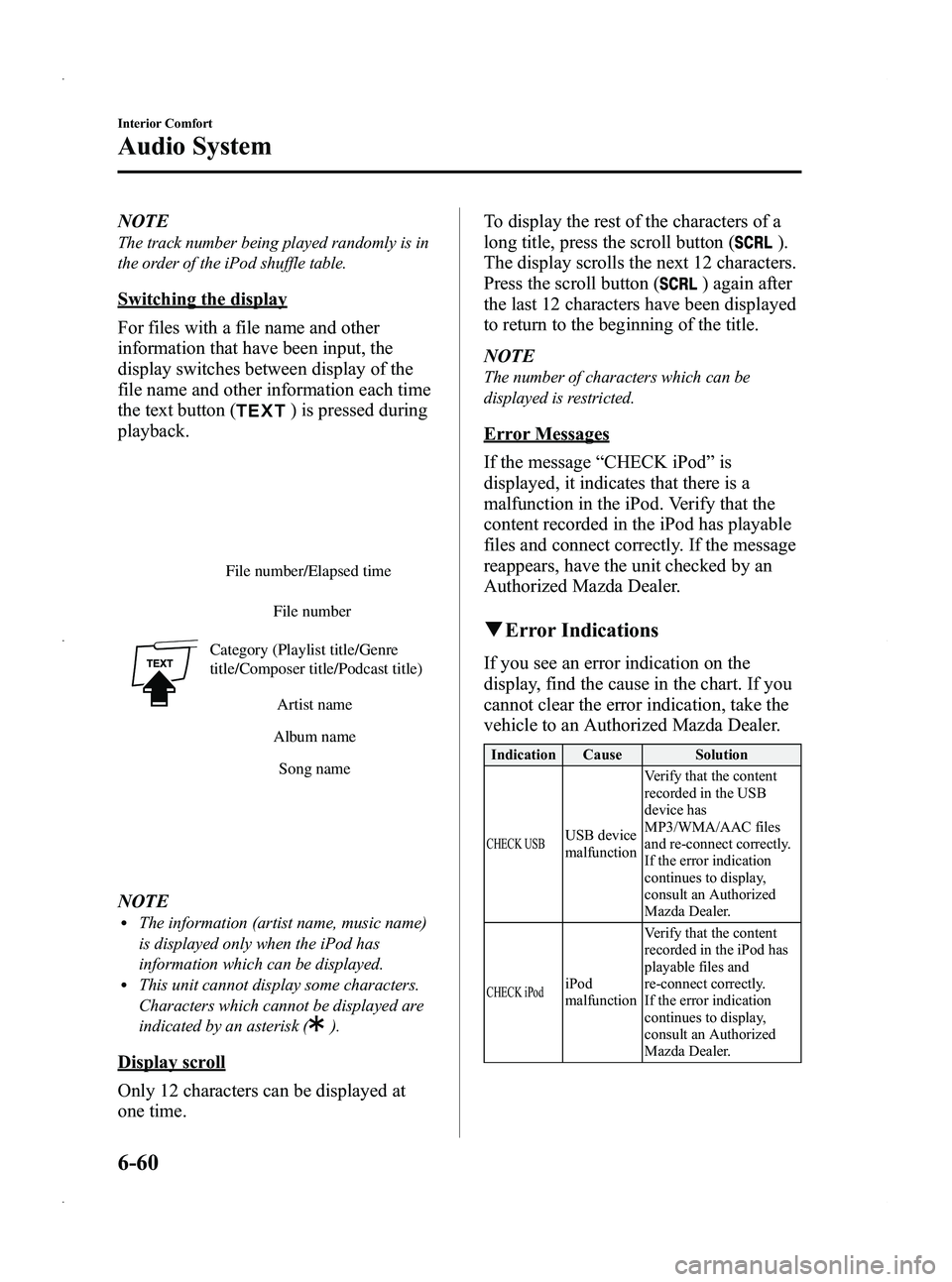
Switching the display
For files with a file name and other
information that have been input, the
display switches between display of the
file name and other information each time
the text button (
) is pressed during
playback.
File number/Elapsed time
File number
Category (Playlist title/Genre
title/Composer title/Podcast title) Artist name
Album name Song name
NOTElThe information (artist name, music name)
is displayed only when the iPod has
information which can be displayed.
lThis unit cannot display some characters.
Characters which cannot be displayed are
indicated by an asterisk (
).
Display scroll
Only 12 characters can be displayed at
one time. To display the rest of the characters of a
long title, press the scroll button (
).
The display scrolls the next 12 characters.
Press the scroll button (
) again after
the last 12 characters have been displayed
to return to the beginning of the title.
NOTE
The number of characters which can be
displayed is restricted.
Error Messages
If the message “CHECK iPod ”is
displayed, it indicates that there is a
malfunction in the iPod. Verify that the
content recorded in the iPod has playable
files and connect correctly. If the message
reappears, have the unit checked by an
Authorized Mazda Dealer.
q Error Indications
If you see an error indication on the
display, find the cause in the chart. If you
cannot clear the error indication, take the
vehicle to an Authorized Mazda Dealer.
Indication Cause Solution
CHECK USBUSB device
malfunction Verify that the content
recorded in the USB
device has
MP3/WMA/AAC files
and re-connect correctly.
If the error indication
continues to display,
consult an Authorized
Mazda Dealer.
CHECK iPodiPod
malfunction
Verify that the content
recorded in the iPod has
playable files and
re-connect correctly.
If the error indication
continues to display,
consult an Authorized
Mazda Dealer.
6-60
Interior Comfort
Audio System
Mazda5_8CN3-EA-12I_Edition2 Page252
Wednesday, November 7 2012 11:48 AM
Form No.8CN3-EA-12I
Page 253 of 456
Black plate (253,1)
Safety Certification
This CD player is made and tested to meet exacting safety standards. It meets FCC
requirements and complies with safety performance standards of the U.S. Department of
Health and Human Services.
CAUTION
ØThis CD player should not be adjusted or repaired by anyone except qualified
service personnel.
If servicing is required, contact an Authorized Mazda Dealer.
Ø Use of controls or adjustments or performance of procedures other than those
specified herein may result in hazardous laser exposure. Never operate the CD
player with the top case of the unit removed.
Ø Changes or modifications not expressly approved by the party responsible for
compliance could void the user's authority to operate this equipment.
NOTE
For CD player section:
This device complies with part 15 of the FCC Rules. Operation is subject to the following two
conditions: (1) This device may not cause harmful interference, and (2) this device must accept any
interference received, including interference that may cause undesired operation.
NOTE
This equipment has been tested and found to comply with the limits for a Class B digital device,
pursuant to part 15 of the FCC Rules. These limits are designed to provide reasonable protection
against harmful interference in a residential installation. This equipment generates, uses, and can
radiate radio frequency energy and, if not installed and used in accordance with the instructions,
may cause harmful interference to radio communications. However, there is no guarantee that
interference will not occur in a particular installation.
Interior Comfort
Audio System
6-61
Mazda5_8CN3-EA-12I_Edition2 Page253
Wednesday, November 7 2012 11:48 AM
Form No.8CN3-EA-12I