lock MAZDA MODEL 5 2014 Manual PDF
[x] Cancel search | Manufacturer: MAZDA, Model Year: 2014, Model line: MODEL 5, Model: MAZDA MODEL 5 2014Pages: 456, PDF Size: 5.46 MB
Page 234 of 456
Black plate (234,1)
(Registered ID code input preparation)
2. Press and hold the scan button (
),
then press channel preset button 6.
Hold both buttons together for 1.5
seconds.
3. “ENTER PIN ”appears for three
seconds which indicates that it is in
code input mode.
4. “SR1 - - - - ”appears, which indicates
that it is ready for code input.
(Registered ID code input)
5. Input the registered ID code using channel preset buttons 1-4. Example:
When the registered ID code is “2323 ”,
input “2323 ”. At this time “SR1 2323 ”
is displayed.
NOTE
If “Err ”is displayed, go to the
“ INITIALIZATION OF ID CODE” section to
reset the ID code to [0000].
(Registered ID code input
determination)
6. Determine the input code by pressing the scan button (
).
7. If it does not match the registered code, “SR1 Err ”is displayed and then it
returns to “SR1 - - - - ”.
8. If it matches the registered code, “SR1 UNLOCK ”appears for three
seconds which indicates that the code
input has been completed.
9. “SR1 100 ”appears which indicates that
the parental lock is off. At this time,
sound is heard. NOTE
lIf an ID code is not input for ten seconds,
“
Err ”is displayed and it returns to the
former display.
lChannel preset buttons 1, 2, 3, 4 and the
scan button (
) are used for input of
the ID code. Buttons 5 and 6 cannot be
used.
6-40
Interior Comfort
Audio System
Mazda5_8DH4-EA-13H_Edition3 Page234
Tuesday, January 14 2014 9:20 AM
Form No.8DH4-EA-13H
Page 237 of 456
Black plate (237,1)
Fast-forward/Reverse
Press and hold the fast-forward button
(
) to advance through a track at high
speed.
Press and hold the reverse button (
)to
reverse through a track at high speed.
Track search
Press the track up button (
) or turn the
file dial clockwise once to skip forward to
the beginning of the next track.
Press the track down button (
) or turn
the file dial counterclockwise once to skip
back to the beginning of the current track.
Folder search (during MP3/WMA/AAC
CD playback)
To change to the previous folder, press the
folder down button (
), or press the
folder up button (
) to advance to the
next folder.
Music scan
During music CD playback
This function scans the titles on a CD and
plays 10 seconds of each song to aid you
in finding a song you want to listen to.
During MP3/WMA/AAC CD playback
This function scans the titles in a folder
currently being played and plays 10
seconds of each song to aid you in finding
a song you want to listen to.
Press the scan button (
) during
playback to start the scan play operation
(the track number will flash).
Press the scan button (
) again to
cancel scan playback.
NOTE
If the unit is left in scan, normal playback will
resume where scan was selected.
Repeat playback
During music CD playback
1. Press the repeat button (
) during
playback to play the current track
repeatedly. “RPT ”is displayed.
2. Press the button again to cancel the repeat playback.
During MP3/WMA/AAC CD playback
(Track repeat)
1. Press the repeat button (
) during
playback to play the current track
repeatedly. “TRACK RPT ”is
displayed.
2. To cancel the repeat playback, press the button again after 3 seconds.
(Folder repeat)
1. Press the repeat button (
) during
playback, and then press the button
again within 3 seconds to play the
tracks in the current folder repeatedly.
“ FOLDER RPT ”is displayed.
2. Press the button again to cancel the repeat playback.
Random playback
Tracks are randomly selected and played.
During music CD playback
1. Press the random button (
) during
playback to play the tracks on the CD
randomly. “RDM ”is displayed.
2. Press the button again to cancel the random playback.
Interior Comfort
Audio System
6-43
Mazda5_8DH4-EA-13H_Edition3 Page237
Tuesday, January 14 2014 9:20 AM
Form No.8DH4-EA-13H
Page 260 of 456

Black plate (260,1)
NOTElSome Bluetooth®audio devices need a
certain amount of time before the “
”
symbol is displayed.
lIf a hands-free type mobile phone has been
the most recently programmed device, the
Bluetooth
®unit links this device. If you
would like to use a Bluetooth®audio type
device which has been previously
programmed to the Bluetooth
®unit, the link
must be changed to this device.
lIf an error occurs while trying to link a
device, “Err ”flashes in the display for
three seconds, and the display returns to
“ LINK CHANGE ”. If this occurs, check the
programming status of the Bluetooth
®
audio device and the location of the device
in the vehicle (not in the trunk or a metal-
type box), and then try the link operation
again.
lDevice selection can also be done using
voice recognition (page 6-85).
How to confirm the device currently
linked
Switch to the link-change mode. (Refer to
“ Changing the link to a Bluetooth
®audio
device ”)
The device name displayed first is the
device which is currently linked.
Deleting the link to a Bluetooth®audio
device
1. Using the audio control dial, select the
pairing delete mode “PAIR DELETE ”
in the “BT SETUP” mode. (Refer to
“ Bluetooth
®audio device set-up ”for
details.)
2. Press the audio control dial to determine the mode.
3. The name of the first device among the programmed devices is displayed. 4. Rotate the audio control dial and select
the name of the programmed device
you would like to delete.
Device name 1
Device name 2
Device name 3
Device name 4
Device name 5
Device name 6
Device name 7
NOTE
Only the names of programmed devices can be
displayed. If only one device is programmed,
only the name for this device is displayed.
5. If a selection other than “GO BACK ”
is made and the audio control dial is
pressed, “SURE ? NO ”is displayed.
6. Rotate the audio control dial clockwise and switch the display to “SURE ?
YES ”.
NOTE
The display changes as follows depending on
whether the audio control dial is rotated
clockwise or counterclockwise.
-Clockwise: “SURE ? YES ”displayed
-Counterclockwise: “SURE ? NO ”displayed
6-66
Interior Comfort
Bluetooth® Audio
Mazda5_8DH4-EA-13H_Edition3 Page260
Tuesday, January 14 2014 9:20 AM
Form No.8DH4-EA-13H
Page 262 of 456

Black plate (262,1)
NOTE
Some Bluetooth®audio devices need a certain
amount of time before the “
”symbol is
displayed.
3. Press the source change button ()to
switch to the Bluetooth®audio mode
and start playback.
If the current device version is lower
than AVRCP Ver. 1.3:
“ BT Audio ”is displayed.
If the current device is AVRCP Ver.
1.3:
The playback time is displayed.
NOTE
lIf the Bluetooth®audio device does not
begin playback, press the Play/Pause
button (
).lIf the mode is switched from Bluetooth®
audio mode to another mode (radio mode),
audio playback from the Bluetooth®audio
device stops.
lIf a call is received on a hands-free mobile
phone during playback from the Bluetooth®
audio device, the playback is stopped.
Playback from the Bluetooth®audio device
resumes after the call ends.
Playback
1. To listen to a Bluetooth
®audio device
over the vehicle's speaker system,
switch the mode to Bluetooth
®audio
mode. (Refer to “Switching to
Bluetooth
®audio mode ”)
2. To stop playback, press the Play/Pause button (
).
3. Press the button again to resume playback.
Selecting a file (track)
Short-press the track down button (
)or
turn the file dial counterclockwise: Selects
the beginning of the current file (track).
Short-press the track up button (
)or
turn the file dial clockwise: Selects the
next file (track).
Fast-forward/Reverse (only AVRCP
Ver. 1.3)
Fast-forward
Press and hold the track up button (
).
Reverse
Press and hold the track down button
(
).
Switching the display (only AVRCP
Ver. 1.3)
For files with a song title and other
information that have been input, the
display switches between display of the
song title and other information each time
the text button (
) is pressed during
playback.
Album title
Song title
Artist name
File number/ Playback time
NOTElIf title information is not available,
“
NO TITLE ”is displayed.
lThis unit cannot display some characters.
Characters which cannot be displayed are
indicated by an asterisk (
).
6-68
Interior Comfort
Bluetooth® Audio
Mazda5_8DH4-EA-13H_Edition3 Page262
Tuesday, January 14 2014 9:20 AM
Form No.8DH4-EA-13H
Page 282 of 456
![MAZDA MODEL 5 2014 Manual PDF Black plate (282,1)
8.Say: [Beep] “XXXXX... (Ex. device
C) ”
9. Prompt: “New name please? ”
10. Say: [Beep] “XXXXX... (Ex. device
C) ”(Speak a “device tag ”,an
arbitrary name for the d](/img/28/41003/w960_41003-281.png "MAZDA MODEL 5 2014 Manual PDF Black plate (282,1)
8.Say: [Beep] “XXXXX... (Ex. device
C) ”
9. Prompt: “New name please? ”
10. Say: [Beep] “XXXXX... (Ex. device
C) ”(Speak a “device tag ”,an
arbitrary name for the d")
Black plate (282,1)
8.Say: [Beep] “XXXXX... (Ex. device
C) ”
9. Prompt: “New name please? ”
10. Say: [Beep] “XXXXX... (Ex. device
C) ”(Speak a “device tag ”,an
arbitrary name for the device.)
11. Prompt: “XXXXX... (Ex. device C)
(Device tag), is this correct? ”
12. Say: [Beep] “Ye s ”
13. Prompt: “New name saved. ”
qSecurity Setting
If a passcode is set, the system cannot be
activated unless the passcode is input.
NOTE
Do this function only when parked. It is too
distracting to attempt while driving and you
may make too many errors to be effective.
Passcode setting
1. Press the pick-up button or talk button
with a short press.
2. Say: [Beep] “Setup ”
3. Prompt: “Select one of the following:
Pairing options, confirmation prompts,
language, passcode, select phone or
select music player.”
4. Say: [Beep] “Passcode ”
5. Prompt: “Passcode is disabled. Would
you like to enable it? ”
6. Say: [Beep] “Ye s ”
7. Prompt: “Please say a 4-digit
passcode. Remember this passcode. It
will be required to use this system. ”
8. Say: [Beep] “XXXX ”(Say a desired 4-
digit passcode, “PCode ”.) 9.
Prompt: “Passcode XXXX (Passcode,
PCode). Is this correct? ”
10. Say: [Beep] “Ye s ”
11. Prompt: “Passcode is enabled. ”
Using Bluetooth®Hands-Free with a
passcode
1. Press the pick-up button or talk button
with a short press.
2. Prompt: “Hands-Free system is
locked. State the passcode to
continue. ”
3. Say: [Beep] “XXXX ”(Say the set
passcode “PCode ”.)
4. If the correct passcode is input, voice guidance “XXXXXX... (Ex. “Mary's
device ”) (Device tag) is connected ”is
announced.
If the passcode is incorrect, voice
guidance “XXXX (4-digit passcode,
Pcode) incorrect passcode, please try
again ”is announced.
Canceling the passcode
NOTE
Do this function only when parked. It is too
distracting to attempt while driving and you
may make too many errors to be effective.
1. Press the pick-up button or talk button
with a short press.
2. Say: [Beep] “Setup ”
3. Prompt: “Select one of the following:
Pairing options, confirmation prompts,
language, passcode, select phone or
select music player.”
4. Say: [Beep] “Passcode ”
5. Prompt: “Passcode is enabled. Would
you like to disable it? ”
6-88
Interior Comfort
Bluetooth® Hands-Free
Mazda5_8DH4-EA-13H_Edition3 Page282
Tuesday, January 14 2014 9:20 AM
Form No.8DH4-EA-13H
Page 287 of 456

Black plate (287,1)
Sunvisors
When you need a sunvisor, lower it for
use in front or swing it to the side.
Sunvisor
qVanity Mirrors
To use the vanity mirror, lower the
sunvisor.
Interior Lights
qIlluminated Entry System
When the illuminated entry system
operates, the overhead light (switch is in
the DOOR position) turns on for:
lAbout 30 seconds after the driver's
door is unlocked and the ignition is
switched off (with the ignition key
removed).
lAbout 15 seconds after all doors are
closed.
lAbout 15 seconds after the ignition is
switched off (with the ignition key
removed) with all doors closed.
The light also turns off when:
lThe ignition is switched ON and all
doors are closed.
lThe driver's door is locked.
NOTE
lBattery saver
If any door is left opened, the light turns off
after about 30 minutes to save the battery.
The light turns on again when the ignition
is switched ON, or when any door is
opened after all doors have been closed.
lThe operation of the illuminated entry
system can be changed.
Refer to Personalization Features on page
10-8.
Interior Comfort
Interior Equipment
6-93
Mazda5_8DH4-EA-13H_Edition3 Page287
Tuesday, January 14 2014 9:20 AM
Form No.8DH4-EA-13H
Page 289 of 456

Black plate (289,1)
Information Display
Steering switch
Audio display
Climate control display Trip computer
display
Clock/Ambient
temperature display
q
Information Display Functions
The information display has the following functions:lClocklAmbient Temperature DisplaylClimate Control DisplaylAudio DisplaylTrip Computerí
lBluetooth®Hands-Free DisplayíRefer to Bluetooth® Hands-Free on page 6-70.
Interior Comfort
Interior Equipment
6-95íSome models.
Mazda5_8DH4-EA-13H_Edition3 Page289
Tuesday, January 14 2014 9:20 AM
Form No.8DH4-EA-13H
Page 290 of 456
Black plate (290,1)
qClock
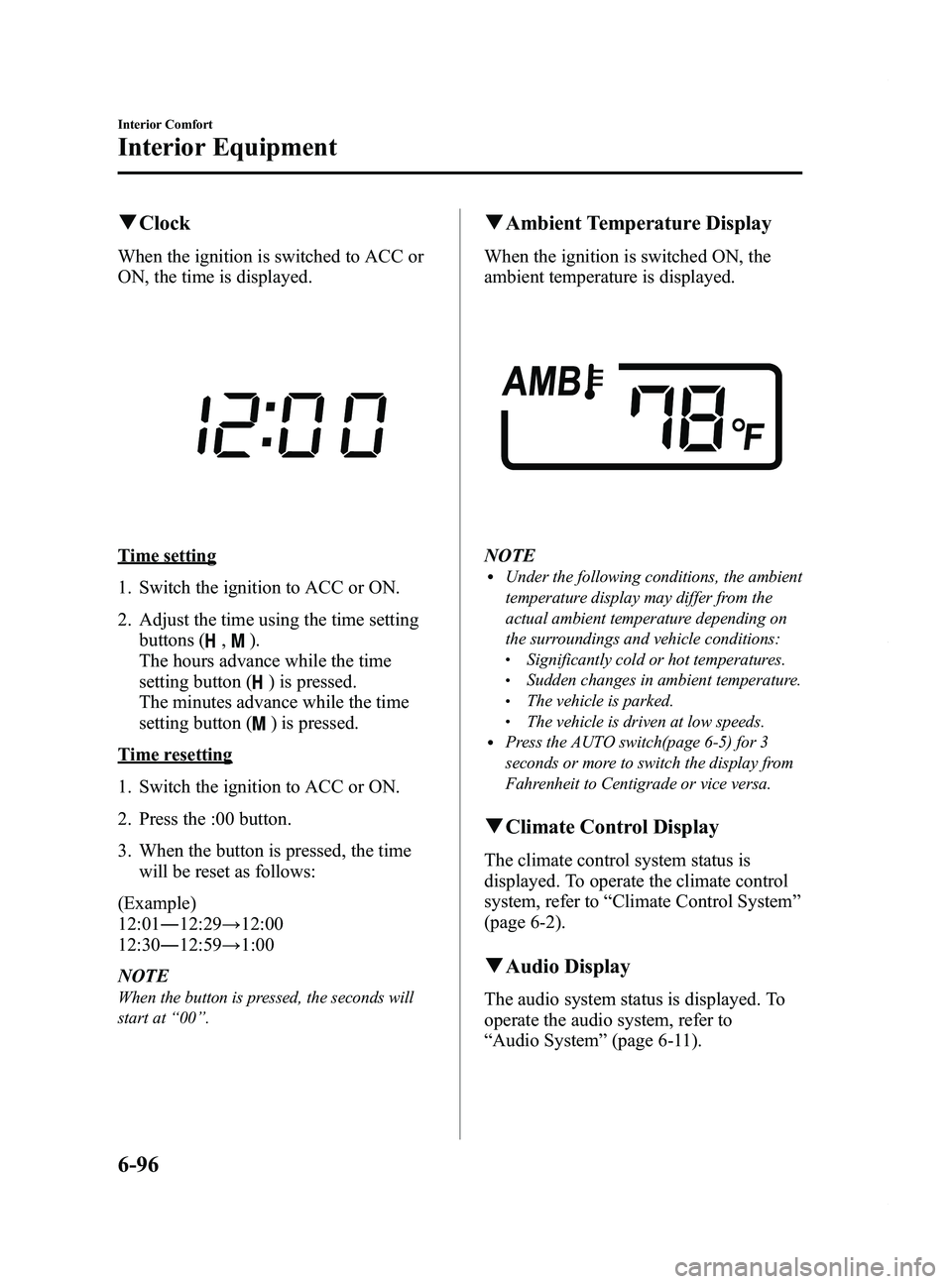
When the ignition is switched to ACC or
ON, the time is displayed.
Time setting
1. Switch the ignition to ACC or ON.
2. Adjust the time using the time setting
buttons (
,).
The hours advance while the time
setting button (
) is pressed.
The minutes advance while the time
setting button (
) is pressed.
Time resetting
1. Switch the ignition to ACC or ON.
2. Press the :00 button.
3. When the button is pressed, the time will be reset as follows:
(Example)
12:01 ―12:29 →12:00
12:30 ―12:59 →1:00
NOTE
When the button is pressed, the seconds will
start at “00 ”.
q Ambient Temperature Display
When the ignition is switched ON, the
ambient temperature is displayed.
NOTElUnder the following conditions, the ambient
temperature display may differ from the
actual ambient temperature depending on
the surroundings and vehicle conditions:
lSignificantly cold or hot temperatures.lSudden changes in ambient temperature.lThe vehicle is parked.lThe vehicle is driven at low speeds.lPress the AUTO switch(page 6-5) for 3
seconds or more to switch the display from
Fahrenheit to Centigrade or vice versa.
qClimate Control Display
The climate control system status is
displayed. To operate the climate control
system, refer to “Climate Control System ”
(page 6-2).
q Audio Display
The audio system status is displayed. To
operate the audio system, refer to
“Audio System ”(page 6-11).
6-96
Interior Comfort
Interior Equipment
Mazda5_8DH4-EA-13H_Edition3 Page290
Tuesday, January 14 2014 9:20 AM
Form No.8DH4-EA-13H
Page 299 of 456

Black plate (299,1)
CAUTION
Do not store items above the marked
line indicated in the illustration
below. If the items are stored above
the marked line, the seat bottom will
not lock and could cause serious
injury.
Marked line
To return the seat bottom
Carefully lower the seat bottom backward
until it locks in place. Attempt to lift the
seat bottom to make sure it is firmly
locked down.
CAUTION
When returning the seat-bottom to
its upright position, make sure there
is no object lodged between the
seatback and the seat belt buckle. If
the seat-bottom is returned to its
upright position in this condition it
could damage the seat belt buckle. If
the seat belt buckle does not return
to its position after removing the
obstruction, move the buckle
rearward with your hand and then
lower the seat-bottom.
Buckle
qStorage Boxí
The storage box is stowed under the
bottom of the right second-row seat.
Small items can be stored in this box.
Interior Comfort
Interior Equipment
6-105íSome models.
Mazda5_8DH4-EA-13H_Edition3 Page299
Tuesday, January 14 2014 9:20 AM
Form No.8DH4-EA-13H
Page 300 of 456

Black plate (300,1)
To use the storage box
1. Pull the strap and lift the seat bottomup and forward.
NOTE
If it is hard to lift the seat bottom, raise the
reclining lever and lean back slightly.
2. Pull out the storage box.
3. More items can be stowed if the coveris removed.
NOTE
The cover can be kept in the seatback pocket of
the driver's seat.
4. Carefully lower the seat bottom
backward until it locks in place.
Attempt to lift the seat bottom to make
sure it is firmly locked down.
To stow the storage box
1. Clean out the inside of the storage box,and then attach the cover to it.
2. Pull the strap and lift the seat bottom up and forward.
3. Make sure the underseat storage area is empty before storing it.
4. Carefully lower the seat bottom backward until it locks in place.
Attempt to lift the seat bottom to make
sure it is firmly locked down.
When folding the seatback of the right
second-row seat, make sure the storage
box is stowed. If the storage box is not
stowed, it could be damaged.
6-106
Interior Comfort
Interior Equipment
Mazda5_8DH4-EA-13H_Edition3 Page300
Tuesday, January 14 2014 9:20 AM
Form No.8DH4-EA-13H