pairing phone MAZDA MODEL 5 2015 Owners Manual
[x] Cancel search | Manufacturer: MAZDA, Model Year: 2015, Model line: MODEL 5, Model: MAZDA MODEL 5 2015Pages: 458, PDF Size: 5.46 MB
Page 108 of 458
Black plate (108,1)
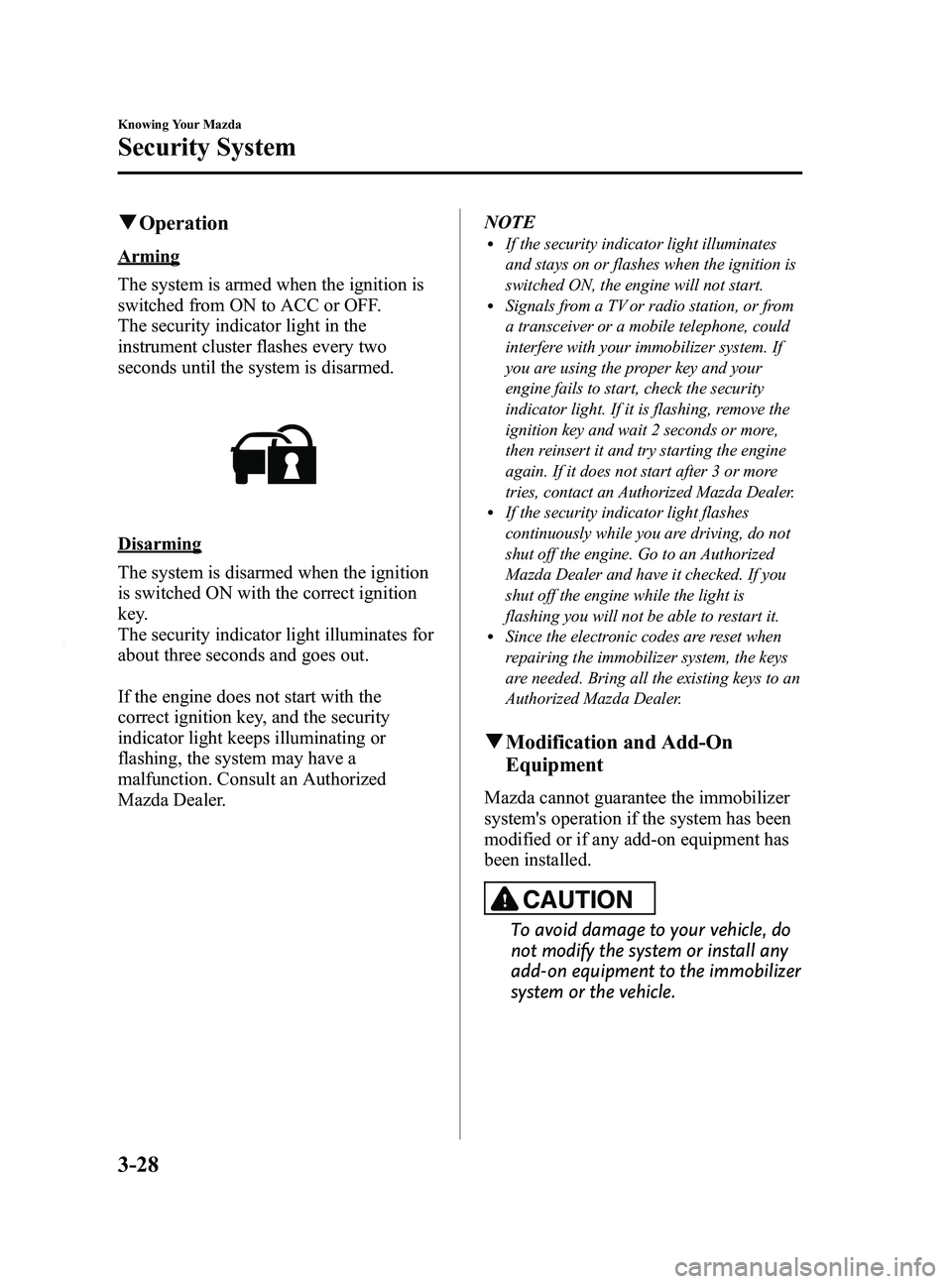
qOperation
Arming
The system is armed when the ignition is
switched from ON to ACC or OFF.
The security indicator light in the
instrument cluster flashes every two
seconds until the system is disarmed.
Disarming
The system is disarmed when the ignition
is switched ON with the correct ignition
key.
The security indicator light illuminates for
about three seconds and goes out.
If the engine does not start with the
correct ignition key, and the security
indicator light keeps illuminating or
flashing, the system may have a
malfunction. Consult an Authorized
Mazda Dealer. NOTE
lIf the security indicator light illuminates
and stays on or flashes when the ignition is
switched ON, the engine will not start.
lSignals from a TV or radio station, or from
a transceiver or a mobile telephone, could
interfere with your immobilizer system. If
you are using the proper key and your
engine fails to start, check the security
indicator light. If it is flashing, remove the
ignition key and wait 2 seconds or more,
then reinsert it and try starting the engine
again. If it does not start after 3 or more
tries, contact an Authorized Mazda Dealer.
lIf the security indicator light flashes
continuously while you are driving, do not
shut off the engine. Go to an Authorized
Mazda Dealer and have it checked. If you
shut off the engine while the light is
flashing you will not be able to restart it.
lSince the electronic codes are reset when
repairing the immobilizer system, the keys
are needed. Bring all the existing keys to an
Authorized Mazda Dealer.
q
Modification and Add-On
Equipment
Mazda cannot guarantee the immobilizer
system's operation if the system has been
modified or if any add-on equipment has
been installed.
CAUTION
To avoid damage to your vehicle, do
not modify the system or install any
add-on equipment to the immobilizer
system or the vehicle.
3-28
Knowing Your Mazda
Security System
Mazda5_8DW3-EA-14H_Edition3 Page108
Thursday, December 18 2014 9:26 AM
Form No.8DW3-EA-14H
Page 258 of 458

Black plate (258,1)
qBluetooth® Audio Preparation
Bluetooth®audio device set-up
Bluetooth
®audio programming, changes,
deletions, and display of programmed
device information can be performed.
1. The mode changes as follows each time the audio control dial is pressed.
Select “BT SETUP” .
* Depending on the mode selected, the
indication changes.
2. Turn the audio control dial and select a
desired mode.
Display Mode Function
PAIR DEVICE Pairing
program mode
Bluetooth®audio
device programming
LINK CHANGE Link change
modeChanging link
to Bluetooth®
audio device
PAIR DELETE Pairing
deletion modeDeleting link
to Bluetooth
®
audio device
DEVICE INFO Device
information
display modeDisplaying
vehicle's
Bluetooth
®
unit
information
3. Press the audio control dial to
determine the mode.
Bluetooth®audio device programming
Any Bluetooth
®audio device must be
programmed to the vehicle's Bluetooth®
unit before it can be listened to over the
vehicle's speakers.
A maximum of seven devices including
Bluetooth
®audio devices and hands-free
mobile phones can be programmed to one
vehicle.
6-62
Interior Comfort
Bluetooth® Audio
Mazda5_8DW3-EA-14H_Edition3 Page258
Thursday, December 18 2014 9:27 AM
Form No.8DW3-EA-14H
Page 259 of 458

Black plate (259,1)
NOTElAlways perform Bluetooth®audio device
programming while the vehicle is stopped.
lIf a Bluetooth®device has already been
programmed to the vehicle as a hands-free
mobile phone, it does not need to be
programmed again when using the device
as a Bluetooth
®audio device. Conversely, it
does not need to be programmed again as a
hands-free mobile phone if it has already
been programmed as a Bluetooth
®audio
device.
lLook around to be sure other likely
Bluetooth®audio devices are not in range
when you start to program. If in doubt,
move your car to another location. The
transmission range of a Bluetooth
®audio
device is about 10 m (32 ft). Therefore, if
there is another Bluetooth
®audio device
within a 10 m (32 ft) radius of the vehicle,
the device may be identified and
programmed instead.
lDevice registration can also be done using
voice recognition (page 6-74).
Concerning the operation of a Bluetooth®
audio device itself, refer to its instruction
manual.
Some Bluetooth
®audio devices have PIN
codes (four digits). Refer to the audio
device's instruction manual because the
programming procedure differs depending
on whether it has a PIN code or not.
Programming a Bluetooth®audio
device which has a four-digit PIN code
1. Using the audio control dial, select the pairing program mode
“PAIR DEVICE ”in the “BT SETUP”
mode. (Refer to “Bluetooth
®audio
device set-up ”for details.) 2. Press the audio control dial to
determine the mode.
After “ENTER PIN ”is displayed on
the information display for three
seconds, “PIN 0000 ”is displayed and
the PIN code can be input.
3. Input the PIN code of your Bluetooth
®
audio device by pressing channel
preset buttons 1 to 4 while “PIN 0000 ”
is displayed.
Press channel preset button 1 to input
the first digit, 2 for the second, 3 for
the third, and 4 for the forth. For
example, if the PIN code were “4213 ”,
press channel preset button 1 four
times (1, 2, 3, 4), button 2 twice (1, 2),
button 3 once (1), and button 4 three
times (1, 2, 3). If the “PIN 0000 ”
display disappears before finishing the
PIN code input, repeat the procedure
from Step 1.
NOTE
Some devices accept only a particular pairing
code (Usually, “0000 ”or “1234 ”).
If pairing cannot be completed, refer to the
owner's manual of your mobile device, and try
those numbers if necessary.
4. Press the audio control dial while the input PIN code is displayed.
“PAIRING ”flashes on the display.
5. Operate the Bluetooth
®audio device
and set it to the program mode while
“ PAIRING ”is flashing.
6. When the programming is completed, “
”and “PAIR SUCCESS” are
displayed after about 10-30 seconds,
after which “PAIR SUCCESS”
continues to be displayed for three
seconds, and then the unit returns to the
normal display.
Interior Comfort
Bluetooth® Audio
6-63
Mazda5_8DW3-EA-14H_Edition3 Page259
Thursday, December 18 2014 9:27 AM
Form No.8DW3-EA-14H
Page 262 of 458

Black plate (262,1)
NOTElSome Bluetooth®audio devices need a
certain amount of time before the “
”
symbol is displayed.
lIf a hands-free type mobile phone has been
the most recently programmed device, the
Bluetooth
®unit links this device. If you
would like to use a Bluetooth®audio type
device which has been previously
programmed to the Bluetooth
®unit, the link
must be changed to this device.
lIf an error occurs while trying to link a
device, “Err ”flashes in the display for
three seconds, and the display returns to
“ LINK CHANGE ”. If this occurs, check the
programming status of the Bluetooth
®
audio device and the location of the device
in the vehicle (not in the trunk or a metal-
type box), and then try the link operation
again.
lDevice selection can also be done using
voice recognition (page 6-85).
How to confirm the device currently
linked
Switch to the link-change mode. (Refer to
“ Changing the link to a Bluetooth
®audio
device ”)
The device name displayed first is the
device which is currently linked.
Deleting the link to a Bluetooth®audio
device
1. Using the audio control dial, select the
pairing delete mode “PAIR DELETE ”
in the “BT SETUP” mode. (Refer to
“ Bluetooth
®audio device set-up ”for
details.)
2. Press the audio control dial to determine the mode.
3. The name of the first device among the programmed devices is displayed. 4. Rotate the audio control dial and select
the name of the programmed device
you would like to delete.
Device name 1
Device name 2
Device name 3
Device name 4
Device name 5
Device name 6
Device name 7
NOTE
Only the names of programmed devices can be
displayed. If only one device is programmed,
only the name for this device is displayed.
5. If a selection other than “GO BACK ”
is made and the audio control dial is
pressed, “SURE ? NO ”is displayed.
6. Rotate the audio control dial clockwise and switch the display to “SURE ?
YES ”.
NOTE
The display changes as follows depending on
whether the audio control dial is rotated
clockwise or counterclockwise.
-Clockwise: “SURE ? YES ”displayed
-Counterclockwise: “SURE ? NO ”displayed
6-66
Interior Comfort
Bluetooth® Audio
Mazda5_8DW3-EA-14H_Edition3 Page262
Thursday, December 18 2014 9:27 AM
Form No.8DW3-EA-14H
Page 270 of 458

Black plate (270,1)
Voice guidance interrupt operation
Voice guidance can be skipped by
pressing the talk button with a short press
while it is being heard. A new voice input
command can then be spoken by the user.
Voice recognition mode cancel
If you want to cancel the voice
recognition mode during a call, the voice
recognition mode can be canceled without
having to end the call.
Press the talk button with a long press.
Basic Bluetooth® Hands-
Free Operation
qBluetooth® Hands-Free Preparation
Language setting
The available languages are English,
Spanish, and Canadian French. If the
language setting is changed, all of the
voice guidance and voice input
commands are done in the selected
language.
NOTE
lIf the language setting is changed, device
registration is maintained.
Phonebook records are not cleared, but
each language has a separate phonebook.
Therefore, entries created in one language
will need to be re-entered in the phonebook
of the new language.
lDo these steps before you start driving.
These less used functions are too
distracting to undertake while driving until
you are fully familiar with the system.
Method 1
1. Press the pick-up button or talk buttonwith a short press.
2. Say: [Beep] “Setup ”
3. Prompt: “Select one of the following:
Pairing options, confirmation prompts,
language, passcode, select phone or
select music player.”
4. Say: [Beep] “Language ”
5. Prompt: “Select a language: English,
French, or Spanish. ”
6. Say: [Beep] “French ”(Speak the
desired language: “English ”, “French ”
or “Spanish ”)
6-74
Interior Comfort
Bluetooth® Hands-Free
Mazda5_8DW3-EA-14H_Edition3 Page270
Thursday, December 18 2014 9:27 AM
Form No.8DW3-EA-14H
Page 271 of 458

Black plate (271,1)
NOTE
Other language settings can also be made
while in the current setting by saying the name
of the language in the native pronunciation.
7.Prompt: “French (Desired language)
selected. Is this correct? ”
8. Say: [Beep] “Ye s ”
9. Prompt: “Please wait. Switching to
French phonebook. French selected. ”
(Spoken in the newly selected
language).
Method 2
1. Press the pick-up button or talk button with a short press.
2. Say: [Beep] “French ”(Say the desired
language: “English ”, “French ”,or
“ Spanish ”.) (Change the desired
language by saying the language
name.)
NOTE
Other language settings can also be made
while in the current setting by saying the name
of the language in the native pronunciation.
3. Prompt: “Would you like to change
the language to French (Desired
language)? ”
4. Say: [Beep] “Ye s ”
5. Prompt: “Please wait. Switching to
French phonebook. French selected. ”
(Spoken in the newly selected
language).
Pairing code setting
The 4-digit pairing code setting for
registration of your cell phone (pairing)
can be set beforehand.
NOTE
The initial setting value is “0000 ”.
1. Press the pick-up button or talk button
with a short press.
2. Say: [Beep] “Setup ”
3. Prompt: “Select one of the following:
Pairing options, confirmation prompts,
language, passcode, select phone or
select music player.”
4. Say: [Beep] “Pairing options ”
5. Prompt: “Select one of the following:
Pair, Edit, Delete, List, or Set Pairing
Code. ”
6. Say: [Beep] “Set pairing code ”
7. Prompt: “Your current pairing code is
XXXX. Do you want to change it to a
different pairing code? ”
8. Say: [Beep] “Ye s ”
9. Prompt: “Please say a 4-digit pairing
code. ”
10. Say: [Beep] “YYYY ”
11. Prompt: “YYYY is this correct? ”
12. Say: [Beep] “Ye s ”or “No ”
13. If “Ye s ”, go to Step 14. If “No” , the
procedure returns to Step 9.
14. Prompt: “Your new pairing code is
YYYY. Use this pairing code when
pairing devices to the Hands free
system. Do you want to pair a device
now? ”
15. Say: [Beep] “Ye s ”or “No ”
16. If “Ye
s ”, the system switches to the
device registration mode. If “No” , the
system returns to standby status.
Interior Comfort
Bluetooth® Hands-Free
6-75
Mazda5_8DW3-EA-14H_Edition3 Page271
Thursday, December 18 2014 9:27 AM
Form No.8DW3-EA-14H
Page 272 of 458

Black plate (272,1)
Device programming (Pairing)
To use Bluetooth
®Hands-Free, the device
equipped with Bluetooth®has to be
programmed to the hands-free unit using
the following procedure.
A maximum of seven devices including
hands-free mobile phones and Bluetooth
®
audio devices can be programmed to one
vehicle.
NOTE
lA device can be programmed only when the
vehicle is parked. If the vehicle starts to
move, the pairing procedure will end.
Programming is dangerous while driving -
pair up your device before you start
driving. Park the car in a safe place before
programming.
lIf a Bluetooth®device has already been
programmed to the vehicle as a Bluetooth®
audio device, it does not need to be
programmed again when using the device
as a hands-free mobile phone. Conversely,
it does not need to be programmed again as
a Bluetooth
®audio device if it has already
been programmed as a hands-free mobile
phone.
lSince the communication range of a
Bluetooth®equipped device is about 10
meters (32 ft), if a device is placed within a
10-meter (32 ft) radius of the vehicle, it may
be detected/programmed unintentionally
while another device is being programmed.
1. Activate the Bluetooth®application of
the device.
NOTE
For the operation of the device, refer to its
instruction manual.
2. Press the pick-up button or talk button with a short press.
3. Say: [Beep] “Setup ” 4.
Prompt: “Select one of the following:
Pairing options, confirmation prompts,
language, passcode, select phone or
select music player.”
5. Say: [Beep] “Pairing options ”
6. Prompt: “Select one of the following:
Pair, Edit, Delete, List, or Set Pairing
Code. ”
7. Say: [Beep] “Pair ”
8. Prompt: “Start the pairing process on
your Bluetooth
®device. Your pairing
code is 0000 (XXXX). Input this code
on your Bluetooth
®device when
prompted on the device. See device
manual for instructions. ”
9. Using the device, perform a search for the Bluetooth
®device (Peripheral
device).
NOTE
For the operation of the device, refer to its
instruction manual.
10. Select “Mazda ”from the device list
searched by the device.
11. Input the 4-digit pairing code to the device.
12. Prompt: “Please say the name of the
device after the beep. ”
13. Say: [Beep] “XXXX - - - ”(Speak a
“ device tag ”, an arbitrary name for
the device.)
Example: “Stan's device. ”
NOTE
Speak a programmed “device tag ”within 10
seconds.
If more than two devices are to be
programmed, they cannot be programmed with
the same or similar “device tag ”.
6-76
Interior Comfort
Bluetooth® Hands-Free
Mazda5_8DW3-EA-14H_Edition3 Page272
Thursday, December 18 2014 9:27 AM
Form No.8DW3-EA-14H
Page 273 of 458
![MAZDA MODEL 5 2015 Owners Manual Black plate (273,1)
14.Prompt: “XXXXXX - - - (Ex.
“ Stans device ”) (Device tag). Is this
correct? ”
15. Say: [Beep] “Ye s ”
16. Prompt: “Pairing complete ”
After a device is register](/img/28/40998/w960_40998-272.png "MAZDA MODEL 5 2015 Owners Manual Black plate (273,1)
14.Prompt: “XXXXXX - - - (Ex.
“ Stans device ”) (Device tag). Is this
correct? ”
15. Say: [Beep] “Ye s ”
16. Prompt: “Pairing complete ”
After a device is register")
Black plate (273,1)
14.Prompt: “XXXXXX - - - (Ex.
“ Stan's device ”) (Device tag). Is this
correct? ”
15. Say: [Beep] “Ye s ”
16. Prompt: “Pairing complete ”
After a device is registered, the system
automatically identifies the device. By
activating Bluetooth
®Hands-Free again,
or by activating Bluetooth®Hands-Free
first after switching the ignition from OFF
to ACC, the system reads out a voice
guidance, “XXXXXX - - - (Ex. “Stan's
device ”) (Device tag) is connected ”.
NOTE
lDevice registration can also be done by
operating the audio unit.
Refer to Bluetooth® Audio Preparation on
page 6-62.
lDepending on the device, the registration
status may be lost after a certain period of
time. If this occurs, repeat the entire
process from Step 1.
q Making a Call Using a Telephone
Number
NOTE
Practice this while parked until you are
confident you can do it while driving in a non-
taxing road situation. If you are not completely
comfortable, make all calls from a safe
parking position, and move out only when fully
under control and you can devote your eyes
and mind to driving.
1. Press the pick-up button or talk button
with a short press.
2. Say: [Beep] “Dial ”
3. Prompt: “Number, please ”
4. Say: [Beep] “XXXXXXXXXXX
(Telephone number) ” 5.
Prompt: “XXXXXXXXXXX.
(Telephone number) After the beep,
continue to add numbers, or say Go-
Back to re-enter the last entered
numbers, or press the Pick-Up button
to execute dialing. ”
6. (Dialing)
Press the pick-up button or say “Dial ”,
then go to Step 7.
(Adding/inputting telephone
number)
Say, “XXXX ”(desired telephone
number), then go to Step 5.
(Telephone number correction)
Say, “Go Back ”. The prompt replies,
“ Go Back. The last entered numbers
have been removed. ”. Then go back to
Step 3.
7. Prompt: “Dialing ”
NOTE
The “Dial ”command and a telephone number
can be combined.
Ex. In Step 2, say, “Dial 123-4567 ”, then,
Steps 3 and 4 can be skipped.
Interior Comfort
Bluetooth® Hands-Free
6-77
Mazda5_8DW3-EA-14H_Edition3 Page273
Thursday, December 18 2014 9:27 AM
Form No.8DW3-EA-14H
Page 281 of 458

Black plate (281,1)
l“Call ”: Calls the registered phonebook
data when the talk button is short-
pressed.
l“ Edit ”: Edits the registered phonebook
data when the talk button is short-
pressed.
l“ Delete ”: Deletes the registered
phonebook data when the talk button is
short-pressed.
l“ Previous ”: Returns to the previous
phonebook data in read-out when the
talk button is short-pressed.
6. Prompt: “End of list, would you like
to start from the beginning?”
7. Say: [Beep] “No ”
8. The procedure returns to Step 3.
q DTMF (Dual Tone Multi-
Frequency Signal) Transmission
This function is used when transmitting
DTMF via the user's voice. The receiver
of a DTMF transmission is generally a
home telephone answering machine or a
company's automated guidance call center
(When you send tone signals back
according to the voice guidance
recording).
1. Press the talk button with a short press.
2. Say: [Beep] “XXXX... send ”(Say
DTMF code)
3. Prompt: “Sending XXXX... (DTMF
code) ”
Hands-Free Setting
qDevice
Device registration
For the registration of a Bluetooth
®
equipped device to Bluetooth®Hands-
Free.
Refer to Bluetooth® Hands-Free
Preparation on page 6-74.
Registered device read-out
Bluetooth
®Hands-Free can read-out the
devices registered to its system.
NOTE
Do this function only when parked. It is too
distracting to attempt while driving and you
may make too many errors to be effective.
1. Press the pick-up button or talk button with a short press.
2. Say: [Beep] “Setup ”
3. Prompt: “Select one of the following:
Pairing options, confirmation prompts,
language, passcode, select phone or
select music player.”
4. Say: [Beep] “Pairing options ”
5. Prompt: “Select one of the following:
Pair, Edit, Delete, List, or Set Pairing
Code. ”
6. Say: [Beep] “List ”
7. Prompt: “XXXXX..., XXXXX...,
XXXXX... (Ex. Device A, device B,
device C) ”(The voice guidance reads
out the device tags registered to the
hands-free system.)
Interior Comfort
Bluetooth® Hands-Free
6-85
Mazda5_8DW3-EA-14H_Edition3 Page281
Thursday, December 18 2014 9:27 AM
Form No.8DW3-EA-14H
Page 282 of 458

Black plate (282,1)
Press the talk button with a short press
during the read-out at the desired device,
and then say one of the following voice
commands to execute it.
l“Select phone ”: Selects device (Mobile
phone) when the talk button is short-
pressed.
l“ Select music player ”: Selects device
(Music player) when the talk button is
short-pressed.
l“ Edit ”: Edits device when the talk
button is short-pressed.
l“ Continue ”: Continues the list read-
out.
l“ Delete ”: Deletes the registered device
when the talk button is short-pressed.
l“ Previous ”: Returns to the previous
device in read-out when the talk button
is short-pressed.
8. Prompt: “End of list, would you like
to start from the beginning?”
9. Say: [Beep] “No ”
10. Prompt: “Returning to main menu. ”
Device selection
If several devices have been programmed,
the Bluetooth
®unit links the device last
connected. If you would like to link a
different programmed device, it is
necessary to change the link. The order of
device priority after the link has been
changed is maintained even when the
ignition is switched off.
Hands-free phone
1. Press the pick-up button or talk button with a short press.
2. Say: [Beep] “Setup ” 3.
Prompt: “Select one of the following:
Pairing options, confirmation prompts,
language, passcode, select phone or
select music player.”
4. Say: [Beep] “Select phone ”
5. Prompt: “Please say the name of the
device you would like to select.
Available devices are XXXXX... (Ex.
device A), XXXXX... (Ex. device B),
XXXXX... (Ex. device C). Which
device please? ”
6. Say: [Beep] “XXXXX... (Ex. Device
B) ”
7. Prompt: “XXXXX... (Ex. Device B).
Is this correct? ”
8. Say: [Beep] “Ye s ”or “No ”
9. If “Ye s ”, go to Step 10. If “No” , the
procedure returns to Step 5.
10. Prompt: “XXXXX... (Ex. Device B)
selected.”
Music player
1. Press the pick-up button or talk button with a short press.
2. Say: [Beep] “Setup ”
3. Prompt: “Select one of the following:
Pairing options, confirmation prompts,
language, passcode, select phone or
select music player.”
4. Say: [Beep] “Select music player ”
5. Prompt: “Please say the name of the
device you would like to select.
Available devices are XXXXX... (Ex.
device
A), XXXXX... (Ex. device B),
XXXXX... (Ex. device C). Which
device please? ”
6-86
Interior Comfort
Bluetooth® Hands-Free
Mazda5_8DW3-EA-14H_Edition3 Page282
Thursday, December 18 2014 9:27 AM
Form No.8DW3-EA-14H