lock MAZDA MODEL 6 2005 (in English) Manual PDF
[x] Cancel search | Manufacturer: MAZDA, Model Year: 2005, Model line: MODEL 6, Model: MAZDA MODEL 6 2005Pages: 340, PDF Size: 3.73 MB
Page 188 of 340
Black plate (188,1)
Antenna
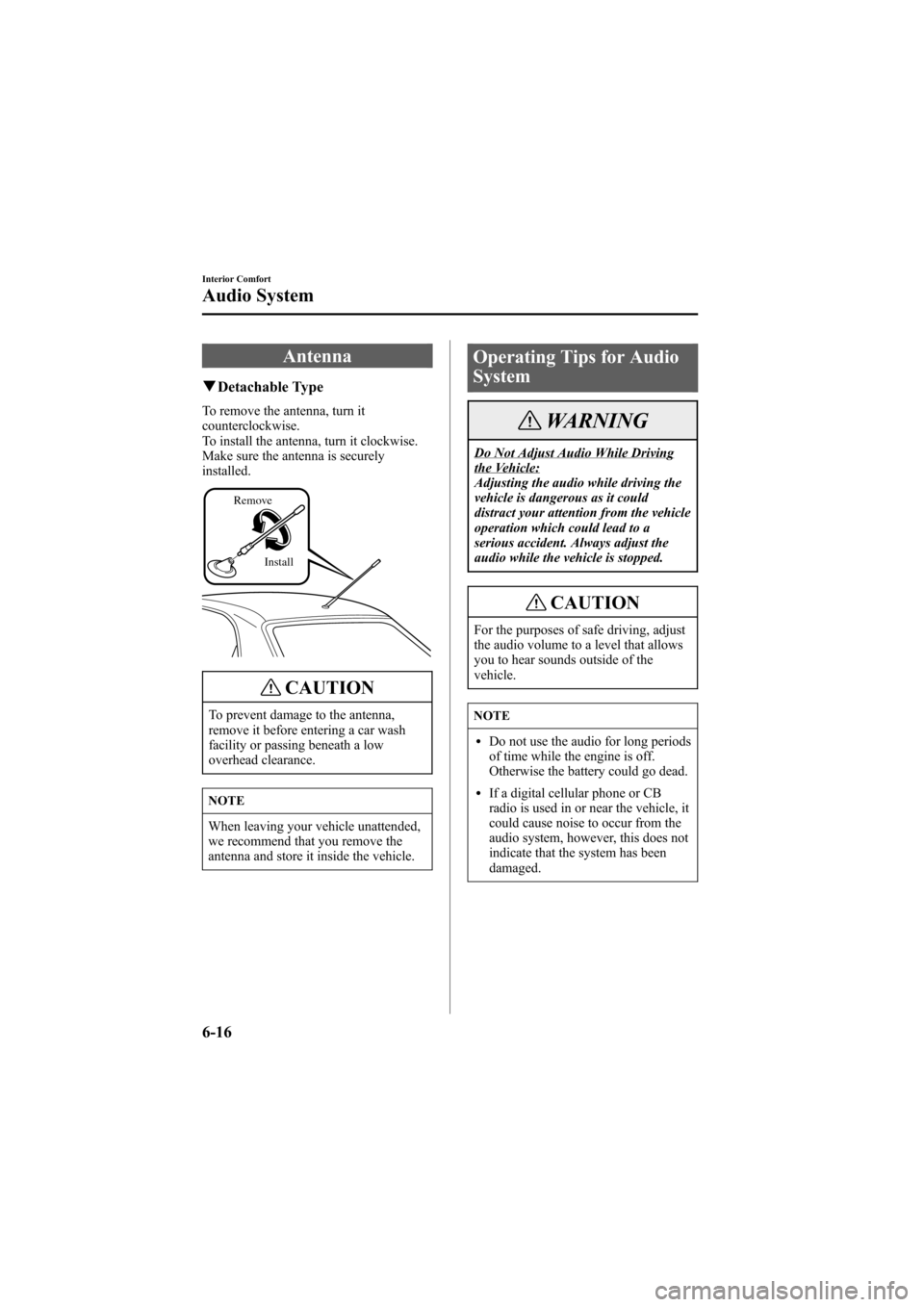
qDetachable Type
To remove the antenna, turn it
counterclockwise.
To install the antenna, turn it clockwise.
Make sure the antenna is securely
installed.
Install Remove
CAUTION
To prevent damage to the antenna,
remove it before entering a car wash
facility or passing beneath a low
overhead clearance.
NOTE
When leaving your vehicle unattended,
we recommend that you remove the
antenna and store it inside the vehicle.
Operating Tips for Audio
System
WARNING
Do Not Adjust Audio While Drivingthe Vehicle:
Adjusting the audio while driving the
vehicle is dangerous as it could
distract your attention from the vehicle
operation which could lead to a
serious accident. Always adjust the
audio while the vehicle is stopped.
CAUTION
For the purposes of safe driving, adjust
the audio volume to a level that allows
you to hear sounds outside of the
vehicle.
NOTE
lDo not use the audio for long periods
of time while the engine is off.
Otherwise the battery could go dead.
lIf a digital cellular phone or CB
radio is used in or near the vehicle, it
could cause noise to occur from the
audio system, however, this does not
indicate that the system has been
damaged.
6-16
Interior Comfort
Audio System
Mazda6_8T56-EC-04G_Edition2 Page188
Monday, November 15 2004 4:34 PM
Form No.8T56-EC-04G
Page 215 of 340

Black plate (215,1)
Sunvisors
When you need a sunvisor, lower it for
use in front or swing it to the side.
Sunvisor
qVanity Mirrors
To use the vanity mirror, lower the
sunvisor.
The vanity mirror light will illuminate
when you open the cover.
Interior Lights
qIlluminated Entry System
When the illuminated entry system
operates, the overhead light (switch is in
the DOOR position) and the courtesy
lights turn on for:
lAbout 30 seconds after the driver's
door is unlocked and the ignition key is
removed.
lAbout 15 seconds after all doors are
closed.
lAbout 15 seconds after the key is
removed from the ignition with all
doors closed.
The light also turns off when:
lThe ignition switch is turned to the ON
position and all doors are closed.
lThe driver's door is locked.
NOTE
If any door is left opened, the light goes
out after about 5 minutes.
The light turns on again when the
ignition switch is turned to the ON
position, or when any door is opened
after all doors have been closed.
Interior Comfort
Interior Equipment
6-43
Mazda6_8T56-EC-04G_Edition2 Page215
Monday, November 15 2004 4:35 PM
Form No.8T56-EC-04G
Page 218 of 340
Black plate (218,1)
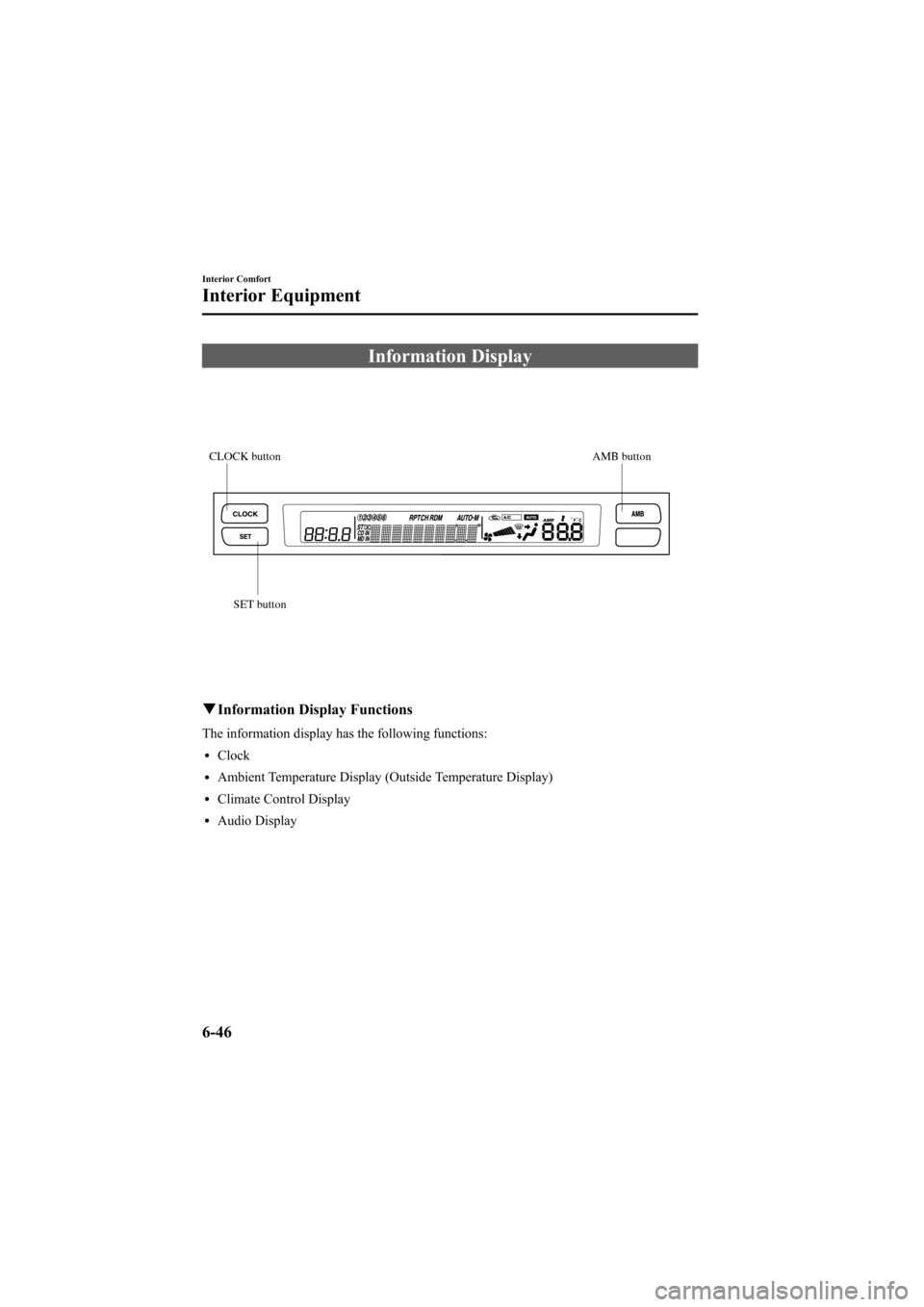
Information Display
AMB button CLOCK button
SET button
qInformation Display Functions
The information display has the following functions:
lClock
lAmbient Temperature Display (Outside Temperature Display)
lClimate Control Display
lAudio Display
6-46
Interior Comfort
Interior Equipment
Mazda6_8T56-EC-04G_Edition2 Page218
Monday, November 15 2004 4:35 PM
Form No.8T56-EC-04G
Page 219 of 340
Black plate (219,1)
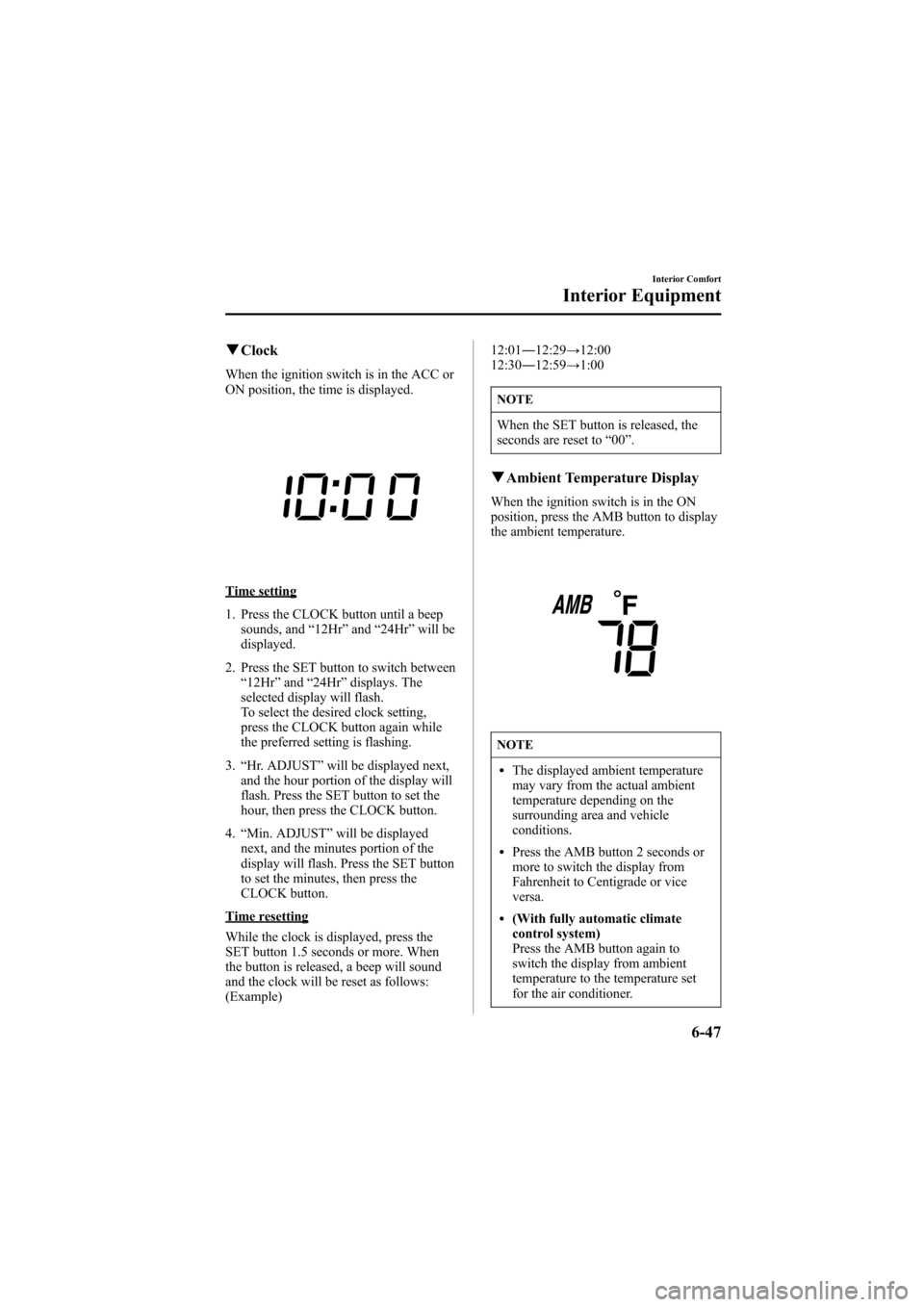
qClock
When the ignition switch is in the ACC or
ON position, the time is displayed.
Time setting
1. Press the CLOCK button until a beep
sounds, and“12Hr”and“24Hr”will be
displayed.
2. Press the SET button to switch between
“12Hr”and“24Hr”displays. The
selected display will flash.
To select the desired clock setting,
press the CLOCK button again while
the preferred setting is flashing.
3.“Hr. ADJUST”will be displayed next,
and the hour portion of the display will
flash. Press the SET button to set the
hour, then press the CLOCK button.
4.“Min. ADJUST”will be displayed
next, and the minutes portion of the
display will flash. Press the SET button
to set the minutes, then press the
CLOCK button.
Time resetting
While the clock is displayed, press the
SET button 1.5 seconds or more. When
the button is released, a beep will sound
and the clock will be reset as follows:
(Example)12:01―12:29→12:00
12:30―12:59→1:00
NOTE
When the SET button is released, the
seconds are reset to“00”.
qAmbient Temperature Display
When the ignition switch is in the ON
position, press the AMB button to display
the ambient temperature.
NOTE
lThe displayed ambient temperature
may vary from the actual ambient
temperature depending on the
surrounding area and vehicle
conditions.
lPress the AMB button 2 seconds or
more to switch the display from
Fahrenheit to Centigrade or vice
versa.
l(With fully automatic climate
control system)
Press the AMB button again to
switch the display from ambient
temperature to the temperature set
for the air conditioner.
Interior Comfort
Interior Equipment
6-47
Mazda6_8T56-EC-04G_Edition2 Page219
Monday, November 15 2004 4:35 PM
Form No.8T56-EC-04G
Page 224 of 340
Black plate (224,1)
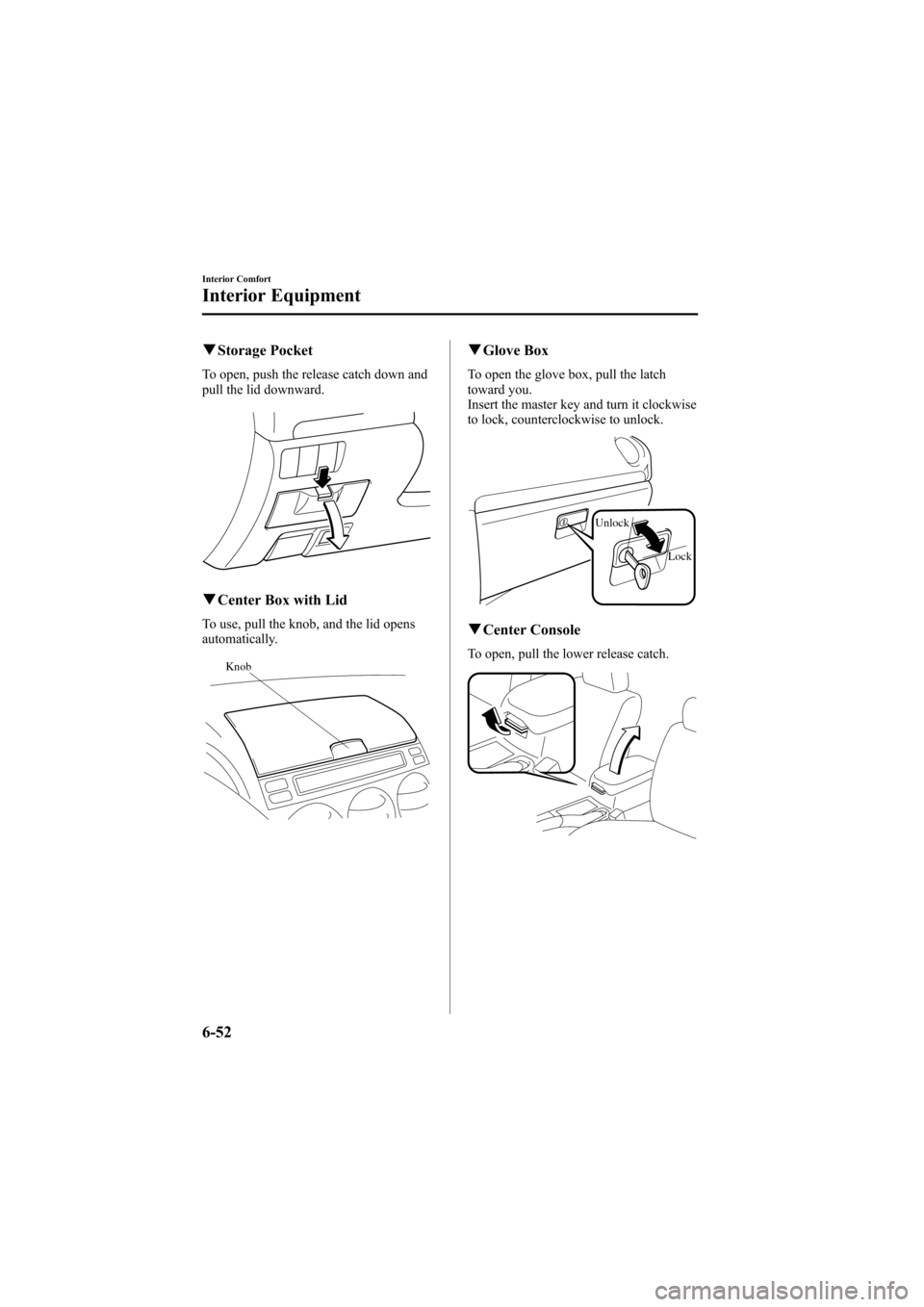
qStorage Pocket
To open, push the release catch down and
pull the lid downward.
qCenter Box with Lid
To use, pull the knob, and the lid opens
automatically.
Knob
qGlove Box
To open the glove box, pull the latch
toward you.
Insert the master key and turn it clockwise
to lock, counterclockwise to unlock.
Unlock
Lock
qCenter Console
To open, pull the lower release catch.
6-52
Interior Comfort
Interior Equipment
Mazda6_8T56-EC-04G_Edition2 Page224
Monday, November 15 2004 4:35 PM
Form No.8T56-EC-04G
Page 227 of 340
Black plate (227,1)
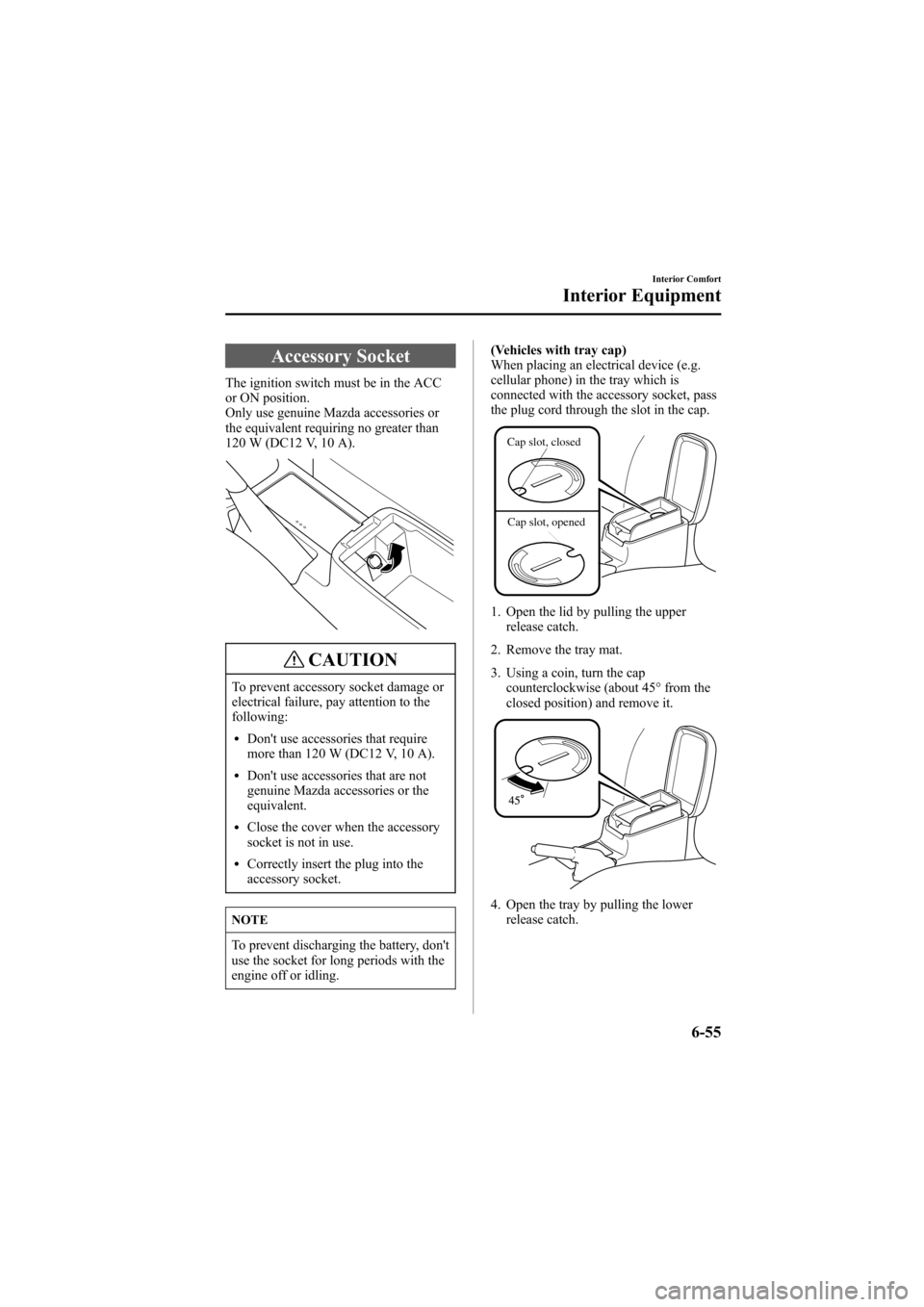
Accessory Socket
The ignition switch must be in the ACC
or ON position.
Only use genuine Mazda accessories or
the equivalent requiring no greater than
120 W (DC12 V, 10 A).
CAUTION
To prevent accessory socket damage or
electrical failure, pay attention to the
following:
lDon't use accessories that require
more than 120 W (DC12 V, 10 A).
lDon't use accessories that are not
genuine Mazda accessories or the
equivalent.
lClose the cover when the accessory
socket is not in use.
lCorrectly insert the plug into the
accessory socket.
NOTE
To prevent discharging the battery, don't
use the socket for long periods with the
engine off or idling.(Vehicles with tray cap)
When placing an electrical device (e.g.
cellular phone) in the tray which is
connected with the accessory socket, pass
the plug cord through the slot in the cap.
Cap slot, closed
Cap slot, opened
1. Open the lid by pulling the upper
release catch.
2. Remove the tray mat.
3. Using a coin, turn the cap
counterclockwise (about 45° from the
closed position) and remove it.
4. Open the tray by pulling the lower
release catch.
Interior Comfort
Interior Equipment
6-55
Mazda6_8T56-EC-04G_Edition2 Page227
Monday, November 15 2004 4:35 PM
Form No.8T56-EC-04G
Page 228 of 340
Black plate (228,1)
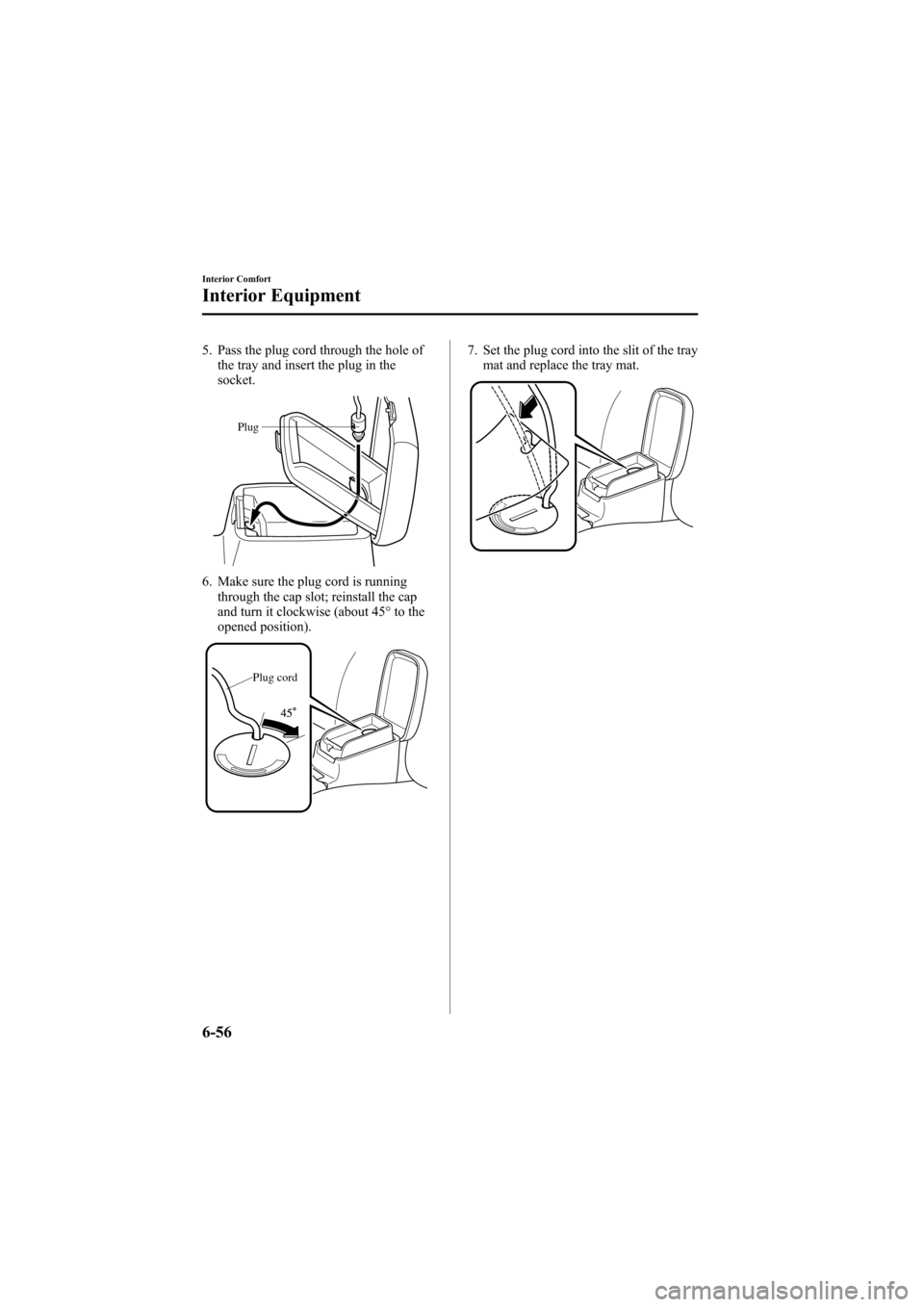
5. Pass the plug cord through the hole of
the tray and insert the plug in the
socket.
Plug
6. Make sure the plug cord is running
through the cap slot; reinstall the cap
and turn it clockwise (about 45° to the
opened position).
Plug cord
7. Set the plug cord into the slit of the tray
mat and replace the tray mat.
6-56
Interior Comfort
Interior Equipment
Mazda6_8T56-EC-04G_Edition2 Page228
Monday, November 15 2004 4:35 PM
Form No.8T56-EC-04G
Page 232 of 340
Black plate (232,1)
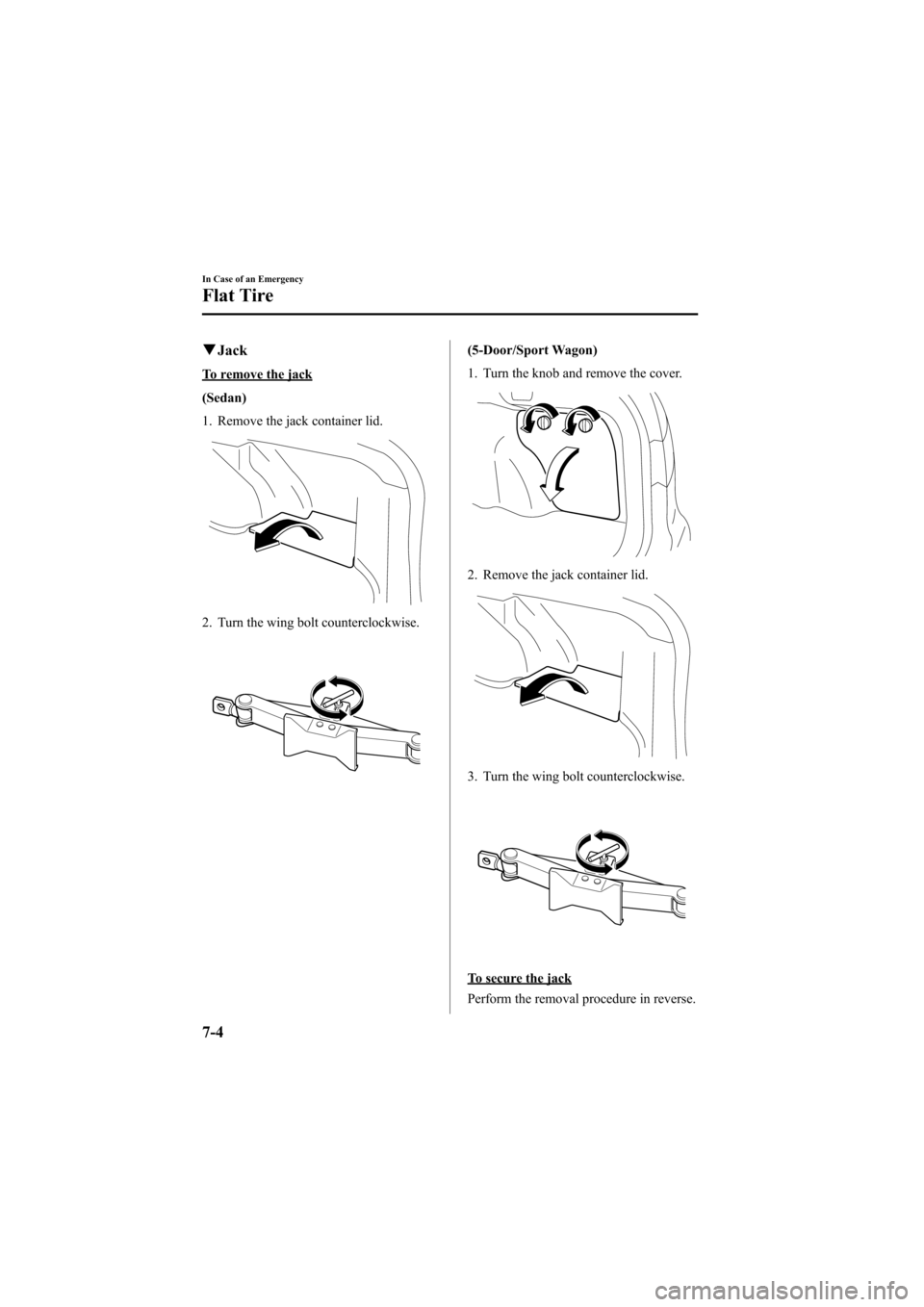
qJack
To remove the jack
(Sedan)
1. Remove the jack container lid.
2. Turn the wing bolt counterclockwise.
(5-Door/Sport Wagon)
1. Turn the knob and remove the cover.
2. Remove the jack container lid.
3. Turn the wing bolt counterclockwise.
To secure the jack
Perform the removal procedure in reverse.
7-4
In Case of an Emergency
Flat Tire
Mazda6_8T56-EC-04G_Edition2 Page232
Monday, November 15 2004 4:35 PM
Form No.8T56-EC-04G
Page 234 of 340
Black plate (234,1)
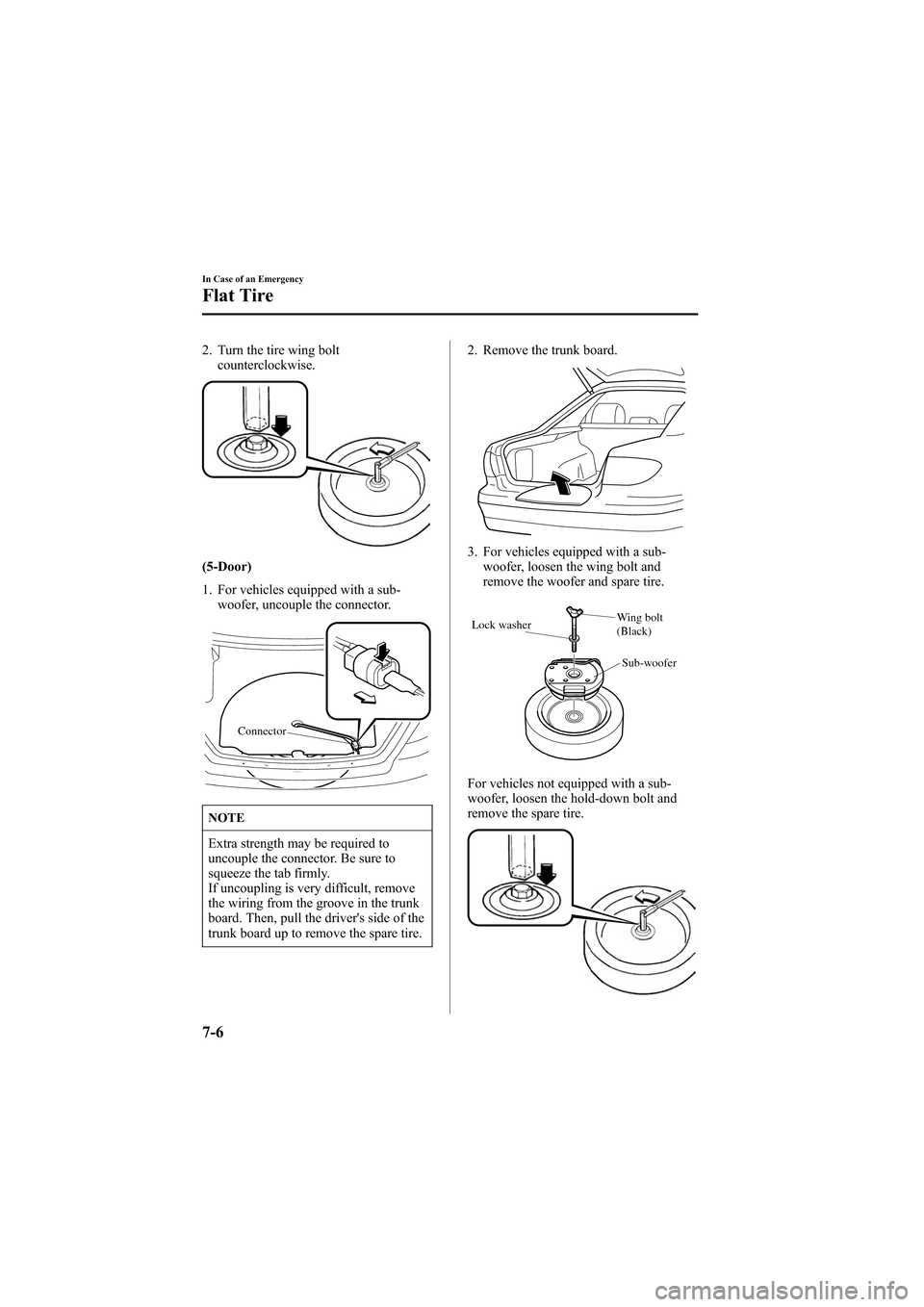
2. Turn the tire wing bolt
counterclockwise.
(5-Door)
1. For vehicles equipped with a sub-
woofer, uncouple the connector.
Connector
NOTE
Extra strength may be required to
uncouple the connector. Be sure to
squeeze the tab firmly.
If uncoupling is very difficult, remove
the wiring from the groove in the trunk
board. Then, pull the driver's side of the
trunk board up to remove the spare tire.2. Remove the trunk board.
3. For vehicles equipped with a sub-
woofer, loosen the wing bolt and
remove the woofer and spare tire.
Lock washerWing bolt
(Black)
Sub-woofer
For vehicles not equipped with a sub-
woofer, loosen the hold-down bolt and
remove the spare tire.
7-6
In Case of an Emergency
Flat Tire
Mazda6_8T56-EC-04G_Edition2 Page234
Monday, November 15 2004 4:35 PM
Form No.8T56-EC-04G
Page 235 of 340
Black plate (235,1)
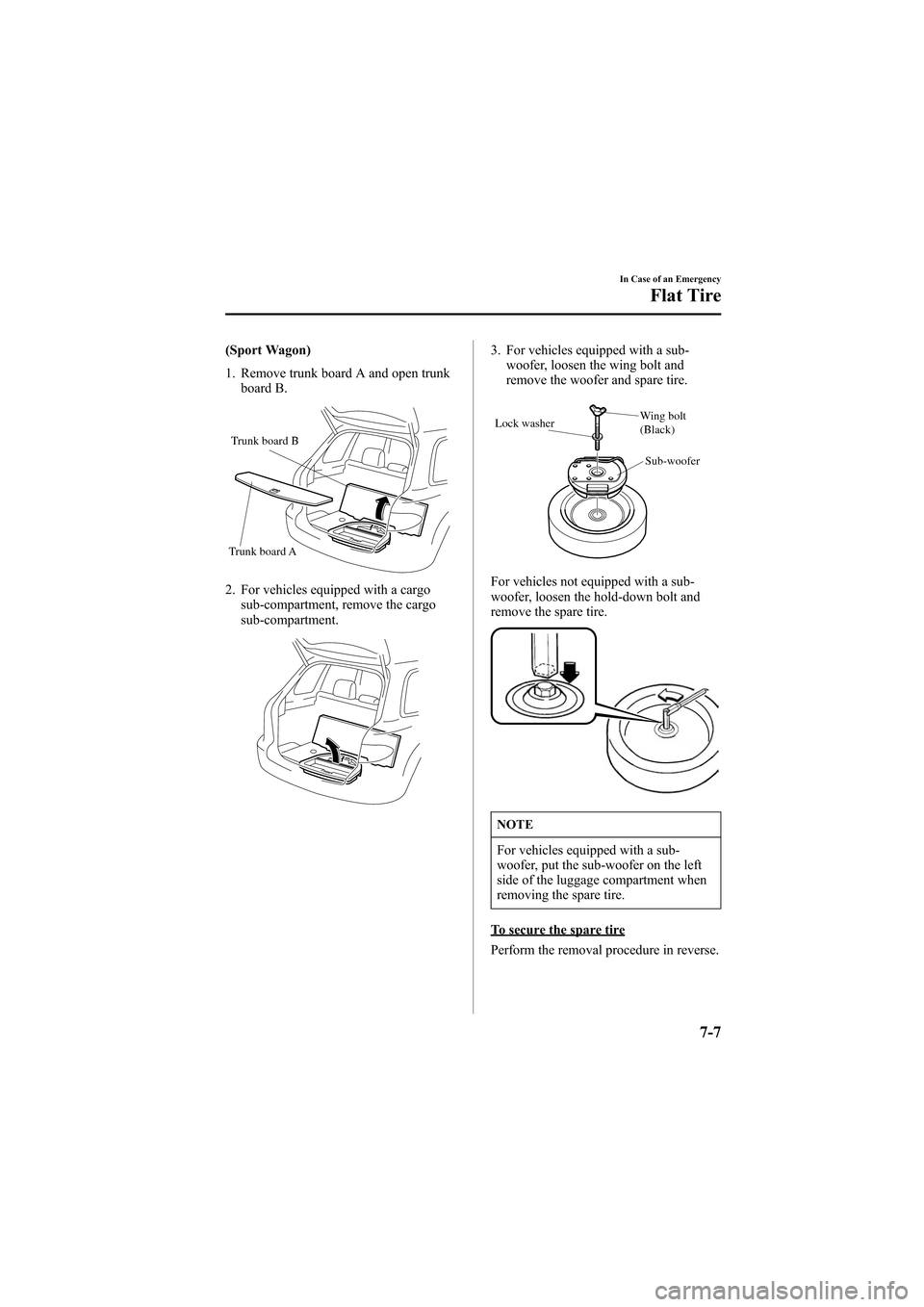
(Sport Wagon)
1. Remove trunk board A and open trunk
board B.
Trunk board B
Trunk board A
2. For vehicles equipped with a cargo
sub-compartment, remove the cargo
sub-compartment.
3. For vehicles equipped with a sub-
woofer, loosen the wing bolt and
remove the woofer and spare tire.
Lock washerWing bolt
(Black)
Sub-woofer
For vehicles not equipped with a sub-
woofer, loosen the hold-down bolt and
remove the spare tire.
NOTE
For vehicles equipped with a sub-
woofer, put the sub-woofer on the left
side of the luggage compartment when
removing the spare tire.
To secure the spare tire
Perform the removal procedure in reverse.
In Case of an Emergency
Flat Tire
7-7
Mazda6_8T56-EC-04G_Edition2 Page235
Monday, November 15 2004 4:35 PM
Form No.8T56-EC-04G