parking brake MAZDA MODEL CX-3 2019 (in English) Owner's Manual
[x] Cancel search | Manufacturer: MAZDA, Model Year: 2019, Model line: MODEL CX-3, Model: MAZDA MODEL CX-3 2019Pages: 608, PDF Size: 7.89 MB
Page 238 of 608

NOTE
In the following cases, the warnings and brakes may not operate even if your vehicle starts
closing in on the vehicle ahead.
•You are driving your vehicle at the same speed as the vehicle ahead.
•Directly after the MRCC with Stop & Go function system has been set.
•Directly after the accelerator pedal is released.
•Another vehicle cuts into the driving lane.
▼Setting the System
The MRCC with Stop & Go function system operates when all of th
e following conditions
are met.
•Vehicle speed is 0 km/h (0 mph) to 145 km/h (90 mph)
•The MRCC with Stop & Go function is turned on.
•The brake pedal is not depressed.
•The electric parking brake (EPB) is released (electric parking brake (EPB) indicator light
is turned off).
•There is no problem with the DSC.
•All the doors are closed.
•The driver's seat belt is fastened.
•The selector lever is in the driv e (D) position or manual (M) position (manual mode).
NOTE
•In the following cases, the MRCC with Stop & Go function system is canceled when the
vehicle is traveling at 30 km/h (19 mph) or less and “MRCC Disabled under 30 km/h” is
displayed in the active driving display.
•The Forward Sensing Camera (FSC) cannot detect target objects (There is problem
with the Forward Sensing Camera (FSC) or windshield is dirty).
•There is a problem with the stop hold control function.
•There is a problem with the electric parking brake (EPB).
•It may not be possible to set the MRCC with Stop & Go function system directly after
starting the engine, while the DSC operation is being checked.
When Driving
i-ACTIVSENSE
4-110
CX-3_8GR7-EA-18B_Edition1 2017-12-20 16:18:14
Page 241 of 608

NOTE
•The distance-between-vehicles differs depending on the vehicle speed, and the slower the
vehicle speed, the shorter the distance.
•When the ignition is switched to ACC or OFF and then the engine is started again, the
system automatically sets the distance-between-vehicles to the previous setting.
How to change the set vehicle speed
To accelerate/decelerate using the SET
switch
When you press the SET
switch, the
vehicle accelerates and when you press the
SET
switch, it decelerates.
Short press 1 km/h (1 mph)
Long press 10 km/h (5 mph)
NOTE
For example, the set vehicle speed is
changed by pressing the SET switch four
times as follows:
The vehicle speed accelerates or
decelerates by 4 km/h (4 mph).
To increase speed using accelerator
pedal
Depress the accelerator pedal and press
and release the SET
switch or SET
switch at the desired speed. If the switch is
not operated, the system returns to the set
speed after you release your foot from the
accelerator pedal.
CAUTION
The warnings and brake control do not
operate while the accelerator pedal is
depressed.
NOTE
•The setting speed can be changed by
operating the SET
switch or SET
switch during stop hold control.
•When accelerating using the SET switch
while in headway control, the set vehicle
speed can be adjusted but acceleration is
not possible. If there is no longer a vehicle
ahead, acceleration continues until
reaching the set vehicle speed. For the set
vehicle speed, check the set vehicle speed
indication in the display.
•While depressing the accelerator pedal,
the color of the MRCC with Stop & Go
function indication changes from green
to white.
Canceling the system
If any of the following operations is done,
the MRCC with Stop & Go function cancels
temporarily, the MRCC with Stop & Go
function set indication (green) switches to
the MRCC with Stop & Go function main
indication (white), and the MRCC with
Stop & Go function set indicator light
(green) turns off at the same time.
•The OFF/CANCEL switch is pressed.
•The brake pedal is depressed.
•The electric parking brake (EPB) is
applied.
•The selector lever is in the P (Park), N
(Neutral), or R (Reverse) position.
•Any of the doors is opened.
When Driving
i-ACTIVSENSE
4-113
CX-3_8GR7-EA-18B_Edition1 2017-12-20 16:18:14
Page 242 of 608

•The driver's seat belt is unfastened.
Under the following conditions, the
MRCC with Stop & Go function cancel
indication is displayed in the active
driving display and a single beep sound is
heard.
•The DSC has operated.
•The Smart Brake Support (SBS) has
operated.
•The Smart City Brake Support (SCBS)
or Advanced Smart City Brake Support
(Advanced SCBS) has operated.
•When traveling on a downslope for a
long period of time.
•There is a problem with the system.
•The engine has stalled.
•The electric parking brake (EPB) is
automatically applied during stop hold
control.
•The radar sensor (front) cannot detect
target objects (during rain, fog, snow or
other inclement weather conditions, or
when the radiator grille is dirty).
Resuming control
If the MRCC with St op & Go function
system is canceled, you can resume
control at the previously set speed by
pressing the RES switch and after all of
the operation conditions have been met.
NOTE
If the set speed is not indicated in the
display, the control does not resume even
if the RES switch is pressed.
Turning off the system
Press the OFF/CANC EL switch two times
while the MRCC with Stop & Go function
system is operating to switch off the
system.
When Driving
i-ACTIVSENSE
4-114
CX-3_8GR7-EA-18B_Edition1 2017-12-20 16:18:14
Page 243 of 608

▼Stop Hold Control
While in headway control using the MRCC with Stop & Go function
system, your vehicle
will stop when a vehicle ahead stops. When the vehicle is stopp ed and the stop hold control
operates, the MRCC with Stop & Go function indicator light turn s on.
NOTE
•If the MRCC with Stop & Go function system is canceled during stop hold control, the
vehicle is held in its stopped position. The stop hold control can be canceled by
performing one the following actions.
•Press the accelerator pedal and resume driving the vehicle.
•While forcefully depressing the brake, switch the MRCC with Stop & Go function
system off.
•The parking brake is automatically applied and the vehicle is held in its stopped position
when 10 minutes have elapsed since the stop hold control operated. At this time, the
MRCC with Stop & Go function system is canceled.
•The brake lights turn on during stop hold control.
To resume driving
After the vehicle ahead starts moving while your vehicle is sto pped under stop hold control,
press the RES switch or depress the accelerator pedal to cancel the stop hold control and
resume driving.
NOTE
•When you resume driving by pressing the RES switch, your vehicle does not start moving
until the distance between your vehicle and the vehicle ahead lengthens to the specified
distance or farther.
•If the MRCC with Stop & Go function is temporarily canceled during stop hold control,
you cannot resume driving by pressing the RES switch when there are no vehicles in front
of your vehicle. Depress the accelerator pedal and resume driving the vehicle.
•If the vehicle ahead starts moving within 3 seconds after your vehicle is stopped by the
stop hold control, headway control will resu me even if you do not resume driving your
vehicle, such as by depressing the accelerator pedal.
When Driving
i-ACTIVSENSE
4-115
CX-3_8GR7-EA-18B_Edition1 2017-12-20 16:18:14
Page 246 of 608

How to Decrease the Set Speed
Press the SET switch continuously and
release the switch a t the desired speed.
The set speed can be adjusted
incrementally (1 km/h (1 mph)
increments) by press ing the switch and
releasing it immediately. For example, if
the switch is press ed 4 times, the set
vehicle speed decreases by about 4 km/h
(4 mph).
Canceling the function
When the cruise control function is
canceled and the RES switch is pressed
while the vehicle speed is 25 km/h (16
mph) or faster, the speed returns to the
original set speed.
Canceling using OFF/CANCEL switch
When the OFF/CANCEL switch is
pressed once, the cruise control function is
cancelled.
Automatically cancel
The cruise control fu nction is canceled
automatically in the following cases.
•The brake pedal is depressed.
•The parking brake is applied.
•The selector lever is shifted to P or N
position.
NOTE
•If the vehicle speed decreases by about
15 km/h (9.4 mph) or more than the set
speed, the cruise control function may
be canceled.
•When the vehicle speed is less than 21
km/h (13 mph), the cruise control
function is canceled. In this case, the
vehicle speed will not return to the
original set speed even if the vehicle is
accelerated to 25 km/h (16 mph) or
higher and the RES switch is pressed.
Reset the cruise control function.
When Driving
i-ACTIVSENSE
4-118
CX-3_8GR7-EA-18B_Edition1 2017-12-20 16:18:14
Page 256 of 608

•The vehicle is driven at the same speed as the vehicle ahead.
•The accelerator pedal is depressed.
•The brake pedal is depressed.
•The steering wheel is being operated.
•The selector lever is being operated.
•The turn signal is being used.
•When the vehicle ahead is not equipped with taillights or the taillights are turned off.
•When warnings and messages, such as a dirty windshield, related to the Forward
Sensing Camera (FSC) are being displayed in the center display.
•Although the objects which activate the system are four-wheeled vehicles, the radar
sensor (front) could detect the following objects, determine them to be an obstruction, and
operate the SBS system.
•Objects on the road at the entrance to a curve (including guardrails and snow banks).
•A vehicle appears in the opposite lane while cornering or rounding a curve.
•When crossing a narrow bridge.
•When passing under a low gate or through a tunnel or narrow gate.
•When entering an underground parking area.
•Metal objects, bumps, or protruding objects on the road.
•If you suddenly come close to a vehicle ahead.
•When driving in areas where there is high grass or forage.
•Two-wheeled vehicles such as motorbikes or bicycles.
•Pedestrians or non-metallic objects such as standing trees.
•When the system operates, the user is notified by the active driving display.
•The SBS warning indication (amber) turns on when the system has a malfunction.
Refer to Taking Action on page 7-34.
When Driving
i-ACTIVSENSE
4-128
CX-3_8GR7-EA-18B_Edition1 2017-12-20 16:18:14
Page 261 of 608

•The surroundings are dark such as during the night, early evening, or early morning, or
in a tunnel or indoor parking lot.
•The illumination brightness of the headlights is reduced or the headlight illumination is
weakened due to dirt or a deviated optical axis.
•The target object enters the blind spot of the Forward Sensing Camera (FSC).
•A person or object bursts onto the road from the shoulder or cuts right in front of you.
•You change lanes and approach a vehicle ahead.
•When driving extremely close to the target object.
•Tire chains or a temporary spare tire is installed.
•The vehicle ahead has a special shape. For example, a vehicle towing a trailer house or
a boat, or a vehicle carrier carrying a vehicle with its front pointed rearward.
•If the Forward Sensing Camera (FSC) cannot operate normally due to backlight or fog,
the system functions related to the Forward Sensing Camera (FSC) are temporarily
stopped and the following warning lights turn on. However, this does not indicate a
malfunction.
•High Beam Control System (HBC) warning light (amber)
•Lane Departure Warning System (LDWS) warning light
•Mazda Radar Cruise Control with Stop & Go function (MRCC with Stop & Go
function) warning light
•Smart Brake Support/Smart City Brake Support (SBS/SCBS) warning light (amber)
•If the Forward Sensing Camera (FSC) cannot operate normally due to high temperatures,
the system functions related to the Forward Sensing Camera (FSC) are temporarily
stopped and the following warning lights turn on. However, this does not indicate a
malfunction. Cool down the area around the Forward Sensing Camera (FSC) such as by
turning on the air conditioner.
•High Beam Control System (HBC) warning light (amber)
•Lane Departure Warning System (LDWS) warning light
•Mazda Radar Cruise Control with Stop & Go function (MRCC with Stop & Go
function) warning light
•Smart Brake Support/Smart City Brake Support (SBS/SCBS) warning light (amber)
•If the Forward Sensing Camera (FSC) detects that the windshield is dirty or foggy, the
system functions related to the Forward Sensing Camera (FSC) are temporarily stopped
and the following warning lights turn on. However, this does not indicate a problem.
Remove the dirt from the windshield or press the defroster switch and defog the
windshield.
•High Beam Control System (HBC) warning light (amber)
•Lane Departure Warning System (LDWS) warning light
When Driving
i-ACTIVSENSE
4-133
CX-3_8GR7-EA-18B_Edition1 2017-12-20 16:18:14
Page 270 of 608

▼To Set Speed
1. Activate the cruise control system by
pressing the ON switch. The cruise
main indication (white) is displayed.
2. Accelerate to the desired speed, which
must be more than 25 km/h (16 mph).
3. Set the cruise control by pressing the SET/
switch at the desired speed. The
cruise control is set at the moment the
SET/
switch is pressed. Release the
accelerator pedal simultaneously. The
cruise set indication (white) is
displayed and the cruise set indicator
light (green) turns on.
NOTE
•The cruise control speed setting cannot
be performed under the following
conditions:
•(Automatic transaxle)
The selector lever is in the P or N
position.
•(Manual transaxle)
The shift lever is in the neutral
position.
•The parking brake is applied.
•Release the SET/ or RES/ switch at
the desired speed, otherwise the speed
will continue increasing while the RES/
switch is pressed and held, and
continue decreasing while the SET/
switch is pressed and held (except when
the accelerator pedal is depressed).
•On a steep grade, the vehicle may
momentarily slow down while
ascending, or speed up while
descending.
•The cruise control will cancel if the
vehicle speed decreases below 21 km/h
(13 mph) when climbing a steep grade.
•The cruise control may cancel at about
15 km/h (9 mph) below the preset speed
such as when climbing a long, steep
grade.
▼ To Increase Cruising Speed
Follow either of these procedures.
To increase speed using cruise control
switch
Press the RES/ switch and hold it. Your
vehicle will accelerate. Release the switch
at the desired speed.
Press the RES/
switch and release it
immediately to adjust the preset speed.
Multiple operations will increase the
preset speed according to the number of
times it is operated.
Increasing speed with a single RES/
switch operation
Instrument cluster d isplay for vehicle
speed indicated in km /h: 1 km/h (0.6 mph)
Instrument cluster d isplay for vehicle
speed indicated in mph: 1 mph (1.6 km/h)
To increase speed using accelerator
pedal
Depress the accelerator pedal to accelerate
to the desired speed. Press the SET/
switch and release it immediately.
NOTE
Accelerate if you want to speed up
temporarily when the cruise control is on.
Greater speed will not interfere with or
change the set speed. Take your foot off
the accelerator to retu rn to the set speed.
When Driving
Cruise Control
4-142
CX-3_8GR7-EA-18B_Edition1 2017-12-20 16:18:14
Page 271 of 608
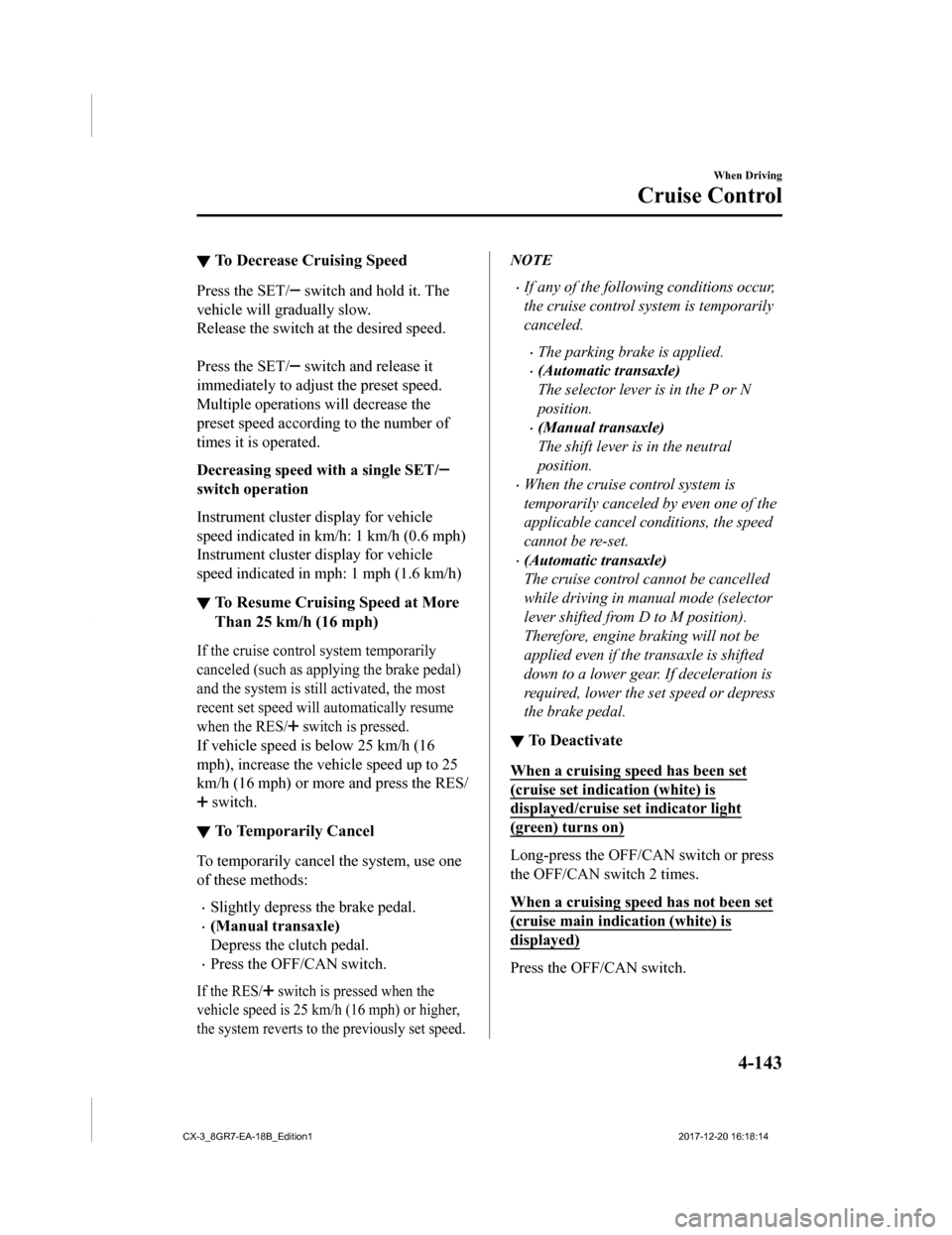
▼To Decrease Cruising Speed
Press the SET/ switch and hold it. The
vehicle will gradually slow.
Release the switch at the desired speed.
Press the SET/
switch and release it
immediately to adjust the preset speed.
Multiple operations will decrease the
preset speed according to the number of
times it is operated.
Decreasing speed w ith a single SET/
switch operation
Instrument cluster display for vehicle
speed indicated in km/h: 1 km/h (0.6 mph)
Instrument cluster d isplay for vehicle
speed indicated in mph: 1 mph (1.6 km/h)
▼ To Resume Cruising Speed at More
Than 25 km/h (16 mph)
If the cruise control system temporarily
canceled (such as applying the brake pedal)
and the system is still activated, the most
recent set speed will automatically resume
when the RES/
switch is pressed.
If vehicle speed is below 25 km/h (16
mph), increase the veh
icle speed up to 25
km/h (16 mph) or more and press the RES/
switch.
▼ To Temporarily Cancel
To temporarily cancel the system, use one
of these methods:
•Slightly depress
the brake pedal.
•(Manual transaxle)
Depress the clutch pedal.
•Press the OFF/CAN switch.
If the RES/ switch is pressed when the
vehicle speed is 25 km/h (16 mph) or higher,
the system reverts to th e previously set speed.
NOTE
•If any of the following conditions occur,
the cruise control system is temporarily
canceled.
•The parking brake is applied.
•(Automatic transaxle)
The selector lever is in the P or N
position.
•(Manual transaxle)
The shift lever is in the neutral
position.
•When the cruise control system is
temporarily canceled by even one of the
applicable cancel conditions, the speed
cannot be re-set.
•(Automatic transaxle)
The cruise control cannot be cancelled
while driving in manual mode (selector
lever shifted from D to M position).
Therefore, engine braking will not be
applied even if the transaxle is shifted
down to a lower gear. If deceleration is
required, lower the set speed or depress
the brake pedal.
▼To Deactivate
When a cruising speed has been set
(cruise set indication (white) is
displayed/cruise s
et indicator light
(green) turns on)
Long-press the OFF/CA N switch or press
the OFF/CAN switch 2 times.
When a cruising speed has not been set
(cruise main indication (white) is
displayed)
Press the OFF/CAN switch.
When Driving
Cruise Control
4-143
CX-3_8GR7-EA-18B_Edition1 2017-12-20 16:18:14
Page 303 of 608

WA R N I N G
Do not allow the connection plug cord to
get tangled with the parking brake or the
shift lever (manual transaxle)/selector lever
(automatic transaxle):
Allowing the plug cord to become tangled
with the parking brake or the shift lever
(manual transaxle)/selector lever
(automatic transaxle) is dangerous as it
could interfere with driving, resulting in an
accident.
CAUTION
Do not place objects or apply force to the
auxiliary jack/USB port with the plug
connected.
NOTE
•Insert the plug into the auxiliary
jack/USB port securely.
•Insert or pull out the plug with the plug
perpendicular to the auxiliary jack/USB
port hole.
•Insert or remove the plug by holding its
base.
Antenna
Antenna
Interior Features
Before Using the Audio System
5-19
CX-3_8GR7-EA-18B_Edition12017-12-20 16:18:14