brake light MAZDA MODEL CX-30 2021 User Guide
[x] Cancel search | Manufacturer: MAZDA, Model Year: 2021, Model line: MODEL CX-30, Model: MAZDA MODEL CX-30 2021Pages: 594, PDF Size: 83.37 MB
Page 154 of 594
▼Engine Start Function When Key
Battery is Dead
CAUTION
When starting the engine by holding
the transmitter over the push button
start due to a dead key battery or a
malfunctioning key, be careful not to
allow the following, otherwise the
signal from the key will not be received
correctly and the engine may not start.
Metal parts of other keys or metal
objects touch the key.
Spare keys or keys for other vehicles
equipped with an immobilizer
system touch or come near the key.
Devices for electronic purchases, or
security passage touch or come near
the key.
If the engine cannot be started due to
a dead key battery, the engine can be
started using the following procedure:
1. Continue to depress the brake
pedal firmly until the engine has
completely started.
2. (Manual transmission)
Continue to depress the clutch
pedal firmly until the engine has
completely started.
(Automatic transmission)
Put the vehicle in park (P). If you
must restart the engine while the
vehicle is moving, shift into neutral
(N).
3. Make sure that the push button start indication light (green) flashes.
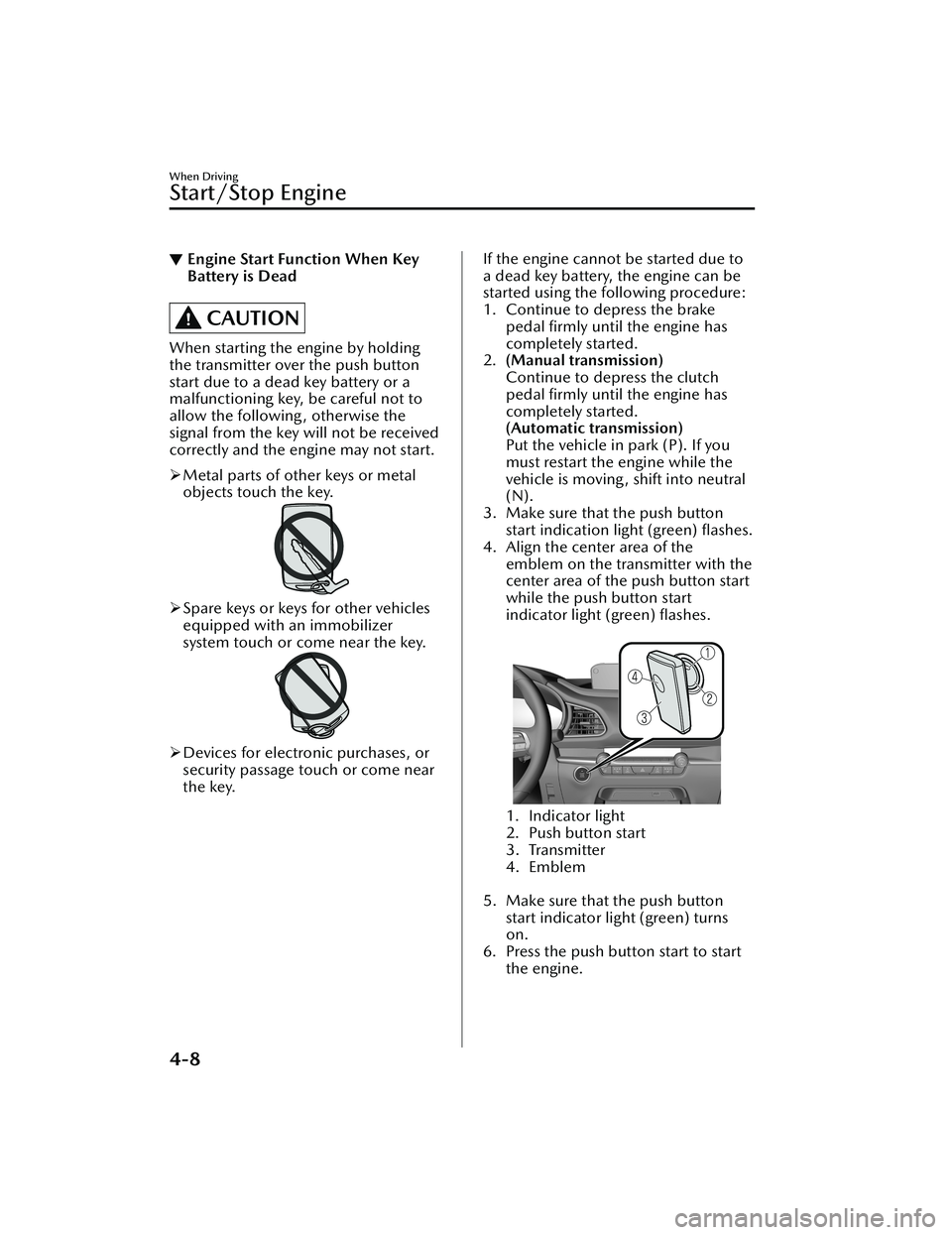
4. Align the center area of the emblem on the transmitter with the
center area of the push button start
while the push button start
indicator light (green) flashes.
1. Indicator light
2. Push button start
3. Transmitter
4. Emblem
5. Make sure that the push button
start indicator light (green) turns
on.
6. Press the push button start to start the engine.
When Driving
Start/Stop Engine
4-8
CX-30_8JP5-EA-20K_Edition1_new 2020-7-22 15:50:09
Page 155 of 594
NOTE
The engine cannot be started
unless the clutch pedal is fully
depressed (manual transmission)
or the brake pedal is fully
depressed (automatic
transmission).
If there is a malfunction with the
push button start function, the
push button start indicator light
(amber) flashes. In this case, the
engine may start, however, have
the vehicle checked at an
Authorized Mazda Dealer as
soon as possible.
If the push button start indicator
light (green) does not illuminate,
perform the operation from the
beginning again. If it does not
illuminate, have the vehicle
checked at an Authorized Mazda
Dealer.
To switch the ignition position
without starting the engine,
perform the following operations
after the push button start
indicator light (green) turns on.
1. Release the clutch pedal (manual transmission) or
brake pedal (automatic
transmission).
2. Press the push button start to switch the ignition position.
The ignition switches in the
order of ACC, ON, and off
each time the push button
start is pressed. To switch the
ignition position again,
perform the operation from
the beginning.
▼ Emergency Operation for Starting
the Engine
If the KEY warning indication (red) is
displayed, or the push button start
indicator light (amber) flashes, this
could indicate that the engine may not
start using the usual starting method.
Have your vehicle inspected at an
Authorized Mazda Dealer as soon as
possible. If this occurs, the engine can
be force-started. Press and hold the
push button start until the engine
starts. Other procedures necessary for
starting the engine such as having the
key in the cabin, and depressing the
clutch pedal (manual transmission) or
the brake pedal (automatic
transmission) are required.
When Driving
Start/Stop Engine
4-9
CX-30_8JP5-EA-20K_Edition1_new
2020-7-22 15:50:09
Page 156 of 594
Turning the Engine Off
▼Turning the Engine
Off
WARNING
Do not stop the engine while the
vehicle is moving:
Stopping the engine while the vehicle
is moving for any reason other than in
an emergency is dangerous. Stopping
the engine while the vehicle is moving
will result in reduced braking ability
due to the loss of power braking ,
which could cause an accident and
serious injury.
1. Stop the vehicle completely.
2.(Manual transmission)
Shift into neutral and set the
parking brake.
(Automatic transmission)
Shift the selector lever to the P
position and set the parking brake.
3. Press the push button start to turn
off the engine. The ignition position
is off.
CAUTION
When leaving the vehicle, make sure
the push button start is off.
NOTE
(SKYACTIV-G)
The cooling fan in the engine
compartment could turn on for a few
minutes after the ignition is switched
from ON to OFF, whether or not the
A/C is on or off, to cool the engine
compartment quickly.
If the system detects that the
remaining battery power of the key is
low when the ignition is switched
from ON to ACC or OFF, the
following is indicated.
Replace with a new battery before
the key becomes unusable.
Refer to Key Battery Replacement on
page 6-29.
A message is indicated in the display
of the instrument cluster.
Refer to KEY Warning Indication/
Warning Light (Red) on page 7-28.
(Automatic transmission)
If the engine is turned off while the
selector lever is in a position other
than P, the ignition switches to ACC.
▼ Emergency Engine Stop
Continuously pressing the push button
start or quickly pressing it any number
of times while the engine is running or
the vehicle is being driven will turn the
engine off immediately. The ignition
switches to ACC.
When Driving
Start/Stop Engine
4-10
CX-30_8JP5-EA-20K_Edition1_new
2020-7-22 15:50:09
Page 167 of 594
![MAZDA MODEL CX-30 2021 User Guide Refer to Smart Brake Support [Rear]
(SBS-R) on page 4-160.
Refer to Smart Brake Support [Rear
Crossing] (SBS-RC) on page 4-164.
Refer to Cruise Control on page
4-210.
▼Compass Display
The d](/img/28/40980/w960_40980-166.png "MAZDA MODEL CX-30 2021 User Guide Refer to Smart Brake Support [Rear]
(SBS-R) on page 4-160.
Refer to Smart Brake Support [Rear
Crossing] (SBS-RC) on page 4-164.
Refer to Cruise Control on page
4-210.
▼Compass Display
The d")
Refer to Smart Brake Support [Rear]
(SBS-R) on page 4-160.
Refer to Smart Brake Support [Rear
Crossing] (SBS-RC) on page 4-164.
Refer to Cruise Control on page
4-210.
▼Compass Display
The direction the vehicle is moving is
displayed in one of eight directions
while the vehicle is being driven.
Display
Direction
N North
SS outh
EE ast
WW est
NE Northeast
NW Northwest
SE Southeast
SW Southwest
▼Message Display
A message such as the system
operation status, a malfunction, or an
abnormality is indicated.
Warning/indicator light in instrument
cluster turns on/flashes or symbol is
indicated on display at same time as
message
Check the information regarding the
warning/indicator light or indicated
symbol.
Refer to If a Warning Indication/
Warning Lights on page 4-22.
Refer to If a Indication/Indicator Lights
on page 4-24.
Message only is indicated on display
Follow the instructions indicated on
the display. For the display content,
refer to the next page.
Refer to If a Message Indicated on
Multi-information Display on page
7-34.
▼Warning/Indicator Lights
Instrument Cluster varies depending
on model and specifications.
1. Instrument Cluster
2. Front Center of Headliner
Warning lights will appear in any of the
highlighted areas
When Driving
Instrument Cluster and Display
4-21
CX-30_8JP5-EA-20K_Edition1_new
2020-7-22 15:50:09
Page 168 of 594

▼Warning Indicat ion/Warning Lights
These lights turn on or flash to notify th
e user of the system operation status or a
system malfunction.
Signal Warning Refer to
Brake System Warning Indication/Warning Light*17-22
ABS Warning Indication/Warning Light*1
Electronic
Brake Force
Distribution
System Warn- ing
7-23
ABS warning 7-25
Charging System Warning Indication/Warning Light*17-23
Engine Oil Warning Indication/Warning Light*17-23
High Engine Coolant Temperature Warning Indication 7-24
Power Steering Malfunction Indication/Indicator Light*17-24
Master Warning Indication7-25
Brake Control System Warning Indication/Warning Light*17-25
Brake Override Warning Indication 7-26
Check Engine Indication/Light*17-26
*Automatic Transmission Warning Indication/Warning Light*17-26
*AWD Warning Indication/Warning Light*17-27
When Driving
Instrument Cluster and Display
4-22*Some models.
CX-30_8JP5-EA-20K_Edition1_new 2020-7-22 15:50:09
Page 171 of 594

SignalIndicator Refer to
Headlight High-Beam Indicator Light Headlight
High-Low
Beam
4-47
Flashing the Headlights 4-47
Turn Signal/Hazard Warning Indicator Lights Tu r n a n d
Lane-Change
Signals4-49
Hazard Warn- ing Flasher 4-57
Electric Parking Brake (EPB) Indication/Indicator Light*1*27-25
AUTOHOLD Active Indicator Light*14-71
*Mazda Radar Cruise Control with Stop & Go function (MRCC with
Stop & Go function) indicator Light 4-136
*Tra ffi c
Jam Assist (TJA) indicator Light 4-150
TCS/DSC Indication/Indicator Light*1
Trac t i o n C o n -
trol System (TCS)4-76
Dynamic Sta- bility Control
(DSC)4-78
Tu r n s o n 7-27
TCS OFF Indicator Light (FWD) *14-77
Off-Road Traction Assist Indicator Light (AWD) *14-79
*Select Mode Indicator Light 4-82
When Driving
Instrument Cluster and Display
*Some models.4-25
CX-30_8JP5-EA-20K_Edition1_new
2020-7-22 15:50:09
Page 172 of 594

SignalIndicator Refer to
(White)
i-ACTIVSENSE Status Symbol (Warning/Risk Avoidance Support Sys-
tem) 4-88
(Green)
(Amber)
i-ACTIVSENSE OFF Symbol (Warning/Risk Avoidance Support Sys-
tem)
4-88
(Green)
*High Beam Control System (HBC) Indicator Light
4-92
(White)
*Mazda Radar Cruise Control (MRCC) Standby Indication
4-123
*Mazda Radar Cruise Control with Stop & Go function (MRCC with
Stop & Go function) Standby Indication 4-132
*Tra ffi c
Jam Assist (TJA) Standby Indication 4-143
(Green)
*Mazda Radar Cruise Control (MRCC) Set Indication 4-123
*Mazda Radar Cruise Control with Stop & Go function (MRCC with
Stop & Go function) Set Indication 4-132
*Tra ffi c
Jam Assist (TJA) Set Indication 4-143
*Smart Brake Support (SBS) OFF Indicator Light*1
Smart Brake
Support (SBS)
4-157
Smart Brake
Support [Rear] (SBS-R)4-160
Smart Brake
Support [Rear Crossing]
(SBS-RC) 4-164
(White)
*Cruise Standby Indication 4-209
When Driving
Instrument Cluster and Display
4-26*Some models.
CX-30_8JP5-EA-20K_Edition1_new
2020-7-22 15:50:09
Page 173 of 594

SignalIndicator Refer to
(Green)
*Cruise Set Indication 4-209
*1 The light turns on when the ignition is switched on for an operation check, and
turns off a few seconds later or when the engine is started. If the light does not
turn on or remains turned on, have the vehicle inspected at an Authorized
Mazda Dealer.
*2 The light turns on continuously when the parking brake is applied.
▼Wrench Indication/Indicator Light
The wrench indication/indicator light
is displayed/turns on under the
following conditions.
When the preset maintenance
period has arrived.
Refer to the Information section in
the Mazda Connect Owner's
Manual.
CAUTION
When the maintenance period
arrives, have your vehicle inspected
by an Authorized Mazda Dealer as
soon as possible. If maintenance is
neglected, a decrease in vehicle
performance may occur which
could cause damage. Have your
vehicle inspected before the
maintenance period arrives.
If the vehicle continues to be
driven after the engine oil
replacement period has passed, it
could cause damage to the engine.
Replace the engine oil before the
maintenance period arrives.
NOTE
The wrench indication/indicator
light may display/turn on earlier than
the preset period depending on
vehicle usage conditions.
Whenever the engine oil is replaced,
a reset of the vehicle engine control
unit is necessary.
Refer to the Information section in
the Mazda Connect Owner's
Manual.
When Driving
Instrument Cluster and Display
*Some models.4-27
CX-30_8JP5-EA-20K_Edition1_new 2020-7-22 15:50:09
Page 181 of 594

Tra n s m i s s i o n R a n ge s
▼Transmission Ranges
The shift position indication in the
instrument cluster illuminates.
Refer to Shift Position Indication on
page 4-36.
Shift the selector lever to the P or N
position to start the engine.
P (Park)
P locks the transmission and prevents
the front wheels from rotating.
WARNING
Always set the selector lever to P
position and set the parking brake:
Only setting the selector lever to the P
position without using the parking
brake to hold the vehicle is dangerous.
If P fails to hold, the vehicle could
move and cause an accident.
CAUTION
Shifting into P, N or R while the
vehicle is moving can damage your
transmission.
Shifting into a driving gear or reverse
when the engine is running faster
than idle can damage the
transmission.
R (Reverse)
In position R, the vehicle moves only
backward. You must be at a complete
stop before shifting to or from R,
except under rare circumstances as
explained in Rocking the Vehicle (page
3-52).
N (Neutral)
In N, the wheels and transmission are
not locked. The vehicle will roll freely
even on the slightest incline unless the
parking brake or brakes are on.
WARNING
If the engine is running faster than
idle, do not shift from N or P into a
driving gear:
It's dangerous to shift from N or P into
a driving gear when the engine is
running faster than idle. If this is done,
the vehicle could move suddenly,
causing an accident or serious injury.
Do not shift into N when driving the
vehicle:
Shifting into N while driving is
dangerous. Engine braking cannot be
applied when decelerating which
could lead to an accident or serious
injury.
CAUTION
Do not shift into N when driving the
vehicle. Doing so can cause
transmission damage.
NOTE
Apply the parking brake or depress the
brake pedal before moving the selector
lever from N position to prevent the
vehicle from moving unexpectedly.
D (Drive)
D is the normal driving position. From
a stop, the transmission will
automatically shift through a 6-gear
sequence.
When Driving
Automatic Transmission
4-35
CX-30_8JP5-EA-20K_Edition1_new 2020-7-22 15:50:09
Page 189 of 594

Driving Tips
▼Driving Tips
WARNING
Do not let the vehicle move in a
direction opposite to the direction
selected by the selector lever:
Do not let the vehicle move backward
with the selector lever in a forward
position, or do not let the vehicle
move forward with the selector lever in
the reverse position. Otherwise, the
engine may stop, causing the loss of
the power brake and power steering
functions, and make it difficult to
control the vehicle which could result
in an accident.
Pa s s i n g
For extra power when passing another
vehicle or climbing steep grades,
depress the accelerator fully. The
transmission will shift to a lower gear,
depending on vehicle speed.
NOTE
The accelerator pedal may initially
feel heavy as it is being depressed,
then feel lighter as it is depressed
further. This change in pedal force
aids the engine control system in
determining how much the
accelerator pedal has been
depressed for performing kickdown,
and functions to control whether or
not kickdown should be performed.
Climbing steep grades from a stop
To climb a steep grade from a stopped
position:
1. Depress the brake pedal.
2. Shift to D or M1, depending on the
load weight and grade steepness.
3. Release the brake pedal while
gradually accelerating.
Descending steep grades
When descending a steep grade, shift
to lower gears, depending on load
weight and grade steepness. Descend
slowly, using the brakes only
occasionally to prevent them from
overheating.
When Driving
Automatic Transmission
4-43
CX-30_8JP5-EA-20K_Edition1_new 2020-7-22 15:50:09