automatic transmission MAZDA MODEL CX-30 2021 Workshop Manual
[x] Cancel search | Manufacturer: MAZDA, Model Year: 2021, Model line: MODEL CX-30, Model: MAZDA MODEL CX-30 2021Pages: 594, PDF Size: 83.37 MB
Page 356 of 594
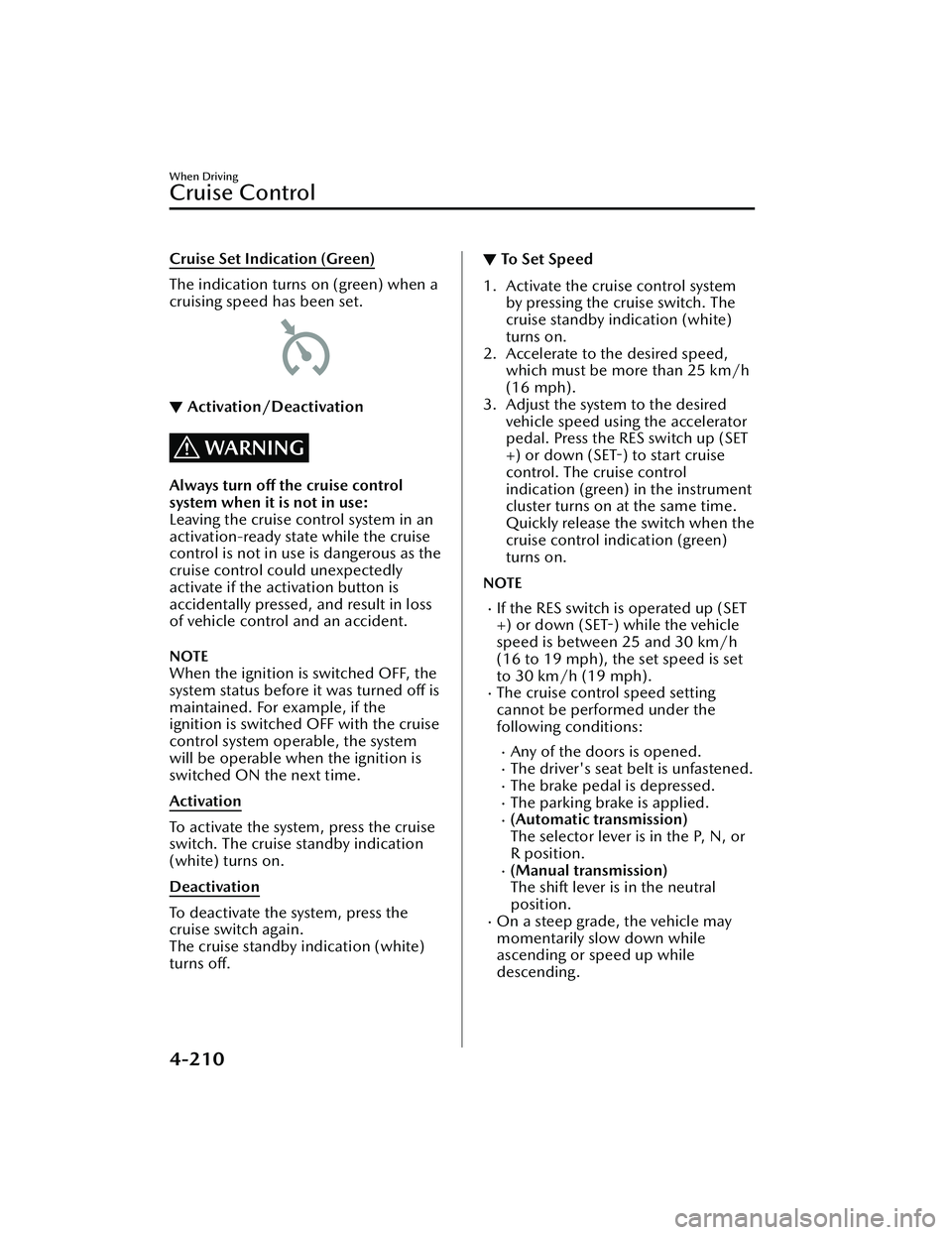
Cruise Set Indication (Green)
The indication turns on (green) when a
cruising speed has been set.
▼Activation/Deactivation
WARNING
Always turn off the cruise control
system when it is not in use:
Leaving the cruise control system in an
activation-ready state while the cruise
control is not in use is dangerous as the
cruise control could unexpectedly
activate if the activation button is
accidentally pressed, and result in loss
of vehicle control and an accident.
NOTE
When the ignition is switched OFF, the
system status before it was turned off is
maintained. For example, if the
ignition is switched OFF with the cruise
control system operable, the system
will be operable when the ignition is
switched ON the next time.
Activation
To activate the system, press the cruise
switch. The cruise standby indication
(white) turns on.
Deactivation
To deactivate the system, press the
cruise switch again.
The cruise standby indication (white)
turns off.
▼ To Set Speed
1. Activate the cruise control system
by pressing the cruise switch. The
cruise standby indication (white)
turns on.
2. Accelerate to the desired speed, which must be more than 25 km/h
(16 mph).
3. Adjust the system to the desired vehicle speed using the accelerator
pedal. Press the RES switch up (SET
+) or down (SET-) to start cruise
control. The cruise control
indication (green) in the instrument
cluster turns on at the same time.
Quickly release the switch when the
cruise control indication (green)
turns on.
NOTE
If the RES switch is operated up (SET
+) or down (SET-) while the vehicle
speed is between 25 and 30 km/h
(16 to 19 mph), the set speed is set
to 30 km/h (19 mph).
The cruise control speed setting
cannot be performed under the
following conditions:
Any of the doors is opened.The driver's seat belt is unfastened.The brake pedal is depressed.The parking brake is applied.(Automatic transmission)
The selector lever is in the P, N, or
R position.
(Manual transmission)
The shift lever is in the neutral
position.
On a steep grade, the vehicle may
momentarily slow down while
ascending or speed up while
descending.
When Driving
Cruise Control
4-210
CX-30_8JP5-EA-20K_Edition1_new 2020-7-22 15:50:09
Page 358 of 594
▼To Resume Cruisi
ng Speed at More
Than 30 km/h (19 mph)
If the cruise control system is
temporarily canceled (such as by
applying the brake pedal) and the
system is still activated, the most
recent set speed will automatically
resume when the RES switch is
pressed.
If vehicle speed is below 30 km/h (19
mph), increase the vehicle speed up to
30 km/h (19 mph) or more and press
the RES switch.
▼ To Te m p o ra r i l y C a n c e l
To temporarily cancel the system, use
one of these methods:
Slightly depress the brake pedal.Press the CANCEL switch.(Manual transmission)
Depress the clutch pedal.
If the RES switch is pressed when the
vehicle speed is 30 km/h (19 mph) or
higher, the system reverts to the
previously set speed.
NOTE
If any of the following conditions
occur, the cruise control system is
temporarily canceled.
Even when the brake pedal is
slightly depressed.
The DSC is operating.There is a problem in the system.Any of the doors is opened.The driver's seat belt is unfastened.The parking brake is applied.(Automatic transmission)
The selector lever is in the P, N, or
R position.
(Manual transmission)
The shift lever is in the neutral
position.
When the cruise control system is
temporarily canceled by even one of
the applicable cancel conditions, the
speed cannot be re-set.
(Automatic transmission)
The cruise control cannot be
canceled while driving in manual
mode (selector lever shifted from D
to M position). Therefore, engine
braking will not be applied even if
the transmission is shifted down to a
lower gear. If deceleration is
required, lower the set speed or
depress the brake pedal.
▼ To D e a c t i v a t e
Press the cruise switch again.
When Driving
Cruise Control
4-212
CX-30_8JP5-EA-20K_Edition1_new
2020-7-22 15:50:09
Page 365 of 594

▼Switching to the Rear View Monitor Display
Shift the shift lever (manual transmissi
on) or the selector lever (automatic
transmission) to reverse (R) position with the ignition switched ON to switch the
display to the rear view monitor display.
NOTE
When the shift lever (manual transmission) or the selector lever (automatic
transmission) is shifted from reverse (R) position to another shift lever (manual
transmission) or the selector lever (aut omatic transmission) position, the screen
returns to the previous display.
▼ Displayable Range on the Screen
The images on the screen may be different from the actual conditions.
1. (Screen display)
2. (Actual view)
3. Bumper
4. “Check surroundings for sa
fety.” message is displayed
5. Object
When Driving
Rear View Monitor
4-219
CX-30_8JP5-EA-20K_Edition1_new 2020-7-22 15:50:09
Page 369 of 594

Predicted vehicle path assist lines display type
NOTE
The following shows an example of vehicle parking in which the steering wheel is
turned to the right when backing up the vehicle. The operation is reversed when
backing up the vehicle from the opposite direction.
1. Shift the shift lever (manual transmission) or the selector lever (automatictransmission) to reverse (R) position to switch the display to the rear view
monitor display.
2. Before backing the vehicle into the parking space, turn the steering wheel while
referring to the projected vehicle path display so that the vehicle enters the
center of the parking space.
1. (Display condition)
2. (Vehicle condition)
When Driving
Rear View Monitor
4-223
CX-30_8JP5-EA-20K_Edition1_new 2020-7-22 15:50:09
Page 371 of 594

5. Once they are parallel, straighten the wheels and back your vehicle slowly intothe parking space. Continue checking the vehicle's surroundings and then stop
the vehicle in the best possible position. (If the parking space has division lines,
check whether the vehicle width guide lines are parallel to them.)
1. (Display condition)
2. (Vehicle condition)
6. When the shift lever (manual transmission) or the selector lever (automatic transmission) is shifted from reverse (R) position to another shift lever (manual
transmission) or the selector lever (aut omatic transmission) position, the screen
returns to the previous display.
NOTE
Because there may be a difference between the displayed image, such as indicated
below, and the actual conditions when parkin g , always verify the safety at the rear of
the vehicle and the surrounding area directly with your eyes.
In the image of the parking space (or garage) displayed on the screen, the back
end and distance guide lines may appear aligned in the monitor, but they may not
actually be aligned on the ground.
When Driving
Rear View Monitor
4-225
CX-30_8JP5-EA-20K_Edition1_new 2020-7-22 15:50:09
Page 372 of 594

When parking in a space with a division line on only one side of the parking space,
the division line and the vehicle width guide line appear aligned in the monitor,
but they may not actually be aligned on the ground.
Fixed assist lines display type
NOTE
Images displayed on the monitor from the rear view parking camera are reversed
images (mirror images).
1. Shift the shift lever (manual transmission) or the selector lever (automatic transmission) to reverse (R) position to switch the display to the rear view
monitor display.
2. Confirming the surrounding conditions, reverse the vehicle.
When Driving
Rear View Monitor
4-226
CX-30_8JP5-EA-20K_Edition1_new 2020-7-22 15:50:09
Page 374 of 594

5. Once they are parallel, straighten the wheels and back your vehicle slowly intothe parking space. Continue checking the vehicle's surroundings and then stop
the vehicle in the best possible position. (If the parking space has division lines,
check whether the vehicle width guide lines are parallel to them.)
1. (Display condition)
2. (Vehicle condition)
6. When the shift lever (manual transmission) or the selector lever (automatic transmission) is shifted from reverse (R) position to another shift lever (manual
transmission) or the select or lever (automatic transmission) position, the screen
returns to the previous display.
When Driving
Rear View Monitor
4-228
CX-30_8JP5-EA-20K_Edition1_new 2020-7-22 15:50:09
Page 402 of 594
No. MenuExplanation
(6) Settings You can change the settings for the Mazda Connect screen, sound set-
tings, and the vehicle functions.
In-Vehicle Displays:
Configures settings and content for all in-vehicle displays.
Sound Settings:
Configures
the in-vehicle listening experience.
Safety Settings:
Configures safety and driver assistance features.
Ve h i c l e S e t t i n g s :
Configures vehicle convenience features.
Connectivity Settings:
Configures Bluetooth and other device connectivity settings.
System Settings:
Configures language, time, and other general settings.
(7) Apple CarPlay You can use Apple CarPlay™ by connecting an iPhone
® compatible
with Apple CarPlay™ to the USB slot.
(8) Android Auto You can use Android Auto™ by connecting an Android™ Smartphone
compatible with Android Auto™ to the USB port.
WARNING
Always adjust Mazda Connect while the vehicle is stopped:
Do not adjust Mazda Connect with th
e Commander switch while driving the
vehicle. Adjusting Mazda Connect with the Commander switch while driving the
vehicle is dangerous as it could distract your attention from the vehicle operation
which could lead to a serious accident.
Even if the audio remote control switches are equipped on the steering wheel, learn
to use the switches without looking down at them so that you can keep your
maximum attention on the road while driving the vehicle.
Do not allow the connection plug cord to get tangled with the shift lever (manual
transmission)/selector lever (automatic transmission):
Allowing the plug cord to become tangled with the shift lever (manual
transmission)/selector lever (automatic transmission) is dangerous as it could
interfere with driving , resulting in an accident.
Interior Features
Mazda Connect
5-16
CX-30_8JP5-EA-20K_Edition1_new 2020-7-22 15:50:09
Page 488 of 594

2. Put a vehicle with an automatictransmission in Park (P), a manual
transmission in Reverse (R) or 1,
and turn off the engine.
3. Turn on the hazard warning flasher.
4. Have passengers get out of the vehicle and away from the vehicle
and traffic.
5. Remove any luggage, the jack, tools, and spare tire (page 7-3).
6. Block the wheel diagonally opposite the flat tire. When
blocking a wheel, place a tire block
both in front and behind the tire.
NOTE
When blocking a tire, use rocks or
wood blocks of sufficient size if
possible to hold the tire in place.
▼Removing a Flat Tire
WARNING
When jacking-up a vehicle, always
shift the shift lever to 1st or R position
(manual transmission vehicle) or shift
the selector lever to P position
(automatic transmission vehicle),
apply the parking brake, and place
wheel blocks in the position
diagonally opposed to the jack:
Changing a flat tire without using
wheel blocks is dangerous because the
vehicle may move and fall off the jack
even with the shift lever in 1st or R
position, or the selector lever is in P
position, which could result in an
accident.
1. If your vehicle is equipped with a
wheel cover, pry off the wheel
cover with the beveled end of the
jack lever.
NOTE
Force the end of the jack lever
firmly between wheel and cover, or
removal will be difficult.
If Trouble Arises
Flat Tire
7-6
CX-30_8JP5-EA-20K_Edition1_new 2020-7-22 15:50:09
Page 498 of 594

Starting a Flooded Engine
▼Starting a Flooded Engine
If the engine fails to start, it may be
flooded
(excessive fuel in the engine).
Follow this procedure:
1. If the engine does not start within 5 seconds on the first try, wait 10
seconds and try again.
2. Make sure the parking brake is on.
3. Depress the accelerator all the way
and hold it there.
4. Depress the clutch pedal (manual
transmission) or the brake pedal
(automatic transmission), then
press the push button start. If the
engine starts, release the
accelerator immediately because
the engine will suddenly rev up.
5. If the engine fails to start, crank it
without depressing the accelerator.
If the engine still does not start using
the previous procedure, have your
vehicle inspected by an Authorized
Mazda Dealer.
Push-Starting
▼ Push-Starting
Do not push-start your Mazda.
WARNING
Never tow a vehicle to start it:
Towing a vehicle to start it is
dangerous. The vehicle being towed
could surge forward when its engine
starts, causing the 2 vehicles to collide.
The occupants could be injured.
CAUTION
Do not push-start a vehicle that has a
manual transmission. It can damage
the emission control system.
NOTE
You cannot start a vehicle with an
automatic transmissi
on by pushing it.
If Trouble Arises
Emergency Starting
7-16
CX-30_8JP5-EA-20K_Edition1_new 2020-7-22 15:50:09