maintenance MAZDA MODEL CX-5 2018 Owners Manual (in English)
[x] Cancel search | Manufacturer: MAZDA, Model Year: 2018, Model line: MODEL CX-5, Model: MAZDA MODEL CX-5 2018Pages: 628, PDF Size: 82.38 MB
Page 5 of 628
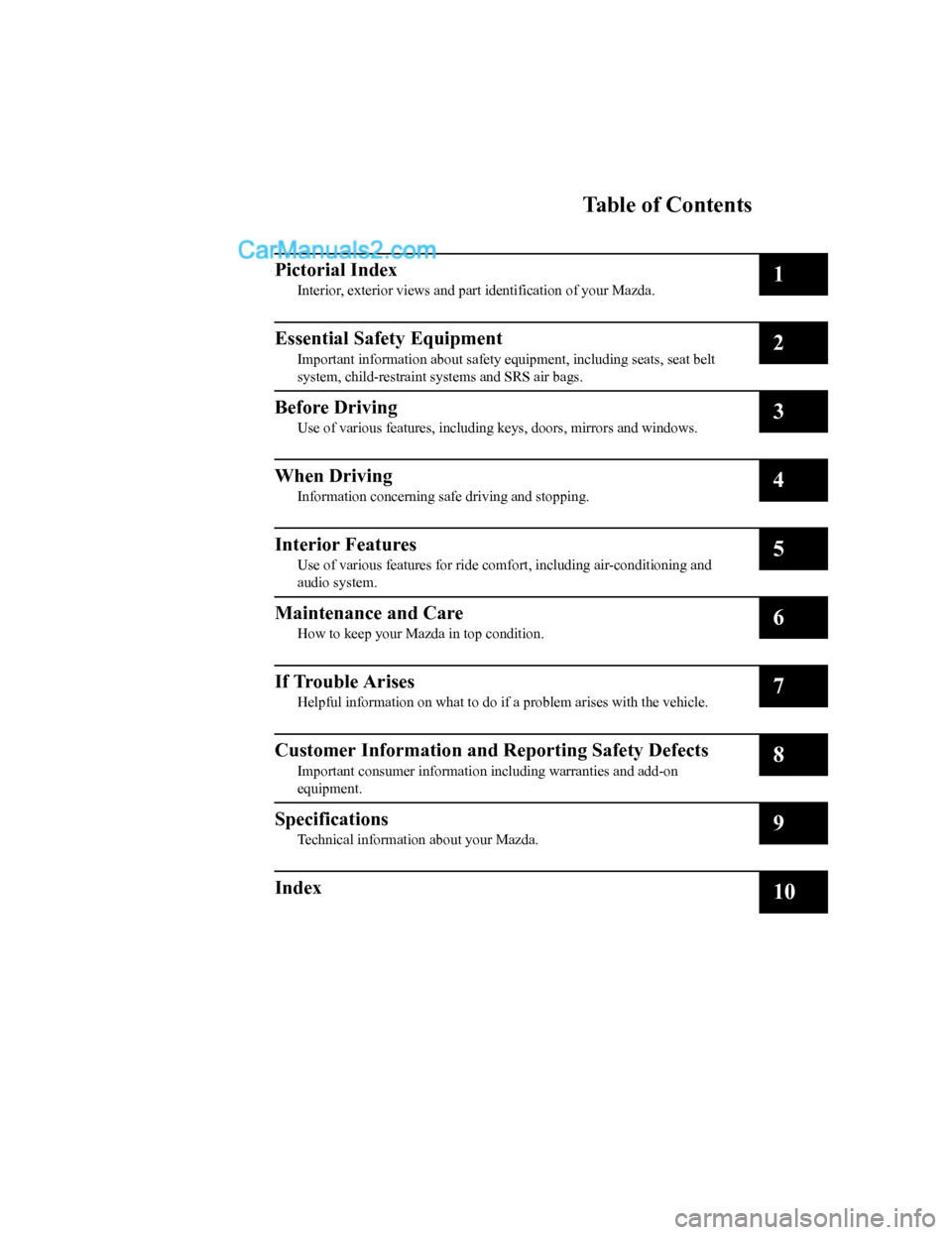
Table of Contents
Pictorial Index
Interior, exterior views and part identification of your Mazda.1
Essential Safety Equipment
Important information about safet y equipment, including seats, seat belt
system, child-restraint systems and SRS air bags.2
Before Driving
Use of various featur es, including keys, doors, mirrors and windows.3
When Driving
Information concerning s afe driving and stopping.4
Interior Features
Use of various features for ride comfort, including air-conditi oning and
audio system.5
Maintenance and Care
How to keep your Maz da in top condition.6
If Trouble Arises
Helpful information on what to do if a problem arises with the vehicle.7
Customer Information and Reporting Safety Defects
Important consumer information including warranties and add-on
equipment.8
Specifications
Technical informati on about your Mazda.9
Index10
CX-5_8GN5-EA-17J_Edition1 2017-8-18 12:58:27
Page 33 of 628
Have your seat belts changed immediately if the pretensioner or load limiter has been
expended:
Always have an Authorized Mazda Dealer immediately inspect the seat belt pretensioners
and air bags after any collision. Like the air bags , the seat belt pretensioners and load limiters
will only function once and must be replaced af ter any collision that caused them to deploy. A
seat belt with an expended pretensioner or load limiter is still better than wearing no seat belt
at all; however, if the seat belt pretensioner s and load limiters are not replaced, the risk of
injury in a collision will increase.
Positioning the Shoulder Portion of the Seat Belt:
Improper positioning of the shoulder portion of the seat belt is dangerous. Always make sure
the shoulder portion of the seat belt is positi oned across your shoulder and near your neck,
but never under your arm, on your neck, or on your upper arm.
Positioning the Lap Portion of the Seat Belt:
The lap portion of the seat belt worn too high is dangerous. In a collision, this would
concentrate the impact force directly on the abdominal area, causing serious injury. Wear the
lap portion of the belt snugly and as low as possible.
In a rollover crash, an unbelted person is significantly more likely to die than a person wearing
a seat belt.
CAUTION
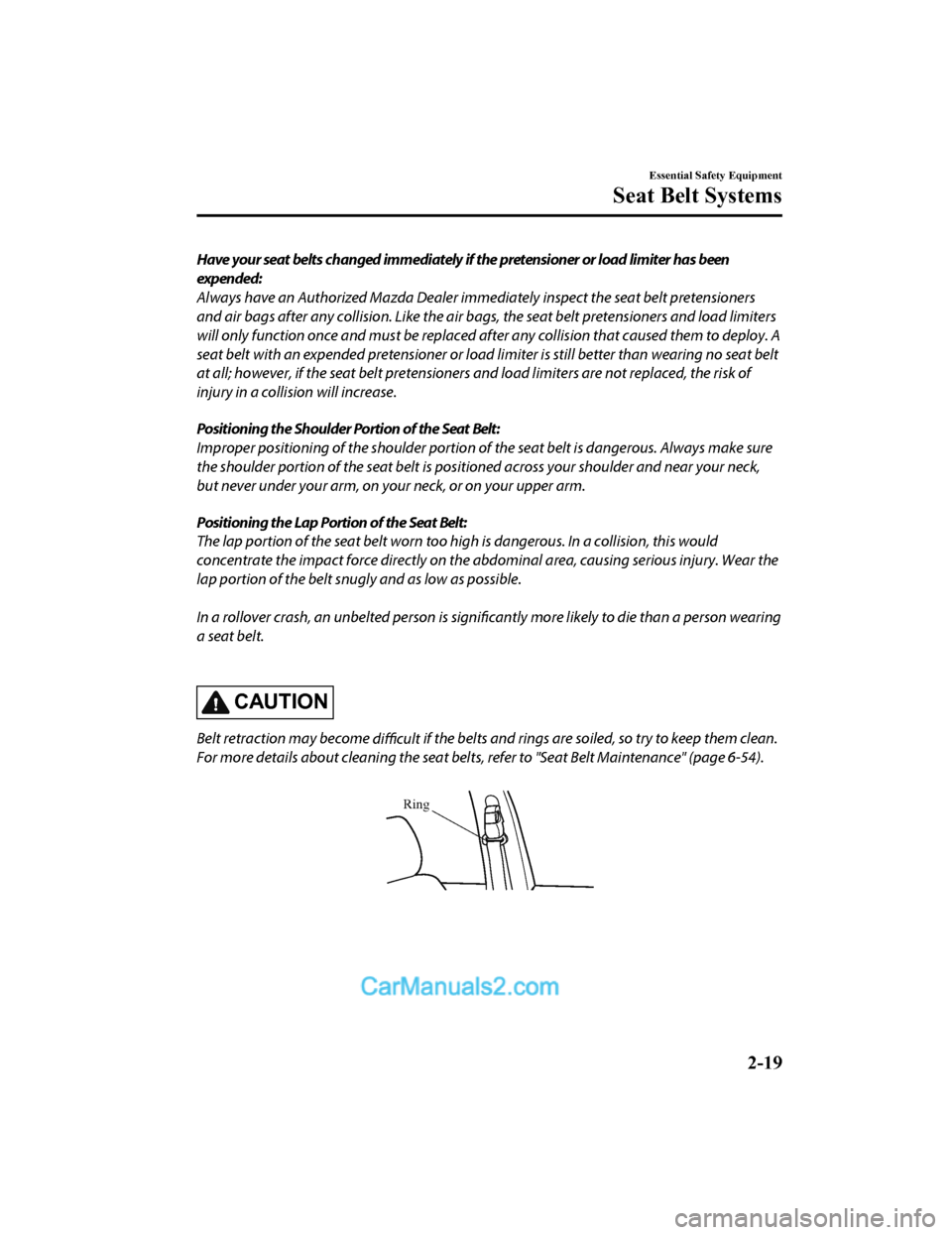
Belt retraction may become difficult if the belts and rings are soiled, so try to keep them clean.
For more details about cleaning the seat belts, refer to "Seat Belt Maintenance" (page 6-54).
Ring
Essential Safety Equipment
Seat Belt Systems
2-19
CX-5_8GN5-EA-17J_Edition1 2017-8-18 12:58:27
Page 115 of 628
▼Auto-opening/Closing
To fully open the window automatically,
press the switch completely down, then
release. The window will fully open
automatically.
To fully close the window automatically,
pull the switch completely up, then
release. The window will fully close
automatically.
To stop the window partway, pull or press
the switch in the opposite direction and
then release it.
NOTE
Power window system initialization
procedure
If the battery was disconnected during
vehicle maintenance, or for other reasons
(such as a switch continues to be operated
after the window is fully open/closed), the
window will not fully open and close
automatically.
The power window auto function will only
resume on a power window that has been
reset.
1. Switch the
ignition ON.
2. Make sure that the power window lock switch located on the driver's door is
not depressed.
3. Press the switch and fully open the window.
4. Pull up the switch to fully close the window and continue holding the
switch for about 2 seconds after the
window fully closed.
5. Make sure that the power windows
operate correctly using the door
switches.
After the system has been re-initialized,
each passenger window can be fully
opened or closed automatically using the
master control switches.
▼Jam-safe Window
If foreign matter is detected between the
window and the window frame while the
window is closing automatically (refer to
Auto-opening/Closing on page 3-39), the
window stops closing and automatically
opens partway.
NOTE
•The jam-safe function may operate
under the following conditions:
•A strong impact is detected while the
window is closing automatically.
•Window is closing automatically in
very low temperatures.
•In the event the
jam-safe function
activates and the power window cannot
be closed automatically, pull and hold
the switch and the window will close.
•The jam-safe window function does not
operate until the system has been reset.
Before Driving
Windows
3-39
CX-5_8GN5-EA-17J_Edition1 2017-8-18 12:58:27
Page 121 of 628
Break-In Period
No special break-in is necessary, but a few
precautions in the first 1,000 km (600
miles) may add to the performance,
economy, and life of the vehicle.
•Do not race the engine.
•Do not maintain one constant speed,
either slow or fast, for a long period of
time.
•Do not drive constantly at full-throttle or
high engine rpm for extended periods of
time.
•Avoid unnecessary hard stops.
•Avoid full-throttle starts.
•Do not tow a trailer.
Saving Fuel and Protection of the Environment
How you operate your Mazda determines
how far it will travel on a tank of fuel. Use
these suggestions to help save fuel and
reduce CO
2.
•Avoid long warm-ups. Once the engine
runs smoothly, begin driving.
•Avoid fast starts.
•Drive at lower speeds.
•Anticipate when to apply the brakes
(avoid sudden braking).
•Follow the maintenance schedule (page
6-4) and have an Authorized Mazda
Dealer perform inspections and
servicing.
•Use the air conditioner only when
necessary.
•Slow down on rough roads.
•Keep the tires properly inflated.
•Do not carry unnecessary weight.
•Do not rest your foot on the brake pedal
while driving.
•Keep the wheels in correct alignment.
•Keep windows closed at high speeds.
•Slow down when driving in crosswinds
and headwinds.
WA R N I N G
Never stop the engine when going down a
hill:
Stopping the engine when going down a
hill is dangerous. This causes the loss of
power steering and power brake control,
and may cause damage to the drivetrain.
Any loss of steering or braking control
could cause an accident.
Before Driving
Driving Tips
3-45
CX-5_8GN5-EA-17J_Edition1 2017-8-18 12:58:27
Page 135 of 628

Parking
Always make sure the tires of the trailer and the tow vehicle are blocked while parked.
Apply the parking brake firmly and put the transaxle in P.
Avoid parking on an incline, but if you must, follow these instructions:
1. Depress and hold down the brake pedal.
2. Have a helper put wheel blocks against the downhill side of a ll vehicle and trailer tires.
3. Then release the brake pedal slowly until the blocks bear the load.
•If the grade is downhill, turn the steering wheel so that the front of the front tires face
the curb.
•If it is uphill, face the rear of the front tires against the curb.
4. Firmly apply th e parking brake.
5. Shift the transaxle into P, and stop the engine.
To restart after parking on an incline:
1. With the transaxle in P, start the engine. (Be sure to depress and hold the brake pedal.)
2. Shift into gear.
3. Release the parking brake (also the foot brake) and pull away from the wheel blocks. Stop; apply the parking brake and shift into P.
4. Have a helper retrieve the wheel blocks.
Fuel consumption
Trailer towing causes higher fuel consumption.
Maintenance
If you tow a trailer frequently, have your vehicle serviced as shown in Scheduled
Maintenance (page 6-4).
Before Driving
To w i n g
3-59
CX-5_8GN5-EA-17J_Edition1 2017-8-18 12:58:27
Page 155 of 628

Multi-information Display and INFO Switch*
INFO switch
Multi-information Display
The multi-information display indi
cates the following information.
•Odometer
•Trip meter
•Engine coolant temperature gauge
•Fuel gauge
•Outside temperature
•Distance-to-empty
•Average fuel economy
•Current fuel economy
•Maintenance Monitor
•Blind Spot Monitoring (BSM) Display
•Distance Recognition Support System (DRSS) Display
•Mazda Radar Cruise Control with Stop & Go function (MRCC with S top & Go function)
System Display
•Lane-keep Assist System (LAS) & Lane Departure Warning System ( LDWS) Display
•Cruise Control Display
•Compass Display
•Warning message
When Driving
Instrument Cluster and Display
*Some models.4-19
CX-5_8GN5-EA-17J_Edition1 2017-8-18 12:58:27
Page 156 of 628

The screen content changes each time the INFO switch is pressed.
Press the INFO switchPress the INFO switch
Press the INFO switch Press the INFO switch
Press the INFO switch
Current Fuel Economy,
Trip Meter A, Average
Fuel Economy, Outside
Temperature,
Odometer, Fuel Gauge
Current Fuel Economy,
Trip Meter B, Average
Fuel Economy, Outside
Temperature,
Odometer, Fuel Gauge
Engine Coolant
Temperature Gauge,
Maintenance Monitor,
Outside Temperature,
Odometer, Fuel Gauge i-ACTIVSENSE display,
Outside Temperature,
Odometer, Fuel Gauge Warning message,
Outside Temperature,
Odometer, Fuel Gauge
*1
*2
*1: Displayed only when a warning occurs.
*2: Displayed only while vehicle is being driven. Engine Coolant
Temperature Gauge,
Compass,
Distance-to-empty,
Outside Temperature,
Odometer, Fuel Gauge
Press the INFO switch
When Driving
Instrument Cluster and Display
4-20
CX-5_8GN5-EA-17J_Edition1 2017-8-18 12:58:27
Page 160 of 628
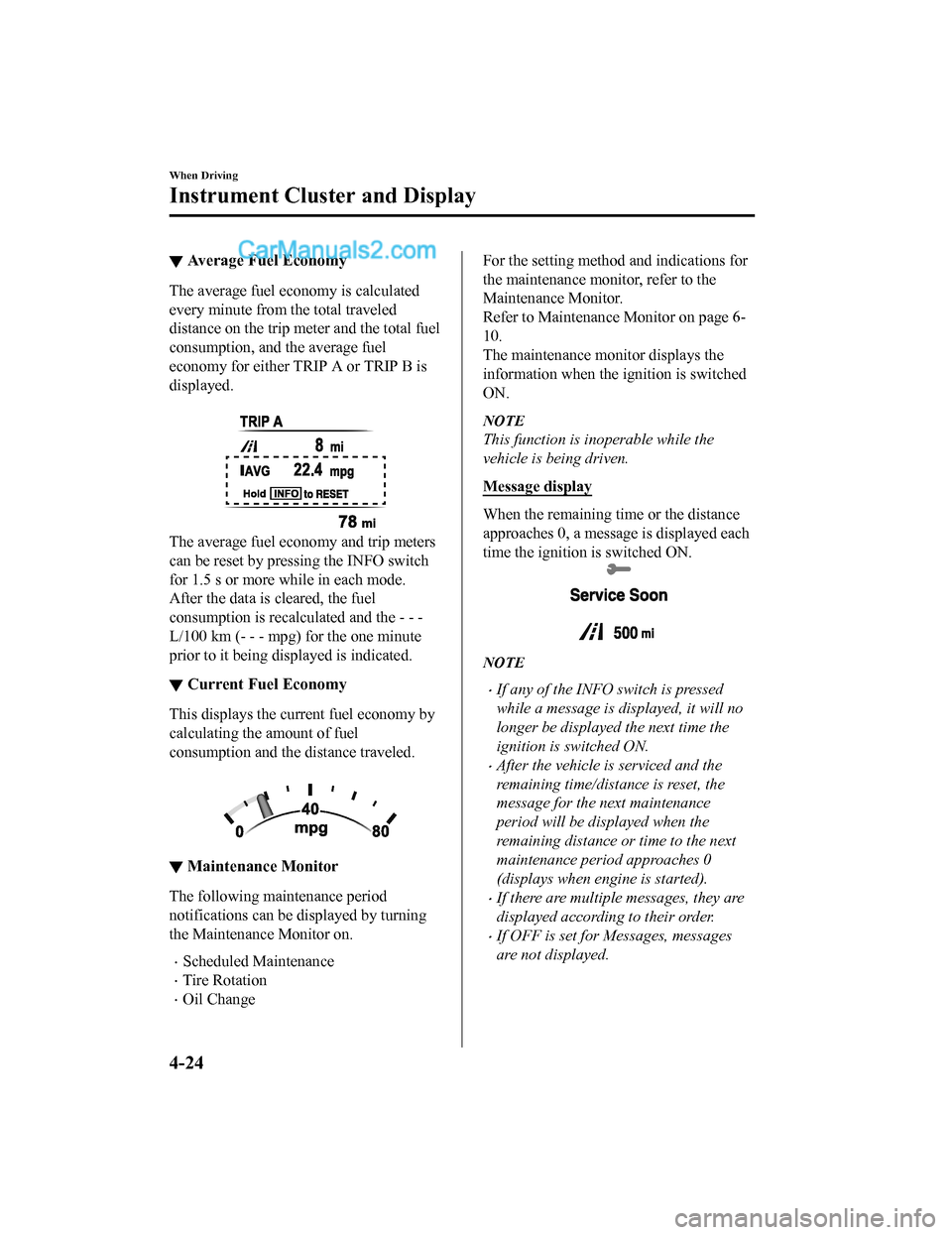
▼Average Fuel Economy
The average fuel economy is calculated
every minute from the total traveled
distance on the trip met
er and the total fuel
consumption, and the average fuel
economy for either TRIP A or TRIP B is
displayed.
The average fuel economy and trip meters
can be reset by pressing the INFO switch
for 1.5 s or more wh ile in each mode.
After the data is cleared, the fuel
consumption is recalculated and the - - -
L/100 km (- - - mpg) for the one minute
prior to it being displayed is indicated.
▼ Current Fuel Economy
This displays the current fuel economy by
calculating the amount of fuel
consumption and the distance traveled.
▼
Maintenance Monitor
The following maintenance period
notifications can be displayed by turning
the Maintenance Monitor on.
•Scheduled Maintenance
•Tire Rotation
•Oil Change
For the setting method and indications for
the maintenance monitor, refer to the
Maintenance Monitor.
Refer to Maintenance Monitor on page 6-
10.
The maintenance mo
nitor displays the
information when the i gnition is switched
ON.
NOTE
This function is inoperable while the
vehicle is being driven.
Message display
When the remaining time or the distance
approaches 0, a message is displayed each
time the ignition is switched ON.
NOTE
•If any of the INFO switch is pressed
while a message is displayed, it will no
longer be displayed the next time the
ignition is switched ON.
•After the vehicle is serviced and the
remaining time/distance is reset, the
message for the next maintenance
period will be displayed when the
remaining distance or time to the next
maintenance period approaches 0
(displays when engine is started).
•If there are multiple messages, they are
displayed according to their order.
•If OFF is set for Messages, messages
are not displayed.
When Driving
Instrument Cluster and Display
4-24
CX-5_8GN5-EA-17J_Edition1 2017-8-18 12:58:27
Page 172 of 628
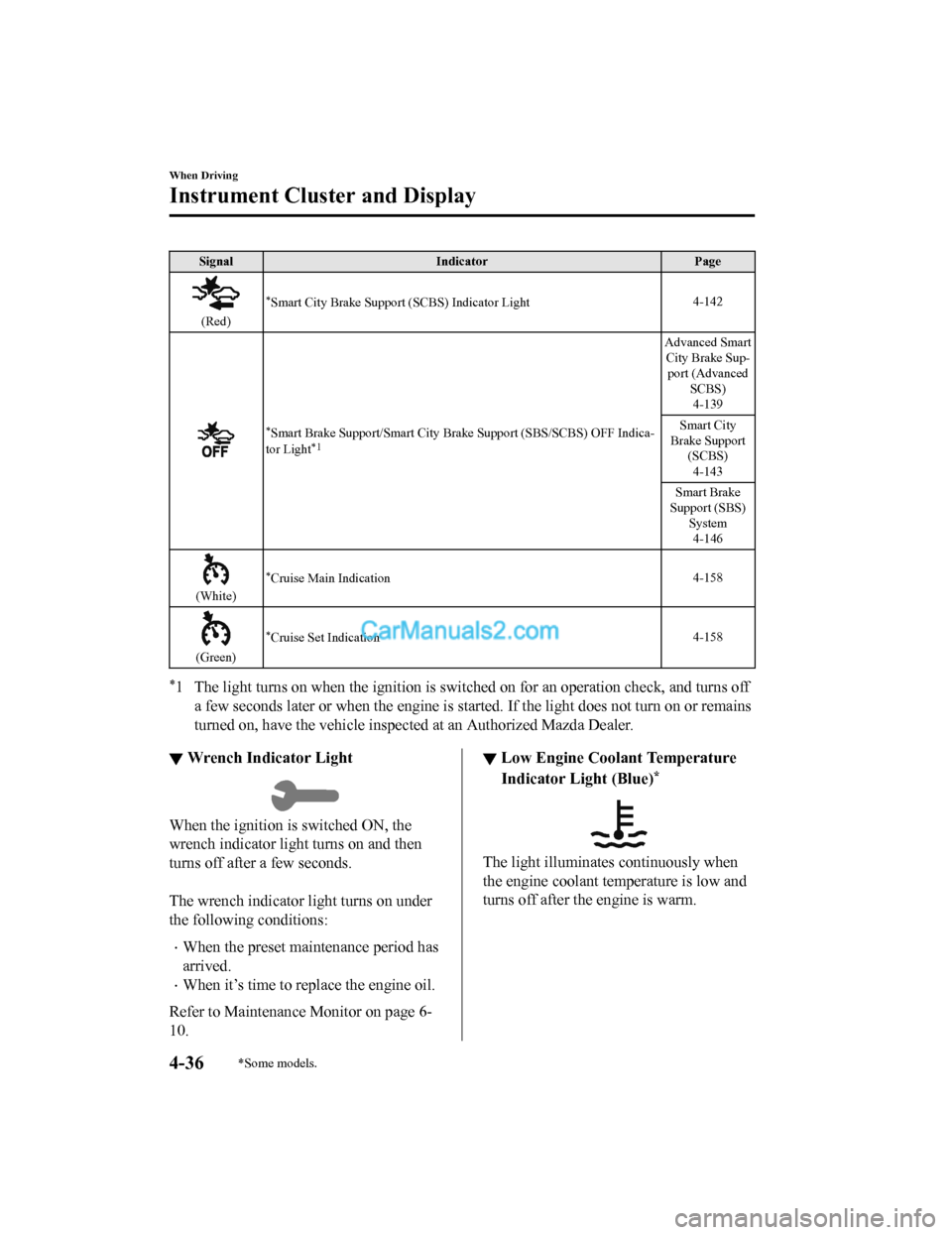
SignalIndicator Page
(Red)
*Smart City Brake Support (SCBS) Indicator Light 4-142
*Smart Brake Support/Sma
rt City Brake Support (SBS/SCBS) OFF Ind ica-
tor Light*1
Advanced Smart City Brake Sup- port (Advanced SCBS)4-139
Smart City
Brake Support (SCBS)
4-143
Smart Brake
Support (SBS) System4-146
(White)
*Cruise Main Indication 4-158
(Green)
*Cruise Set Indication4-158
*1 The light turns on when the ignition is switched on for an ope
ration check, and turns off
a few seconds later or when the e ngine is started. If the light does not turn on or remains
turned on, have the ve hicle inspected at an Authorized Mazda De aler.
▼Wrench Indicator Light
When the ignition is switched ON, the
wrench indicator light turns on and then
turns off after a few seconds.
The wrench indicator light turns on under
the following conditions:
•When the preset maintenance period has
arrived.
•When it’s time to rep
lace the engine oil.
Refer to Maintenance Monitor on page 6-
10.
▼ Low Engine Coolant Temperature
Indicator Light (Blue)*
The light illuminates continuously when
the engine coolant temperature is low and
turns off after the engine is warm.
When Driving
Instrument Cluster and Display
4-36*Some models.
CX-5_8GN5-EA-17J_Edition1
2017-8-18 12:58:27
Page 299 of 628
CAUTION
Each tire, including the spare (if provided), should be checked monthly when cold and
inflated to the inflation pressure recommended by the vehicle manufacturer on the vehicle
placard or tire inflation pressure label. (If your vehicle has tires of a
different size than the
size indicated on the vehicle placard or tire inflation pressure label, you should determine
the proper tire inflation pressure for those tires.)
As an added safety feature, your vehicle ha s been equipped with a tire pressure monitoring
system (TPMS) that illuminates a low tire pre ssure telltale when one or more of your tires is
significantly
under-inflated. Accordingly, when the low tire pressure telltale illuminates, you
should stop and check your tires as soon as possible, and inflate them to the proper
pressure. Driving on a significantly under-in flated tire causes the tire to overheat and can
lead to tire failure. Under-inflation also reduces fuel
efficiency and tire tread life, and may
affect the vehicle's handling and stopping ability.
Please note that the TPMS is not a substitute for proper tire maintenance, and it is the
driver's responsibility to maintain correct ti re pressure, even if under-inflation has not
reached the level to trigger illumination of the TPMS low tire pressure telltale.
Your vehicle has also been equipped with a TPMS malfunction indicator to indicate when
the system is not operating properly.
The TPMS malfunction indicator is combined with the low tire pressure telltale. When the
system detects a malfunction, the telltale wi ll flash for approximately one minute and then
remain continuously illuminated. This sequence will continue upon subsequent vehicle
start-ups as long as the malfunction exists. When the malfunction indicator is illuminated,
the system may not be able to detect or signal low tire pressure as intended. TPMS
malfunctions may occur for a variety of reasons, including the installation of replacement
or alternate tires or wheels on the vehicle th at prevent the TPMS from functioning properly.
Always check the TPMS malfunction telltale after replacing one or more tires or wheels on
your vehicle to ensure that the replacement or alternate tires and wheels allow the TPMS to
continue to function properly.
To avoid false readings, the system samples for a little while before indicating a problem. As
a result it will not instantaneously register a rapid tire
deflation or blow out.
When Driving
Tire Pressure Monitoring System
4-163
CX-5_8GN5-EA-17J_Edition1
2017-8-18 12:58:27