air condition MAZDA MODEL CX-5 SKYACTIV-D 2019 User Guide
[x] Cancel search | Manufacturer: MAZDA, Model Year: 2019, Model line: MODEL CX-5 SKYACTIV-D, Model: MAZDA MODEL CX-5 SKYACTIV-D 2019Pages: 721, PDF Size: 97.68 MB
Page 142 of 721
Break-In Period
No special break-in is necessary, but a few
precautions in the first 1,000 km (600
miles) may add to the performance,
economy, and life of the vehicle.
Do not race the engine.
Do not maintain one constant speed,
either slow or fast, for a long period of
time.
Do not drive constantly at full-throttle or
high engine rpm for extended periods of
time.
Avoid unnecessary hard stops.
Avoid full-throttle starts.
Do not tow a trailer.
Saving Fuel and Protectionof the Environment
How you operate your Mazda determines
how far it will travel on a tank of fuel. Use
these suggestions to help save fuel and
reduce CO
2.
Avoid long warm-ups. Once the engine
runs smoothly, begin driving.
Avoid fast starts.
Drive at lower speeds.
Anticipate when to apply the brakes
(avoid sudden braking).
Follow the maintenance schedule (page
6-4) and have an Authorized Mazda
Dealer perform inspections and
servicing.
Use the air conditioner only when
necessary.
Slow down on rough roads.
Keep the tires properly inflated.
Do not carry unnecessary weight.
Do not rest your foot on the brake pedal
while driving.
Keep the wheels in correct alignment.
Keep windows closed at high speeds.
Slow down when driving in crosswinds
and headwinds.
WA R N I N G
Never stop the engine when going down a
hill:
Stopping the engine when going down a
hill is dangerous. This causes the loss of
power steering and power brake control,
and may cause damage to the drivetrain.
Any loss of steering or braking control
could cause an accident.
Before Driving
Driving Tips
3-50
CX-5_8HH4-EA-19A_Edition1 2018-11-21 10:03:20
Page 156 of 721

Passing
Plan well ahead to pass other vehicles, and provide plenty of room before changing lanes.
Crosswinds from passing vehicles, especially larger ones, and the effects of rough roads will
affect handling.
If swaying occurs, firmly grip the steering wheel and reduce speed immediately, but
gradually.
Steer straight ahead. If no extreme correc tion of steering or braking is made, the
combination of less speed and firm steering will result in stability.
Backing up
Backing a vehicle with a trailer requires practice and patience. Back slowly, and have a
helper outside at the rear of the trailer to reduce the risk of an accident.
To turn the trailer, place your hand at the bott om of the steering wheel and turn it in the
direction you want the trailer to go. Make only slight movements to prevent sharp or
prolonged turning.
Ascending a hill
Shift into a lower gear to redu ce the possibility of overloading or overheating the engine, or
both.
Descending a hill
Shift into a lower gear and use engine compression as a braking effect.
WA R N I N G
Always use lower gears to reduce speed:
Holding the brake pedal down too long or too f requently is dangerous as it could cause the
brakes to overheat and lose power, resulting in loss of control and a serious accident. Use
lower gears to help reduce speed. Pull off th e road and allow brakes to cool down whenever
braking performance feels reduced.
Overheated engine
The extra weight of the trailer may strain the engine on hot days and on long or steep
upgrades.
If the temperature gauge indicates overheating, turn off the air conditioner, drive safely to
the side of the road, park of f the right-of-way and wait for engine to cool. Refer to
Overheating on page 7-19.
Before Driving
To w i n g
3-64
CX-5_8HH4-EA-19A_Edition1 2018-11-21 10:03:20
Page 338 of 721

The front doors or the liftgate is not fully closed.
The vehicle is on a road incline.
The door mirrors are retracted.
Do not hit the front/rear camera, front bump er, and door mirrors forcefully. The camera
position or installation angle may shift.
The cameras are of a waterproof structure. Do not disassemble, modify, or remove a
camera.
The camera cover is made of hard plastic, therefore do not apply oil film remover, organic
solvents, wax, or coating agents. If any such agent gets on the camera cover, wipe it off
using a soft cloth immediately.
Do not rub the camera lens forcefully, or clean it with an abrasive or hard brush. Otherwise,
it could scratch the camera lens and negatively affect the images.
Consult an Authorized Mazda Dealer for repair , painting, or replacement of the front/rear
camera, front bumper and door mirrors.
Heed the following cautions to assure that the 360°View Monitor operates normally.
Do not modify the vehicle suspensions or lower/raise the vehicle body, or both.
Always use wheels of the specified type and size for the front and rear wheels. Consult an
Authorized Mazda Dealer for tire replacement.
When the display is cold, images may leave trails or the screen might be darker than usual,
making it difficult to check the vehicle surroundi ngs. Always confirm the safety at the front
and around the vehicle visually when driving.
The method for parking/stopping the vehicle using the 360°View Monitor differs depending
on the road circumstances/conditions and th e vehicle conditions. When and how much you
turn the steering wheel will differ depending on the situation, , therefore always check the
vehicle surroundings directly with your eyes while using the system.
Also, before using the system, always make su re that the vehicle can be parked/stopped in
the parking/stopping space.
NOTE
If there are water droplets, snow, or mud on the camera lens, wipe it off using a soft cloth.
If the camera lens is especially dirt y, wash it off with mild detergent.
If the area where the camera is installed, such as the liftgate or door mirrors, has been
damaged in a vehicle accident, the camera (position, installation angle) may have shifted.
Always consult an Authorized Mazda Dealer to have the vehicle inspected.
If the camera is subjected to excessive changes in temperature such as by pouring hot
water on the camera during cold weather, the 360°View Monitor may not operate
normally.
If the battery voltage is low, the screen mi ght be temporarily difficult to view, however,
this does not indicate a problem.
When Driving
i-ACTIVSENSE
4-180
CX-5_8HH4-EA-19A_Edition1 2018-11-21 10:03:20
Page 365 of 721

The Forward Sensing Camera (FSC) includes a function for detecting a soiled windshield
and informing the driver, however, depending on the conditions, it may not detect plastic
shopping bags, ice or snow on the windshield . In such cases, the system cannot accurately
determine a vehicle ahead and may not be able to operate normally. Always drive carefully
and pay attention to the road ahead.
NOTE
In the following cases, the Forward Sensing Camera (FSC) cannot detect target objects
correctly, and each system may be unable to operate normally.
The height of the vehicle ahead is low.
You drive your vehicle at the same speed as the vehicle ahead.
Headlights are not turned on during the night or when going through a tunnel.
In the following cases, the Forward Sensing Camera (FSC) may not be able to detect
target objects correctly.
Under bad weather condition, such as rain, fog and snow.
The window washer is being used or the windshield wipers are not used when it's
raining.
Ice, fog, snow, frost, rainfall, dirt, or foreign matter such as a plastic bag is stuck on the
windshield.
Trucks with low loading platforms and vehicl es with an extremely low or high profile.
When driving next to walls with no patterning (including fences and longitudinally
striped walls).
The taillights of the vehicle ahead are turned off.
A vehicle is outside the illumi nation range of the headlights.
The vehicle is making a sharp turn, or ascending or descending a steep slope.
Entering or exiting a tunnel.
Heavy luggage is loaded causing the vehicle to tilt.
Strong light is shone at the front of the vehicle (back light or high-beam light from
on-coming vehicles).
There are many light emitters on the vehicle ahead.
When the vehicle ahead is not equipped with taillights or the taillights are turned off at
nighttime.
Elongated luggage or cargo is loaded onto installed roof rails and covers the Forward
Sensing Camera (FSC).
Exhaust gas from the vehicle in front, sand, snow, and water vapor rising from
manholes and grating, and water splashed into the air.
When towing a malfunctioning vehicle.
The vehicle is driven with tires having significantly different wear.
The vehicle is driven on down slopes or bumpy roads.
There are water puddles on the road.
When Driving
i-ACTIVSENSE
4-207
CX-5_8HH4-EA-19A_Edition1 2018-11-21 10:03:20
Page 366 of 721

The surroundings are dark such as during the night, early evening, or early morning, or
in a tunnel or indoor parking lot.
The illumination brightness of the headlights is reduced or the headlight illumination is
weakened due to dirt or a deviated optical axis.
The target object enters the blind spot of the Forward Sensing Camera (FSC).
A person or object bursts onto the road from the shoulder or cuts right in front of you.
You change lanes and approach a vehicle ahead.
When driving extremely close to the target object.
Tire chains or a temporary spare tire is installed.
The vehicle ahead has a special shape. For example, a vehicle towing a trailer house or
a boat, or a vehicle carrier carrying a vehicle with its front pointed rearward.
If the Forward Sensing Camera (FSC) cannot operate normally due to backlight or fog,
the system functions related to the Forward Sensing Camera (FSC) are temporarily
stopped and the following warn ing lights turn on. However, this does not indicate a
malfunction.
High Beam Control System (HBC) warning light (amber)
Lane-keep Assist System (LAS) & Lane Departure Warning System (LDWS) warning
indication
Mazda Radar Cruise Control with Stop & Go function (MRCC with Stop & Go
function) warning indication
Smart Brake Support/Smart City Brake Support (SBS/SCBS) warning indication/
warning light (amber)
If the Forward Sensing Camera (FSC) cannot operate normally due to high temperatures,
the system functions related to the Forward Sensing Camera (FSC) are temporarily
stopped and the following warn ing lights turn on. However, this does not indicate a
malfunction. Cool down the area around the Forward Sensing Camera (FSC) such as by
turning on the air conditioner.
High Beam Control System (HBC) warning light (amber)
Lane-keep Assist System (LAS) & Lane Departure Warning System (LDWS) warning
indication
Mazda Radar Cruise Control with Stop & Go function (MRCC with Stop & Go
function) warning indication
Smart Brake Support/Smart City Brake Support (SBS/SCBS) warning indication/
warning light (amber)
When Driving
i-ACTIVSENSE
4-208
CX-5_8HH4-EA-19A_Edition1 2018-11-21 10:03:20
Page 369 of 721

Do not use the front bumper to push other vehicles or obstructions such as when pulling
out of a parking space. Otherwise, the radar sensor (front) could be hit and its position
deviated.
Do not remove, disassemble, or mo dify the radar sensor (front).
For repairs, replacement or paint work ar ound the radar sensor (front), consult an
Authorized Mazda Dealer.
Do not modify the suspension. If the suspensi on are modified, the vehicle's posture could
change and the radar sensor (front) may not be able to correctly detect a vehicle ahead or
an obstruction.
NOTE
Under the following conditions, the radar sensor (front) may not be able to detect vehicles
ahead or obstructions correctly and each system may not operate normally.
The rear surface of a vehicle ahead does not reflect radio waves effectively, such as an
unloaded trailer or an automobile with a loading platform covered by a soft top,
vehicles with a hard plastic tailgate, and round-shaped vehicles.
Vehicles ahead with low vehicle height and thus less area for reflecting radio waves.
Visibility is reduced due to a vehicle ahead casting off water, snow, or sand from its tires
and onto your windshield.
The luggage compartment is loaded with heavy objects or the rear passenger seats are
occupied.
Ice, snow, or soiling is on the front surface of the front emblem.
During inclement weather such as rain, snow, or sand storms.
When driving near facilities or objects emitting strong radio waves.
Under the following conditions, the radar sensor (front) may not be able to detect vehicles
ahead or obstructions.
The beginning and end of a curve.
Roads with continuous curves.
Narrow lane roads due to road construction or lane closures.
The vehicle ahead enters the radar sensor's blind spot.
The vehicle ahead is running abnormally due to accident or vehicle damage.
Roads with repeated up and down slopes
Driving on poor roads or unpaved roads.
The distance between your vehicle and the vehicle ahead is extremely short.
A vehicle suddenly comes close such as by cutting into the lane.
To prevent incorrect operation of the system, use tires of the same specified size,
manufacturer, brand, and tread pattern on all four wheels. In addition, do not use tires
with significantly different wear patterns or tire pressures on the same vehicle (Including
the temporary spare tire).
If the battery power is weak, the system may not operate correctly.
When Driving
i-ACTIVSENSE
4-211
CX-5_8HH4-EA-19A_Edition1 2018-11-21 10:03:20
Page 372 of 721

Vehicle shapes which do not reflect radar waves well such as empty trailers with a low
vehicle height and sports cars.
Vehicles are shipped with the direction of the radar sensors (rear) adjusted for each
vehicle to a loaded vehicle condition so that the radar sensors (rear) detect approaching
vehicles correctly. If the direction of the radar sensors (rear) has deviated for some
reason, have the vehicle inspected at an Authorized Mazda Dealer.
For repairs or replacement of the radar sensors (rear), or bumper repairs, paintwork, and
replacement near the radar sensors, consult an Authorized Mazda Dealer.
Turn off the system while pulling a trailer or while an accessory such as a bicycle carrier
is installed to the rear of the vehicle. Otherwise, the radio waves emitted by the radar will
be blocked causing the system to not operate normally.
The radar sensors are regulated by the relevant radio wave laws of the country in which
the vehicle is driven. If the vehicle is driven abroad, authorization from the country in
which the vehicle is driven may be required.
When Driving
i-ACTIVSENSE
4-214
CX-5_8HH4-EA-19A_Edition1 2018-11-21 10:03:20
Page 379 of 721
Tire Pressure Monitoring System*
The Tire Pressure Monitoring System (TPMS) monitors the pressure for each tire.
If tire pressure is too low in one or more t ires, the system will inform the driver via the
warning light in the instrument cluster and by the warning beep sound.
Refer to Contact Authorized Mazda Dealer and Have Vehicle Inspected on page 7-27.
Refer to Taking Action on page 7-34.
Refer to Tire Inflation Pressure Warning Beep on page 7-47.
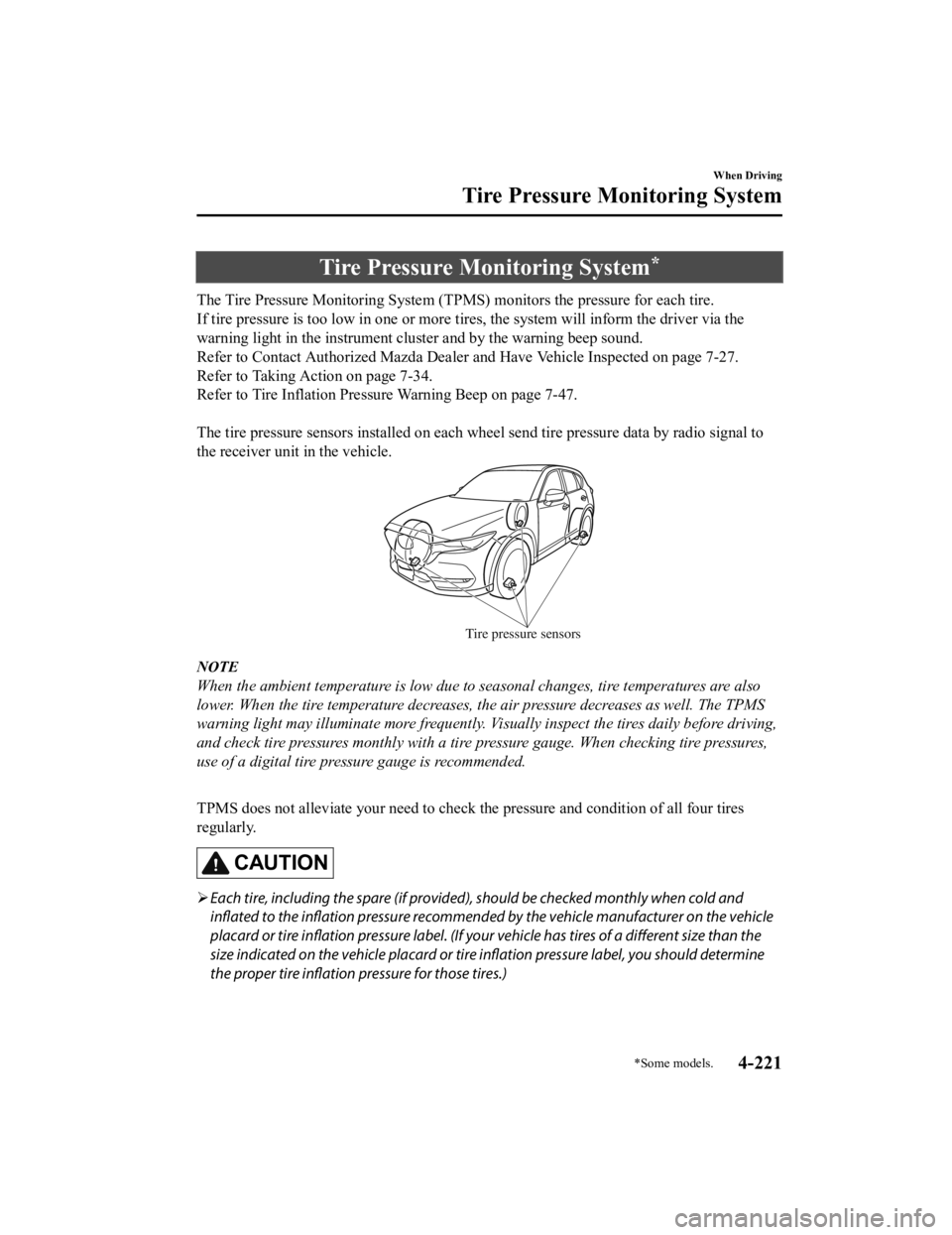
The tire pressure sensors installed on each wheel send tire pressure data by radio signal to
the receiver unit in the vehicle.
Tire pressure sensors
NOTE
When the ambient temperature is low due to seasonal changes, tire temperatures are also
lower. When the tire temperature decreases, the air pressure decreases as well. The TPMS
warning light may illuminate more frequently. Vi sually inspect the tires daily before driving,
and check tire pressures monthly with a tire pressure gauge. When checking tire pressures,
use of a digital tire pressure gauge is recommended.
TPMS does not alleviate your need to check the pressure and condition of all four tires
regularly.
CAUTION
Each tire, including the spare (if provided), should be checked monthly when cold and
inflated to the inflation pressure recommended by the vehicle manufacturer on the vehicle
placard or tire inflation pressure label. (If your vehicle has tires of a different size than the
size indicated on the vehicle placard or tire inflation pressure label, you should determine
the proper tire inflation pressure for those tires.)
When Driving
Tire Pressure Monitoring System
*Some models.4-221
CX-5_8HH4-EA-19A_Edition1 2018-11-21 10:03:20
Page 385 of 721

StatusWarning sound SCR warn-
ing light Multi-information
display indication Driving restric-
tion
Remaining DEF is low
(Maximum driving dis-
tance : 644 km (400
miles) or less) Sound is activated when igni-
tion is switched ON
Turns on
Vehicle speed of
80 km/h (50
mph) or slower
Remaining DEF is ex-
tremely low
(Maximum driving dis-
tance : 322 km (200
miles) or less) Sound is activated when igni-
tion is switched ON
Flashes
Vehicle speed of
48 km/h (30
mph) or slower
No remaining DEF
(Maximum driving dis-
tance : 0 km (0 miles)) Sound is activated when re-
maining-distance-to-empty in-
dication is 0 km (0 miles)
Flashes
Creep travel*1
*1 The vehicle speed will be restricted (Creep
travel) the next time the vehicle is driven
after the maximum driving distance reaches 0 km (0 miles).
The following indications are displayed when there is a problem with the SCR system/DEF.
If there is a problem with the SCR system/DEF, consult an Authorized Mazda Dealer.
The vehicle speed may be restricted for a while even if the warning light turned off after
having the vehicle repaired. To cancel the vehicle speed restriction immediately, switch the
ignition OFF after the warning light turns off, and then switch the ignition ON again.
StatusWarning sound SCR warn-
ing light Multi-information
display indication Driving restric-
tion
There is a problem
with the SCR
system/DEF
(Maximum driving dis-
tance : 402 km (250
miles) or less)
Sound is activated when
there is a problem
Sound is activated when igni-
tion is switched ON FlashesNone
Condition in which a
problem with SCR sys-
tem/DEF continues
(Maximum driving dis-
tance : 201 km (125
miles) or less) Sound is activated when igni-
tion is switched ON
Flashes
Vehicle speed of
48 km/h (30
mph) or slower
When Driving
Selective Catalytic Re
duction (SCR) System
4-227
CX-5_8HH4-EA-19A_Edition1 2018-11-21 10:03:20
Page 396 of 721

Anything which generates ultrasound is near the vehicle, such as another vehicle's
horn, the engine sound of a motorcycle, the air brake sound of a large-sized vehicle, or
another vehicle's sensors.
The vehicle is driven in heavy rain or in road conditions causing water-splash.
A commercially-available fender pole or an antenna for a radio transmitter is installed
to the vehicle.
The vehicle is moving towards a tall or square curbstone.
An obstruction is too close to the sensor.
Obstructions under the bumper may not be detected. Obstructions that are lower than the
bumper or thin which may have been initially detected may no longer be detected as the
vehicle approaches more closely to the obstruction.
The following types of obstructions may not be detected:
Thin objects such as wire or rope
Things which absorb sonic waves easily such as cotton or snow
Angular shaped objects
Very tall objects, and those which are wide at the top
Small, short objects
Always have the system inspected at an Authorized Mazda Dealer if any shock is applied
to the bumpers, even in a minor accident. If the sensors are deviated, they cannot detect
obstructions.
The system may have a malfunction if the b eep does not operate or the indicator light
does not illuminate when the park assist sensors switch is turned on. Consult an
Authorized Mazda Dealer.
The system may have a malfunction if the beep sound which indicates a system
malfunction is heard and the indicator light flashes. Consult an Authorized Mazda Dealer.
The beeper which indicates a system malfunction may not be heard if the ambient
temperature is extremely cold, or mud, ice, or snow adheres to the sensor area. Remove
any foreign material from the sensor area.
When installing a trailer hitch, c onsult an Authorized Mazda Dealer.
When Driving
Parking Sensor System
4-238
CX-5_8HH4-EA-19A_Edition1 2018-11-21 10:03:20