lock MAZDA MODEL CX-7 2011 (in English) Manual Online
[x] Cancel search | Manufacturer: MAZDA, Model Year: 2011, Model line: MODEL CX-7, Model: MAZDA MODEL CX-7 2011Pages: 520, PDF Size: 8.75 MB
Page 214 of 520

Black plate (214,1)
If the warning light illuminates again even
after the tire pressures are adjusted, there
may be a tire puncture. Replace the
punctured tire with the temporary spare
tire (page 7-6).
NOTE
A tire pressure sensor is not installed to the
temporary spare tire. The warning light will
flash continuously while the temporary spare
tire is being used.
Warning light flashes
When the warning light flashes, there may
be a system malfunction. Consult an
Authorized Mazda Dealer.
qKEY Warning Light (Red)/KEY
Indicator Light (Green) (with
Advanced Key)
This indicator has two colors.
KEY Warning Light (Red)
When illuminated
lWhen the ignition is switched ON, it
illuminates momentarily and then goes
out.
lIf any malfunction occurs in the
advanced keyless system, it illuminates
continuously.
WARNING
Do not drive the vehicle with the KEY
warning light illuminated:
If the KEY warning light remains
illuminated, do not continue to drive
using the advanced key system. Park
the vehicle in a safe place and use
the auxiliary key to continue driving
the vehicle. Have the vehicle
inspected at an Authorized Mazda
Dealer as soon as possible.
When flashing
lUnder the following conditions, the
KEY warning light (red) flashes to
inform the driver that the start knob
will not rotate to the ACC position
even if it is pushed in from the OFF/
LOCK position.
lThe advanced key battery is dead.lThe advanced key is not within
operational range.
lThe advanced key is placed in areas
where it is difficult for the system to
detect the signal (page 3-7).
lA key from another manufacturer
similar to the advanced key is in the
operational range.
5-56
Driving Your Mazda
Warning/Indicator Lights and Beep Sounds
CX-7_8BM8-EA-10I_Edition1 Page214
Friday, September 10 2010 4:23 PM
Form No.8BM8-EA-10I
Page 215 of 520
Black plate (215,1)
lUnder the following conditions, the
KEY warning light (red) will flash
continuously when the start knob has
not been returned to the OFF/LOCK
position to notify the driver that the
advanced key has been removed from
the vehicle. It will stop flashing when
the advanced key is back inside the
vehicle.
lThe start knob has not been returned
to the OFF/LOCK position, the
driver's door is open, and the
advanced key is removed from the
vehicle.
lThe start knob has not been returned
to the OFF/LOCK position and all
the doors are closed after removing
the advanced key from the vehicle.
NOTE
The flashing KEY warning light (red) and the
beep sound operate simultaneously (page
3-20).
KEY Indicator Light (Green)
When illuminated
When the start knob is pushed in from the
OFF/LOCK position, the system confirms
that the correct advanced key is inside the
vehicle, the KEY indicator light (green)
illuminates, and the start knob can be
turned to the ACC position (page 3-10).
When flashing
When the advanced key battery power is
low, the KEY indicator light flashes for 30
seconds after the start knob is turned from
the ON position to the ACC or OFF/
LOCK position. Replace with a new
battery before the advanced key becomes
unusable (page 3-7).NOTE
The advanced key can be set so that the KEY
indicator light (green) does not flash even if
the battery power is low.
Refer to Personalization Features on page
10-8.
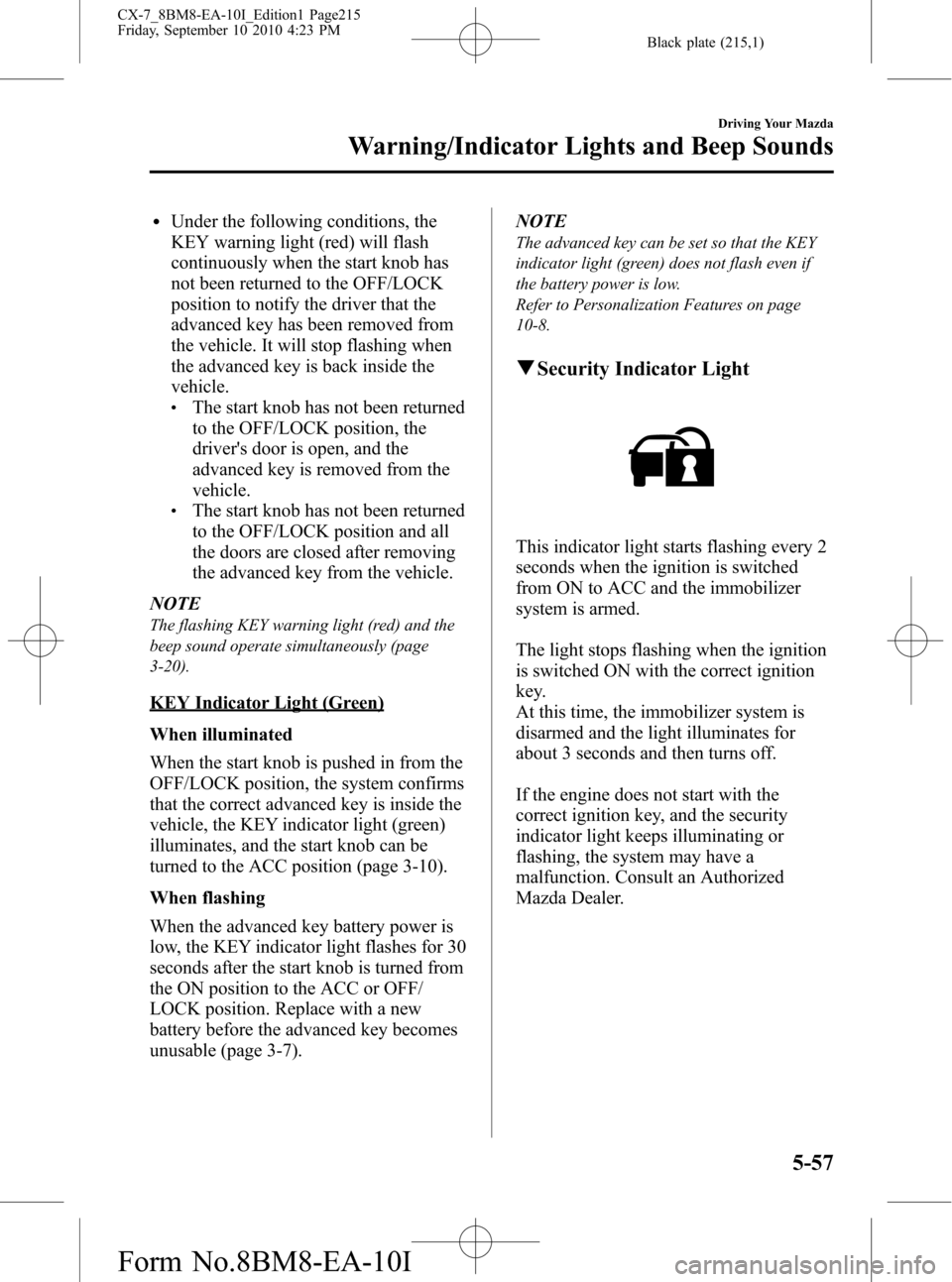
qSecurity Indicator Light
This indicator light starts flashing every 2
seconds when the ignition is switched
from ON to ACC and the immobilizer
system is armed.
The light stops flashing when the ignition
is switched ON with the correct ignition
key.
At this time, the immobilizer system is
disarmed and the light illuminates for
about 3 seconds and then turns off.
If the engine does not start with the
correct ignition key, and the security
indicator light keeps illuminating or
flashing, the system may have a
malfunction. Consult an Authorized
Mazda Dealer.
Driving Your Mazda
Warning/Indicator Lights and Beep Sounds
5-57
CX-7_8BM8-EA-10I_Edition1 Page215
Friday, September 10 2010 4:23 PM
Form No.8BM8-EA-10I
Page 217 of 520
Black plate (217,1)
NOTE
If the battery is disconnected or a fuse is
replaced, the DSC will be inoperable. When
this happens, the TCS OFF indicator light
flashes and the TCS/DSC indicator light
illuminates.
To reactivate the DSC, perform the following
procedure with the battery connected.
1. Switch the ignition ON.
2. Turn the steering clockwise fully, then turn
it counterclockwise fully.
3. Make sure the TCS OFF indicator light
turns off.
4. Switch the ignition off, then switch the
ignition ON again.
5. Make sure the TCS/DSC indicator light
turns off.
If the TCS/DSC indicator light and the TCS
OFF indicator light remain illuminated even
after switching the ignition from ON to OFF,
and back to ON, attempt the procedure again.
If this still does not resolve the issue, consult
an Authorized Mazda Dealer.
qCruise Main Indicator Light
(Amber)/Cruise Set Indicator
Light (Green)
The indicator light has two colors.
Cruise Main Indicator Light (Amber)
The indicator light illuminates amber
when the ON switch is pressed and the
cruise control system is activated.
Cruise Set Indicator Light (Green)
The indicator light illuminates green when
a cruising speed has been set.
qBSM OFF Indicator Lightí
This indicator light illuminates for a few
seconds when the ignition is switched
ON.
The BSM OFF indicator light illuminates
when the BSM system is turned off by
pressing the BSM OFF switch.
The indicator light flashes if the BSM
system has a malfunction. Consult an
Authorized Mazda Dealer.
NOTE
If the vehicle is driven on a road with less
traffic and few vehicles that the radar sensors
can detect, the system may pause (The BSM
OFF indicator light in the instrument panel
flashes). However, it does not indicate a
malfunction.
qLights-On Indicator Light
This indicator light illuminates when the
exterior lights and dashboard illumination
are on.
Driving Your Mazda
Warning/Indicator Lights and Beep Sounds
5-59íSome models. CX-7_8BM8-EA-10I_Edition1 Page217
Friday, September 10 2010 4:23 PM
Form No.8BM8-EA-10I
Page 227 of 520
Black plate (227,1)
Windshield Wipers and
Washer
The ignition must be switched ON.
WARNING
Use only windshield washer fluid or
plain water in the reservoir:
Using radiator antifreeze as washer
fluid is dangerous. If sprayed on the
windshield, it will dirty the
windshield, affect your visibility, and
could result in an accident.
Only use windshield washer fluid
mixed with anti-freeze protection in
freezing weather conditions:
Using windshield washer fluid
without anti-freeze protection in
freezing weather conditions is
dangerous as it could freeze on the
windshield and block your vision
which could cause an accident.
In addition, make sure the
windshield is sufficiently warmed
using the defroster before spraying
the washer fluid.NOTE
Because heavy ice and snow can jam the wiper
blades, the wiper motor is protected from
motor breakdown, overheating and possible
fire by a circuit breaker. This mechanism will
automatically stop operation of the blades, but
only for about 5 minutes.
If this happens, turn off the wiper switch and
park off the right-of-way, and remove the snow
and ice.
After 5 minutes, turn on the switch and the
blades should operate normally. If they do not
resume functioning, consult an Authorized
Mazda Dealer as soon as possible. Drive to
the side of the road and park off the right-of-
way. Wait until the weather clears before trying
to drive with the wipers inoperative.
qWindshield Wipers
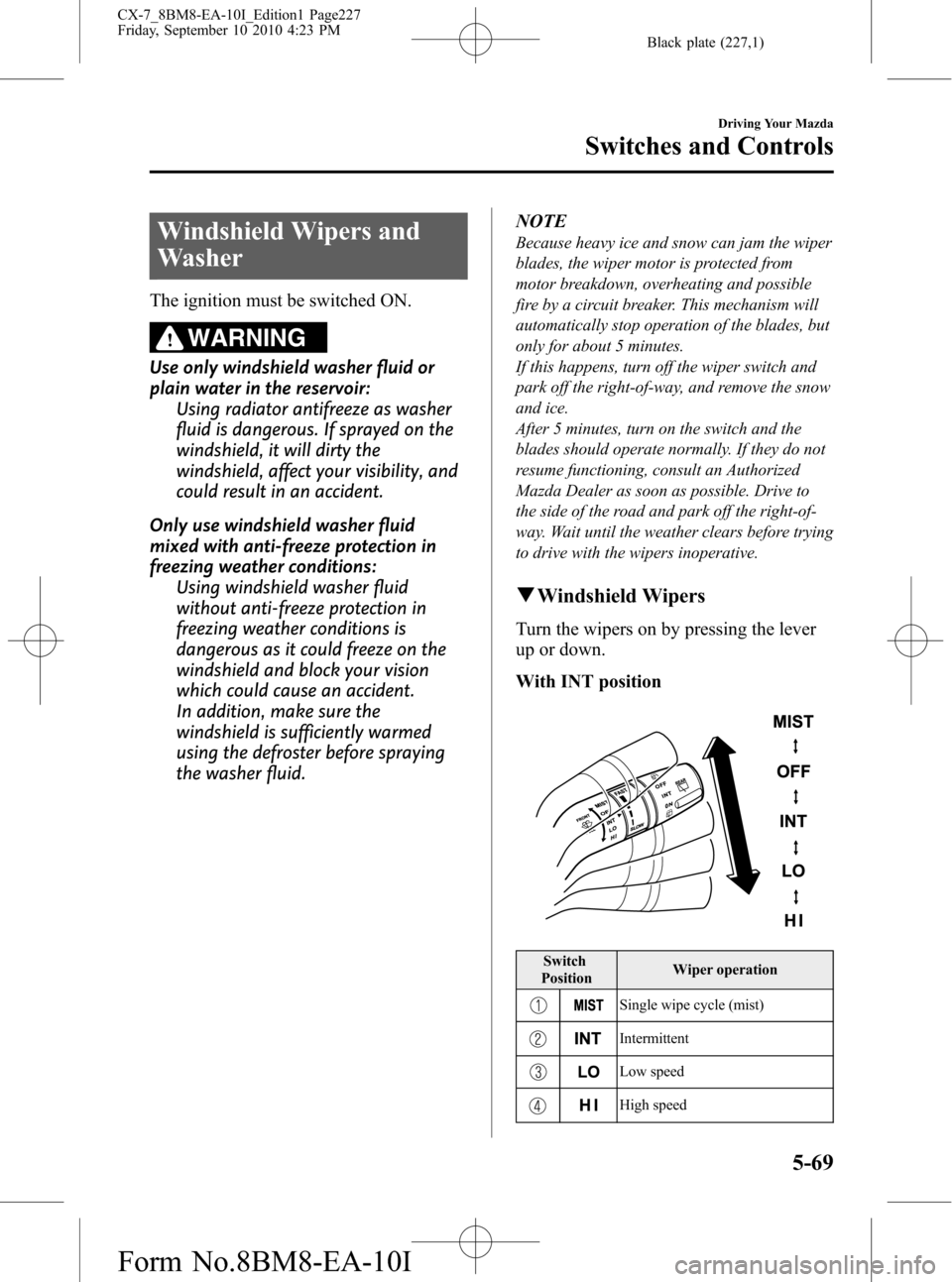
Turn the wipers on by pressing the lever
up or down.
With INT position
Switch
PositionWiper operation
Single wipe cycle (mist)
Intermittent
Low speed
High speed
Driving Your Mazda
Switches and Controls
5-69
CX-7_8BM8-EA-10I_Edition1 Page227
Friday, September 10 2010 4:23 PM
Form No.8BM8-EA-10I
Page 242 of 520

Black plate (242,1)
Manual Type
Air intake selector A/C switch
Rear window defroster switch
Temperature control dial Fan control dial Mode selector dial
qControl Switches
Temperature control dial
Cold Hot
This dial controls temperature. Turn it
clockwise for hot and counterclockwise
for cold.NOTE
When the mode is set toorwith the fan
control dial in a position other than 0 and the
temperature control dial in the maximum cold
position, the air intake selector switches to the
recirculated air mode and the A/C turns on
automatically.
If A/C is not desired, press the A/C switch to
turn it off.
Fan control dial
6-6
Interior Comfort
Climate Control System
CX-7_8BM8-EA-10I_Edition1 Page242
Friday, September 10 2010 4:23 PM
Form No.8BM8-EA-10I
Page 247 of 520
Black plate (247,1)
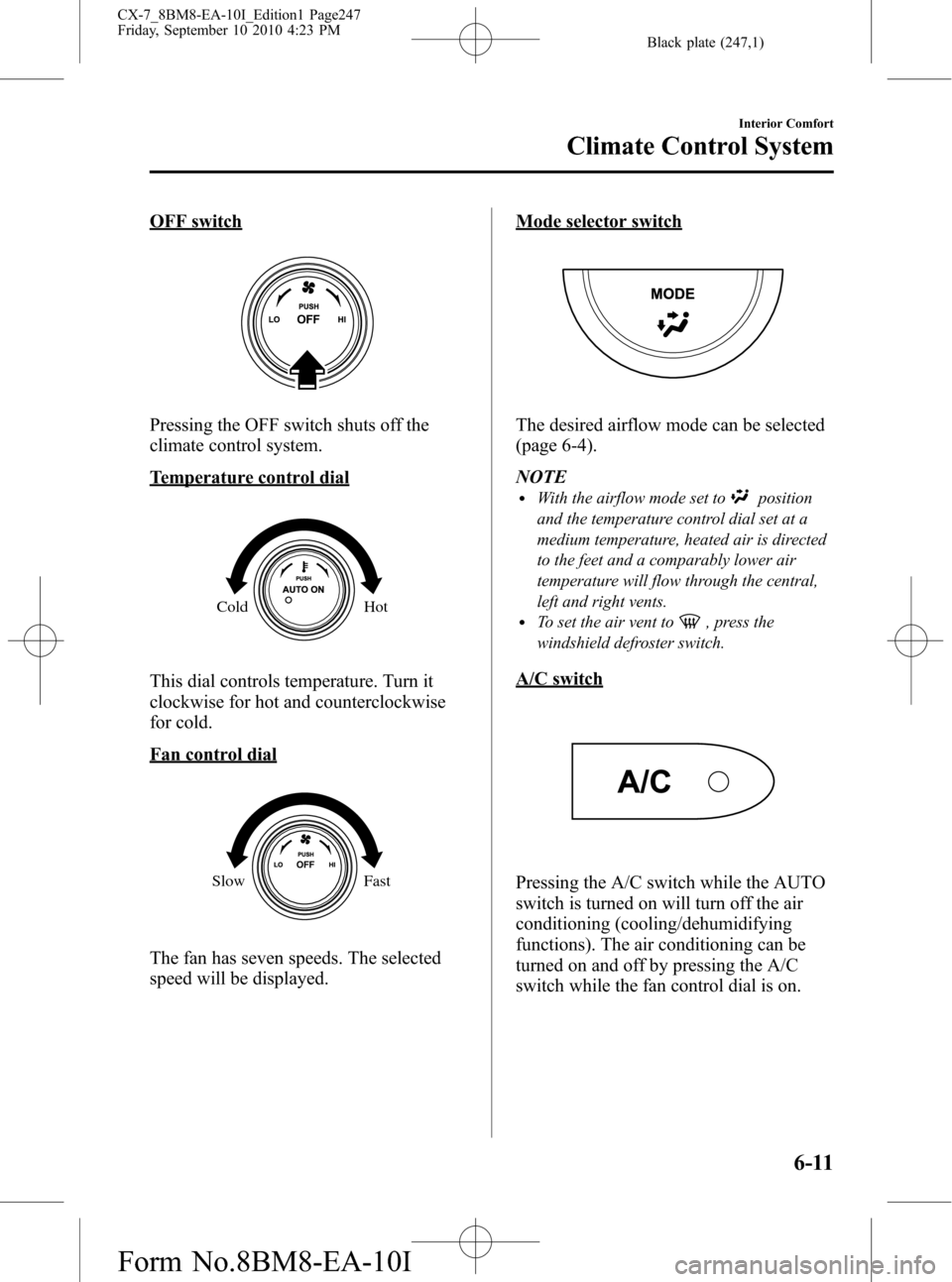
OFF switch
Pressing the OFF switch shuts off the
climate control system.
Temperature control dial
Cold Hot
This dial controls temperature. Turn it
clockwise for hot and counterclockwise
for cold.
Fan control dial
Slow Fast
The fan has seven speeds. The selected
speed will be displayed.
Mode selector switch
The desired airflow mode can be selected
(page 6-4).
NOTE
lWith the airflow mode set toposition
and the temperature control dial set at a
medium temperature, heated air is directed
to the feet and a comparably lower air
temperature will flow through the central,
left and right vents.
lTo set the air vent to, press the
windshield defroster switch.
A/C switch
Pressing the A/C switch while the AUTO
switch is turned on will turn off the air
conditioning (cooling/dehumidifying
functions). The air conditioning can be
turned on and off by pressing the A/C
switch while the fan control dial is on.
Interior Comfort
Climate Control System
6-11
CX-7_8BM8-EA-10I_Edition1 Page247
Friday, September 10 2010 4:23 PM
Form No.8BM8-EA-10I
Page 250 of 520

Black plate (250,1)
Antenna
qDetachable Type
To remove the antenna, turn it
counterclockwise.
To install the antenna, turn it clockwise.
Make sure the antenna is securely
installed.
AM/FM Radio Antennaí
The AM/FM radio antenna receives both
AM and FM signals.
Install
Remove
Antenna for AM/FM and Satellite
Radio Antennaí
The antenna for AM/FM and satellite
radio antenna receives both AM and FM
signals and SIRIUS signals.
Install
Remove
CAUTION
ØTo prevent damage to the
antenna, remove it before entering
a car wash facility or passing
beneath a low overhead clearance.
ØBe careful around the antenna
when removing snow from the
roof. Otherwise the antenna could
be damaged.
NOTE
When leaving your vehicle unattended, we
recommend that you remove the antenna and
store it inside the vehicle.
6-14
Interior Comfort
íSome models.
Audio System
CX-7_8BM8-EA-10I_Edition1 Page250
Friday, September 10 2010 4:23 PM
Form No.8BM8-EA-10I
Page 273 of 520

Black plate (273,1)
NOTE
Do not perform the following operation while
“UPDATING”is displayed. Otherwise, the
updating procedure will be cancelled.
lTurning off the audio powerlSwitching to other modeslSwitching the ignition off
When the SIRIUS mode is switched to
another mode, or when the power is
turned off, the present channel which is
being received is stored as the last
channel.
Channel selection
Turning the manual tuning dial allows you
to select the desired receiving channel.
lTurn the knob clockwise: Channel UplTurn the knob counterclockwise:
Channel Down
Unsubscribed channel
When a selected station has not been
subscribed to, the display indicates the
following:
[CALL
888] and [539SIRI]
(Flashes alternately)
NOTE
When the subscription contract is canceled, all
of the channels including channel 184 appear
as unsubscribed.
Invalid channel
When a selected channel is not
broadcasting, [SR
(bank number)
INVALID] is displayed for one second,
followed by [SR
(bank number)
CHANNEL], which is also displayed for
one second. The display then returns to
the previous valid channel.NOTE
If the last channel selected has become
unavailable because of a channel update the
above indication is displayed until any button
is pressed.
Preset channel programming
(Programming with“channel number”
display)
1. Select the desired channel to be
programmed. At this point, the
following is displayed:
[SR
(bank number)(channel
number)]
2. Keep pressing the channel preset
button for 1.5 seconds or more.
The programming process is complete
after the channel number flashes. Then,
[SR
(bank number)] is displayed
and a beep sound is heard at the same
time.
3. [SR
(bank number)CH
(preset number)(channel number)]
are displayed.
(Programming with“text”display (e.g.
channel name))
1. Select the desired channel to be
programmed. At this point, the
following is displayed:
[SR
(bank number)(selected text
(e.g. channel name))]
2. Keep pressing the channel preset
button for 1.5 seconds or more.
The programming process is complete
after the text (e.g. channel name)
flashes. Then, [SR
(bank number)]
is displayed and you will hear beep
sound at the same time.
Interior Comfort
Audio System
6-37
CX-7_8BM8-EA-10I_Edition1 Page273
Friday, September 10 2010 4:23 PM
Form No.8BM8-EA-10I
Page 274 of 520
![MAZDA MODEL CX-7 2011 (in English) Manual Online Black plate (274,1)
3. SR(bank number)CH(preset
number)
(channel number)] are
displayed.
4. Three seconds later, it returns to normal
display. [SR
(bank number)(text
(e.g. channel name))]
NOTE
Six sta](/img/28/13893/w960_13893-273.png "MAZDA MODEL CX-7 2011 (in English) Manual Online Black plate (274,1)
3. SR(bank number)CH(preset
number)
(channel number)] are
displayed.
4. Three seconds later, it returns to normal
display. [SR
(bank number)(text
(e.g. channel name))]
NOTE
Six sta")
Black plate (274,1)
3. SR(bank number)CH(preset
number)
(channel number)] are
displayed.
4. Three seconds later, it returns to normal
display. [SR
(bank number)(text
(e.g. channel name))]
NOTE
Six stations can be stored in each bank, SR1,
SR2, and SR3 for convenient access to your
favorite stations.
Preset channel call-up
Press and release the channel preset
button,
[SR
(bank number)CH(preset
number)
(channel number)] appears.
When the preset button is pressed during
text mode, its channel number is
displayed first for three second and then
its text is displayed.
NOTE
In the initial setting, all channels are preset to
184.
Category change
Press the category button (
or) and
select the desired category.
lPress the category button ():
Category up
lPress the category button ():
Category down
Every time the category button (
)is
pressed, the category is changed over in
the order shown below.
At this time, the lowest (smallest-number)
channel within the category indicated is
received.
When the highest (or lowest) category is
reached, the category is changed over in
the order shown below.
Highest category→All categories→
Lowest categoryNOTE
While all categories are selected, all channels
covering a category can be accessed
(Category off condition).
Channel selection within a category
If you are in a selected category and the
channel number is displayed, turning the
manual tuning dial moves the channel
number up/down in that category.
lTurn the manual tuning dial clockwise:
Channel Up
lTurn the manual tuning dial
counterclockwise: Channel Down
NOTE
The channel number needs to be indicated in
the display to use manual tuning dial for this
function.
Scan tuning
Press the scan button (
)to
automatically sample stations. Scanning
stops at each station for about five
seconds. To hold a station, press the scan
button (
) again during this interval.
NOTE
lUnsubscribed channels, invalid channels,
parental lock channels and channel 0 are
not subject to the scan, therefore these
channels will be skipped automatically.
lYou can scan all channels while all
categories are selected. If you are in a
selected category, you can only scan the
channels in that category.
6-38
Interior Comfort
Audio System
CX-7_8BM8-EA-10I_Edition1 Page274
Friday, September 10 2010 4:23 PM
Form No.8BM8-EA-10I
Page 278 of 520
![MAZDA MODEL CX-7 2011 (in English) Manual Online Black plate (278,1)
NOTE
Master code:
The Master Code is used to initialize or re-
initialize the ID code in the event that the code
is not set to [0000] and/or the personalized ID
code is not known.](/img/28/13893/w960_13893-277.png "MAZDA MODEL CX-7 2011 (in English) Manual Online Black plate (278,1)
NOTE
Master code:
The Master Code is used to initialize or re-
initialize the ID code in the event that the code
is not set to [0000] and/or the personalized ID
code is not known.")
Black plate (278,1)
NOTE
Master code:
The Master Code is used to initialize or re-
initialize the ID code in the event that the code
is not set to [0000] and/or the personalized ID
code is not known. The initialization process
resets the ID code to [0000]. The master code
can potentially defeat the intent of the security
of the parental lock if it is located by persons
not authorized by the owner to access certain
channels.
SIRIUS Satellite Radio Master Code: [0913]
NOTElWhen a numeric value other than the
master code is input and the auto memory
button (
) is pressed,“SR1 Err”is
displayed and then it returns to the
“SR1----”display again.
lIf an ID code is not input for ten seconds,
“Err”is displayed and it returns to the
former display.
lChannel preset buttons 1, 2, 3, 4 and the
auto memory button (
) are used for
inputting the ID code. Buttons 5 and 6
cannot be used.
Change of ID code
Setting condition: SAT mode
When changing the ID code, the new ID
code is input after the previous one is
input first.
(Registered ID code input)
1. Press and hold the auto memory button
(
), then press channel preset
button 5. Hold both buttons together
for 1.5 seconds.
2.“ENTER PIN”appears for two seconds
which indicates that it is in code input
mode.3.“SR1 - - - -”appears, which indicates
that it is ready for code input.
4. Input the registered ID code using
channel preset buttons 1-4.
Example: When the registered ID code
is“2323”, input“2323”. At this time
“SR1 2323”is displayed.
Press 1 for the first digit, 2 for the
second, 3 for the third, and 4 for the
last digit. For example, if your number
is 2323, press 1 three times (includes
0), 2 four times, 3 three times, and 4
four times. If the display goes off while
inputting, begin from Step 1.
NOTE
The registered ID code is the default [0000] at
the time of factory shipment. If [0000] results
in“Err”on the display, go to the
“INITIALIZATION OF ID CODE”section to
reset to [0000].
(Verification with the registered ID
code)
5. Determine the input code by pressing
the auto memory button (
).
6. If it does not match with the previously
registered code,“SR1 Err”is displayed
and then it returns to“SR1 - - - -”.
7. If it matches with the previously
registered code,“ENTER PIN”appears
again and it switches to code input
mode.
8.“SR1 - - - -”appears, and it is ready for
input of the new ID code.
(New ID code input)
9. Input the new ID code using channel
preset buttons 1-4.
Example: If“1234”is input as the new
code,“SR1 1234”is displayed.
6-42
Interior Comfort
Audio System
CX-7_8BM8-EA-10I_Edition1 Page278
Friday, September 10 2010 4:23 PM
Form No.8BM8-EA-10I