lock MAZDA MODEL CX-9 2008 Owners Manual (in English)
[x] Cancel search | Manufacturer: MAZDA, Model Year: 2008, Model line: MODEL CX-9, Model: MAZDA MODEL CX-9 2008Pages: 506, PDF Size: 11.52 MB
Page 220 of 506

Black plate (220,1)
qLights-On Reminderí
If lights are on and the key is removed
from the ignition switch, a continuous
beep sound will be heard when the
driver's door is opened.
NOTE
When the advanced keyless function is used
and the start knob is in the ACC position, the
“Start Knob Not in LOCK Warning Beep”
(page 3-16) overrides the lights-on reminder.
qHeadlight High-Low Beam
Push the lever forward for high beam.
Pull back to original position for low
beam.
High beam
Low beam
qFlashing the Headlights
To flash the headlights, pull the lever fully
toward you. The headlight switch does
not need to be on, and the lever will return
to the normal position when released.
qHeadlight Levelingí
The number of passengers and weight of
cargo in the luggage compartment change
the angle of the headlights.
The headlight leveling switch adjusts this
angle.
5-60
Driving Your Mazda
íSome models.
Switches and Controls
CX-9_8Z28-EA-07J_Edition2 Page220
Thursday, November 22 2007 12:3 AM
Form No.8Z28-EA-07J
Page 222 of 506
Black plate (222,1)
Fog Lightsí
Use this switch to turn on the fog lights.
They help you to see as well as to be seen.
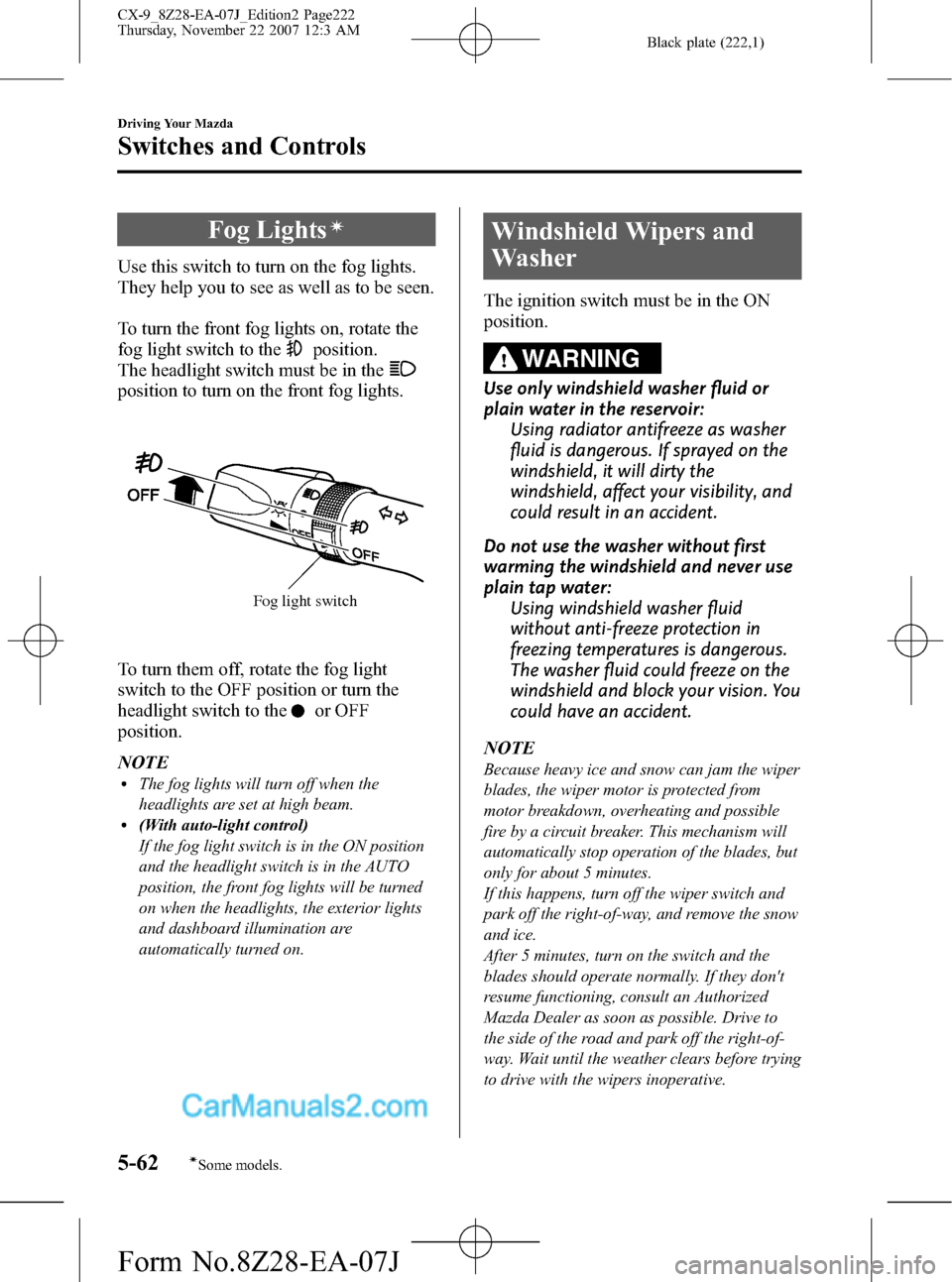
To turn the front fog lights on, rotate the
fog light switch to the
position.
The headlight switch must be in the
position to turn on the front fog lights.
Fog light switch
To turn them off, rotate the fog light
switch to the OFF position or turn the
headlight switch to the
or OFF
position.
NOTE
lThe fog lights will turn off when the
headlights are set at high beam.
l(With auto-light control)
If the fog light switch is in the ON position
and the headlight switch is in the AUTO
position, the front fog lights will be turned
on when the headlights, the exterior lights
and dashboard illumination are
automatically turned on.
Windshield Wipers and
Washer
The ignition switch must be in the ON
position.
WARNING
Use only windshield washer fluid or
plain water in the reservoir:
Using radiator antifreeze as washer
fluid is dangerous. If sprayed on the
windshield, it will dirty the
windshield, affect your visibility, and
could result in an accident.
Do not use the washer without first
warming the windshield and never use
plain tap water:
Using windshield washer fluid
without anti-freeze protection in
freezing temperatures is dangerous.
The washer fluid could freeze on the
windshield and block your vision. You
could have an accident.
NOTE
Because heavy ice and snow can jam the wiper
blades, the wiper motor is protected from
motor breakdown, overheating and possible
fire by a circuit breaker. This mechanism will
automatically stop operation of the blades, but
only for about 5 minutes.
If this happens, turn off the wiper switch and
park off the right-of-way, and remove the snow
and ice.
After 5 minutes, turn on the switch and the
blades should operate normally. If they don't
resume functioning, consult an Authorized
Mazda Dealer as soon as possible. Drive to
the side of the road and park off the right-of-
way. Wait until the weather clears before trying
to drive with the wipers inoperative.
5-62
Driving Your Mazda
íSome models.
Switches and Controls
CX-9_8Z28-EA-07J_Edition2 Page222
Thursday, November 22 2007 12:3 AM
Form No.8Z28-EA-07J
Page 235 of 506
Black plate (235,1)
qControl Switches
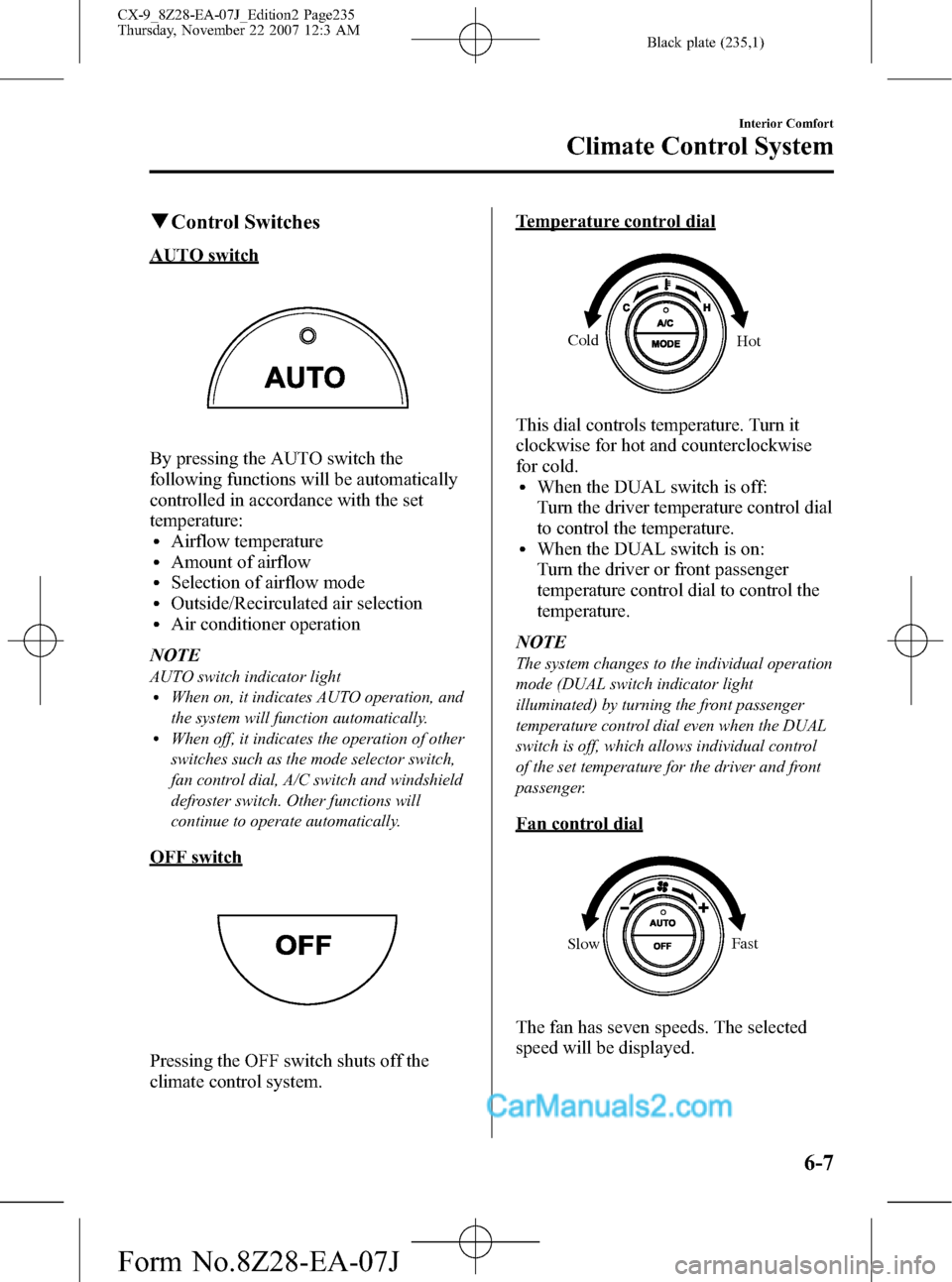
AUTO switch
By pressing the AUTO switch the
following functions will be automatically
controlled in accordance with the set
temperature:
lAirflow temperaturelAmount of airflowlSelection of airflow modelOutside/Recirculated air selectionlAir conditioner operation
NOTE
AUTO switch indicator lightlWhen on, it indicates AUTO operation, and
the system will function automatically.
lWhen off, it indicates the operation of other
switches such as the mode selector switch,
fan control dial, A/C switch and windshield
defroster switch. Other functions will
continue to operate automatically.
OFF switch
Pressing the OFF switch shuts off the
climate control system.
Temperature control dial
Cold
Hot
This dial controls temperature. Turn it
clockwise for hot and counterclockwise
for cold.
lWhen the DUAL switch is off:
Turn the driver temperature control dial
to control the temperature.
lWhen the DUAL switch is on:
Turn the driver or front passenger
temperature control dial to control the
temperature.
NOTE
The system changes to the individual operation
mode (DUAL switch indicator light
illuminated) by turning the front passenger
temperature control dial even when the DUAL
switch is off, which allows individual control
of the set temperature for the driver and front
passenger.
Fan control dial
SlowFast
The fan has seven speeds. The selected
speed will be displayed.
Interior Comfort
Climate Control System
6-7
CX-9_8Z28-EA-07J_Edition2 Page235
Thursday, November 22 2007 12:3 AM
Form No.8Z28-EA-07J
Page 243 of 506
Black plate (243,1)
qControl Switches
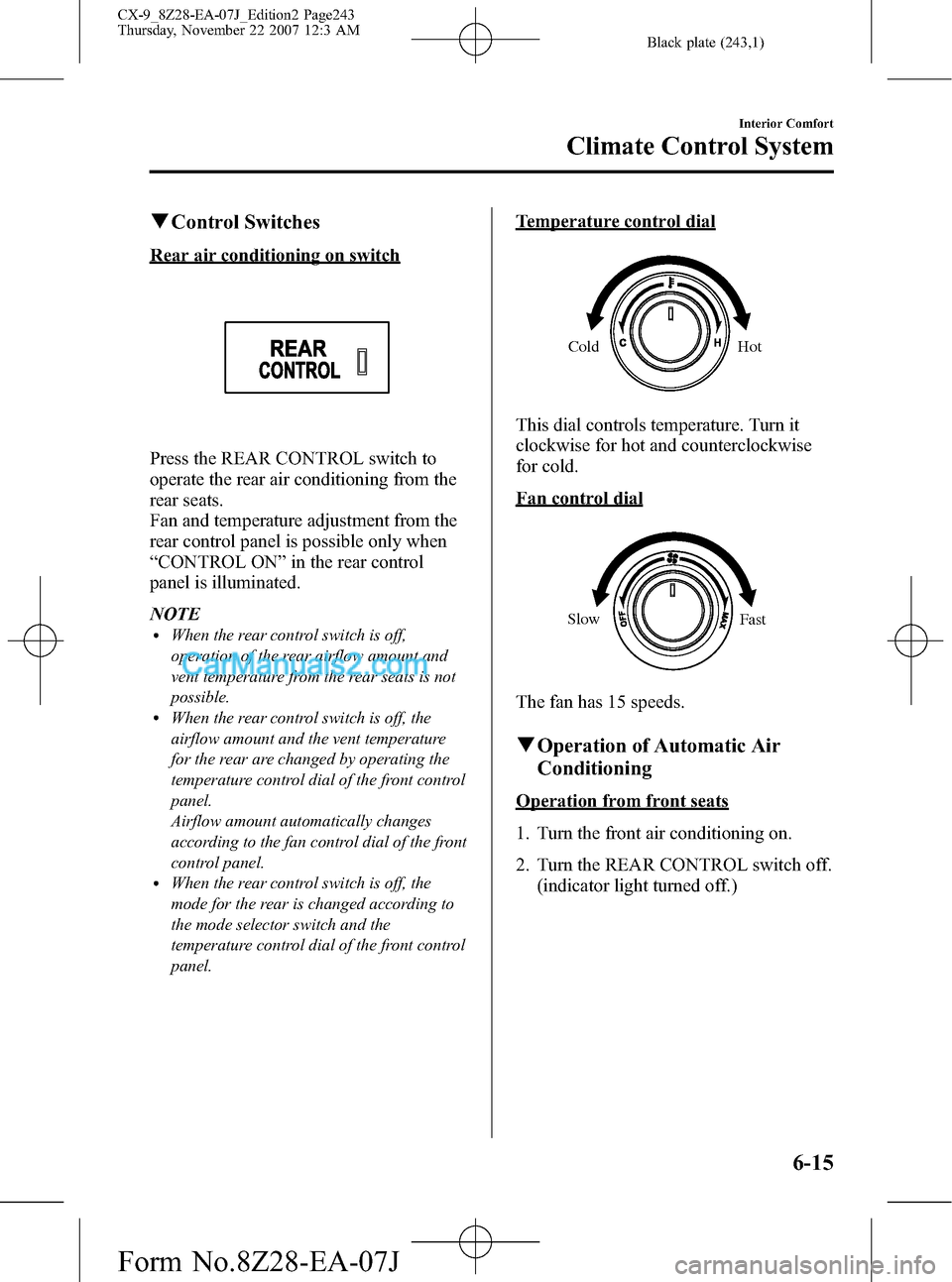
Rear air conditioning on switch
Press the REAR CONTROL switch to
operate the rear air conditioning from the
rear seats.
Fan and temperature adjustment from the
rear control panel is possible only when
“CONTROL ON”in the rear control
panel is illuminated.
NOTE
lWhen the rear control switch is off,
operation of the rear airflow amount and
vent temperature from the rear seats is not
possible.
lWhen the rear control switch is off, the
airflow amount and the vent temperature
for the rear are changed by operating the
temperature control dial of the front control
panel.
Airflow amount automatically changes
according to the fan control dial of the front
control panel.
lWhen the rear control switch is off, the
mode for the rear is changed according to
the mode selector switch and the
temperature control dial of the front control
panel.
Temperature control dial
Cold Hot
This dial controls temperature. Turn it
clockwise for hot and counterclockwise
for cold.
Fan control dial
Slow
Fast
The fan has 15 speeds.
qOperation of Automatic Air
Conditioning
Operation from front seats
1. Turn the front air conditioning on.
2. Turn the REAR CONTROL switch off.
(indicator light turned off.)
Interior Comfort
Climate Control System
6-15
CX-9_8Z28-EA-07J_Edition2 Page243
Thursday, November 22 2007 12:3 AM
Form No.8Z28-EA-07J
Page 260 of 506
Black plate (260,1)
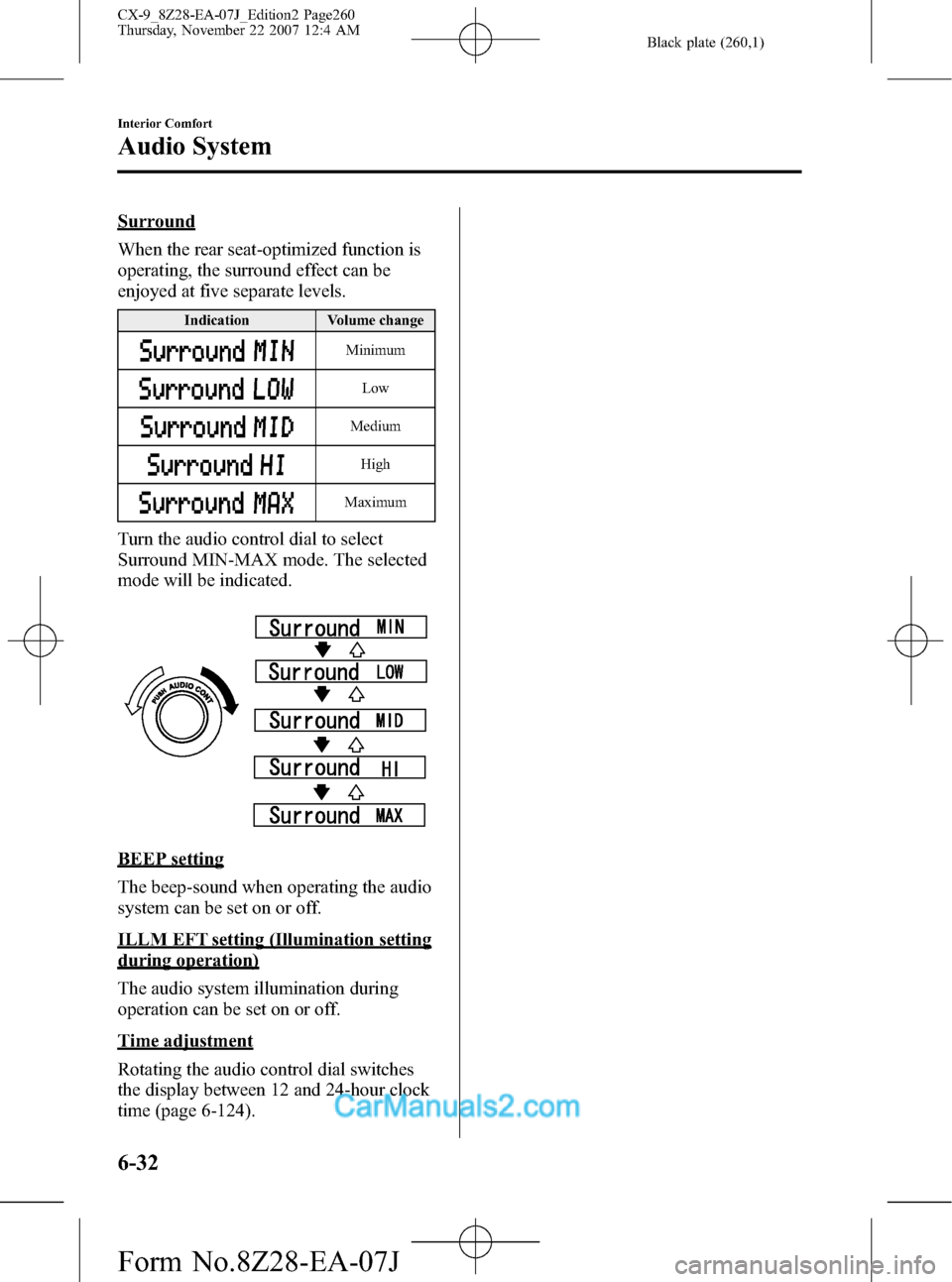
Surround
When the rear seat-optimized function is
operating, the surround effect can be
enjoyed at five separate levels.
Indication Volume change
Minimum
Low
Medium
High
Maximum
Turn the audio control dial to select
Surround MIN-MAX mode. The selected
mode will be indicated.
BEEP setting
The beep-sound when operating the audio
system can be set on or off.
ILLM EFT setting (Illumination setting
during operation)
The audio system illumination during
operation can be set on or off.
Time adjustment
Rotating the audio control dial switches
the display between 12 and 24-hour clock
time (page 6-124).
6-32
Interior Comfort
Audio System
CX-9_8Z28-EA-07J_Edition2 Page260
Thursday, November 22 2007 12:4 AM
Form No.8Z28-EA-07J
Page 274 of 506

Black plate (274,1)
Audio Control Switch
Operation (Steering Wheel)
When the audio unit is turned on,
operation of the audio unit from the
steering wheel is possible.
NOTE
Because the audio unit will be turned off under
the following conditions, the switches will be
inoperable.
lWhen the ignition switch is turned to the
LOCK position.
lWhen the power button on the audio unit is
pressed and the audio unit is turned off.
lWhen CD being played is ejected. (For the
In-dash CD changer, when all CDs are
ejected.)
Without navigation system
Mute switch
Volume switchSeek switch Mode switch
With navigation system
Use the VOICE switch for navigation
system sound operation.
For details, refer to the separate manual
“NAVIGATION SYSTEM”.
VOICE switch
Volume switchSeek switch Mode switch
NOTElThe VOICE switch is operable with the
audio unit turned off.
lMazda has installed this system to prevent
distraction while driving the vehicle and
using audio controls on the dashboard.
Always make safe driving your first priority.
qAdjusting the Volume
To increase the volume, pull up the
volume switch.
To decrease the volume, press down the
volume switch.
6-46
Interior Comfort
Audio System
CX-9_8Z28-EA-07J_Edition2 Page274
Thursday, November 22 2007 12:4 AM
Form No.8Z28-EA-07J
Page 275 of 506
Black plate (275,1)
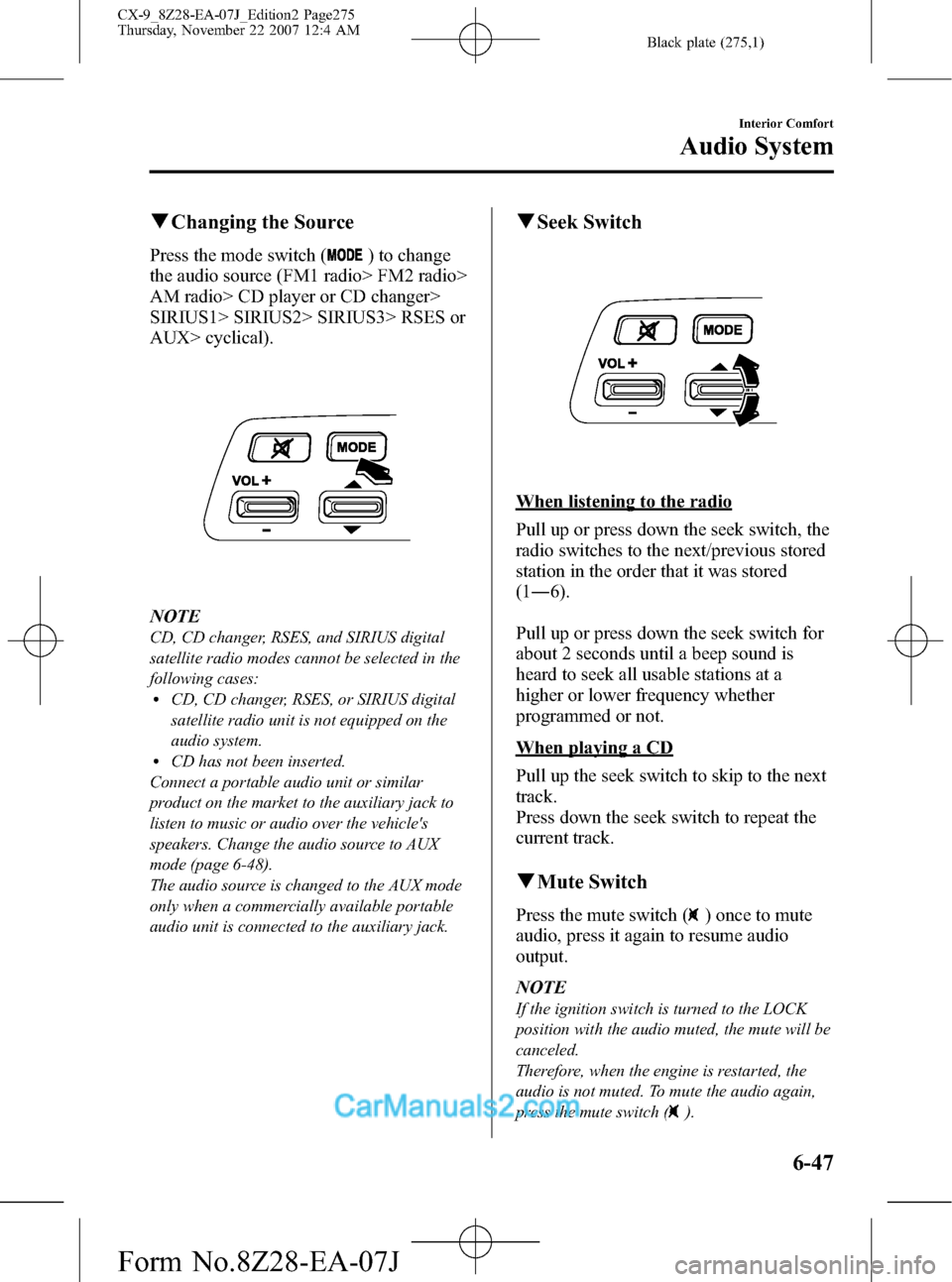
qChanging the Source
Press the mode switch () to change
the audio source (FM1 radio> FM2 radio>
AM radio> CD player or CD changer>
SIRIUS1> SIRIUS2> SIRIUS3> RSES or
AUX> cyclical).
NOTE
CD, CD changer, RSES, and SIRIUS digital
satellite radio modes cannot be selected in the
following cases:
lCD, CD changer, RSES, or SIRIUS digital
satellite radio unit is not equipped on the
audio system.
lCD has not been inserted.
Connect a portable audio unit or similar
product on the market to the auxiliary jack to
listen to music or audio over the vehicle's
speakers. Change the audio source to AUX
mode (page 6-48).
The audio source is changed to the AUX mode
only when a commercially available portable
audio unit is connected to the auxiliary jack.
qSeek Switch
When listening to the radio
Pull up or press down the seek switch, the
radio switches to the next/previous stored
station in the order that it was stored
(1―6).
Pull up or press down the seek switch for
about 2 seconds until a beep sound is
heard to seek all usable stations at a
higher or lower frequency whether
programmed or not.
When playing a CD
Pull up the seek switch to skip to the next
track.
Press down the seek switch to repeat the
current track.
qMute Switch
Press the mute switch () once to mute
audio, press it again to resume audio
output.
NOTE
If the ignition switch is turned to the LOCK
position with the audio muted, the mute will be
canceled.
Therefore, when the engine is restarted, the
audio is not muted. To mute the audio again,
press the mute switch (
).
Interior Comfort
Audio System
6-47
CX-9_8Z28-EA-07J_Edition2 Page275
Thursday, November 22 2007 12:4 AM
Form No.8Z28-EA-07J
Page 291 of 506

Black plate (291,1)
Before Operation
qDisplay Opening/Closing
CAUTION
ØClose the display while the Rear
Entertainment System is not in
use. If the display is left open, a
passenger could be injured by
hitting the display, or the display
could be damaged.
ØDo not press the monitor screen
while opening the display. It may
cause a malfunction.
Opening the display
Press the monitor screen release knob and
open the display until it is in the lock
position.
Monitor screen
release knob
Closing the display
Close and press the display until a
clicking sound can be heard.NOTE
lIf the display is closed while the power is
on, it automatically turns off.
lThe display locks in two positions when
opened to 100 or 120-degrees.
qDisc Insertion/Ejection
CAUTION
If the signal surface of a disc is
touched, it could cause the sound to
skip. Pick up a disc by grasping the
edge of the hole and the outer edge.
NOTE
When no disc is inserted,“No Disc”is
displayed on the monitor.
Interior Comfort
Rear Entertainment System
6-63
CX-9_8Z28-EA-07J_Edition2 Page291
Thursday, November 22 2007 12:4 AM
Form No.8Z28-EA-07J
Page 298 of 506

Black plate (298,1)
NOTElTo listen to audio other than from the speakers of the rear entertainment system, it is necessary to
use the wireless headphones that are included. For headphone specification, refer to
“Operation Tips for Headphones”(page 6-59).
lWhen the headphones are not in use, turn them off.lDTS formatted sound cannot be generated through the headphones. Use the vehicle's speakers.lIf there is no sound produced from a signal for 3 minutes or longer after the headphone power is
turned on, or there is no signal reception, the headphone power turns off automatically.
lIf the headphones are continuously used for 4 hours or more after the sound signal is received, the
headphone power turns off automatically.
The acceptable range for signals (infrared rays) from the Rear Entertainment System is as
follows:
Rear Entertainment System
Wireless headphone signal
(infrared rays) transmitter
The signals (infrared rays) can be received in
any location on the rear seats. However, the
rear of the transmitter is out of the acceptable
range.
A wireless headphone can be used in any position on the rear seats, however, the sound
may skip under the following conditions because the acceptable range varies or the signals
are blocked.
lWhen affected by intense light such as direct sunshine.
6-70
Interior Comfort
Rear Entertainment System
CX-9_8Z28-EA-07J_Edition2 Page298
Thursday, November 22 2007 12:5 AM
Form No.8Z28-EA-07J
Page 299 of 506

Black plate (299,1)
lWhen the wireless headphone receiver does not point to the Rear Entertainment System
transmitter.
lWhen the signal is blocked by an obstruction such as the seat.
Replacing the battery
1. Remove the screw using a coin or equivalent, and remove the cover. Remove the
batteries.
Cover
Screw
2. Insert two AAA-size batteries. Match thepolarity of the batteries with
the
andmarks in the battery case.
3. Install the cover.
4. Install the screw.
NOTE
Battery life (reference)
Manganese batteries: About 20 hours
Alkaline batteries: About 40 hours
The battery life is indicated as a reference and does not provide any guarantees. The battery life
varies depending on usage conditions (volume, surrounding environment).
Interior Comfort
Rear Entertainment System
6-71
CX-9_8Z28-EA-07J_Edition2 Page299
Thursday, November 22 2007 12:5 AM
Form No.8Z28-EA-07J