electrical MAZDA MODEL CX-9 2014 (in English) Owner's Manual
[x] Cancel search | Manufacturer: MAZDA, Model Year: 2014, Model line: MODEL CX-9, Model: MAZDA MODEL CX-9 2014Pages: 600
Page 179 of 600
Black plate (179,1)
WARNING
Do not stop the engine while the
vehicle is moving:Stopping the engine while the vehicle
is moving for any reason other than
in an emergency is dangerous.
Stopping the engine while the vehicle
is moving will result in reduced
braking ability due to the loss of
power braking, which could cause an
accident and serious injury.
Before leaving the driver's seat, always
switch the ignition to OFF, set the
parking brake and make sure the shift
lever is in P: It is important to switch the ignition
to OFF even if you are not removing
the key from the ignition or leaving
the vehicle. Leaving the key in other
positions will disable some of the
vehicle security systems and run the
battery down.
Leaving the driver's seat without
switching the ignition to OFF, setting
the parking brake and shifting the
shift lever to P is dangerous.
Unexpected vehicle movement could
occur. This could cause an accident.
ACC (Accessory)
In this position, some electrical
accessories will operate.
ON
This is the normal running position after
the engine is started. Some indicator
lights/warning lights should be inspected
before the engine is started (page 5-56). NOTE
When the ignition is switched ON, the sound of
the fuel pump motor operating near the fuel
tank can be heard. This does not indicate an
abnormality.
NOTE
Vibration of the brake pedal may be felt when
the ignition is switched ON, however, this is a
normal operation of the DSC/RSC and does
not indicate an abnormality.
START
The engine is started in this position. It
will crank until you release the key. It
then returns to the ON position.
q
Ignition Key Reminder
If the ignition is switched off or the
ignition is switched to ACC with the key
inserted, a continuous beep sound will be
heard when the driver's door is opened.
Driving Your Mazda
Starting and Driving
5-3
CX-9_8DA3-EA-13G_Edition2 Page179
Monday, September 9 2013 4:7 PM
Form No.8DA3-EA-13G
Page 180 of 600

Black plate (180,1)
Starting the Engine
NOTE
Engine-starting is controlled by the spark
ignition system.
This system meets all Canadian Interference-
Causing Equipment Standard requirements
regulating the impulse electrical field strength
of radio noise.
1. Occupants should fasten their seatbelts.
2. Make sure the parking brake is on.
3. Depress the brake pedal.
4. Put the vehicle in park (P). If you must restart the engine while the vehicle is
moving, shift into neutral (N).
NOTE
The starter will not operate if the shift lever is
not in P or N.
5. Switch the ignition to START and hold
(up to 10 seconds at a time) until the
engine starts.
CAUTION
Do not try the starter for more than
10 seconds at a time. If the engine
stalls or fails to start, wait 10 seconds
before trying again. Otherwise, you
may damage the starter and drain
the battery.
6. After starting the engine, let it idle for about 10 seconds. NOTE
lIn extremely cold weather or after the
vehicle has not been driven in several days,
let the engine warm up without operating
the accelerator.
lWhether the engine is cold or warm, it
should be started without use of the
accelerator.
5-4
Driving Your Mazda
Starting and Driving
CX-9_8DA3-EA-13G_Edition2 Page180
Monday, September 9 2013 4:7 PM
Form No.8DA3-EA-13G
Page 235 of 600

Black plate (235,1)
If this light illuminates while driving, the
vehicle may have a problem. It is
important to note the driving conditions
when the light illuminated and consult an
Authorized Mazda Dealer.
The malfunction warning light may
illuminate in the following cases:
lThe engine's electrical system has a
problem.
lThe emission control system has a
problem.
lThe brake switch has a problem.
If the malfunction warning light remains
on, do not drive at high speeds and
consult an Authorized Mazda Dealer as
soon as possible.
q ABS Warning Light
The warning light stays on for a few
seconds when the ignition is switched
ON.
If the ABS warning light stays on while
you're driving, the ABS control unit has
detected a system malfunction. If this
occurs, your brakes will function normally
as if the vehicle had no ABS.
Should this happen, consult an Authorized
Mazda Dealer as soon as possible. NOTE
lWhen the engine is jump-started to charge
the battery, uneven rpm occurs and the ABS
warning light may illuminate. If this occurs,
it is the result of the weak battery and does
not indicate an ABS malfunction.
Recharge the battery.
lThe brake assist system does not operate
while the ABS warning light is illuminated.
q
Electronic Brake Force
Distribution System Warning
If the electronic brake force distribution
control unit determines that some
components are operating incorrectly, the
control unit may illuminate the brake
system warning light and the ABS
warning light on simultaneously. The
problem is likely to be the electronic
brake force distribution system.
WARNING
Do not drive with both the ABS warning
light and brake warning light
illuminated. Have the vehicle towed to
an Authorized Mazda Dealer to have
the brakes inspected as soon as
possible:
Driving when the brake system
warning light and ABS warning light
are illuminated simultaneously is
dangerous.
When both lights are illuminated, the
rear wheels could lock more quickly
in an emergency stop than under
normal circumstances.
Driving Your Mazda
Warning/Indicator Lights and Beep Sounds
5-59
CX-9_8DA3-EA-13G_Edition2 Page235
Monday, September 9 2013 4:8 PM
Form No.8DA3-EA-13G
Page 237 of 600
Black plate (237,1)
If this light illuminates while driving, the
vehicle may have a problem. It is
important to note the driving conditions
when the light illuminated and consult an
Authorized Mazda Dealer.
The check engine light may illuminate in
the following cases:
lThe fuel tank level being very low or
approaching empty.
lThe engine's electrical system has a
problem.
lThe emission control system has a
problem.
lThe fuel-filler cap is missing or not
tightened securely.
If the check engine light remains on or
flashes continuously, do not drive at high
speeds and consult an Authorized Mazda
Dealer as soon as possible.
qAir Bag/Front Seat Belt
Pretensioner System Warning Light
If the air bag/front seat belt pretensioner
system is working properly, the warning
light illuminates when the ignition is
switched ON or after the engine is
cranked. The warning light turns off after
a specified period of time. A system malfunction is indicated if the
warning light constantly flashes,
constantly illuminates or does not
illuminate at all when the ignition is
switched ON. If any of these occur,
consult an Authorized Mazda Dealer as
soon as possible. The system may not
operate in an accident.
WARNING
Never tamper with the air bag/
pretensioner systems and always have
an Authorized Mazda Dealer perform
all servicing and repairs:
Self-servicing or tampering with the
systems is dangerous. An air bag/
pretensioner could accidentally
activate or become disabled causing
serious injury or death.
qLow Fuel Warning Light
Low fuel
warning light
This warning light in the fuel gauge
signals that the fuel tank will soon be
empty.
Refuel as soon as possible.
Driving Your Mazda
Warning/Indicator Lights and Beep Sounds
5-61
CX-9_8DA3-EA-13G_Edition2 Page237
Monday, September 9 2013 4:8 PM
Form No.8DA3-EA-13G
Page 238 of 600

Black plate (238,1)
qCheck Fuel Cap Warning Light
This warning light illuminates for a few
seconds when the ignition is switched
ON.
If the check fuel cap warning light
illuminates while driving, the fuel-filler
cap may not be installed properly. Stop
the engine and reinstall the fuel-filler cap.
Refer to Fuel-Filler Cap on page 3-48.
qSeat Belt Warning Light
The seat belt warning light illuminates if
the driver's seat belt is not fastened when
the ignition switched ON.
qDoor-Ajar Warning Light
This warning light illuminates when any
door or liftgate is not securely closed.
Close the door or liftgate securely before
driving the vehicle.
qLow Washer Fluid Level
Warning Light
This warning light indicates that little
washer fluid remains. Add fluid (page
8-26).
qAutomatic Transaxle Warning Light
This warning light stays on for a few
seconds when the ignition is switched
ON.
The light illuminates when the transaxle
has a problem.
CAUTION
If the automatic transaxle warning
light illuminates, the transaxle has
an electrical problem. Continuing to
drive your Mazda in this condition
could cause damage to your
transaxle. Consult an Authorized
Mazda Dealer as soon as possible.
5-62
Driving Your Mazda
Warning/Indicator Lights and Beep Sounds
CX-9_8DA3-EA-13G_Edition2 Page238
Monday, September 9 2013 4:8 PM
Form No.8DA3-EA-13G
Page 337 of 600
Black plate (337,1)
qProper Operation of Rear Entertainment System
For safe driving, read the following warnings and cautions before starting operation, and
use the system properly.
WARNING
Ø Do not disassemble or modify this unit.
It may cause an accident, fire, or electrical shock.
Ø Do not use if there is a malfunction condition such as no screen image or sound.
It may cause an accident, fire, or electrical shock. Follow the procedures in
“Symptoms and Actions ”(page 6-114) and if the problem is not resolved, consult
an Authorized Mazda Dealer.
Ø Do not use if some problem has occurred.
If any problem occurs, such as a foreign material penetration, spilled liquid,
smoking from internal burning, or other abnormal smells, stop operation
immediately and consult an Authorized Mazda Dealer. If operation is continued, it
may cause an accident, fire, or electrical shock.
Ø Lower the volume to minimum before turning off the power.
If the volume is set high, loud sound will be produced when turning on the power,
causing auditory problems or an accident.
Ø Adjust the volume while driving so that ambient sound can be heard.
If the volume is too high and ambient sound cannot be heard while driving,
driving operation could be obstructed causing an accident.
Ø Do not leave the remote controller and the headphones unstowed.
If the remote controller and the headphone are not stowed, they could fall under
the brake pedal during a sudden stop or while turning, which could obstruct
driving operation and cause an accident.
CAUTION
ØDo not put foreign material into the disc slot.
It may cause a fire or malfunction.
Ø Do not clean plastic finished parts with solvent such as benzene or thinner.
The parts may deform causing a fire or malfunction.
Interior Comfort
Rear Entertainment System
6-65
CX-9_8DA3-EA-13G_Edition2 Page337
Monday, September 9 2013 4:8 PM
Form No.8DA3-EA-13G
Page 353 of 600
Black plate (353,1)
qRemote Controller
Operate the Rear Entertainment System
with the remote controller except for disc
insertion/ejection.
CAUTION
Do not apply excessive force to the
remote controller or get it wet. Also,
do not leave the remote controller in
a place exposed to direct sunlight or
high temperature. It could cause a
malfunction.
NOTE
Operate the remote controller with it pointed
to the disc slot of the unit. Signals may not be
received depending of the angle.
Maintenance
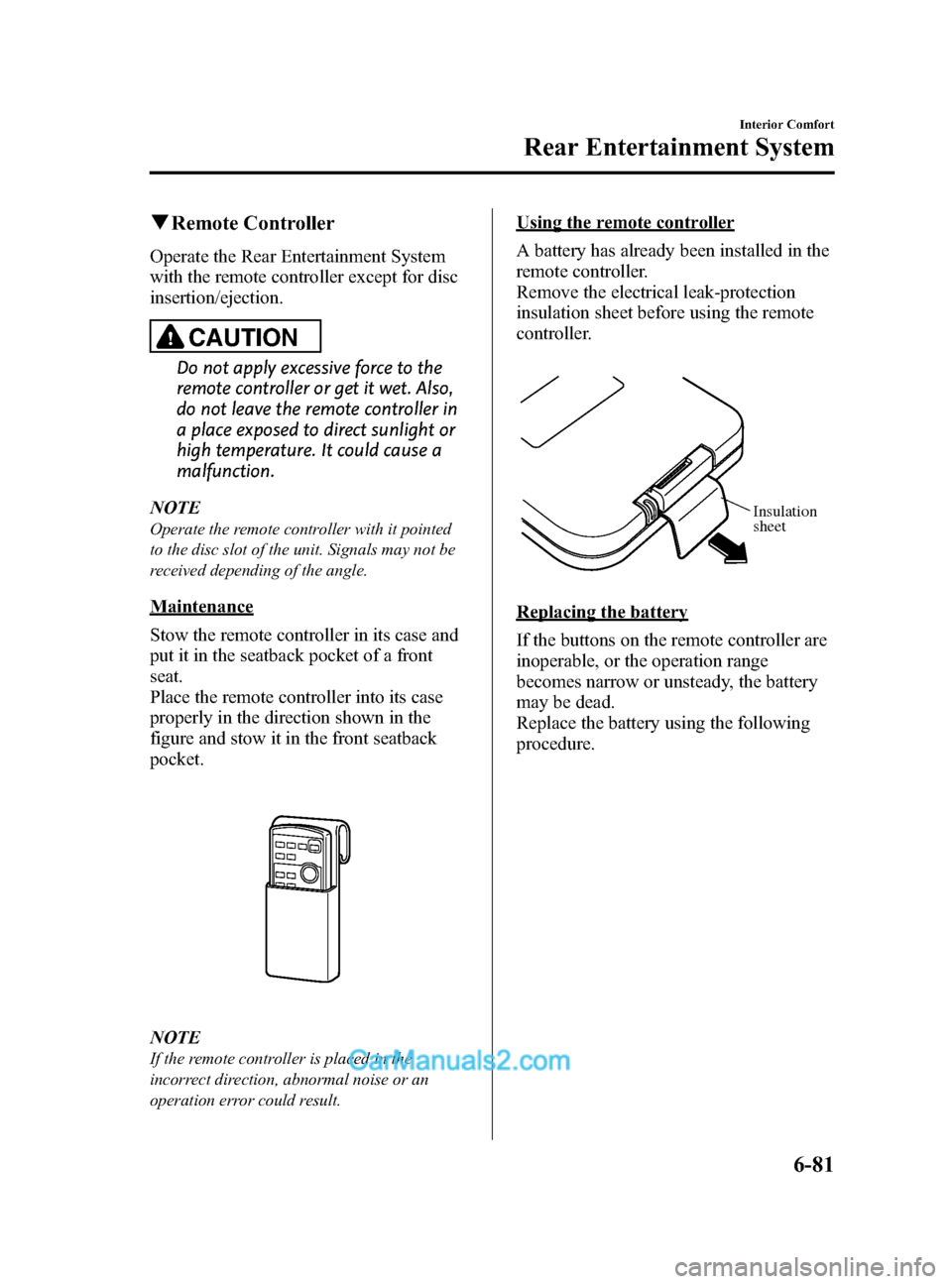
Stow the remote controller in its case and
put it in the seatback pocket of a front
seat.
Place the remote controller into its case
properly in the direction shown in the
figure and stow it in the front seatback
pocket.
NOTE
If the remote controller is placed in the
incorrect direction, abnormal noise or an
operation error could result.
Using the remote controller
A battery has already been installed in the
remote controller.
Remove the electrical leak-protection
insulation sheet before using the remote
controller.
Insulation
sheet
Replacing the battery
If the buttons on the remote controller are
inoperable, or the operation range
becomes narrow or unsteady, the battery
may be dead.
Replace the battery using the following
procedure.
Interior Comfort
Rear Entertainment System
6-81
CX-9_8DA3-EA-13G_Edition2 Page353
Monday, September 9 2013 4:9 PM
Form No.8DA3-EA-13G
Page 354 of 600

Black plate (354,1)
Battery: CR2025 LITHIUM or
equivalent (1)
1. Press the battery case tab in thedirection indicated by the arrow using
your thumbnail, and pull out the
battery case.
Ta b Battery
case
2. Remove the old battery and install a
new one with the plus pole pointed up.
Battery (CR2025 LITHIUM or equivalent)
3. Press the battery case tab in the
direction of the arrow until a click
sound is heard.
NOTE
If the remote controller is inoperable even
after the batteries are replaced, consult an
Authorized Mazda Dealer.
CAUTION
Ø Install the battery with the correct
pole pointing in the correct
direction. Battery leakage could
occur if they are not installed
correctly.
Ø When replacing the batteries, be
careful not to bend the electrical
terminals or get oil on them. Also,
be careful not to get dirt in the
remote controller as it could be
damaged.
6-82
Interior Comfort
Rear Entertainment System
CX-9_8DA3-EA-13G_Edition2 Page354
Monday, September 9 2013 4:9 PM
Form No.8DA3-EA-13G
Page 358 of 600

Black plate (358,1)
CAUTION
ØIf the battery power is depleted the headphones will not operate properly. If any of
the following occurs, replace the batteries.
ØThe power indicator does not illuminate even when the power is turned on.
ØNoise is mixed with the sound.
ØThe reception range narrows.
Ø Periodically inspect the batteries for leakage.
Ø If the headphones are not to be used for an extended period, remove the batteries.
Ø Be careful not to allow the battery case screw to become loose.
Ø Install the batteries with the (
)/() poles correctly positioned. Battery leakage
could occur if they are not installed correctly.
Ø When replacing the batteries, be careful not to bend the electrical terminals or get
oil on them.
Ø Be careful not to allow dirt to get into the headphones as it could damage them.
The following points regarding the battery must be observed.
If the batteries are not handled properly, it could result in a headphone malfunction.
Ø Do not use rechargeable batteries.
Ø When replacing the batteries, replace both batteries at the same time. Do not use
a new battery and an old battery, or the different types of battery.
6-86
Interior Comfort
Rear Entertainment System
CX-9_8DA3-EA-13G_Edition2 Page358
Monday, September 9 2013 4:9 PM
Form No.8DA3-EA-13G
Page 375 of 600

Black plate (375,1)
Auxiliary terminals
The auxiliary terminals consist of one
image input terminal and two sound input
terminals (for left and right).
Image input terminal: Yellow
Sound input (Right) terminal: Red
Sound input (Left) terminal: White
To use, open the cover.
CAUTION
Close the cover when the terminals
are not in use. If foreign material
penetrates, or liquid is spilled on it, it
may cause a malfunction.
NOTE
lFor monaural equipment (with one sound
output terminal), connect the terminal to
the sound input terminal (White). The
sound is output from the speaker to which
the terminal has been connected.
lNoise may occur depending on the
connected equipment.
Power Outlet
The power outlet can be used as a power
supply for electrical devices when the
ignition is switched to ACC or ON.
Only use AC 115 V electrical appliances
requiring no greater than 100 W
Open the cover to use the power outlet.
WARNING
Ø Never use medical instruments
with the power outlet.
Ø Follow the cautions below to
prevent electrical shock.
ØDo not plug accessories into the
power outlet or unplug them
with wet hands.
ØDo not put anything other than
plugs into the outlet.
ØDo not disassemble the outlet.
CAUTION
ØAlways close the cover when not in
use. If foreign objects or liquid
penetrate the outlet, it may cause
a malfunction.
Ø Do not use electrical appliances
that exceed the prescribed power
capacity. It may cause a
malfunction.
NOTE
To prevent discharging of the battery, do not
use the auxiliary input for long periods with
the engine off or idling.
Plug-in
1. Open the cover.
2. Lightly insert the plug and turn the outlet 90 degrees, then insert it fully.
POWER OUTLET
Unplug
1. Pull the plug out.
2. Close the cover.
Interior Comfort
Rear Entertainment System
6-103
CX-9_8DA3-EA-13G_Edition2 Page375
Monday, September 9 2013 4:9 PM
Form No.8DA3-EA-13G