ECO MAZDA MODEL MX-5 MIATA PRHT 2015 Manual PDF
[x] Cancel search | Manufacturer: MAZDA, Model Year: 2015, Model line: MODEL MX-5 MIATA PRHT, Model: MAZDA MODEL MX-5 MIATA PRHT 2015Pages: 448, PDF Size: 4.7 MB
Page 191 of 448
Black plate (191,1)
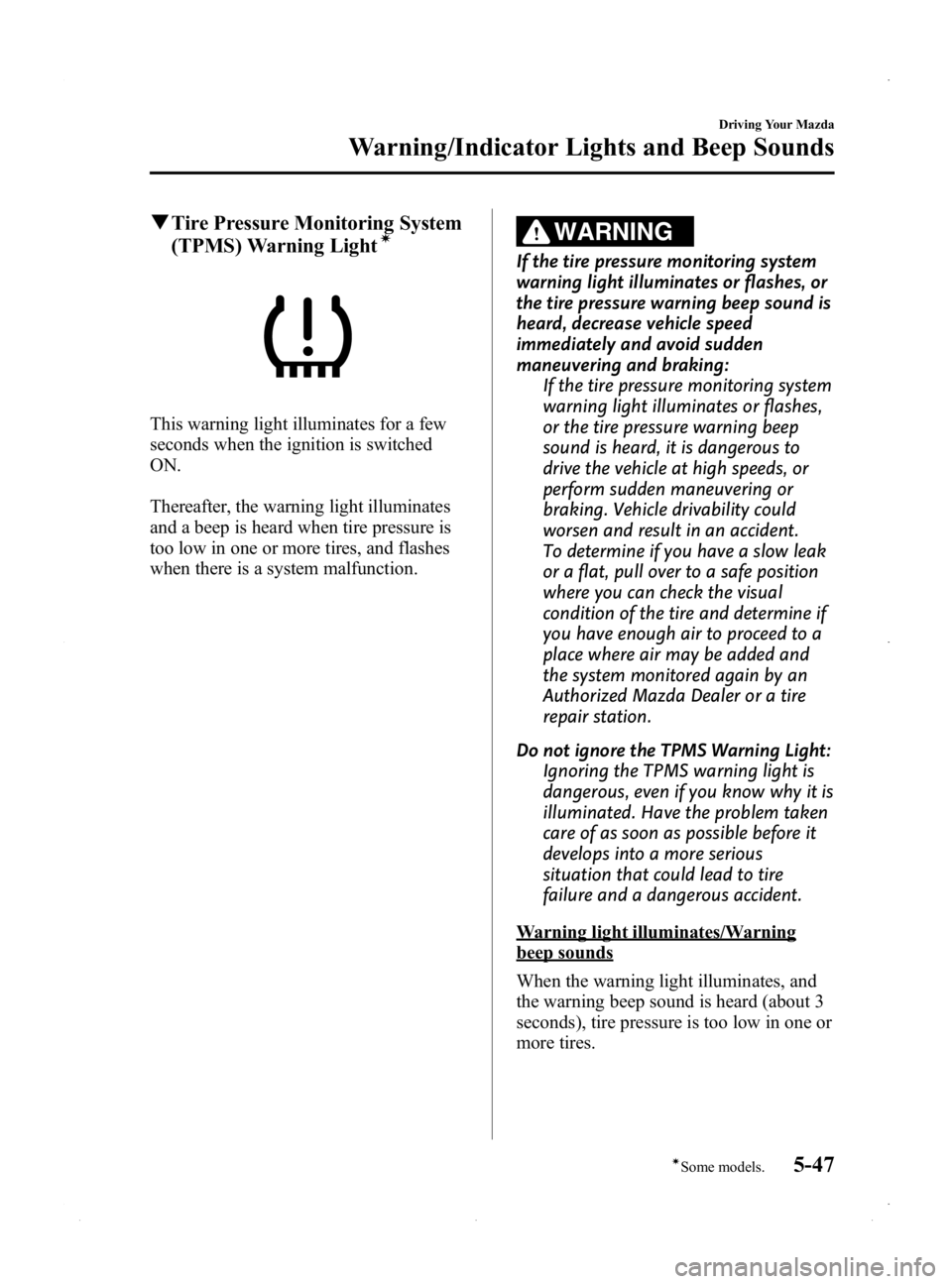
qTire Pressure Monitoring System
(TPMS) Warning Lightí
This warning light illuminates for a few
seconds when the ignition is switched
ON.
Thereafter, the warning light illuminates
and a beep is heard when tire pressure is
too low in one or more tires, and flashes
when there is a system malfunction.
WARNING
If the tire pressure monitoring system
warning light illuminates or flashes, or
the tire pressure warning beep sound is
heard, decrease vehicle speed
immediately and avoid sudden
maneuvering and braking:
If the tire pressure monitoring system
warning light illuminates or flashes,
or the tire pressure warning beep
sound is heard, it is dangerous to
drive the vehicle at high speeds, or
perform sudden maneuvering or
braking. Vehicle drivability could
worsen and result in an accident.
To determine if you have a slow leak
or a flat, pull over to a safe position
where you can check the visual
condition of the tire and determine if
you have enough air to proceed to a
place where air may be added and
the system monitored again by an
Authorized Mazda Dealer or a tire
repair station.
Do not ignore the TPMS Warning Light: Ignoring the TPMS warning light is
dangerous, even if you know why it is
illuminated. Have the problem taken
care of as soon as possible before it
develops into a more serious
situation that could lead to tire
failure and a dangerous accident.
Warning light illuminates/Warning
beep sounds
When the warning light illuminates, and
the warning beep sound is heard (about 3
seconds), tire pressure is too low in one or
more tires.
Driving Your Mazda
Warning/Indicator Lights and Beep Sounds
5-47íSome models.
MX-5_8EN7-EA-14E_Edition3 Page191
Friday, September 5 2014 3:19 PM
Form No.8EN7-EA-14E
Page 194 of 448
Black plate (194,1)
lUnder the following conditions, the
KEY warning light (red) will flash
continuously when the start knob has
not been returned to the OFF/LOCK
position to notify the driver that the
advanced key has been removed from
the vehicle. It will stop flashing when
the advanced key is back inside the
vehicle.
lThe start knob has not been returned
to the OFF/LOCK position, the
driver's door is open, and the
advanced key is removed from the
vehicle.
lThe start knob has not been returned
to the OFF/LOCK position and all
the doors are closed after removing
the advanced key from the vehicle.
NOTE
The flashing KEY warning light (red) and the
beep sound operate simultaneously (page
3-22).
KEY Indicator Light (Green)
When illuminated
When the start knob is pushed in from the
OFF/LOCK position, the system confirms
that the correct advanced key is inside the
vehicle, the KEY indicator light (green)
illuminates, and the start knob can be
turned to the ACC position (page 3-11).
When flashing
When the advanced key battery power is
low, the KEY indicator light flashes for 30
seconds after the start knob is turned from
the ON position to the ACC or OFF/
LOCK position. Replace with a new
battery before the advanced key becomes
unusable (page 3-7). NOTE
The advanced key can be set so that the KEY
indicator light (green) does not flash even if
the battery power is low.
Refer to Setting Change (Function
Customization) on page 3-21.
q
Security Indicator Light
This indicator light starts flashing every
two seconds when the ignition is switched
from ON to ACC and the immobilizer
system is armed.
The light stops flashing when the ignition
is switched ON with the correct ignition
key.
At this time, the immobilizer system is
disarmed and the light illuminates for
about three seconds and then turns off.
If the engine does not start with the
correct ignition key, and the security
indicator light keeps illuminating or
flashing, the system may have a
malfunction. Consult an Authorized
Mazda Dealer.
5-50
Driving Your Mazda
Warning/Indicator Lights and Beep Sounds
MX-5_8EN7-EA-14E_Edition3 Page194
Friday, September 5 2014 3:19 PM
Form No.8EN7-EA-14E
Page 195 of 448

Black plate (195,1)
qHeadlight High-Beam Indicator
Light
This light indicates one of two things:lThe high-beam headlights are on.lThe turn signal lever is in the flash-to-
pass position.
qShift Position Indicator Light
(Automatic Transmission)
This indicates the selected shift position
when the ignition is switched ON.
Gear position indicator
Gear position indicator
The gear position indicator displays the
gear in use while in either manual shift or
direct mode.
qTCS/DSC Indicator Lightí
This indicator light stays on for a few
seconds when the ignition is switched
ON. If the TCS or DSC is operating, the
indicator light flashes.
If the light stays on, the TCS or DSC may
have a malfunction and they may not
operate correctly. Take your vehicle to an
Authorized Mazda Dealer.
NOTE
lIn addition to the indicator light flashing, a
slight lugging sound will come from the
engine. This indicates that the TCS is
operating properly.
lOn slippery surfaces, such as fresh snow, it
will be impossible to achieve high rpm
when the TCS is on.
Driving Your Mazda
Warning/Indicator Lights and Beep Sounds
5-51íSome models.
MX-5_8EN7-EA-14E_Edition3 Page195
Friday, September 5 2014 3:19 PM
Form No.8EN7-EA-14E
Page 196 of 448

Black plate (196,1)
qDSC OFF Indicator Lightí
This indicator light stays on for a few
seconds when the ignition is switched
ON.
It also illuminates when the DSC OFF
switch is pressed and TCS/DSC is
switched off (page 5-28).
If the light stays on when the TCS/DSC is
not switched off, take your vehicle to an
Authorized Mazda Dealer. The dynamic
stability control may have a malfunction.
NOTE
If the battery is disconnected or a fuse is
replaced, the DSC will be inoperable. In this
case, the DSC OFF indicator light flashes and
the TCS/DSC indicator light illuminates.
To make the DSC operable, do the following
procedure with the battery connected.
1. Switch the ignition ON.
2. Turn the steering clockwise fully, then turn
it counterclockwise fully.
3. Make sure the DSC OFF indicator turn off.
4. Switch the ignition off, then switch the ignition to ON again.
5. Make sure the TCS/DSC indicator light turns off.
If the TCS/DSC indicator light and the DSC
OFF indicator light remain illuminated even
after switching the ignition from ON to OFF,
and back to ON, attempt the procedure again.
If this still does not resolve the issue, consult
an Authorized Mazda Dealer.
q Cruise Main Indicator Light
(Amber)/Cruise Set Indicator
Light (Green)
í
The indicator light has two colors.
Cruise Main Indicator Light (Amber)
The indicator light illuminates amber
when the ON/OFF switch is pressed and
the cruise control system is activated.
Cruise Set Indicator Light (Green)
The indicator light illuminates green when
a cruising speed has been set.
qTurn-Signal/Hazard Warning
Indicator Lights
When operating the turn signal lights, the
left or right turn signal indicator light
flashes to indicate which turn signal light
is operating (page 5-56).
When operating the hazard warning
lights, both turn signal indicator lights
flash (page 5-59).
NOTE
If an indicator light remains illuminated (does
not flash) or if it flashes abnormally, one of the
turn signal bulbs may be burned out.
5-52
Driving Your Mazda
íSome models.
Warning/Indicator Lights and Beep Sounds
MX-5_8EN7-EA-14E_Edition3 Page196
Friday, September 5 2014 3:19 PM
Form No.8EN7-EA-14E
Page 197 of 448

Black plate (197,1)
Beep Sounds
qSeat Belt Warning Beep
If the driver's seat belt is not fastened
when the ignition is switched ON, a beep
sound will be heard for about 6 seconds.
If the driver's seat belt is not fastened and
the vehicle is driven at a speed faster than
about 20 km/h (12 mph), a beep sound
will be heard again for a specified period
of time.
Refer to Seat Belt Reminder on page
2-17.
qIgnition Key Reminder
If the ignition is switched off or the
ignition is switched to ACC with the key
inserted, a continuous beep sound will be
heard when the driver's door is opened.
qLights-On Reminder
If lights are on and the key is removed
from the ignition switch, a continuous
beep sound will be heard when the
driver's door is opened.
NOTE
When the advanced keyless function is used
and the start knob is in the ACC position, the
Start Knob Not in Lock Warning Beep (page
3-19) overrides the lights-on reminder.
qTire Inflation Pressure Warning
Beepí
The warning beep sound will be heard for
about 3 seconds when there is any
abnormality in tire inflation pressures
(page 5-30).
qAdvanced Keyless Warning (with
Advanced Key)
Warning indicators for the advanced key,
such as “the advanced key removed from
vehicle warning ”, use a beep sound and
warning/indicator lights in the instrument
cluster.
Refer to Warning and Beep Sounds on
page 3-19.
Driving Your Mazda
Warning/Indicator Lights and Beep Sounds
5-53íSome models.
MX-5_8EN7-EA-14E_Edition3 Page197
Friday, September 5 2014 3:19 PM
Form No.8EN7-EA-14E
Page 205 of 448

Black plate (205,1)
WARNING
Do not use the HomeLink system with
any garage door opener that lacks the
safety stop and reverse feature:Using the HomeLink system with any
garage door opener that lacks the
safety stop and reverse feature as
required by federal safety standards
is dangerous. (This includes garage
doors manufactured before April 1,
1982.)
Using these garage door openers can
increase the risk of serious injury or
death. For further information,
contact HomeLink at 1-800-355-3515
or www.homelink.com or your
Authorized Mazda Dealer.
Always check the areas surrounding
garage doors and gates for people or
obstructions before programming or
during operation of the HomeLink
system: Programming or operating the
HomeLink system without verifying
the safety of areas surrounding
garage doors and gates is dangerous
and could result in an unexpected
accident and serious injury if
someone were to be hit.
CAUTION
HomeLink has been tested and
complies with FCC and Industry
Canada rules. Changes or
modifications not expressly approved
by the party responsible for
compliance could void the user's
authority to operate the device. NOTE
FCC ID: NZLMOBHL4
CANADA: 4112A-MOBHL4
This device complies with part 15 of the FCC
Rules. Operation is subject to the following
two conditions:
1- This device may not cause harmful
interference, and
2- This device must accept any interference
received, including interference that may cause
undesired operation.
NOTE
The programming will not be erased even if
the battery is disconnected.
Pre-programming the HomeLink
System
NOTE
It is recommended that a new battery be
placed in the hand-held transmitter of the
device being programmed to HomeLink for
quicker training and accurate transmission of
the radio-frequency signal.
lVerify that there is a remote control
transmitter available for the device you
would like to program.
lDisconnect the power to the device.
Programming the HomeLink System
CAUTION
When programming a garage door
opener or a gate, disconnect the
power to these devices before
performing programming, as
continuous operation of the devices
could damage the motor.
Driving Your Mazda
Switches and Controls
5-61
MX-5_8EN7-EA-14E_Edition3 Page205
Friday, September 5 2014 3:19 PM
Form No.8EN7-EA-14E
Page 206 of 448
Black plate (206,1)
The HomeLink system provides 3 buttons
which can be individually selected and
programmed using the transmitters for
current, on-market devices as follows:
1. Position the end of your hand-heldtransmitter 2.5 ―7.5 cm (1 ―3 inches)
away from the HomeLink button you
wish to program while keeping the
indicator light in view.
2. Simultaneously press and hold both the chosen HomeLink and hand-held
transmitter buttons. Do not release the
buttons until step 3 has been
completed.
NOTE
Some gate operators and garage door openers
may require you to replace this Programming
Step 2 with procedures noted in the “Gate
Operator/Canadian Programming ”section.
3. After the HomeLink indicator light
changes from a slow to a rapidly
blinking light, release both the
HomeLink and hand-held transmitter
buttons.
NOTE
If the HomeLink indicator light does not
change to a rapidly blinking light, contact
HomeLink at www.homelink.com or call1-
800-355-3515 for assistance.
4. Firmly press and hold the programmed
HomeLink button for five seconds, and
then release it. Perform this operation
two times to activate the door. If the
door does not activate, press and hold
the just-trained HomeLink button and
observe the indicator light.
If the indicator light stays on constantly,
programming is complete and your
device should activate when the
HomeLink button is pressed and released. NOTE
To program the remaining two HomeLink
buttons, begin with
“Programming ”―step 1.
If the indicator light blinks rapidly for
two seconds and then turns to a
constant light, continue with
“ Programming ”steps 5 ―7to complete
the programming of a rolling code
equipped device (most commonly a
garage door opener).
5. At the garage door opener receiver
(motor-head unit) in the garage, locate
the “learn ”or “smart ”button. This can
usually be found where the hanging
antenna wire is attached to the motor-
head unit.
6. Firmly press and release the “learn ”or
“ smart ”button. (The name and color of
the button may vary by manufacturer.)
NOTE
There are 30 seconds in which to initiate step
7.
7. Return to the vehicle and firmly press,
hold for two seconds and release the
programmed HomeLink button. Repeat
the “press/hold/release ”sequence a
second time, and, depending on the
brand of the garage door opener (or
other rolling code equipped device),
repeat this sequence a third time to
complete the programming process.
HomeLink should now activate your
rolling code equipped device.
NOTE
To program the remaining two HomeLink
buttons, begin with “Programming ”―step 1.
For questions or comments, please contact
HomeLink at www.homelink.com or1-
800-355-3515.
5-62
Driving Your Mazda
Switches and Controls
MX-5_8EN7-EA-14E_Edition3 Page206
Friday, September 5 2014 3:19 PM
Form No.8EN7-EA-14E
Page 207 of 448
Black plate (207,1)
Gate operator/Canadian Programming
Canadian radio-frequency laws require
transmitter signals to“time-out ”(or quit)
after several seconds of transmission ―
which may not be long enough for
HomeLink to pick up the signal during
programming. Similar to this Canadian
law, some U.S. gate operators are
designed to “time-out ”in the same
manner.
If you live in Canada or you are having
difficulties programming a gate operator
by using the “Programming ”procedures
(regardless of where you live), replace
“ Programming HomeLink ”step 2 with
the following:
NOTE
If programming a garage door opener or gate
operator, it is advised to unplug the device
during the “cycling ”process to prevent
possible overheating.
Continue to press and hold the HomeLink
button while you press and release ―
every two seconds (“ cycle ”) your hand-
held transmitter until the frequency signal
has successfully been accepted by
HomeLink. (The indicator light will flash
slowly and then rapidly.) Proceed with
“ Programming ”step 3 to complete.
Operating the HomeLink System
Press the programmed HomeLink button
to operate a programmed device. The
code will continue being transmitted for a
maximum of 20 seconds.
Reprogramming the HomeLink system
To program a device to HomeLink using a
HomeLink button previously trained,
follow these steps:
1. Press and hold the desired HomeLink
button. DO NOT release the button.
2. The indicator light will begin to flash after 20 seconds. Without releasing the
HomeLink button, proceed with
“Programming ”- step 1.
Erasing Programmed HomeLink
Buttons
To erase the existing programming from
all three operating channels, press and
hold the two outside buttons (
,)
on the auto-dimming mirror until the
HomeLink indicator light begins to flash
after approximately 10 seconds.
Verify that the programming has been
erased when you resell the vehicle.
q Type B
NOTE
HomeLink and HomeLink house are registered
trademarks of Johnson Controls.
Driving Your Mazda
Switches and Controls
5-63
MX-5_8EN7-EA-14E_Edition3 Page207
Friday, September 5 2014 3:19 PM
Form No.8EN7-EA-14E
Page 209 of 448

Black plate (209,1)
NOTE
FCC ID: NZLOBIHL3
CANADA:4112A-OBIHL3
This device complies with FCC rules part 15.
Operation is subject to the following
conditions:
1- This device may not cause any harmful
interference and
2- This device must accept any interference
that may be received including interference
that may cause undesired operation.
NOTE
The programming will not be erased even if
the battery is disconnected.
Pre-programming the HomeLink
System
NOTE
It is recommended that a new battery be
placed in the hand-held transmitter of the
device being programmed to HomeLink for
quicker training and accurate transmission of
the radio-frequency signal.
lVerify that there is a remote control
transmitter available for the device you
would like to program.
lDisconnect the power to the device.
Programming the HomeLink System
CAUTION
When programming a garage door
opener or a gate, disconnect the
power to these devices before
performing programming, as
continuous operation of the devices
could damage the motor.The HomeLink system provides 3 buttons
which can be individually selected and
programmed using the transmitters for
current, on-market devices as follows:
1. Press and hold the two outer
HomeLink buttons (buttons one and
three) ―releasing only when the
indicator light begins to flash (after 20
seconds). Do nothold the buttons for
longer than 30 seconds and do not
repeat step 1 to program a second and/
or third hand-held transmitter to the
remaining two HomeLink buttons.
2. Position the end of your hand-held transmitter 2.5 ―7.5 cm (1 ―3 inches)
away from the HomeLink button you
wish to program while keeping the
indicator light in view.
3. Simultaneously press and hold both the chosen HomeLink and hand-held
transmitter buttons. Do not release the
buttons until step 4 has been
completed.
NOTE
Some gate operators and garage door openers
may require you to replace this Programming
Step 3 with procedures noted in the “Gate
Operator/Canadian Programming ”section.
4. After the HomeLink indicator light
changes from a slow to a rapidly
blinking light, release both the
HomeLink and hand-held transmitter
buttons.
NOTE
If the HomeLink indicator light does not
change to a rapidly blinking light, contact
HomeLink at www.homelink.com or call1-
800-355-3515 for assistance.
Driving Your Mazda
Switches and Controls
5-65
MX-5_8EN7-EA-14E_Edition3 Page209
Friday, September 5 2014 3:19 PM
Form No.8EN7-EA-14E
Page 210 of 448

Black plate (210,1)
5. Press and hold the just-trainedHomeLink button and observe the
indicator light.
If the indicator light stays on constantly,
programming is complete and your
device should activate when the
HomeLink button is pressed and released.
NOTE
To program the remaining two HomeLink
buttons, begin with “Programming ”―step 2.
Do not repeat step 1.
If the indicator light blinks rapidly for
two seconds and then turns to a
constant light, continue with
“ Programming ”steps 6 ―8to complete
the programming of a rolling code
equipped device (most commonly a
garage door opener).
6. At the garage door opener receiver (motor-head unit) in the garage, locate
the “learn ”or “smart ”button. This can
usually be found where the hanging
antenna wire is attached to the motor-
head unit.
7. Firmly press and release the “learn ”or
“ smart ”button. (The name and color of
the button may vary by manufacturer.)
NOTE
There are 30 seconds in which to initiate step
8.
8. Return to the vehicle and firmly press,
hold for two seconds and release the
programmed HomeLink button. Repeat
the “press/hold/release ”sequence a
second time, and, depending on the
brand of the garage door opener (or
other rolling code equipped device),
repeat this sequence a third time to
complete the programming process. HomeLink should now activate your
rolling code equipped device.
NOTE
To program the remaining two HomeLink
buttons, begin with
“Programming ”―step 2.
Do not repeat step 1.
For questions or comments, please contact
HomeLink at www.homelink.com or1-
800-355-3515.
Gate operator/Canadian Programming
Canadian radio-frequency laws require
transmitter signals to “time-out ”(or quit)
after several seconds of transmission ―
which may not be long enough for
HomeLink to pick up the signal during
programming. Similar to this Canadian
law, some U.S. gate operators are
designed to “time-out ”in the same
manner.
If you live in Canada or you are having
difficulties programming a gate operator
by using the “Programming ”procedures
(regardless of where you live), replace
“ Programming HomeLink ”step 3 with
the following:
NOTE
If programming a garage door opener or gate
operator, it is advised to unplug the device
during the “cycling ”process to prevent
possible overheating.
Continue to press and hold the HomeLink
button while you press and release ―
every two seconds (“ cycle ”) your hand-
held transmitter until the frequency signal
has successfully been accepted by
HomeLink. (The indicator light will flash
slowly and then rapidly.) Proceed with
“ Programming ”step 4 to complete.
5-66
Driving Your Mazda
Switches and Controls
MX-5_8EN7-EA-14E_Edition3 Page210
Friday, September 5 2014 3:19 PM
Form No.8EN7-EA-14E