warning MAZDA MODEL TRIBUTE 2004 (in English) User Guide
[x] Cancel search | Manufacturer: MAZDA, Model Year: 2004, Model line: MODEL TRIBUTE, Model: MAZDA MODEL TRIBUTE 2004Pages: 256, PDF Size: 2.64 MB
Page 15 of 256
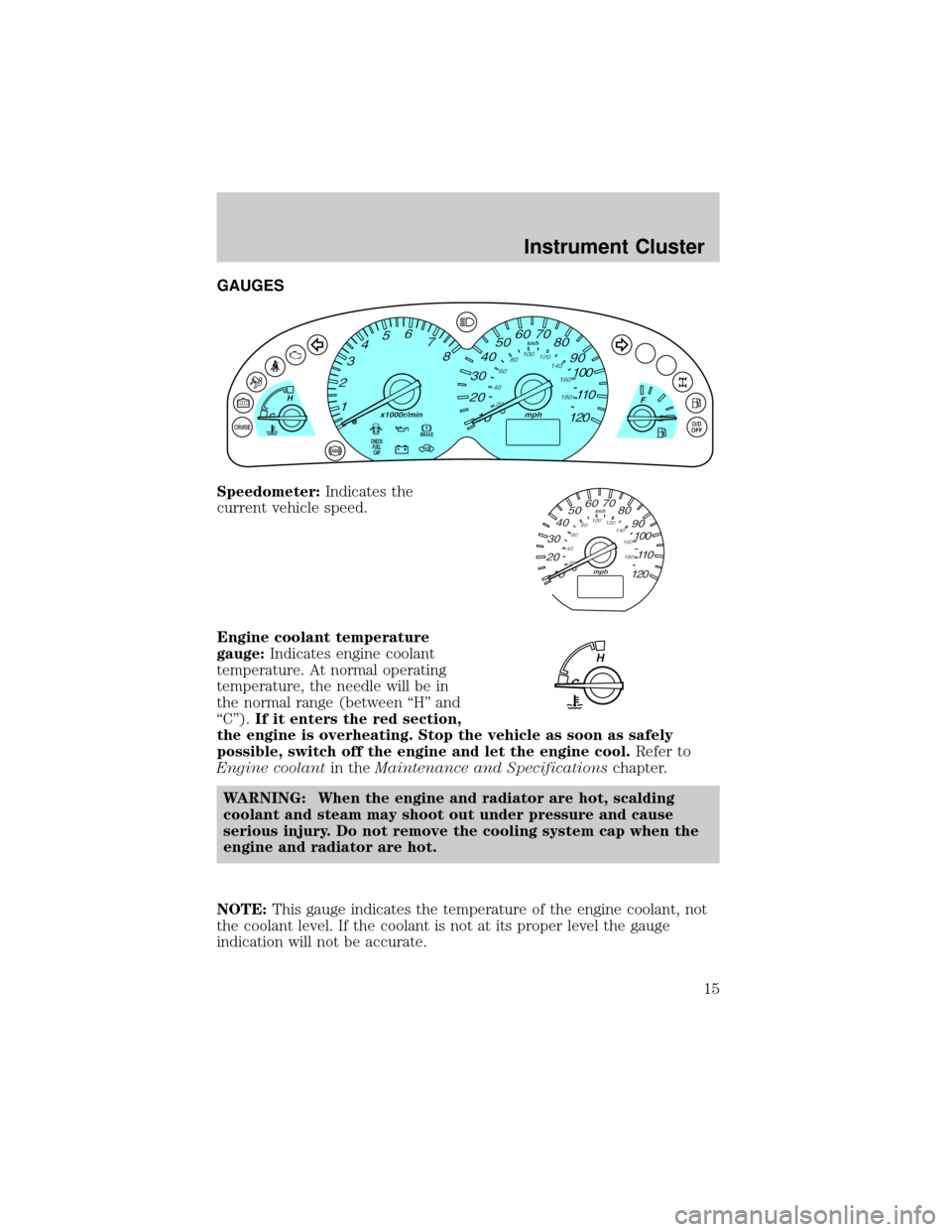
GAUGES
Speedometer:Indicates the
current vehicle speed.
Engine coolant temperature
gauge:Indicates engine coolant
temperature. At normal operating
temperature, the needle will be in
the normal range (between ªHº and
ªCº).If it enters the red section,
the engine is overheating. Stop the vehicle as soon as safely
possible, switch off the engine and let the engine cool.Refer to
Engine coolantin theMaintenance and Specificationschapter.
WARNING: When the engine and radiator are hot, scalding
coolant and steam may shoot out under pressure and cause
serious injury. Do not remove the cooling system cap when the
engine and radiator are hot.
NOTE:This gauge indicates the temperature of the engine coolant, not
the coolant level. If the coolant is not at its proper level the gauge
indication will not be accurate.
CHECK
FUEL
CAP
Instrument Cluster
15
Page 47 of 256

4. Direct the outer panel vents towards the side windows.
5. To increase airflow to the outer panel vents, close the central panel
vents.
WARNING: Do not place objects on top of the instrument panel
as these objects may become projectiles in a collision or sudden
stop.
REAR WINDOW DEFROSTER CONTROL
The rear defroster control is located
on the instrument panel.
Press the rear defroster control to
clear the rear window of thin ice
and fog.
²The small LED will illuminate
when the rear defroster is
activated.
The ignition must be in the ON position to operate the rear window
defroster.
The defroster turns off automatically after 15 minutes or when the
ignition is turned to the OFF position. To manually turn off the defroster
before 15 minutes have passed, push the control again.
Climate Controls
47
Page 48 of 256

HEADLAMP CONTROL
Turns the lamps off.
Turns on the parking
lamps, instrument panel lamps,
license plate lamps and tail lamps.
Turns the headlamps on.
BATTERY SAVER
Your vehicle is equipped with a battery saver feature which, if you leave
the headlamps on, automatically turns off the headlamps after 30
seconds when the ignition is in the OFF position.
FOG LAMP CONTROL (IF EQUIPPED)
The fog lamps can only be turned
on when the headlamp control is in
the low beam position.
Press the foglamp control to activate
the fog lamps. The fog lamp
indicator light will illuminate. When
the highbeams are activated, the fog
lamps will not operate.
Press the fog lamp control again to deactivate the fog lamps.
Daytime running lamps (DRL) (if equipped)
Turns the headlamps on with a reduced output.
To activate:
²the ignition must be in the ON position and
²the headlamp control is in the OFF or parking lamp.
WARNING: Always remember to turn on your headlamps at
dusk or during inclement weather. The Daytime Running Lamp
(DRL) system does not activate your parking lights or side
marker lights and generally may not provide adequate lighting
during these conditions. Failure to activate your headlamps
under these conditions may result in a collision.
OFF
Lights
Lights
48
Page 53 of 256

3. Disconnect the electrical
connector from the bulb by
pulling rearward.
4. Remove the rubber boot from
the lamp assembly by pulling on
one of the tabs.
5. Squeeze the retainer spring
together releasing it from bulb
hooks and rotate it away from
the bulb.
6. Without turning, carefully pull bulb out of headlamp assembly.
WARNING: Handle a halogen headlamp bulb carefully and keep
out of children's reach. Grasp the bulb only by its plastic base
and do not touch the glass. The oil from your hands could cause
the bulb to break the next time the headlamps are operated.
Always wear safety glasses while handling bulbs.
NOTE: If the bulb is accidentally touched, it should be cleaned with
rubbing alcohol before being used.
7. Insert the glass end of the new bulb into the headlamp assembly.
When the bulb's three metal tabs are aligned with the grooves in the
plastic base, push the bulb into the lamp assembly until the bulb's
metal base contacts the rear of the lamp assembly.
8. Rotate the retainer spring over the bulb plastic base and secure it on
the bulb hooks.
9. Install rubber boot on the lamp assembly.
10. Connect the electrical connector into the rear of the plastic base
until it ªsnaps.º
Lights
53
Page 55 of 256

5. Pull the bulb straight out of the
socket and push in the new
bulb.
6. To complete installation, follow
the removal procedure in
reverse order.
Replacing fog lamp bulbs (if equipped)
1. Remove the bulb socket from
the fog lamp by turning
counterclockwise.
2.
Disconnect the electrical
connector from the fog lamp bulb.
3. Connect the electrical connector to the new fog lamp bulb.
4. Install the bulb socket in the fog lamp turning clockwise.
WARNING: Handle a halogen headlamp bulb carefully and keep
out of children's reach. Grasp the bulb only by its plastic base
and do not touch the glass. The oil from your hands could cause
the bulb to break the next time the headlamps are operated.
Always wear safety glasses while handling bulbs.
NOTE: If the bulb is accidentally touched, it should be cleaned with
rubbing alcohol before being used.
Replacing license plate lamp bulbs
1. Remove two screws and the
license plate lamp assembly
(located above the license
plate) from the liftgate.
2. Remove bulb socket from lamp
assembly by turning
counterclockwise.
3.
Pull the bulb out from the socket
and push in the new bulb.
4. Install the bulb socket in lamp
assembly turning it clockwise,
5. Install the lamp assembly on liftgate with two screws.
Replacing high-mount brake lamp bulbs
For bulb replacement, see an authorized Mazda dealer.
Lights
55
Page 58 of 256

Changing the wiper blades
1. Pull the wiper arm away from
the vehicle. Turn the blade at an
angle from the wiper arm. Push
the lock pin manually to release
the blade and pull the wiper
blade down toward the
windshield to remove it from
the arm.
2. Attach the new wiper to the
wiper arm and press it into
place until a click is heard.
3. Replace wiper blades every 6
months for optimum
performance.
MANUAL TILT STEERING COLUMN
To adjust the steering wheel:
1. Pull down and hold the steering
wheel release control toward
you.
2. Move the steering wheel up or
down until you find the desired
location.
3. Pull the steering wheel release
control up. This will lock the
steering wheel in position.
WARNING: Adjusting the steering wheel while the vehicle is
moving is dangerous. Moving it can very easily cause the driver
to abruptly turn to the left or right. This can lead to loss of
control or an accident. Never adjust the steering wheel while
the vehicle is moving.
OVERHEAD CONSOLE (IF EQUIPPED)
The appearance of your vehicle's overhead console will vary according to
your option package.
Driver Controls
58
Page 60 of 256

ApproximateThickness of Transmitter(GDO)
inches mmCut to Bottom of
Notch
Less Than
1/4 6.35 No Cut
7/8 22.00 Notch 2
1.0 26.00 Notch 4
1±3/16 32.00 Notch 6
²Reinstall the rubber actuator (1) in the storage compartment (7) by
twisting and pushing it back into the slot.
²Install the transmitter (6) on to storage compartment door (3)
aligning the actuator control (8) with the rubber plunger (1). Close
the storage compartment door (3) to verify proper fit. Do not force
the storage compartment door (3) or you may break the door latch. If
the rubber actuator (1) is the proper length the storage compartment
door will close. Press the storage compartment door (3) to activate
the transmitter (6).
Illuminated visor mirror (if equipped)
Lift the mirror cover to turn on the
visor mirror lamps.
AUXILIARY POWER POINT
WARNING: Power outlets are
designed for accessory plugs
only. Do not hang any type of
accessory or accessory bracket
from the plug. Improper use of
the power outlet can cause
damage not covered by your
warranty.
Driver Controls
60
Page 61 of 256
The auxiliary power point is located on the instrument panel below the
radio.
Do not plug optional electrical accessories into the cigarette lighter. Use
the power point.
Do not use the power point for operating the cigarette lighter element.
The Maximum power each power point can supply depends on the fuse
rating. For example: a 20A fuse should supply a maximum of 240 Watts,
a 15A fuse should supply a maximum of 180 Watts and a 10A fuse should
supply a maximum of 120 Watts. Exceeding these limits will result in a
blown fuse.
Always keep the power point caps closed when not being used.
Cargo area auxiliary power point
An additional auxiliary power point
is located in the cargo area.
POWER WINDOWS
WARNING: When closing the power windows, you should verify
they are free of obstructions and ensure that children and/or
pets are not in the proximity of the window openings.
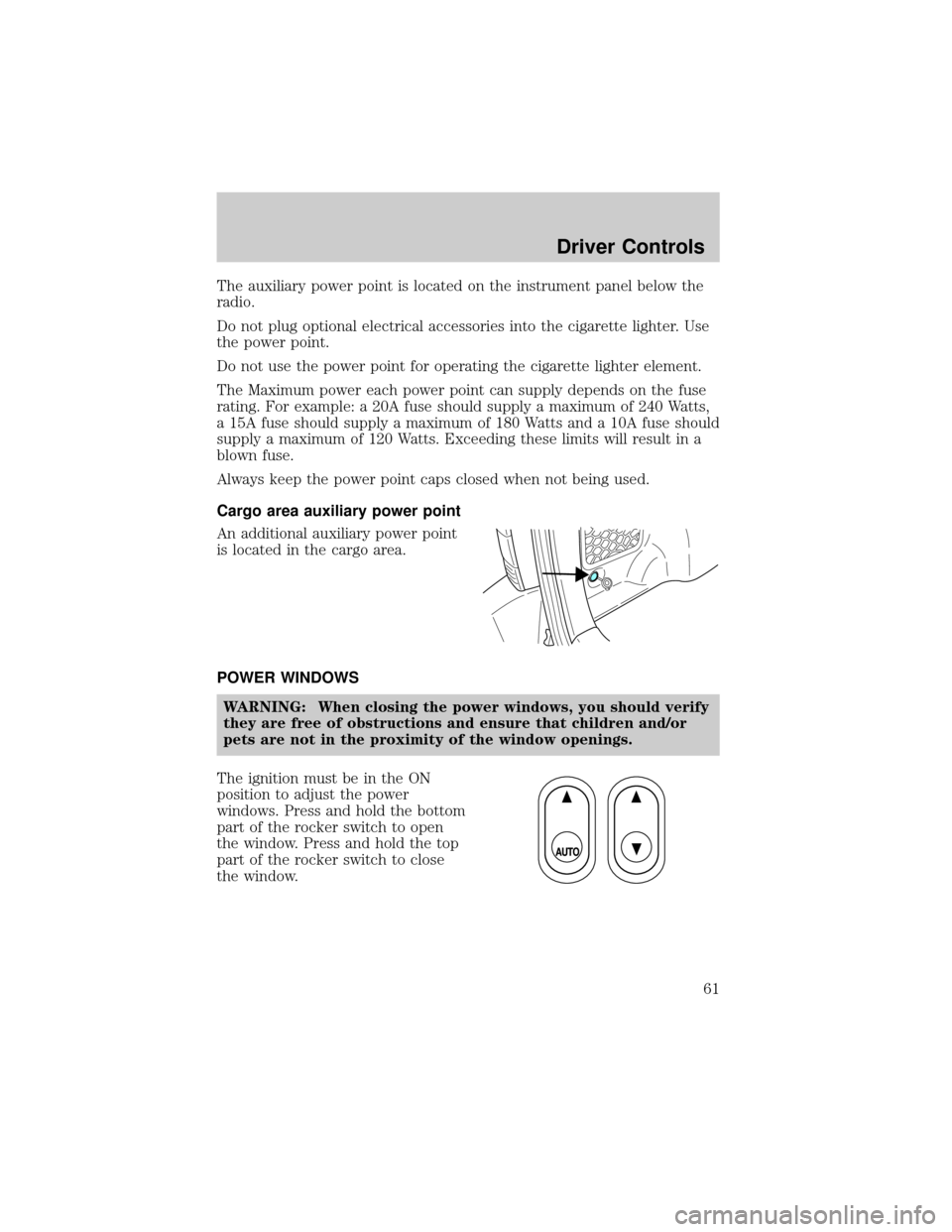
The ignition must be in the ON
position to adjust the power
windows. Press and hold the bottom
part of the rocker switch to open
the window. Press and hold the top
part of the rocker switch to close
the window.
Driver Controls
61
Page 62 of 256

One touch down
Allows the driver's window to open
fully without holding the control
down. Press completely down on
AUTO and release quickly. Press
again to stop.
Note:This feature will only operate
the driver's side window.
Window lock
The window lock feature disables all
the power windows except the
driver's.
To lock out all the window controls
except for the driver's window press
the right side of the control.
NOTE:The window switches will not illuminate when the window
control is in the LOCKED position.
Press the left side to restore the window controls.
Accessory delay
With accessory delay, power windows and moonroof operate for up to
ten minutes after the ignition switch is turned from the ACC or ON to
the OFF position or until any door is opened.
WARNING: Do not let children play with the power windows or
moon roof. They may seriously injure themselves.
MIRRORS
Power side view mirrors
The ignition must be in the ACC or ON position to adjust the power side
view mirrors.
Driver Controls
62
Page 64 of 256
WARNING: Using cruise control in the following conditions
could cause you to lose control of the vehicle:
²Heavy or unsteady traffic
²Slippery or winding roads
²Similar restrictions that require inconsistent speed
Don't use cruise control in these situations.
Setting speed control
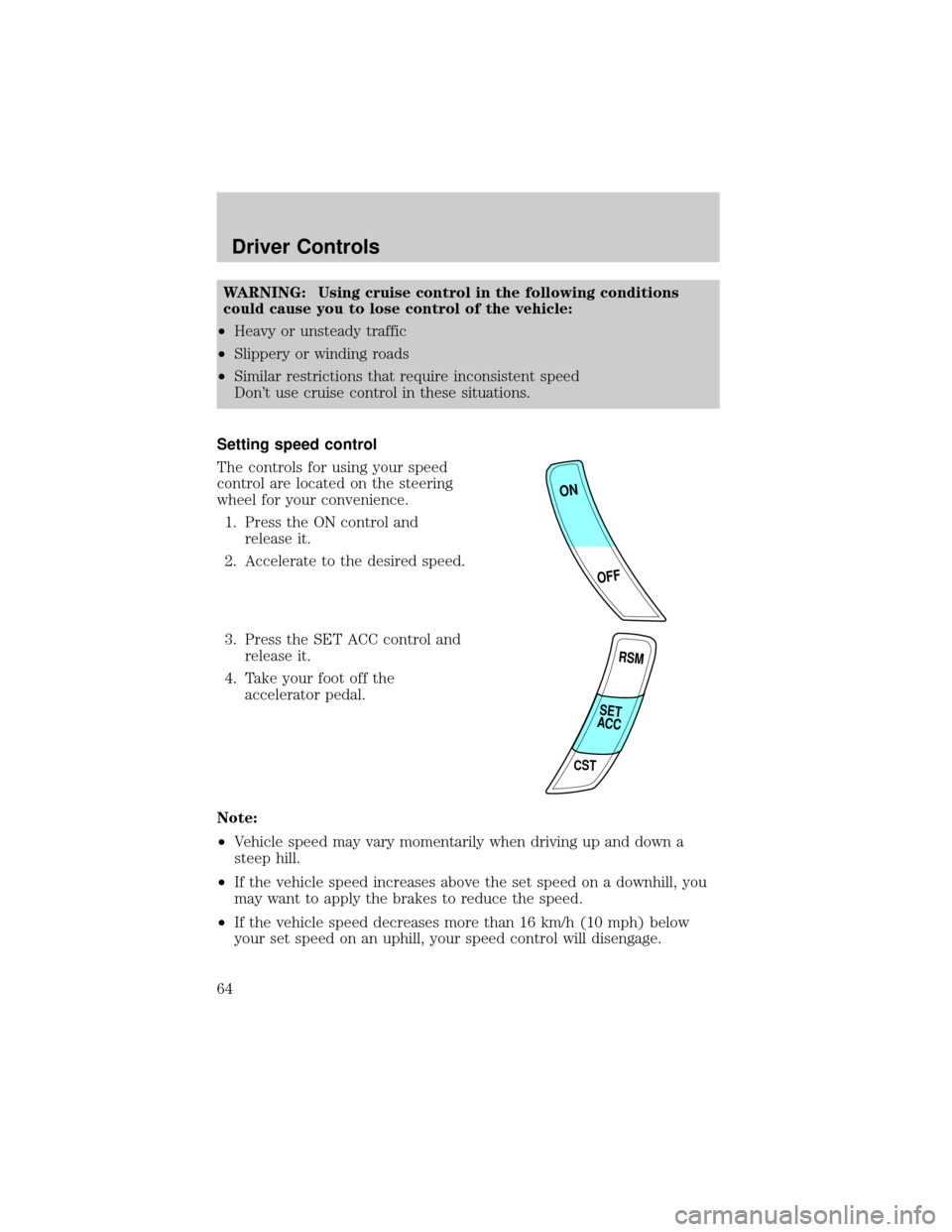
The controls for using your speed
control are located on the steering
wheel for your convenience.
1. Press the ON control and
release it.
2. Accelerate to the desired speed.
3. Press the SET ACC control and
release it.
4. Take your foot off the
accelerator pedal.
Note:
²Vehicle speed may vary momentarily when driving up and down a
steep hill.
²If the vehicle speed increases above the set speed on a downhill, you
may want to apply the brakes to reduce the speed.
²If the vehicle speed decreases more than 16 km/h (10 mph) below
your set speed on an uphill, your speed control will disengage.
ON
OFF
RSM
CST
SET
ACC
Driver Controls
64